sunroof CHEVROLET SPARK 2019 Owner's Manual
[x] Cancel search | Manufacturer: CHEVROLET, Model Year: 2019, Model line: SPARK, Model: CHEVROLET SPARK 2019Pages: 343, PDF Size: 5.08 MB
Page 6 of 343
Chevrolet Spark Owner Manual (GMNA-Localizing-U.S./Canada-12146335) -
2019 - CRC - 4/26/18
In Brief 5
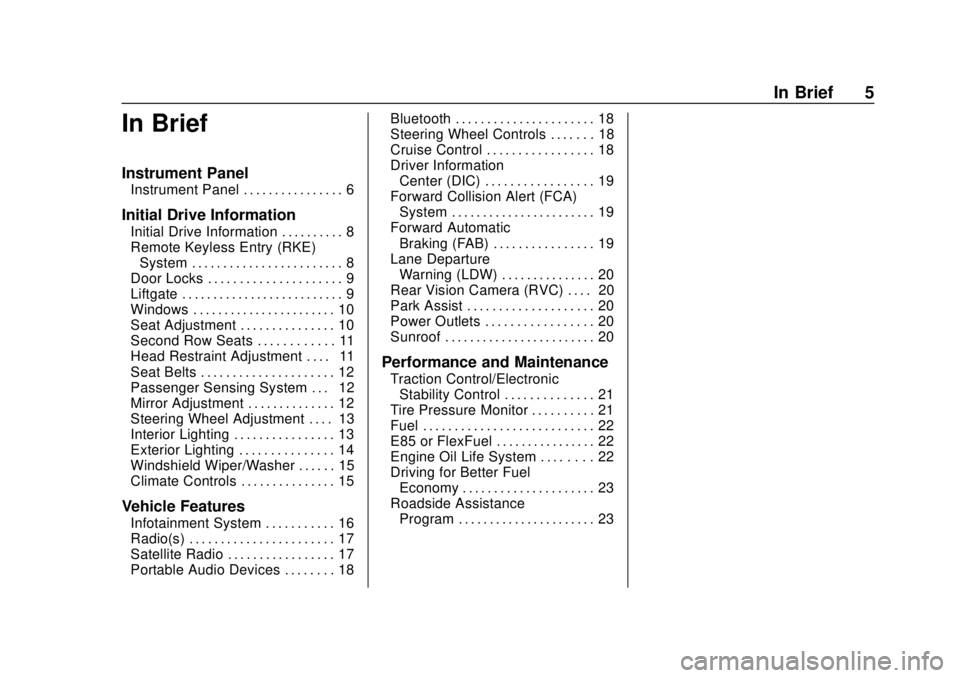
In Brief
Instrument Panel
Instrument Panel . . . . . . . . . . . . . . . . 6
Initial Drive Information
Initial Drive Information . . . . . . . . . . 8
Remote Keyless Entry (RKE)System . . . . . . . . . . . . . . . . . . . . . . . . 8
Door Locks . . . . . . . . . . . . . . . . . . . . . 9
Liftgate . . . . . . . . . . . . . . . . . . . . . . . . . . 9
Windows . . . . . . . . . . . . . . . . . . . . . . . 10
Seat Adjustment . . . . . . . . . . . . . . . 10
Second Row Seats . . . . . . . . . . . . 11
Head Restraint Adjustment . . . . 11
Seat Belts . . . . . . . . . . . . . . . . . . . . . 12
Passenger Sensing System . . . 12
Mirror Adjustment . . . . . . . . . . . . . . 12
Steering Wheel Adjustment . . . . 13
Interior Lighting . . . . . . . . . . . . . . . . 13
Exterior Lighting . . . . . . . . . . . . . . . 14
Windshield Wiper/Washer . . . . . . 15
Climate Controls . . . . . . . . . . . . . . . 15
Vehicle Features
Infotainment System . . . . . . . . . . . 16
Radio(s) . . . . . . . . . . . . . . . . . . . . . . . 17
Satellite Radio . . . . . . . . . . . . . . . . . 17
Portable Audio Devices . . . . . . . . 18 Bluetooth . . . . . . . . . . . . . . . . . . . . . . 18
Steering Wheel Controls . . . . . . . 18
Cruise Control . . . . . . . . . . . . . . . . . 18
Driver Information
Center (DIC) . . . . . . . . . . . . . . . . . 19
Forward Collision Alert (FCA) System . . . . . . . . . . . . . . . . . . . . . . . 19
Forward Automatic Braking (FAB) . . . . . . . . . . . . . . . . 19
Lane Departure Warning (LDW) . . . . . . . . . . . . . . . 20
Rear Vision Camera (RVC) . . . . 20
Park Assist . . . . . . . . . . . . . . . . . . . . 20
Power Outlets . . . . . . . . . . . . . . . . . 20
Sunroof . . . . . . . . . . . . . . . . . . . . . . . . 20
Performance and Maintenance
Traction Control/Electronic Stability Control . . . . . . . . . . . . . . 21
Tire Pressure Monitor . . . . . . . . . . 21
Fuel . . . . . . . . . . . . . . . . . . . . . . . . . . . 22
E85 or FlexFuel . . . . . . . . . . . . . . . . 22
Engine Oil Life System . . . . . . . . 22
Driving for Better Fuel Economy . . . . . . . . . . . . . . . . . . . . . 23
Roadside Assistance Program . . . . . . . . . . . . . . . . . . . . . . 23
Page 21 of 343
Chevrolet Spark Owner Manual (GMNA-Localizing-U.S./Canada-12146335) -
2019 - CRC - 4/26/18
20 In Brief
Lane Departure
Warning (LDW)
If equipped, LDW may help avoid
unintentional lane departures at
speeds of 56 km/h (35 mph) or
greater. LDW uses a camera sensor
to detect the lane markings. The
LDW light,
@, is green if a lane
marking is detected. If the vehicle
departs the lane without using a turn
signal in that direction, the light will
change to amber and flash. In
addition, beeps will sound.
See Lane Departure Warning (LDW)
0 205.
Rear Vision
Camera (RVC)
If equipped, RVC displays a view of
the area behind the vehicle, on the
infotainment display, when the
vehicle is shifted into R (Reverse).
See Rear Vision Camera (RVC)
0 199.
Park Assist
If equipped, Rear Park Assist (RPA)
uses sensors on the rear bumper to
assist with parking and avoiding
objects while in R (Reverse).
It operates at speeds less than
8 km/h (5 mph) and uses audible
beeps to provide distance and
system information.
Keep the sensors on the vehicle's
rear bumper clean to ensure proper
operation.
See Park Assist 0201.
Power Outlets
The accessory power outlets can be
used to plug in electrical equipment,
such as a cell phone or MP3 player.
The vehicle has an accessory
power outlet on the center stack.
See Power Outlets 098.
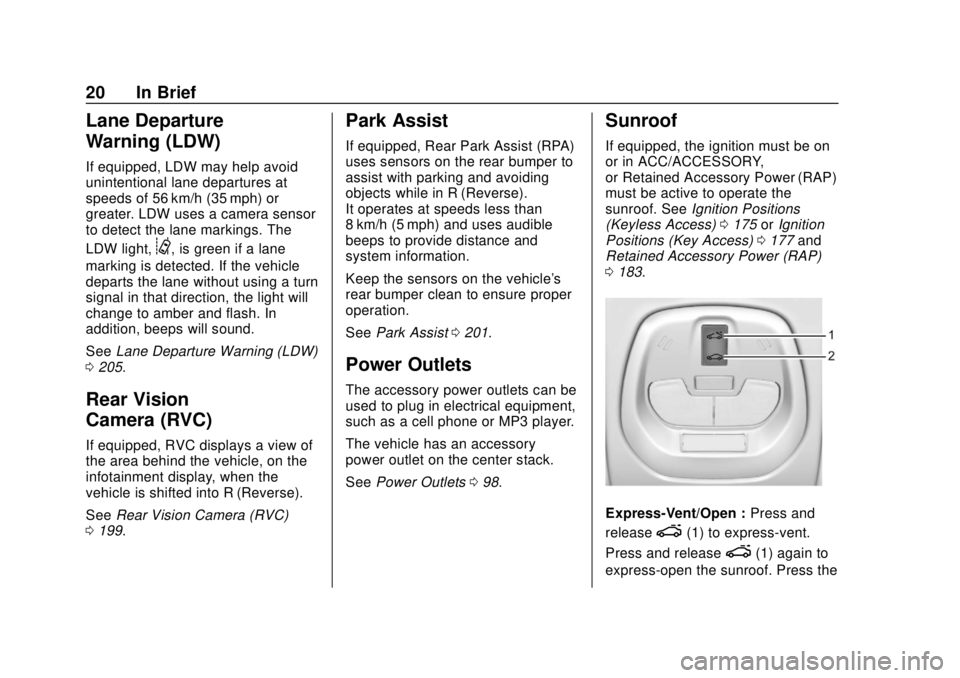
Sunroof
If equipped, the ignition must be on
or in ACC/ACCESSORY,
or Retained Accessory Power (RAP)
must be active to operate the
sunroof. See Ignition Positions
(Keyless Access) 0175 orIgnition
Positions (Key Access) 0177 and
Retained Accessory Power (RAP)
0 183.
Express-Vent/Open : Press and
release
e(1) to express-vent.
Press and release
e(1) again to
express-open the sunroof. Press the
Page 22 of 343
Chevrolet Spark Owner Manual (GMNA-Localizing-U.S./Canada-12146335) -
2019 - CRC - 4/26/18
In Brief 21
switch again to stop movement. The
sunshade automatically opens with
the sunroof, but must be closed
manually.
Vent/Open :Press and hold
e(1)
to vent. Press and hold
e(1)
again to open the sunroof. Release
the switch to stop movement. The
sunshade automatically opens with
the sunroof, but must be closed
manually.
Close : Press and hold
g(2) to
close. Release the switch to stop
movement.
The sunroof cannot be opened or
closed if the vehicle has an
electrical failure.
See Sunroof 044.
Performance and
Maintenance
Traction Control/
Electronic Stability
Control
The TCS limits wheel spin. The
system is on when the vehicle is
started.
The StabiliTrak/Electronic Stability
Control (ESC) system assists with
directional control of the vehicle in
difficult driving conditions. The
system is on when the vehicle is
started.
.
To turn off traction control, press
and release
gon the lower
instrument panel to the left of the
steering wheel.
iilluminates in
the instrument cluster. The
appropriate DIC message
displays.
. To turn off both traction control
and StabiliTrak/ESC, press and
hold
g, untiliandgilluminate in the instrument cluster. The
appropriate DIC message
displays.
. Press
gagain to turn on both
systems.
iandggo off in the
instrument cluster. The
appropriate DIC message
displays.
See Traction Control/Electronic
Stability Control 0193.
Tire Pressure Monitor
This vehicle may have a Tire
Pressure Monitor System (TPMS).
The low tire pressure warning light
alerts to a significant loss in
pressure of one of the vehicle's
tires. If the warning light comes on,
stop as soon as possible and inflate
the tires to the recommended
pressure shown on the Tire and
Page 25 of 343
Chevrolet Spark Owner Manual (GMNA-Localizing-U.S./Canada-12146335) -
2019 - CRC - 4/26/18
24 Keys, Doors, and Windows
Keys, Doors, and
Windows
Keys and Locks
Keys . . . . . . . . . . . . . . . . . . . . . . . . . . . 24
Remote Keyless Entry (RKE)System . . . . . . . . . . . . . . . . . . . . . . . 27
Remote Keyless Entry (RKE) System Operation (Key
Access) . . . . . . . . . . . . . . . . . . . . . . 27
Remote Keyless Entry (RKE) System Operation (Keyless
Access) . . . . . . . . . . . . . . . . . . . . . . 29
Door Locks . . . . . . . . . . . . . . . . . . . . 34
Power Door Locks . . . . . . . . . . . . . 34
Delayed Locking . . . . . . . . . . . . . . . 35
Automatic Door Locks . . . . . . . . . 35
Lockout Protection . . . . . . . . . . . . . 35
Safety Locks . . . . . . . . . . . . . . . . . . . 36
Doors
Liftgate . . . . . . . . . . . . . . . . . . . . . . . . 37
Vehicle Security
Vehicle Security . . . . . . . . . . . . . . . . 38
Vehicle Alarm System . . . . . . . . . 38
Immobilizer . . . . . . . . . . . . . . . . . . . . 39
Immobilizer Operation (Key Access) . . . . . . . . . . . . . . . . . . . . . . 39 Immobilizer Operation (Keyless
Access) . . . . . . . . . . . . . . . . . . . . . . 40
Exterior Mirrors
Convex Mirrors . . . . . . . . . . . . . . . . 41
Manual Mirrors . . . . . . . . . . . . . . . . . 41
Power Mirrors . . . . . . . . . . . . . . . . . . 41
Folding Mirrors . . . . . . . . . . . . . . . . . 42
Heated Mirrors . . . . . . . . . . . . . . . . . 42
Interior Mirrors
Interior Rearview Mirrors . . . . . . . 42
Manual Rearview Mirror . . . . . . . . 42
Windows
Windows . . . . . . . . . . . . . . . . . . . . . . . 42
Manual Windows . . . . . . . . . . . . . . 43
Power Windows . . . . . . . . . . . . . . . 43
Sun Visors . . . . . . . . . . . . . . . . . . . . . 44
Roof
Sunroof . . . . . . . . . . . . . . . . . . . . . . . . 44
Keys and Locks
Keys
{Warning
Leaving children in a vehicle with
the ignition key is dangerous and
children or others could be
seriously injured or killed. They
could operate the power windows
or other controls or make the
vehicle move. The windows will
function with the keys in the
ignition, and children or others
could be caught in the path of a
closing window. Do not leave
children in a vehicle with the
ignition key.
Page 45 of 343
Chevrolet Spark Owner Manual (GMNA-Localizing-U.S./Canada-12146335) -
2019 - CRC - 4/26/18
44 Keys, Doors, and Windows
Automatic Reversal System
Override
{Warning
If automatic reversal system
override is active, the window will
not reverse automatically. You or
others could be injured and the
window could be damaged.
Before using automatic reversal
system override, make sure that
all people and obstructions are
clear of the window path.
When the engine is on, override the
automatic reversal system by pulling
and holding the window switch if
conditions prevent it from closing.
Programming the Power
Windows
Programming may be necessary if
the vehicle battery has been
disconnected or discharged. If the
window is unable to express-up,
program each express-close
window: 1. Close all doors.
2. Turn the ignition on or to ACC/
ACCESSORY.
3. Partially open the window to be programmed. Then close it and
continue to pull the switch
briefly after the window has
fully closed.
4. Open the window and continue to press the switch briefly after
the window has fully opened.
Sun Visors
Pull the sun visor down to block out
glare. Detach the sun visor from the
center mount and swing it to
the side.
Visor Vanity Mirror
The vehicle may have vanity mirrors
and card holders on the back of the
sun visors. Swing down the sun
visor to expose the vanity mirror.
Roof
Sunroof
If equipped, the ignition must be on
or in ACC/ACCESSORY,
or Retained Accessory Power (RAP)
must be active to operate the
sunroof. See Ignition Positions
(Keyless Access) 0175 orIgnition
Positions (Key Access) 0177 and
Retained Accessory Power (RAP)
0 183.
Page 46 of 343

Chevrolet Spark Owner Manual (GMNA-Localizing-U.S./Canada-12146335) -
2019 - CRC - 4/26/18
Keys, Doors, and Windows 45
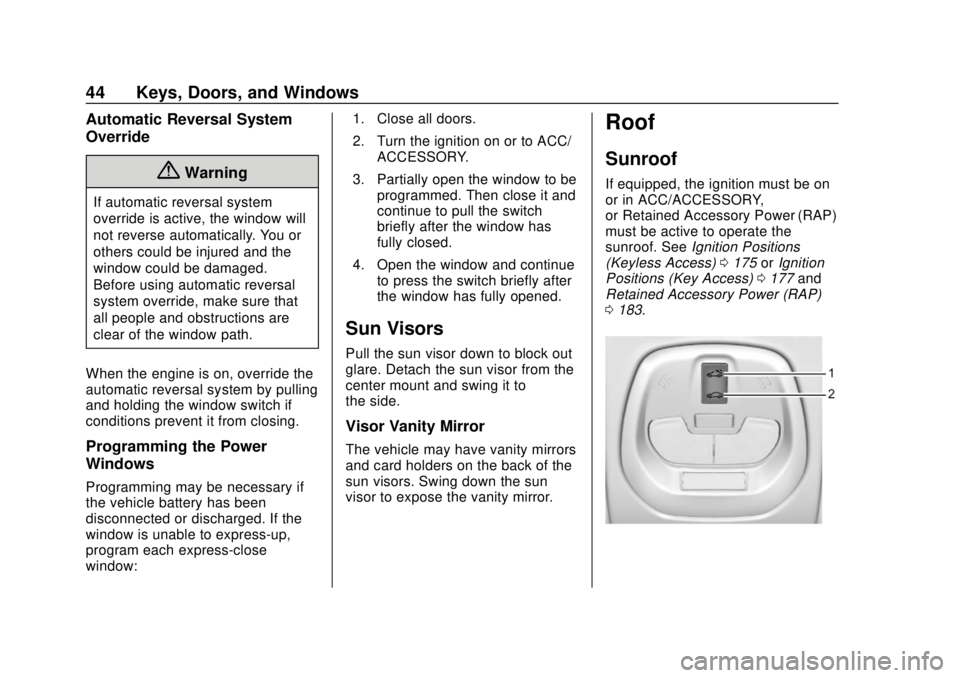
Express-Vent/Open :Press and
release
e(1) to express-vent.
Press and release
e(1) again to
express-open the sunroof. Press the
switch again to stop movement. The
sunshade automatically opens with
the sunroof, but must be closed
manually.
Vent/Open : Press and hold
e(1)
to vent. Press and hold
e(1)
again to open the sunroof. Release
the switch to stop movement. The
sunshade automatically opens with
the sunroof, but must be closed
manually.
Close : Press and hold
g(2) to
close. Release the switch to stop
movement.
The sunroof cannot be opened or
closed if the vehicle has an
electrical failure.
Dirt and debris may collect on the
sunroof seal or in the track. This
could cause an issue with sunroof
operation or noise. It could also plug
the water drainage system.
Periodically open the sunroof and
remove any obstacles or loose
debris. Wipe the sunroof seal and
roof sealing area using a clean
cloth, mild soap, and water. Do not
remove grease from the sunroof.
Page 141 of 343

Chevrolet Spark Owner Manual (GMNA-Localizing-U.S./Canada-12146335) -
2019 - CRC - 4/27/18
140 Infotainment System
Cell Phone Usage
Cell phone usage, such as making
or receiving phone calls, charging,
or just having the phone on may
cause static interference in the
radio. Unplug the phone or turn it off
if this happens.
Multi-Band Antenna
The roof antenna is for SXM, AM,
FM, OnStar and GPS (Global
Positioning System). Keep clear of
obstructions for clear reception.
If the vehicle has a sunroof, and it is
open, reception can also be
affected.
Audio Players
Avoiding Untrusted Media
Devices
When using media devices such as
CDs, DVDs, Blu-ray Discs, SD
cards, USB devices, and mobile
devices, consider the source.
Untrusted media devices could
contain files that affect system
operation or performance. Avoid use
if the content or origin cannot be
trusted.
USB Port
Audio stored on a USB device may
be listened to.
This vehicle has two USB ports in
the center stack. These ports are for
data and charging.
Playing from a USB
A USB mass storage device can be
connected to the USB port.Audio extensions supported by the
USB are:
.
FLAC
. MP3
. WMA
. AAC
. OGG
. 3GPP
My Media Library
My Media is only available when
more than one indexed device is
connected. It allows access to
content from all indexed media
sources. My Media will show as an
available source in the
Source page.
USB MP3 Player and USB Drives
The USB MP3 players and USB
drives connected must comply with
the USB Mass Storage Class
specification (USB MSC).
Page 184 of 343

Chevrolet Spark Owner Manual (GMNA-Localizing-U.S./Canada-12146335) -
2019 - CRC - 4/30/18
Driving and Operating 183
Retained Accessory
Power (RAP)
Some vehicle accessories may be
used after the ignition is turned off.
The power windows and sunroof,
if equipped, will continue to work for
up to 10 minutes or until any door is
opened.
The infotainment system will
continue to work for 10 minutes,
until the driver door is opened,
or until the ignition is turned on or
placed in ACC/ACCESSORY.
Shifting Into Park
1. Hold the brake pedal down andset the parking brake. See
Parking Brake 0191.
2. Move the shift lever into P (Park) by pressing the button
on the shift lever and pushing
the lever all the way toward the
front of the vehicle. 3. Turn the ignition off. For key
access vehicles, push the
ignition key in, towards the
steering column and then turn
the ignition off.
4. Remove the key and take it with you. If you can leave the
vehicle with the ignition key in
your hand, the vehicle is in
P (Park).
Leaving the Vehicle with the
Engine Running (Automatic
Transmission)
{Warning
It can be dangerous to leave the
vehicle with the engine running.
It could overheat and catch fire.
It is dangerous to get out of the
vehicle if the shift lever is not fully
in P (Park) with the parking brake
firmly set. The vehicle can roll.
(Continued)
Warning (Continued)
Do not leave the vehicle when the
engine is running. If you have left
the engine running, the vehicle
can move suddenly. You or others
could be injured. To be sure the
vehicle will not move, even when
you are on fairly level ground,
always set the parking brake and
move the shift lever to P (Park).
SeeShifting Into Park 0183.
If you have to leave the vehicle with
the engine running, be sure the
vehicle is in P (Park) and the
parking brake is firmly set before
you leave it. After you have moved
the shift lever into P (Park), hold the
brake pedal down. Then see if you
can move the shift lever away from
P (Park) without first pressing the
button on the shift lever. If you can,
it means that the shift lever was not
fully locked into P (Park).
Page 244 of 343

Chevrolet Spark Owner Manual (GMNA-Localizing-U.S./Canada-12146335) -
2019 - CRC - 4/26/18
Vehicle Care 243
The vehicle may not be equipped
with all of the fuses, relays, and
features shown.Fuses Usage
1 Liftgate latch
2 Transmission output speed
sensor
3 Rear defogger
4 Exterior rearview mirror heater
5 Sunroof
6 Continuously variable
transmission
control module
7 Mass airflow sensor
8 –
9 ABS valve
10 Regulated voltage control
11 Rear vision camera
12 –
13 – Fuses Usage
14 Engine control module/
Transmission
control module
15 Fuel injection control module/
Starter motor
16 Fuel pump motor
17 Engine control module 1
18 Engine control module 2
19 Injector/Ignition
20 A/C system
21 Intelligent battery sensor
22 Electric steering column lock
23 Cooling fan –low
24 Virtual key pass system sensor
25 Exterior rearview mirror motor control
Page 247 of 343

Chevrolet Spark Owner Manual (GMNA-Localizing-U.S./Canada-12146335) -
2019 - CRC - 4/26/18
246 Vehicle Care
FusesUsage
LPM Linear power module
PEPS Passive entry/ Passive start
DLIS (Non AT S&S) Discrete logic
ignition switch
(non-CVT stop and
start)
FCA Forward collision alert
IPC Instrument cluster
RLAD Reflected LED alert display
HLLD SW Headlamp leveling switch
FRT
PWR WNDW Front power
window
REAR
PWR WNDW Rear power
window
– –
MTA Automated manual transmission
module Fuses
Usage
APO Auxiliary power outlet
S/ROOF Sunroof CGM Central gate module
– –
BCM8 Body control module 8
BCM7 Body control module 7
BCM6 Body control module 6
BCM5 Body control module 5
BCM4 Body control module 4
BCM3 Body control module 3
BCM2 (Non AT S&S) Body control
module 2 (non-CVT
stop and start) Fuses
Usage
BCM1 (Non AT S&S) Body control
module 1 (non-CVT
stop and start)
DLIS
(AT S&S) Discrete logic
ignition switch
(CVT stop and
start)
SWC BKLT Steering wheel controls
backlighting
– –
TRANS (200/ 400W)/
LOGISTICS DC DC converter/
Logistics
EXP
PWR WNDW Driver express
power window
BLWR Blower motor
HTD/SEAT Front heated seats
HVAC CNTR HVAC module HTD/STR Heated steering wheel
BCM2
(AT S&S) Body control
module 2 (CVT stop
and start)