Brakes CHEVROLET SS 2017 1.G User Guide
[x] Cancel search | Manufacturer: CHEVROLET, Model Year: 2017, Model line: SS, Model: CHEVROLET SS 2017 1.GPages: 400, PDF Size: 7.31 MB
Page 231 of 400
Chevrolet SS Sedan Owner Manual (GMNA-Localizing-U.S.-10122752) -2017 - crc - 8/31/16
230 Driving and Operating
working, the vehicle may be near astrong radio antenna signal causinginterference to the Keyless Accesssystem. SeeRemote Keyless Entry(RKE) System Operation025.
To s h i f t o u t o f P ( P a r k ) , t h e v e h i c l emust be in ACC/ACCESSORY orON/RUN and the brake pedal mustbe applied.
Stopping the Engine/OFF (NoIndicator Lights) :When thevehicle is stopped, press ENGINESTART/STOP once to turn theengine off.
If the vehicle is in P (Park), theignition will turn off, and RetainedAccessory Power (RAP) will remainactive. SeeRetained AccessoryPower (RAP)0232.
Automatic Transmission
If the vehicle is not in P (Park), theignition will return to ACC/ACCESSORY and display amessage in the Driver InformationCenter (DIC). SeeTr a n s m i s s i o nMessages011 9.Whenthevehicleis shifted into P (Park), the ignitionsystem will switch to OFF.
Manual Transmission
If the vehicle is stationary, theignition will turn OFF, and RetainedAccessory Power (RAP) will remainactive. SeeRetained AccessoryPower (RAP)0232.
Do not turn the engine off when thevehicle is moving. This will cause aloss of power assist in the brakeand steering systems and disablethe airbags.
If the vehicle must be shut off in anemergency:
1. Brake using a firm and steadypressure. Do not pump thebrakes repeatedly. This maydeplete power assist, requiringincreased brake pedal force.
2. Shift the vehicle to N (Neutral).This can be done while thevehicle is moving. After shiftingto N (Neutral), firmly apply thebrakes and steer the vehicle toasafelocation.
3. Come to a complete stop. Shiftto P (Park) with an automatictransmission, or Neutral with amanual transmission. Turn theignition to OFF.
4. Set the parking brake. SeeElectric Parking Brake0242.
{Warning
Turning off the vehicle while
moving may cause loss of power
assist in the brake and steering
systems and disable the airbags.
While driving, only shut the
vehicle off in an emergency.
If the vehicle cannot be pulled over,and must be shut off while driving,press and hold ENGINE START/STOP for longer than two seconds,or press twice in five seconds.
ACC/ACCESSORY (AmberIndicator Light) :This mode allowsyou to use some electricalaccessories when the engine is off.
Page 242 of 400
Chevrolet SS Sedan Owner Manual (GMNA-Localizing-U.S.-10122752) -2017 - crc - 8/31/16
Driving and Operating 241
One to Four Shift Message
(V8 Only)
When this message comes on, thevehicle can only be shifted from1(First) to 4(Fourth) instead of1(First) to 2(Second). The messagewill display in the Driver InformationCenter (DIC).
Complete the shift into 4 (Fourth) toturn off this feature. This helps toget the best possible fuel economy.
After shifting to 4 (Fourth), downshiftto a lower gear, if desired.
Caution
Forcing the shift lever into any
gear except 4 (Fourth) when the
1-4 SHIFT message comes on
may damage the transmission.
Shift only from 1 (First) to
4(Fourth) when the message
comes on.
This message will come on when:
.The engine coolant temperatureis higher than 76 °C (169 °F).
.The vehicle is accelerating fromastopandgoing24to31km/h(15 to 19 mph).
.The vehicle is at 33% throttleor less.
Brakes
Antilock Brake
System (ABS)
This vehicle has an Antilock BrakeSystem (ABS), an advancedelectronic braking system that helpsprevent a braking skid.
When the vehicle begins to driveaway, ABS checks itself.Amomentarymotororclickingnoisemay be heard while this test is goingon, and it may even be noticed thatthe brake pedal moves a little. Thisis normal.
If there is a problem with ABS, thiswarning light stays on. SeeAntilockBrake System (ABS) Warning Light0104.
Page 243 of 400
Chevrolet SS Sedan Owner Manual (GMNA-Localizing-U.S.-10122752) -2017 - crc - 8/31/16
242 Driving and Operating
If driving safely on a wet road and itbecomes necessary to slam on thebrakes and continue braking toavoid a sudden obstacle, acomputer senses the wheels areslowing down. If one of the wheelsis about to stop rolling, the computerwill separately work the brakes ateach wheel.
ABS can change the brake pressureto each wheel, as required, fasterthan any driver could. This can helpyou steer around the obstacle whilebraking hard.
As the brakes are applied, thecomputer keeps receiving updateson wheel speed and controlsbraking pressure accordingly.
Remember: ABS does not changethe time needed to get a foot up tothe brake pedal or always decreasestopping distance. If you get tooclose to the vehicle in front of you,there will not be enough time toapply the brakes if that vehiclesuddenly slows or stops. Alwaysleave enough room up ahead tostop, even with ABS.
Using ABS
Do not pump the brakes. Just holdthe brake pedal down firmly and letABS work. You may hear the ABSpump or motor operating and feelthe brake pedal pulsate. This isnormal.
Braking in Emergencies
ABS allows you to steer and brakeat the same time. In manyemergencies, steering can helpmore than even the very bestbraking.
Electric Parking Brake
The vehicle has an Electric ParkingBrake (EPB). The switch is on thecenter console. The EPB canalways be activated, even if theignition is off. To prevent drainingthe battery, avoid repeated cycles ofthe EPB when the engine is notrunning.
The system has a red parking brakestatus light and an amber parkingbrake warning light. SeeElectricParking Brake Light0103andService Electric Parking Brake Light0103.Therearealsoparkingbrake-related Driver InformationCenter (DIC) messages. SeeBrakeSystem Messages011 3.Incaseofinsufficient electrical power, the EPBcannot be applied or released.
Before leaving the vehicle, checkthe red parking brake status light toensure that the parking brake isapplied.
EPB Apply
To a p p l y t h e E P B :
1. Be sure the vehicle is at acomplete stop.
Page 244 of 400
Chevrolet SS Sedan Owner Manual (GMNA-Localizing-U.S.-10122752) -2017 - crc - 8/31/16
Driving and Operating 243
2. Lift up the EPB switchmomentarily.
The red parking brake status lightwill flash and then stay on once theEPB is fully applied. If the redparking brake status light flashescontinuously, then the EPB is onlypartially applied or there is aproblem with the EPB. A DICmessage will display. Release theEPB and try to apply it again. If thelight does not come on, or keepsflashing, have the vehicle serviced.Do not drive the vehicle if the redparking brake status light is flashing.See your dealer. SeeElectricParking Brake Light0103.
If the amber parking brake warninglight is on, lift up on the EPB switchand hold it up. Continue to hold theswitch until the red parking brakestatus light remains on. If the amberparking brake warning light remainson, see your dealer.
If the EPB is applied while thevehicle is moving, the vehicle willdecelerate as long as the switch is
held up. If the switch is held up untilthe vehicle comes to a stop, theEPB will remain applied.
If the EPB fails to apply, the rearwheels should be blocked toprevent vehicle movement.
EPB Release
To r e l e a s e t h e E P B :
1. Place the ignition in the ACC/ACCESSORY or ON/RUNposition.
2. Apply and hold the brakepedal.
3. Push down momentarily on theEPB switch.
The EPB is released when the redparking brake status light is off.
If the amber parking brake warninglight is on, release the EPB bypushing down on the EPB switchand holding it down. Continue tohold the switch until the red parkingbrake status light is off. If either lightstays on after release is attempted,see your dealer.
Caution
Driving with the parking brake on
can overheat the brake system
and cause premature wear or
damage to brake system parts.
Make sure that the parking brake
is fully released and the brake
warning light is off before driving.
Automatic EPB Release
The EPB will automatically release ifthe vehicle is running, placed intogear, and an attempt is made todrive away. Avoid rapid accelerationwhen the EPB is applied, topreserve parking brake lining life.
The EPB can also be used toprevent roll back for vehicles with amanual transmission taking off on ahill. When no roll back is desired, anapplied EPB will allow both feet tobe used for the clutch andaccelerator pedals in preparation forstarting the vehicle moving in theintended direction. In this case,there is no need to push the switchto release the EPB.
Page 245 of 400
Chevrolet SS Sedan Owner Manual (GMNA-Localizing-U.S.-10122752) -2017 - crc - 8/31/16
244 Driving and Operating
Brake Assist
The Brake Assist feature isdesigned to assist the driver instopping or decreasing vehiclespeed in emergency drivingconditions. This feature uses thestability system hydraulic brakecontrol module to supplement thepower brake system underconditions where the driver hasquickly and forcefully applied thebrake pedal in an attempt to quicklystop or slow down the vehicle. Thestability system hydraulic brakecontrol module increases brakepressure at each corner of thevehicle until the ABS activates.Minor brake pedal pulsation orpedal movement during this time isnormal and the driver shouldcontinue to apply the brake pedal asthe driving situation dictates. TheBrake Assist feature willautomatically disengage when thebrake pedal is released or brakepedal pressure is quicklydecreased.
Hill Start Assist (HSA)
This vehicle has a Hill Start Assist(HSA) feature, which may be usefulwhen the vehicle is stopped on agrade sufficient enough to activateHSA. This feature is designed toprevent the vehicle from rolling,either forward or rearward, duringvehicle drive off. After the drivercompletely stops and holds thevehicle in a complete standstill on agrade, HSA will be automaticallyactivated. During the transitionperiod between when the driverreleases the brake pedal and startsto accelerate to drive off on a grade,HSA holds the braking pressure foramaximumoftwosecondstoensure that there is no rolling. Thebrakes will automatically releasewhen the accelerator pedal isapplied within the two-secondwindow.
HSA will not activate if the vehicle isin a forward gear position and facingdownhill, or if the vehicle is facinguphill and the gear position is inR(Reverse).Whenbackingdownahill, select R (Reverse) todisable HSA.
Page 246 of 400
Chevrolet SS Sedan Owner Manual (GMNA-Localizing-U.S.-10122752) -2017 - crc - 8/31/16
Driving and Operating 245
Ride Control Systems
Traction Control/
Electronic Stability
Control
System Operation
The vehicle has a Traction ControlSystem (TCS) and StabiliTrak®,anelectronic stability control system.These systems help limit wheel slipand assist the driver in maintainingcontrol, especially on slippery roadconditions.
TCS activates if it senses that anyof the drive wheels are spinning orbeginning to lose traction. When thishappens, TCS applies the brakes tothe spinning wheels and reducesengine power to limit wheel spin.
StabiliTrak activates when thevehicle senses a difference betweenthe intended path and the directionthe vehicle is actually traveling.StabiliTrak selectively appliesbraking pressure to any one of the
vehicle wheel brakes to assist thedriver in keeping the vehicle on theintended path.
If cruise control is being used andtraction control or StabiliTrak beginsto limit wheel spin, cruise control willdisengage. Cruise control may beturned back on when roadconditions allow.
Both systems come onautomatically when the vehicle isstarted and begins to move. Thesystems may be heard or felt whilethey are operating or whileperforming diagnostic checks. Thisis normal and does not mean thereis a problem with the vehicle.
It is recommended to leave bothsystems on for normal drivingconditions, but it may be necessaryto turn TCS off if the vehicle getsstuck in sand, mud, ice, or snow.SeeIf the Vehicle Is Stuck0225and“Turning the Systems Off andOn”later in this section.
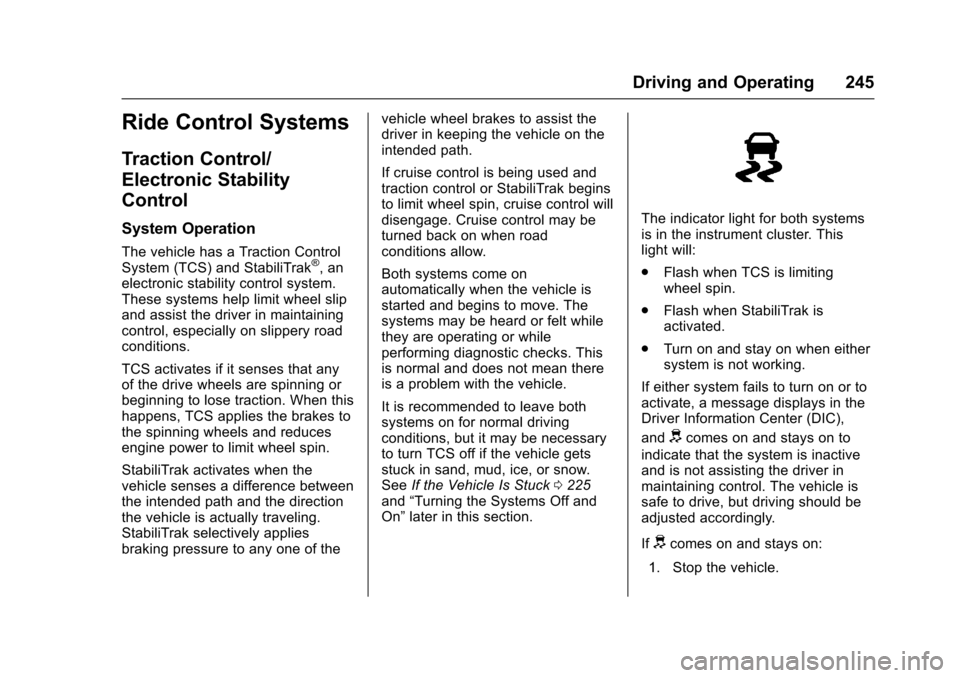
The indicator light for both systemsis in the instrument cluster. Thislight will:
.Flash when TCS is limitingwheel spin.
.Flash when StabiliTrak isactivated.
.Turn on and stay on when eithersystem is not working.
If either system fails to turn on or toactivate, a message displays in theDriver Information Center (DIC),
anddcomes on and stays on to
indicate that the system is inactiveand is not assisting the driver inmaintaining control. The vehicle issafe to drive, but driving should beadjusted accordingly.
Ifdcomes on and stays on:
1. Stop the vehicle.
Page 250 of 400
Chevrolet SS Sedan Owner Manual (GMNA-Localizing-U.S.-10122752) -2017 - crc - 8/31/16
Driving and Operating 249
Sport: Exhaust valves operate toprovide a sporty exhaust character.
Track Driver Mode
Track Driver Mode and LaunchControl are systems designed toallow increased performance whileaccelerating and/or cornering. Thisis accomplished by regulating andoptimizing the engine, brakes, andsuspension performance. Thesemodes are for use at a closedcourse race track and are notintended for use on public roads.These systems will not compensatefor driver inexperience or lack offamiliarity with the race track.
{Warning
Track Driver Mode and Launch
Control change the way
StabiliTrak and TCS perform and
should not be used on public
roads. These modes should only
be used on closed courses by
experienced drivers.
Caution
Attempting to shift when the drive
wheels are spinning and do not
have traction may cause damage
to the transmission. Damage
caused by misuse of the vehicle
is not covered by the vehicle
warranty. Do not attempt to shift
when the drive wheels do not
have traction.
Racing will result in the prematurewear of brakes, tires, and drivelinecomponents. Inspect and replacecomponents as necessary.
Page 252 of 400
Chevrolet SS Sedan Owner Manual (GMNA-Localizing-U.S.-10122752) -2017 - crc - 8/31/16
Driving and Operating 251
After the vehicle is launched, thesystem continues in TrackDriver Mode.
Limited-Slip Rear Axle
Vehicles with a limited-slip rear axlecan give more traction on snow,mud, ice, sand, or gravel. Whentraction is low, this feature allowsthe drive wheel with the mosttraction to move the vehicle. Thelimited-slip rear axle also gives thedriver enhanced control whencornering hard or completing amaneuver, such as a lane change.For vehicles with a limited-slip rearaxle, driven under severeconditions, the rear axle fluid shouldbe changed. SeeTr a c k D r i v e r M o d e0249andMaintenance Schedule0349.
Cruise Control
With cruise control, the vehicle canmaintain a speed of about 40 km/h(25 mph) or more without keepingyour foot on the accelerator. Cruisecontrol does not work at speedsbelow 40 km/h (25 mph).
{Warning
Cruise control can be dangerous
where you cannot drive safely at
asteadyspeed.Donotuse
cruise control on winding roads or
in heavy traffic.
Cruise control can be dangerous
on slippery roads. On such roads,
fast changes in tire traction can
cause excessive wheel slip, and
you could lose control. Do not use
cruise control on slippery roads.
If the vehicle has the StabiliTrak®
system and begins to limit wheelspin while using cruise control, thecruise control will automaticallydisengage. SeeTr a c t i o n C o n t r o l /Electronic Stability Control0245.
When road conditions allow you tosafely use it again, the cruisecontrol can be turned back on.
If the brakes are applied, cruisecontrol disengages.
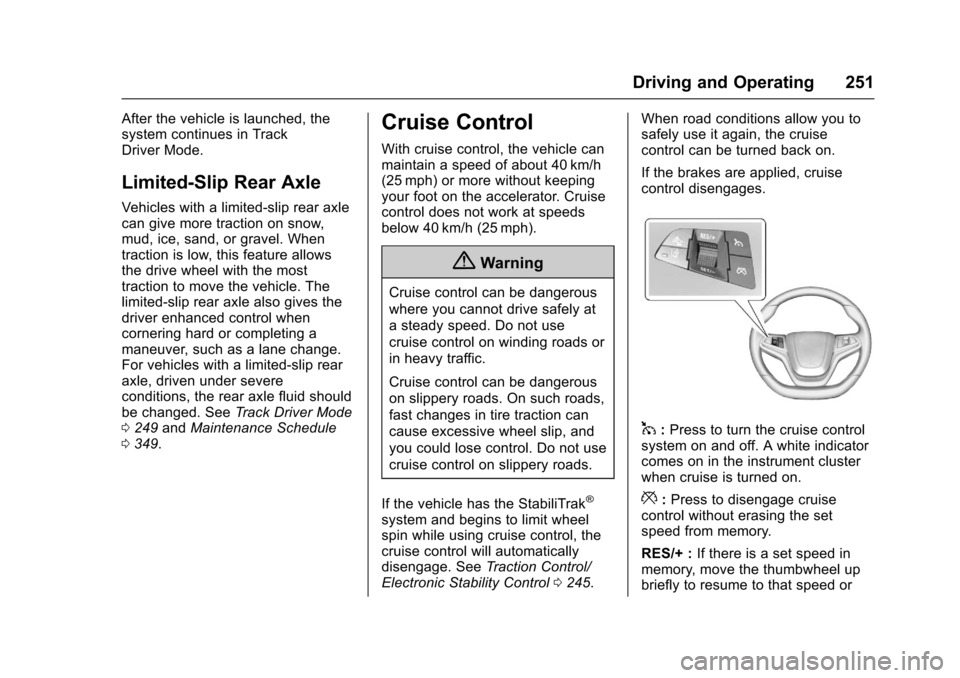
1:Press to turn the cruise controlsystem on and off. A white indicatorcomes on in the instrument clusterwhen cruise is turned on.
*:Press to disengage cruisecontrol without erasing the setspeed from memory.
RES/+ :If there is a set speed inmemory, move the thumbwheel upbriefly to resume to that speed or
Page 253 of 400
Chevrolet SS Sedan Owner Manual (GMNA-Localizing-U.S.-10122752) -2017 - crc - 8/31/16
252 Driving and Operating
hold upwards to accelerate. If cruisecontrol is already active, use toincrease vehicle speed.
SET/✓:Move the thumbwheel downbriefly to set the speed and activatecruise control. If cruise control isalready active, use to decreasespeed.
The speedometer reading can bedisplayed in either English or metricunits. SeeDriver Information Center(DIC)0108.Theincrementvalueused depends on the unitsdisplayed.
Setting Cruise Control
If1is on when not in use, SET/- or
RES/+ could get bumped and gointo cruise when not desired. Keep1off when cruise control is notbeing used.
To s e t a s p e e d :
1. Press1.
2. Get to the speed desired.
3. Move the thumbwheel downtoward SET/✓and release it.
4. Remove foot from theaccelerator.
The cruise control indicator on theinstrument cluster turns green aftercruise control has been set to thedesired speed. SeeInstrumentCluster096.
Resuming a Set Speed
If the cruise control is set at adesired speed and then the brakes
are applied or*is pressed, the
cruise control is disengaged withouterasing the set speed from memory.
Once the vehicle reaches about40 km/h (25 mph) or more, move thethumbwheel up toward RES/+briefly. The vehicle returns to theprevious set speed.
Increasing Speed While UsingCruise Control
If the cruise control system isalready activated:
.Move the thumbwheel up towardRES/+ and hold it until thedesired speed is reached, thenrelease it.
.To i n c r e a s e t h e s p e e d i n s m a l lincrements, move thethumbwheel up toward RES/+briefly. For each press, thevehicle goes about 1.6 km/h(1 mph) faster.
Reducing Speed While UsingCruise Control
If the cruise control system isalready activated:
.Move the thumbwheel towardSET/✓and hold until the desiredlower speed is reached, thenrelease it.
.To d e c r e a s e t h e v e h i c l e s p e e d i nsmall increments, move thethumbwheel toward SET/✓briefly. For each press, thevehicle goes about 1.6 km/h(1 mph) slower.
Passing Another Vehicle WhileUsing Cruise Control
Use the accelerator pedal toincrease the vehicle speed. Whenyou take your foot off the pedal, thevehicle slows down to the previouslyset cruise control speed. Whilepressing the accelerator pedal or
Page 255 of 400
Chevrolet SS Sedan Owner Manual (GMNA-Localizing-U.S.-10122752) -2017 - crc - 8/31/16
254 Driving and Operating
Warning (Continued)
Under many conditions, these
systems will not:
.Detect children,pedestrians, bicyclists,or animals.
.Detect vehicles or objectsoutside the area monitoredby the system.
.Work at all driving speeds.
.Warn you or provide youwith enough time to avoid acrash.
.Work under poor visibility orbad weather conditions.
.Work if the detection sensoris not cleaned or is coveredby ice, snow, mud, or dirt.
(Continued)
Warning (Continued)
.Work if the detection sensor
is covered up, such as with
asticker,magnet,ormetal
plate.
.Work if the area surroundingthe detection sensor isdamaged or not properlyrepaired.
Complete attention is always
required while driving, and you
should be ready to take action
and apply the brakes and/or steer
the vehicle to avoid crashes.
Audible Alert
Some driver assistance featuresalert the driver of obstacles bybeeping. To change the volume ofthe warning chime, see“Comfortand Convenience”underVehiclePersonalization0120.
Assistance Systems for
Parking or Backing
If equipped, the Rear Vision Camera(RVC), Rear Parking Assist (RPA),Front Parking Assist (FPA), RearCross Traffic Alert (RCTA), andAutomatic Parking Assist (APA) mayhelp the driver park or avoid objects.Always check around the vehiclewhen parking or backing.
Rear Vision Camera (RVC)
When the vehicle is shifted intoR(Reverse), the RVC displays animage of the area behind the vehiclein the infotainment display. Whenthe vehicle is shifted out ofR(Reverse), the display returns tothe previous content, after a shortdelay. To see the previous contentsooner, press one of the radiobuttons. If the message ServiceRear Camera System is displayed,the vehicle may need service.