center console CHEVROLET SS 2017 1.G User Guide
[x] Cancel search | Manufacturer: CHEVROLET, Model Year: 2017, Model line: SS, Model: CHEVROLET SS 2017 1.GPages: 400, PDF Size: 7.31 MB
Page 95 of 400
Chevrolet SS Sedan Owner Manual (GMNA-Localizing-U.S.-10122752) -2017 - crc - 8/31/16
94 Instruments and Controls
Power Outlets
The accessory power outlets can beused to plug in electrical equipment,such as a cell phone or MP3 player.
The vehicle has an accessorypower outlet on the center stack andinside the center console storage.
To u s e t h e o u t l e t , t h e i g n i t i o n m u s tbe in ON/RUN or ACC/ACCESSORY. Remove the cover toaccess the outlet and replace whennot in use.
Caution
Leaving electrical equipment on
for extended periods will drain the
battery. Always turn off electrical
equipment when not in use and
do not plug in equipment that
exceeds the maximum amperage
rating.
This circuit is protected by a fuseand has a maximum current level.Do not use equipment exceedingthe maximum amperage rating.
Certain power accessory plugs maynot be compatible with theaccessory power outlet and couldoverload vehicle or adapter fuses.If a problem is experienced, seeyour dealer.
Caution
Adding any electrical equipment
to the vehicle may damage it or
keep other components from
working as they should. The
repairs would not be covered by
the vehicle warranty. Do not use
equipment exceeding
maximum amperage rating of
10 amperes. Check with your
dealer before adding electrical
equipment.
When adding electrical equipment,be sure to follow the properinstallation instructions included withthe equipment. SeeAdd-OnElectrical Equipment0268.
Caution
Hanging heavy equipment from
the power outlet can cause
damage not covered by the
vehicle warranty. The power
outlets are designed for
accessory power plugs only, such
as mobile phone charge cords.
Page 159 of 400
Chevrolet SS Sedan Owner Manual (GMNA-Localizing-U.S.-10122752) -2017 - crc - 8/31/16
158 Infotainment System
Audio Players
USB
Playing from a USB
AUSBmassstorageorCertifiedWindows Vista®/Media TransferProtocol (MTP) device can beconnected to the USB port.
The USB port is in the centerconsole under the armrest.
The USB icon displays when a USBdevice is connected.
USB Media Formats
The USB port will support thefollowing media formats:
.MP3
.Unprotected WMA
.Unprotected AAC
Other formats may be supported.
Gracenote®
Gracenote technology embeddedinto the radio helps manage andnavigate the USB device musiccollection. When a USB device is
connected to the radio, Gracenoteidentifies the music collection anddelivers the correct album, artistname, genres, and cover art on thedisplay. If information is missing,Gracenote will fill it in.
Searching Music Library UsingVoice Recognition
Vo i c e R e c o g n i t i o n :Gracenoteimproves music search andnavigation by identifying bands,artists, and albums names that maybe hard to pronounce, irregularspellings, and nicknames. Forexample, Gracenote helps thesystem understand artist names like“INXS”or“Mötley Crüe.”It alsoallows the use of names like:“TheBoss,”“G.N.R,”“The Fab Four,”andthousands of other famous artistnicknames as voice commands toaccess music. SeeVoiceRecognition0189.
Normalization :Normalizationhelps to improve the voicerecognition accuracy for titles thatsound similar. It also helps grouplong lists of genres into 10 commongenres. For example, there may be
multiple rock genres in the medialibrary; normalization will group allthose into one rock genre.Normalization default is off.
To t u r n N o r m a l i z a t i o n o n :
1. Touch the Config icon on theHome Page.
2. Select Radio Settings and thenselect Gracenote Options.
3. Touch Normalization to turn onor off.
Cover Art :The Gracenoteembedded database contains coverart or album art information for themusic on the USB device. If themusic is recognized by Gracenoteand does have cover art, Gracenotewill use the cover art found in theembedded database and display it
Page 162 of 400
Chevrolet SS Sedan Owner Manual (GMNA-Localizing-U.S.-10122752) -2017 - crc - 8/31/16
Infotainment System 161
2. Select a playlist to view the listof all songs in that playlist.
3. Select a song from the list tobegin playback.
Artists:
1. Touch to view the list of artistson the USB.
2. Select an artist name to view alist of all albums by the artist.
3. To select a song, touch AllSongs or touch an album andthen select a song from the list.
Albums:
1. Touch to view the albums onthe USB.
2. Select the album to view a listof all songs on the album.
3. Select a song from the list tobegin playback.
Genres:
1. Touch to view the genres onthe USB.
2. Select a genre to view a list ofall songs of that genre.
3. Select a song from the list tobegin playback.
Songs:
1. Touch to display a list of allsongs on the USB.
2. Songs are displayed as theyare stored on the disc. To beginplayback, select a song fromthe list.
File System and Naming
The songs, artists, albums, andgenres are taken from the file’ssong information and are onlydisplayed if present. The radiodisplays the file name as the trackname if the song information is notavailable.
Playing from an iPod®
This feature supports the followingiPod models:
.iPod classic®(6th generation)
.iPod nano®(3G, 4G, 5G,and 6G)
.iPod touch®(1G, 2G, 3G,and 4G)
There may be problems with theoperation and function in thefollowing situations:
.When connecting an iPod onwhich a more recent version ofthe firmware is installed than issupported by the infotainmentsystem.
.When connecting an iPod onwhich firmware from otherproviders is installed.
To c o n n e c t a n i P o d :
1. Connect one end of thestandard iPod USB cable to theiPod's dock connector.
2. Connect the other end to theUSB port in the center console.
iPod music information displays onthe radio’sdisplayandbeginsplaying through the vehicle’saudiosystem.
The iPod battery rechargesautomatically while the vehicle is on.The iPod shuts off and stopscharging when the vehicle isshut off.
Page 235 of 400
Chevrolet SS Sedan Owner Manual (GMNA-Localizing-U.S.-10122752) -2017 - crc - 8/31/16
234 Driving and Operating
2. Hold the brake pedal down andpress the shift lever buttonagain.
3. Move the shift lever to thedesired position.
If you are still having a problemshifting, see your dealer.
Shift Lock Manual Release
If jump starting the vehicle did notwork, the shift lock manual releasemust be used.
To a c c e s s t h e s h i f t l o c k m a n u a lrelease:
1. Apply the parking brake.
2. Remove the trim from thecenter console, in front of theshift lever.
3. Insert a tool into the opening asfar as it will go, while at thesame time, moving the shiftlever out of P (Park). If P (Park)is selected again, the shift leverwill be locked again. Have thecause of the problem fixed byyour dealer.
4. Refit the trim to the centerconsole.
Parking
With a manual transmission, beforegetting out of the vehicle, move theshift lever into R (Reverse) if parkingon a downhill slope. On a levelsurface or an uphill slope, use1(First) gear. Apply the parkingbrake. Turn the wheels toward thecurb for a downhill slope, or awayfrom the curb for an uphill slope.Once the shift lever has beenplaced into gear with the clutchpedal pressed in, turn the ignition toOFF, and release the clutch.
Parking over Things
That Burn
{Warning
Things that can burn could touch
hot exhaust parts under the
vehicle and ignite. Do not park
over papers, leaves, dry grass,
or other things that can burn.
Page 243 of 400
Chevrolet SS Sedan Owner Manual (GMNA-Localizing-U.S.-10122752) -2017 - crc - 8/31/16
242 Driving and Operating
If driving safely on a wet road and itbecomes necessary to slam on thebrakes and continue braking toavoid a sudden obstacle, acomputer senses the wheels areslowing down. If one of the wheelsis about to stop rolling, the computerwill separately work the brakes ateach wheel.
ABS can change the brake pressureto each wheel, as required, fasterthan any driver could. This can helpyou steer around the obstacle whilebraking hard.
As the brakes are applied, thecomputer keeps receiving updateson wheel speed and controlsbraking pressure accordingly.
Remember: ABS does not changethe time needed to get a foot up tothe brake pedal or always decreasestopping distance. If you get tooclose to the vehicle in front of you,there will not be enough time toapply the brakes if that vehiclesuddenly slows or stops. Alwaysleave enough room up ahead tostop, even with ABS.
Using ABS
Do not pump the brakes. Just holdthe brake pedal down firmly and letABS work. You may hear the ABSpump or motor operating and feelthe brake pedal pulsate. This isnormal.
Braking in Emergencies
ABS allows you to steer and brakeat the same time. In manyemergencies, steering can helpmore than even the very bestbraking.
Electric Parking Brake
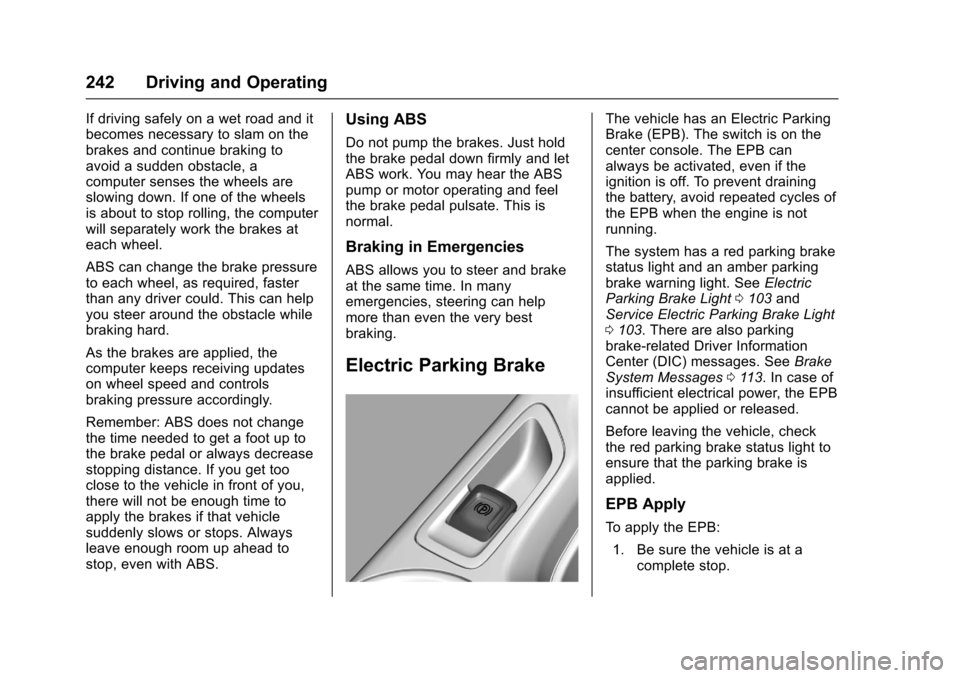
The vehicle has an Electric ParkingBrake (EPB). The switch is on thecenter console. The EPB canalways be activated, even if theignition is off. To prevent drainingthe battery, avoid repeated cycles ofthe EPB when the engine is notrunning.
The system has a red parking brakestatus light and an amber parkingbrake warning light. SeeElectricParking Brake Light0103andService Electric Parking Brake Light0103.Therearealsoparkingbrake-related Driver InformationCenter (DIC) messages. SeeBrakeSystem Messages011 3.Incaseofinsufficient electrical power, the EPBcannot be applied or released.
Before leaving the vehicle, checkthe red parking brake status light toensure that the parking brake isapplied.
EPB Apply
To a p p l y t h e E P B :
1. Be sure the vehicle is at acomplete stop.
Page 247 of 400
Chevrolet SS Sedan Owner Manual (GMNA-Localizing-U.S.-10122752) -2017 - crc - 8/31/16
246 Driving and Operating
2. Turn the engine off and wait15 seconds.
3. Start the engine.
Drive the vehicle. Ifdcomes on
and stays on, the vehicle may needmore time to diagnose the problem.If the condition persists, see yourdealer.
Turning the Systems Off
and On
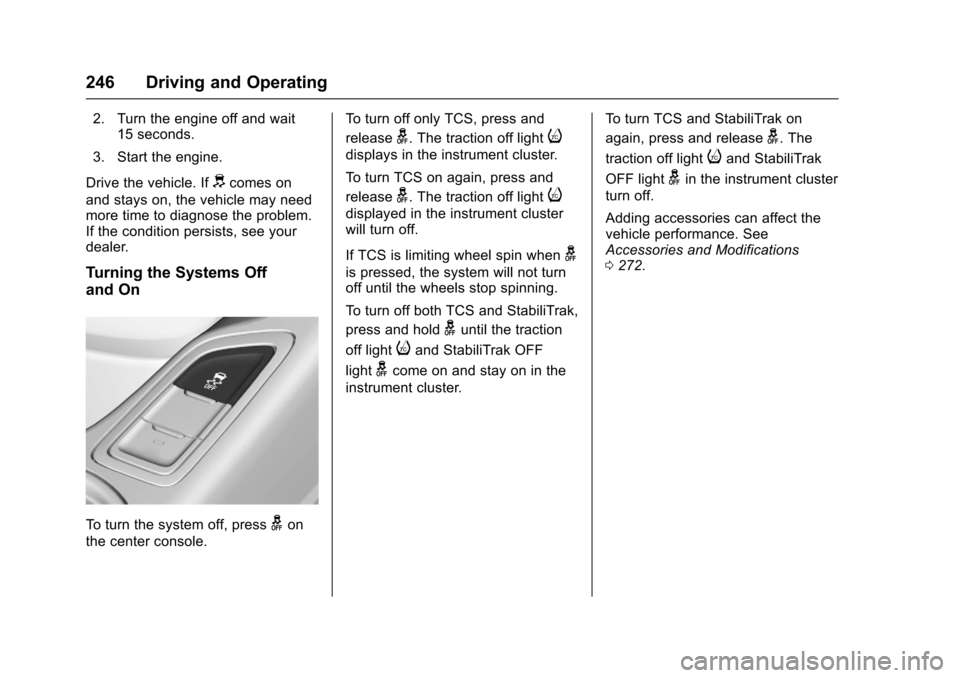
To t u r n t h e s y s t e m o f f , p r e s sgon
the center console.
To t u r n o f f o n l y T C S , p r e s s a n d
releaseg.Thetractionofflighti
displays in the instrument cluster.
To t u r n T C S o n a g a i n , p r e s s a n d
releaseg.Thetractionofflighti
displayed in the instrument clusterwill turn off.
If TCS is limiting wheel spin wheng
is pressed, the system will not turnoff until the wheels stop spinning.
To t u r n o f f b o t h T C S a n d S t a b i l i T r a k ,
press and holdguntil the traction
off lightiand StabiliTrak OFF
lightgcome on and stay on in the
instrument cluster.
To t u r n T C S a n d S t a b i l i T r a k o n
again, press and releaseg.The
traction off lightiand StabiliTrak
OFF lightgin the instrument cluster
turn off.
Adding accessories can affect thevehicle performance. SeeAccessories and Modifications0272.
Page 248 of 400
Chevrolet SS Sedan Owner Manual (GMNA-Localizing-U.S.-10122752) -2017 - crc - 8/31/16
Driving and Operating 247
Driver Mode Control
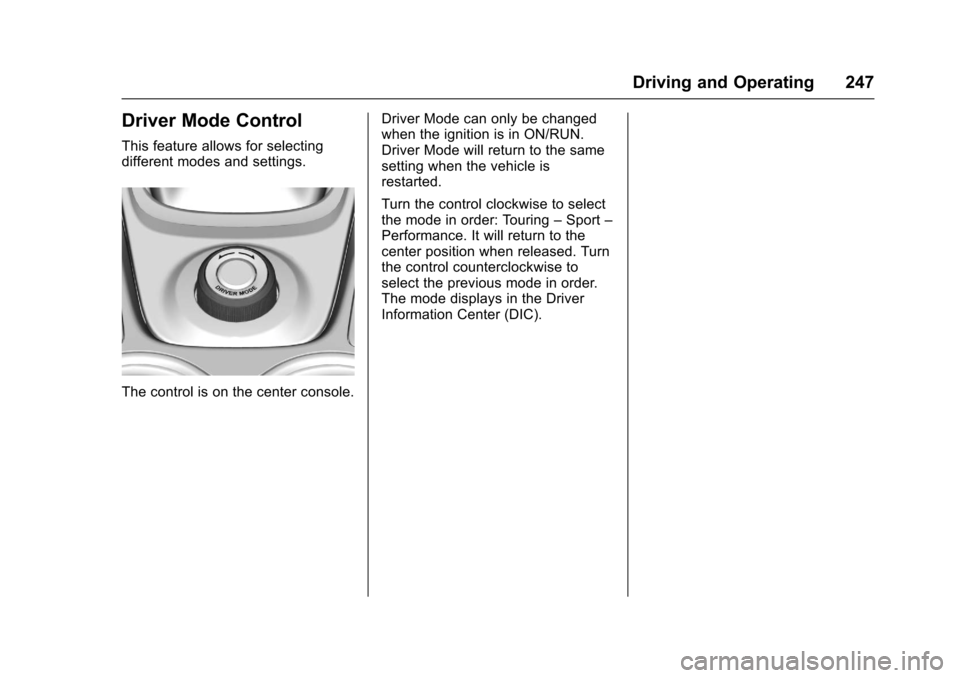
This feature allows for selectingdifferent modes and settings.
The control is on the center console.
Driver Mode can only be changedwhen the ignition is in ON/RUN.Driver Mode will return to the samesetting when the vehicle isrestarted.
Turn the control clockwise to selectthe mode in order: Touring–Sport–Performance. It will return to thecenter position when released. Turnthe control counterclockwise toselect the previous mode in order.The mode displays in the DriverInformation Center (DIC).
Page 257 of 400
Chevrolet SS Sedan Owner Manual (GMNA-Localizing-U.S.-10122752) -2017 - crc - 8/31/16
256 Driving and Operating
of mud, dirt, snow, ice, and slush;and clean sensors after a car washin freezing temperatures.
{Warning
The Parking Assist system does
not detect children, pedestrians,
bicyclists, animals, or objects
located below the bumper or that
are too close or too far from the
vehicle. It is not available at
speeds greater than 8 km/h
(5 mph). To prevent injury, death,
or vehicle damage, even with
Parking Assist, always check the
area around the vehicle and
check all mirrors before moving
forward or backing.
An obstacle is indicated by audiblebeeps. The interval between thebeeps becomes shorter as thevehicle gets closer to the obstacle.When the distance is less than 30cm (12 in) the beeping is acontinuous tone for three seconds.
Beeps for Front Parking Assist arehigher pitched than for Rear ParkingAssist.
Rear Cross Traffic Alert (RCTA)
If equipped, RCTA shows a redwarning triangle with a left or rightpointing arrow on the infotainmentdisplay to warn of traffic comingfrom the left or right. This systemdetects objects coming from up to20 m (65 ft) from the left or right sidebehind the vehicle. When an objectis detected beeps sound from theleft or right side, depending on thedirection of the detected vehicle.
Turning the Features On or Off
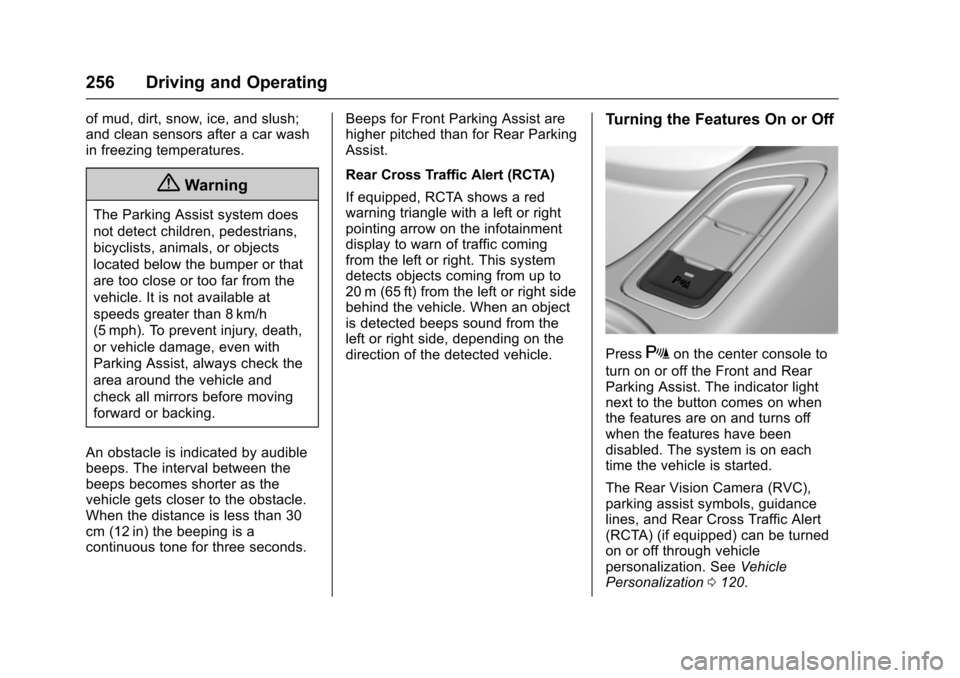
PressXon the center console to
turn on or off the Front and RearParking Assist. The indicator lightnext to the button comes on whenthe features are on and turns offwhen the features have beendisabled. The system is on eachtime the vehicle is started.
The Rear Vision Camera (RVC),parking assist symbols, guidancelines, and Rear Cross Traffic Alert(RCTA) (if equipped) can be turnedon or off through vehiclepersonalization. SeeVehiclePersonalization0120.
Page 258 of 400
Chevrolet SS Sedan Owner Manual (GMNA-Localizing-U.S.-10122752) -2017 - crc - 8/31/16
Driving and Operating 257
Automatic Parking
Assist (APA)
If equipped, the APA systemsearches for and steers the vehicleinto parallel or perpendicular parkingspots. When using APA, you muststill shift gears, and control thebrakes and accelerator. The Driverinformation Center (DIC) andaudible beeps help to guide parkingmaneuvers.
{Warning
APA does not apply the brakes.
APA may not detect objects in the
parking space, objects that are
soft or narrow, objects high off the
ground such as flatbed trucks,
or objects below ground level
such as large potholes. Always
verify that the parking space is
appropriate for parking a vehicle.
APA does not respond to changes
in the parking space, such as
movement of an adjacent vehicle,
or a person or object entering the
(Continued)
Warning (Continued)
parking space. APA does not
detect or avoid traffic that is
behind or alongside of the
vehicle. Always be prepared to
stop the vehicle during the
parking maneuver.
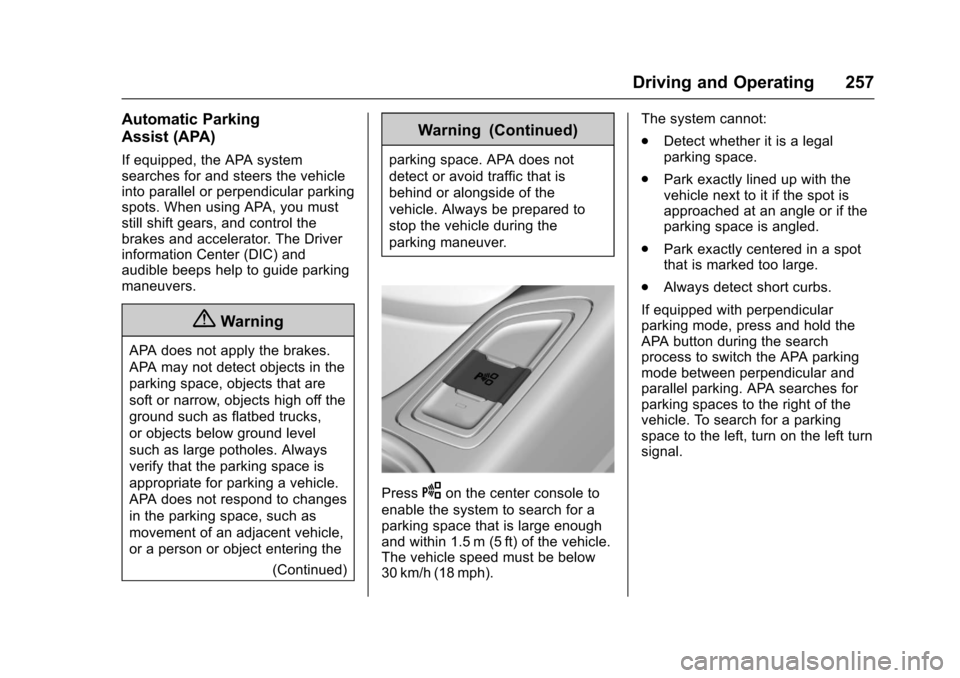
PressOon the center console to
enable the system to search for aparking space that is large enoughand within 1.5 m (5 ft) of the vehicle.The vehicle speed must be below30 km/h (18 mph).
The system cannot:
.Detect whether it is a legalparking space.
.Park exactly lined up with thevehicle next to it if the spot isapproached at an angle or if theparking space is angled.
.Park exactly centered in a spotthat is marked too large.
.Always detect short curbs.
If equipped with perpendicularparking mode, press and hold theAPA button during the searchprocess to switch the APA parkingmode between perpendicular andparallel parking. APA searches forparking spaces to the right of thevehicle. To search for a parkingspace to the left, turn on the left turnsignal.
Page 390 of 400

Chevrolet SS Sedan Owner Manual (GMNA-Localizing-U.S.-10122752) -2017 - crc - 9/1/16
Index 389
Assistance Systems for
Driving . . . . . . . . . . . . . . . . . . . . . . . . 259
Assistance Systems for
Parking and Backing . . . . . . . . . . 254
Audio
Bluetooth . . . . . . . . . . . . . . . . . . . . . 163
Automatic
Dimming Mirrors . . . . . . . . . . . . . . . . 39
Door Locks . . . . . . . . . . . . . . . . . . . . . 33
Headlamp System . . . . . . . . . . . . 127
Transmission . . . . . . . . . . . . . . . . . 236
Transmission Fluid . . . . . . . . . . . 278
Automatic Transmission
Manual Mode . . . . . . . . . . . . . . . . . 238
Shift Lock Control Function
Check . . . . . . . . . . . . . . . . . . . . . . . 290
Axle, Rear . . . . . . . . . . . . . . . . . . . . . . 289
B
Backglass Antenna . . . . . . . . . . . . . 147
Battery
Power Protection . . . . . . . . . . . . . 130
Voltage and Charging
Messages . . . . . . . . . . . . . . . . . . . .113
Battery - North America . . . . 288, 335
Blade Replacement, Wiper . . . . . 291
Bluetooth . . . . . . . . . . . . . . . . . . . . . . . 195
Bluetooth Audio . . . . . . . . . . . . . . . . 163
Brake
Parking, Electric . . . . . . . . . . . . . . 242
System Warning Light . . . . . . . . 102
Brakes . . . . . . . . . . . . . . . . . . . . . . . . . . 287
Antilock . . . . . . . . . . . . . . . . . . . . . . . 241
Assist . . . . . . . . . . . . . . . . . . . . . . . . . 244
Fluid . . . . . . . . . . . . . . . . . . . . . . . . . . 287
System Messages . . . . . . . . . . . . .113
Braking . . . . . . . . . . . . . . . . . . . . . . . . . 218
Break-In, New Vehicle . . . . . . . . . . 229
Bulb Replacement . . . . . . . . . . . . . . 294
Headlamp Aiming . . . . . . . . . . . . . 292
Headlamps . . . . . . . . . . . . . . . . . . . 293
High Intensity Discharge
(HID) Lighting . . . . . . . . . . . . . . . 293
License Plate Lamps . . . . . . . . . 293
Buying New Tires . . . . . . . . . . . . . . . 317
C
California
Fuel Requirements . . . . . . . . . . . 265
Perchlorate Materials
Requirements . . . . . . . . . . . . . . . 271
California
Proposition
65 Warning . . . . . . . . . .271, 288, 335
Capacities and
Specifications . . . . . . . . . . . . . . . . . 362
Carbon Monoxide
Engine Exhaust . . . . . . . . . . . . . . . 235
Trunk . . . . . . . . . . . . . . . . . . . . . . . . . . . 35
Winter Driving . . . . . . . . . . . . . . . . 224
Caution, Danger, and Warning . . . . 2
Center Console Storage . . . . . . . . . 87
Chains, Tire . . . . . . . . . . . . . . . . . . . . 321
Charging System Light . . . . . . . . . 100
Check
Malfunction Indicator
Engine Light . . . . . . . . . . . . . . . . 100
Child Restraints
Infants and Young Children . . . . . 71
Lower Anchors and Tethers
for Children . . . . . . . . . . . . . . . . . . . 76
Older Children . . . . . . . . . . . . . . . . . . 69
Securing . . . . . . . . . . . . . . . . . . . . 81, 83
Systems . . . . . . . . . . . . . . . . . . . . . . . . 73
Cleaning
Exterior Care . . . . . . . . . . . . . . . . . 338
Interior Care . . . . . . . . . . . . . . . . . . 343
Climate Control Systems
Dual Automatic . . . . . . . . . . . . . . . 210
Clock . . . . . . . . . . . . . . . . . . . . . . . . . . . . 93
Cluster, Instrument . . . . . . . . . . . . . . 96
Clutch, Hydraulic . . . . . . . . . . . . . . . 279
Collision Damage Repair . . . . . . . 371