instrument panel CHEVROLET SS 2017 1.G User Guide
[x] Cancel search | Manufacturer: CHEVROLET, Model Year: 2017, Model line: SS, Model: CHEVROLET SS 2017 1.GPages: 400, PDF Size: 7.31 MB
Page 68 of 400
Chevrolet SS Sedan Owner Manual (GMNA-Localizing-U.S.-10122752) -2017 - crc - 8/31/16
Seats and Restraints 67
Athicklayerofadditionalmaterial,such as a blanket or cushion,or aftermarket equipment such asseat covers, seat heaters, and seatmassagers can affect how well thepassenger sensing systemoperates. We recommend that younot use seat covers or otheraftermarket equipment except whenapproved by GM for your specificvehicle. SeeAdding Equipment tothe Airbag-Equipped Vehicle068for more information aboutmodifications that can affect howthe system operates.
Awetseatcanaffecttheperformance of the passengersensing system. Here’show:
.The passenger sensing systemmay turn off the passengerairbag(s) when liquid is soakedinto the seat. If this happens, theoff indicator will be lit, and theairbag readiness light on theinstrument panel will also be lit.
.Liquid pooled on the seat thathas not soaked in may make itmore likely that the passengersensing system will turn on the
front passenger airbag(s) while achild restraint or child occupantis on the seat. If the passengerairbag(s) are turned on, the onindicator will be lit.
If the front passenger seat gets wet,dry the seat immediately. If theairbag readiness light is lit, do notinstall a child restraint or allowanyone to occupy the seat. SeeAirbag Readiness Light099forimportant safety information.
The on indicator may be lit if anobject, such as a briefcase,handbag, grocery bag, laptop,or other electronic device, is put onan unoccupied seat. If this is notdesired, remove the object fromthe seat.
{Warning
Stowing of articles under the
passenger seat or between the
passenger seat cushion and
seatback may interfere with the
proper operation of the passenger
sensing system.
Servicing the
Airbag-Equipped Vehicle
Airbags affect how the vehicleshould be serviced. There are partsof the airbag system in severalplaces around the vehicle. Yourdealer and the service manual haveinformation about servicing thevehicle and the airbag system. Topurchase a service manual, seeService Publications OrderingInformation0373.
{Warning
For up to 10 seconds after the
vehicle is turned off and the
battery is disconnected, an airbag
can still inflate during improper
service. You can be injured if you
are close to an airbag when it
inflates. Avoid yellow connectors.
They are probably part of the
airbag system. Be sure to follow
proper service procedures, and
make sure the person performing
work for you is qualified to do so.
Page 69 of 400
Chevrolet SS Sedan Owner Manual (GMNA-Localizing-U.S.-10122752) -2017 - crc - 8/31/16
68 Seats and Restraints
Adding Equipment to the
Airbag-Equipped Vehicle
Adding accessories that change thevehicle's frame, bumper system,height, front end, or side sheetmetal may keep the airbag systemfrom working properly. Theoperation of the airbag system canalso be affected by changing anyparts of the front seats, safety belts,airbag sensing and diagnosticmodule, steering wheel, instrumentpanel, any of the airbag modules,ceiling or pillar garnish trim, theinside rearview mirror, front sensors,side impact sensors, or airbagwiring.
Yo u r d e a l e r a n d t h e s e r v i c e m a n u a lhave information about the locationof the airbag sensors, sensing anddiagnostic module and airbagwiring.
In addition, the vehicle has apassenger sensing system for thefront outboard passenger position,which includes sensors that are partof the passenger's seat. Thepassenger sensing system may notoperate properly if the original seat
trim is replaced with non-GMcovers, upholstery or trim, or withGM covers, upholstery or trimdesigned for a different vehicle. Anyobject, such as an aftermarket seatheater or a comfort enhancing pador device, installed under or on topof the seat fabric, could alsointerfere with the operation of thepassenger sensing system. Thiscould either prevent properdeployment of the passengerairbag(s) or prevent the passengersensing system from properlyturning off the passenger airbag(s).SeePassenger Sensing System063.
If the vehicle has rollover roof-railairbags, seeDifferent Size Tiresand Wheels0318for additionalimportant information.
If you have to modify your vehiclebecause you have a disability andhave questions about whether themodifications will affect the vehicle'sairbag system, or if you havequestions about whether the airbagsystem will be affected if the vehicle
is modified for any other reason, callCustomer Assistance. SeeCustomer Assistance Offices0366.
Airbag System Check
The airbag system does not needregularly scheduled maintenance orreplacement. Make sure the airbagreadiness light is working. SeeAirbag Readiness Light099.
Caution
If an airbag covering is damaged,
opened, or broken, the airbag
may not work properly. Do not
open or break the airbag
coverings. If there are any
opened or broken airbag
coverings, have the airbag
covering and/or airbag module
replaced. For the location of the
airbags, seeWhere Are the
Airbags?059.Seeyourdealer
for service.
Page 103 of 400
Chevrolet SS Sedan Owner Manual (GMNA-Localizing-U.S.-10122752) -2017 - crc - 8/31/16
102 Instruments and Controls
If the light remains on, see yourdealer.
Emissions Inspection and
Maintenance Programs
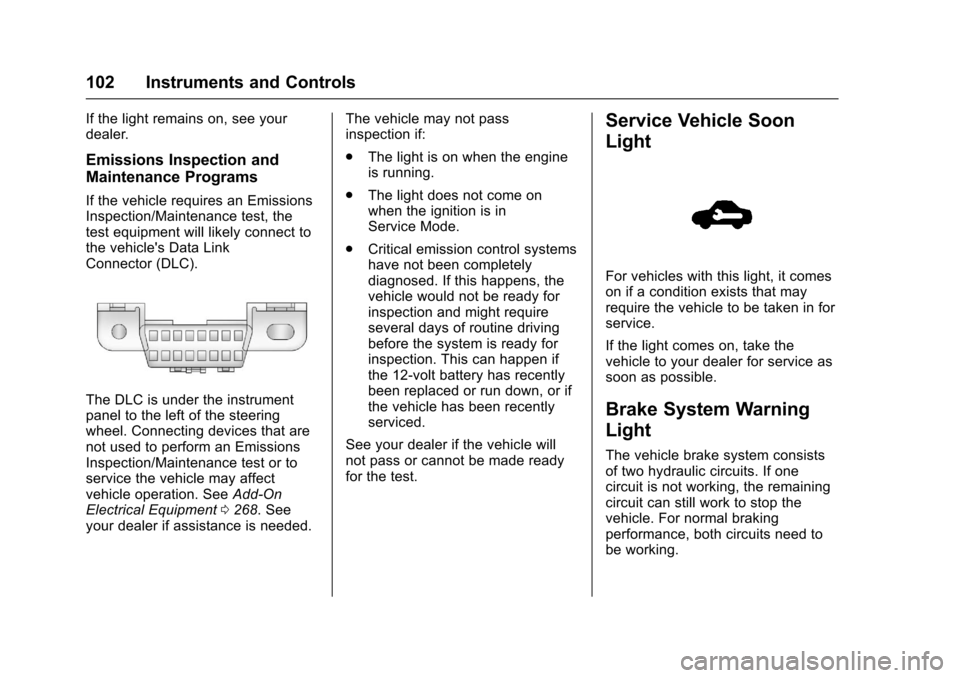
If the vehicle requires an EmissionsInspection/Maintenance test, thetest equipment will likely connect tothe vehicle's Data LinkConnector (DLC).
The DLC is under the instrumentpanel to the left of the steeringwheel. Connecting devices that arenot used to perform an EmissionsInspection/Maintenance test or toservice the vehicle may affectvehicle operation. SeeAdd-OnElectrical Equipment0268.Seeyour dealer if assistance is needed.
The vehicle may not passinspection if:
.The light is on when the engineis running.
.The light does not come onwhen the ignition is inService Mode.
.Critical emission control systemshave not been completelydiagnosed. If this happens, thevehicle would not be ready forinspection and might requireseveral days of routine drivingbefore the system is ready forinspection. This can happen ifthe 12-volt battery has recentlybeen replaced or run down, or ifthe vehicle has been recentlyserviced.
See your dealer if the vehicle willnot pass or cannot be made readyfor the test.
Service Vehicle Soon
Light
For vehicles with this light, it comeson if a condition exists that mayrequire the vehicle to be taken in forservice.
If the light comes on, take thevehicle to your dealer for service assoon as possible.
Brake System Warning
Light
The vehicle brake system consistsof two hydraulic circuits. If onecircuit is not working, the remainingcircuit can still work to stop thevehicle. For normal brakingperformance, both circuits need tobe working.
Page 112 of 400
Chevrolet SS Sedan Owner Manual (GMNA-Localizing-U.S.-10122752) -2017 - crc - 8/31/16
Instruments and Controls 111
With HUD, some informationconcerning the operation of thevehicle is projected onto thewindshield. The image is projectedthrough the HUD lens on top of theinstrument panel. The informationappears as an image focused outtoward the front of the vehicle.
Caution
If you try to use the HUD image
as a parking aid, you may
misjudge the distance and
damage your vehicle. Do not use
the HUD image as a parking aid.
The HUD may display some of thefollowing alerts or information forvehicles equipped with thesefeatures:
.Speedometer
.Ta c h o m e t e r
.High Beam Indicator Symbol
.Forward Collision Alert Warnings
.Audio Functions
.Navigation
.Transmission Position
.Shift Up Meter
.Cruise Control Active
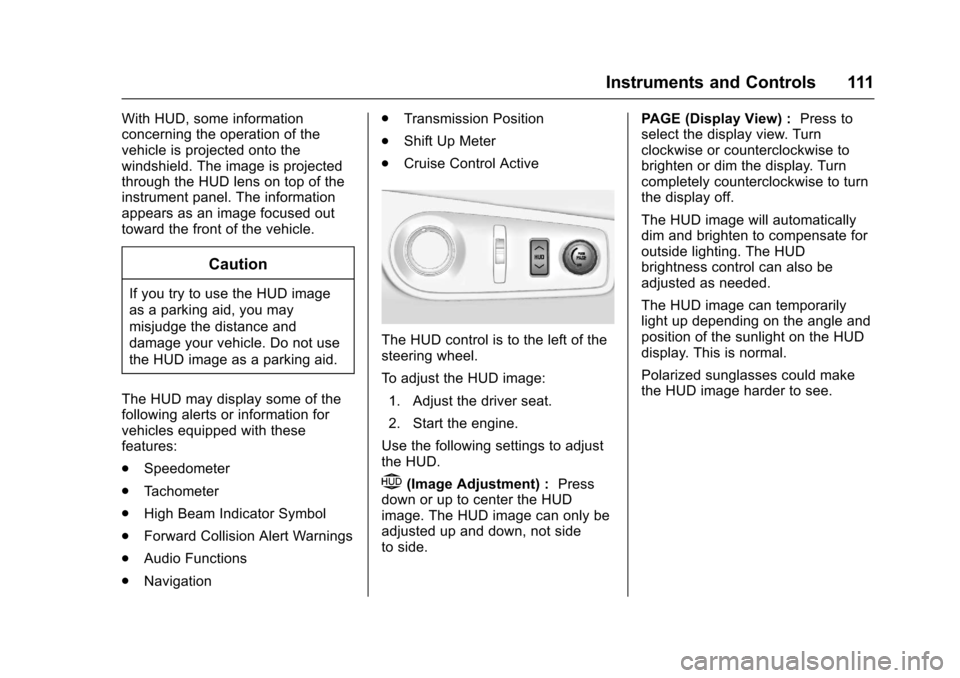
The HUD control is to the left of thesteering wheel.
To a d j u s t t h e H U D i m a g e :
1. Adjust the driver seat.
2. Start the engine.
Use the following settings to adjustthe HUD.
$(Image Adjustment) :Pressdown or up to center the HUDimage. The HUD image can only beadjusted up and down, not sideto side.
PA G E ( D i s p l a y V i e w ) :Press toselect the display view. Turnclockwise or counterclockwise tobrighten or dim the display. Turncompletely counterclockwise to turnthe display off.
The HUD image will automaticallydim and brighten to compensate foroutside lighting. The HUDbrightness control can also beadjusted as needed.
The HUD image can temporarilylight up depending on the angle andposition of the sunlight on the HUDdisplay. This is normal.
Polarized sunglasses could makethe HUD image harder to see.
Page 123 of 400
Chevrolet SS Sedan Owner Manual (GMNA-Localizing-U.S.-10122752) -2017 - crc - 8/31/16
122 Instruments and Controls
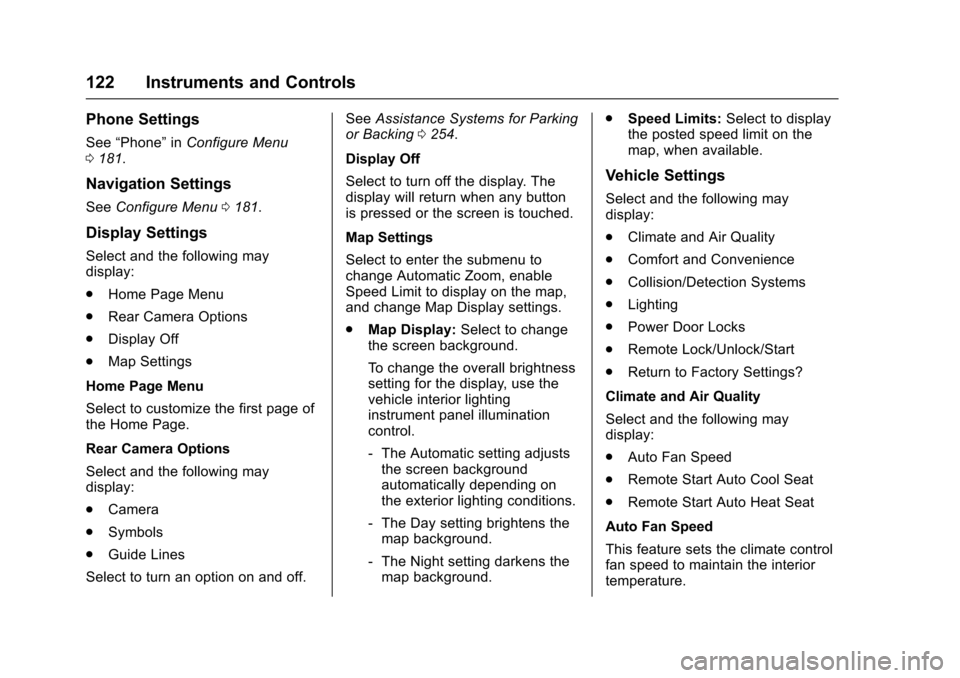
Phone Settings
See“Phone”inConfigure Menu0181.
Navigation Settings
SeeConfigure Menu0181.
Display Settings
Select and the following maydisplay:
.Home Page Menu
.Rear Camera Options
.Display Off
.Map Settings
Home Page Menu
Select to customize the first page ofthe Home Page.
Rear Camera Options
Select and the following maydisplay:
.Camera
.Symbols
.Guide Lines
Select to turn an option on and off.
SeeAssistance Systems for Parkingor Backing0254.
Display Off
Select to turn off the display. Thedisplay will return when any buttonis pressed or the screen is touched.
Map Settings
Select to enter the submenu tochange Automatic Zoom, enableSpeed Limit to display on the map,and change Map Display settings.
.Map Display:Select to changethe screen background.
To c h a n g e t h e o v e r a l l b r i g h t n e s ssetting for the display, use thevehicle interior lightinginstrument panel illuminationcontrol.
⇣The Automatic setting adjuststhe screen backgroundautomatically depending onthe exterior lighting conditions.
⇣The Day setting brightens themap background.
⇣The Night setting darkens themap background.
.Speed Limits:Select to displaythe posted speed limit on themap, when available.
Vehicle Settings
Select and the following maydisplay:
.Climate and Air Quality
.Comfort and Convenience
.Collision/Detection Systems
.Lighting
.Power Door Locks
.Remote Lock/Unlock/Start
.Return to Factory Settings?
Climate and Air Quality
Select and the following maydisplay:
.Auto Fan Speed
.Remote Start Auto Cool Seat
.Remote Start Auto Heat Seat
Auto Fan Speed
This feature sets the climate controlfan speed to maintain the interiortemperature.
Page 127 of 400
Chevrolet SS Sedan Owner Manual (GMNA-Localizing-U.S.-10122752) -2017 - crc - 8/31/16
126 Lighting
Lighting
Exterior Lighting
Exterior Lamp Controls . . . . . . . 126Headlamp High/Low-BeamChanger . . . . . . . . . . . . . . . . . . . . 126Flash-to-Pass . . . . . . . . . . . . . . . . 126Daytime RunningLamps (DRL) . . . . . . . . . . . . . . . 127Automatic HeadlampSystem . . . . . . . . . . . . . . . . . . . . . . 127Hazard Warning Flashers . . . . . 127Turn and Lane-ChangeSignals . . . . . . . . . . . . . . . . . . . . . . 128
Interior Lighting
Instrument Panel IlluminationControl . . . . . . . . . . . . . . . . . . . . . . 128Dome Lamps . . . . . . . . . . . . . . . . . 129Reading Lamps . . . . . . . . . . . . . . 129
Lighting Features
Entry Lighting . . . . . . . . . . . . . . . . 130Exit Lighting . . . . . . . . . . . . . . . . . . 130Battery Power Protection . . . . . 130
Exterior Lighting
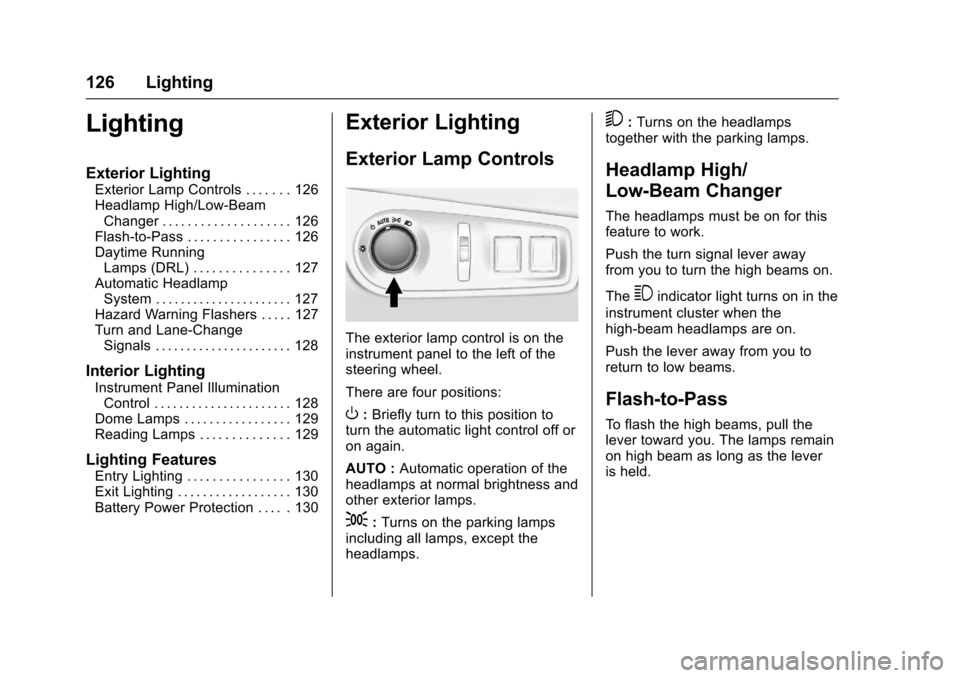
Exterior Lamp Controls
The exterior lamp control is on theinstrument panel to the left of thesteering wheel.
There are four positions:
O:Briefly turn to this position toturn the automatic light control off oron again.
AUTO :Automatic operation of theheadlamps at normal brightness andother exterior lamps.
;:Turns on the parking lampsincluding all lamps, except theheadlamps.
5:Turns on the headlampstogether with the parking lamps.
Headlamp High/
Low-Beam Changer
The headlamps must be on for thisfeature to work.
Push the turn signal lever awayfrom you to turn the high beams on.
The3indicator light turns on in the
instrument cluster when thehigh-beam headlamps are on.
Push the lever away from you toreturn to low beams.
Flash-to-Pass
To f l a s h t h e h i g h b e a m s , p u l l t h elever toward you. The lamps remainon high beam as long as the leveris held.
Page 128 of 400
Chevrolet SS Sedan Owner Manual (GMNA-Localizing-U.S.-10122752) -2017 - crc - 8/31/16
Lighting 127
Daytime Running
Lamps (DRL)
The vehicle has DRL that illuminateat full intensity when the followingoccur:
.During daylight conditions.
.The engine is running.
If the lamp control is turned to;
or5the DRL will illuminate at
reduced intensity.
Automatic Headlamp
System
When it is dark enough outside andthe exterior lamp control is in theautomatic position, the headlampsand parking lamps will turn on andoff automatically. SeeExterior LampControls0126.
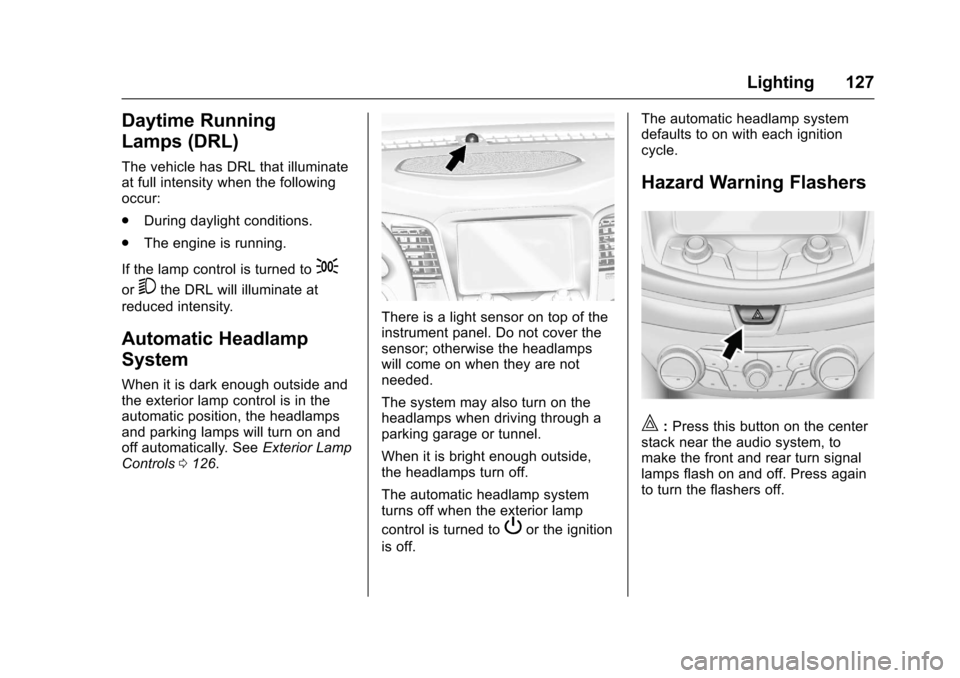
There is a light sensor on top of theinstrument panel. Do not cover thesensor; otherwise the headlampswill come on when they are notneeded.
The system may also turn on theheadlamps when driving through aparking garage or tunnel.
When it is bright enough outside,the headlamps turn off.
The automatic headlamp systemturns off when the exterior lamp
control is turned toPor the ignition
is off.
The automatic headlamp systemdefaults to on with each ignitioncycle.
Hazard Warning Flashers
|:Press this button on the centerstack near the audio system, tomake the front and rear turn signallamps flash on and off. Press againto turn the flashers off.
Page 129 of 400
Chevrolet SS Sedan Owner Manual (GMNA-Localizing-U.S.-10122752) -2017 - crc - 8/31/16
128 Lighting
Turn and Lane-Change
Signals
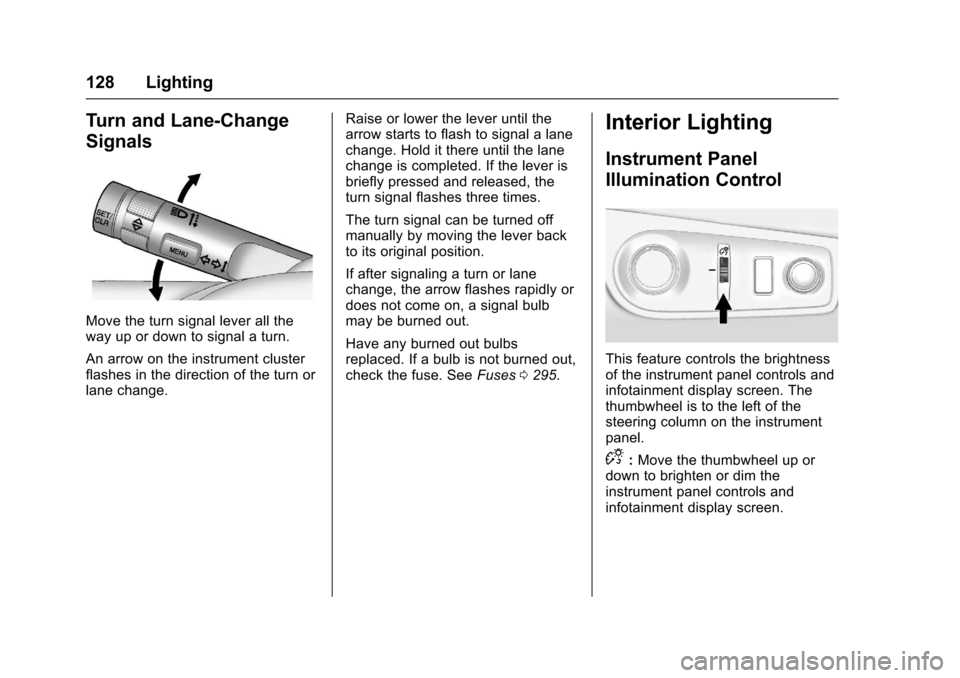
Move the turn signal lever all theway up or down to signal a turn.
An arrow on the instrument clusterflashes in the direction of the turn orlane change.
Raise or lower the lever until thearrow starts to flash to signal a lanechange. Hold it there until the lanechange is completed. If the lever isbriefly pressed and released, theturn signal flashes three times.
The turn signal can be turned offmanually by moving the lever backto its original position.
If after signaling a turn or lanechange, the arrow flashes rapidly ordoes not come on, a signal bulbmay be burned out.
Have any burned out bulbsreplaced. If a bulb is not burned out,check the fuse. SeeFuses0295.
Interior Lighting
Instrument Panel
Illumination Control
This feature controls the brightnessof the instrument panel controls andinfotainment display screen. Thethumbwheel is to the left of thesteering column on the instrumentpanel.
D:Move the thumbwheel up ordown to brighten or dim theinstrument panel controls andinfotainment display screen.
Page 187 of 400
Chevrolet SS Sedan Owner Manual (GMNA-Localizing-U.S.-10122752) -2017 - crc - 8/31/16
186 Infotainment System
To u c h t o d e l e t e a l l s a v e ddestinations. A Delete SavedDestinations submenu displays.Select the desired options fordeletion and touch Delete at thebottom to continue. A confirmationdisplays requesting to delete orcancel.
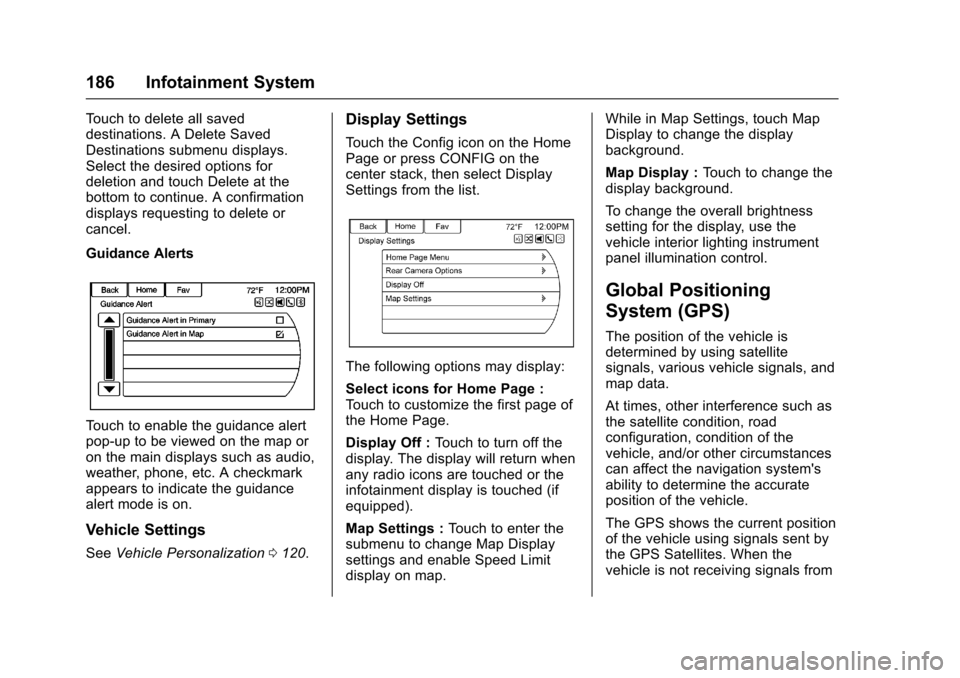
Guidance Alerts
To u c h t o e n a b l e t h e g u i d a n c e a l e r tpop-up to be viewed on the map oron the main displays such as audio,weather, phone, etc. A checkmarkappears to indicate the guidancealert mode is on.
Vehicle Settings
SeeVehicle Personalization0120.
Display Settings
To u c h t h e C o n f i g i c o n o n t h e H o m ePage or press CONFIG on thecenter stack, then select DisplaySettings from the list.
The following options may display:
Select icons for Home Page :To u c h t o c u s t o m i z e t h e f i r s t p a g e o fthe Home Page.
Display Off :To u c h t o t u r n o f f t h edisplay. The display will return whenany radio icons are touched or theinfotainment display is touched (ifequipped).
Map Settings :To u c h t o e n t e r t h esubmenu to change Map Displaysettings and enable Speed Limitdisplay on map.
While in Map Settings, touch MapDisplay to change the displaybackground.
Map Display :To u c h t o c h a n g e t h edisplay background.
To c h a n g e t h e o v e r a l l b r i g h t n e s ssetting for the display, use thevehicle interior lighting instrumentpanel illumination control.
Global Positioning
System (GPS)
The position of the vehicle isdetermined by using satellitesignals, various vehicle signals, andmap data.
At times, other interference such asthe satellite condition, roadconfiguration, condition of thevehicle, and/or other circumstancescan affect the navigation system'sability to determine the accurateposition of the vehicle.
The GPS shows the current positionof the vehicle using signals sent bythe GPS Satellites. When thevehicle is not receiving signals from
Page 212 of 400
Chevrolet SS Sedan Owner Manual (GMNA-Localizing-U.S.-10122752) -2017 - crc - 8/31/16
Climate Controls 211
7. Passenger TemperatureControl
8. Rear Window Defogger
9. Fan Control
10. Recirculation
Automatic Operation
AUTO :The system automaticallycontrols the fan speed, air delivery,air conditioning, and recirculation inorder to heat or cool the vehicle tothe desired temperature. WhenAUTO appears in the display, thesystem is in full automatic operation.
If the air delivery mode, fan speed,recirculation or air conditioningsetting is adjusted, the AUTOindicator turns off and the selectedsettings will be displayed. Functionsthat were not manually set willcontinue to be automaticallycontrolled even though the AUTOindicator light is unlit.
1. Press AUTO, if the AUTOindicator does not appear onthe display.
2. Adjust the temperature to acomfortable setting.
3. Adjust the air outlets asdesired.
4. Let the system stabilize for afew minutes.
In cold weather, the system will limitthe blower speed until the enginehas warmed up.
Do not cover the solar sensor in thecenter of the instrument panel, nearthe windshield. See“Sensors”laterin this section.
The automatic climate controlsystem may not work as desired ifone or more of the instrument paneloutlets are closed.
Manual Operation
On/Off :Press9to turn the
system on or off.
9:Turn clockwise orcounterclockwise to increase ordecrease the fan speed. The fanspeed appears on the infotainmentdisplay.
Press AUTO to return to fullautomatic operation.
Driver and PassengerTe m p e r a t u r e C o n t r o l s :Thetemperature can be adjustedseparately for the driver and thepassenger. Turn the temperaturecontrols clockwise orcounterclockwise to increase ordecrease the temperature.
The temperature setting between 21°C (70 °F) and 23 °C (74 °F) isrecommended.
The temperature settings for eachside are shown in the temperaturecontrol knob displays and theinfotainment display. If thetemperature control is past 30 °C(86 °F), the display shows HI(hottest). Turning it past 16 °C (61 °F), shows LO (coolest).
ZONE :Press to synchronize thedriver and passenger temperatures.
Single-Zone Mode :All zones areset to the same temperature.“Driverhas control”will be displayed on theinfotainment display. Turn the drivertemperature control to adjust thesystem temperature.