stop start CHEVROLET SS 2017 1.G User Guide
[x] Cancel search | Manufacturer: CHEVROLET, Model Year: 2017, Model line: SS, Model: CHEVROLET SS 2017 1.GPages: 400, PDF Size: 7.31 MB
Page 93 of 400
Chevrolet SS Sedan Owner Manual (GMNA-Localizing-U.S.-10122752) -2017 - crc - 8/31/16
92 Instruments and Controls
_SRC^:Press to select an audiosource.
Use the thumbwheel to select thenext or previous favorite radiostation, MP3 track, USB track, andBluetooth Audio track.
Use_SRC to skip to the next song
or show using Pandora or Stitcher®.SeePandora Internet Radio0149orStitcher Internet Radio0153.
+x✓:Press + to increase the
volume. Press✓to decrease.
Horn
Pressaon the steering wheel pad
to sound the horn.
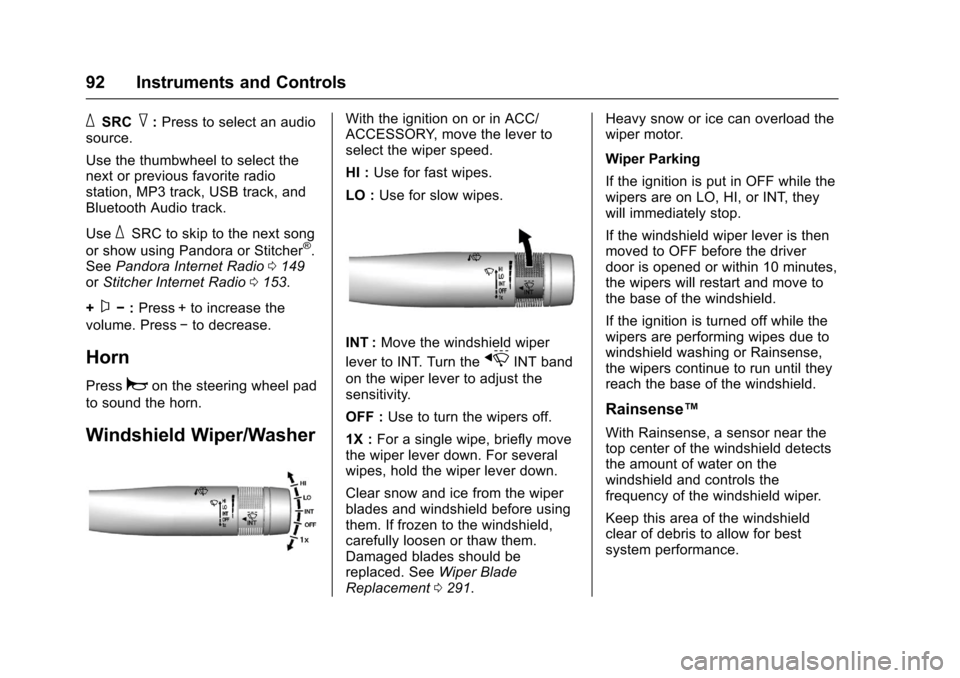
Windshield Wiper/Washer
With the ignition on or in ACC/ACCESSORY, move the lever toselect the wiper speed.
HI :Use for fast wipes.
LO :Use for slow wipes.
INT :Move the windshield wiper
lever to INT. Turn thexINT band
on the wiper lever to adjust thesensitivity.
OFF :Use to turn the wipers off.
1X :For a single wipe, briefly movethe wiper lever down. For severalwipes, hold the wiper lever down.
Clear snow and ice from the wiperblades and windshield before usingthem. If frozen to the windshield,carefully loosen or thaw them.Damaged blades should bereplaced. SeeWiper BladeReplacement0291.
Heavy snow or ice can overload thewiper motor.
Wiper Parking
If the ignition is put in OFF while thewipers are on LO, HI, or INT, theywill immediately stop.
If the windshield wiper lever is thenmoved to OFF before the driverdoor is opened or within 10 minutes,the wipers will restart and move tothe base of the windshield.
If the ignition is turned off while thewipers are performing wipes due towindshield washing or Rainsense,the wipers continue to run until theyreach the base of the windshield.
Rainsense™
With Rainsense, a sensor near thetop center of the windshield detectsthe amount of water on thewindshield and controls thefrequency of the windshield wiper.
Keep this area of the windshieldclear of debris to allow for bestsystem performance.
Page 99 of 400
Chevrolet SS Sedan Owner Manual (GMNA-Localizing-U.S.-10122752) -2017 - crc - 8/31/16
98 Instruments and Controls
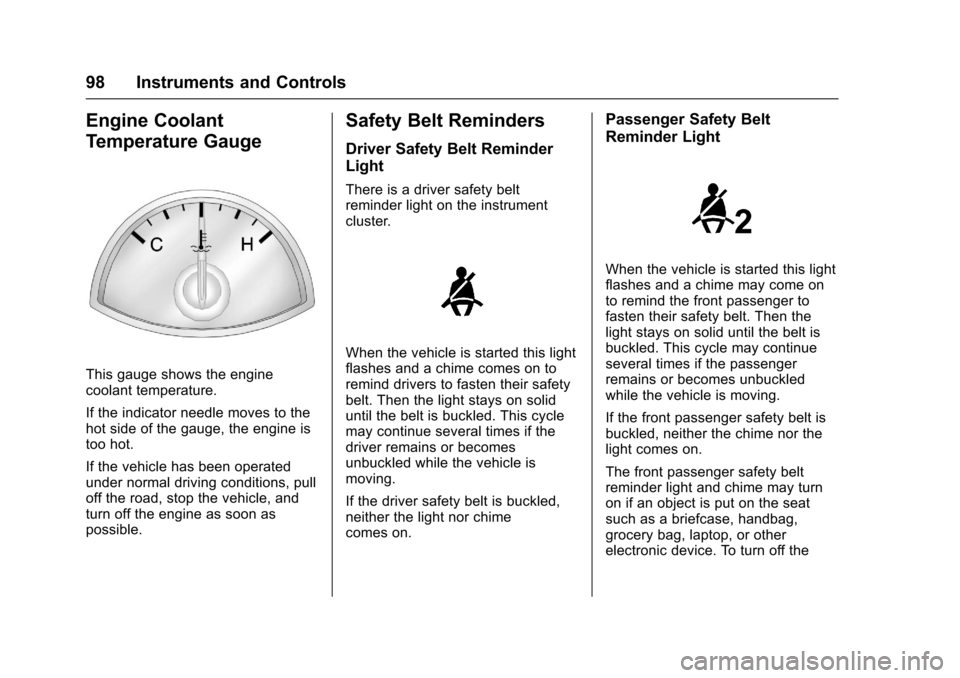
Engine Coolant
Temperature Gauge
This gauge shows the enginecoolant temperature.
If the indicator needle moves to thehot side of the gauge, the engine istoo hot.
If the vehicle has been operatedunder normal driving conditions, pulloff the road, stop the vehicle, andturn off the engine as soon aspossible.
Safety Belt Reminders
Driver Safety Belt Reminder
Light
There is a driver safety beltreminder light on the instrumentcluster.
When the vehicle is started this lightflashes and a chime comes on toremind drivers to fasten their safetybelt. Then the light stays on soliduntil the belt is buckled. This cyclemay continue several times if thedriver remains or becomesunbuckled while the vehicle ismoving.
If the driver safety belt is buckled,neither the light nor chimecomes on.
Passenger Safety Belt
Reminder Light
When the vehicle is started this lightflashes and a chime may come onto remind the front passenger tofasten their safety belt. Then thelight stays on solid until the belt isbuckled. This cycle may continueseveral times if the passengerremains or becomes unbuckledwhile the vehicle is moving.
If the front passenger safety belt isbuckled, neither the chime nor thelight comes on.
The front passenger safety beltreminder light and chime may turnon if an object is put on the seatsuch as a briefcase, handbag,grocery bag, laptop, or otherelectronic device. To turn off the
Page 104 of 400
Chevrolet SS Sedan Owner Manual (GMNA-Localizing-U.S.-10122752) -2017 - crc - 8/31/16
Instruments and Controls 103
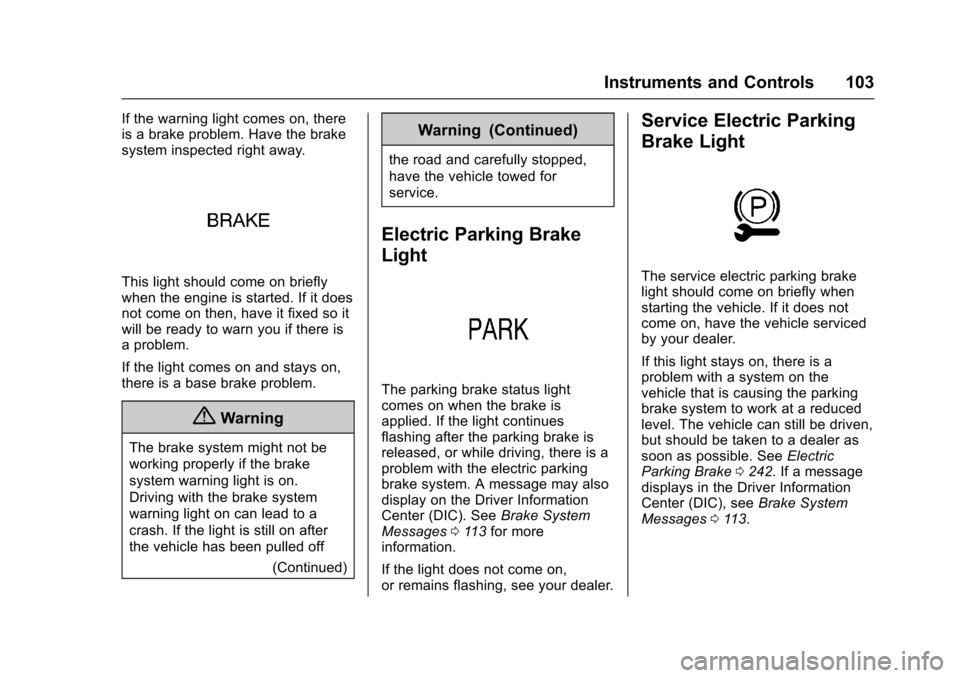
If the warning light comes on, thereis a brake problem. Have the brakesystem inspected right away.
This light should come on brieflywhen the engine is started. If it doesnot come on then, have it fixed so itwill be ready to warn you if there isaproblem.
If the light comes on and stays on,there is a base brake problem.
{Warning
The brake system might not be
working properly if the brake
system warning light is on.
Driving with the brake system
warning light on can lead to a
crash. If the light is still on after
the vehicle has been pulled off
(Continued)
Warning (Continued)
the road and carefully stopped,
have the vehicle towed for
service.
Electric Parking Brake
Light
The parking brake status lightcomes on when the brake isapplied. If the light continuesflashing after the parking brake isreleased, or while driving, there is aproblem with the electric parkingbrake system. A message may alsodisplay on the Driver InformationCenter (DIC). SeeBrake SystemMessages011 3for moreinformation.
If the light does not come on,or remains flashing, see your dealer.
Service Electric Parking
Brake Light
The service electric parking brakelight should come on briefly whenstarting the vehicle. If it does notcome on, have the vehicle servicedby your dealer.
If this light stays on, there is aproblem with a system on thevehicle that is causing the parkingbrake system to work at a reducedlevel. The vehicle can still be driven,but should be taken to a dealer assoon as possible. SeeElectricParking Brake0242.Ifamessagedisplays in the Driver InformationCenter (DIC), seeBrake SystemMessages011 3.
Page 105 of 400
Chevrolet SS Sedan Owner Manual (GMNA-Localizing-U.S.-10122752) -2017 - crc - 8/31/16
104 Instruments and Controls
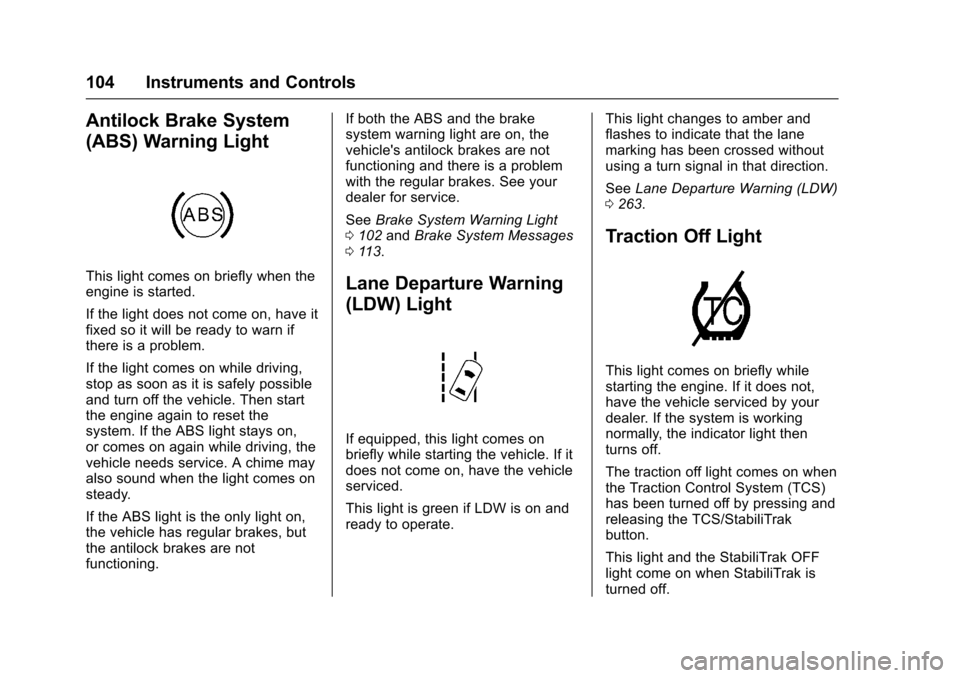
Antilock Brake System
(ABS) Warning Light
This light comes on briefly when theengine is started.
If the light does not come on, have itfixed so it will be ready to warn ifthere is a problem.
If the light comes on while driving,stop as soon as it is safely possibleand turn off the vehicle. Then startthe engine again to reset thesystem. If the ABS light stays on,or comes on again while driving, thevehicle needs service. A chime mayalso sound when the light comes onsteady.
If the ABS light is the only light on,the vehicle has regular brakes, butthe antilock brakes are notfunctioning.
If both the ABS and the brakesystem warning light are on, thevehicle's antilock brakes are notfunctioning and there is a problemwith the regular brakes. See yourdealer for service.
SeeBrake System Warning Light0102andBrake System Messages011 3.
Lane Departure Warning
(LDW) Light
If equipped, this light comes onbriefly while starting the vehicle. If itdoes not come on, have the vehicleserviced.
This light is green if LDW is on andready to operate.
This light changes to amber andflashes to indicate that the lanemarking has been crossed withoutusing a turn signal in that direction.
SeeLane Departure Warning (LDW)0263.
Traction Off Light
This light comes on briefly whilestarting the engine. If it does not,have the vehicle serviced by yourdealer. If the system is workingnormally, the indicator light thenturns off.
The traction off light comes on whenthe Traction Control System (TCS)has been turned off by pressing andreleasing the TCS/StabiliTrakbutton.
This light and the StabiliTrak OFFlight come on when StabiliTrak isturned off.
Page 107 of 400
Chevrolet SS Sedan Owner Manual (GMNA-Localizing-U.S.-10122752) -2017 - crc - 8/31/16
106 Instruments and Controls
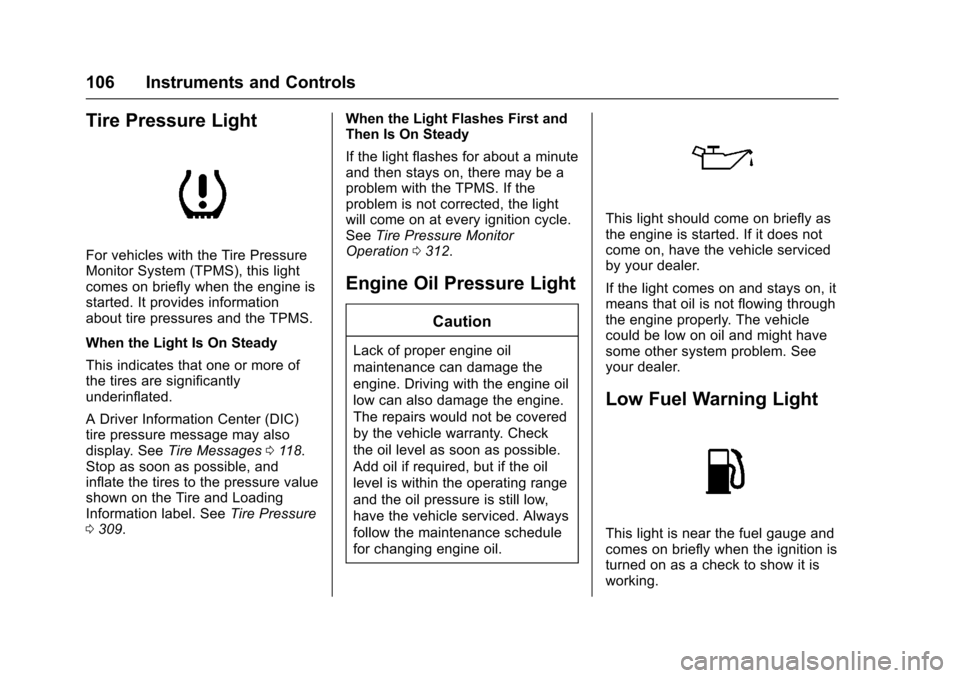
Tire Pressure Light
For vehicles with the Tire PressureMonitor System (TPMS), this lightcomes on briefly when the engine isstarted. It provides informationabout tire pressures and the TPMS.
When the Light Is On Steady
This indicates that one or more ofthe tires are significantlyunderinflated.
ADriverInformationCenter(DIC)tire pressure message may alsodisplay. SeeTire Messages011 8.Stop as soon as possible, andinflate the tires to the pressure valueshown on the Tire and LoadingInformation label. SeeTire Pressure0309.
When the Light Flashes First andThen Is On Steady
If the light flashes for about a minuteand then stays on, there may be aproblem with the TPMS. If theproblem is not corrected, the lightwill come on at every ignition cycle.SeeTire Pressure MonitorOperation0312.
Engine Oil Pressure Light
Caution
Lack of proper engine oil
maintenance can damage the
engine. Driving with the engine oil
low can also damage the engine.
The repairs would not be covered
by the vehicle warranty. Check
the oil level as soon as possible.
Add oil if required, but if the oil
level is within the operating range
and the oil pressure is still low,
have the vehicle serviced. Always
follow the maintenance schedule
for changing engine oil.
This light should come on briefly asthe engine is started. If it does notcome on, have the vehicle servicedby your dealer.
If the light comes on and stays on, itmeans that oil is not flowing throughthe engine properly. The vehiclecould be low on oil and might havesome other system problem. Seeyour dealer.
Low Fuel Warning Light
This light is near the fuel gauge andcomes on briefly when the ignition isturned on as a check to show it isworking.
Page 114 of 400
Chevrolet SS Sedan Owner Manual (GMNA-Localizing-U.S.-10122752) -2017 - crc - 8/31/16
Instruments and Controls 113
Vehicle Messages
Messages displayed on the DICindicate the status of the vehicle orsome action that may be needed tocorrect a condition. Multiplemessages may display one after theother.
The messages that do not requireimmediate action can beacknowledged and cleared bypressing SET/CLR. The messagesthat require immediate action cannotbe cleared until that action isperformed. All messages should betaken seriously and clearing themessages does not correct theproblem.
The following are some of thevehicle messages that may bedisplayed depending on yourvehicle content.
Battery Voltage and
Charging Messages
BATTERY SAVER ACTIVE
This message displays when thevehicle has detected that the batteryvoltage is dropping beyond areasonable point. The battery saversystem starts reducing features ofthe vehicle that may be noticed. Atthe point that features are disabled,this message displays. Turn offunnecessary accessories to allowthe battery to recharge.
LOW BATTERY
This message is displayed when thebattery voltage is low. SeeBattery -North America0288.
SERVICE BATTERY
CHARGING SYSTEM
This message is displayed whenthere is a fault in the batterycharging system. Take the vehicle toyour dealer for service.
Brake System Messages
BRAKE FLUID LOW
This message displays when thebrake fluid level is low. SeeBrakeFluid0287.
RELEASE PARKING BRAKE
This message displays if the ElectricParking Brake is on while thevehicle is in motion. Release itbefore attempting to drive. SeeElectric Parking Brake0242.
SERVICE BRAKE ASSIST
This message displays when thereis a problem with the brake boostsystem. When this messagedisplays, the brake pedal may beharder to push and the stoppingdistance may be longer. See yourdealer for service.
SERVICE PARKING BRAKE
This message displays when thereis a problem with the ElectricParking Brake. See your dealer forservice.
Page 116 of 400
Chevrolet SS Sedan Owner Manual (GMNA-Localizing-U.S.-10122752) -2017 - crc - 8/31/16
Instruments and Controls 115
Engine Oil Messages
CHANGE ENGINE OIL SOON
This message displays whenservice is required for the vehicle.See your dealer.SeeEngine Oil0275andMaintenance Schedule0349.
Acknowledging the CHANGEENGINE OIL SOON message willnot reset the system. See“Remaining Oil Life”underDriverInformation Center (DIC)0108andEngine Oil Life System0277.
ENGINE OIL LOW—ADD OIL
On some vehicles, this messagedisplays when the engine oil levelmay be too low. Check the oil levelbefore filling to the recommendedlevel. If the oil is not low and thismessage remains on, take thevehicle to your dealer for service.SeeEngine Oil0275.
OIL PRESSURE LOW STOP
ENGINE
This message displays when thevehicle's engine oil pressure is low.The oil pressure light also appearson the instrument cluster. SeeEngine Oil Pressure Light0106.
Stop the vehicle immediately, asengine damage can result fromdriving a vehicle with low oilpressure. Have the vehicle servicedby your dealer as soon as possiblewhen this message is displayed.
Engine Power Messages
ENGINE POWER IS REDUCED
This message displays when thevehicle's engine power is reduced.Reduced engine power can affectthe vehicle's ability to accelerate.If this message is on, but there is noreduction in performance, proceedto your destination. Theperformance may be reduced thenext time the vehicle is driven. Thevehicle may be driven at a reducedspeed while this message is on, butmaximum acceleration and speed
may be reduced. Anytime thismessage stays on, or displaysrepeatedly, the vehicle should betaken to your dealer for service assoon as possible.
Fuel System Messages
FUEL LEVEL LOW
This message displays when thevehicle is low on fuel. Refuel assoon as possible.
Key and Lock Messages
NO REMOTE DETECTED
This message displays when thetransmitter battery is weak onvehicles with Keyless Access. See“Starting the Vehicle with a LowTransmitter Battery”underRemoteKeyless Entry (RKE) SystemOperation025.
Page 161 of 400
Chevrolet SS Sedan Owner Manual (GMNA-Localizing-U.S.-10122752) -2017 - crc - 8/31/16
160 Infotainment System
.Pressb/gon the steering
wheel controls to select songsby Artist, Album, Song Title,or Song Genre. SeeVoiceRecognition0189.
The following playlist formats aresupported:
.M3U (Standard and Extended)
.iTunes
.PLS (Standard)
.WAX
.ASX
.RMP
The radio supports plugging a cellphone in as a USB drive as long asthe cell phone supports USB massstorage class or has USB disc drivesupport enabled.
While the USB source is active, usethe following to operate USBfunction:
TUNE/MENU :Turn to scrollthrough the list. Turn quickly to fastscroll alphabetically through largelists.
J:To u c h t h i s i c o n o n t h einfotainment display to start, pause,or resume play of the current mediasource.
tSEEK:
.Press to seek to the beginning ofthe current or previous track.If the track has been playing forless than five seconds, theprevious track plays. If playinglonger than five seconds, thecurrent track restarts.
.Press and hold to reversequickly through playback.Release to return to playingspeed. Elapsed time displays.
uSEEK:
.Press to seek to the next track.
.Press and hold to advancequickly through playback.Release to return to playingspeed. Elapsed time displays.
USB Menu
The following are available throughthe USB Menu:
Shuffle :To u c h t o p l a y t h e t r a c k srandomly. Touch again to stopshuffle.
Play More Like This:
1. Touch to automatically create aplaylist of songs that are likethe song currently playing.
2. The radio will show“PlaylistCreation Succeeded”andcontinue playing thecurrent song.
Playlist Creation Failed mayappear if a song is not found inthe Gracenote Database.
Delete Automatic Playlist :To u c hto delete a More Like This playlist.
Folders :To u c h t o o p e n a f o l d e r l i s tto access the files within the folderstructure.
Playlists:
1. Touch to view the playlists onthe USB.
Page 188 of 400
Chevrolet SS Sedan Owner Manual (GMNA-Localizing-U.S.-10122752) -2017 - crc - 8/31/16
Infotainment System 187
the satellites, a symbol appears onthe map display. SeeNavigationSymbols0169.
This system might not be availableor interference can occur if any ofthe following are true:
.Signals are obstructed by tallbuildings, trees, large trucks,or a tunnel.
.Satellites are being repaired orimproved.
For more information if the GPS isnot functioning properly, seeProblems with Route Guidance0187andIf the System NeedsService0188.
Vehicle Positioning
At times, the position of the vehicleon the map could be inaccurate dueto one or more of the followingreasons:
.The road system has changed.
.The vehicle is driving on slipperyroad surfaces such as sand,gravel, or snow.
.The vehicle is traveling onwinding roads or long straightroads.
.The vehicle is approaching a tallbuilding or a large vehicle.
.The surface streets run parallelto a freeway.
.The vehicle has been transferredby a vehicle carrier or a ferry.
.The current position calibrationis set incorrectly.
.The vehicle is traveling at highspeed.
.The vehicle changes directionsmore than once, or the vehicle isturning on a turn table in aparking lot.
.The vehicle is entering and/orexiting a parking lot, garage, or alot with a roof.
.The GPS signal is not received.
.Aroofcarrierisinstalledonthevehicle.
.Tire chains have been installed.
.The tires are replaced or worn.
.The tire pressure for the tires isincorrect.
.This is the first navigation useafter the map data is updated.
.The 12-volt battery isdisconnected for several days.
.The vehicle is driving in heavytraffic where driving is at lowspeeds, and the vehicle isstopped and started repeatedly.
Problems with Route
Guidance
Inappropriate route guidance canoccur under one or more of thefollowing conditions:
.The turn was not made on theroad indicated.
.Route guidance might not beavailable when using automaticrerouting for the next right orleft turn.
.The route might not be changedwhen using automatic rerouting.
.There is no route guidance whenturning at an intersection.
Page 222 of 400
Chevrolet SS Sedan Owner Manual (GMNA-Localizing-U.S.-10122752) -2017 - crc - 8/31/16
Driving and Operating 221
recommendations outlined by thefluid manufacturer. Do not usesilicone or DOT-5 brake fluids.
To p r e p a r e t h e b r a k e s y s t e m s f o rtrack events and racing, completethe appropriate high performancebrake burnishing proceduredescribed below.
Brake Burnishing
New brake pads must be burnishedbefore racing or other competitivedriving.
Caution
The new vehicle break-in period
should be completed before
performing the brake burnish
procedure, otherwise damage
may occur to the powertrain/
engine. SeeNew Vehicle
Break-In0229.
When performed as instructed,these procedures will not damagethe brakes. During the burnishingprocedure, the brake pads willsmoke and produce an odor. The
braking force and pedal travel mayincrease. After the procedure, thebrake pads may appear white at therotor contact.
Perform this procedure on drypavement, in a safe manner, and incompliance with all local and stateordinances/laws regarding motorvehicle operation.
Racing/Track Brake BurnishingProcedure
Caution
Brake pedal fade will occur during
this track burnish procedure and
can cause brake pedal travel and
force to increase. This could
extend stopping distance until the
brakes are fully burnished.
1. Apply the brakes 25 timesstarting at 100 km/h (60 mph)to 50 km/h (30 mph) whiledecelerating at 0.4 g. This is amedium brake application.Drive for at least 1 km (0.6 mi)between applying the brakes.
This first step may be skippedif there are more than 320 km(200 mi) on the brake pads.
2. Repeatedly apply the brakesfrom 100 km/h (60 mph) to25 km/h (15 mph) whiledecelerating at 0.8 g. This is ahard brake application, withoutactivating the Antilock BrakeSystem (ABS). Drive for atleast 1 km (0.6 mi) betweenstops. Repeat until the brakepedal travel starts to increase.Depending on conditions, thisshould take no longer than 25brake applications.
3. Cool down: Drive at 100 km/h(60 mph) for approximately15 km (10 mi) without using thebrakes.
4. Apply the brakes 25 times from100 km/h (60 mph) to 50 km/h(30 mph) while decelerating at0.4 g. This is a medium brakeapplication. Drive for at least1km(0.6mi)betweenapplications.