ESP CHEVROLET SS 2017 1.G Owner's Manual
[x] Cancel search | Manufacturer: CHEVROLET, Model Year: 2017, Model line: SS, Model: CHEVROLET SS 2017 1.GPages: 400, PDF Size: 7.31 MB
Page 191 of 400
Chevrolet SS Sedan Owner Manual (GMNA-Localizing-U.S.-10122752) -2017 - crc - 8/31/16
190 Infotainment System
adjusted during a voicerecognition session, a Volumebar appears on the displayshowing the voice volume levelas it is being adjusted. This alsochanges the volume of theguidance prompts.
.When using navigationcommands, take the time tobecome familiar with theaddress. Long delays whengiving the address can result inthe system not recognizing theaddress or routing to differentlocation than intended.
.When providing the housenumber portion of the address,the system recognizes both digitformat and numerical text. Anexample would be to say,“3-0-0-0-1”or“ThirtyThousand One.”
.If the system providesdestination in another country onseveral attempts, say the“Change Country”command andsay the country of interest. Thecountry default is the UnitedStates. To enter a destination in
Canada or Mexico, the countrywill first have to be changed inthe system.
Voice Recognition Help
To e n t e r t h e h e l p p l a y b a c k s e s s i o n ,clearly speak one of the helpcommands.
Help :The system plays back morespecific help commands such asRadio Settings for the user tochoose from.
Radio :Use this command to learnabout how to select a band (AM,FM, or XM), and how to changeradio stations by speakingfrequency numbers.
Phone :Use this command to learnabout how to dial, pair a device,or delete a device.
My Media :Use this command tolearn how to play specific tracks,artists, albums, devices connectedto the USB port, or to changesources.
Settings :Use this command tolearn about how to turn Verbose onor off, or set the language.
Voice Recognition Commands
The following list shows the voicecommands available for theinfotainment system with a briefdescription of each. The commandsare listed with the optional words inparentheses. To use the voicecommands, see the previousinstructions.
Radio Commands
Tu n e A M , Tu n e F M , Tu n e X M ,Tu n e P a n d o r a , Tu n e S t i t c h e r :Instructs the system to go to thespecific band and the last channel.
Tu n e A M ( f r e q u e n c y ) , Tu n e F M(frequency), Tune XM (channelnumber), or Tune XM (channelname) :Instructs the system to goto the specific station.
Thumbs Up :Instructs the systemto give the current song or station athumbs up in Pandora or Stitcher.
Thumbs Down :Instructs thesystem to give the current song orstation a thumbs down in Pandoraor Stitcher.
Page 193 of 400
Chevrolet SS Sedan Owner Manual (GMNA-Localizing-U.S.-10122752) -2017 - crc - 8/31/16
192 Infotainment System
Search Playlist (playlist name) :Instructs the system to show a list ofall songs in a specific playlist. Forexample, say "Search playlist
Search Audiobook (audiobookname) :Instructs the system toshow a list of all tracks in a specificaudiobook. For example, say"Search audiobook
Search Playlist (playlist name) :Instructs the system to show a list ofall songs in a specific playlist. Forexample, say "Search playlist
Search Podcast (podcast name) :Instructs the system to show a list ofall tracks in a specific podcast. Forexample, say "Search podcast
More Like This :Instructs thesystem to create a playlist of trackssimilar to the current track playing.
Settings Commands
Verbose (set) on (mode), Verbose(set) off (mode) :Instructs thesystem to turn voice prompts on oroff. When off, this feature turns offvoice prompts.
Language (language) :Instructsthe system to set the language.
List Devices :Instructs the systemto give a list of devices to use.
Other Commands
Goodbye :Instructs the system toend a phone call or voicerecognition.
Cancel :Instructs the system tocancel an action.
Go Back, Back, Previous :Instructs the system to go back to aprior menu.
Main Menu :Instructs the system togo to the main menu.
Yes, Yep, Yup, Ya, Sure, Right,Correct, OK, Positive, You Got it,Probably, You Bet :These can beused to say“Ye s .”
No, Nope, Na, No way, Wrong,Incorrect, Negative, Not really, NoIsaid,NoIDidNot,NoIDoNot:These can be used to say“No.”
Next Page, Page Down :Instructsthe system to scroll forward onepage in a list.
Previous Page, Page Up :Instructsthe system to scroll back one pagein a list.
Navigation Commands (If
Equipped)
To a c t i v a t e t h e n a v i g a t i o n v o i c erecognition:
1. Pressb/gon the steering
wheel. The audio systemmutes. A voice prompt says,“Please say a command.”Waituntil the tone is heard beforespeaking.
If there is no tone, make surethe volume is turned up.
While voice recognition isactive, the system shows asymbol in the top right of thedisplay.
Page 194 of 400
Chevrolet SS Sedan Owner Manual (GMNA-Localizing-U.S.-10122752) -2017 - crc - 8/31/16
Infotainment System 193
2. Clearly speak the command“Navigation.”
3. Clearly speak one of thecommands in this section.
The following commands only applyonce the Navigation command isgiven.
Change Country :Changes thecountry origin to input a destinationfrom that region. The system willaccept United States, Canada,or Mexico.
Address or Destination :Allowsan address to be stated as aone-shot method. The system willrecognize the address if stated all atonce or say a city center. Anexample is to say,“200Renaissance Street, Detroit,Michigan”or“Detroit, Michigan.”
Directed Address :Allows anaddress to be stated one step at atime. The format will be State, City,Street, then House Number.
Intersection :Allows anIntersection to be stated as thedestination. The format will beState, City, Street, then Intersection.
Home :Instructs the system to startguidance to address saved asMy Home.
Contact :When a phone is pairedto the system, which containsAddress Information stored forcontacts, the address associatedwith that contact can become aroute. If the system cannot resolvethe address, an error displays.
Points of Interest or POI :Allows aPoint of Interest to be stated as adestination.
Say the name or list item number ofthe category and subcategory toreturn a list of POIs. Say the itemnumber to select a POI from the list.
POI commands for Nearby, AlongRoute, and Around Destination willbe available if route guidance isactive.
Add Waypoint :Allows addition ofindividual waypoints or thedestination. The system will ask forthe choice of entry method tocontinue. An example is to say,“POIAlong Route”or“Intersection.”
Delete Waypoint :When guidanceis active, this command allows thedeletion of individual waypoints orthe destination. If guidance is notactive, the system will indicate thedestination list is empty.
Where Am I?, My Location,or Current Position :Instructs thesystem to give the current positionof the vehicle.
Help :The system plays back morespecific help commands associatedwith Navigation or a Navigationsub-feature.
Cancel Guidance or CancelRoute :Instructs the system tocancel guidance.
Entering a Destination in OtherCountries
For the voice recognition to respondto a local address, thecorresponding country needs to beset in the navigation system.
The country can also be set usingvoice commands. However, thecountry will change back to thedefault country once the vehicle isturned off.
Page 198 of 400
Chevrolet SS Sedan Owner Manual (GMNA-Localizing-U.S.-10122752) -2017 - crc - 8/31/16
Infotainment System 197
Identification Number (PIN), itwill display. The PIN is used inStep 5.
4. Start the pairing process on thecell phone to be paired to thevehicle. See the cell phonemanufacturer's user guide.
5. Locate and select the devicenamed after the vehicle makeand model in the list on the cellphone. Follow the instructionson the cell phone to enter thePIN provided in Step 3, or toconfirm the six-digit codematches. The systemrecognizes the new connectedphone after the pairing processis complete.
6. If the phone prompts to acceptconnection or allow phonebook download, select alwaysaccept and allow. The phonebook may not be available ifnot accepted. Some phoneswill put connection request orphonebook request in a pulldown task bar at the top of the
display. Drag down the task barand look for connection/phonebook request and accept.
7. Repeat to pair additionalphones.
Listing All Paired and ConnectedPhones/Devices
1. Press CONFIG on the centerstack.
2. Select Phone Settings.
3. Select Device List.
Deleting a Paired Phone/Device
1. Press CONFIG on the centerstack.
2. Select Phone Settings.
3. Select Device List.
4. Select the phone to delete andfollow the display prompts.
Connecting to a Different Phone
To c o n n e c t t o a d i f f e r e n t p h o n e , t h enew phone must be in the vehicleand available to be connected to theBluetooth system before theprocess is started.
1. Press CONFIG on the centerstack.
2. Select Phone Settings.
3. Select Device List.
4. Select the new phone toconnect to and follow thedisplay prompts.
Pairing with Voice Recognition
ABluetooth-enabledcellphonemust be paired and then connectedto the vehicle before it can be used.See the cell phone manufacturer'suser guide for Bluetooth functionsbefore pairing the cell phone. If aBluetooth phone is not connected,calls will be made using OnStarHands-Free Calling, if available.SeeOnStar Overview0378.
Pairing a Phone
1. Pressb/g.Thesystem
responds“Please say acommand,”followed by a tone.
2. Say“Pair.”The systemresponds with“Please searchfor Bluetooth devices on your
Page 199 of 400
Chevrolet SS Sedan Owner Manual (GMNA-Localizing-U.S.-10122752) -2017 - crc - 8/31/16
198 Infotainment System
phone, select your vehicle,confirm and enter the PINprovided on the display.”
3. Start the search for Bluetoothdevices on the phone. Thenselect the device and follow theinstructions on the phone byeither entering the four-digitPIN or confirming the six-digitpasscode. The PIN is used inStep 4.
4. Locate and select the devicenamed after the vehicle makeand model in the list on the cellphone. Follow the instructionson the cell phone to enter thePIN provided in Step 3 or toconfirm the six-digit codematches. The system responds“successfully paired.”
5. Repeat Steps 1✓4topairadditional phones.
Listing All Paired and ConnectedPhones
The system can list all cell phonespaired to it. If a paired cell phone isalso connected to the vehicle, thesystem responds with“is connected”after that phone name.
1. Pressb/g.Thesystem
responds“Please say acommand,”followed by a tone.
2. Say“Device List.”
Deleting a Paired Phone
If the phone name to delete isunknown, see“Listing All Pairedand Connected Phones.”
1. Pressb/g.Thesystem
responds“Please say acommand,”followed by a tone.
2. Say“Delete Device.”
3. The system responds with:“Todelete a device, please touchits name on the display.”Selectthe device to delete on thedisplay and it will be removed.
To c a n c e l t h i s c o m m a n d , p r e s s$/
ion the steering wheel control or
press/BACK on the center stack.
Connecting to a Different Phoneor Device
To c o n n e c t t o a d i f f e r e n t c e l l p h o n e ,the system looks for the nextavailable cell phone. Depending onthe cell phone to be connected, thiscommand may need to be repeated.
1. Pressb/g.Thesystem
responds“Please say acommand,”followed by a tone.
2. Say“Change Phone.”
.To s e l e c t a d e v i c e , t o u c hthe name on the display.
.If another cell phone is notfound, the original phoneremains connected.
Page 202 of 400
Chevrolet SS Sedan Owner Manual (GMNA-Localizing-U.S.-10122752) -2017 - crc - 8/31/16
Infotainment System 201
Transferring a Call
Audio can be transferred betweenthe Bluetooth system and the cellphone.
The cell phone must be paired andconnected with the Bluetoothsystem before a call can betransferred.
To Transfer Audio from theBluetooth System to a Cell Phone
During a call with the audio in thevehicle, touch Transfer Call on theinfotainment display or press and
holdb/gon the steering wheel
controls.
To Transfer Audio to the BluetoothSystem from a Cell Phone
Use the audio transfer feature onthe cell phone. See your cell phonemanufacturer's user guide for moreinformation. Touch Transfer call onthe infotainment display or press
and holdb/gon the steering
wheel controls.
Dual Tone Multi-Frequency
(DTMF) Tones
The in-vehicle Bluetooth system cansend numbers during a call. This isused when calling a menu-drivenphone system.
Using the Infotainment Controls
1. Turn and press the TUNE/MENU knob and select EnterNumber.
2. Enter the phone number,or select Enter Number on theinfotainment display and selectdigits, then touch OK.
Hands-Free Phone
Using Bluetooth VoiceRecognition
To u s e v o i c e r e c o g n i t i o n , p r e s s t h eb/gicon on the steering wheelcontrols. Use the commands belowfor the various voice features. Foradditional information, say“Help”while in a voice recognition menu.
Making a Call
Calls can be made using thefollowing commands.
Dial or Call :These commands canbe used interchangeably to dial aphone number.
Digit Dial :This command allows aphone number to be dialed byentering the digits one at a time.
Re-dial :This command dials thelast number used on the cell phone.
Using the“Dial”or“Call”Command
To c a l l a n u m b e r :
1. Pressb/g.Thesystem
responds“Please say acommand,”followed by a tone.
2. Say“Dial”or“Call.”
3. Say the entire number withoutpausing, followed by“Dial.”
Once connected, the person calledwill be heard through the audiospeakers.
To c a l l u s i n g a n a m e t a g :
1. Pressb/g.Thesystem
responds“Please say acommand,”followed by a tone.
Page 203 of 400
Chevrolet SS Sedan Owner Manual (GMNA-Localizing-U.S.-10122752) -2017 - crc - 8/31/16
202 Infotainment System
2. Say“Dial”or“Call”and thensay the name tag. For example“Call John at Work.”
Once connected, the person calledwill be heard through the audiospeakers.
Using the“Digit Dial”Command
This allows a phone number to bedialed by entering the digits one atatime.
1. Pressb/g.Thesystem
responds“Please say acommand,”followed by a tone.
2. Say“Digit Dial.”
3. Say each digit, one at a time,to dial. After each digit isentered, the system repeatsback the digit it heard followedby a tone. After the last digithas been entered, say“Dial.”
If an unwanted number is repeatedback, say“Clear”to clear the lastnumber.
Once connected, the person calledwill be heard through the audiospeakers.
Using the“Re-dial”Command
1. Pressb/g.Thesystem
responds“Please say acommand,”followed by a tone.
2. After the tone, say“Re-dial.”The system dials the lastnumber called from theconnected cell phone.
Once connected, the person calledwill be heard through the audiospeakers.
Clearing the System
Unless information is deleted out ofthe vehicle Bluetooth system, it willbe retained. This includes phonepairing information. For directionson how to delete this information,see“Deleting a Paired Phone/Device.”
Text Messaging
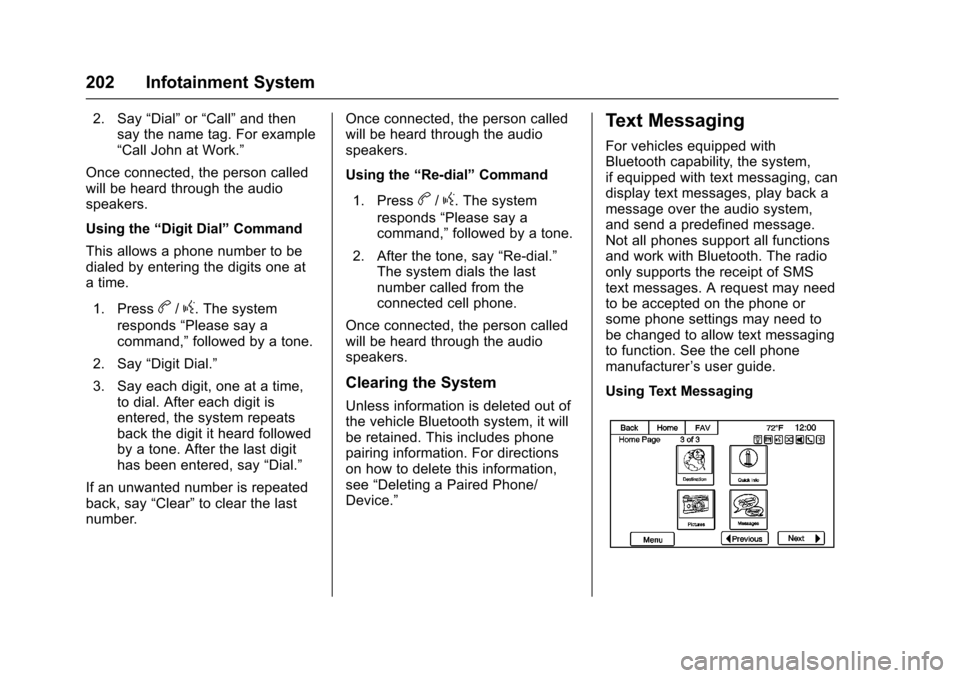
For vehicles equipped withBluetooth capability, the system,if equipped with text messaging, candisplay text messages, play back amessage over the audio system,and send a predefined message.Not all phones support all functionsand work with Bluetooth. The radioonly supports the receipt of SMStext messages. A request may needto be accepted on the phone orsome phone settings may need tobe changed to allow text messagingto function. See the cell phonemanufacturer’suserguide.
Using Text Messaging
Page 207 of 400
Chevrolet SS Sedan Owner Manual (GMNA-Localizing-U.S.-10122752) -2017 - crc - 8/31/16
206 Infotainment System
registered trademark or a trademarkof Gracenote, Inc. in the UnitedStates and/or other countries.
Bluetooth
The Bluetooth®word mark andlogos are owned by the Bluetooth®
SIG, Inc. and any use of such marksby General Motors is under license.Other trademarks and trade namesare those of their respective owners.
Pandora (If Equipped)
Pandora is a registered trademarkof Pandora Media, Inc., used underlicense.
Manufactured under license fromDolby Laboratories. Dolby and thedouble-D symbol are trademarks ofDolby Laboratories.
Map End User License
Agreement (Optional
Equipment Applies Where
Equipped)
END USER TERMS
The data (“Data”)isprovidedforyour personal, internal use only andnot for resale. It is protected bycopyright, and is subject to thefollowing terms and conditionswhich are agreed to by you, on theone hand, and PanasonicAutomotive Systems Company ofAmerica (“PA N A S O N I C”)anditslicensors (including their licensorsand suppliers) on the other hand.
©2014HERENorthAmerica,LLC.All rights reserved.
In addition, the Lonely Planet TravelGuide content is subject to thefollowing supplier notices (ifequipped):
©2014LonelyPlanetPublicationsPty Ltd. All rights reserved.
PA N A S O N I C a n d i t s c o n t e n tproviders have tried to make thisinformation as accurate as possible,
but it is provided“as is”andPA N A S O N I C a n d i t s c o n t e n tproviders accept no responsibilityfor any loss, injury or inconvenienceresulting from this information. Youshould verify critical information (likevisas, health and safety) before youtravel.
TERMS AND CONDITIONS
Personal Use Only. You agree touse this Data together with theGeneral Motors MyLink or IntelliLinkConnected Navigation RadioPlatform for the solely personal,non-commercial purposes for whichyou were licensed, and not forservice bureau, time-sharing orother similar purposes. Accordingly,but subject to the restrictions setforth in the following paragraphs,you agree not to otherwisereproduce, copy, modify, decompile,disassemble, create any derivativeworks of, or reverse engineer anyportion of this Data, and may nottransfer or distribute it in any form,for any purpose, except to theextent permitted by mandatory laws.
Page 208 of 400
Chevrolet SS Sedan Owner Manual (GMNA-Localizing-U.S.-10122752) -2017 - crc - 8/31/16
Infotainment System 207
Restrictions
Except where you have beenspecifically licensed to do so byPA N A S O N I C , a n d w i t h o u t l i m i t i n gthe preceding paragraph, you maynot (a) use this Data with anyproducts, systems, or applicationsinstalled or otherwise connected toor in communication with vehicles,capable of vehicle navigation,positioning, dispatch, real time routeguidance, fleet management orsimilar applications; or (b) with or incommunication with any positioningdevices or any mobile orwireless-connected electronic orcomputer devices, including withoutlimitation cellular phones, palmtopand handheld computers, pagers,and personal digital assistantsor PDAs
Warning
The Data may contain inaccurate orincomplete information due to thepassage of time, changingcircumstances, sources used andthe nature of collecting
comprehensive geographic data,any of which may lead to incorrectresults.
No Warranty
This Data is provided to you“as is,”and you agree to use it at your ownrisk. PANASONIC and its licensors(and their licensors and suppliers)make no guarantees,representations or warranties of anykind, express or implied, arising bylaw or otherwise, including but notlimited to, content, quality, accuracy,completeness, effectiveness,reliability, fitness for a particularpurpose, usefulness, use or resultsto be obtained from this Data,or that the Data or server will beuninterrupted or error-free.
Disclaimer of Warranty
PA N A S O N I C A N D I T S L I C E N S O R S(INCLUDING THEIR LICENSORSAND SUPPLIERS) DISCLAIM ANYWARRANTIES, EXPRESS ORIMPLIED, OF QUALITY,PERFORMANCE,MERCHANTABILITY, FITNESSFOR A PARTICULAR PURPOSEOR NON-INFRINGEMENT. Some
States, Territories and Countries donot allow certain warrantyexclusions, so to that extent theabove exclusion may not applyto you.
Disclaimer of Liability
PA N A S O N I C A N D I T S L I C E N S O R S(INCLUDING THEIR LICENSORSAND SUPPLIERS) SHALL NOT BELIABLE TO YOU: IN RESPECT OFANY CLAIM, DEMAND ORACTION, IRRESPECTIVE OF THENATURE OF THE CAUSE OF THECLAIM, DEMAND OR ACTIONALLEGING ANY LOSS, INJURYOR DAMAGES, DIRECT ORINDIRECT, WHICH MAY RESULTFROM THE USE OR POSSESSIONOF THE INFORMATION; OR FORANY LOSS OF PROFIT, REVENUE,CONTRACTS OR SAVINGS, ORANY OTHER DIRECT, INDIRECT,INCIDENTAL, SPECIAL ORCONSEQUENTIAL DAMAGESARISING OUT OF YOUR USE OFOR INABILITY TO USE THISINFORMATION, ANY DEFECT INTHE INFORMATION, OR THEBREACH OF THESE TERMS ORCONDITIONS, WHETHER IN AN
Page 209 of 400
Chevrolet SS Sedan Owner Manual (GMNA-Localizing-U.S.-10122752) -2017 - crc - 8/31/16
208 Infotainment System
ACTION IN CONTRACT OR TORTOR BASED ON A WARRANTY,EVEN IF PANASONIC OR ITSLICENSORS HAVE BEENADVISED OF THE POSSIBILITYOF SUCH DAMAGES. SomeStates, Territories and Countries donot allow certain liability exclusionsor damages limitations, so to thatextent the above may not applyto you.
Export Control
PA N A S O N I C s h a l l n o t e x p o r t f r o manywhere any part of the Data orany direct product thereof except incompliance with, and with alllicenses and approvals requiredunder, applicable export laws, rulesand regulations, including but notlimited to the laws, rules andregulations administered by theOffice of Foreign Assets Control ofthe U.S. Department of Commerceand the Bureau of Industry andSecurity of the U.S. Department ofCommerce. To the extent that anysuch export laws, rules orregulations prohibit HERE fromcomplying with any of its obligationshereunder to deliver or distribute
Data, such failure shall be excusedand shall not constitute a breach ofthis Agreement.
Entire Agreement
These terms and conditionsconstitute the entire agreementbetween PANASONIC (and itslicensors, including their licensorsand suppliers) and you pertaining tothe subject matter hereof, andsupersedes in their entirety any andall written or oral agreementspreviously existing between us withrespect to such subject matter.
Governing Law
The above terms and conditionsshall be governed by the laws of theState of Illinois (with respect to useof Data for the Americas and/or theAsia Pacific territories), and the lawsof The Netherlands (with respect toData for the Middle East, Africa,Russia and Europe territories),without giving effect to (i) its conflictof laws provisions, or (ii) the UnitedNations Convention for Contracts forthe International Sale of Goods,which is explicitly excluded. Youagree to submit to the jurisdiction of
the State of Illinois for any and alldisputes, claims and actions arisingfrom or in connection with the Dataprovided to you hereunder.
Government End Users
If the Data is being acquired by oron behalf of the United Statesgovernment or any other entityseeking or applying rights similar tothose customarily claimed by theUnited States government, this Datais a“commercial item”as that termis defined at 48 C.F.R. (“FAR”)2.101, is licensed in accordancewith these End-User Terms, andeach copy of Data delivered orotherwise furnished shall be markedand embedded as appropriate withthe following“Notice of Use,”andshall be treated in accordance withsuch Notice: