battery CHEVROLET SS 2017 1.G Owner's Manual
[x] Cancel search | Manufacturer: CHEVROLET, Model Year: 2017, Model line: SS, Model: CHEVROLET SS 2017 1.GPages: 400, PDF Size: 7.31 MB
Page 131 of 400
Chevrolet SS Sedan Owner Manual (GMNA-Localizing-U.S.-10122752) -2017 - crc - 8/31/16
130 Lighting
Lighting Features
Entry Lighting
Some exterior lamps and most ofthe interior lamps turn on briefly
whenKis pressed on the Remote
Keyless Entry (RKE) transmitter.After about 30 seconds the exteriorlamps turn off, and then the domeand remaining interior lamps will dimto off.
This feature can be changed. See“Ve h i c l e L o c a t o r L i g h t s”underVehicle Personalization0120.
Exit Lighting
The exterior lamps will illuminate anarea with limited lighting for a setamount of time when the ignition isturned to LOCK/OFF.
This feature can be changed. SeeVehicle Personalization0120.
Battery Power Protection
To p r e v e n t t h e b a t t e r y f r o m b e i n gdrained, the glove box, trunk, andreading lamps automatically turn off10 minutes after the ignition isturned off.
The lamps are reactivated if any ofthe following occur:
.The ignition is turned on.
.The vehicle is unlocked.
.The trunk is opened.
Page 153 of 400
Chevrolet SS Sedan Owner Manual (GMNA-Localizing-U.S.-10122752) -2017 - crc - 8/31/16
152 Infotainment System
Switching Between Pandora andStitcher
To s w i t c h b e t w e e n P a n d o r a a n dStitcher, touch the application iconon the iPhone, iPod touch, or iPad.This is not required for Androiddevices. SeeStitcher Internet Radio0153.
Pandora Troubleshooting
Unable to Connect Device toVehicle
If the device is unable to connect tothe USB or Bluetooth:
1. Turn the vehicle off.
2. Open and close the driver door,wait about 30 seconds, and tryto connect the device again.
Unable to Start Pandora
If the device is unable to launchPandora:
.Check that the latest version ofPandora is installed.
.Check that there is an activeaccount logged into Pandora.
.Have at least one stationcreated.
.For Android and BlackBerrydevices, check that the device ispaired with the vehicle, and theBluetooth icon on the display ishighlighted.
.For iPhone, iPod touch, or iPaddevices, check that the USBcable is connected to the USBport and the screen is unlocked.
.Close Pandora on the deviceand launch again. Devices thatallow multitasking may requirean extra step to quit the Pandoraapplication. See the cell phonemanufacturer's user guide.
Thumbs Up or Thumbs DownError
If there is an error trying to rate a
track with the,or-icons, the
message“Thumbs Down Error”or“Thumbs Up Error”will display.To u c h O K t o r e t r y.
Loss of Audio
Loss of Pandora audio can happenin different ways:
.Weak or lost data connection.
.Device needs to be charged.
.Application needs to berelaunched.
.Connection between phone andradio lost.
.If any iPhone, iPod touch,or iPad is connected toBluetooth and the dockconnector, go to the Airplay iconon the device and select dockconnector or disconnect andreconnect the dock connector onthe device.
.The volume is too low. Turn upthe volume on the device.
.The battery saver and taskmanager applications on thephone can cause Pandora tofunction incorrectly. Removethose apps from the phone orremove Pandora and Bluetoothfrom the task lists.
Page 157 of 400
Chevrolet SS Sedan Owner Manual (GMNA-Localizing-U.S.-10122752) -2017 - crc - 8/31/16
156 Infotainment System
The battery saver and task managerapplications on the phone cancause Stitcher to functionincorrectly. Remove those appsfrom the phone or remove Stitcherand Bluetooth from the task lists.
Unable to Start Stitcher
If the device is unable to launchStitcher:
.Check that the latest version ofStitcher is installed.
.Check that there is an activeaccount logged into Stitcher.
.For Android devices, check thatthe device is paired with thevehicle, and the Bluetooth iconon the display is highlighted.
.For iPhone, iPod touch, or iPaddevices, check that the USBcable is connected to the USBport and the screen is unlockedand the Home Page is showing.
.Close Stitcher on the device andlaunch again. Devices that allowmultitasking may require an
extra step to quit the Stitcherapplication. See the cell phonemanufacturer's user guide.
Loss of Audio
Loss of Stitcher audio can happendue to:
.Weak or lost data connection.
.Device needs to be charged.
.Application needs to berelaunched.
.Connection between phone andradio is lost.
.If any iPhone, iPod touch,or iPad is connected toBluetooth and the dockconnector, go to the Airplay iconon the device and select dockconnector or disconnect andreconnect the dock connector onthe device.
.The volume is too low. Turn upthe volume on the device.
If the connection is lost between theapplication and device, a message“Please unlock your phone or restartthe phone app and try again”willdisplay. Touch OK to retry.
If touching OK does not clear theissue, see“Please Unlock YourPhone or Restart Phone App andTry Again”under“Common StitcherMessages”following.
Common Stitcher Messages
Please Try Again Later :Ageneralerror has occurred. A dataconnection may be unavailable dueto a weak or lost signal or theStitcher service being temporarilydown. Touch OK to continue.
Paused or Audio Paused :Playback is paused on the radio or
the device. TouchJor play on the
device.
Please See Device :When the useris not logged in or whenauthentication failed, see thedevice. Touch OK to continue.Disconnect the phone from the radioand follow the Stitcher account loginprocess on the phone.
No Stations Found :Logged in butno stations have been created.To u c h O K t o c o n t i n u e .
Page 162 of 400

Chevrolet SS Sedan Owner Manual (GMNA-Localizing-U.S.-10122752) -2017 - crc - 8/31/16
Infotainment System 161
2. Select a playlist to view the listof all songs in that playlist.
3. Select a song from the list tobegin playback.
Artists:
1. Touch to view the list of artistson the USB.
2. Select an artist name to view alist of all albums by the artist.
3. To select a song, touch AllSongs or touch an album andthen select a song from the list.
Albums:
1. Touch to view the albums onthe USB.
2. Select the album to view a listof all songs on the album.
3. Select a song from the list tobegin playback.
Genres:
1. Touch to view the genres onthe USB.
2. Select a genre to view a list ofall songs of that genre.
3. Select a song from the list tobegin playback.
Songs:
1. Touch to display a list of allsongs on the USB.
2. Songs are displayed as theyare stored on the disc. To beginplayback, select a song fromthe list.
File System and Naming
The songs, artists, albums, andgenres are taken from the file’ssong information and are onlydisplayed if present. The radiodisplays the file name as the trackname if the song information is notavailable.
Playing from an iPod®
This feature supports the followingiPod models:
.iPod classic®(6th generation)
.iPod nano®(3G, 4G, 5G,and 6G)
.iPod touch®(1G, 2G, 3G,and 4G)
There may be problems with theoperation and function in thefollowing situations:
.When connecting an iPod onwhich a more recent version ofthe firmware is installed than issupported by the infotainmentsystem.
.When connecting an iPod onwhich firmware from otherproviders is installed.
To c o n n e c t a n i P o d :
1. Connect one end of thestandard iPod USB cable to theiPod's dock connector.
2. Connect the other end to theUSB port in the center console.
iPod music information displays onthe radio’sdisplayandbeginsplaying through the vehicle’saudiosystem.
The iPod battery rechargesautomatically while the vehicle is on.The iPod shuts off and stopscharging when the vehicle isshut off.
Page 188 of 400
Chevrolet SS Sedan Owner Manual (GMNA-Localizing-U.S.-10122752) -2017 - crc - 8/31/16
Infotainment System 187
the satellites, a symbol appears onthe map display. SeeNavigationSymbols0169.
This system might not be availableor interference can occur if any ofthe following are true:
.Signals are obstructed by tallbuildings, trees, large trucks,or a tunnel.
.Satellites are being repaired orimproved.
For more information if the GPS isnot functioning properly, seeProblems with Route Guidance0187andIf the System NeedsService0188.
Vehicle Positioning
At times, the position of the vehicleon the map could be inaccurate dueto one or more of the followingreasons:
.The road system has changed.
.The vehicle is driving on slipperyroad surfaces such as sand,gravel, or snow.
.The vehicle is traveling onwinding roads or long straightroads.
.The vehicle is approaching a tallbuilding or a large vehicle.
.The surface streets run parallelto a freeway.
.The vehicle has been transferredby a vehicle carrier or a ferry.
.The current position calibrationis set incorrectly.
.The vehicle is traveling at highspeed.
.The vehicle changes directionsmore than once, or the vehicle isturning on a turn table in aparking lot.
.The vehicle is entering and/orexiting a parking lot, garage, or alot with a roof.
.The GPS signal is not received.
.Aroofcarrierisinstalledonthevehicle.
.Tire chains have been installed.
.The tires are replaced or worn.
.The tire pressure for the tires isincorrect.
.This is the first navigation useafter the map data is updated.
.The 12-volt battery isdisconnected for several days.
.The vehicle is driving in heavytraffic where driving is at lowspeeds, and the vehicle isstopped and started repeatedly.
Problems with Route
Guidance
Inappropriate route guidance canoccur under one or more of thefollowing conditions:
.The turn was not made on theroad indicated.
.Route guidance might not beavailable when using automaticrerouting for the next right orleft turn.
.The route might not be changedwhen using automatic rerouting.
.There is no route guidance whenturning at an intersection.
Page 226 of 400
Chevrolet SS Sedan Owner Manual (GMNA-Localizing-U.S.-10122752) -2017 - crc - 8/31/16
Driving and Operating 225
Warning (Continued)
the fan speed to the highestsetting. See“ClimateControl Systems.”
For more information about CO,
seeEngine Exhaust0235.
To s a v e f u e l , r u n t h e e n g i n e f o rshort periods to warm the vehicleand then shut the engine off andpartially close the window. Movingabout to keep warm also helps.
If it takes time for help to arrive,when running the engine, push theaccelerator pedal slightly so theengine runs faster than the idlespeed. This keeps the batterycharged to restart the vehicle and tosignal for help with the headlamps.Do this as little as possible, tosave fuel.
If the Vehicle Is Stuck
Slowly and cautiously spin thewheels to free the vehicle whenstuck in sand, mud, ice, or snow.
If stuck too severely for the tractionsystem to free the vehicle, turn thetraction system off and use therocking method. SeeTr a c t i o nControl/Electronic Stability Control0245.
{Warning
If the vehicle's tires spin at high
speed, they can explode, and you
or others could be injured. The
vehicle can overheat, causing an
engine compartment fire or other
damage. Spin the wheels as little
as possible and avoid going
above 56 km/h (35 mph).
Rocking the Vehicle to Get
it Out
Turn the steering wheel left andright to clear the area around thefront wheels. Turn off any tractionsystem. Shift back and forthbetween R (Reverse) and a lowforward gear, spinning the wheelsas little as possible. To preventtransmission wear, wait until thewheels stop spinning before shiftinggears. Release the acceleratorpedal while shifting, and presslightly on the accelerator pedalwhen the transmission is in gear.Slowly spinning the wheels in theforward and reverse directionscauses a rocking motion that couldfree the vehicle. If that does not getthe vehicle out after a few tries, itmight need to be towed out. If thevehicle does need to be towed out,seeTo w i n g t h e V e h i c l e0337.
Page 232 of 400
Chevrolet SS Sedan Owner Manual (GMNA-Localizing-U.S.-10122752) -2017 - crc - 8/31/16
Driving and Operating 231
With the ignition off, pressing thebutton one time without the brakepedal applied will place the ignitionsystem in ACC/ACCESSORY.
The ignition will switch from ACC/ACCESSORY to OFF afterfive minutes to prevent batteryrundown.
ON/RUN/START (Green IndicatorLight) :This mode is for driving andstarting. With the ignition off, andthe brake pedal applied forautomatic transmission vehicles,and the clutch pedal applied formanual transmission vehicles,pressing the button once will placethe ignition system in ON/RUN/START. Once engine crankingbegins, release the button. Enginecranking will continue until theengine starts. SeeStarting theEngine0231.Theignitionwillthenremain in ON/RUN.
Service Only Mode
This power mode is available forservice and diagnostics, and toverify the proper operation of themalfunction indicator lamp as maybe required for emission inspection
purposes. With the vehicle off, andthe brake pedal not applied,pressing and holding the button formore than five seconds will placethe vehicle in Service Only Mode.The instruments and audio systemswill operate as they do in ON/RUN,but the vehicle will not be able to bedriven. The engine will not start inService Only Mode. Press thebutton again to turn the vehicle off.
Starting the Engine
Place the transmission in theproper gear.
Caution
If you add electrical parts or
accessories, you could change
the way the engine operates. Any
resulting damage would not be
covered by the vehicle warranty.
SeeAdd-On Electrical Equipment
0268.
Automatic Transmission
Move the shift lever to P (Park) orN(Neutral). To restart the vehiclewhen it is already moving, useN(Neutral) only.
Caution
Do not try to shift to P (Park) if the
vehicle is moving. If you do, you
could damage the transmission.
Shift to P (Park) only when the
vehicle is stopped.
Manual Transmission
The shift lever should be in Neutraland the parking brake engaged.Hold the clutch pedal down to thefloor and start the engine.
Starting Procedure
1. With the Keyless Accesssystem, the RKE transmittermust be in the vehicle. PressENGINE START/STOP with thebrake pedal applied onvehicles with an automatictransmission, and the clutchpedal applied on vehicles with
Page 233 of 400
Chevrolet SS Sedan Owner Manual (GMNA-Localizing-U.S.-10122752) -2017 - crc - 8/31/16
232 Driving and Operating
amanualtransmission.Whenthe engine begins cranking, letgo of the button.
The idle speed will go down asthe engine gets warm. Do notrace the engine immediatelyafter starting it.
If the RKE transmitter is not inthe vehicle, if there isinterference, or the RKEbattery is low, a DriverInformation Center (DIC)message will display. SeeDriver Information Center (DIC)0108andRemote KeylessEntry (RKE) System Operation025.
Caution
Cranking the engine for long
periods of time, by returning the
ignition to the START position
immediately after cranking has
ended, can overheat and damage
the cranking motor, and drain the
battery. Wait at least 15 seconds
between each try, to let the
cranking motor cool down.
2. If the engine does not startafter five to 10 seconds,especially in very cold weather(below✓18 °C or 0 °F), it couldbe flooded with too muchgasoline. Try pushing theaccelerator pedal all the way tothe floor and holding it there asyou press ENGINE START/STOP, for up to a maximum of15 seconds. Wait at least15 seconds between each try,to allow the cranking motor tocool down. When the enginestarts, let go of the button, andthe accelerator. If the vehiclestarts briefly but then stopsagain, do the same thing. Thisclears the extra gasoline fromthe engine. Do not race theengine immediately afterstarting it. Operate the engineand transmission gently untilthe oil warms up and lubricatesall moving parts.
Retained Accessory
Power (RAP)
The power windows will operatewhen the ignition is in the ON/RUNor ACC/ACCESSORY positions.
Once the ignition is turned off,Retained Accessory Power (RAP)allows the power windows tocontinue to operate for up to10 minutes. If a door is openedduring this time, they will bedeactivated.
The audio system will bedeactivated only if the driver door isopened.
Shifting Into Park
(Automatic Transmission)
1. Hold the brake pedal down andset the parking brake.
SeeElectric Parking Brake0242.
2. Hold the button on the shiftlever and push the lever towardthe front of the vehicle intoP(Park).
Page 234 of 400
Chevrolet SS Sedan Owner Manual (GMNA-Localizing-U.S.-10122752) -2017 - crc - 8/31/16
Driving and Operating 233
3. Turn the ignition off.
Leaving the Vehicle With the
Engine Running
{Warning
It can be dangerous to leave the
vehicle with the engine running.
It could overheat and catch fire.
It is dangerous to get out of the
vehicle if the shift lever is not fully
in P (Park) with the parking brake
firmly set. The vehicle can roll.
Do not leave the vehicle when the
engine is running. If you have left
the engine running, the vehicle
can move suddenly. You or others
could be injured. To be sure the
vehicle will not move, even when
you are on fairly level ground,
always set the parking brake and
move the shift lever to P (Park).
SeeShifting Into Park (Automatic
Tr a n s m i s s i o n )0232.
If you have to leave the vehicle withthe engine running, the vehicle mustbe in P (Park) and the parkingbrake set.
Release the button and check thatthe shift lever cannot be moved outof P (Park).
Torque Lock
To r q u e l o c k i s w h e n t h e w e i g h t o fthe vehicle puts too much force onthe parking pawl in thetransmission. This happens whenparking on a hill and shifting thetransmission into P (Park) is notdone properly and then it is difficultto shift out of P (Park). To preventtorque lock, set the parking brakeand then shift into P (Park). To findout how, see“Shifting Into Park”listed previously.
If torque lock does occur, thevehicle may need to be pusheduphill by another vehicle to relievethe parking pawl pressure, so youcan shift out of P (Park).
Shifting out of Park
This vehicle is equipped with anelectronic shift lock release system.The shift lock release is designed toprevent movement of the shift leverout of P (Park), unless the ignition isin ON/RUN and the brake pedal isapplied.
The shift lock release is alwaysfunctional except in the case of anuncharged or low voltage (less than9-volt) battery.
If the vehicle has an unchargedbattery or a battery with low voltage,try charging or jump starting thebattery. SeeJump Starting - NorthAmerica0335.
To s h i f t o u t o f P ( P a r k ) :
1. Apply the brake pedal.
2. Place the ignition in ON/RUN.
3. Press the shift lever button.
4. Move the shift lever to thedesired position.
If still unable to shift out of P (Park):
1. Fully release the shift leverbutton.
Page 243 of 400
Chevrolet SS Sedan Owner Manual (GMNA-Localizing-U.S.-10122752) -2017 - crc - 8/31/16
242 Driving and Operating
If driving safely on a wet road and itbecomes necessary to slam on thebrakes and continue braking toavoid a sudden obstacle, acomputer senses the wheels areslowing down. If one of the wheelsis about to stop rolling, the computerwill separately work the brakes ateach wheel.
ABS can change the brake pressureto each wheel, as required, fasterthan any driver could. This can helpyou steer around the obstacle whilebraking hard.
As the brakes are applied, thecomputer keeps receiving updateson wheel speed and controlsbraking pressure accordingly.
Remember: ABS does not changethe time needed to get a foot up tothe brake pedal or always decreasestopping distance. If you get tooclose to the vehicle in front of you,there will not be enough time toapply the brakes if that vehiclesuddenly slows or stops. Alwaysleave enough room up ahead tostop, even with ABS.
Using ABS
Do not pump the brakes. Just holdthe brake pedal down firmly and letABS work. You may hear the ABSpump or motor operating and feelthe brake pedal pulsate. This isnormal.
Braking in Emergencies
ABS allows you to steer and brakeat the same time. In manyemergencies, steering can helpmore than even the very bestbraking.
Electric Parking Brake
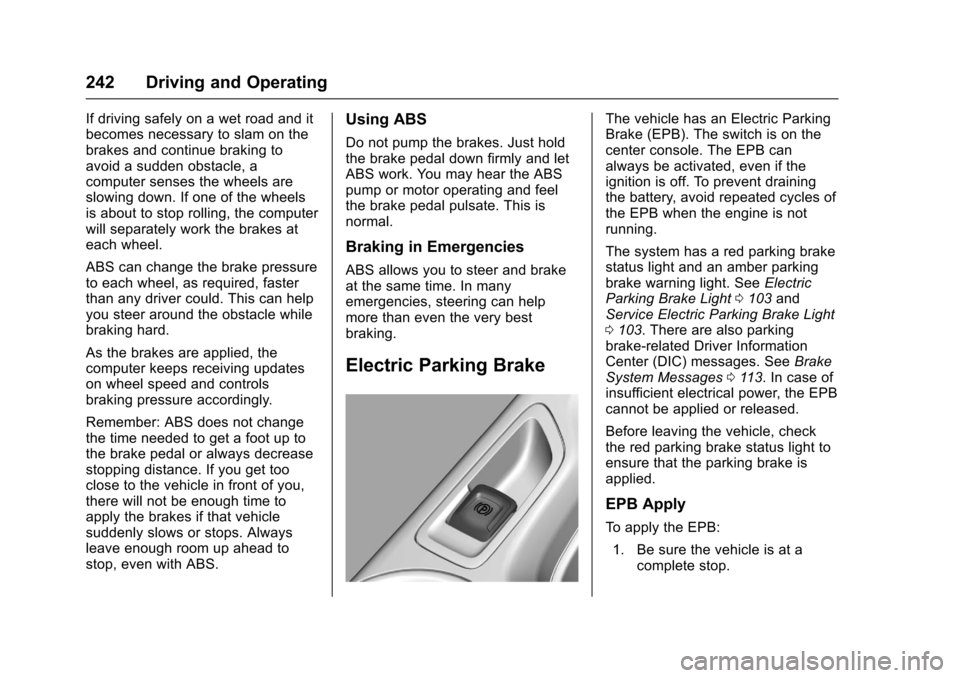
The vehicle has an Electric ParkingBrake (EPB). The switch is on thecenter console. The EPB canalways be activated, even if theignition is off. To prevent drainingthe battery, avoid repeated cycles ofthe EPB when the engine is notrunning.
The system has a red parking brakestatus light and an amber parkingbrake warning light. SeeElectricParking Brake Light0103andService Electric Parking Brake Light0103.Therearealsoparkingbrake-related Driver InformationCenter (DIC) messages. SeeBrakeSystem Messages011 3.Incaseofinsufficient electrical power, the EPBcannot be applied or released.
Before leaving the vehicle, checkthe red parking brake status light toensure that the parking brake isapplied.
EPB Apply
To a p p l y t h e E P B :
1. Be sure the vehicle is at acomplete stop.