battery CHEVROLET SS 2017 1.G User Guide
[x] Cancel search | Manufacturer: CHEVROLET, Model Year: 2017, Model line: SS, Model: CHEVROLET SS 2017 1.GPages: 400, PDF Size: 7.31 MB
Page 95 of 400
Chevrolet SS Sedan Owner Manual (GMNA-Localizing-U.S.-10122752) -2017 - crc - 8/31/16
94 Instruments and Controls
Power Outlets
The accessory power outlets can beused to plug in electrical equipment,such as a cell phone or MP3 player.
The vehicle has an accessorypower outlet on the center stack andinside the center console storage.
To u s e t h e o u t l e t , t h e i g n i t i o n m u s tbe in ON/RUN or ACC/ACCESSORY. Remove the cover toaccess the outlet and replace whennot in use.
Caution
Leaving electrical equipment on
for extended periods will drain the
battery. Always turn off electrical
equipment when not in use and
do not plug in equipment that
exceeds the maximum amperage
rating.
This circuit is protected by a fuseand has a maximum current level.Do not use equipment exceedingthe maximum amperage rating.
Certain power accessory plugs maynot be compatible with theaccessory power outlet and couldoverload vehicle or adapter fuses.If a problem is experienced, seeyour dealer.
Caution
Adding any electrical equipment
to the vehicle may damage it or
keep other components from
working as they should. The
repairs would not be covered by
the vehicle warranty. Do not use
equipment exceeding
maximum amperage rating of
10 amperes. Check with your
dealer before adding electrical
equipment.
When adding electrical equipment,be sure to follow the properinstallation instructions included withthe equipment. SeeAdd-OnElectrical Equipment0268.
Caution
Hanging heavy equipment from
the power outlet can cause
damage not covered by the
vehicle warranty. The power
outlets are designed for
accessory power plugs only, such
as mobile phone charge cords.
Page 101 of 400
Chevrolet SS Sedan Owner Manual (GMNA-Localizing-U.S.-10122752) -2017 - crc - 8/31/16
100 Instruments and Controls
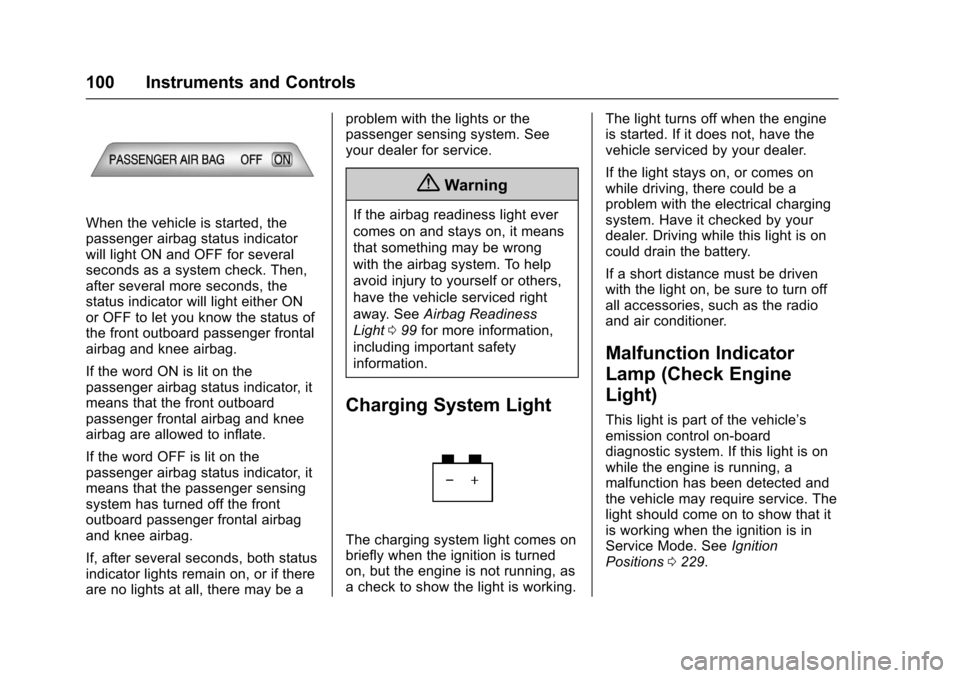
When the vehicle is started, thepassenger airbag status indicatorwill light ON and OFF for severalseconds as a system check. Then,after several more seconds, thestatus indicator will light either ONor OFF to let you know the status ofthe front outboard passenger frontalairbag and knee airbag.
If the word ON is lit on thepassenger airbag status indicator, itmeans that the front outboardpassenger frontal airbag and kneeairbag are allowed to inflate.
If the word OFF is lit on thepassenger airbag status indicator, itmeans that the passenger sensingsystem has turned off the frontoutboard passenger frontal airbagand knee airbag.
If, after several seconds, both statusindicator lights remain on, or if thereare no lights at all, there may be a
problem with the lights or thepassenger sensing system. Seeyour dealer for service.
{Warning
If the airbag readiness light ever
comes on and stays on, it means
that something may be wrong
with the airbag system. To help
avoid injury to yourself or others,
have the vehicle serviced right
away. SeeAirbag Readiness
Light099for more information,
including important safety
information.
Charging System Light
The charging system light comes onbriefly when the ignition is turnedon, but the engine is not running, asachecktoshowthelightisworking.
The light turns off when the engineis started. If it does not, have thevehicle serviced by your dealer.
If the light stays on, or comes onwhile driving, there could be aproblem with the electrical chargingsystem. Have it checked by yourdealer. Driving while this light is oncould drain the battery.
If a short distance must be drivenwith the light on, be sure to turn offall accessories, such as the radioand air conditioner.
Malfunction Indicator
Lamp (Check Engine
Light)
This light is part of the vehicle’semission control on-boarddiagnostic system. If this light is onwhile the engine is running, amalfunction has been detected andthe vehicle may require service. Thelight should come on to show that itis working when the ignition is inService Mode. SeeIgnitionPositions0229.
Page 103 of 400
Chevrolet SS Sedan Owner Manual (GMNA-Localizing-U.S.-10122752) -2017 - crc - 8/31/16
102 Instruments and Controls
If the light remains on, see yourdealer.
Emissions Inspection and
Maintenance Programs
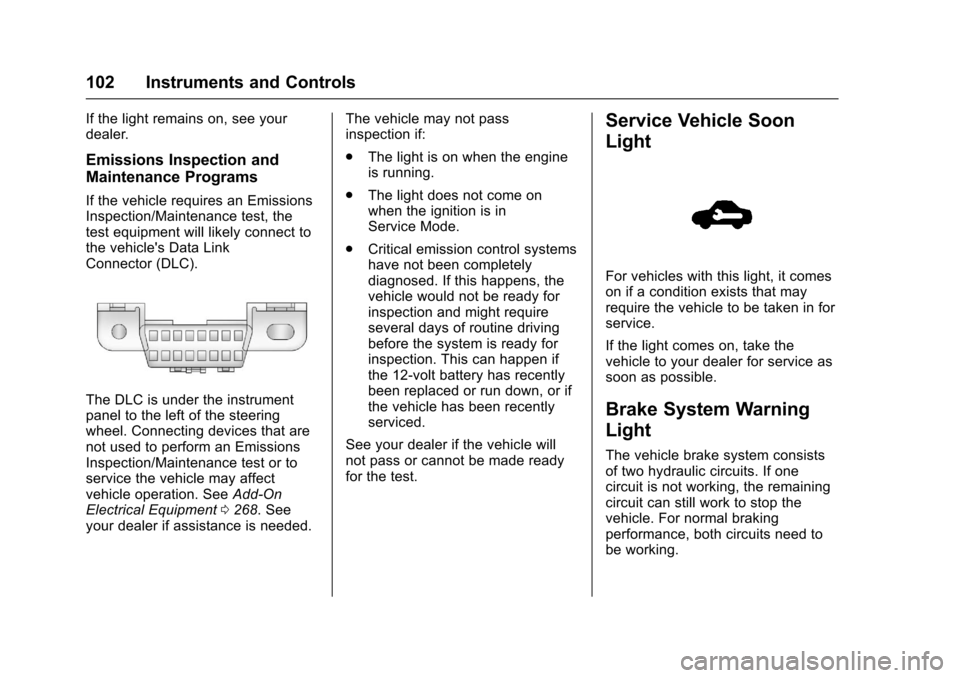
If the vehicle requires an EmissionsInspection/Maintenance test, thetest equipment will likely connect tothe vehicle's Data LinkConnector (DLC).
The DLC is under the instrumentpanel to the left of the steeringwheel. Connecting devices that arenot used to perform an EmissionsInspection/Maintenance test or toservice the vehicle may affectvehicle operation. SeeAdd-OnElectrical Equipment0268.Seeyour dealer if assistance is needed.
The vehicle may not passinspection if:
.The light is on when the engineis running.
.The light does not come onwhen the ignition is inService Mode.
.Critical emission control systemshave not been completelydiagnosed. If this happens, thevehicle would not be ready forinspection and might requireseveral days of routine drivingbefore the system is ready forinspection. This can happen ifthe 12-volt battery has recentlybeen replaced or run down, or ifthe vehicle has been recentlyserviced.
See your dealer if the vehicle willnot pass or cannot be made readyfor the test.
Service Vehicle Soon
Light
For vehicles with this light, it comeson if a condition exists that mayrequire the vehicle to be taken in forservice.
If the light comes on, take thevehicle to your dealer for service assoon as possible.
Brake System Warning
Light
The vehicle brake system consistsof two hydraulic circuits. If onecircuit is not working, the remainingcircuit can still work to stop thevehicle. For normal brakingperformance, both circuits need tobe working.
Page 110 of 400
Chevrolet SS Sedan Owner Manual (GMNA-Localizing-U.S.-10122752) -2017 - crc - 8/31/16
Instruments and Controls 109
.Average Vehicle Speed
.Navigation
Digital Speedometer
The speedometer, available onsome vehicles, shows how fast thevehicle is moving in eitherkilometers per hour (km/h) or milesper hour (mph). The speedometercannot be reset.
Tr i p
This display shows the currentdistance traveled in eitherkilometers (km) or miles (mi), sincethe last reset for the trip odometer.The trip odometer can be reset tozero by pressing SET/CLR while thetrip odometer display is showing.
Fuel Range
This display shows the approximatedistance the vehicle can be drivenwithout refueling. The fuel rangeestimate is based on an average ofthe vehicle's fuel economy overrecent driving history and theamount of fuel remaining in the fueltank. Fuel range cannot be reset.
Average Fuel Economy
This display shows the approximateaverage liters per 100 kilometers (L/100 km) or miles per gallon (mpg).This number is calculated based onthe number of L/100 km (mpg)recorded since the last time thismenu item was reset. This numberreflects only the approximateaverage fuel economy that thevehicle has right now, and willchange as driving conditionschange. The fuel economy can bereset by pressing SET/CLR whilethe Average Fuel Economy displayis showing. On some models, thisdisplay is shown on the same pagewith the instantaneous fuelconsumption display.
Instantaneous Fuel Economy
The instantaneous fuel consumptiondisplay shows the current fueleconomy in liters per 100kilometers (L/100 km) or miles pergallon (mpg). This number reflectsonly the approximate fuel economythat the vehicle has right now andchanges frequently as drivingconditions change. Unlike average
fuel economy, this display cannot bereset. On some models, this displayis shown on the same page with theaverage fuel economy display.
Average Vehicle Speed
This display shows the averagespeed of the vehicle in kilometersper hour (km/h) or miles perhour (mph). This average iscalculated based on the variousvehicle speeds recorded since thelast reset of this value. The averagespeed can be reset by pressingSET/CLR while the Average VehicleSpeed display is showing.
Navigation
This display shows the Navigationinformation when guidance isselected.
Vehicle Information Menu Items
Press MENU on the turn signallever until Vehicle Information menu
is displayed. Use\to scroll
through the following possible menuitems:
.Battery Voltage
.Speed Warning
Page 111 of 400
Chevrolet SS Sedan Owner Manual (GMNA-Localizing-U.S.-10122752) -2017 - crc - 8/31/16
110 Instruments and Controls
.Units
.Tire Pressure Monitoring
.Remaining Oil Life
Battery Voltage
This display, available on somevehicles, shows the current batteryvoltage. If the voltage is in thenormal range, the value will display.For example, the display may readBattery Voltage 15.0 Volts. Thevehicle's charging system regulatesvoltage based on the state of thebattery. The battery voltage canfluctuate while viewing thisinformation on the DIC. This isnormal. SeeCharging System Light0100.Ifthereisaproblemwiththebattery charging system, the DICwill display a message.
Speed Warning
This display is used to set thevehicle speed at which the speedwarning chime sounds and the alertis displayed. The speed can be setby pressing SET/CLR while thespeed warning display is showing.
Units
Move\to switch between metric
or US when the Units display isactive. Press SET/CLR to confirmthe setting. This will change thedisplays on the cluster and DIC toeither metric or English (US)measurements.
Tire Pressure Monitoring
This display will show a vehicle withthe approximate pressures of allfour tires. Tire pressure is displayedin either kilopascal (kPa) or poundsper square inch (psi). SeeTirePressure Monitor Operation0312.
Remaining Oil Life
This display shows an estimate ofthe oil's remaining useful life. If 99%is displayed, that means 99% of thecurrent oil life remains.
When the remaining oil life is low,the CHANGE ENGINE OIL SOONmessage will appear on the display.SeeEngine Oil Messages011 5.The oil should be changed as soonas possible. SeeEngine Oil0275.In addition to the engine oil lifesystem monitoring the oil life,
additional maintenance isrecommended in the MaintenanceSchedule. SeeMaintenanceSchedule0349.
Remember, the Remaining Oil Lifedisplay must be reset after each oilchange. It will not reset itself. Also,be careful not to reset the Oil Lifedisplay accidentally at any timeother than when the oil has justbeen changed. It cannot be resetaccurately until the next oil change.To r e s e t t h e e n g i n e o i l l i f e s y s t e m ,press SET/CLR while the Oil Lifedisplay is active. SeeEngine OilLife System0277.
Head-Up Display (HUD)
{Warning
If the HUD image is too bright or
too high in your field of view, it
may take you more time to see
things you need to see when it is
dark outside. Be sure to keep the
HUD image dim and placed low in
your field of view.
Page 114 of 400
Chevrolet SS Sedan Owner Manual (GMNA-Localizing-U.S.-10122752) -2017 - crc - 8/31/16
Instruments and Controls 113
Vehicle Messages
Messages displayed on the DICindicate the status of the vehicle orsome action that may be needed tocorrect a condition. Multiplemessages may display one after theother.
The messages that do not requireimmediate action can beacknowledged and cleared bypressing SET/CLR. The messagesthat require immediate action cannotbe cleared until that action isperformed. All messages should betaken seriously and clearing themessages does not correct theproblem.
The following are some of thevehicle messages that may bedisplayed depending on yourvehicle content.
Battery Voltage and
Charging Messages
BATTERY SAVER ACTIVE
This message displays when thevehicle has detected that the batteryvoltage is dropping beyond areasonable point. The battery saversystem starts reducing features ofthe vehicle that may be noticed. Atthe point that features are disabled,this message displays. Turn offunnecessary accessories to allowthe battery to recharge.
LOW BATTERY
This message is displayed when thebattery voltage is low. SeeBattery -North America0288.
SERVICE BATTERY
CHARGING SYSTEM
This message is displayed whenthere is a fault in the batterycharging system. Take the vehicle toyour dealer for service.
Brake System Messages
BRAKE FLUID LOW
This message displays when thebrake fluid level is low. SeeBrakeFluid0287.
RELEASE PARKING BRAKE
This message displays if the ElectricParking Brake is on while thevehicle is in motion. Release itbefore attempting to drive. SeeElectric Parking Brake0242.
SERVICE BRAKE ASSIST
This message displays when thereis a problem with the brake boostsystem. When this messagedisplays, the brake pedal may beharder to push and the stoppingdistance may be longer. See yourdealer for service.
SERVICE PARKING BRAKE
This message displays when thereis a problem with the ElectricParking Brake. See your dealer forservice.
Page 116 of 400
Chevrolet SS Sedan Owner Manual (GMNA-Localizing-U.S.-10122752) -2017 - crc - 8/31/16
Instruments and Controls 115
Engine Oil Messages
CHANGE ENGINE OIL SOON
This message displays whenservice is required for the vehicle.See your dealer.SeeEngine Oil0275andMaintenance Schedule0349.
Acknowledging the CHANGEENGINE OIL SOON message willnot reset the system. See“Remaining Oil Life”underDriverInformation Center (DIC)0108andEngine Oil Life System0277.
ENGINE OIL LOW—ADD OIL
On some vehicles, this messagedisplays when the engine oil levelmay be too low. Check the oil levelbefore filling to the recommendedlevel. If the oil is not low and thismessage remains on, take thevehicle to your dealer for service.SeeEngine Oil0275.
OIL PRESSURE LOW STOP
ENGINE
This message displays when thevehicle's engine oil pressure is low.The oil pressure light also appearson the instrument cluster. SeeEngine Oil Pressure Light0106.
Stop the vehicle immediately, asengine damage can result fromdriving a vehicle with low oilpressure. Have the vehicle servicedby your dealer as soon as possiblewhen this message is displayed.
Engine Power Messages
ENGINE POWER IS REDUCED
This message displays when thevehicle's engine power is reduced.Reduced engine power can affectthe vehicle's ability to accelerate.If this message is on, but there is noreduction in performance, proceedto your destination. Theperformance may be reduced thenext time the vehicle is driven. Thevehicle may be driven at a reducedspeed while this message is on, butmaximum acceleration and speed
may be reduced. Anytime thismessage stays on, or displaysrepeatedly, the vehicle should betaken to your dealer for service assoon as possible.
Fuel System Messages
FUEL LEVEL LOW
This message displays when thevehicle is low on fuel. Refuel assoon as possible.
Key and Lock Messages
NO REMOTE DETECTED
This message displays when thetransmitter battery is weak onvehicles with Keyless Access. See“Starting the Vehicle with a LowTransmitter Battery”underRemoteKeyless Entry (RKE) SystemOperation025.
Page 117 of 400
Chevrolet SS Sedan Owner Manual (GMNA-Localizing-U.S.-10122752) -2017 - crc - 8/31/16
116 Instruments and Controls
NO REMOTE DETECTED
PRESS BRAKE TO RESTART
or NO REMOTE DETECTED
PRESS CLUTCH TO RESTART
This message displays if the RKEtransmitter is no longer detected inthe vehicle. Press the brake pedalor clutch to restart the vehicle.
REPLACE BATTERY IN
REMOTE KEY
This message displays when thebattery in the Remote Keyless Entry(RKE) transmitter needs to bereplaced. See“BatteryReplacement”underRemoteKeyless Entry (RKE) SystemOperation025.
USE TRANSMITTER POCKET
TO START
This message displays when tryingto start the vehicle if an RKEtransmitter is not detected. Thetransmitter battery may be weak.See“Starting the Vehicle with a LowTransmitter Battery”underRemoteKeyless Entry (RKE) SystemOperation025.
Lamp Messages
AUTOMATIC LIGHT CONTROL
ON/OFF
This message is displayed when theautomatic light control has beenturned on or off. SeeAutomaticHeadlamp System0127.
CHECK XXX TURN
SIGNAL LAMP
When one of the turn signals is out,this message displays to showwhich bulb needs to be replaced.SeeBulb Replacement0293andReplacement Bulbs0294.
TURN SIGNAL ON
This message is displayed if theturn signal has been left on. Turn offthe turn signal.
Object Detection System
Messages
FORWARD COLLISION
ALERT OFF
This message displays when theForward Collision Alert has beenturned off.
FRONT CAMERA BLOCKED
CLEAN WINDSHIELD
This message displays when thecamera is blocked. Cleaning theoutside of the windshield behind therearview mirror may correct theissue. The Lane Departure Warningsystem will not operate. ForwardCollision Alert (FCA) may not workor may not work as well.
LANE DEPARTURE WARNING
UNAVAILABLE
This message displays whenattempting to activate the LaneDeparture Warning (LDW) systemwhen it is temporarily unavailable.The LDW system does not needservice.
Page 121 of 400
Chevrolet SS Sedan Owner Manual (GMNA-Localizing-U.S.-10122752) -2017 - crc - 8/31/16
120 Instruments and Controls
Vehicle Reminder
Messages
ICE POSSIBLE DRIVE
WITH CARE
This message displays when iceconditions are possible.
Vehicle Speed Messages
SPEED LIMITED TO XXX
This message displays when amalfunction is present in theMagnetic Ride Control system. Thevehicle speed will be limited to avalue determined by the vehiclewhen the shock absorber systemhas failed and the shocks are intheir full soft mode. Have the vehicleserviced as soon as possible.
Washer Fluid Messages
WASHER FLUID LOW ADD
FLUID
This message may display when thewasher fluid level is low. Fill thewindshield washer reservoir as soonas possible. SeeEngineCompartment Overview0274forthe location of the windshieldwasher reservoir. Also, seeWasherFluid0286.
Window Messages
OPEN, THEN CLOSE DRIVER/
PASSENGER WINDOW
This message is displayed when thewindow needs to be reprogrammed.If the vehicle's battery has beendischarged or disconnected, youmay need to program each frontwindow for the express-up feature towork. SeePower Windows040.
Vehicle
Personalization
Use the audio system controls toaccess the personalization menusfor customizing vehicle features.
The following are all possiblepersonalization features. Dependingon the vehicle, some may not beavailable.
HOME :Press to display the HomePage screen.
TUNE/MENU :Press to entermenus and select menu items. Turnto scroll through the menus.
/BACK :Press to exit or movebackward in a menu.
Entering the PersonalizationMenus
The ignition must be in the ONposition.
1. Press HOME.
2. Select the Config screenbutton.
3. Turn the TUNE/MENU knob tohighlight the desired setting.
Page 127 of 400
Chevrolet SS Sedan Owner Manual (GMNA-Localizing-U.S.-10122752) -2017 - crc - 8/31/16
126 Lighting
Lighting
Exterior Lighting
Exterior Lamp Controls . . . . . . . 126Headlamp High/Low-BeamChanger . . . . . . . . . . . . . . . . . . . . 126Flash-to-Pass . . . . . . . . . . . . . . . . 126Daytime RunningLamps (DRL) . . . . . . . . . . . . . . . 127Automatic HeadlampSystem . . . . . . . . . . . . . . . . . . . . . . 127Hazard Warning Flashers . . . . . 127Turn and Lane-ChangeSignals . . . . . . . . . . . . . . . . . . . . . . 128
Interior Lighting
Instrument Panel IlluminationControl . . . . . . . . . . . . . . . . . . . . . . 128Dome Lamps . . . . . . . . . . . . . . . . . 129Reading Lamps . . . . . . . . . . . . . . 129
Lighting Features
Entry Lighting . . . . . . . . . . . . . . . . 130Exit Lighting . . . . . . . . . . . . . . . . . . 130Battery Power Protection . . . . . 130
Exterior Lighting
Exterior Lamp Controls
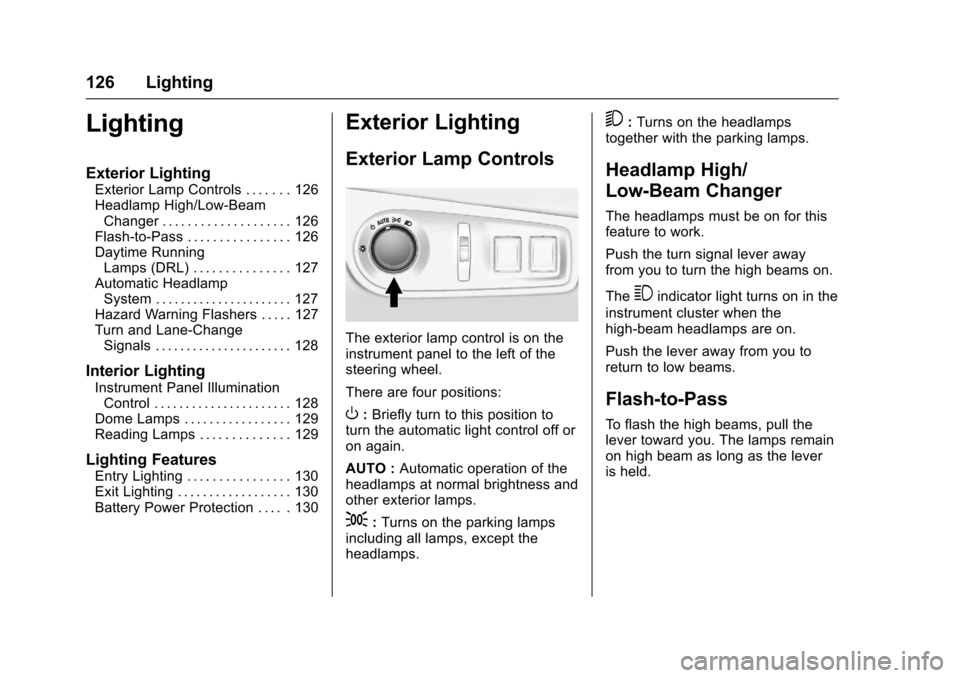
The exterior lamp control is on theinstrument panel to the left of thesteering wheel.
There are four positions:
O:Briefly turn to this position toturn the automatic light control off oron again.
AUTO :Automatic operation of theheadlamps at normal brightness andother exterior lamps.
;:Turns on the parking lampsincluding all lamps, except theheadlamps.
5:Turns on the headlampstogether with the parking lamps.
Headlamp High/
Low-Beam Changer
The headlamps must be on for thisfeature to work.
Push the turn signal lever awayfrom you to turn the high beams on.
The3indicator light turns on in the
instrument cluster when thehigh-beam headlamps are on.
Push the lever away from you toreturn to low beams.
Flash-to-Pass
To f l a s h t h e h i g h b e a m s , p u l l t h elever toward you. The lamps remainon high beam as long as the leveris held.