engine CHEVROLET SS 2017 1.G Owner's Guide
[x] Cancel search | Manufacturer: CHEVROLET, Model Year: 2017, Model line: SS, Model: CHEVROLET SS 2017 1.GPages: 400, PDF Size: 7.31 MB
Page 116 of 400
Chevrolet SS Sedan Owner Manual (GMNA-Localizing-U.S.-10122752) -2017 - crc - 8/31/16
Instruments and Controls 115
Engine Oil Messages
CHANGE ENGINE OIL SOON
This message displays whenservice is required for the vehicle.See your dealer.SeeEngine Oil0275andMaintenance Schedule0349.
Acknowledging the CHANGEENGINE OIL SOON message willnot reset the system. See“Remaining Oil Life”underDriverInformation Center (DIC)0108andEngine Oil Life System0277.
ENGINE OIL LOW—ADD OIL
On some vehicles, this messagedisplays when the engine oil levelmay be too low. Check the oil levelbefore filling to the recommendedlevel. If the oil is not low and thismessage remains on, take thevehicle to your dealer for service.SeeEngine Oil0275.
OIL PRESSURE LOW STOP
ENGINE
This message displays when thevehicle's engine oil pressure is low.The oil pressure light also appearson the instrument cluster. SeeEngine Oil Pressure Light0106.
Stop the vehicle immediately, asengine damage can result fromdriving a vehicle with low oilpressure. Have the vehicle servicedby your dealer as soon as possiblewhen this message is displayed.
Engine Power Messages
ENGINE POWER IS REDUCED
This message displays when thevehicle's engine power is reduced.Reduced engine power can affectthe vehicle's ability to accelerate.If this message is on, but there is noreduction in performance, proceedto your destination. Theperformance may be reduced thenext time the vehicle is driven. Thevehicle may be driven at a reducedspeed while this message is on, butmaximum acceleration and speed
may be reduced. Anytime thismessage stays on, or displaysrepeatedly, the vehicle should betaken to your dealer for service assoon as possible.
Fuel System Messages
FUEL LEVEL LOW
This message displays when thevehicle is low on fuel. Refuel assoon as possible.
Key and Lock Messages
NO REMOTE DETECTED
This message displays when thetransmitter battery is weak onvehicles with Keyless Access. See“Starting the Vehicle with a LowTransmitter Battery”underRemoteKeyless Entry (RKE) SystemOperation025.
Page 120 of 400
Chevrolet SS Sedan Owner Manual (GMNA-Localizing-U.S.-10122752) -2017 - crc - 8/31/16
Instruments and Controls 119
If a tire pressure message displays,inflate the tires until the tire pressureis equal to the values shown on theTire and Loading Information label.SeeTires0303,Vehicle LoadLimits0226,andTire Pressure0309.
More than one tire pressuremessage can be received at a time.To r e a d t h e o t h e r m e s s a g e s t h a tmay have been sent at the sametime, press the SET/CLR button.The DIC also shows the tirepressure values. SeeDriverInformation Center (DIC)0108.
Transmission Messages
1–4 SHIFT
This message displays when youcan only shift from 1 (First) to4(Fourth)insteadof1(First)to2(Second).SeeManualTr a n s m i s s i o n0240.
PERFORMANCE MODE
ACTIVATED
This message displays when theautomatic transmission entersperformance mode. See“Performance Mode”inAutomaticTr a n s m i s s i o n0236.
SERVICE TRANSMISSION
This message displays if there is aproblem with the transmission. Seeyour dealer.
SHIFT DENIED
This message displays when usingthe Active Select mode andattempting to shift to a gear notappropriate for the vehicle speedand engine revolutions perminute (rpm). SeeManual Mode0238.
SHIFT TO PARK
This message displays when thetransmission needs to be shifted toP(Park). This may appear whenattempting to remove the RKEtransmitter from the vehicle if thevehicle is not in P (Park).
SPORT MODE ON or SPORT
MODE OFF
These messages display when theshift lever is moved into or out ofSport Shift mode. See“Sport ShiftMode”inAutomatic Transmission0236.
TRANSMISSION HOT—IDLE
ENGINE
This message displays and a chimesounds if the transmission fluid inthe vehicle gets hot. Driving with thetransmission fluid temperature highcan cause damage to the vehicle.Stop the vehicle and let it idle toallow the transmission to cool. Thismessage clears when the fluidtemperature reaches a safe level.
Page 121 of 400
Chevrolet SS Sedan Owner Manual (GMNA-Localizing-U.S.-10122752) -2017 - crc - 8/31/16
120 Instruments and Controls
Vehicle Reminder
Messages
ICE POSSIBLE DRIVE
WITH CARE
This message displays when iceconditions are possible.
Vehicle Speed Messages
SPEED LIMITED TO XXX
This message displays when amalfunction is present in theMagnetic Ride Control system. Thevehicle speed will be limited to avalue determined by the vehiclewhen the shock absorber systemhas failed and the shocks are intheir full soft mode. Have the vehicleserviced as soon as possible.
Washer Fluid Messages
WASHER FLUID LOW ADD
FLUID
This message may display when thewasher fluid level is low. Fill thewindshield washer reservoir as soonas possible. SeeEngineCompartment Overview0274forthe location of the windshieldwasher reservoir. Also, seeWasherFluid0286.
Window Messages
OPEN, THEN CLOSE DRIVER/
PASSENGER WINDOW
This message is displayed when thewindow needs to be reprogrammed.If the vehicle's battery has beendischarged or disconnected, youmay need to program each frontwindow for the express-up feature towork. SeePower Windows040.
Vehicle
Personalization
Use the audio system controls toaccess the personalization menusfor customizing vehicle features.
The following are all possiblepersonalization features. Dependingon the vehicle, some may not beavailable.
HOME :Press to display the HomePage screen.
TUNE/MENU :Press to entermenus and select menu items. Turnto scroll through the menus.
/BACK :Press to exit or movebackward in a menu.
Entering the PersonalizationMenus
The ignition must be in the ONposition.
1. Press HOME.
2. Select the Config screenbutton.
3. Turn the TUNE/MENU knob tohighlight the desired setting.
Page 128 of 400
Chevrolet SS Sedan Owner Manual (GMNA-Localizing-U.S.-10122752) -2017 - crc - 8/31/16
Lighting 127
Daytime Running
Lamps (DRL)
The vehicle has DRL that illuminateat full intensity when the followingoccur:
.During daylight conditions.
.The engine is running.
If the lamp control is turned to;
or5the DRL will illuminate at
reduced intensity.
Automatic Headlamp
System
When it is dark enough outside andthe exterior lamp control is in theautomatic position, the headlampsand parking lamps will turn on andoff automatically. SeeExterior LampControls0126.
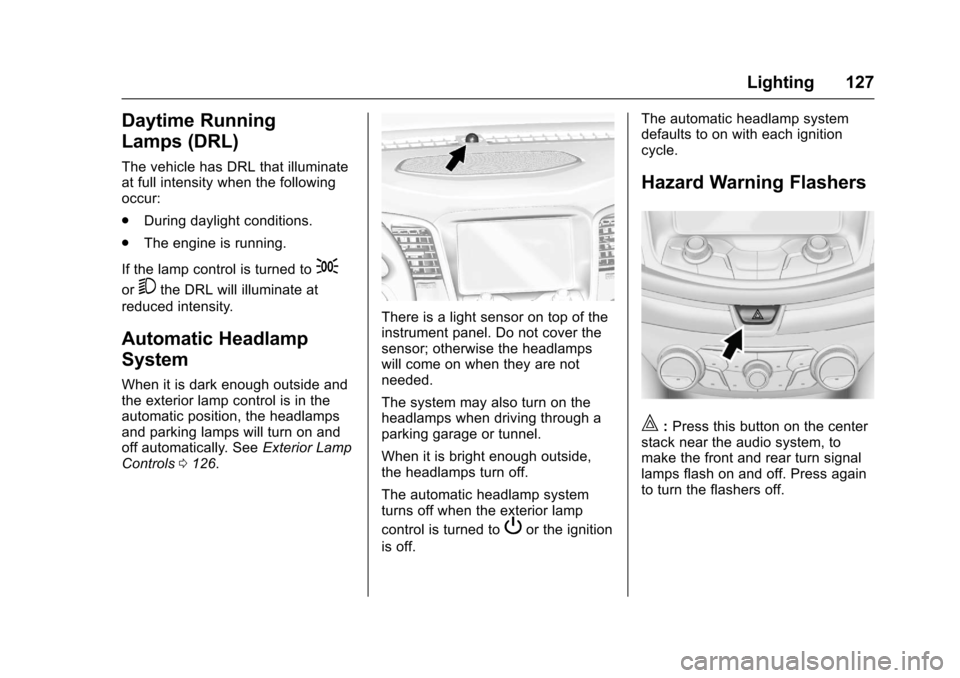
There is a light sensor on top of theinstrument panel. Do not cover thesensor; otherwise the headlampswill come on when they are notneeded.
The system may also turn on theheadlamps when driving through aparking garage or tunnel.
When it is bright enough outside,the headlamps turn off.
The automatic headlamp systemturns off when the exterior lamp
control is turned toPor the ignition
is off.
The automatic headlamp systemdefaults to on with each ignitioncycle.
Hazard Warning Flashers
|:Press this button on the centerstack near the audio system, tomake the front and rear turn signallamps flash on and off. Press againto turn the flashers off.
Page 206 of 400
Chevrolet SS Sedan Owner Manual (GMNA-Localizing-U.S.-10122752) -2017 - crc - 8/31/16
Infotainment System 205
Trademarks and
License Agreements
FCC Information
SeeRadio Frequency Statement0374.
“Made for iPod”and“Made foriPhone”mean that an electronicaccessory has been designed toconnect specifically to iPod oriPhone and has been certified bythe developer to meet Appleperformance standards.
iPod and iPhone are trademarks ofApple Computer, Inc., registered inthe U.S. and other countries.
Fees and Taxes : Subscription fee,taxes, one time activation fee, andother fees may apply. Subscriptionfee is consumer only. All fees andprogramming subject to change.Subscriptions subject to CustomerAgreement available atwww.siriusxm.com. SiriusXM®
service only available in the48 contiguous United States andCanada.
Explicit Language Notice: Channelswith frequent explicit language areindicated with an“XL”preceding thechannel name. Channel blocking isavailable for SiriusXM SatelliteRadio receivers by notifyingSiriusXM:
.USA Customers—Seewww.siriusxm.com or call1-888-601-6296.
It is prohibited to copy, decompile,disassemble, reverse engineer,hack, manipulate, or otherwisemake available any technology orsoftware incorporated in receiverscompatible with the SiriusXM®
Satellite Radio System or thatsupport the SiriusXM website, theOnline Service or any of its content.Furthermore, the AMBER voicecompression software included inthis product is protected byintellectual property rights includingpatent rights, copyrights, and tradesecrets of Digital VoiceSystems, Inc.
General Requirements:
.ALicenseAgreementfromSiriusXM®is required for anyproduct that incorporatesSiriusXM Technology and/or foruse of any of the SiriusXMmarks to be manufactured,distributed, or marketed in theSiriusXM Service Area.
Gracenote
Gracenote®,Gracenotelogoandlogotype, and the "Powered byGracenote" logo are either a
Page 207 of 400
Chevrolet SS Sedan Owner Manual (GMNA-Localizing-U.S.-10122752) -2017 - crc - 8/31/16
206 Infotainment System
registered trademark or a trademarkof Gracenote, Inc. in the UnitedStates and/or other countries.
Bluetooth
The Bluetooth®word mark andlogos are owned by the Bluetooth®
SIG, Inc. and any use of such marksby General Motors is under license.Other trademarks and trade namesare those of their respective owners.
Pandora (If Equipped)
Pandora is a registered trademarkof Pandora Media, Inc., used underlicense.
Manufactured under license fromDolby Laboratories. Dolby and thedouble-D symbol are trademarks ofDolby Laboratories.
Map End User License
Agreement (Optional
Equipment Applies Where
Equipped)
END USER TERMS
The data (“Data”)isprovidedforyour personal, internal use only andnot for resale. It is protected bycopyright, and is subject to thefollowing terms and conditionswhich are agreed to by you, on theone hand, and PanasonicAutomotive Systems Company ofAmerica (“PA N A S O N I C”)anditslicensors (including their licensorsand suppliers) on the other hand.
©2014HERENorthAmerica,LLC.All rights reserved.
In addition, the Lonely Planet TravelGuide content is subject to thefollowing supplier notices (ifequipped):
©2014LonelyPlanetPublicationsPty Ltd. All rights reserved.
PA N A S O N I C a n d i t s c o n t e n tproviders have tried to make thisinformation as accurate as possible,
but it is provided“as is”andPA N A S O N I C a n d i t s c o n t e n tproviders accept no responsibilityfor any loss, injury or inconvenienceresulting from this information. Youshould verify critical information (likevisas, health and safety) before youtravel.
TERMS AND CONDITIONS
Personal Use Only. You agree touse this Data together with theGeneral Motors MyLink or IntelliLinkConnected Navigation RadioPlatform for the solely personal,non-commercial purposes for whichyou were licensed, and not forservice bureau, time-sharing orother similar purposes. Accordingly,but subject to the restrictions setforth in the following paragraphs,you agree not to otherwisereproduce, copy, modify, decompile,disassemble, create any derivativeworks of, or reverse engineer anyportion of this Data, and may nottransfer or distribute it in any form,for any purpose, except to theextent permitted by mandatory laws.
Page 212 of 400
Chevrolet SS Sedan Owner Manual (GMNA-Localizing-U.S.-10122752) -2017 - crc - 8/31/16
Climate Controls 211
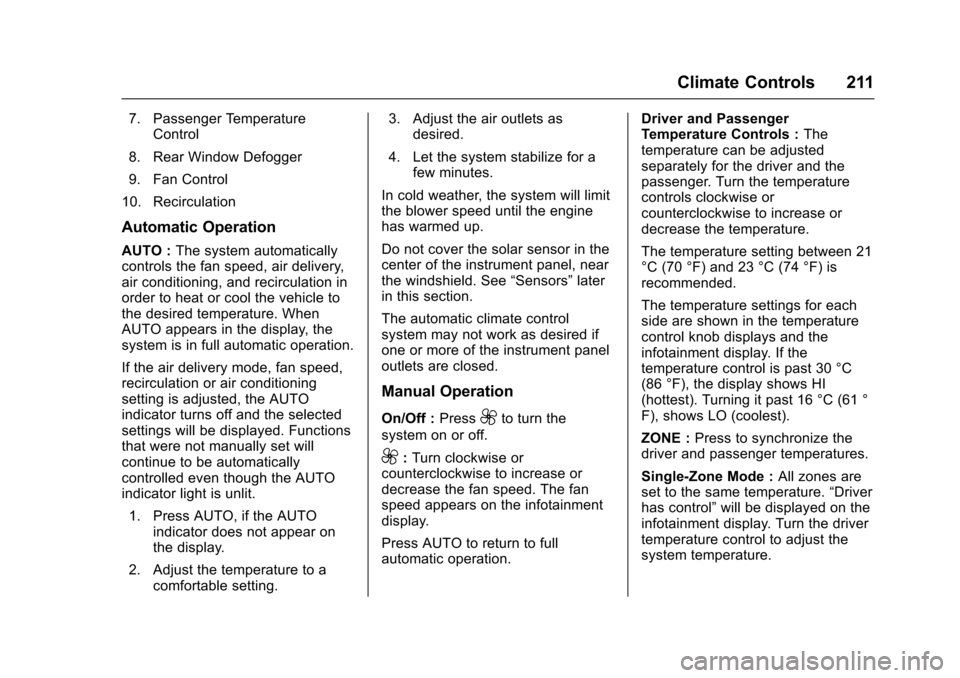
7. Passenger TemperatureControl
8. Rear Window Defogger
9. Fan Control
10. Recirculation
Automatic Operation
AUTO :The system automaticallycontrols the fan speed, air delivery,air conditioning, and recirculation inorder to heat or cool the vehicle tothe desired temperature. WhenAUTO appears in the display, thesystem is in full automatic operation.
If the air delivery mode, fan speed,recirculation or air conditioningsetting is adjusted, the AUTOindicator turns off and the selectedsettings will be displayed. Functionsthat were not manually set willcontinue to be automaticallycontrolled even though the AUTOindicator light is unlit.
1. Press AUTO, if the AUTOindicator does not appear onthe display.
2. Adjust the temperature to acomfortable setting.
3. Adjust the air outlets asdesired.
4. Let the system stabilize for afew minutes.
In cold weather, the system will limitthe blower speed until the enginehas warmed up.
Do not cover the solar sensor in thecenter of the instrument panel, nearthe windshield. See“Sensors”laterin this section.
The automatic climate controlsystem may not work as desired ifone or more of the instrument paneloutlets are closed.
Manual Operation
On/Off :Press9to turn the
system on or off.
9:Turn clockwise orcounterclockwise to increase ordecrease the fan speed. The fanspeed appears on the infotainmentdisplay.
Press AUTO to return to fullautomatic operation.
Driver and PassengerTe m p e r a t u r e C o n t r o l s :Thetemperature can be adjustedseparately for the driver and thepassenger. Turn the temperaturecontrols clockwise orcounterclockwise to increase ordecrease the temperature.
The temperature setting between 21°C (70 °F) and 23 °C (74 °F) isrecommended.
The temperature settings for eachside are shown in the temperaturecontrol knob displays and theinfotainment display. If thetemperature control is past 30 °C(86 °F), the display shows HI(hottest). Turning it past 16 °C (61 °F), shows LO (coolest).
ZONE :Press to synchronize thedriver and passenger temperatures.
Single-Zone Mode :All zones areset to the same temperature.“Driverhas control”will be displayed on theinfotainment display. Turn the drivertemperature control to adjust thesystem temperature.
Page 215 of 400
Chevrolet SS Sedan Owner Manual (GMNA-Localizing-U.S.-10122752) -2017 - crc - 8/31/16
214 Climate Controls
Quick Cool Down
When entering the vehicle on a hotday, open the windows for a shorttime to allow the hot air to escape.
Automatic Transmission
If the vehicle is stopped for a longtime in hot weather and the engineis running and the air conditioning isoperating, move the shift lever toN(Neutral)orP(Park).
A/C Sound
Aslighthissingsoundwhentheairconditioning is turned off is normal.
Water Condensation
Water may drip from underneath thevehicle; this is normal.
Unsealed Dusty Roads
To h e l p p r e v e n t d u s t f r o m e n t e r i n gyour vehicle:
.When following other vehicleson dusty roads and the dust is
airborne, selecth.
.If the dust is not airborne, selectoutside air and set the fancontrol to high speed.
.Close all windows.
.Do not use recirculation for longperiods of time.
Air Vents
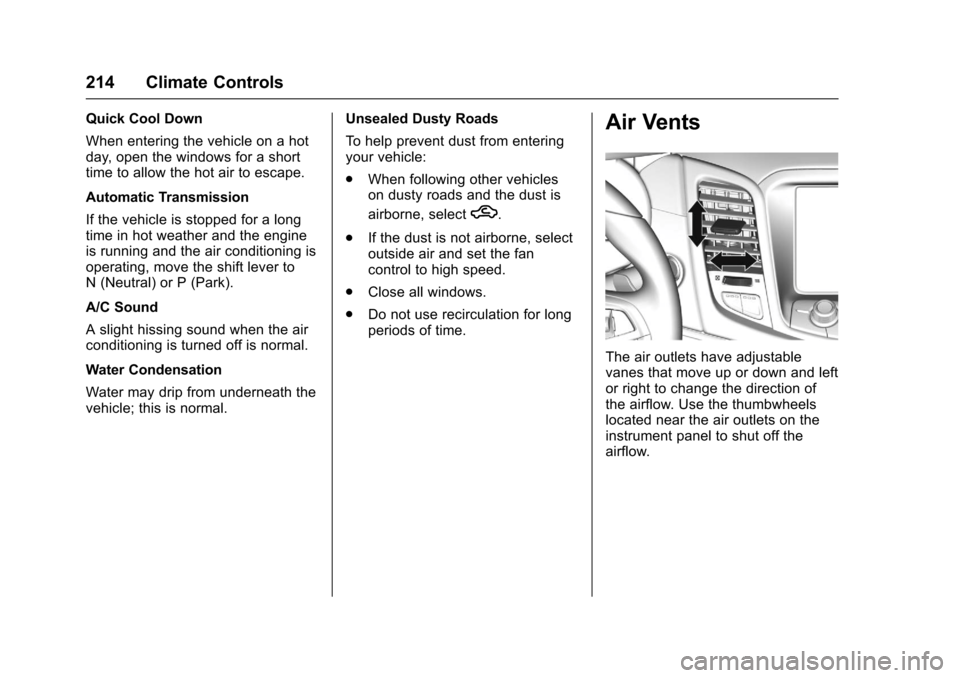
The air outlets have adjustablevanes that move up or down and leftor right to change the direction ofthe airflow. Use the thumbwheelslocated near the air outlets on theinstrument panel to shut off theairflow.
Page 217 of 400
Chevrolet SS Sedan Owner Manual (GMNA-Localizing-U.S.-10122752) -2017 - crc - 8/31/16
216 Driving and Operating
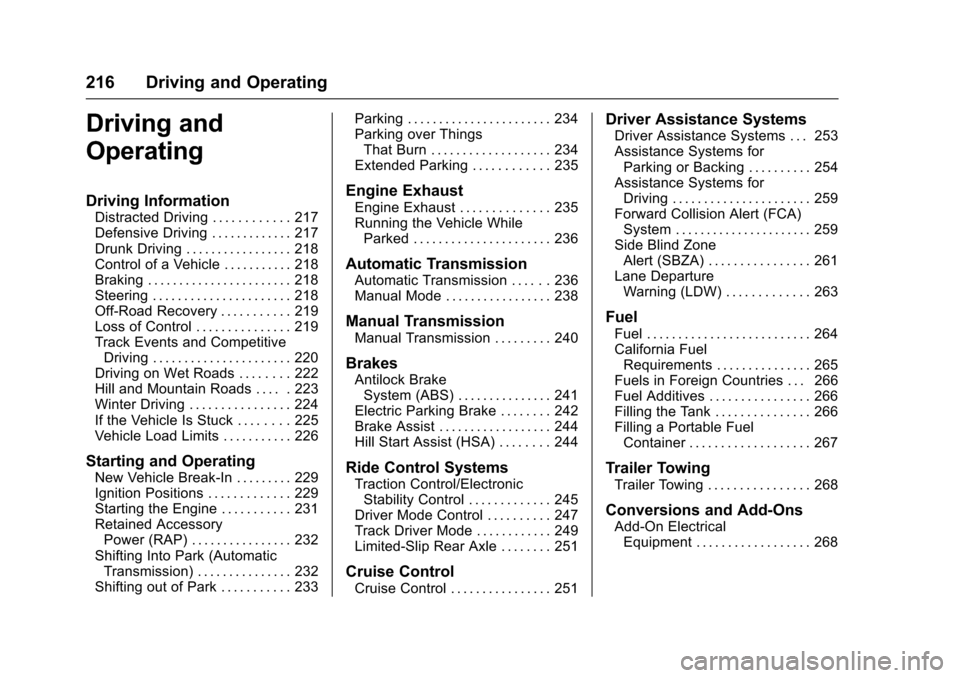
Driving and
Operating
Driving Information
Distracted Driving . . . . . . . . . . . . 217Defensive Driving . . . . . . . . . . . . . 217Drunk Driving . . . . . . . . . . . . . . . . . 218Control of a Vehicle . . . . . . . . . . . 218Braking . . . . . . . . . . . . . . . . . . . . . . . 218Steering . . . . . . . . . . . . . . . . . . . . . . 218Off-Road Recovery . . . . . . . . . . . 219Loss of Control . . . . . . . . . . . . . . . 219Track Events and CompetitiveDriving . . . . . . . . . . . . . . . . . . . . . . 220Driving on Wet Roads . . . . . . . . 222Hill and Mountain Roads . . . . . 223Winter Driving . . . . . . . . . . . . . . . . 224If the Vehicle Is Stuck . . . . . . . . 225Vehicle Load Limits . . . . . . . . . . . 226
Starting and Operating
New Vehicle Break-In . . . . . . . . . 229Ignition Positions . . . . . . . . . . . . . 229Starting the Engine . . . . . . . . . . . 231Retained AccessoryPower (RAP) . . . . . . . . . . . . . . . . 232Shifting Into Park (AutomaticTransmission) . . . . . . . . . . . . . . . 232Shifting out of Park . . . . . . . . . . . 233
Parking . . . . . . . . . . . . . . . . . . . . . . . 234Parking over ThingsThat Burn . . . . . . . . . . . . . . . . . . . 234Extended Parking . . . . . . . . . . . . 235
Engine Exhaust
Engine Exhaust . . . . . . . . . . . . . . 235Running the Vehicle WhileParked . . . . . . . . . . . . . . . . . . . . . . 236
Automatic Transmission
Automatic Transmission . . . . . . 236Manual Mode . . . . . . . . . . . . . . . . . 238
Manual Transmission
Manual Transmission . . . . . . . . . 240
Brakes
Antilock BrakeSystem (ABS) . . . . . . . . . . . . . . . 241Electric Parking Brake . . . . . . . . 242Brake Assist . . . . . . . . . . . . . . . . . . 244Hill Start Assist (HSA) . . . . . . . . 244
Ride Control Systems
Traction Control/ElectronicStability Control . . . . . . . . . . . . . 245Driver Mode Control . . . . . . . . . . 247Track Driver Mode . . . . . . . . . . . . 249Limited-Slip Rear Axle . . . . . . . . 251
Cruise Control
Cruise Control . . . . . . . . . . . . . . . . 251
Driver Assistance Systems
Driver Assistance Systems . . . 253Assistance Systems forParking or Backing . . . . . . . . . . 254Assistance Systems forDriving . . . . . . . . . . . . . . . . . . . . . . 259Forward Collision Alert (FCA)System . . . . . . . . . . . . . . . . . . . . . . 259Side Blind ZoneAlert (SBZA) . . . . . . . . . . . . . . . . 261Lane DepartureWarning (LDW) . . . . . . . . . . . . . 263
Fuel
Fuel . . . . . . . . . . . . . . . . . . . . . . . . . . 264California FuelRequirements . . . . . . . . . . . . . . . 265Fuels in Foreign Countries . . . 266Fuel Additives . . . . . . . . . . . . . . . . 266Filling the Tank . . . . . . . . . . . . . . . 266Filling a Portable FuelContainer . . . . . . . . . . . . . . . . . . . 267
Trailer Towing
Trailer Towing . . . . . . . . . . . . . . . . 268
Conversions and Add-Ons
Add-On ElectricalEquipment . . . . . . . . . . . . . . . . . . 268
Page 219 of 400
Chevrolet SS Sedan Owner Manual (GMNA-Localizing-U.S.-10122752) -2017 - crc - 8/31/16
218 Driving and Operating
Drunk Driving
Death and injury associated withdrinking and driving is a globaltragedy.
{Warning
Drinking and then driving is very
dangerous. Your reflexes,
perceptions, attentiveness, and
judgment can be affected by even
asmallamountofalcohol.You
can have a serious—or even
fatal—collision if you drive after
drinking.
Do not drink and drive or ride with
adriverwhohasbeendrinking.
Ride home in a cab; or if you are
with a group, designate a driver
who will not drink.
Control of a Vehicle
Braking, steering, and acceleratingare important factors in helping tocontrol a vehicle while driving.
Braking
Braking action involves perceptiontime and reaction time. Deciding topush the brake pedal is perceptiontime. Actually doing it isreaction time.
Average driver reaction time isabout three-quarters of a second. Inthat time, a vehicle moving at100 km/h (60 mph) travels 20 m(66 ft), which could be a lot ofdistance in an emergency.
Helpful braking tips to keep in mindinclude:
.Keep enough distance betweenyou and the vehicle in frontof you.
.Avoid needless heavy braking.
.Keep pace with traffic.
If the engine ever stops while thevehicle is being driven, brakenormally but do not pump thebrakes. Doing so could make thepedal harder to push down. If theengine stops, there will be somepower brake assist but it will beused when the brake is applied.
Once the power assist is used up, itcan take longer to stop and thebrake pedal will be harder to push.
Steering
Electric Power Steering
The vehicle has electric powersteering. It does not have powersteering fluid. Regular maintenanceis not required.
If power steering assist is lost dueto a system malfunction, the vehiclecan be steered, but may requireincreased effort.
See your dealer if there is aproblem.
If the steering wheel is turned until itreaches the end of its travel and isheld against that position for anextended period of time, powersteering assist may be reduced.
If the steering assist is used for anextended period of time, powerassist may be reduced.
Normal use of the power steeringassist should return when thesystem cools down.