wheel CHEVROLET SS 2017 1.G Workshop Manual
[x] Cancel search | Manufacturer: CHEVROLET, Model Year: 2017, Model line: SS, Model: CHEVROLET SS 2017 1.GPages: 400, PDF Size: 7.31 MB
Page 237 of 400
Chevrolet SS Sedan Owner Manual (GMNA-Localizing-U.S.-10122752) -2017 - crc - 8/31/16
236 Driving and Operating
Running the Vehicle
While Parked
It is better not to park with theengine running.
If the vehicle is left with the enginerunning, follow the proper steps tobe sure the vehicle will not move.SeeShifting Into Park (AutomaticTr a n s m i s s i o n )0232andEngineExhaust0235.
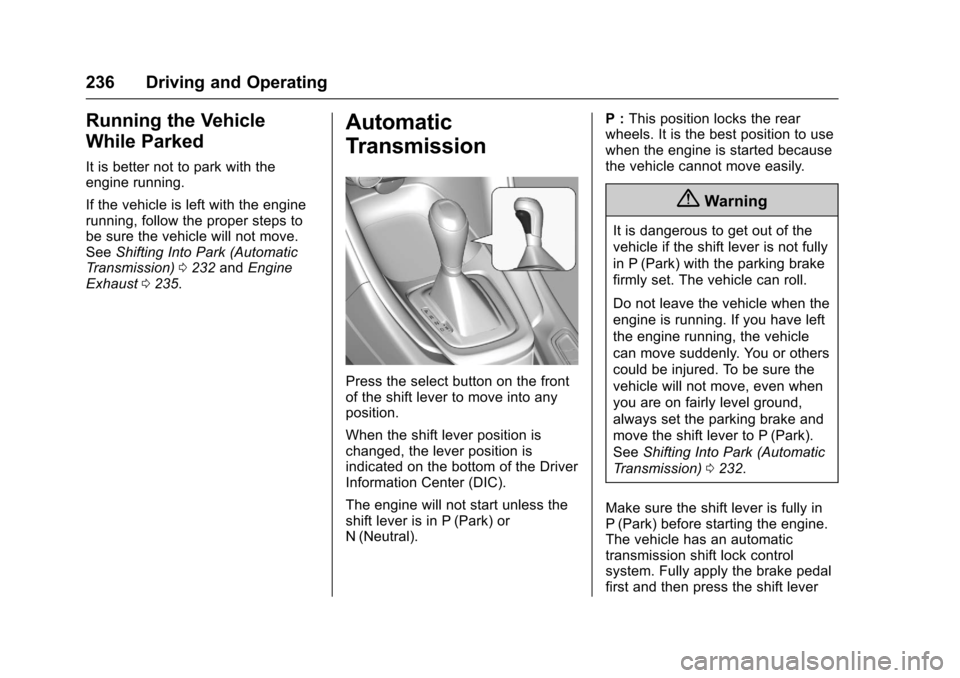
Automatic
Transmission
Press the select button on the frontof the shift lever to move into anyposition.
When the shift lever position ischanged, the lever position isindicated on the bottom of the DriverInformation Center (DIC).
The engine will not start unless theshift lever is in P (Park) orN(Neutral).
P:This position locks the rearwheels. It is the best position to usewhen the engine is started becausethe vehicle cannot move easily.
{Warning
It is dangerous to get out of the
vehicle if the shift lever is not fully
in P (Park) with the parking brake
firmly set. The vehicle can roll.
Do not leave the vehicle when the
engine is running. If you have left
the engine running, the vehicle
can move suddenly. You or others
could be injured. To be sure the
vehicle will not move, even when
you are on fairly level ground,
always set the parking brake and
move the shift lever to P (Park).
SeeShifting Into Park (Automatic
Tr a n s m i s s i o n )0232.
Make sure the shift lever is fully inP(Park) before starting the engine.The vehicle has an automatictransmission shift lock controlsystem. Fully apply the brake pedalfirst and then press the shift lever
Page 238 of 400
Chevrolet SS Sedan Owner Manual (GMNA-Localizing-U.S.-10122752) -2017 - crc - 8/31/16
Driving and Operating 237
button before shifting from P (Park)when the ignition is in ON/RUN orACC/ACCESSORY. If the vehiclewill not shift out of P (Park), easepressure on the shift lever and pushthe shift lever all the way intoP(Park) while maintaining brakeapplication. Then press the shiftlever button and move the shift leverinto another gear. SeeShifting outof Park0233.
R:Use this gear to back up.
At low vehicle speeds, R (Reverse)can also be used to rock the vehicleback and forth to get out of snow,ice, or sand without damaging thetransmission. SeeIf the Vehicle IsStuck0225for additionalinformation.
Caution
Shifting to R (Reverse) while the
vehicle is moving forward could
damage the transmission. The
repairs would not be covered by
the vehicle warranty. Shift to
R(Reverse) only after the vehicle
is stopped.
N:In this position, the engine doesnot connect with the wheels. Torestart the engine when the vehicleis already moving, useN(Neutral) only.
{Warning
Shifting into a drive gear while the
engine is running at high speed is
dangerous. Unless your foot is
firmly on the brake pedal, the
vehicle could move very rapidly.
Yo u c o u l d l o s e c o n t r o l a n d h i t
people or objects. Do not shift
into a drive gear while the engine
is running at high speed.
Caution
Shifting out of P (Park) or
N(Neutral) with the engine
running at high speed may
damage the transmission. The
repairs would not be covered by
the vehicle warranty. Be sure the
engine is not running at high
speed when shifting the vehicle.
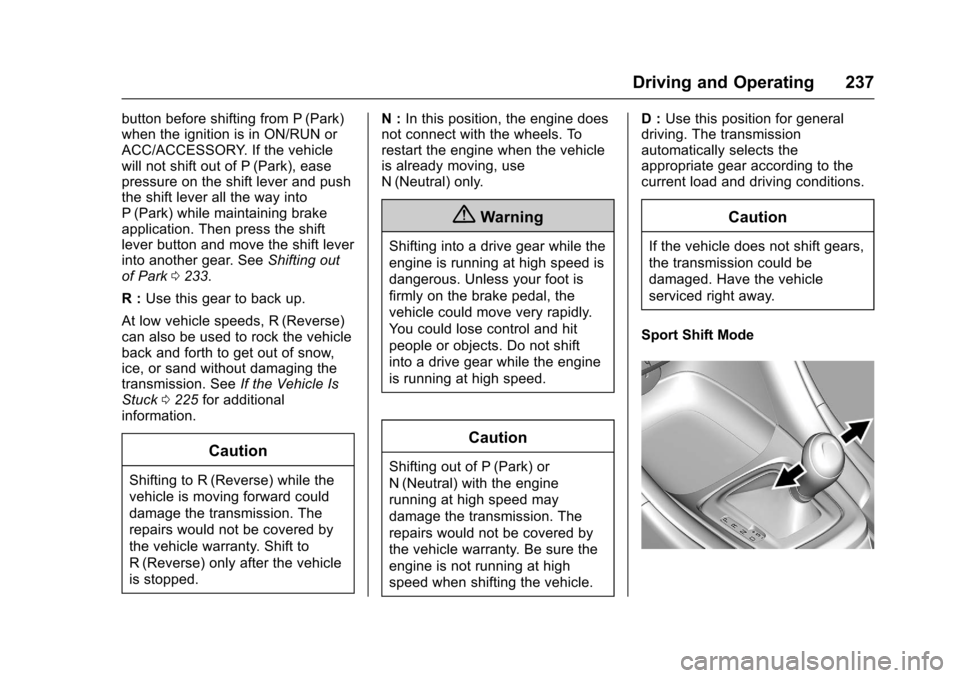
D:Use this position for generaldriving. The transmissionautomatically selects theappropriate gear according to thecurrent load and driving conditions.
Caution
If the vehicle does not shift gears,
the transmission could be
damaged. Have the vehicle
serviced right away.
Sport Shift Mode
Page 240 of 400
Chevrolet SS Sedan Owner Manual (GMNA-Localizing-U.S.-10122752) -2017 - crc - 8/31/16
Driving and Operating 239
On the bottom of the display, M andthe currently selected gear appearas long as A/S mode is selected.
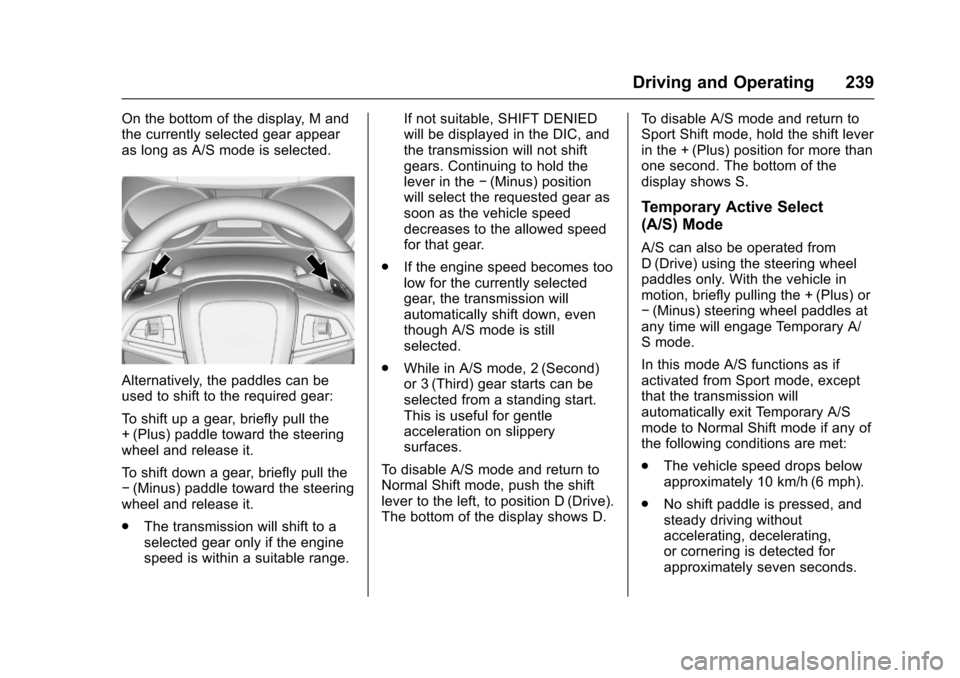
Alternatively, the paddles can beused to shift to the required gear:
To s h i f t u p a g e a r, b r i e f l y p u l l t h e+(Plus) paddle toward the steeringwheel and release it.
To s h i f t d o w n a g e a r, b r i e f l y p u l l t h e✓(Minus) paddle toward the steeringwheel and release it.
.The transmission will shift to aselected gear only if the enginespeed is within a suitable range.
If not suitable, SHIFT DENIEDwill be displayed in the DIC, andthe transmission will not shiftgears. Continuing to hold thelever in the✓(Minus) positionwill select the requested gear assoon as the vehicle speeddecreases to the allowed speedfor that gear.
.If the engine speed becomes toolow for the currently selectedgear, the transmission willautomatically shift down, eventhough A/S mode is stillselected.
.While in A/S mode, 2 (Second)or 3 (Third) gear starts can beselected from a standing start.This is useful for gentleacceleration on slipperysurfaces.
To d i s a b l e A / S m o d e a n d r e t u r n t oNormal Shift mode, push the shiftlever to the left, to position D (Drive).The bottom of the display shows D.
To d i s a b l e A / S m o d e a n d r e t u r n t oSport Shift mode, hold the shift leverin the + (Plus) position for more thanone second. The bottom of thedisplay shows S.
Temporary Active Select
(A/S) Mode
A/S can also be operated fromD(Drive) using the steering wheelpaddles only. With the vehicle inmotion, briefly pulling the + (Plus) or✓(Minus) steering wheel paddles atany time will engage Temporary A/Smode.
In this mode A/S functions as ifactivated from Sport mode, exceptthat the transmission willautomatically exit Temporary A/Smode to Normal Shift mode if any ofthe following conditions are met:
.The vehicle speed drops belowapproximately 10 km/h (6 mph).
.No shift paddle is pressed, andsteady driving withoutaccelerating, decelerating,or cornering is detected forapproximately seven seconds.
Page 241 of 400
Chevrolet SS Sedan Owner Manual (GMNA-Localizing-U.S.-10122752) -2017 - crc - 8/31/16
240 Driving and Operating
.The + (Plus) steering wheelpaddle is pulled and held formore than one second.
.The shift lever is moved out ofD(Drive) to Sport Shift mode.
Manual Transmission
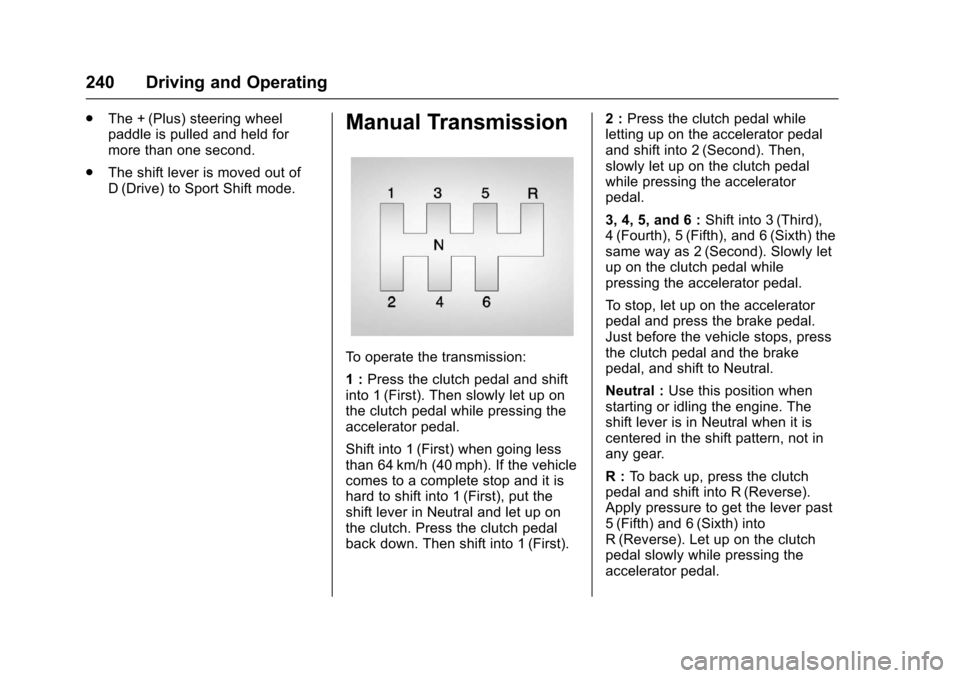
To o p e r a t e t h e t r a n s m i s s i o n :
1:Press the clutch pedal and shiftinto 1 (First). Then slowly let up onthe clutch pedal while pressing theaccelerator pedal.
Shift into 1 (First) when going lessthan 64 km/h (40 mph). If the vehiclecomes to a complete stop and it ishard to shift into 1 (First), put theshift lever in Neutral and let up onthe clutch. Press the clutch pedalback down. Then shift into 1 (First).
2:Press the clutch pedal whileletting up on the accelerator pedaland shift into 2 (Second). Then,slowly let up on the clutch pedalwhile pressing the acceleratorpedal.
3, 4, 5, and 6 :Shift into 3 (Third),4(Fourth), 5(Fifth), and 6(Sixth) thesame way as 2 (Second). Slowly letup on the clutch pedal whilepressing the accelerator pedal.
To s t o p , l e t u p o n t h e a c c e l e r a t o rpedal and press the brake pedal.Just before the vehicle stops, pressthe clutch pedal and the brakepedal, and shift to Neutral.
Neutral :Use this position whenstarting or idling the engine. Theshift lever is in Neutral when it iscentered in the shift pattern, not inany gear.
R:To b a c k u p , p r e s s t h e c l u t c hpedal and shift into R (Reverse).Apply pressure to get the lever past5(Fifth) and 6(Sixth) intoR(Reverse). Let up on the clutchpedal slowly while pressing theaccelerator pedal.
Page 243 of 400
Chevrolet SS Sedan Owner Manual (GMNA-Localizing-U.S.-10122752) -2017 - crc - 8/31/16
242 Driving and Operating
If driving safely on a wet road and itbecomes necessary to slam on thebrakes and continue braking toavoid a sudden obstacle, acomputer senses the wheels areslowing down. If one of the wheelsis about to stop rolling, the computerwill separately work the brakes ateach wheel.
ABS can change the brake pressureto each wheel, as required, fasterthan any driver could. This can helpyou steer around the obstacle whilebraking hard.
As the brakes are applied, thecomputer keeps receiving updateson wheel speed and controlsbraking pressure accordingly.
Remember: ABS does not changethe time needed to get a foot up tothe brake pedal or always decreasestopping distance. If you get tooclose to the vehicle in front of you,there will not be enough time toapply the brakes if that vehiclesuddenly slows or stops. Alwaysleave enough room up ahead tostop, even with ABS.
Using ABS
Do not pump the brakes. Just holdthe brake pedal down firmly and letABS work. You may hear the ABSpump or motor operating and feelthe brake pedal pulsate. This isnormal.
Braking in Emergencies
ABS allows you to steer and brakeat the same time. In manyemergencies, steering can helpmore than even the very bestbraking.
Electric Parking Brake
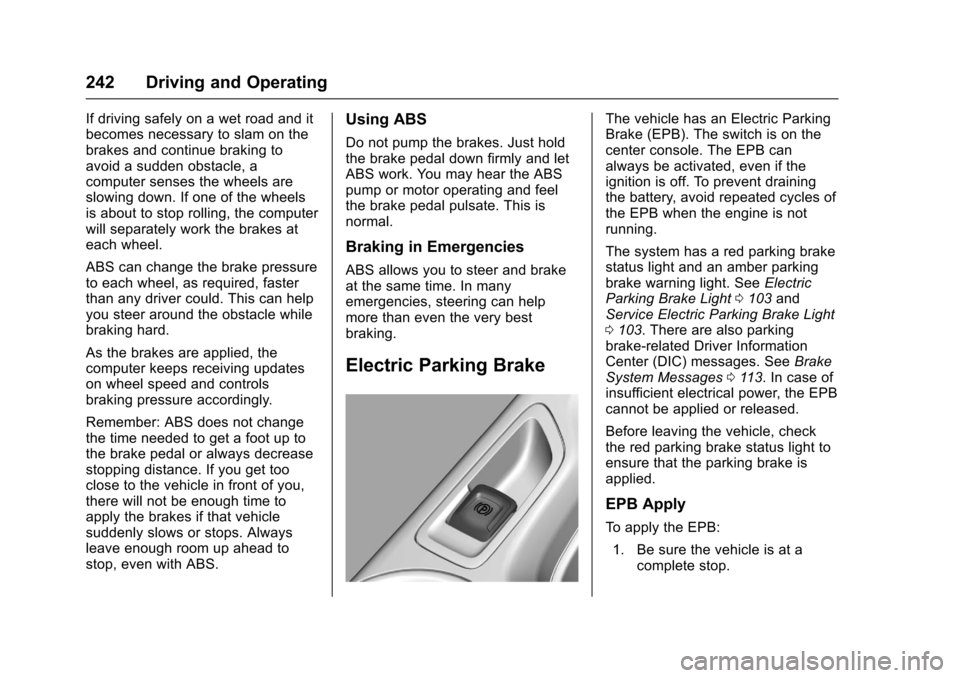
The vehicle has an Electric ParkingBrake (EPB). The switch is on thecenter console. The EPB canalways be activated, even if theignition is off. To prevent drainingthe battery, avoid repeated cycles ofthe EPB when the engine is notrunning.
The system has a red parking brakestatus light and an amber parkingbrake warning light. SeeElectricParking Brake Light0103andService Electric Parking Brake Light0103.Therearealsoparkingbrake-related Driver InformationCenter (DIC) messages. SeeBrakeSystem Messages011 3.Incaseofinsufficient electrical power, the EPBcannot be applied or released.
Before leaving the vehicle, checkthe red parking brake status light toensure that the parking brake isapplied.
EPB Apply
To a p p l y t h e E P B :
1. Be sure the vehicle is at acomplete stop.
Page 244 of 400
Chevrolet SS Sedan Owner Manual (GMNA-Localizing-U.S.-10122752) -2017 - crc - 8/31/16
Driving and Operating 243
2. Lift up the EPB switchmomentarily.
The red parking brake status lightwill flash and then stay on once theEPB is fully applied. If the redparking brake status light flashescontinuously, then the EPB is onlypartially applied or there is aproblem with the EPB. A DICmessage will display. Release theEPB and try to apply it again. If thelight does not come on, or keepsflashing, have the vehicle serviced.Do not drive the vehicle if the redparking brake status light is flashing.See your dealer. SeeElectricParking Brake Light0103.
If the amber parking brake warninglight is on, lift up on the EPB switchand hold it up. Continue to hold theswitch until the red parking brakestatus light remains on. If the amberparking brake warning light remainson, see your dealer.
If the EPB is applied while thevehicle is moving, the vehicle willdecelerate as long as the switch is
held up. If the switch is held up untilthe vehicle comes to a stop, theEPB will remain applied.
If the EPB fails to apply, the rearwheels should be blocked toprevent vehicle movement.
EPB Release
To r e l e a s e t h e E P B :
1. Place the ignition in the ACC/ACCESSORY or ON/RUNposition.
2. Apply and hold the brakepedal.
3. Push down momentarily on theEPB switch.
The EPB is released when the redparking brake status light is off.
If the amber parking brake warninglight is on, release the EPB bypushing down on the EPB switchand holding it down. Continue tohold the switch until the red parkingbrake status light is off. If either lightstays on after release is attempted,see your dealer.
Caution
Driving with the parking brake on
can overheat the brake system
and cause premature wear or
damage to brake system parts.
Make sure that the parking brake
is fully released and the brake
warning light is off before driving.
Automatic EPB Release
The EPB will automatically release ifthe vehicle is running, placed intogear, and an attempt is made todrive away. Avoid rapid accelerationwhen the EPB is applied, topreserve parking brake lining life.
The EPB can also be used toprevent roll back for vehicles with amanual transmission taking off on ahill. When no roll back is desired, anapplied EPB will allow both feet tobe used for the clutch andaccelerator pedals in preparation forstarting the vehicle moving in theintended direction. In this case,there is no need to push the switchto release the EPB.
Page 246 of 400
Chevrolet SS Sedan Owner Manual (GMNA-Localizing-U.S.-10122752) -2017 - crc - 8/31/16
Driving and Operating 245
Ride Control Systems
Traction Control/
Electronic Stability
Control
System Operation
The vehicle has a Traction ControlSystem (TCS) and StabiliTrak®,anelectronic stability control system.These systems help limit wheel slipand assist the driver in maintainingcontrol, especially on slippery roadconditions.
TCS activates if it senses that anyof the drive wheels are spinning orbeginning to lose traction. When thishappens, TCS applies the brakes tothe spinning wheels and reducesengine power to limit wheel spin.
StabiliTrak activates when thevehicle senses a difference betweenthe intended path and the directionthe vehicle is actually traveling.StabiliTrak selectively appliesbraking pressure to any one of the
vehicle wheel brakes to assist thedriver in keeping the vehicle on theintended path.
If cruise control is being used andtraction control or StabiliTrak beginsto limit wheel spin, cruise control willdisengage. Cruise control may beturned back on when roadconditions allow.
Both systems come onautomatically when the vehicle isstarted and begins to move. Thesystems may be heard or felt whilethey are operating or whileperforming diagnostic checks. Thisis normal and does not mean thereis a problem with the vehicle.
It is recommended to leave bothsystems on for normal drivingconditions, but it may be necessaryto turn TCS off if the vehicle getsstuck in sand, mud, ice, or snow.SeeIf the Vehicle Is Stuck0225and“Turning the Systems Off andOn”later in this section.
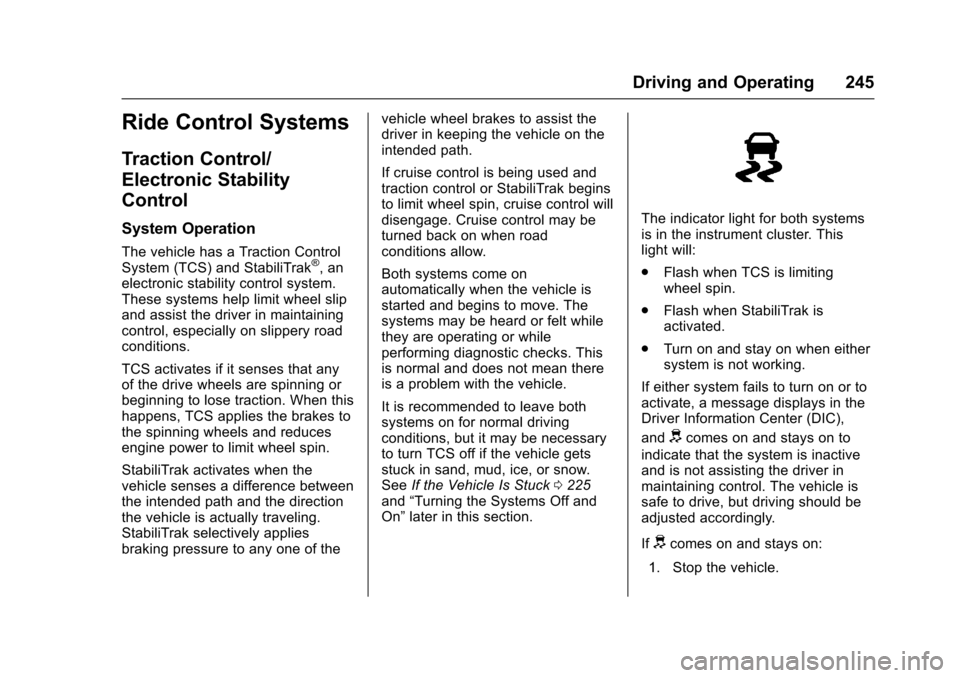
The indicator light for both systemsis in the instrument cluster. Thislight will:
.Flash when TCS is limitingwheel spin.
.Flash when StabiliTrak isactivated.
.Turn on and stay on when eithersystem is not working.
If either system fails to turn on or toactivate, a message displays in theDriver Information Center (DIC),
anddcomes on and stays on to
indicate that the system is inactiveand is not assisting the driver inmaintaining control. The vehicle issafe to drive, but driving should beadjusted accordingly.
Ifdcomes on and stays on:
1. Stop the vehicle.
Page 247 of 400
Chevrolet SS Sedan Owner Manual (GMNA-Localizing-U.S.-10122752) -2017 - crc - 8/31/16
246 Driving and Operating
2. Turn the engine off and wait15 seconds.
3. Start the engine.
Drive the vehicle. Ifdcomes on
and stays on, the vehicle may needmore time to diagnose the problem.If the condition persists, see yourdealer.
Turning the Systems Off
and On
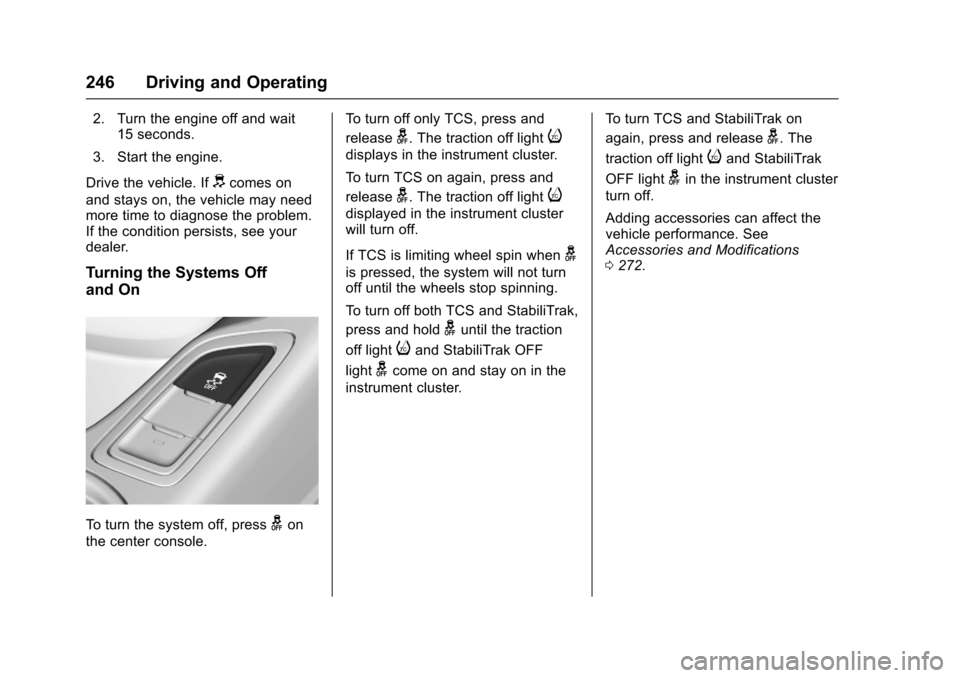
To t u r n t h e s y s t e m o f f , p r e s sgon
the center console.
To t u r n o f f o n l y T C S , p r e s s a n d
releaseg.Thetractionofflighti
displays in the instrument cluster.
To t u r n T C S o n a g a i n , p r e s s a n d
releaseg.Thetractionofflighti
displayed in the instrument clusterwill turn off.
If TCS is limiting wheel spin wheng
is pressed, the system will not turnoff until the wheels stop spinning.
To t u r n o f f b o t h T C S a n d S t a b i l i T r a k ,
press and holdguntil the traction
off lightiand StabiliTrak OFF
lightgcome on and stay on in the
instrument cluster.
To t u r n T C S a n d S t a b i l i T r a k o n
again, press and releaseg.The
traction off lightiand StabiliTrak
OFF lightgin the instrument cluster
turn off.
Adding accessories can affect thevehicle performance. SeeAccessories and Modifications0272.
Page 249 of 400
Chevrolet SS Sedan Owner Manual (GMNA-Localizing-U.S.-10122752) -2017 - crc - 8/31/16
248 Driving and Operating
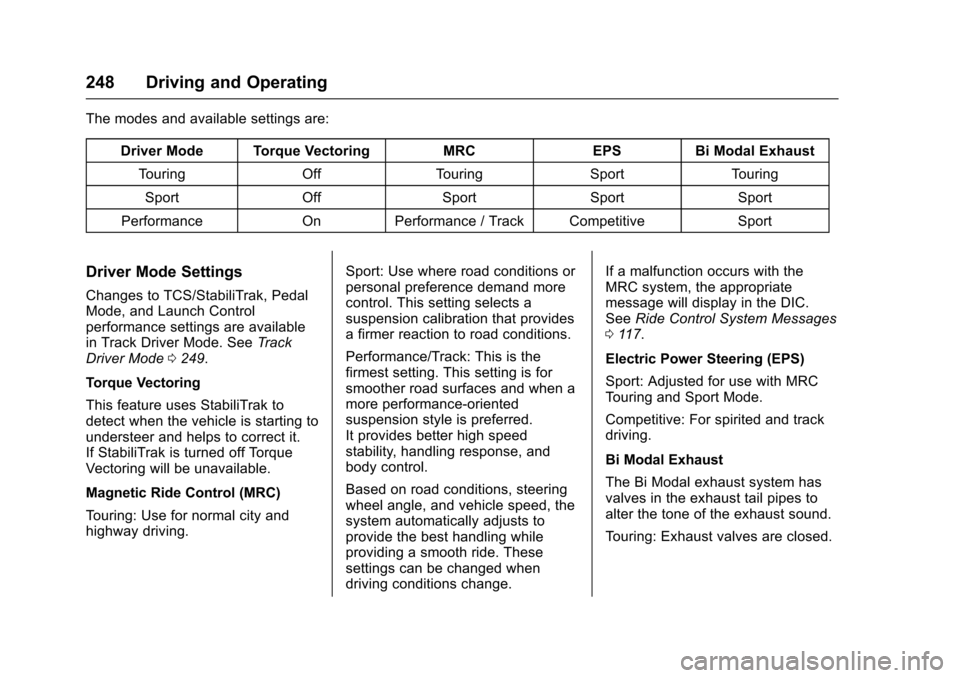
The modes and available settings are:
Driver Mode Torque VectoringMRCEPSBi Modal Exhaust
To u r i n gOffTo u r i n gSportTo u r i n g
SportOffSportSportSport
PerformanceOnPerformance / Track CompetitiveSport
Driver Mode Settings
Changes to TCS/StabiliTrak, PedalMode, and Launch Controlperformance settings are availablein Track Driver Mode. SeeTr a c kDriver Mode0249.
Torque Vectoring
This feature uses StabiliTrak todetect when the vehicle is starting toundersteer and helps to correct it.If StabiliTrak is turned off TorqueVectoring will be unavailable.
Magnetic Ride Control (MRC)
To u r i n g : U s e f o r n o r m a l c i t y a n dhighway driving.
Sport: Use where road conditions orpersonal preference demand morecontrol. This setting selects asuspension calibration that providesafirmerreactiontoroadconditions.
Performance/Track: This is thefirmest setting. This setting is forsmoother road surfaces and when amore performance-orientedsuspension style is preferred.It provides better high speedstability, handling response, andbody control.
Based on road conditions, steeringwheel angle, and vehicle speed, thesystem automatically adjusts toprovide the best handling whileproviding a smooth ride. Thesesettings can be changed whendriving conditions change.
If a malfunction occurs with theMRC system, the appropriatemessage will display in the DIC.SeeRide Control System Messages011 7.
Electric Power Steering (EPS)
Sport: Adjusted for use with MRCTo u r i n g a n d S p o r t M o d e .
Competitive: For spirited and trackdriving.
Bi Modal Exhaust
The Bi Modal exhaust system hasvalves in the exhaust tail pipes toalter the tone of the exhaust sound.
To u r i n g : E x h a u s t v a l v e s a r e c l o s e d .
Page 250 of 400
Chevrolet SS Sedan Owner Manual (GMNA-Localizing-U.S.-10122752) -2017 - crc - 8/31/16
Driving and Operating 249
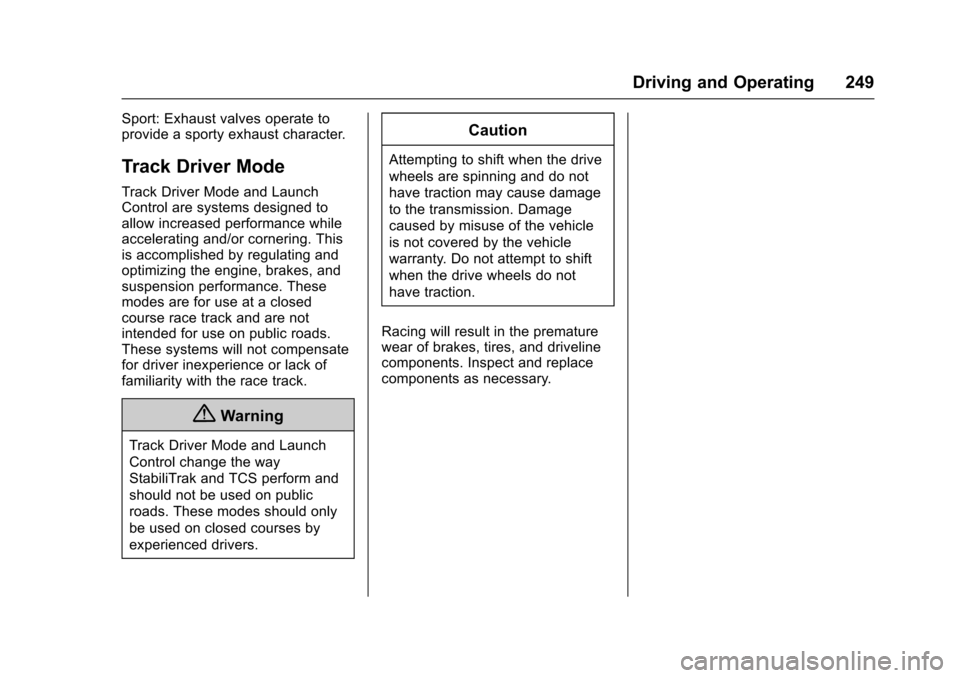
Sport: Exhaust valves operate toprovide a sporty exhaust character.
Track Driver Mode
Track Driver Mode and LaunchControl are systems designed toallow increased performance whileaccelerating and/or cornering. Thisis accomplished by regulating andoptimizing the engine, brakes, andsuspension performance. Thesemodes are for use at a closedcourse race track and are notintended for use on public roads.These systems will not compensatefor driver inexperience or lack offamiliarity with the race track.
{Warning
Track Driver Mode and Launch
Control change the way
StabiliTrak and TCS perform and
should not be used on public
roads. These modes should only
be used on closed courses by
experienced drivers.
Caution
Attempting to shift when the drive
wheels are spinning and do not
have traction may cause damage
to the transmission. Damage
caused by misuse of the vehicle
is not covered by the vehicle
warranty. Do not attempt to shift
when the drive wheels do not
have traction.
Racing will result in the prematurewear of brakes, tires, and drivelinecomponents. Inspect and replacecomponents as necessary.