wheel CHEVROLET SS 2017 1.G Repair Manual
[x] Cancel search | Manufacturer: CHEVROLET, Model Year: 2017, Model line: SS, Model: CHEVROLET SS 2017 1.GPages: 400, PDF Size: 7.31 MB
Page 251 of 400
Chevrolet SS Sedan Owner Manual (GMNA-Localizing-U.S.-10122752) -2017 - crc - 8/31/16
250 Driving and Operating
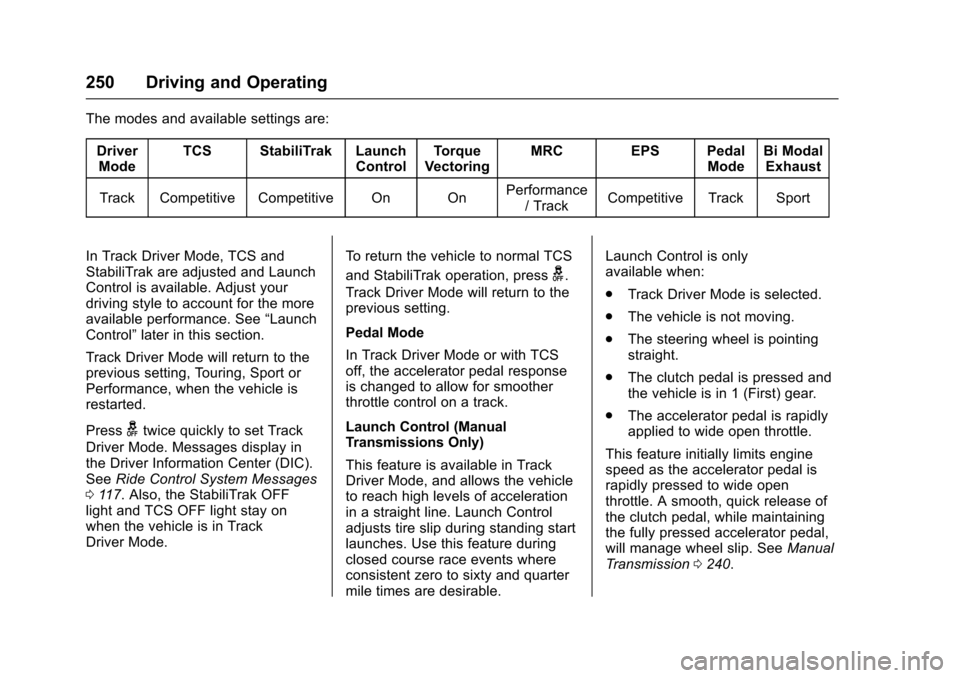
The modes and available settings are:
DriverModeTCS StabiliTrak LaunchControlTo r q u eVectoringMRC EPS PedalModeBi ModalExhaust
Track Competitive Competitive On OnPerformance/TrackCompetitive Track Sport
In Track Driver Mode, TCS andStabiliTrak are adjusted and LaunchControl is available. Adjust yourdriving style to account for the moreavailable performance. See“LaunchControl”later in this section.
Track Driver Mode will return to theprevious setting, Touring, Sport orPerformance, when the vehicle isrestarted.
Pressgtwice quickly to set Track
Driver Mode. Messages display inthe Driver Information Center (DIC).SeeRide Control System Messages011 7.Also,theStabiliTrakOFFlight and TCS OFF light stay onwhen the vehicle is in TrackDriver Mode.
To r e t u r n t h e v e h i c l e t o n o r m a l T C S
and StabiliTrak operation, pressg.
Track Driver Mode will return to theprevious setting.
Pedal Mode
In Track Driver Mode or with TCSoff, the accelerator pedal responseis changed to allow for smootherthrottle control on a track.
Launch Control (ManualTransmissions Only)
This feature is available in TrackDriver Mode, and allows the vehicleto reach high levels of accelerationin a straight line. Launch Controladjusts tire slip during standing startlaunches. Use this feature duringclosed course race events whereconsistent zero to sixty and quartermile times are desirable.
Launch Control is onlyavailable when:
.Track Driver Mode is selected.
.The vehicle is not moving.
.The steering wheel is pointingstraight.
.The clutch pedal is pressed andthe vehicle is in 1 (First) gear.
.The accelerator pedal is rapidlyapplied to wide open throttle.
This feature initially limits enginespeed as the accelerator pedal israpidly pressed to wide openthrottle. A smooth, quick release ofthe clutch pedal, while maintainingthe fully pressed accelerator pedal,will manage wheel slip. SeeManualTr a n s m i s s i o n0240.
Page 252 of 400
Chevrolet SS Sedan Owner Manual (GMNA-Localizing-U.S.-10122752) -2017 - crc - 8/31/16
Driving and Operating 251
After the vehicle is launched, thesystem continues in TrackDriver Mode.
Limited-Slip Rear Axle
Vehicles with a limited-slip rear axlecan give more traction on snow,mud, ice, sand, or gravel. Whentraction is low, this feature allowsthe drive wheel with the mosttraction to move the vehicle. Thelimited-slip rear axle also gives thedriver enhanced control whencornering hard or completing amaneuver, such as a lane change.For vehicles with a limited-slip rearaxle, driven under severeconditions, the rear axle fluid shouldbe changed. SeeTr a c k D r i v e r M o d e0249andMaintenance Schedule0349.
Cruise Control
With cruise control, the vehicle canmaintain a speed of about 40 km/h(25 mph) or more without keepingyour foot on the accelerator. Cruisecontrol does not work at speedsbelow 40 km/h (25 mph).
{Warning
Cruise control can be dangerous
where you cannot drive safely at
asteadyspeed.Donotuse
cruise control on winding roads or
in heavy traffic.
Cruise control can be dangerous
on slippery roads. On such roads,
fast changes in tire traction can
cause excessive wheel slip, and
you could lose control. Do not use
cruise control on slippery roads.
If the vehicle has the StabiliTrak®
system and begins to limit wheelspin while using cruise control, thecruise control will automaticallydisengage. SeeTr a c t i o n C o n t r o l /Electronic Stability Control0245.
When road conditions allow you tosafely use it again, the cruisecontrol can be turned back on.
If the brakes are applied, cruisecontrol disengages.
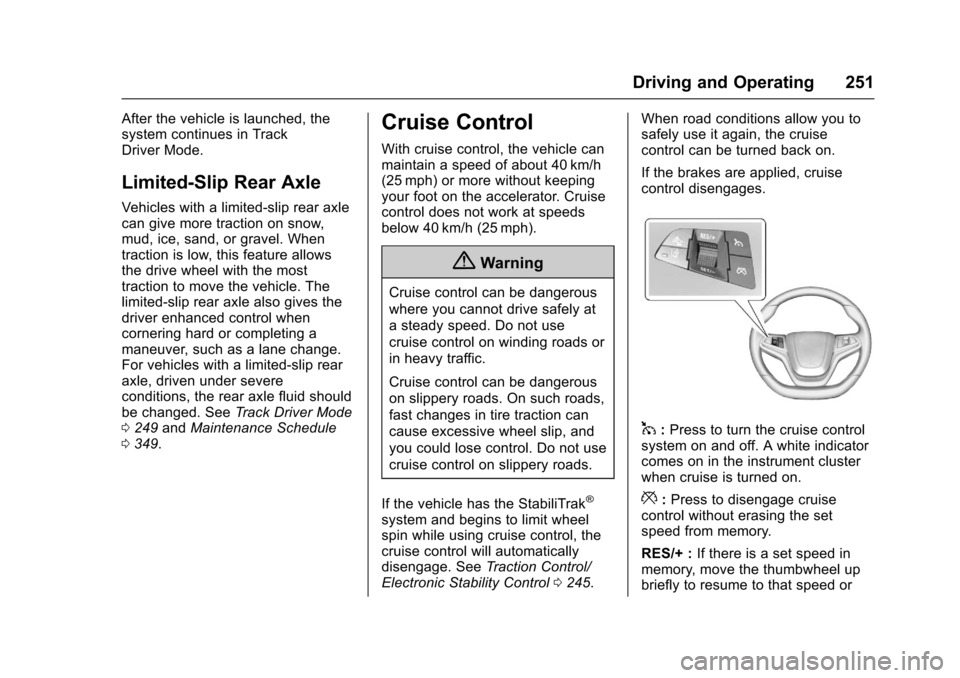
1:Press to turn the cruise controlsystem on and off. A white indicatorcomes on in the instrument clusterwhen cruise is turned on.
*:Press to disengage cruisecontrol without erasing the setspeed from memory.
RES/+ :If there is a set speed inmemory, move the thumbwheel upbriefly to resume to that speed or
Page 253 of 400
Chevrolet SS Sedan Owner Manual (GMNA-Localizing-U.S.-10122752) -2017 - crc - 8/31/16
252 Driving and Operating
hold upwards to accelerate. If cruisecontrol is already active, use toincrease vehicle speed.
SET/✓:Move the thumbwheel downbriefly to set the speed and activatecruise control. If cruise control isalready active, use to decreasespeed.
The speedometer reading can bedisplayed in either English or metricunits. SeeDriver Information Center(DIC)0108.Theincrementvalueused depends on the unitsdisplayed.
Setting Cruise Control
If1is on when not in use, SET/- or
RES/+ could get bumped and gointo cruise when not desired. Keep1off when cruise control is notbeing used.
To s e t a s p e e d :
1. Press1.
2. Get to the speed desired.
3. Move the thumbwheel downtoward SET/✓and release it.
4. Remove foot from theaccelerator.
The cruise control indicator on theinstrument cluster turns green aftercruise control has been set to thedesired speed. SeeInstrumentCluster096.
Resuming a Set Speed
If the cruise control is set at adesired speed and then the brakes
are applied or*is pressed, the
cruise control is disengaged withouterasing the set speed from memory.
Once the vehicle reaches about40 km/h (25 mph) or more, move thethumbwheel up toward RES/+briefly. The vehicle returns to theprevious set speed.
Increasing Speed While UsingCruise Control
If the cruise control system isalready activated:
.Move the thumbwheel up towardRES/+ and hold it until thedesired speed is reached, thenrelease it.
.To i n c r e a s e t h e s p e e d i n s m a l lincrements, move thethumbwheel up toward RES/+briefly. For each press, thevehicle goes about 1.6 km/h(1 mph) faster.
Reducing Speed While UsingCruise Control
If the cruise control system isalready activated:
.Move the thumbwheel towardSET/✓and hold until the desiredlower speed is reached, thenrelease it.
.To d e c r e a s e t h e v e h i c l e s p e e d i nsmall increments, move thethumbwheel toward SET/✓briefly. For each press, thevehicle goes about 1.6 km/h(1 mph) slower.
Passing Another Vehicle WhileUsing Cruise Control
Use the accelerator pedal toincrease the vehicle speed. Whenyou take your foot off the pedal, thevehicle slows down to the previouslyset cruise control speed. Whilepressing the accelerator pedal or
Page 254 of 400
Chevrolet SS Sedan Owner Manual (GMNA-Localizing-U.S.-10122752) -2017 - crc - 8/31/16
Driving and Operating 253
shortly following the release tooverride cruise control, brieflymoving the thumbwheel towardSET/–will result in cruise control setto the current vehicle speed.
Using Cruise Control on Hills
How well the cruise control workson hills depends upon the vehiclespeed, load, and the steepness ofthe hills. When going up steep hills,you might have to step on theaccelerator pedal to maintain thevehicle speed. When goingdownhill, you might have to brake orshift to a lower gear to keep yourspeed down. If the brake pedal isapplied, cruise control willdisengage.
Ending Cruise Control
There are four ways to disengagecruise control:
.Step lightly on the brake pedalor clutch for a manualtransmission.
.Press*.
.Shift the transmission toN(Neutral).
.To t u r n o f f t h e c r u i s e c o n t r o l ,
press1.
Erasing Speed Memory
The cruise control set speed is
erased from memory if1is pressed
or if the vehicle is turned off.
Driver Assistance
Systems
This vehicle may have features thatwork together to help avoid crashesor reduce crash damage whiledriving, backing, and parking. Readthis entire section before usingthese systems.
{Warning
Do not rely on the Driver
Assistance Systems. These
systems do not replace the need
for paying attention and driving
safely. You may not hear or see
alerts or warnings provided by
these systems. Failure to use
proper care when driving may
result in injury, death, or vehicle
damage. SeeDefensive Driving
0217.
(Continued)
Page 259 of 400
Chevrolet SS Sedan Owner Manual (GMNA-Localizing-U.S.-10122752) -2017 - crc - 8/31/16
258 Driving and Operating
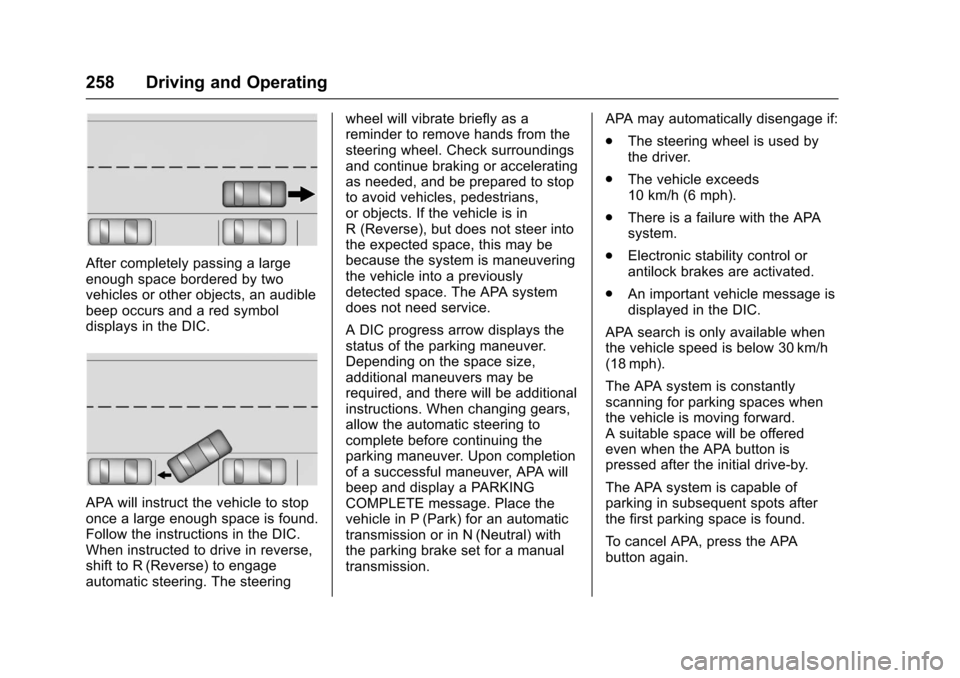
After completely passing a largeenough space bordered by twovehicles or other objects, an audiblebeep occurs and a red symboldisplays in the DIC.
APA will instruct the vehicle to stoponce a large enough space is found.Follow the instructions in the DIC.When instructed to drive in reverse,shift to R (Reverse) to engageautomatic steering. The steering
wheel will vibrate briefly as areminder to remove hands from thesteering wheel. Check surroundingsand continue braking or acceleratingas needed, and be prepared to stopto avoid vehicles, pedestrians,or objects. If the vehicle is inR(Reverse),butdoesnotsteerintothe expected space, this may bebecause the system is maneuveringthe vehicle into a previouslydetected space. The APA systemdoes not need service.
ADICprogressarrowdisplaysthestatus of the parking maneuver.Depending on the space size,additional maneuvers may berequired, and there will be additionalinstructions. When changing gears,allow the automatic steering tocomplete before continuing theparking maneuver. Upon completionof a successful maneuver, APA willbeep and display a PARKINGCOMPLETE message. Place thevehicle in P (Park) for an automatictransmission or in N (Neutral) withthe parking brake set for a manualtransmission.
APA may automatically disengage if:
.The steering wheel is used bythe driver.
.The vehicle exceeds10 km/h (6 mph).
.There is a failure with the APAsystem.
.Electronic stability control orantilock brakes are activated.
.An important vehicle message isdisplayed in the DIC.
APA search is only available whenthe vehicle speed is below 30 km/h(18 mph).
The APA system is constantlyscanning for parking spaces whenthe vehicle is moving forward.Asuitablespacewillbeofferedeven when the APA button ispressed after the initial drive-by.
The APA system is capable ofparking in subsequent spots afterthe first parking space is found.
To c a n c e l A PA , p r e s s t h e A PAbutton again.
Page 260 of 400
Chevrolet SS Sedan Owner Manual (GMNA-Localizing-U.S.-10122752) -2017 - crc - 8/31/16
Driving and Operating 259
When the System Does Not Seemto Work Properly
The APA system may require ashort period of driving along curvesto calibrate.
Assistance Systems for
Driving
If equipped, when driving thevehicle in a forward gear, ForwardCollision Alert (FCA), LaneDeparture Warning (LDW), and SideBlind Zone Alert (SBZA) can help toavoid a crash or reduce crashdamage.
Forward Collision Alert
(FCA) System
If equipped, the FCA system mayhelp to avoid or reduce the harmcaused by front-end crashes. Whenapproaching a vehicle ahead tooquickly, FCA provides a red flashingalert on the windshield and rapidlybeeps. FCA also lights an ambervisual alert if following anothervehicle much too closely.
FCA detects vehicles within adistance of approximately 60 m(197 ft) and operates at speedsabove 40 km/h (25 mph).
{Warning
FCA is a warning system and
does not apply the brakes. When
approaching a slower-moving or
stopped vehicle ahead too rapidly,
or when following a vehicle too
closely, FCA may not provide a
warning with enough time to help
avoid a crash. It also may not
provide any warning at all. FCA
does not warn of pedestrians,
animals, signs, guardrails,
bridges, construction barrels,
or other objects. Be ready to take
action and apply the brakes. See
Defensive Driving0217.
FCA can be disabled with the FCAsteering wheel control.
Detecting the Vehicle Ahead
FCA warnings will not occur unlessthe FCA system detects a vehicleahead. When a vehicle is detected,the vehicle ahead indicator willdisplay green. Vehicles may not bedetected on curves, highway exitramps, or hills, due to poor visibility;or if a vehicle ahead is partiallyblocked by pedestrians or otherobjects. FCA will not detect anothervehicle ahead until it is completelyin the driving lane.
{Warning
FCA does not provide a warning
to help avoid a crash, unless it
detects a vehicle. FCA may not
detect a vehicle ahead if the FCA
sensor is blocked by dirt, snow,
(Continued)
Page 261 of 400
Chevrolet SS Sedan Owner Manual (GMNA-Localizing-U.S.-10122752) -2017 - crc - 8/31/16
260 Driving and Operating
Warning (Continued)
or ice, or if the windshield is
damaged. It may also not detect a
vehicle on winding or hilly roads,
or in conditions that can limit
visibility such as fog, rain,
or snow, or if the headlamps or
windshield are not cleaned or in
proper condition. Keep the
windshield, headlamps, and FCA
sensors clean and in good repair.
Collision Alert
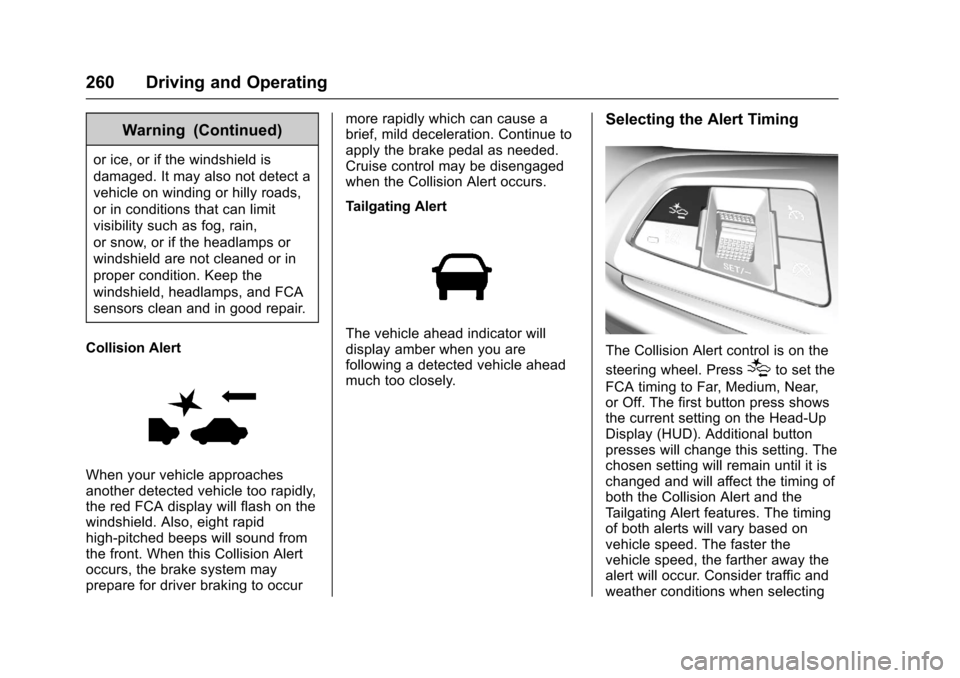
When your vehicle approachesanother detected vehicle too rapidly,the red FCA display will flash on thewindshield. Also, eight rapidhigh-pitched beeps will sound fromthe front. When this Collision Alertoccurs, the brake system mayprepare for driver braking to occur
more rapidly which can cause abrief, mild deceleration. Continue toapply the brake pedal as needed.Cruise control may be disengagedwhen the Collision Alert occurs.
Tailgating Alert
The vehicle ahead indicator willdisplay amber when you arefollowing a detected vehicle aheadmuch too closely.
Selecting the Alert Timing
The Collision Alert control is on the
steering wheel. Press[to set the
FCA timing to Far, Medium, Near,or Off. The first button press showsthe current setting on the Head-UpDisplay (HUD). Additional buttonpresses will change this setting. Thechosen setting will remain until it ischanged and will affect the timing ofboth the Collision Alert and theTa i l g a t i n g A l e r t f e a t u r e s . T h e t i m i n gof both alerts will vary based onvehicle speed. The faster thevehicle speed, the farther away thealert will occur. Consider traffic andweather conditions when selecting
Page 264 of 400
Chevrolet SS Sedan Owner Manual (GMNA-Localizing-U.S.-10122752) -2017 - crc - 8/31/16
Driving and Operating 263
Lane Departure
Warning (LDW)
If equipped, LDW may help avoidcrashes due to unintentional lanedepartures. It may provide an alert ifthe vehicle is crossing a detectedlane without using a turn signal inthat direction. LDW uses a camerasensor to detect the lane markingsat speeds of 56 km/h (35 mph) orgreater.
{Warning
The LDW system does not steer
the vehicle. The LDW system
may not:
.Provide enough time toavoid a crash.
.Detect lane markings underpoor weather or visibilityconditions. This can occur ifthe windshield orheadlamps are blocked bydirt, snow, or ice; if they are
(Continued)
Warning (Continued)
not in proper condition; or ifthe sun shines directly intothe camera.
.Detect road edges.
.Detect lanes on winding orhilly roads.
If LDW only detects lane
markings on one side of the road,
it will only warn you when
departing the lane on the side
where it has detected a lane
marking. Always keep your
attention on the road and
maintain proper vehicle position
within the lane, or vehicle
damage, injury, or death could
occur. Always keep the
windshield, headlamps, and
camera sensors clean and in
good repair. Do not use LDW in
bad weather conditions.
How the System Works
The LDW camera sensor is on thewindshield ahead of the rearviewmirror.
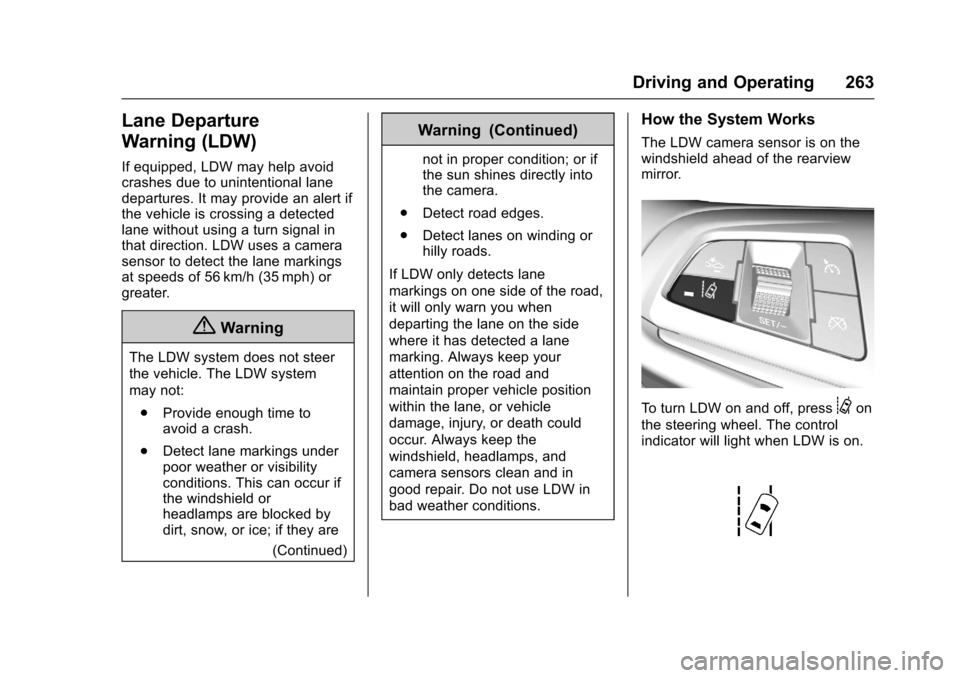
To t u r n L D W o n a n d o f f , p r e s s@on
the steering wheel. The controlindicator will light when LDW is on.
Page 271 of 400
Chevrolet SS Sedan Owner Manual (GMNA-Localizing-U.S.-10122752) -2017 - crc - 8/31/16
270 Vehicle Care
Vehicle Care
General Information
General Information . . . . . . . . . . 271California Proposition65 Warning . . . . . . . . . . . . . . . . . 271California PerchlorateMaterials Requirements . . . . . 271Accessories andModifications . . . . . . . . . . . . . . . . 272
Vehicle Checks
Doing Your OwnService Work . . . . . . . . . . . . . . . 272Hood . . . . . . . . . . . . . . . . . . . . . . . . . 273Engine CompartmentOverview . . . . . . . . . . . . . . . . . . . . 274Engine Oil . . . . . . . . . . . . . . . . . . . . 275Engine Oil Life System . . . . . . . 277Automatic TransmissionFluid . . . . . . . . . . . . . . . . . . . . . . . . 278Manual Transmission Fluid . . . 278Hydraulic Clutch . . . . . . . . . . . . . . 279Engine Air Cleaner/Filter . . . . . . 279Cooling System . . . . . . . . . . . . . . 280Engine Coolant . . . . . . . . . . . . . . . 281Engine Overheating . . . . . . . . . . 284Washer Fluid . . . . . . . . . . . . . . . . . 286Brakes . . . . . . . . . . . . . . . . . . . . . . . 287Brake Fluid . . . . . . . . . . . . . . . . . . . 287
Battery - North America . . . . . . 288Rear Axle . . . . . . . . . . . . . . . . . . . . 289Starter Switch Check . . . . . . . . . 290Automatic Transmission ShiftLock Control FunctionCheck . . . . . . . . . . . . . . . . . . . . . . . 290Park Brake and P (Park)Mechanism Check . . . . . . . . . . 291Wiper Blade Replacement . . . . 291Windshield Replacement . . . . . 292
Headlamp Aiming
Headlamp Aiming . . . . . . . . . . . . 292
Bulb Replacement
Bulb Replacement . . . . . . . . . . . . 293High Intensity Discharge (HID)Lighting . . . . . . . . . . . . . . . . . . . . . 293License Plate Lamp . . . . . . . . . . 293Replacement Bulbs . . . . . . . . . . . 294
Electrical System
Electrical System Overload . . . 294Fuses . . . . . . . . . . . . . . . . . . . . . . . . 295Engine Compartment FuseBlock . . . . . . . . . . . . . . . . . . . . . . . . 295Instrument Panel FuseBlock . . . . . . . . . . . . . . . . . . . . . . . . 298Rear Compartment FuseBlock . . . . . . . . . . . . . . . . . . . . . . . . 300
Wheels and Tires
Tires . . . . . . . . . . . . . . . . . . . . . . . . . . 303Winter Tires . . . . . . . . . . . . . . . . . . 304Low-Profile Tires . . . . . . . . . . . . . 304Summer Tires . . . . . . . . . . . . . . . . 304Tire Sidewall Labeling . . . . . . . . 305Tire Designations . . . . . . . . . . . . . 306Tire Terminology andDefinitions . . . . . . . . . . . . . . . . . . 307Tire Pressure . . . . . . . . . . . . . . . . . 309Tire Pressure for High-SpeedOperation . . . . . . . . . . . . . . . . . . . 310Tire Pressure MonitorSystem . . . . . . . . . . . . . . . . . . . . . . 311Tire Pressure MonitorOperation . . . . . . . . . . . . . . . . . . . 312Tire Inspection . . . . . . . . . . . . . . . . 315Tire Rotation . . . . . . . . . . . . . . . . . 315When It Is Time for NewTires . . . . . . . . . . . . . . . . . . . . . . . . 316Buying New Tires . . . . . . . . . . . . . 317Different Size Tires andWheels . . . . . . . . . . . . . . . . . . . . . . 318Uniform Tire QualityGrading . . . . . . . . . . . . . . . . . . . . . 319Wheel Alignment and TireBalance . . . . . . . . . . . . . . . . . . . . . 320Wheel Replacement . . . . . . . . . . 320Tire Chains . . . . . . . . . . . . . . . . . . . 321If a Tire Goes Flat . . . . . . . . . . . . 322
Page 288 of 400
Chevrolet SS Sedan Owner Manual (GMNA-Localizing-U.S.-10122752) -2017 - crc - 8/31/16
Vehicle Care 287
Brakes
Disc brake pads have built-in wearindicators that make a high-pitchedwarning sound when the brake padsare worn and new pads are needed.The sound can come and go or canbe heard all the time when thevehicle is moving, except whenapplying the brake pedal firmly.
{Warning
The brake wear warning sound
means that soon the brakes will
not work well. That could lead to
acrash.Whenthebrakewear
warning sound is heard, have the
vehicle serviced.
Caution
Continuing to drive with worn-out
brake pads could result in costly
brake repair.
Some driving conditions or climatescan cause a brake squeal when thebrakes are first applied or lightlyapplied. This does not meansomething is wrong with the brakes.
Properly torqued wheel nuts arenecessary to help prevent brakepulsation. When tires are rotated,inspect brake pads for wear andevenly tighten wheel nuts in theproper sequence to torquespecifications. SeeCapacities andSpecifications0362.
Brake pads should be replaced ascomplete sets.
Brake Pedal Travel
See your dealer if the brake pedaldoes not return to normal height,or if there is a rapid increase inpedal travel. This could be a signthat brake service may be required.
Replacing Brake System Parts
Always replace brake system partswith new, approved replacementparts. If this is not done, the brakesmay not work properly. The brakingperformance expected can changein many other ways if the wrong
replacement brake parts areinstalled or if parts are improperlyinstalled.
Brake Fluid
The brake/clutch master cylinderreservoir is filled with GM approvedDOT 4 brake fluid as indicated onthe reservoir cap. SeeEngineCompartment Overview0274forthe location of the reservoir.
Checking Brake Fluid
Place the vehicle in P (Park) orNeutral with the parking brakeapplied if equipped with a manualtransmission. On a level surface,the brake fluid level should bebetween the minimum andmaximum marks on the brake fluidreservoir.