lock CHEVROLET SS 2017 1.G Repair Manual
[x] Cancel search | Manufacturer: CHEVROLET, Model Year: 2017, Model line: SS, Model: CHEVROLET SS 2017 1.GPages: 400, PDF Size: 7.31 MB
Page 169 of 400
Chevrolet SS Sedan Owner Manual (GMNA-Localizing-U.S.-10122752) -2017 - crc - 8/31/16
168 Infotainment System
Map Scales
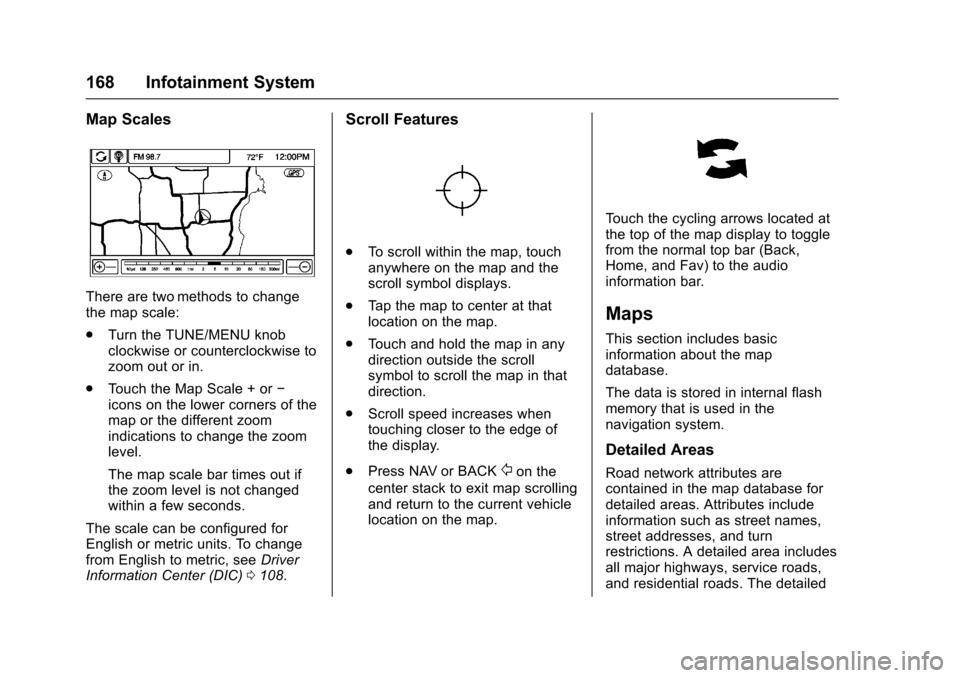
There are two methods to changethe map scale:
.Turn the TUNE/MENU knobclockwise or counterclockwise tozoom out or in.
.To u c h t h e M a p S c a l e + o r✓icons on the lower corners of themap or the different zoomindications to change the zoomlevel.
The map scale bar times out ifthe zoom level is not changedwithin a few seconds.
The scale can be configured forEnglish or metric units. To changefrom English to metric, seeDriverInformation Center (DIC)0108.
Scroll Features
.To s c r o l l w i t h i n t h e m a p , t o u c hanywhere on the map and thescroll symbol displays.
.Ta p t h e m a p t o c e n t e r a t t h a tlocation on the map.
.To u c h a n d h o l d t h e m a p i n a n ydirection outside the scrollsymbol to scroll the map in thatdirection.
.Scroll speed increases whentouching closer to the edge ofthe display.
.Press NAV or BACK/on the
center stack to exit map scrollingand return to the current vehiclelocation on the map.
To u c h t h e c y c l i n g a r r o w s l o c a t e d a tthe top of the map display to togglefrom the normal top bar (Back,Home, and Fav) to the audioinformation bar.
Maps
This section includes basicinformation about the mapdatabase.
The data is stored in internal flashmemory that is used in thenavigation system.
Detailed Areas
Road network attributes arecontained in the map database fordetailed areas. Attributes includeinformation such as street names,street addresses, and turnrestrictions. A detailed area includesall major highways, service roads,and residential roads. The detailed
Page 183 of 400
Chevrolet SS Sedan Owner Manual (GMNA-Localizing-U.S.-10122752) -2017 - crc - 8/31/16
182 Infotainment System
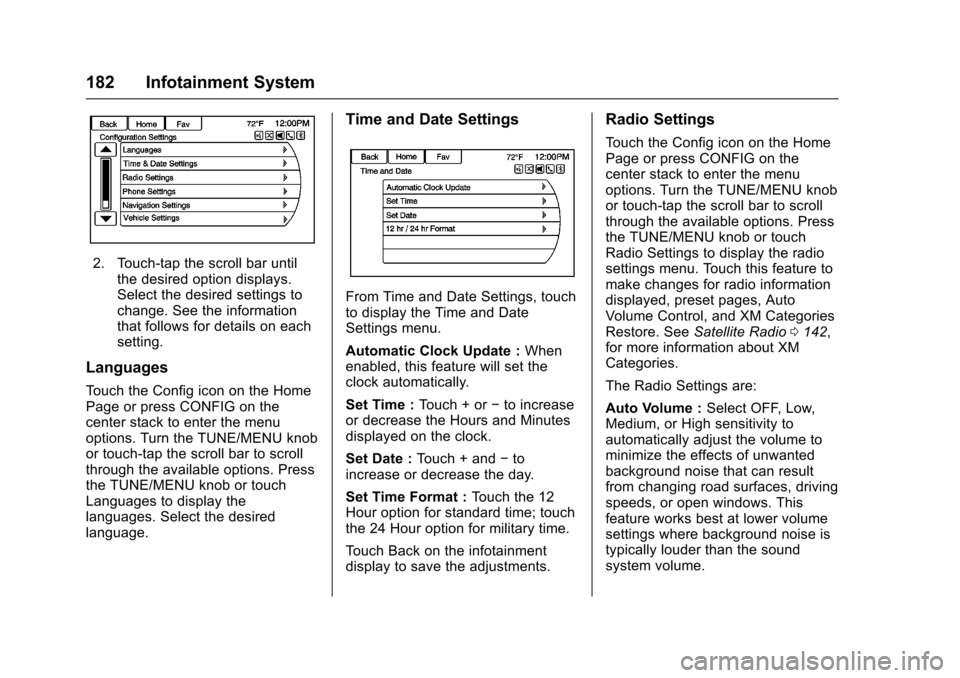
2. Touch-tap the scroll bar untilthe desired option displays.Select the desired settings tochange. See the informationthat follows for details on eachsetting.
Languages
To u c h t h e C o n f i g i c o n o n t h e H o m ePage or press CONFIG on thecenter stack to enter the menuoptions. Turn the TUNE/MENU knobor touch-tap the scroll bar to scrollthrough the available options. Pressthe TUNE/MENU knob or touchLanguages to display thelanguages. Select the desiredlanguage.
Time and Date Settings
From Time and Date Settings, touchto display the Time and DateSettings menu.
Automatic Clock Update :Whenenabled, this feature will set theclock automatically.
Set Time :To u c h + o r✓to increaseor decrease the Hours and Minutesdisplayed on the clock.
Set Date :To u c h + a n d✓toincrease or decrease the day.
Set Time Format :To u c h t h e 1 2Hour option for standard time; touchthe 24 Hour option for military time.
To u c h B a c k o n t h e i n f o t a i n m e n tdisplay to save the adjustments.
Radio Settings
To u c h t h e C o n f i g i c o n o n t h e H o m ePage or press CONFIG on thecenter stack to enter the menuoptions. Turn the TUNE/MENU knobor touch-tap the scroll bar to scrollthrough the available options. Pressthe TUNE/MENU knob or touchRadio Settings to display the radiosettings menu. Touch this feature tomake changes for radio informationdisplayed, preset pages, AutoVolume Control, and XM CategoriesRestore. SeeSatellite Radio0142,for more information about XMCategories.
The Radio Settings are:
Auto Volume :Select OFF, Low,Medium, or High sensitivity toautomatically adjust the volume tominimize the effects of unwantedbackground noise that can resultfrom changing road surfaces, drivingspeeds, or open windows. Thisfeature works best at lower volumesettings where background noise istypically louder than the soundsystem volume.
Page 204 of 400
Chevrolet SS Sedan Owner Manual (GMNA-Localizing-U.S.-10122752) -2017 - crc - 8/31/16
Infotainment System 203
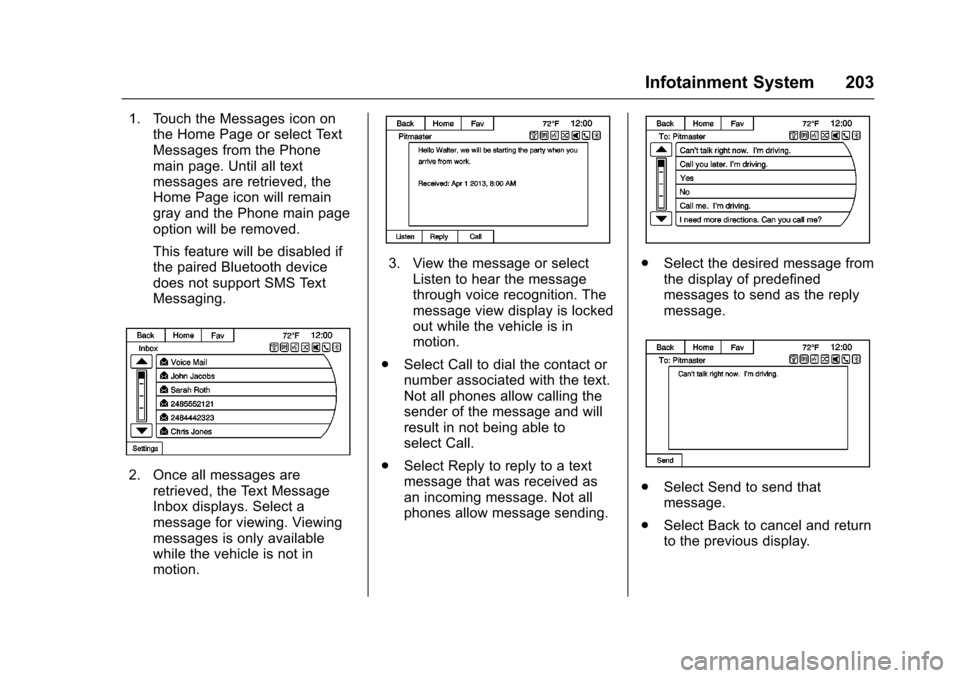
1. Touch the Messages icon onthe Home Page or select TextMessages from the Phonemain page. Until all textmessages are retrieved, theHome Page icon will remaingray and the Phone main pageoption will be removed.
This feature will be disabled ifthe paired Bluetooth devicedoes not support SMS TextMessaging.
2. Once all messages areretrieved, the Text MessageInbox displays. Select amessage for viewing. Viewingmessages is only availablewhile the vehicle is not inmotion.
3. View the message or selectListen to hear the messagethrough voice recognition. Themessage view display is lockedout while the vehicle is inmotion.
.Select Call to dial the contact ornumber associated with the text.Not all phones allow calling thesender of the message and willresult in not being able toselect Call.
.Select Reply to reply to a textmessage that was received asan incoming message. Not allphones allow message sending.
.Select the desired message fromthe display of predefinedmessages to send as the replymessage.
.Select Send to send thatmessage.
.Select Back to cancel and returnto the previous display.
Page 206 of 400
Chevrolet SS Sedan Owner Manual (GMNA-Localizing-U.S.-10122752) -2017 - crc - 8/31/16
Infotainment System 205
Trademarks and
License Agreements
FCC Information
SeeRadio Frequency Statement0374.
“Made for iPod”and“Made foriPhone”mean that an electronicaccessory has been designed toconnect specifically to iPod oriPhone and has been certified bythe developer to meet Appleperformance standards.
iPod and iPhone are trademarks ofApple Computer, Inc., registered inthe U.S. and other countries.
Fees and Taxes : Subscription fee,taxes, one time activation fee, andother fees may apply. Subscriptionfee is consumer only. All fees andprogramming subject to change.Subscriptions subject to CustomerAgreement available atwww.siriusxm.com. SiriusXM®
service only available in the48 contiguous United States andCanada.
Explicit Language Notice: Channelswith frequent explicit language areindicated with an“XL”preceding thechannel name. Channel blocking isavailable for SiriusXM SatelliteRadio receivers by notifyingSiriusXM:
.USA Customers—Seewww.siriusxm.com or call1-888-601-6296.
It is prohibited to copy, decompile,disassemble, reverse engineer,hack, manipulate, or otherwisemake available any technology orsoftware incorporated in receiverscompatible with the SiriusXM®
Satellite Radio System or thatsupport the SiriusXM website, theOnline Service or any of its content.Furthermore, the AMBER voicecompression software included inthis product is protected byintellectual property rights includingpatent rights, copyrights, and tradesecrets of Digital VoiceSystems, Inc.
General Requirements:
.ALicenseAgreementfromSiriusXM®is required for anyproduct that incorporatesSiriusXM Technology and/or foruse of any of the SiriusXMmarks to be manufactured,distributed, or marketed in theSiriusXM Service Area.
Gracenote
Gracenote®,Gracenotelogoandlogotype, and the "Powered byGracenote" logo are either a
Page 212 of 400
Chevrolet SS Sedan Owner Manual (GMNA-Localizing-U.S.-10122752) -2017 - crc - 8/31/16
Climate Controls 211
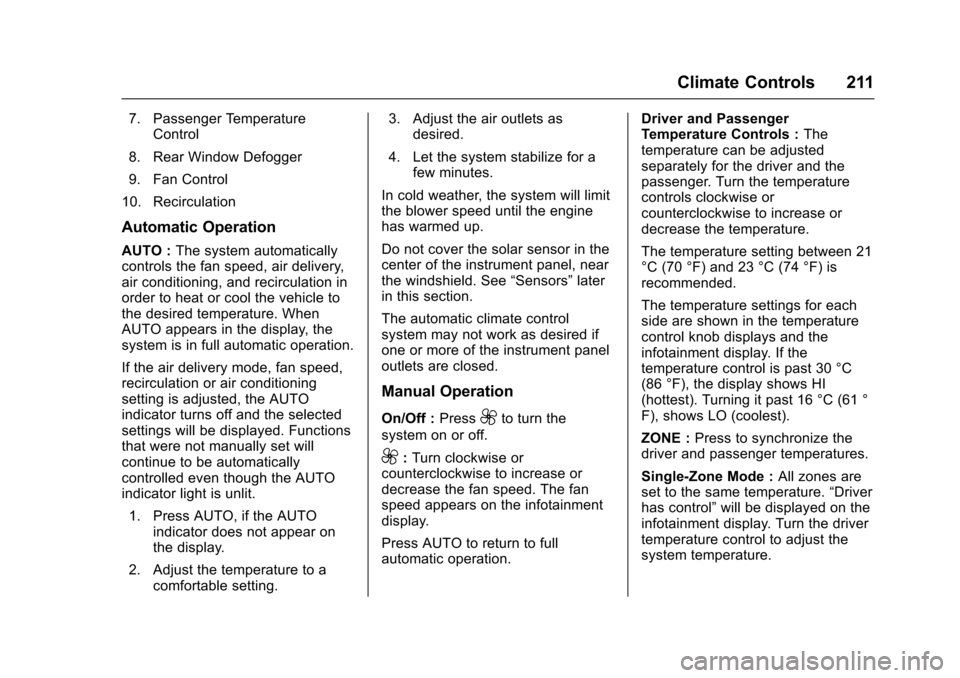
7. Passenger TemperatureControl
8. Rear Window Defogger
9. Fan Control
10. Recirculation
Automatic Operation
AUTO :The system automaticallycontrols the fan speed, air delivery,air conditioning, and recirculation inorder to heat or cool the vehicle tothe desired temperature. WhenAUTO appears in the display, thesystem is in full automatic operation.
If the air delivery mode, fan speed,recirculation or air conditioningsetting is adjusted, the AUTOindicator turns off and the selectedsettings will be displayed. Functionsthat were not manually set willcontinue to be automaticallycontrolled even though the AUTOindicator light is unlit.
1. Press AUTO, if the AUTOindicator does not appear onthe display.
2. Adjust the temperature to acomfortable setting.
3. Adjust the air outlets asdesired.
4. Let the system stabilize for afew minutes.
In cold weather, the system will limitthe blower speed until the enginehas warmed up.
Do not cover the solar sensor in thecenter of the instrument panel, nearthe windshield. See“Sensors”laterin this section.
The automatic climate controlsystem may not work as desired ifone or more of the instrument paneloutlets are closed.
Manual Operation
On/Off :Press9to turn the
system on or off.
9:Turn clockwise orcounterclockwise to increase ordecrease the fan speed. The fanspeed appears on the infotainmentdisplay.
Press AUTO to return to fullautomatic operation.
Driver and PassengerTe m p e r a t u r e C o n t r o l s :Thetemperature can be adjustedseparately for the driver and thepassenger. Turn the temperaturecontrols clockwise orcounterclockwise to increase ordecrease the temperature.
The temperature setting between 21°C (70 °F) and 23 °C (74 °F) isrecommended.
The temperature settings for eachside are shown in the temperaturecontrol knob displays and theinfotainment display. If thetemperature control is past 30 °C(86 °F), the display shows HI(hottest). Turning it past 16 °C (61 °F), shows LO (coolest).
ZONE :Press to synchronize thedriver and passenger temperatures.
Single-Zone Mode :All zones areset to the same temperature.“Driverhas control”will be displayed on theinfotainment display. Turn the drivertemperature control to adjust thesystem temperature.
Page 216 of 400
Chevrolet SS Sedan Owner Manual (GMNA-Localizing-U.S.-10122752) -2017 - crc - 8/31/16
Climate Controls 215
Operation Tips
.Clear away any ice, snow,or leaves from the air inlets atthe base of the windshield thatmay block the flow of air into thevehicle.
.Use of non-GM approved hooddeflectors may adversely affectperformance of the system.
.Keep the path under the frontseats clear of objects to helpcirculate the air inside thevehicle more effectively.
Maintenance
Passenger Compartment
Air Filter
The vehicle has a passengercompartment air filter that filters theoutside air entering the vehicle. Thefilter removes contaminants, suchas pollen and dust. See your dealerfor more information about filterreplacement.
Service
All vehicles have a label underhoodthat identifies the refrigerant used inthe vehicle. The refrigerant systemshould only be serviced by trainedand certified technicians. The airconditioning evaporator shouldnever be repaired or replaced byone from a salvage vehicle.It should only be replaced by a newevaporator to ensure proper andsafe operation.
During service, all refrigerantsshould be reclaimed with properequipment. Venting refrigerantsdirectly to the atmosphere is harmful
to the environment and may alsocreate unsafe conditions based oninhalation, combustion, frostbite,or other health-based concerns.
Page 217 of 400
Chevrolet SS Sedan Owner Manual (GMNA-Localizing-U.S.-10122752) -2017 - crc - 8/31/16
216 Driving and Operating
Driving and
Operating
Driving Information
Distracted Driving . . . . . . . . . . . . 217Defensive Driving . . . . . . . . . . . . . 217Drunk Driving . . . . . . . . . . . . . . . . . 218Control of a Vehicle . . . . . . . . . . . 218Braking . . . . . . . . . . . . . . . . . . . . . . . 218Steering . . . . . . . . . . . . . . . . . . . . . . 218Off-Road Recovery . . . . . . . . . . . 219Loss of Control . . . . . . . . . . . . . . . 219Track Events and CompetitiveDriving . . . . . . . . . . . . . . . . . . . . . . 220Driving on Wet Roads . . . . . . . . 222Hill and Mountain Roads . . . . . 223Winter Driving . . . . . . . . . . . . . . . . 224If the Vehicle Is Stuck . . . . . . . . 225Vehicle Load Limits . . . . . . . . . . . 226
Starting and Operating
New Vehicle Break-In . . . . . . . . . 229Ignition Positions . . . . . . . . . . . . . 229Starting the Engine . . . . . . . . . . . 231Retained AccessoryPower (RAP) . . . . . . . . . . . . . . . . 232Shifting Into Park (AutomaticTransmission) . . . . . . . . . . . . . . . 232Shifting out of Park . . . . . . . . . . . 233
Parking . . . . . . . . . . . . . . . . . . . . . . . 234Parking over ThingsThat Burn . . . . . . . . . . . . . . . . . . . 234Extended Parking . . . . . . . . . . . . 235
Engine Exhaust
Engine Exhaust . . . . . . . . . . . . . . 235Running the Vehicle WhileParked . . . . . . . . . . . . . . . . . . . . . . 236
Automatic Transmission
Automatic Transmission . . . . . . 236Manual Mode . . . . . . . . . . . . . . . . . 238
Manual Transmission
Manual Transmission . . . . . . . . . 240
Brakes
Antilock BrakeSystem (ABS) . . . . . . . . . . . . . . . 241Electric Parking Brake . . . . . . . . 242Brake Assist . . . . . . . . . . . . . . . . . . 244Hill Start Assist (HSA) . . . . . . . . 244
Ride Control Systems
Traction Control/ElectronicStability Control . . . . . . . . . . . . . 245Driver Mode Control . . . . . . . . . . 247Track Driver Mode . . . . . . . . . . . . 249Limited-Slip Rear Axle . . . . . . . . 251
Cruise Control
Cruise Control . . . . . . . . . . . . . . . . 251
Driver Assistance Systems
Driver Assistance Systems . . . 253Assistance Systems forParking or Backing . . . . . . . . . . 254Assistance Systems forDriving . . . . . . . . . . . . . . . . . . . . . . 259Forward Collision Alert (FCA)System . . . . . . . . . . . . . . . . . . . . . . 259Side Blind ZoneAlert (SBZA) . . . . . . . . . . . . . . . . 261Lane DepartureWarning (LDW) . . . . . . . . . . . . . 263
Fuel
Fuel . . . . . . . . . . . . . . . . . . . . . . . . . . 264California FuelRequirements . . . . . . . . . . . . . . . 265Fuels in Foreign Countries . . . 266Fuel Additives . . . . . . . . . . . . . . . . 266Filling the Tank . . . . . . . . . . . . . . . 266Filling a Portable FuelContainer . . . . . . . . . . . . . . . . . . . 267
Trailer Towing
Trailer Towing . . . . . . . . . . . . . . . . 268
Conversions and Add-Ons
Add-On ElectricalEquipment . . . . . . . . . . . . . . . . . . 268
Page 220 of 400
Chevrolet SS Sedan Owner Manual (GMNA-Localizing-U.S.-10122752) -2017 - crc - 8/31/16
Driving and Operating 219
See specific vehicle steeringmessages underService VehicleMessages011 8.Seeyourdealerifthere is a problem.
Curve Tips
.Ta k e c u r v e s a t a r e a s o n a b l espeed.
.Reduce speed before entering acurve.
.Maintain a reasonable steadyspeed through the curve.
.Wait until the vehicle is out ofthe curve before acceleratinggently into the straightaway.
Steering in Emergencies
.There are some situations whensteering around a problem maybe more effective than braking.
.Holding both sides of thesteering wheel allows you to turn180 degrees without removingahand.
.The Antilock Brake System(ABS) allows steering whilebraking.
Off-Road Recovery
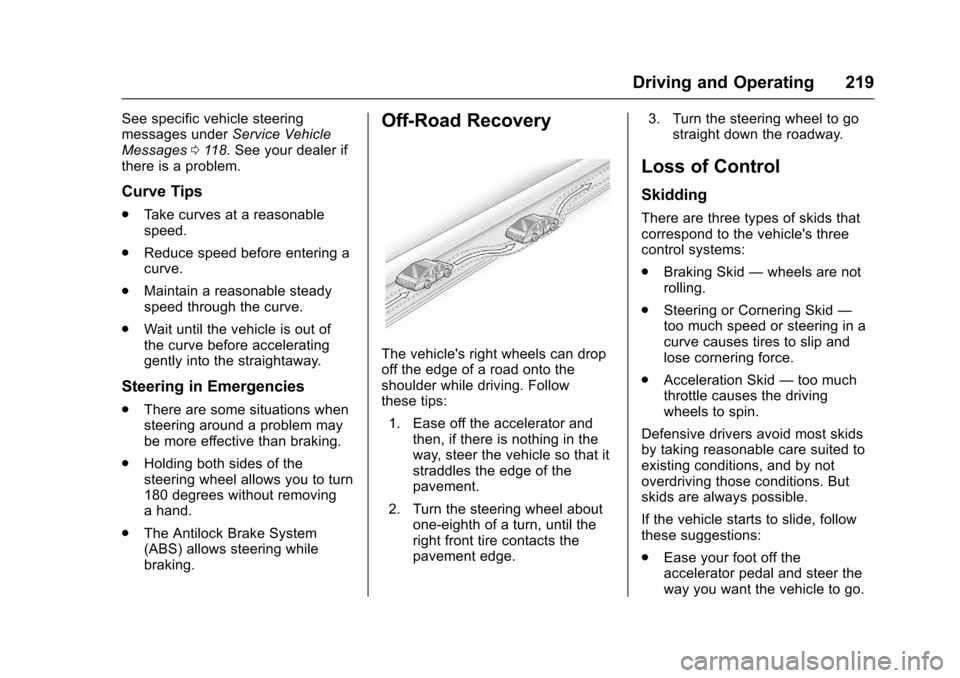
The vehicle's right wheels can dropoff the edge of a road onto theshoulder while driving. Followthese tips:
1. Ease off the accelerator andthen, if there is nothing in theway, steer the vehicle so that itstraddles the edge of thepavement.
2. Turn the steering wheel aboutone-eighth of a turn, until theright front tire contacts thepavement edge.
3. Turn the steering wheel to gostraight down the roadway.
Loss of Control
Skidding
There are three types of skids thatcorrespond to the vehicle's threecontrol systems:
.Braking Skid—wheels are notrolling.
.Steering or Cornering Skid—too much speed or steering in acurve causes tires to slip andlose cornering force.
.Acceleration Skid—too muchthrottle causes the drivingwheels to spin.
Defensive drivers avoid most skidsby taking reasonable care suited toexisting conditions, and by notoverdriving those conditions. Butskids are always possible.
If the vehicle starts to slide, followthese suggestions:
.Ease your foot off theaccelerator pedal and steer theway you want the vehicle to go.
Page 221 of 400
Chevrolet SS Sedan Owner Manual (GMNA-Localizing-U.S.-10122752) -2017 - crc - 8/31/16
220 Driving and Operating
The vehicle may straighten out.Be ready for a second skid if itoccurs.
.Slow down and adjust yourdriving according to weatherconditions. Stopping distancecan be longer and vehiclecontrol can be affected whentraction is reduced by water,snow, ice, gravel, or othermaterial on the road. Learn torecognize warning clues—suchas enough water, ice, or packedsnow on the road to make amirrored surface—and slowdown when you have any doubt.
.Try to avoid sudden steering,acceleration, or braking,including reducing vehicle speedby shifting to a lower gear. Anysudden changes could causethe tires to slide.
Remember: Antilock brakes helpavoid only the braking skid.
Track Events and
Competitive Driving
{Danger
High-performance features are
intended for use only on closed
tracks by experienced and
qualified drivers and should not
be used on public roads.
High-speed driving, aggressive
cornering, hard braking, and other
high-performance driving can be
dangerous. Improper driver inputs
for the conditions may result in
loss of control of the vehicle,
which could injure or kill you or
others. Always drive safely.
Track events or competitive drivingmay affect the vehicle warranty. Seethe warranty manual before usingthe vehicle for track testing or othercompetitive driving.
Caution
If the vehicle is used for track
events and competitive driving,
the engine may use more oil than
it would with normal use. Low oil
levels can damage the engine.
Check the oil level often and
maintain the proper level. See
Engine Oil0275.
Engine Oil
Be sure to check the oil level oftenduring racing or other competitivedriving and keep the level at or nearthe upper mark that shows theproper operating range on theengine oil dipstick.
For track events or competitivedriving, it is recommended that thebrake fluid be replaced with a highperformance brake fluid that has adry boiling point greater than 279 °C(534 °F). After conversion to thehigh performance brake fluid, followthe brake fluid service
Page 222 of 400
Chevrolet SS Sedan Owner Manual (GMNA-Localizing-U.S.-10122752) -2017 - crc - 8/31/16
Driving and Operating 221
recommendations outlined by thefluid manufacturer. Do not usesilicone or DOT-5 brake fluids.
To p r e p a r e t h e b r a k e s y s t e m s f o rtrack events and racing, completethe appropriate high performancebrake burnishing proceduredescribed below.
Brake Burnishing
New brake pads must be burnishedbefore racing or other competitivedriving.
Caution
The new vehicle break-in period
should be completed before
performing the brake burnish
procedure, otherwise damage
may occur to the powertrain/
engine. SeeNew Vehicle
Break-In0229.
When performed as instructed,these procedures will not damagethe brakes. During the burnishingprocedure, the brake pads willsmoke and produce an odor. The
braking force and pedal travel mayincrease. After the procedure, thebrake pads may appear white at therotor contact.
Perform this procedure on drypavement, in a safe manner, and incompliance with all local and stateordinances/laws regarding motorvehicle operation.
Racing/Track Brake BurnishingProcedure
Caution
Brake pedal fade will occur during
this track burnish procedure and
can cause brake pedal travel and
force to increase. This could
extend stopping distance until the
brakes are fully burnished.
1. Apply the brakes 25 timesstarting at 100 km/h (60 mph)to 50 km/h (30 mph) whiledecelerating at 0.4 g. This is amedium brake application.Drive for at least 1 km (0.6 mi)between applying the brakes.
This first step may be skippedif there are more than 320 km(200 mi) on the brake pads.
2. Repeatedly apply the brakesfrom 100 km/h (60 mph) to25 km/h (15 mph) whiledecelerating at 0.8 g. This is ahard brake application, withoutactivating the Antilock BrakeSystem (ABS). Drive for atleast 1 km (0.6 mi) betweenstops. Repeat until the brakepedal travel starts to increase.Depending on conditions, thisshould take no longer than 25brake applications.
3. Cool down: Drive at 100 km/h(60 mph) for approximately15 km (10 mi) without using thebrakes.
4. Apply the brakes 25 times from100 km/h (60 mph) to 50 km/h(30 mph) while decelerating at0.4 g. This is a medium brakeapplication. Drive for at least1km(0.6mi)betweenapplications.