ECO mode CHEVROLET SSR 2003 1.G User Guide
[x] Cancel search | Manufacturer: CHEVROLET, Model Year: 2003, Model line: SSR, Model: CHEVROLET SSR 2003 1.GPages: 374, PDF Size: 2.55 MB
Page 177 of 374
To use the PTY interrupt feature, press and hold the
P-TYPE button until you hear a beep on the PTY
you want to interrupt with. When selected, an asterisk
will appear beside that PTY on the display. Select
multiple interrupts if desired. When listening to a CD,
the last selected RDS station will interrupt play if
that selected program type format is broadcast.
SCAN:Scan the stations within a PTY by performing
the following:
1. Press the P-TYPE button to activate program type
select mode. P-TYPE and the last selected PTY will
appear on the display.
2. Turn the P-TYPE knob to select a PTY.
3. Once the desired PTY is displayed, press and hold
either SCAN arrow, and the radio will begin
scanning the stations in the PTY.
4. Press either SCAN arrow to stop at a station.
If both P-TYPE and TRAF are on, the radio will scan
for stations with the selected PTY and traffic
announcements.AM FM (Alternate Frequency):Alternate frequency
allows the radio to switch to a stronger station with the
same program type. To turn alternate frequency on,
press and hold AM FM for two seconds. AF ON
will appear on the display. The radio may switch to
stations with a stronger frequency.
To turn alternate frequency off, press and hold BAND
again for two seconds. AF OFF will appear on the
display. The radio will not switch to other stations.
Setting Preset PTYs
These pushbuttons have factory PTY presets. Up to
12 PTYs (six FM1 and six FM2), can be programmed on
the six numbered pushbuttons, by performing the
following steps:
1. Press AM FM to select FM1 or FM2.
2. Press the P-TYPE button to activate program type
select mode. P-TYPE and the last selected PTY will
appear on the display.
3. Turn the P-TYPE knob to select a PTY.
4. Press and hold one of the six numbered pushbuttons
until you hear a beep. Whenever that numbered
pushbutton is pressed, the PTY that was set will
return.
5. Repeat the steps for each pushbutton.
3-73
Page 182 of 374
sSCANt:To scan one CD, press and hold either
SCAN arrow for more than two seconds until SCAN
appears on the display and you hear a beep.
The radio will go to the next track, play for 10 seconds,
then go on to the next track. Press either SCAN
arrow again, to stop scanning.
To scan all loaded CDs, press and hold either SCAN
arrow for more than four seconds until CD SCAN
appears on the display and you hear a beep. Use this
feature to listen to 10 seconds of the rst tracks of each
loaded CD. Press either SCAN arrow again, to stop
scanning.
RCL (Recall):Press this knob to see how long the
current track has been playing. To change the default
on the display, track and elapsed time, press the
knob until you see the display you want, then hold the
knob until the display ashes. The selected display
will now be the default.
AM FM:Press this button to listen to the radio when a
CD is playing. The inactive CD(s) will remain in the
radio for future listening.
CD AUX (Auxiliary):Press this button to play a CD
when listening to the radio.Using Song List Mode
The six-disc CD changer has a feature called song list.
This feature is capable of saving 20 track selections.
To save tracks into the song list feature, perform
the following steps:
1. Turn the CD player on and load it with at least
one CD. See “LOAD CD” listed previously in this
section for more information.
2. Check to see that the CD changer is not in song list
mode. S-LIST should not appear in the display.
If S-LIST is on the display, press the SONG LIST
button to turn it off.
3. Select the desired CD by pressing the numbered
pushbutton and then use the SEEK SCAN right
arrow to locate the track to be saved. The track will
begin to play.
4. Press and hold the SONG LIST button to save the
track into memory. When SONG LIST is pressed,
one beep will be heard immediately. After two
seconds of continuously pressing the SONG LIST
button, two beeps will be heard to conrm the track
has been saved.
5. Repeat Steps 3 and 4 for saving other selections.
S-LIST FULL will appear on the display if you try to save
more than 20 selections.
3-78
Page 183 of 374
To play the song list, press the SONG LIST button.
One beep will be heard and S-LIST will appear on the
display. The recorded tracks will begin to play in
the order they were saved.
Seek through the song list by using the SEEK SCAN
arrows. Seeking past the last saved track will return you
to the rst saved track.
To delete tracks from the song list, perform the
following steps:
1. Turn the CD player on.
2. Press the SONG LIST button to turn song list on.
S-LIST will appear on the display.
3. Press the SEEK SCAN arrows to select the desired
track to be deleted.
4. Press and hold the SONG LIST button for
two seconds. When SONG LIST is pressed,
a beep will be heard immediately. After two seconds
of continuously pressing the SONG LIST button,
two beeps will be heard to conrm the track
has been deleted.
After a track has been deleted, the remaining tracks are
moved up the list. When another track is added to the
song list, the track will be added to the end of the list.To delete the entire song list, perform the following steps:
1. Turn the CD player on.
2. Press the SONG LIST button to turn song list on.
S-LIST will appear on the display.
3. Press and hold the SONG LIST button for more
than four seconds. One beep will be heard,
followed by two beeps after two seconds, and a
nal beep will be heard after four seconds.
S-LIST EMPTY will appear on the display indicating
the song list has been deleted.
If a CD is ejected, and the song list contains saved
tracks from that CD, those tracks are automatically
deleted from the song list. Any tracks saved to the
song list again are added to the bottom of the list.
To end song list mode, press the SONG LIST button.
One beep will be heard and S-LIST will be removed from
the display.
3-79
Page 291 of 374
GAWR RR:Gross Axle Weight Rating for the rear axle,
seeLoading Your Vehicle on page 4-31.
Intended Outboard Sidewall:The side of an
asymmetrical tire, that must always face outward when
mounted on a vehicle.
Kilopascal (kPa):The metric unit for air pressure.
There are 6.9 kilopascals (kPa) to one psi.
Light Truck (LT-Metric) Tire:A tire used on light duty
trucks and some multipurpose passenger vehicles.
Load Index:An assigned number ranging from 1 to 279
that corresponds to the load carrying capacity of a tire.
Maximum Ination Pressure:The maximum air
pressure to which a cold tire may be inated. The
maximum air pressure is molded onto the sidewall.
Maximum Load Rating:The load rating for a tire at the
maximum permissible ination pressure for that tire.
Maximum Loaded Vehicle Weight:The sum of curb
weight; accessory weight; vehicle capacity weight;
and production options weight.
Normal Occupant Weight:The number of occupants a
vehicle is designed to seat multiplied by 150 pounds
(68 kg). SeeLoading Your Vehicle on page 4-31.
Occupant Distribution:Designated seating positions.Outward Facing Sidewall:The side of a asymmetrical
tire that has a particular side that faces outward
when mounted on a vehicle. The side of the tire that
contains a whitewall, bears white lettering or bears
manufacturer, brand, and or model name molding that is
higher or deeper than the same moldings on the other
sidewall of the tire.
Passenger (P-Metric) Tire:A tire used on passenger
cars and some light duty trucks and multipurpose
vehicles.
Recommended Ination Pressure:Vehicle
manufacturer’s recommended tire ination pressure and
shown on the tire placard. SeeInation - Tire Pressure
on page 5-56andLoading Your Vehicle on page 4-31.
Radial Ply tire:A pneumatic tire in which the ply cords
that extend to the beads are laid at 90 degrees to the
centerline of the tread.
Rim:A metal support for a tire and upon which the tire
beads are seated.
Sidewall:The portion of a tire between the tread and
the bead.
Speed Rating:An alphanumeric code assigned to a
tire indicating the maximum speed at which a tire
can operate.
5-55
Page 367 of 374
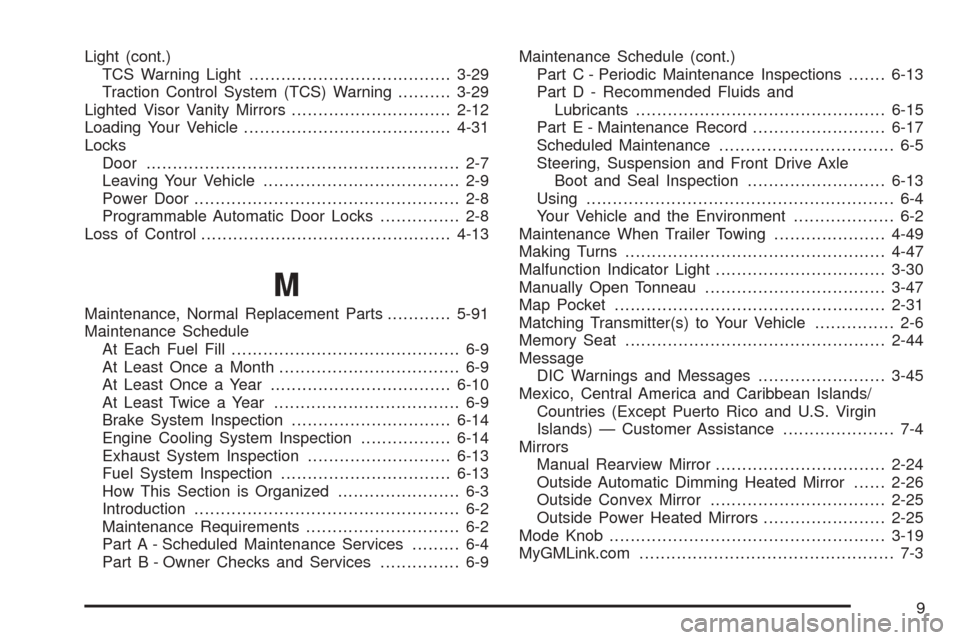
Light (cont.)
TCS Warning Light......................................3-29
Traction Control System (TCS) Warning..........3-29
Lighted Visor Vanity Mirrors..............................2-12
Loading Your Vehicle.......................................4-31
Locks
Door........................................................... 2-7
Leaving Your Vehicle..................................... 2-9
Power Door.................................................. 2-8
Programmable Automatic Door Locks............... 2-8
Loss of Control...............................................4-13
M
Maintenance, Normal Replacement Parts............5-91
Maintenance Schedule
At Each Fuel Fill........................................... 6-9
At Least Once a Month.................................. 6-9
At Least Once a Year..................................6-10
At Least Twice a Year................................... 6-9
Brake System Inspection..............................6-14
Engine Cooling System Inspection.................6-14
Exhaust System Inspection...........................6-13
Fuel System Inspection................................6-13
How This Section is Organized....................... 6-3
Introduction.................................................. 6-2
Maintenance Requirements............................. 6-2
Part A - Scheduled Maintenance Services......... 6-4
Part B - Owner Checks and Services............... 6-9Maintenance Schedule (cont.)
Part C - Periodic Maintenance Inspections.......6-13
Part D - Recommended Fluids and
Lubricants...............................................6-15
Part E - Maintenance Record.........................6-17
Scheduled Maintenance................................. 6-5
Steering, Suspension and Front Drive Axle
Boot and Seal Inspection..........................6-13
Using.......................................................... 6-4
Your Vehicle and the Environment................... 6-2
Maintenance When Trailer Towing.....................4-49
Making Turns.................................................4-47
Malfunction Indicator Light................................3-30
Manually Open Tonneau..................................3-47
Map Pocket...................................................2-31
Matching Transmitter(s) to Your Vehicle............... 2-6
Memory Seat.................................................2-44
Message
DIC Warnings and Messages........................3-45
Mexico, Central America and Caribbean Islands/
Countries (Except Puerto Rico and U.S. Virgin
Islands) — Customer Assistance..................... 7-4
Mirrors
Manual Rearview Mirror................................2-24
Outside Automatic Dimming Heated Mirror......2-26
Outside Convex Mirror.................................2-25
Outside Power Heated Mirrors.......................2-25
Mode Knob....................................................3-19
MyGMLink.com................................................ 7-3
9