brake light CHEVROLET SSR 2003 1.G User Guide
[x] Cancel search | Manufacturer: CHEVROLET, Model Year: 2003, Model line: SSR, Model: CHEVROLET SSR 2003 1.GPages: 374, PDF Size: 2.55 MB
Page 194 of 374
Remember: Anti-lock does not change the time you
need to get your foot up to the brake pedal or always
decrease stopping distance. If you get too close to
the vehicle in front of you, you will not have time to apply
your brakes if that vehicle suddenly slows or stops.
Always leave enough room up ahead to stop, even
though you have anti-lock brakes.
Using Anti-Lock
Do not pump the brakes. Just hold the brake pedal
down rmly and let anti-lock work for you. You may feel
the brakes vibrate, or you may notice some noise,
but this is normal.
Braking in Emergencies
With anti-lock, you can steer and brake at the same
time. In many emergencies, steering can help you more
than even the very best braking.
Traction Control System (TCS)
Your vehicle has a Traction Control System (TCS) that
limits wheel spin. This is especially useful in slippery
road conditions. The system operates only if it senses
that one or both of the rear wheels are spinning or
beginning to lose traction. When this happens,
the system reduces engine power and may also
upshift the transmission to limit wheel spin.
You may feel or hear the system working, but this
is normal.
If your vehicle is in cruise control when the traction
control system begins to limit wheel spin, the cruise
control will automatically disengage. When road
conditions allow you to safely use it again, you may
re-engage the cruise control. See “Cruise Control”
inTurn Signal/Multifunction Lever on page 3-5.
The Traction Control System operates in all transmission
shift lever positions except for rst gear. This is
normal. The system is deactivated when the
transmission is shifted into rst gear. In this situation,
the “TRAC OFF” light on the instrument panel cluster will
come on. This is normal. The system can upshift the
transmission only as high as the shift lever position
you’ve chosen, so you should use the lower gears only
when necessary. SeeAutomatic Transmission
Operation on page 2-17.
4-8
Page 204 of 374
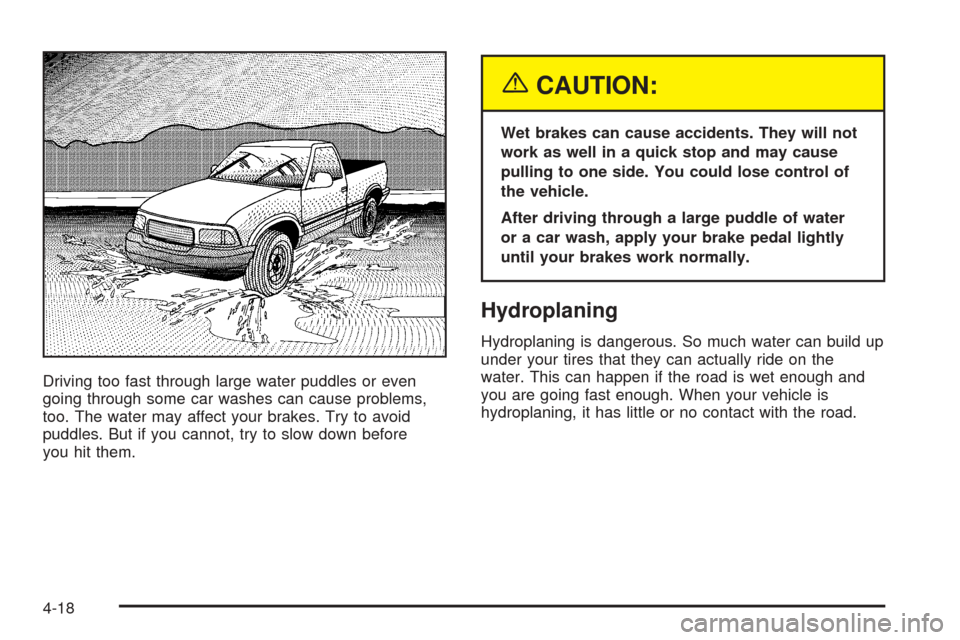
Driving too fast through large water puddles or even
going through some car washes can cause problems,
too. The water may affect your brakes. Try to avoid
puddles. But if you cannot, try to slow down before
you hit them.
{CAUTION:
Wet brakes can cause accidents. They will not
work as well in a quick stop and may cause
pulling to one side. You could lose control of
the vehicle.
After driving through a large puddle of water
or a car wash, apply your brake pedal lightly
until your brakes work normally.
Hydroplaning
Hydroplaning is dangerous. So much water can build up
under your tires that they can actually ride on the
water. This can happen if the road is wet enough and
you are going fast enough. When your vehicle is
hydroplaning, it has little or no contact with the road.
4-18
Page 271 of 374
Brake Wear
Your vehicle has four-wheel disc brakes.
Disc brake pads have built-in wear indicators that make a
high-pitched warning sound when the brake pads are
worn and new pads are needed. The sound may come
and go or be heard all the time your vehicle is moving
(except when you are pushing on the brake pedal rmly).
{CAUTION:
The brake wear warning sound means that soon
your brakes will not work well. That could lead
to an accident. When you hear the brake wear
warning sound, have your vehicle serviced.
Notice:Continuing to drive with worn-out brake
pads could result in costly brake repair.
Some driving conditions or climates may cause a brake
squeal when the brakes are rst applied or lightly applied.
This does not mean something is wrong with your brakes.
Properly torqued wheel nuts are necessary to help
prevent brake pulsation. When tires are rotated, inspect
brake pads for wear and evenly tighten wheel nuts in
the proper sequence to GM torque specications.Brake linings should always be replaced as complete
axle sets.
SeeBrake System Inspection on page 6-14.
Brake Pedal Travel
See your dealer if the brake pedal does not return to
normal height, or if there is a rapid increase in
pedal travel. This could be a sign of brake trouble.
Brake Adjustment
Every time you make a brake stop, your disc brakes
adjust for wear.
Replacing Brake System Parts
The braking system on a vehicle is complex. Its many
parts have to be of top quality and work well together if
the vehicle is to have really good braking. Your vehicle
was designed and tested with top-quality GM brake parts.
When you replace parts of your braking system — for
example, when your brake linings wear down and you
need new ones put in — be sure you get new approved
GM replacement parts. If you do not, your brakes may no
longer work properly. For example, if someone puts in
brake linings that are wrong for your vehicle, the balance
between your front and rear brakes can change — for the
worse. The braking performance you have come to
expect can change in many other ways if someone puts
in the wrong replacement brake parts.
5-35
Page 273 of 374
Notice:Ignoring these steps could result in costly
damage to your vehicle that would not be covered
by your warranty.
Trying to start your vehicle by pushing or pulling it
will not work, and it could damage your vehicle.
1. Check the other vehicle. It must have a 12-volt
battery with a negative ground system.
Notice:If the other vehicle’s system is not a 12-volt
system with a negative ground, both vehicles can
be damaged. Only use vehicles with 12-volt systems
with negative grounds to jump start your vehicle.
2. Get the vehicles close enough so the jumper cables
can reach, but be sure the vehicles aren’t touching
each other. If they are, it could cause a ground
connection you don’t want. You wouldn’t be able to
start your vehicle and the bad grounding could
damage the electrical systems.
To avoid the possibility of the vehicles rolling, set
the parking brake rmly on both vehicles involved in
the jump start procedure. Put your transmission
in PARK (P) before setting the parking brake.
Notice:If you leave your radio or other accessories
on during the jump starting procedure, they could
be damaged. The repairs would not be covered
by your warranty. Always turn off your radio and
other accessories when jump starting your vehicle.3. Turn off the ignition on both vehicles. Unplug
unnecessary accessories plugged into the cigarette
lighter or in the accessory power outlets. Turn off
the radio and all lamps that aren’t needed. This will
avoid sparks and help save both batteries. And it
could save your radio.
4. Open the hoods and locate the positive (+) and
negative (−) terminal locations on the other vehicle.
Your vehicle has a remote positive (+) jump starting
terminal and a remote negative (−) jump starting
terminal. You should always use these remote
terminals instead of the terminals on the battery.
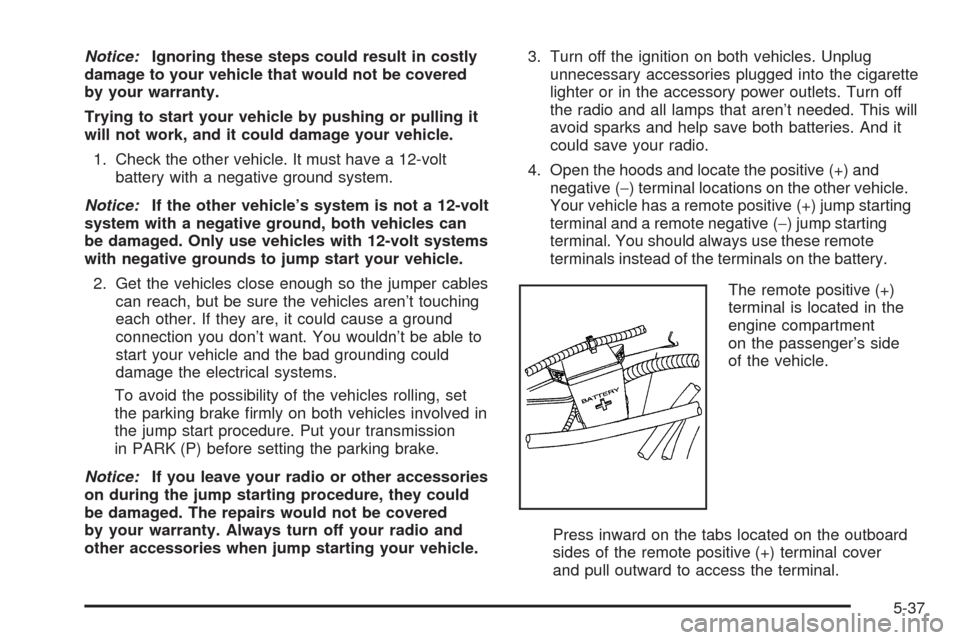
The remote positive (+)
terminal is located in the
engine compartment
on the passenger’s side
of the vehicle.
Press inward on the tabs located on the outboard
sides of the remote positive (+) terminal cover
and pull outward to access the terminal.
5-37
Page 322 of 374
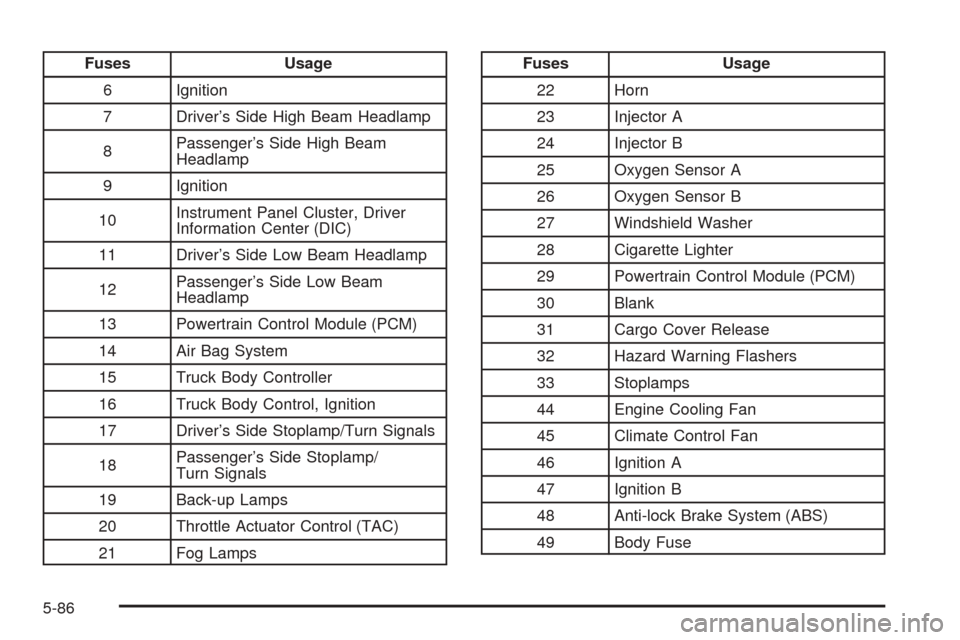
Fuses Usage
6 Ignition
7 Driver’s Side High Beam Headlamp
8Passenger’s Side High Beam
Headlamp
9 Ignition
10Instrument Panel Cluster, Driver
Information Center (DIC)
11 Driver’s Side Low Beam Headlamp
12Passenger’s Side Low Beam
Headlamp
13 Powertrain Control Module (PCM)
14 Air Bag System
15 Truck Body Controller
16 Truck Body Control, Ignition
17 Driver’s Side Stoplamp/Turn Signals
18Passenger’s Side Stoplamp/
Turn Signals
19 Back-up Lamps
20 Throttle Actuator Control (TAC)
21 Fog LampsFuses Usage
22 Horn
23 Injector A
24 Injector B
25 Oxygen Sensor A
26 Oxygen Sensor B
27 Windshield Washer
28 Cigarette Lighter
29 Powertrain Control Module (PCM)
30 Blank
31 Cargo Cover Release
32 Hazard Warning Flashers
33 Stoplamps
44 Engine Cooling Fan
45 Climate Control Fan
46 Ignition A
47 Ignition B
48 Anti-lock Brake System (ABS)
49 Body Fuse
5-86
Page 359 of 374
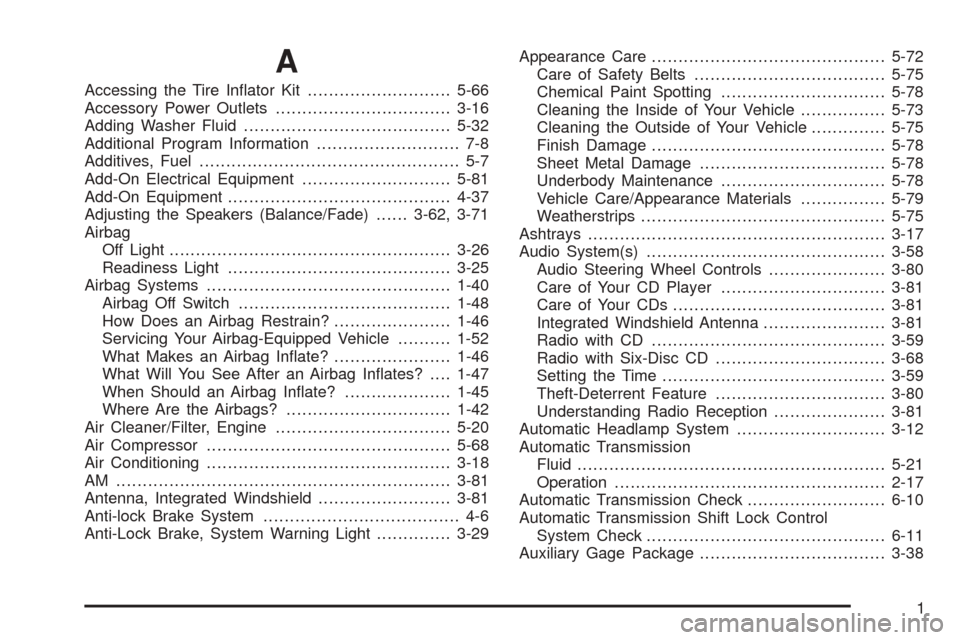
A
Accessing the Tire Inator Kit...........................5-66
Accessory Power Outlets.................................3-16
Adding Washer Fluid.......................................5-32
Additional Program Information........................... 7-8
Additives, Fuel................................................. 5-7
Add-On Electrical Equipment............................5-81
Add-On Equipment..........................................4-37
Adjusting the Speakers (Balance/Fade)......3-62, 3-71
Airbag
Off Light.....................................................3-26
Readiness Light..........................................3-25
Airbag Systems..............................................1-40
Airbag Off Switch........................................1-48
How Does an Airbag Restrain?......................1-46
Servicing Your Airbag-Equipped Vehicle..........1-52
What Makes an Airbag Inate?......................1-46
What Will You See After an Airbag Inates?....1-47
When Should an Airbag Inate?....................1-45
Where Are the Airbags?...............................1-42
Air Cleaner/Filter, Engine.................................5-20
Air Compressor..............................................5-68
Air Conditioning..............................................3-18
AM ...............................................................3-81
Antenna, Integrated Windshield.........................3-81
Anti-lock Brake System..................................... 4-6
Anti-Lock Brake, System Warning Light..............3-29Appearance Care............................................5-72
Care of Safety Belts....................................5-75
Chemical Paint Spotting...............................5-78
Cleaning the Inside of Your Vehicle................5-73
Cleaning the Outside of Your Vehicle..............5-75
Finish Damage............................................5-78
Sheet Metal Damage...................................5-78
Underbody Maintenance...............................5-78
Vehicle Care/Appearance Materials................5-79
Weatherstrips..............................................5-75
Ashtrays........................................................3-17
Audio System(s).............................................3-58
Audio Steering Wheel Controls......................3-80
Care of Your CD Player...............................3-81
Care of Your CDs........................................3-81
Integrated Windshield Antenna.......................3-81
Radio with CD............................................3-59
Radio with Six-Disc CD................................3-68
Setting the Time..........................................3-59
Theft-Deterrent Feature................................3-80
Understanding Radio Reception.....................3-81
Automatic Headlamp System............................3-12
Automatic Transmission
Fluid..........................................................5-21
Operation...................................................2-17
Automatic Transmission Check..........................6-10
Automatic Transmission Shift Lock Control
System Check.............................................6-11
Auxiliary Gage Package...................................3-38
1
Page 360 of 374
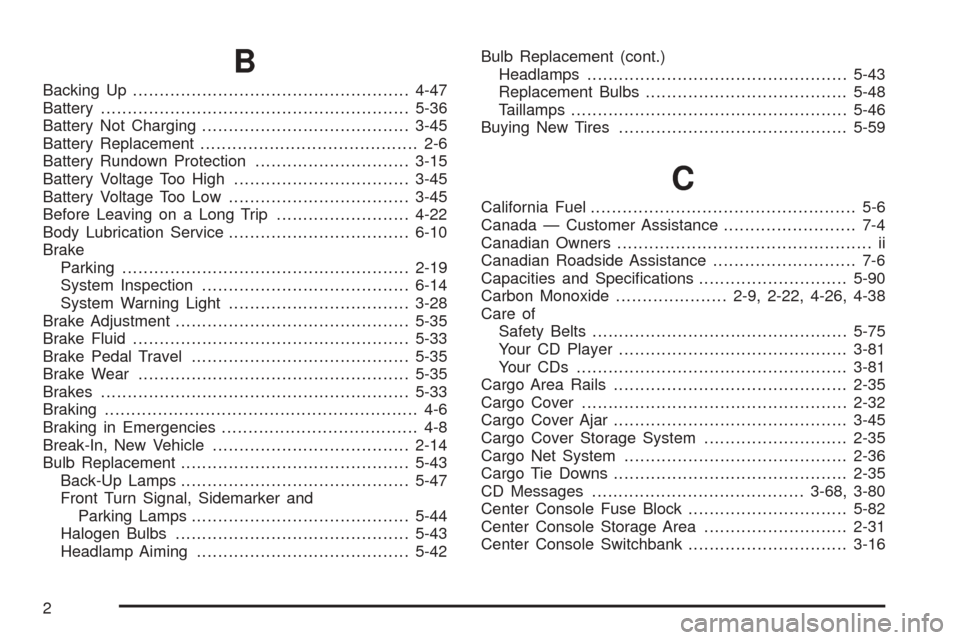
B
Backing Up....................................................4-47
Battery..........................................................5-36
Battery Not Charging.......................................3-45
Battery Replacement......................................... 2-6
Battery Rundown Protection.............................3-15
Battery Voltage Too High.................................3-45
Battery Voltage Too Low..................................3-45
Before Leaving on a Long Trip.........................4-22
Body Lubrication Service..................................6-10
Brake
Parking......................................................2-19
System Inspection.......................................6-14
System Warning Light..................................3-28
Brake Adjustment............................................5-35
Brake Fluid....................................................5-33
Brake Pedal Travel.........................................5-35
Brake Wear...................................................5-35
Brakes..........................................................5-33
Braking........................................................... 4-6
Braking in Emergencies..................................... 4-8
Break-In, New Vehicle.....................................2-14
Bulb Replacement...........................................5-43
Back-Up Lamps...........................................5-47
Front Turn Signal, Sidemarker and
Parking Lamps.........................................5-44
Halogen Bulbs............................................5-43
Headlamp Aiming........................................5-42Bulb Replacement (cont.)
Headlamps.................................................5-43
Replacement Bulbs......................................5-48
Taillamps....................................................5-46
Buying New Tires...........................................5-59
C
California Fuel.................................................. 5-6
Canada — Customer Assistance......................... 7-4
Canadian Owners................................................ ii
Canadian Roadside Assistance........................... 7-6
Capacities and Specications............................5-90
Carbon Monoxide.....................2-9, 2-22, 4-26, 4-38
Care of
Safety Belts................................................5-75
Your CD Player...........................................3-81
Your CDs ...................................................3-81
Cargo Area Rails............................................2-35
Cargo Cover..................................................2-32
Cargo Cover Ajar............................................3-45
Cargo Cover Storage System...........................2-35
Cargo Net System..........................................2-36
Cargo Tie Downs............................................2-35
CD Messages........................................3-68, 3-80
Center Console Fuse Block..............................5-82
Center Console Storage Area...........................2-31
Center Console Switchbank..............................3-16
2
Page 361 of 374
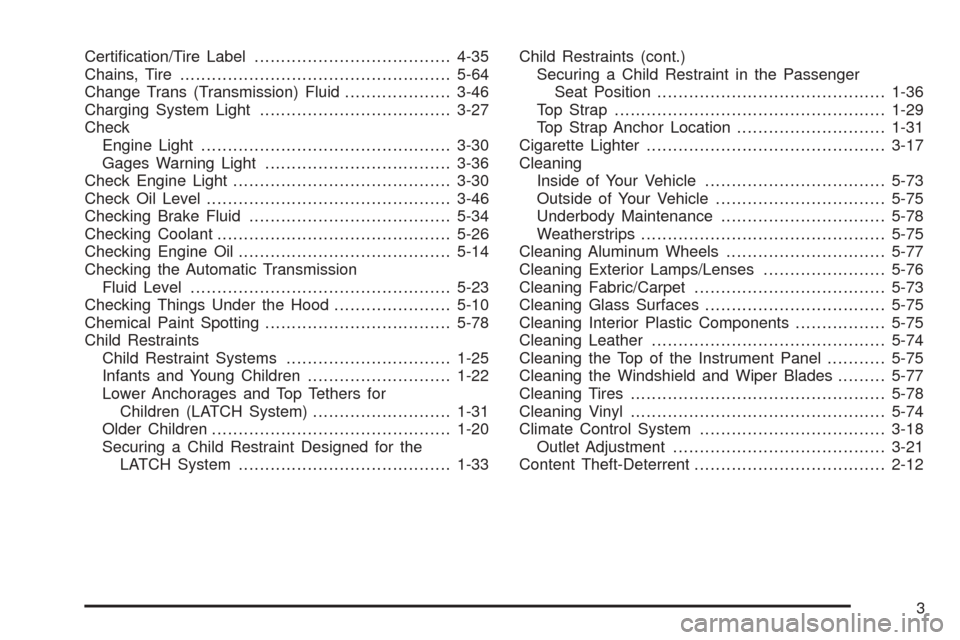
Certication/Tire Label.....................................4-35
Chains, Tire...................................................5-64
Change Trans (Transmission) Fluid....................3-46
Charging System Light....................................3-27
Check
Engine Light...............................................3-30
Gages Warning Light...................................3-36
Check Engine Light.........................................3-30
Check Oil Level..............................................3-46
Checking Brake Fluid......................................5-34
Checking Coolant............................................5-26
Checking Engine Oil........................................5-14
Checking the Automatic Transmission
Fluid Level.................................................5-23
Checking Things Under the Hood......................5-10
Chemical Paint Spotting...................................5-78
Child Restraints
Child Restraint Systems...............................1-25
Infants and Young Children...........................1-22
Lower Anchorages and Top Tethers for
Children (LATCH System)..........................1-31
Older Children.............................................1-20
Securing a Child Restraint Designed for the
LATCH System........................................1-33Child Restraints (cont.)
Securing a Child Restraint in the Passenger
Seat Position...........................................1-36
Top Strap...................................................1-29
Top Strap Anchor Location............................1-31
Cigarette Lighter.............................................3-17
Cleaning
Inside of Your Vehicle..................................5-73
Outside of Your Vehicle................................5-75
Underbody Maintenance...............................5-78
Weatherstrips..............................................5-75
Cleaning Aluminum Wheels..............................5-77
Cleaning Exterior Lamps/Lenses.......................5-76
Cleaning Fabric/Carpet....................................5-73
Cleaning Glass Surfaces..................................5-75
Cleaning Interior Plastic Components.................5-75
Cleaning Leather............................................5-74
Cleaning the Top of the Instrument Panel...........5-75
Cleaning the Windshield and Wiper Blades.........5-77
Cleaning Tires................................................5-78
Cleaning Vinyl................................................5-74
Climate Control System...................................3-18
Outlet Adjustment........................................3-21
Content Theft-Deterrent....................................2-12
3
Page 362 of 374
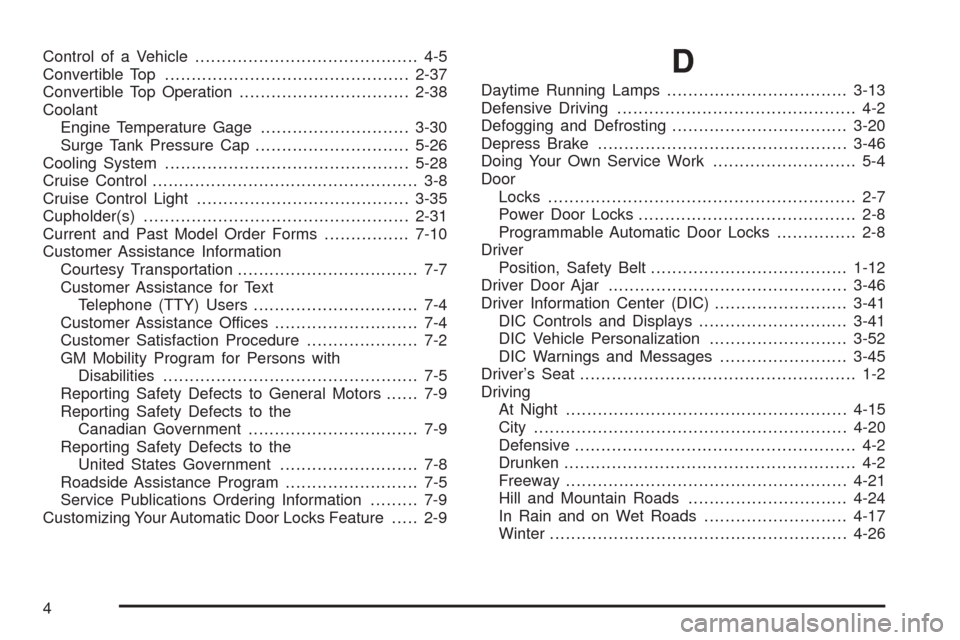
Control of a Vehicle.......................................... 4-5
Convertible Top..............................................2-37
Convertible Top Operation................................2-38
Coolant
Engine Temperature Gage............................3-30
Surge Tank Pressure Cap.............................5-26
Cooling System..............................................5-28
Cruise Control.................................................. 3-8
Cruise Control Light........................................3-35
Cupholder(s)..................................................2-31
Current and Past Model Order Forms................7-10
Customer Assistance Information
Courtesy Transportation.................................. 7-7
Customer Assistance for Text
Telephone (TTY) Users............................... 7-4
Customer Assistance Offices........................... 7-4
Customer Satisfaction Procedure..................... 7-2
GM Mobility Program for Persons with
Disabilities................................................ 7-5
Reporting Safety Defects to General Motors...... 7-9
Reporting Safety Defects to the
Canadian Government................................ 7-9
Reporting Safety Defects to the
United States Government.......................... 7-8
Roadside Assistance Program......................... 7-5
Service Publications Ordering Information......... 7-9
Customizing Your Automatic Door Locks Feature..... 2-9D
Daytime Running Lamps..................................3-13
Defensive Driving............................................. 4-2
Defogging and Defrosting.................................3-20
Depress Brake...............................................3-46
Doing Your Own Service Work........................... 5-4
Door
Locks.......................................................... 2-7
Power Door Locks......................................... 2-8
Programmable Automatic Door Locks............... 2-8
Driver
Position, Safety Belt.....................................1-12
Driver Door Ajar.............................................3-46
Driver Information Center (DIC).........................3-41
DIC Controls and Displays............................3-41
DIC Vehicle Personalization..........................3-52
DIC Warnings and Messages........................3-45
Driver’s Seat.................................................... 1-2
Driving
At Night.....................................................4-15
City...........................................................4-20
Defensive..................................................... 4-2
Drunken....................................................... 4-2
Freeway.....................................................4-21
Hill and Mountain Roads..............................4-24
In Rain and on Wet Roads...........................4-17
Winter........................................................4-26
4
Page 366 of 374
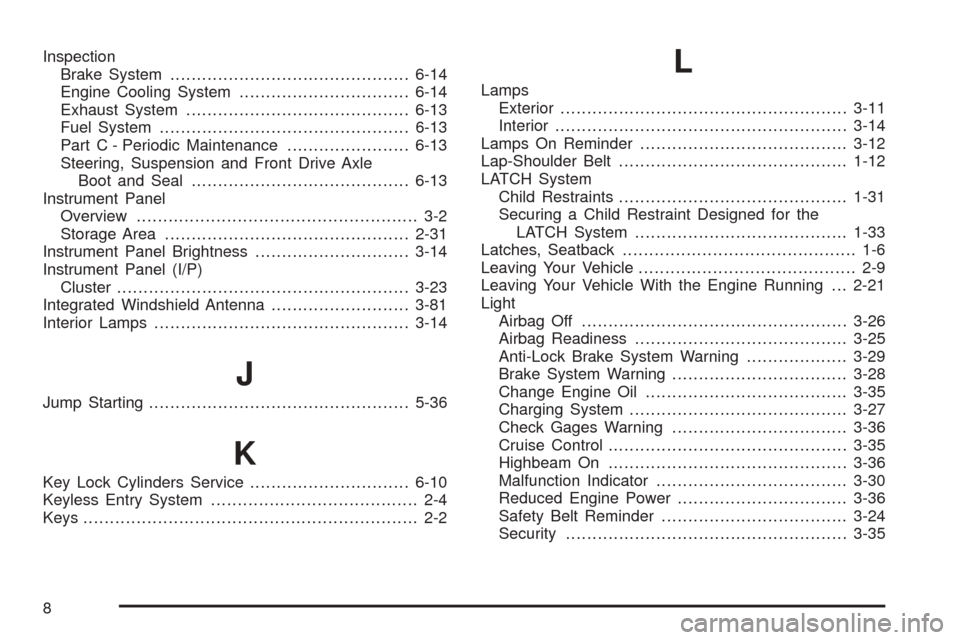
Inspection
Brake System.............................................6-14
Engine Cooling System................................6-14
Exhaust System..........................................6-13
Fuel System...............................................6-13
Part C - Periodic Maintenance.......................6-13
Steering, Suspension and Front Drive Axle
Boot and Seal.........................................6-13
Instrument Panel
Overview..................................................... 3-2
Storage Area..............................................2-31
Instrument Panel Brightness.............................3-14
Instrument Panel (I/P)
Cluster.......................................................3-23
Integrated Windshield Antenna..........................3-81
Interior Lamps................................................3-14
J
Jump Starting.................................................5-36
K
Key Lock Cylinders Service..............................6-10
Keyless Entry System....................................... 2-4
Keys............................................................... 2-2
L
Lamps
Exterior......................................................3-11
Interior.......................................................3-14
Lamps On Reminder.......................................3-12
Lap-Shoulder Belt...........................................1-12
LATCH System
Child Restraints...........................................1-31
Securing a Child Restraint Designed for the
LATCH System........................................1-33
Latches, Seatback............................................ 1-6
Leaving Your Vehicle......................................... 2-9
Leaving Your Vehicle With the Engine Running . . . 2-21
Light
Airbag Off..................................................3-26
Airbag Readiness........................................3-25
Anti-Lock Brake System Warning...................3-29
Brake System Warning.................................3-28
Change Engine Oil......................................3-35
Charging System.........................................3-27
Check Gages Warning.................................3-36
Cruise Control.............................................3-35
Highbeam On.............................................3-36
Malfunction Indicator....................................3-30
Reduced Engine Power................................3-36
Safety Belt Reminder...................................3-24
Security.....................................................3-35
8