Settings CHEVROLET SUBURBAN 2023 Manual Online
[x] Cancel search | Manufacturer: CHEVROLET, Model Year: 2023, Model line: SUBURBAN, Model: CHEVROLET SUBURBAN 2023Pages: 443, PDF Size: 18.73 MB
Page 316 of 443
Chevrolet Tahoe/Suburban Owner Manual (GMNA-Localizing-U.S./Canada/
Mexico-16416971) - 2023 - CRC - 5/16/22
Driving and Operating 315
Trailer Name
Touch to edit the Trailer Profile’s name. Use
at least one character and no spaces.
Total Mileage
Touch to edit the Trailer Profile’s mileage.
Touch Reset to reset trailer mileage to zero,
or enter a new value and touch Save.
Effect on Maintenance Reminders
If the mileage is reset or changed, and
mileage has already accumulated, any
maintenance reminders that have been set
up will be adjusted accordingly.
Average Fuel Economy
Touch to reset the average fuel economy for
the Trailer Profile. Touch Reset to reset fuel
economy.
Delete/Remove Trailer
Touch to remove the Trailer Profile and all
of its settings.
On the pop-up, touch Remove to remove the
Trailer Profile from the vehicle. Touch Cancel
to dismiss the pop-up and return to the
previous view.
Remove will be displayed if there is a
connected OnStar plan active with the
vehicle. Removing a trailer profile willremove the profile from the vehicle but the
profile will still be associated with the user
account. However, if there is not a
connected OnStar plan, then the remove
button will read DELETE and the profile will
be deleted permanently.
Set as Default Trailer
Touch Set as Default Trailer to select the
current profile as default.
The default Trailer profile will be
automatically selected each time a new
connection is detected. The Trailer Detection
Alert will no longer appear.
If this setting is turned off, the current
trailer profile is not the default trailer.
GCW Alerts
Touch GCW Alert to turn on/off the GCW
Alert for the selected profile. These alerts
are based on the Trailer Profile, so the
settings for each Trailer Profile must be
turned on or off.
The setting is on by default for each profile.
Turn this setting off to not receive GCW
Alerts when that Trailer Profile is active.
Maintenance Alerts
Touch Maintenance Alert to turn on/off
Maintenance Alerts for the selected profile.
These alerts are based on the Trailer Profile,
so the settings for each Trailer Profile must
be turned on or off.
The setting is on by default for each profile.
All Maintenance Alerts for that active Trailer
Profile will be received.
Turn this setting off to not receive any of
the Maintenance Alerts when the Trailer
Profile is active.
Theft Alert
Theft alert can be set if a trailer is
connected and the alert is enabled. When
the trailer is disconnected and the vehicle is
off, an alarm will sound.
Touch Theft Alert to turn on/off Theft Alerts
for the selected profile. These alerts are
based on the Trailer Profile, so the settings
for each Trailer Profile must be turned on
or off.
This setting will be off by default for each
Trailer Profile, including the Guest Trailer
Profile.
Page 317 of 443
Chevrolet Tahoe/Suburban Owner Manual (GMNA-Localizing-U.S./Canada/
Mexico-16416971) - 2023 - CRC - 5/16/22
316 Driving and Operating
A smartphone will receive a notification that
the trailer related to the selected Trailer
Profile is disconnected from the vehicle,
if the setting is on for the active Trailer
Profile, the vehicle has an OnStar or
connected service plan and the smartphone
number has been added to the account for
this notification.
If the setting is turned off for a given Trailer
Profile, the smartphone will not receive this
security notification even if the Trailer
Profile is active.
Tow/Haul Mode Reminder
This is a reminder to turn on the Tow/Haul
mode when towing a trailer. SeeDriver
Mode Control 0228.
Touch Tow/Haul Mode Reminder to turn on/
off Tow/Haul Mode reminders for the
selected profile. These alerts are based on
the Trailer Profile, so the settings for each
Trailer Profile must be turned on or off.
This setting will default to OFF for each
Trailer Profile, including the Guest Trailer
Profile. If Tow/Haul Mode is off and this setting is
on for a Trailer Profile, each time the vehicle
is turned on, a reminder will appear to turn
on Tow/Haul Mode when the Trailer Profile
is active.
If Tow/Haul Mode is on and this setting is
on for a Trailer Profile, the reminder will not
appear when the Trailer Profile is active.
Conversions and Add-Ons
Add-On Electrical Equipment
{Warning
The Data Link Connector (DLC) is used for
vehicle service and Emission Inspection/
Maintenance testing. See
Malfunction
Indicator Lamp (Check Engine Light) 0114.
A device connected to the DLC —such as
an aftermarket fleet or driver-behavior
tracking device —may interfere with
vehicle systems. This could affect vehicle
operation and cause a crash. Such devices
may also access information stored in the
vehicle’s systems.
Caution
Some electrical equipment can damage
the vehicle or cause components to not
work and would not be covered by the
vehicle warranty. Always check with your
dealer before adding electrical equipment.
{Warning
Certain mobile radio equipment,
like amplifiers and antennas used for
two-way communication, can interfere
with some vehicle systems. Always
ensure this equipment is supplied with
proper local grounding. Follow all of the
instructions that came with the
equipment and see your GM dealer for
additional mobile radio installation
instructions.
Add-on equipment can drain the vehicle's
12-volt battery, even if the vehicle is not
operating.
Page 320 of 443
Chevrolet Tahoe/Suburban Owner Manual (GMNA-Localizing-U.S./Canada/
Mexico-16416971) - 2023 - CRC - 4/26/22
Vehicle Care 319
General Information
For service and parts needs, visit your
dealer. You will receive genuine GM parts
and GM-trained and supported service
people.
Genuine GM parts have one of these marks:
California Perchlorate Materials
Requirements
Certain types of automotive applications,
such as airbag initiators, seat belt
pretensioners, and lithium batteries
contained in electronic keys, may contain
perchlorate materials. Perchlorate Material–special handling may apply. See
www.dtsc.ca.gov/hazardouswaste/
perchlorate.
Accessories and Modifications
Adding non-dealer accessories or making
modifications to the vehicle can affect
vehicle performance and safety, including
such things as airbags, braking, stability,
ride and handling, emissions systems,
aerodynamics, durability, Driver Assistance
Systems, and electronic systems like antilock
brakes, traction control, and stability control.
These accessories or modifications could
even cause malfunction or damage not
covered by the vehicle warranty.
Damage to suspension components caused
by modifying vehicle height outside of
factory settings will not be covered by the
vehicle warranty.
Damage to vehicle components resulting
from modifications or the installation or use
of non-GM certified parts, including control
module or software modifications, is not
covered under the terms of the vehicle
warranty and may affect remaining
warranty coverage for affected parts.
GM Accessories are designed to complement
and function with other systems on the
vehicle. See your dealer to accessorize the
vehicle using genuine GM Accessories
installed by a dealer technician.
Also, see
Adding Equipment to the
Airbag-Equipped Vehicle 068.
Vehicle Checks
Doing Your Own Service Work
{Warning
It can be dangerous to work on your
vehicle if you do not have the proper
knowledge, service manual, tools,
or parts. Always follow owner’s manual
procedures and consult the service
manual for your vehicle before doing any
service work.
If doing some of your own service work, use
the proper service manual. It tells you much
more about how to service the vehicle than
this manual can. To order the proper service
manual, see Publication Ordering
Information 0418.
Page 421 of 443
Chevrolet Tahoe/Suburban Owner Manual (GMNA-Localizing-U.S./Canada/
Mexico-16416971) - 2023 - CRC - 4/25/22
420 Customer Information
and notify General Motors of Canada
Company. Call Transport Canada at
1-800-333-0510; go to:
www.tc.gc.ca/recalls (English)
www.tc.gc.ca/rappels (French)
or write to:
Transport Canada
Motor Vehicle Safety Directorate
Defect Investigations and Recalls
Division
80 Noel Street
Gatineau
,QC J8Z 0A1
Reporting Safety Defects to
General Motors
In addition to notifying NHTSA (or Transport
Canada) in a situation like this, notify
General Motors.
In the U.S., call 1-800-222-1020, or write:
Chevrolet Motor Division
Chevrolet Customer Assistance Center
P.O. Box 33170
Detroit, MI 48232-5170
In Canada, call 1-800-263-3777 (English) or
1-800-263-7854 (French), or write:Customer Care Centre
General Motors of Canada Company
500 Wentworth Street W
Oshawa, ON L1J 0C5
In Mexico, call 800-466-0811 or
800-508-0000.
In other Central America and Caribbean
Countries, call 52-555-901-2369.
Vehicle Data Recording and
Privacy
The vehicle has a number of computers that
record information about the vehicle’s
performance and how it is driven or used.
For example, the vehicle uses computer
modules to monitor and control engine and
transmission performance, to monitor the
conditions for airbag deployment and
deploy them in a crash, and, if equipped, to
provide antilock braking to help the driver
control the vehicle. These modules may
store data to help the dealer technician
service the vehicle or to help GM improve
safety or features. Some modules may also
store data about how the vehicle is
operated, such as rate of fuel consumption
or average speed. These modules may retain
personal preferences, such as radio presets,
seat positions, and temperature settings.
Cybersecurity
GM collects information about the use of
your vehicle including operational and safety
related information. We collect this
information to provide, evaluate, improve,
and troubleshoot our products and services
and to develop new products and services.
The protection of vehicle electronics systems
and customer data from unauthorized
outside electronic access or control is
important to GM. GM maintains appropriate
security standards, practices, guidelines and
controls aimed at defending the vehicle and
the vehicle service ecosystem against
unauthorized electronic access, detecting
possible malicious activity in related
networks, and responding to suspected
cybersecurity incidents in a timely,
coordinated and effective manner. Security
incidents could impact your safety or
compromise your private data. To minimize
security risks, please do not connect your
vehicle electronic systems to unauthorized
devices or connect your vehicle to any
unknown or untrusted networks (such as
Bluetooth, WIFI or similar technology). In
Page 423 of 443
Chevrolet Tahoe/Suburban Owner Manual (GMNA-Localizing-U.S./Canada/
Mexico-16416971) - 2023 - CRC - 4/25/22
422 OnStar
OnStar
OnStar Overview
OnStar Overview . . . . . . . . . . . . . . . . . . . . . . 422
OnStar Services
Emergency . . . . . . . . . . . . . . . . . . . . . . . . . . . . 423
Security . . . . . . . . . . . . . . . . . . . . . . . . . . . . . . . 423
OnStar Additional Information
OnStar Additional Information . . . . . . . . . 423
OnStar Overview
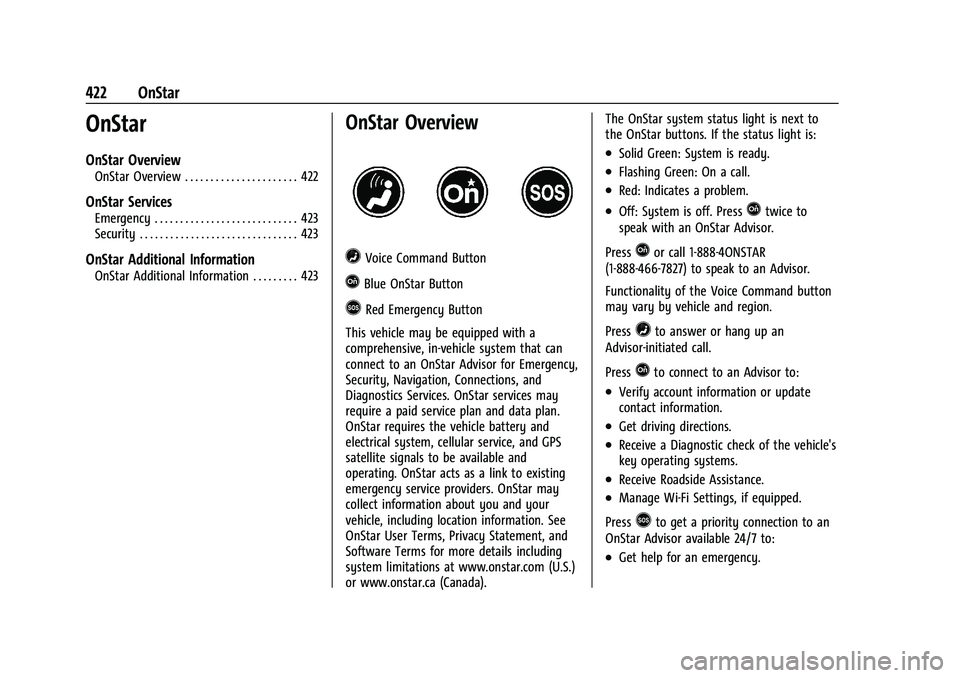
=Voice Command Button
QBlue OnStar Button
>Red Emergency Button
This vehicle may be equipped with a
comprehensive, in-vehicle system that can
connect to an OnStar Advisor for Emergency,
Security, Navigation, Connections, and
Diagnostics Services. OnStar services may
require a paid service plan and data plan.
OnStar requires the vehicle battery and
electrical system, cellular service, and GPS
satellite signals to be available and
operating. OnStar acts as a link to existing
emergency service providers. OnStar may
collect information about you and your
vehicle, including location information. See
OnStar User Terms, Privacy Statement, and
Software Terms for more details including
system limitations at www.onstar.com (U.S.)
or www.onstar.ca (Canada). The OnStar system status light is next to
the OnStar buttons. If the status light is:
.Solid Green: System is ready.
.Flashing Green: On a call.
.Red: Indicates a problem.
.Off: System is off. PressQtwice to
speak with an OnStar Advisor.
Press
Qor call 1-888-4ONSTAR
(1-888-466-7827) to speak to an Advisor.
Functionality of the Voice Command button
may vary by vehicle and region.
Press
=to answer or hang up an
Advisor-initiated call.
Press
Qto connect to an Advisor to:
.Verify account information or update
contact information.
.Get driving directions.
.Receive a Diagnostic check of the vehicle's
key operating systems.
.Receive Roadside Assistance.
.Manage Wi-Fi Settings, if equipped.
Press
>to get a priority connection to an
OnStar Advisor available 24/7 to:
.Get help for an emergency.
Page 425 of 443
Chevrolet Tahoe/Suburban Owner Manual (GMNA-Localizing-U.S./Canada/
Mexico-16416971) - 2023 - CRC - 4/25/22
424 OnStar
information, a full description of OnStar
services, system limitations, and OnStar User
Terms, Privacy Statement, and Software
Terms:
.Call 1-888-4ONSTAR (1-888-466-7827).
.See www.onstar.com (U.S.).
.See www.onstar.ca (Canada).
.Call TTY 1-877-248-2080.
.PressQto speak with an Advisor.
OnStar or connected services cannot work
unless the vehicle is in a place where OnStar
has an agreement with a wireless service
provider for service in that area. The
wireless service provider must also have
coverage, network capacity, reception, and
technology compatible with OnStar or
connected services. Service involving location
information about the vehicle cannot work
unless GPS signals are available,
unobstructed, and compatible with the
OnStar hardware. OnStar or connected
services may not work if the OnStar
equipment is not properly installed or it has
not been properly maintained. If equipment
or software is added, connected,
or modified, OnStar or connected services
may not work. Other problems beyond the
control of OnStar —such as hills, tall
buildings, tunnels, weather, electrical system design and architecture of the vehicle,
damage to the vehicle in a crash, or wireless
phone network congestion or jamming
—
may prevent service.
See Radio Frequency Statement 0419.
Services for People with Disabilities
Advisors provide services to help with
physical disabilities and medical conditions.
Press
Qto help:
.Locate a gas station with an attendant to
pump gas.
.Find a hotel, restaurant, etc., that meets
accessibility needs.
.Provide directions to the closest hospital
or pharmacy in urgent situations.
TTY Users
OnStar has the ability to communicate to
deaf, hard-of-hearing, or speech-impaired
customers while in the vehicle. The available
TTY system can provide in-vehicle access to
all OnStar services, except Virtual Advisor
and OnStar Turn-by-Turn Navigation. If equipped, TTY mode can be turned on or
off by touching Settings, then Apps, and
then Phone. When TTY mode is on, phone
calls can be made or received with OnStar
using the infotainment display.
OnStar Personal Identification
Number (PIN)
A PIN is needed to access some OnStar
services. The PIN will need to be changed
the first time when speaking with an
Advisor. To change the OnStar PIN, contact
an OnStar Advisor by pressing
Qor calling
1-888-4ONSTAR.
Warranty
OnStar equipment may be warranted as part
of the vehicle warranty.
Languages
The vehicle can be programmed to respond
in multiple languages. Press
Qand ask for
an Advisor. Advisors are available in English,
Spanish, and French. Available languages
may vary by country.
Page 426 of 443
Chevrolet Tahoe/Suburban Owner Manual (GMNA-Localizing-U.S./Canada/
Mexico-16416971) - 2023 - CRC - 4/25/22
OnStar 425
Potential Issues
OnStar cannot perform Remote Door Unlock
or Stolen Vehicle Assistance after the vehicle
has been off continuously for an extended
period of time without an ignition cycle. To
find out the duration of time that applies
for the vehicle, contact an OnStar Advisor by
pressing
Qor calling 1-888-4ONSTAR. If the
vehicle has not been started for an extended
period of time, OnStar can contact Roadside
Assistance or a locksmith to help gain access
to the vehicle.
Global Positioning System (GPS)
.Obstruction of the GPS can occur in a
large city with tall buildings; in parking
garages; around airports; in tunnels and
underpasses; or in an area with very
dense trees. If GPS signals are not
available, the OnStar system should still
operate to call OnStar. However, OnStar
could have difficulty identifying the exact
location.
.In emergency situations, OnStar can use
the last stored GPS location to send to
emergency responders. A temporary loss of GPS can cause loss of
the ability to send a Turn-by-Turn
Navigation route. The Advisor may give a
verbal route or may ask for a call back after
the vehicle is driven into an open area.
Cellular and GPS Antennas
Cellular reception is required for OnStar to
send remote signals to the vehicle. Do not
place items over or near the antenna to
prevent blocking cellular and GPS signal
reception.
Unable to Connect to OnStar Message
If there is limited cellular coverage or the
cellular network has reached maximum
capacity, this message may come on. Press
Qto try the call again or try again after
driving a few miles into another
cellular area.
Vehicle and Power Issues
OnStar services require a vehicle electrical
system, wireless service, and GPS satellite
technologies to be available and operating
for features to function properly. These
systems may not operate if the battery is
discharged or disconnected.
Add-on Electrical Equipment
The OnStar system is integrated into the
electrical architecture of the vehicle. Do not
add any electrical equipment. See Add-On
Electrical Equipment 0316. Added electrical
equipment may interfere with the operation
of the OnStar system and cause it to not
operate.
Vehicle Software Updates
OnStar or GM may remotely deliver
software updates or changes to the vehicle
without further notice or consent. These
updates or changes may enhance or
maintain safety, security, or the operation
of the vehicle or the vehicle systems.
Software updates or changes may affect or
erase data or settings that are stored in the
vehicle, such as saved navigation
destinations or pre-set radio stations.
Neither OnStar nor GM is responsible for
any affected or erased data or settings.
These updates or changes may also collect
personal information. Such collection is
described in the OnStar privacy statement or
separately disclosed at the time of
installation. These updates or changes may
also cause a system to automatically
communicate with GM servers to collect
information about vehicle system status,
Page 429 of 443
Chevrolet Tahoe/Suburban Owner Manual (GMNA-Localizing-U.S./Canada/
Mexico-16416971) - 2023 - CRC - 4/25/22
428 Connected Services
Ensuring Security
.Change the default passwords for the
Wi-Fi hotspot and myChevrolet mobile
application. Make these passwords
different from each other and use a
combination of letters and numbers to
increase the security.
.Change the default name of the SSID
(Service Set Identifier). This is your
network’s name that is visible to other
wireless devices. Choose a unique name
and avoid family names or vehicle
descriptions.
Wi-Fi Hotspot (If Equipped)
The vehicle may have a built-in Wi-Fi
hotspot that provides access to the Internet
and web content at 4G LTE speed. Up to
seven mobile devices can be connected.
A data plan is required. Use the in-vehicle
controls only when it is safe to do so. 1. To retrieve Wi-Fi hotspot information, press
=to open the OnStar app on the
infotainment display, then select Wi-Fi
Hotspot. On some vehicles, touch Wi-Fi
or Wi-Fi Settings on the screen.
2. The Wi-Fi settings will display the Wi-Fi hotspot name (SSID), password, and on
some vehicles, the connection type (no Internet connection, 3G, 4G, 4G LTE), and
signal quality (poor, good, excellent). The
LTE icon shows connection to Wi-Fi. It is
possible that the icon may not illuminate
even though the vehicle has an active
connection.
3. To change the SSID or password, press
Qor call 1-888-4ONSTAR to connect
with an Advisor. On some vehicles, the
SSID and password can be changed in
the Wi-Fi Hotspot menu.
After initial set-up, your vehicle’s Wi-Fi
hotspot will connect automatically to your
mobile devices. Manage data usage by
turning Wi-Fi on or off on your mobile
device, using the myChevrolet mobile app,
or by contacting an OnStar Advisor. On
some vehicles, Wi-Fi can also be managed
from the Wi-Fi Hotspot menu.
MyChevrolet Mobile App (If Available)
Download the myChevrolet mobile app to
compatible Apple and Android smartphones.
Chevrolet users can access the following
services from a smartphone:
.Remotely start/stop the vehicle,
if factory-equipped.
.Lock/unlock doors, if equipped with
automatic locks.
.Activate the horn and lamps.
.Check the vehicle’s fuel level, oil life,
or tire pressure, if factory-equipped
with the Tire Pressure Monitor System.
.Send destinations to the vehicle.
.Locate the vehicle on a map (U.S.
market only).
.Turn the vehicle's Wi-Fi hotspot on/off,
manage settings, and monitor data
consumption, if equipped.
.Locate a dealer and schedule service.
.Request Roadside Assistance.
.Set a parking reminder with pin drop,
take a photo, make a note, and set a
timer.
.Connect with Chevrolet on social media.
Features are subject to change. For
myChevrolet mobile app information and
compatibility, see my.chevrolet.com.
An active OnStar or connected service plan
may be required. A compatible device,
factory-installed remote start, and power
locks are required. Data rates apply. See
www.onstar.com for details and system
limitations.
Page 440 of 443
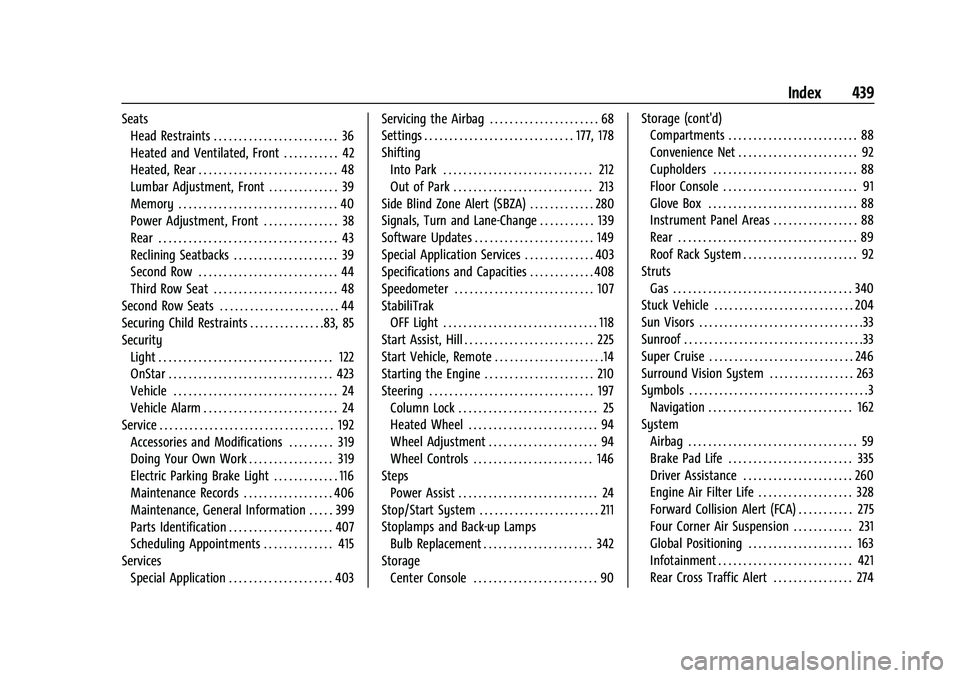
Chevrolet Tahoe/Suburban Owner Manual (GMNA-Localizing-U.S./Canada/-
Mexico-16416971) - 2023 - CRC - 4/25/22
Index 439
SeatsHead Restraints . . . . . . . . . . . . . . . . . . . . . . . . . 36
Heated and Ventilated, Front . . . . . . . . . . . 42
Heated, Rear . . . . . . . . . . . . . . . . . . . . . . . . . . . . 48
Lumbar Adjustment, Front . . . . . . . . . . . . . . 39
Memory . . . . . . . . . . . . . . . . . . . . . . . . . . . . . . . . 40
Power Adjustment, Front . . . . . . . . . . . . . . . 38
Rear . . . . . . . . . . . . . . . . . . . . . . . . . . . . . . . . . . . . 43
Reclining Seatbacks . . . . . . . . . . . . . . . . . . . . . 39
Second Row . . . . . . . . . . . . . . . . . . . . . . . . . . . . 44
Third Row Seat . . . . . . . . . . . . . . . . . . . . . . . . . 48
Second Row Seats . . . . . . . . . . . . . . . . . . . . . . . . 44
Securing Child Restraints . . . . . . . . . . . . . . .83, 85
Security Light . . . . . . . . . . . . . . . . . . . . . . . . . . . . . . . . . . . 122
OnStar . . . . . . . . . . . . . . . . . . . . . . . . . . . . . . . . . 423
Vehicle . . . . . . . . . . . . . . . . . . . . . . . . . . . . . . . . . 24
Vehicle Alarm . . . . . . . . . . . . . . . . . . . . . . . . . . . 24
Service . . . . . . . . . . . . . . . . . . . . . . . . . . . . . . . . . . . 192 Accessories and Modifications . . . . . . . . . 319
Doing Your Own Work . . . . . . . . . . . . . . . . . 319
Electric Parking Brake Light . . . . . . . . . . . . . 116
Maintenance Records . . . . . . . . . . . . . . . . . . 406
Maintenance, General Information . . . . . 399
Parts Identification . . . . . . . . . . . . . . . . . . . . . 407
Scheduling Appointments . . . . . . . . . . . . . . 415
Services Special Application . . . . . . . . . . . . . . . . . . . . . 403 Servicing the Airbag . . . . . . . . . . . . . . . . . . . . . . 68
Settings . . . . . . . . . . . . . . . . . . . . . . . . . . . . . . 177, 178
Shifting
Into Park . . . . . . . . . . . . . . . . . . . . . . . . . . . . . . 212
Out of Park . . . . . . . . . . . . . . . . . . . . . . . . . . . . 213
Side Blind Zone Alert (SBZA) . . . . . . . . . . . . . 280
Signals, Turn and Lane-Change . . . . . . . . . . . 139
Software Updates . . . . . . . . . . . . . . . . . . . . . . . . 149
Special Application Services . . . . . . . . . . . . . . 403
Specifications and Capacities . . . . . . . . . . . . . 408
Speedometer . . . . . . . . . . . . . . . . . . . . . . . . . . . . 107
StabiliTrak OFF Light . . . . . . . . . . . . . . . . . . . . . . . . . . . . . . . 118
Start Assist, Hill . . . . . . . . . . . . . . . . . . . . . . . . . . 225
Start Vehicle, Remote . . . . . . . . . . . . . . . . . . . . . .14
Starting the Engine . . . . . . . . . . . . . . . . . . . . . . 210
Steering . . . . . . . . . . . . . . . . . . . . . . . . . . . . . . . . . 197 Column Lock . . . . . . . . . . . . . . . . . . . . . . . . . . . . 25
Heated Wheel . . . . . . . . . . . . . . . . . . . . . . . . . . 94
Wheel Adjustment . . . . . . . . . . . . . . . . . . . . . . 94
Wheel Controls . . . . . . . . . . . . . . . . . . . . . . . . 146
Steps Power Assist . . . . . . . . . . . . . . . . . . . . . . . . . . . . 24
Stop/Start System . . . . . . . . . . . . . . . . . . . . . . . . 211
Stoplamps and Back-up Lamps Bulb Replacement . . . . . . . . . . . . . . . . . . . . . . 342
Storage Center Console . . . . . . . . . . . . . . . . . . . . . . . . . 90 Storage (cont'd)
Compartments . . . . . . . . . . . . . . . . . . . . . . . . . . 88
Convenience Net . . . . . . . . . . . . . . . . . . . . . . . . 92
Cupholders . . . . . . . . . . . . . . . . . . . . . . . . . . . . . 88
Floor Console . . . . . . . . . . . . . . . . . . . . . . . . . . . 91
Glove Box . . . . . . . . . . . . . . . . . . . . . . . . . . . . . . 88
Instrument Panel Areas . . . . . . . . . . . . . . . . . 88
Rear . . . . . . . . . . . . . . . . . . . . . . . . . . . . . . . . . . . . 89
Roof Rack System . . . . . . . . . . . . . . . . . . . . . . . 92
Struts Gas . . . . . . . . . . . . . . . . . . . . . . . . . . . . . . . . . . . . 340
Stuck Vehicle . . . . . . . . . . . . . . . . . . . . . . . . . . . . 204
Sun Visors . . . . . . . . . . . . . . . . . . . . . . . . . . . . . . . . .33
Sunroof . . . . . . . . . . . . . . . . . . . . . . . . . . . . . . . . . . . .33
Super Cruise . . . . . . . . . . . . . . . . . . . . . . . . . . . . . 246
Surround Vision System . . . . . . . . . . . . . . . . . 263
Symbols . . . . . . . . . . . . . . . . . . . . . . . . . . . . . . . . . . . .3
Navigation . . . . . . . . . . . . . . . . . . . . . . . . . . . . . 162
System Airbag . . . . . . . . . . . . . . . . . . . . . . . . . . . . . . . . . . 59
Brake Pad Life . . . . . . . . . . . . . . . . . . . . . . . . . 335
Driver Assistance . . . . . . . . . . . . . . . . . . . . . . 260
Engine Air Filter Life . . . . . . . . . . . . . . . . . . . 328
Forward Collision Alert (FCA) . . . . . . . . . . . 275
Four Corner Air Suspension . . . . . . . . . . . . 231
Global Positioning . . . . . . . . . . . . . . . . . . . . . 163
Infotainment . . . . . . . . . . . . . . . . . . . . . . . . . . . 421
Rear Cross Traffic Alert . . . . . . . . . . . . . . . . 274