audio CHEVROLET TAHOE 2010 3.G Owner's Guide
[x] Cancel search | Manufacturer: CHEVROLET, Model Year: 2010, Model line: TAHOE, Model: CHEVROLET TAHOE 2010 3.GPages: 608, PDF Size: 6.53 MB
Page 317 of 608
Using an MP3 (Radios with CD)
Format
Radios that have the capability of playing MP3s can
play .mp3 or .wma files that were recorded onto a CD-R
or CD-RW disc. The files can be recorded with the
following fixed bit rates: 32 kbps, 40 kbps, 56 kbps,
64 kbps, 80 kbps, 96 kbps, 112 kbps, 128 kbps,
160 kbps, 192 kbps, 224 kbps, 256 kbps, and 320 kbps
or a variable bit rate.
Radios that have a USB port can play .mp3 and .wma
files that are stored on a USB storage device as well as
AAC files that are stored on an iPod
®.
Compressed Audio or Mixed Mode Discs
The radio can play discs that contain both
uncompressed CD audio and MP3 files. If both
formats are on the disc, the radio reads all MP3
files first, then the uncompressed CD audio files.
CD‐R or CD‐RW Supported File and Folder
Structure
The radio supports:
.Up to 50 folders.
.Up to 8 folders in depth.
.Up to 50 playlists.
.Up to 255 files.
.Playlists with an .m3u or .wpl extension.
.Files with an .mp3, .wma, or .cda file extension.
USB Supported File and Folder Structure
The radio supports:
.Up to 700 folders.
.Up to 8 folders in depth.
.Up to 65,535 files.
.Folder and file names up to 64 bytes.
.Files with an .mp3 or .wma file extension.
.AAC files stored on an iPod.
.FAT16
.FAT32
4-99
Page 318 of 608
Root Directory
The root directory is treated as a folder. Files are stored
in the root directory when the disc or storage device
does not contain folders. Files accessed from the root
directory of a CD display as F1 ROOT.
Empty Folder
Folders that do not contain files are skipped, and the
player advances to the next folder that contains files.
Order of Play
Compressed audio files are accessed in the following
order:
.Playlists (Px).
.Files stored in the root directory.
.Files stored in folders in the root directory.
Tracks are played in the following order:
.Play begins from the first track in the first playlist
and continues sequentially through all tracks in
each playlist. When the last track of the last playlist
has played, play continues from the first track of
the first playlist.
.Play begins from the first track in the first folder
and continues sequentially through all tracks in
each folder. When the last track of the last folder
has played, play continues from the first track of
the first folder.
File System and Naming
The song name that displays is the song name that
is contained in the ID3 tag. If the song name is not
present in the ID3 tag, then the radio displays the file
name without the extension (such as .mp3) as the
track name.
Track names longer than 32 characters or four pages
are shortened. The display does not show parts of
words on the last page of text and the extension of the
filename is not displayed.
Preprogrammed Playlists
CDs that have preprogrammed playlists that were
created using WinAmp™, MusicMatch™, or Real
Jukebox™ software can be accessed, however, there
is no playlist editing capability using the radio. These
playlists are treated as special folders containing
compressed audio song files.
Playlists that have an .m3u or .pls file extension and are
stored on a USB device may be supported by the radio
with a USB port.
4-100
Page 324 of 608
Using an MP3 (Radios with CD
and DVD)
Format
The radio can play .mp3 or .wma files that were
recorded onto a CD-R or CD-RW disc.
The USB port can play .mp3 and .wma files that are
stored on a USB storage device as well as AAC files
that are stored on an iPod
®.
Compressed Audio or Mixed Mode Discs
The radio plays discs that contain both uncompressed
CD audio and MP3/WMA files depending on which slot
the disc is loaded into.
The DVD Player only reads uncompressed audio and
ignores MP3/WMA files on a mixed mode disc.
The CD Player reads both uncompressed audio and
MP3/WMA files on a mixed mode disc. Uncompressed
audio is played before MP3/WMA files. Press the CAT
(category) button to toggle between uncompressed
audio and MP3/WMA files.
CD‐R or CD‐RW Supported File and Folder
Structure
The DVD Player supports:
.Up to 255 folders.
.Up to 8 folders in depth.
.Up to 15 playlists.
.Up to 40 sessions.
.Playlists with an .m3u or .wpl extension.
.Files with an .mp3, .wma, or .cda file extension.
The CD Player supports:
.Up to 512 files and folders.
.Up to 8 folders in depth.
.Playlists with an .m3u or .wpl extension.
.Files with an .mp3, .wma, or .cda file extension.
4-106
Page 325 of 608
USB Supported File and Folder Structure
The radio supports:
.Up to 700 folders.
.Up to 8 folders in depth.
.Up to 65,535 files.
.Folder and file names up to 64 bytes.
.Files with an .mp3 or .wma file extension.
.AAC files stored on an iPod.
.FAT16
.FAT32
Root Directory
The root directory of the disc is treated as a folder. If the
root directory has compressed audio files, the directory
displays as F1 ROOT on the radio.
If a disc contains both uncompressed CD audio and
MP3/WMA files, a folder under the root directory called
CD accesses all of the CD audio tracks on the disc.
Empty Folder
Folders that do not contain files are skipped, and the
player advances to the next folder that contains files.
No Folder
When the disc contains only compressed files, the files
are located under the root folder. The next and previous
folder function does not function on a disc that was
recorded without folders or playlists. When displaying
the name of the folder the radio displays ROOT.
When the disc contains only playlists and compressed
audio files, but no folders, all files are located under the
root folder. The folder down and the folder up buttons
search playlists first and then goes to the root folder.
When the radio displays the name of the folder the
radio displays ROOT.
Order of Play
Compressed audio files are accessed in the following
order:
.Playlists.
.Files stored in the root directory.
.Files stored in folders in the root directory.
4-107
Page 326 of 608
Tracks are played in the following order:
.Play begins from the first track in the first playlist
and continues sequentially through all tracks in
each playlist. When the last track of the last playlist
has played, play continues from the first track of
the first playlist.
.Play begins from the first track in the first folder
and continues sequentially through all tracks in
each folder. When the last track of the last folder
has played, play continues from the first track of
the first folder.
When play enters a new folder, the display does not
automatically show the new folder name unless the
folder mode has been chosen as the default display.
The new track name displays.
File System and Naming
The song name that displays is the song name that is
contained in the ID3 tag. If the song name is not
present in the ID3 tag, then the radio displays the file
name without the extension (such as .mp3) as the
track name.
Track names longer than 32 characters or four pages
are shortened. Parts of words on the last page of text
and the extension of the filename does not display.
Preprogrammed Playlists
Preprogrammed playlists that were created using
WinAmp™, MusicMatch™, or Real Jukebox™ software
can be accessed, however, they cannot be edited using
the radio. These playlists are treated as special folders
containing compressed audio song files.
Playlists that have an .m3u or .pls file extension and are
stored on a USB device may be supported by the radio
with a USB port.
Playing an MP3/WMA File From a Disc
(In Either the DVD or CD Slot)
If a disc is inserted into the top DVD slot, the rear seat
operator can turn on the video screen and use the
remote control to navigate the CD (tracks only).
f(Tune): Turn to select MP3/WMA files.
©SEEK:Press to go to the start of the track, if less
than five seconds have played. Press to go to the
previous track if more then five seconds have played.
Press and hold or press multiple times to continue
moving backward through tracks.
¨SEEK: Press to go to the next track. Press and hold
or press multiple times to continue moving forward
through tracks.
4-108
Page 331 of 608
Shuffle Functionality
To use Shuffle:
Press the softkey below
>,2,
Songs, Shuffle Album, or Shuffle Folder.
>(Shuffle Off): This is the default mode when a USB
storage device or iPod is first connected.
2(Shuffle All Songs / Shuffle Songs): Shuffles all
songs on the USB storage device or iPod.
<(Shuffle Album): Shuffles all songs in the current
album on an iPod.
=(Shuffle Folder): Shuffles all songs in the current
folder on a USB storage device.
XM Radio Messages
XL (Explicit Language Channels): These channels,
or any others, can be blocked at a customer's request,
by calling 1-800-852-XMXM (9696).
XM Updating: The encryption code in the receiver is
being updated, and no action is required. This process
should take no longer than 30 seconds.
No XM Signal: The system is functioning correctly, but
the vehicle is in a location that is blocking the XM™
signal. When the vehicle is moved into an open area,
the signal should return.
Loading XM: The audio system is acquiring and
processing audio and text data. No action is needed.
This message should disappear shortly.
Channel Off Air: This channel is not currently in
service. Tune in to another channel.
Channel Unauth : This channel is blocked or cannot
be received with your XM Subscription package.
4-113
Page 333 of 608
Voice Recognition
The Bluetooth system uses voice recognition to
interpret voice commands to dial phone numbers and
name tags.
Noise:Keep interior noise levels to a minimum. The
system may not recognize voice commands if there is
too much background noise.
When to Speak: A short tone sounds after the system
responds indicating when it is waiting for a voice
command. Wait until the tone and then speak.
How to Speak: Speak clearly in a calm and natural
voice.
Audio System
When using the in‐vehicle Bluetooth system, sound
comes through the vehicle's front audio system
speakers and overrides the audio system. Use the
audio system volume knob, during a call, to change the
volume level. The adjusted volume level remains in
memory for later calls. To prevent missed calls, a
minimum volume level is used if the volume is turned
down too low.
Bluetooth Controls
Use the buttons located on the steering wheel to
operate the in‐vehicle Bluetooth system. See Audio
Steering Wheel Controls
on page 4‑136for more
information.
b g(Push To Talk) : Press to answer incoming calls,
to confirm system information, and to start speech
recognition.
c x(Phone On Hook): Press to end a call, reject a
call, or to cancel an operation.
Pairing
A Bluetooth enabled cell phone must be paired to the
in‐vehicle Bluetooth system first and then connected to
the vehicle before it can be used. See the cell phone
manufacturers user guide for Bluetooth functions
before pairing the cell phone. If a Bluetooth phone
is not connected, calls will be made using OnStar
®
Hands‐Free Calling, if available. Refer to the OnStar
owner's guide for more information.
4-115
Page 339 of 608
Using the Digit Dial Command
1. Press and holdbgfor two seconds. The system
responds with “Ready”followed by a tone.
2. Say “Digit Dial”. The system responds with “Digit
dial using
to dial” followed by a tone.
3. Say the digit to be dialed one at a time. Following each digit, the system will repeat back the digit it
heard followed by a tone.
4. Continue entering digits until the number to be dialed is complete. After the whole number has
been entered, say “Dial”. The system responds
with “OK, Dialing” and dials the number.
.If an unwanted number is recognized by the
system, say “Clear”at any time to clear the last
number.
.To hear all of the numbers recognized by the
system, say “Verify”at any time and the system
will repeat them.
Using the Call Command
1. Press and holdb gfor two seconds. The system
responds with “Ready”followed by a tone.
2. Say “Call”. The system responds with “Call using
by a tone.
3. Say the name tag of the person to call.
.If the system clearly recognizes the name tag it
responds with “OK, calling,
dials the number.
.If the system is unsure it recognizes the right
name tag, it confirms the name tag followed by
a tone. If the name tag is correct, say “Yes”.
The system responds with “OK, calling,
not correct, say “No”. The system will ask for
the name tag to be re‐entered.
Once connected, the person called will be heard
through the audio speakers.
4-121
Page 340 of 608
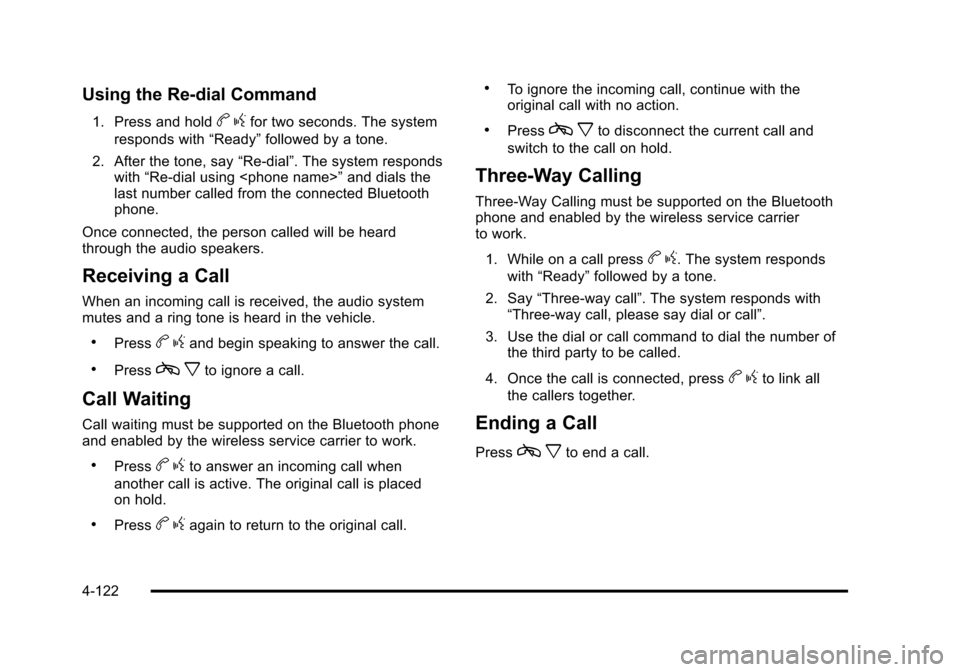
Using the Re‐dial Command
1. Press and holdbgfor two seconds. The system
responds with “Ready”followed by a tone.
2. After the tone, say “Re‐dial”. The system responds
with “Re‐dial using
last number called from the connected Bluetooth
phone.
Once connected, the person called will be heard
through the audio speakers.
Receiving a Call
When an incoming call is received, the audio system
mutes and a ring tone is heard in the vehicle.
.Pressb gand begin speaking to answer the call.
.Pressc xto ignore a call.
Call Waiting
Call waiting must be supported on the Bluetooth phone
and enabled by the wireless service carrier to work.
.Pressbgto answer an incoming call when
another call is active. The original call is placed
on hold.
.Pressb gagain to return to the original call.
.To ignore the incoming call, continue with the
original call with no action.
.Pressc xto disconnect the current call and
switch to the call on hold.
Three‐Way Calling
Three‐Way Calling must be supported on the Bluetooth
phone and enabled by the wireless service carrier
to work.
1. While on a call press
b g. The system responds
with “Ready” followed by a tone.
2. Say “Three‐way call”. The system responds with
“Three‐way call, please say dial or call”.
3. Use the dial or call command to dial the number of the third party to be called.
4. Once the call is connected, press
b gto link all
the callers together.
Ending a Call
Pressc xto end a call.
4-122
Page 341 of 608
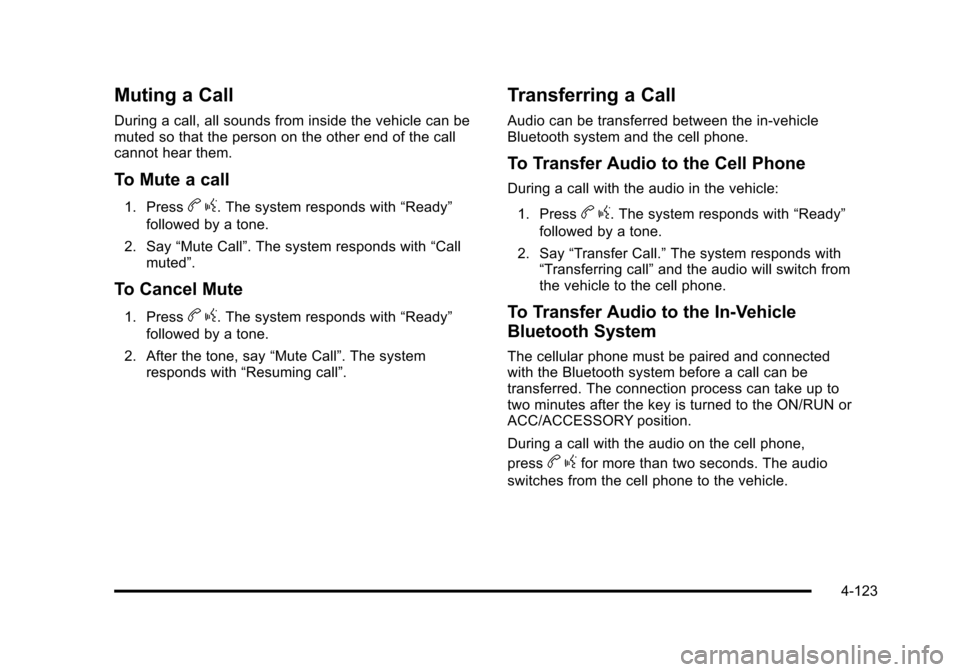
Muting a Call
During a call, all sounds from inside the vehicle can be
muted so that the person on the other end of the call
cannot hear them.
To Mute a call
1. Pressbg. The system responds with “Ready”
followed by a tone.
2. Say “Mute Call”. The system responds with “Call
muted”.
To Cancel Mute
1. Pressb g. The system responds with “Ready”
followed by a tone.
2. After the tone, say “Mute Call”. The system
responds with “Resuming call”.
Transferring a Call
Audio can be transferred between the in‐vehicle
Bluetooth system and the cell phone.
To Transfer Audio to the Cell Phone
During a call with the audio in the vehicle:
1. Press
b g. The system responds with “Ready”
followed by a tone.
2. Say “Transfer Call.” The system responds with
“Transferring call” and the audio will switch from
the vehicle to the cell phone.
To Transfer Audio to the In-Vehicle
Bluetooth System
The cellular phone must be paired and connected
with the Bluetooth system before a call can be
transferred. The connection process can take up to
two minutes after the key is turned to the ON/RUN or
ACC/ACCESSORY position.
During a call with the audio on the cell phone,
press
b gfor more than two seconds. The audio
switches from the cell phone to the vehicle.
4-123