radio CHEVROLET TRACKER 1994 User Guide
[x] Cancel search | Manufacturer: CHEVROLET, Model Year: 1994, Model line: TRACKER, Model: CHEVROLET TRACKER 1994Pages: 258, PDF Size: 14.43 MB
Page 95 of 258

Comfort Controls and Audio Systems
Tone Select: Press “TONE SELECT” to
choose preset treble and bass equalization
settings designed for “ROCK,” “NEWS,”
“POP,” “JAZZ” and “CLASSICAL.”
“ROCK” will appear when you first press
“TONE SELECT.” Each time you press
it, another setting will appear
on the
display. Press
it after “CLASSICAL” and
tone control will be back to the treble and
bass knobs.
Adjusting the Speakers
Fade:
Turn the “FADE” knob to move the
sound between the front and rear
speakers.
Balance: Turn the “BAL” control behind
the “FADE’ knob to move the sound
between the right and left speakers.
Recall
Press “RCLVA” to see the station being
played for a moment. Or, press it if you
want to see the time when the ignition is
off.
To Play a Cassette Tape
Your tape player is built to work best with
tapes that are
30 to 45 minutes long on
:ach side. Tapes longer than that are so
:hin they may not work well in this player.
The longer side with the tape visible
;hould face to the right. If you hear
lothing or hear just a garbled sound, it
nay not be in squarely. Press “STOP’ or
‘EJECT” to remove the tape and start
mer.
Once the tape is playing, use
the knobs
For volume, fade and balance, just as you
io for radio. The lighted arrows show
which side of the tape is playing.
Metal Tapes: Your bias is set
automatically. When a metal or chrome
tape is inserted, “MTL” will appear on the
display.
Fast Forward: Press “FF” to advance
rapidly to another part of the tape. Press
“FF,” “RCLVA” or “STOP’ to return to
playing speed.
Rewind: Press “REW’ to reverse the tape
rapidly. Press “REW,” “RCL~A” or
“STOP’ to return to playing speed.
Next Selection: Press “NXT” to go
forward to the beginning of the next
selection. Press “NXT” again or press
“RCL
vA’’ or “STOP” to cancel this
function.
Previous Selection: Press “PRV” to go
lack to the beginning
of the selection.
?rem “PRV” again or press “RCL
VA” or
‘STOP’ to cancel this function.
Por “NXT” and “PRV” to work properly,
your tape must have at least three or four
seconds of silence between each
selection.
Repeat: Press “RPT” to go to the
beginning of the selection and play
it
3gain. Press “RPT” again to cancel this
Function.
Noise Reduction: Press 00 to remove
noise from Dolby@
B NR-encoded tapes.
Dolby@
B Noise Reduction manufactured
under license from Dolby Laboratories
Licensing Corporation.
“Dolbya7’ and the
00 symbol are
trademarks of Dolby Laboratories
Licensing Corporation.
Radio Monitor: When playing a tape,
press “RDM” during
“FF” or“REW’ to
hear
the radio. Press “RDM’ again to turn
the radio off. During “RDM’ operation,
only “TUNE,” “SEEK’ and “PSCAN’
will work.
Tape Sides: Press “RCL VA” to switch
from one side of the tape to the other.
... 94
ProCarManuals.com
Page 96 of 258

Stop: Press “STOP” to stop the tape and
switch to radio.
Eject: Press “EJECT” to remove the tape
and switch
to radio.
To Play a Compact Disc
Don’t use the mini-discs (3” singles).
They won’t eject. Use full-size compact
discs.
Insert your disc into the CD slot on your
audio system.
If the disc comes back out, it could be
that:
0 The disc is upside down.
0 It is dirty, scratched, or wet.
There is too much moisture in the air.
(If there is, wait about one hour and
try again.)
If you see “Err” on the display, the disc
player is too
hot to play the disc. Press
“RCL
VA’’ to take “Err” off the display.
Track Number and Playing Time: Press
“RCL
VA” to see which track is playing.
Press it again
within five seconds to see
how long it has been playing. The
track number also appears when the
disc is inserted or you change the volume.
Previous Track: Press “PRV” to hear a
track again.
If you hold this button, or
press it more than once, the disc will
return to previous tracks.
Next Track: Press ”NXT” to hear the
next track now (instead
of waiting until
the present track is finished).
If you hold this button, or press it more
than once, the disc will advance further.
Rewind: Press and hold “REW” to return
rapidly to a favorite passage. Release
it to
play the passage.
Fast Forward: Press and hold “FF” to
advance quickly
within a track. Release it
to resume playing.
Compression: Press “COMP’ to make
soft and loud passages more nearly equal
in volume.
Repeat: Press “RPT” once to hear a
selection over again.
Rasdom: Pressing “RDM” will cause the
CD player to play the tracks back in
random order. To cancel the random
feature, press
“RDM,” “STOP” or “RPT.”
Stop: Press “STOP” to stop playing the
disc and switch to radio. Press “STOP”
again
to restart the disc at the point where
it stopped. Press “AM-FM” to cancel CD
operation and listen to the radio.
CD-Tape: Press “CD-TP” to switch
between playing a tape
and a CD when
both are inserted.
Eject: Press “EJECT” to eject the disc
and the radio will play. The disc
will start
playing at track
1 when you reinsert it.
Special Eject
If you choose, you can eject only the tape
or CD when you have both a CD and a
tape
in your audio system.
CD Only: To eject only the CD, press
“EJECT” and then press “REW.”
Tape Only: To eject only the tape,
press “EJECT” and then press
“PRV.”
95 ...
ProCarManuals.com
Page 97 of 258

Comfort Controls and Audio Systems
Theft Deterrent Feature
The theft deterrent feature for the AMEM
stereo with cassette tape and compact disc
player can be used or ignored. If ignored,
the system plays normally. If it is used,
your system won’t be usable if it’s ever
stolen.
Setting Your Security Code
The instructions below tell you how to
enter a security code into the system. If
your vehicle loses battery power for any
reason, you must enter the security code
again before the system will turn on.
1. Write down any four-digit number and
keep it in a safe place.
2. Turn on the ignition switch to the
“ACC” or “ON’ position.
3. Turn the audio system off.
4. Press the “1” and “4” buttons together.
Hold them down until
“- - - -” shows
on the display.
You are now ready to enter your security
code. Don’t wait more than 15 seconds
between steps.
5. Press “4 SEEK b” and/or
“4 TUNE b” and “0000” will appear
on the display.
first digit of your code appears.
Release the button.
6. Press “SEEKI” and hold it until the
7. Press “SEEK b” and hold it until the
second digit of your code appears.
Release the button.
8. Press “TUNE 4” and hold it until the
third digit
of your code appears.
Release the button.
9. Press “TUNE b” and hold it until the
fourth digit of your code appears.
Release the button.
checked that the code you entered is
the one you wrote down. “rEP’ will
appear
in the display, which means
you need to repeat steps
5 through 9.
11. Press “AM-FM” again and the
display will now show
“SEC.”
1 p. Press “AM-FM’ after you have
How to Shut Off the Theft-Deterrent
Feature
If your radio is secured (“SEC” shows on
the display) and you wish to disable it,
enter your security code as follows,
pausing no more than
15 seconds between
steps:
1. Press the “1” and “4” buttons together.
Hold them down until
“SEC” shows
on the display. You are now ready to
enter your security code.
until the fist digit of your code
appears.
3. Press the “SEEK b” button and hold it
until the second digit
of your code
appears.
4. Press the “TUNE 4” button and hold
it until the third digit of your code
appears.
5. Press the “TUNE b” button and hold
it until the fourth digit
of your code
appears.
checked that the code you entered
matches the one you wrote down.
display.
2. Press the “SEEKI” button and hold it
6. Press “AM-F’”’ after you have
LL ---- ” should now appear in the
... 96
ProCarManuals.com
Page 98 of 258

If the code is correct. the radio will
operate. If the code
is wrong, “Err” will
appear
in the display.
To Unlock the System After a Power
Loss
If power is disrupted to the radio while in
the ”SEC” mode, the unit will not work
and
”LOC” will show on the display
whenever the ignition is on. To unlock the
unit:
1.
2.
3.
4.
5.
6.
Press “4 SEEK b“ and/or
‘‘4 TUNE b” and “0000” will appear
on the display.
Press the
“SEEK 4“ button and hold it
until the first digit of your code
appears.
Press the
“SEEK b‘* button and hold it
until the second digit of your code
appears.
Press the
“TUNE 4’‘ button and hold
it until the third digit of your code
appears.
Press the
“TUNE b” button and hold
it until the fourth digit of your code
appears.
Press “AM-FM” after you have
checked that the code matches
the one
you wrote down. Now “SEC” will
appear on
the display.
Understanding Radio Reception
FM Stereo
FM stereo will give you rhe best sound.
But
FM signals will reach only about IO
to 40 miles ( 16 to 65 ktn). And, tall
buildings or hills can interfere with
FM
signals, causing the sound to come and
go-
A 1LI
The range for most AM stations is greater
than for
FM, especially at night. The
longer range, however, can cause stations
to interfere with each other. AM can pick
up noise from things like storms and
power lines.
Try reducing the treble to
reduce this noise if you ever get it.
Care of Your Cassette Tape
Player
A tape player that is not cleaned regularly
can cause reduced sound quality, ruined
cassettes, or a damaged mechanism.
Cassette tapes should be stored
in their
cases away from contaminants, direct
sunlight.
and extreme heat. If they aren’t.
they may not operate properly or cause
failure of the tape player.
Your tape player should
be cleaned
regularly each month or after every
I5
hours of use. If you notice a reduction in
sound quality. try a known good cassette
lo see if‘ the tape or the tape player is at
f‘ault. If this other cassette has no
improvement
in sound quality. clean the
tape player.
97 . .
ProCarManuals.com
Page 134 of 258

I Jump Starting
If your battery has run down, you may
want to use another vehicle and some
jumper cables to start your Geo. But
please follow
the steps below to do it
safely.
NOTICE:
Ignoring these steps could result in
costly damage to your vehicle that
wouldn’t be covered by your war-
ranty.
Trying to start your Geo by pushing
or pulling it could damage your
vehicle, even if you have
a manual
transmission. And if you have an
automatic transmission,
it won’t start
that way.
To Jump Start Your Geo:
1. Check the other vehicle. It must have
a 12-volt battery with a negative
ground system.
NOTICE:
If the other system isn’t a 12-volt
system with
a negative ground, both
vehicles can be damaged.
2. Get the vehicles close enough so the
jumper cables can reach, but be sure
the vehicles aren’t touching each
other.
If they are, it could cause a
ground connection you don’t want.
You wouldn’t be able to start your
Geo, and
the bad grounding could
damage the electrical systems.
3. Turn off the ignition on both vehicles.
Turn off all lights that aren’t needed,
and radios. This will avoid sparks and
help save both batteries. And it could
save your radio!
I NOTICE:
I
I
If you leave your radio on, it could be
badly damaged. The repairs wouldn’t
be covered by your warranty.
I
133 ...
ProCarManuals.com
Page 198 of 258

For access to the main fuses, pull off the
cover.
A spare fuse is also inside the fuse
box.
bother fuse box is under the left side of
he instrument panel. The fuses here
Jrotect each separate circuit including
leadlights.
If you have electrical failure,
:heck here first. Look at the
silver-colored band inside the
fuse.
If the band is broken or melted,
replace the fuse. Be sure you replace a
bad fuse
with a new one of the correct
size.
If you ever have a problem on the road
and don’t have a spare fuse, you can
borrow one. Just pick some feature of
your vehicle that you can get along
without
- like the radio or cigarette
lighter
- and use its fuse, if it is the size
you need. Replace
it as soon as you can.
Before replacing a fuse,
turn every
vehicle electrical \witch off.
197. I ProCarManuals.com
Page 199 of 258

Service and Appearance Care
Main Fuse Block
1 - Generator to Battery Circuit (60A)
2
- Circuits Only Active When
Ignition Switch is
in “ACC,” “ON”
or “START” (50A)
3
- Circuits Always Active (40A)
4 - Circuits Always Active (30A)
. . .198
nstrument Panel Fuse Block
- Right Headlight (15A)
~ - Left Headlight; High Beam Indicatol
Light
( 1 SA)
I- Taillights; Interior Light; Sidemarker Lights; Instrument Cluster Lights
( 1 SA)
. - Stop Lights; Horn (15A)
~ - Hazard Lights (15A)
I - Door Lock (Option) (20A)
’ - Lighter; Radio (20A)
1 - Ignition System; Warning and
1 - Turn Signal Lights; Back-up Lights
Indicator Lights
( 1 SA)
( 1 SA)
10 - Wiper/Washer ( 15A)
1 1 - Rear Defogger (1 5A)
12 - Heater
(25A)
13
- Rear Wheel Anti-Lock Main Relay
(20A)
14 - Electronic Fuel Injection Main
Relay
( 15A)
ProCarManuals.com
Page 249 of 258

Paint Chemical Spotting
............ 194
Finish Care
.................. 192
Finish Damage
............... 194
Foreign Material
.............. 194
Brake
...................... 48
On Hills (Trailer Towing)
...... 128
Over Things That
Burn ........ 51
Your Vehicle
................. 50
Parts. Replacement .............. 200
Passenger Assist Grips
........... 62
Passenger Positions (Safety Belts)
. . 23
Rear Seat ................... 24
Right Front .................. 23
Passengers. Rear Seat (Safety Belts)
................ 24
Passing ....................... 106
Passing Signal ................. 56
Pedal Travel. Brake
............. 176
Periodic Maintenance Inspections
. . 223
Pockets. Front Seat Side
.......... 61
Power Steering
................. 104
Power Steering Fluid
............ 173
Pregnancy. Safety Belt
Use
during .................... 23
Preparing Your Canvas Top for
Storage
..................... 80
Pressure Cap. Radiator ........... 172
Problems
on the Road ........... 13 1
Parking Protecting Exterior Bright Metal
Parts
....................... 192
Publications. Service
............ 238
Questions Many People Ask about
Safety Belts
- and the Answers.
Here are
.................. 18
Radiator Pressure Cap .......... 172
Radiator. How to Add Coolant
to the
....................... 144
Radio Reception. Understanding ... 97
Radio.
To Play the
AM/FM Stereo
............... 88
AM/FM Stereo with Cassette Tape
and Compact Disc Player
..... 93
AM/FM Stereo with Cassette Tape
Player
.................... 89
Rain. Driving in the
............. 11 7
Rainy Weather Tips. Some Other
... 118
Rear Ashtray
..................... 63
Axle
....................... 169
Seat Passengers (Safety Belts)
... 33
Seat. Folding
................ 13
Seat. Securing a Child Restraint
in the ..................... 28
Swing-Out Side Windows ...... 52
Towing Hook-Ups
............ 139 Rear
Window Defogger
............ 86
Window Wipermasher
........ 59
Window. Opening and Closing
Your
..................... 75
Window. Removing and Installing Your
..................... 76
Inside
...................... 59
Inside Daymight
............. 59
Reclining Front Seatbacks
........ 10
Recommended Fluids and Lubricants
............... 225
Recovery
Hooks. Using the ....... 154
Recovery. Off-Road
............. 105
Recreational Vehicle Towing
...... 129
Release.
Hood ................. 159
Reminder Light. Safety Belt ...... 19
Reminder. Lights On
............ 55
Remote Areas. Traveling to ....... 109
Removing and Installing
Your
Canvas Top .................. 76
Removing
and Installing Your
Rear Window
................ 76
Replacement Air Filter
.................... 166
Bulbs (Part Numbers)
.......... 199
Bulbs (Service)
............... 177
Parts ....................... 200
Wheel ...................... 187
Wheels. Used
................ 188
Rearview Mirror
ProCarManuals.com
Page 251 of 258
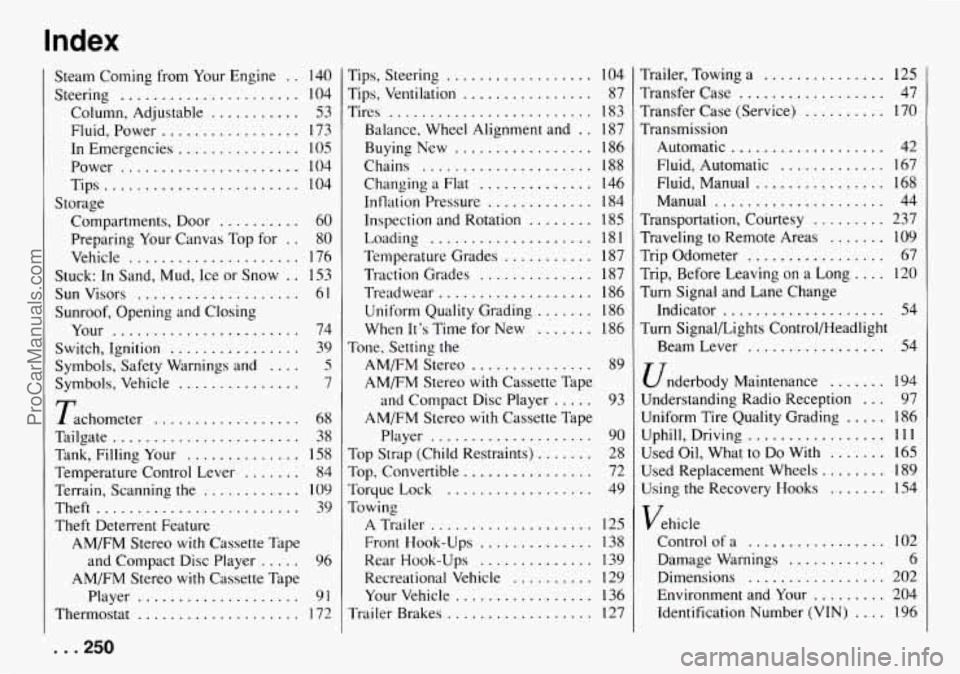
Index
Steam Corning from Your Engine . . 140
Column. Adjustable
........... 53
Fluid. Power ................. 173
Power
...................... 104
Steering
...................... 104
In Emergencies ............... 105
Tips
........................ 104
Compartments. Door
.......... 60
Storage
Preparing Your Canvas Top for
. . 80
Vehicle
..................... 176
Stuck: In Sand. Mud. Ice or Snow
. . 153
Sun Visors
.................... 61
Sunroof. Opening and Closing
Your
....................... 74
Switch. Ignition
................ 39
Symbols. Vehicle
............... 7
Symbols. Safety Warnings and .... 5
Tachometer .................. 68
Tailgate
....................... 38
Tank. Filling Your .............. 158
Temperature Control Lever ....... 84
Terrain. Scanning
the ............ 109
Theft ......................... 39
Theft Deterrent Feature AM/FM Stereo
with Cassette Tape
AM/FM Stereo
with Cassette Tape
and Compact Disc Player
..... 96
Player
.................... 91
Thermostat .................... 172
... 250
Tips. Steering ................ 104
Tips. Ventilation
................ 87
Tires
......................... 183
Balance. Wheel Alignment and
. . 187
Buying New ................. 186
Chains
..................... 188
Inflation Pressure
............. 184
Inspection and Rotation
........ 185
Temperature Grades
........... 187
Traction Grades
.............. 187
Treadwear
................... 186
Uniform Quality Grading
....... 186
When It’s Time for New
....... 186
AM/FM Stereo
............... 89
and Compact Disc Player
..... 93
Player
.................... 90
Top Strap (Child Restraints)
....... 28
Top. Convertible
................ 72
Torque
Lock .................. 49
Towing
A Trailer .................... 125
Rear Hook-Ups
.............. 139
Recreational Vehicle
.......... 129
Your Vehicle
................. 136
Trailer Brakes
.................. 127
Changing a Flat .............. 146
Loading
.................... 18 I
Tone. Setting the
AM/FM Stereo
with Cassette Tape
AM/FM Stereo
with Cassette Tape
Front Hook-Ups
.............. 138 Trailer. Towing
a
............... 125
Transfer Case
.................. 47
Transfer Case (Service)
.......... 170
Transmission Automatic
................... 42
Fluid. Automatic
............. 167
Fluid. Manual
................ 168
Manual
..................... 44
Transportation. Courtesy
......... 237
Traveling to Remote Areas
....... 109
Trip Odometer
................. 67
Trip. Before Leaving on a Long
.... 120
Turn Signal and Lane Change
Indicator
.................... 54
Turn SignalLights Control/Headlight
Beam Lever
................. 54
Underbody Maintenance ....... 194
Understanding Radio Reception ... 97
Uniform Tire Quality Grading
..... 186
Uphill. Driving ................. 111
Used Oil. What to Do With ....... 165
Used Replacement Wheels
........ 189
Using the Recovery Hooks ....... 154
Vehicle Control of a
................. 102
Damage Warnings ............ 6
Dimensions ................. 202
Environment and Your
......... 204
Identification Number
(VIN) .... 196
ProCarManuals.com