change wheel CHEVROLET TRACKER 1994 Owners Manual
[x] Cancel search | Manufacturer: CHEVROLET, Model Year: 1994, Model line: TRACKER, Model: CHEVROLET TRACKER 1994Pages: 258, PDF Size: 14.43 MB
Page 55 of 258
Features and Controls
~~ ~ ~~~~
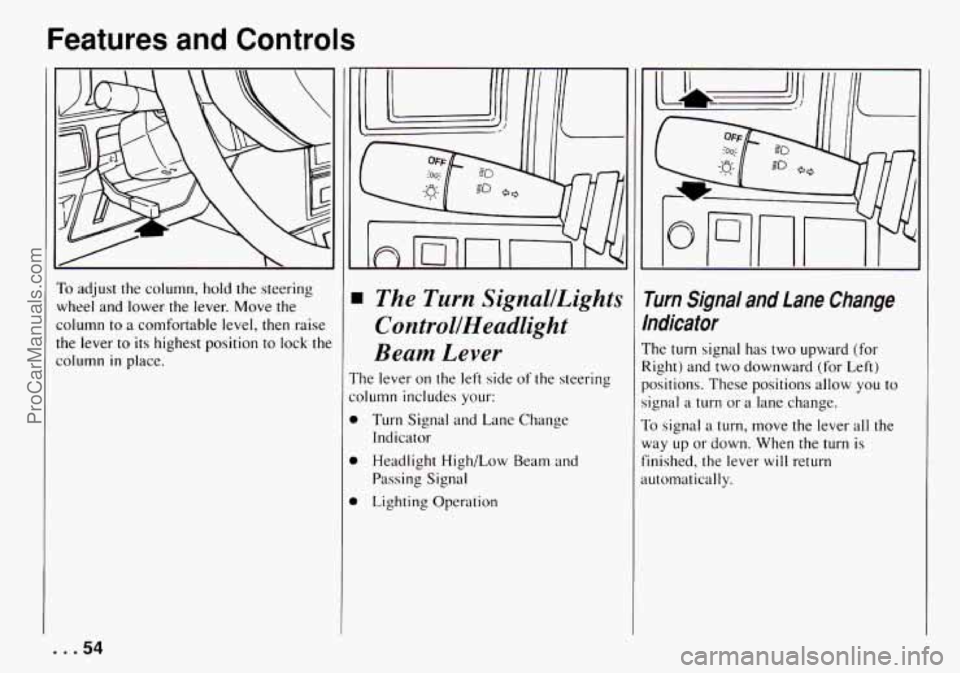
To adjust the column, hold the steering
wheel and lower
the lever. Move the
column to a comfortable level, then raise
the lever to its highest position to lock the
column
in place.
The Turn SignallLights
ControllHeadlight
Beam Lever
'he lever on the left side of the steering
olumn includes your:
1 Turn Signal and Lane Change
1 Headlight High/Low Beam and
1 Lighting Operation Indicator
Passing Signal
i rum Signal and Lane Change
ndicafor
'he turn signal has two upward (for
!ight) and two downward (for Left)
lositions. These positions allow
you to
ignal a turn or a lane change.
b signal a turn, move the lever all the
lay up or down. When the turn is
inished, the lever will return
utomatically.
. . .54
ProCarManuals.com
Page 104 of 258
This is a mistake. Your brakes may not
have time
to cool between hard stops.
Your brakes will wear
out much faster if
you do a lot of heavy braking. If you keep
pace with
the traffic and allow realistic
following distances,
you will eliminate a
lot of unnecessary braking. That means
better braking and longer brake life.
If your engine ever stops while you’re
driving, brake normally but don’t pump
your brakes. If you do, the pedal may get
harder to push down.
If your engine stops,
you will still have some power brake
assist.
But you will use it when you brake.
Once
the power assist is used up, ir may
take longer to stop and the brake pedal
will be harder to push.
Anti-Lock Brakes (ABS)
Your vehicle has an advanced electronic
braking system that can help you keep
it
under control.
Here‘s
how anti-lock works. Let’s say the
road is wet. You‘re driving safely.
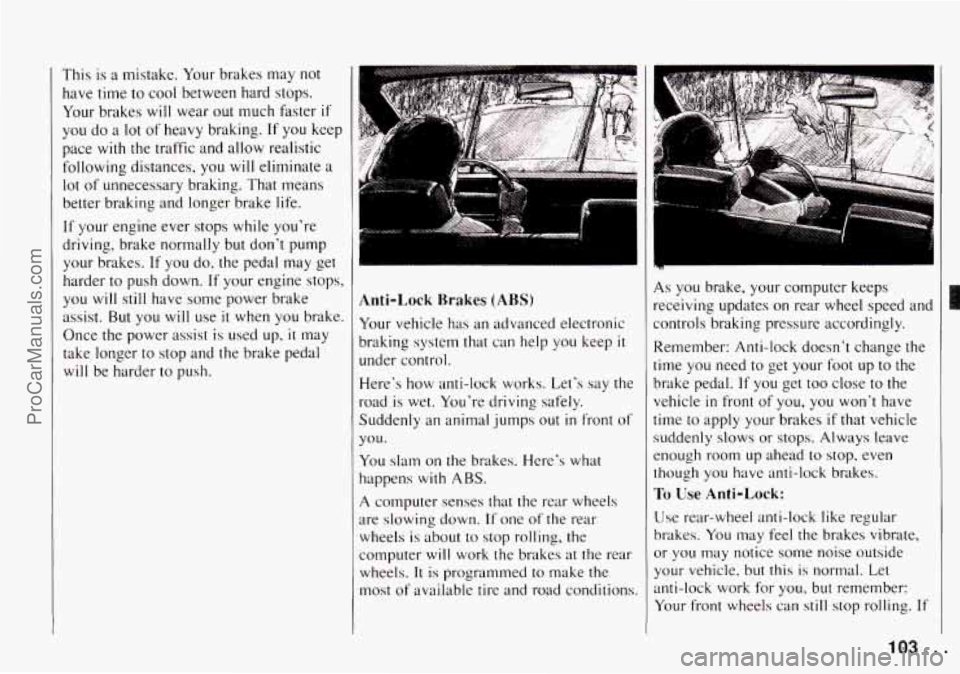
Suddenly an animal jumps out
in front of
you.
You slam on the brakes. Here’s what
happens
with ABS.
A computer senses that the rear wheels
are slowing down.
If one of the rear
wheels
is about to stop rolling, the
computer will work the brakes at the rear
wheels.
It is programmed to make the
most of available tire and road conditions.
R
As you brake, your computer keeps
receiving updates
on rear wheel speed and
controls braking pressure accordingly.
Remember: Anti-lock doesn‘t change the
time you need
to get your foot up to the
brake pedal.
If you get too close to the
vehicle in front of you, you won’t have
time to apply your brakes
if that vehicle
suddenly
slows or stops. Always leave
enough room up ahead to stop. even
though you have anti-lock brakes.
To Use Anti-Lock:
Use rear-wheel anti-lock like regular
brakes. You may feel the brakes vibrate,
or
you may notice some noise outside
your vehicle, but
this is normal. Let
anti-lock work for
you, but remember:
Your front wheels
can still stop rolling. If
103..
ProCarManuals.com
Page 105 of 258
Your Driving and the Road
that happens, release enough pressure on
the brakes to get the wheels rolling again
so that you can steer.
With the four-wheel drive option, you
won’t have anti-lock braking when you
shift into four-wheel drive. But
you will
have regular braking. When you shift
back into two-wheel drive, you will have
anti-lock again.
Braking in Emergencies
At some time, nearly every driver gets
into a situation that requires hard braking.
You have the rear-wheel anti-lock braking
system. Your front wheels can stop rolling
when you brake
very hard. Once they do,
the vehicle can’t respond to your steering.
Momentum
will carry it in whatever
direction it was headed when the front
wheels stopped rolling. That could be off
the road, into the very thing you were
trying to avoid, or into traffic.
So, use a “squeeze” braking technique.
This will give you maximum braking
while maintaining steering control.
You
do this by pushing on the brake pedal
with steadily increasing pressure. When
you do, it will help maintain steering
control. In many emergencies, steering
can help you more than even the
very best
braking.
. . .lo4
Steering
Power Steering
If you lose power steering assist because
the engine stops or the system is not
functioning, you can steer but
it will take
much more effort.
Steering Tips
Driving on Curves
It’s important to take curves at a
reasonable speed.
A lot of the “driver lost control” accidents
mentioned on the news happen on curves.
Here’s why:
Experienced driver or beginner, each of
us is subject to the same laws of physics
when driving on curves. The traction of
the tires against the road surface makes
it
possible for the vehicle to change its path
when you
turn the front wheels. If there’s
no traction, inertia will keep the vehicle
going
in the same direction. If you’ve
ever tried to steer a vehicle on wet ice,
you’ll understand this.
The traction you can get in a curve
depends on the condition of your tires and
the road surface, the angle at which
the
curve is banked, and your speed. While you’re
in a curve, speed
is the one factor
you can control.
Suppose you’re steering through a sharp
curve. Then
you suddenly apply the
brakes. Both control systems
- steering
and braking
- have to do their work
where the tires meet the road. Adding the
hard braking can demand too much at
those places.
You can lose control.
The same thing can happen if you’re
steering through a sharp curve and you
suddenly accelerate. Those two control
systems
- steering and acceleration -
can overwhelm those places where the
tires meet
the road and make you lose
control.
What should
you do if this ever happens?
Ease up on the brake or accelerator pedal,
steer the vehicle the way you want it to
go, and slow down.
Speed limit signs near curves warn that
you should adjust your speed. Of course,
the posted speeds are based on good
weather and road conditions. Under less
favorable conditions you’ll want to go
slower.
If you need to reduce your speed as you
approach a curve, do
it before you enter
ProCarManuals.com
Page 108 of 258
loss of Control
Let's review what driving experts say
about
what happens when the three
control system (brakes, steering and
acceleration) don't have enough friction
where
the tires meet the road to do what
the driver has asked.
In any emergency. don't give up. Keep
trying
to steer and constantly seek an
escape route or area
of less danger.
Skidding
In a skid. a driver can lose control of the
vehicle. Defensive drivers avoid most
skids by taking reasonable care suited
to
existing conditions. and by not
"overdriving" those conditions. But skids
are always possible.
The three types
of skids correspond to
your Geo's three control systems. In the
braking skid your wheels are.n't rolling.
In
the steering or cornering skid, too much
speed or steering
in a curve causes tires to
slip and lose cornering force. And
in the
acceleration skid too much throttle causes
the driving wheels
to spin.
A cornering skid and an acceleration skid
are best handled by easing your foot off
the accelerator pedal.
If your vehicle starts to slide, ease your
foot 011' the accelerator pedal and quickly
steer the way
you want the vehicle to go.
If you start steering quickly enough. your
vehicle
may straighten out. 41ways be
ready for
;I sccond skid if it occurs.
Of course, traction is reduced when water,
snow. ice. gravel. or other material is on
the road. For safety, you'll want to slow
down and adjust your driving
to these
conditions.
It is important to slow down
on slippery surfaces because stopping
distance will be longer
and vehicle
control more limited.
While driving on
a surface with reduced
traction.
try your best to avoid sudden
steering, acceleration,
or braking
(including engine braking by shifting
EO a
lower gear).
Any sudden changes could
cause the tires to slide. You may
not
realize the surface is slippery until yout-
vehicle is skidding. Learn
to recognize
warning clues
~ such as enough water,
ice or packed snow
on the road to make ;1
"nlir~-or.ed surf'rlce" - and slow down
when you have any doubt.
Remember: The rex-wheel anti-lock
braking system (RWAL) helps avoid
only
a rear braking skid. In a braking skid
(where the front wheels are
no longer rolling),
release enough pressure
on the
brakes to get the front wheels rolling
again. This restores steering control. Push
the brake pedal down steadily when you
have
to stop suddenly. As long as the
I'ront wheels are rolling,
you will have
sleering control.
Driving Guidelines
This multipurpose passenger vehicle is
defined as a utility vehicle in Consumer
Information Regulations issued
by the
National I-lighway Traffic Safety
Administration (NHTSA)
of the United
States Department of Transportation.
Utility vehicles have higher ground
clearance and a narrower track to make
them capable of performing
in a wide
variety
of off-road applications. Specific
design characteristics give them a higher
center of gravity than ordinary cars. An
advantage
of the higher ground clearance
is
a better view of the road allowing you
to anticipate problems. They are not
designed for cornering
at the same speeds
as conventional 2-wheel drive vehicles
any no re than low-slunl 7 .'p '-, orts cars are
designed
to perform satisfitctorily under
off-road conditions.
If at all possible,
avoid shurp turns or abrupt maneuvers.
107 ...
ProCarManuals.com
Page 110 of 258

Traveling to Remote Areas
It makes sense to plan your trip,
especially when going to a remote area.
Know the terrain and plan your route. You
are much less likely to get bad surprises.
Get accurate maps of trails and terrain.
Try to learn of any blocked or closed
roads.
It’s also a good idea to travel with at least
one other vehicle.
If something happens
to one of them, the other can help quickly.
Does your vehicle have a winch? If
so, be
sure to read the winch instructions. In a
remote area, a winch can be handy if you
get stuck. But you’ll want to know how to
use it properly.
Getting Familiar with Off-Road
Driving
It’s a good idea to practice in an area
that’s safe and close to home before you
go into the wilderness. Off-road driving
does require some new and different
driving skills. Here’s what we mean.
Tune your senses to different kinds of
signals. Your eyes, for example, need to
constantly sweep the terrain for
unexpected obstacles. Your ears need to
listen for unusual tire or engine sounds. With
your arms, hands, feet, and body
you’ll need to respond to vibrations and
vehicle bounce.
Controlling your vehicle is the key to
successful off-road driving. One
of the
best ways to control your vehicle is to
control your speed. Here are some things
to keep in mind. At higher speeds:
0 you approach things faster and you
have less time to scan the terrain for
obstacles.
0 you have less time to react.
0 you have more vehicle bounce when
you drive over obstacles.
0 you’ll need more distance for braking,
especially since you’re on an unpaved
surface.
Scanning the Terrain
Off-road driving can take you over many
different kinds of terrain. You need to be
familiar with the terrain and its many
different features. Here are some things to
consider.
Surface Conditions. Off-roading can
take you over hard-packed dirt, gravel,
rocks, grass, sand, mud, snow or ice.
Each of these surfaces affects the steering,
acceleration, and braking of your vehicle
in different ways. Depending upon the
kind of surface you are on, you may
experience slipping, sliding, wheel
spinning, delayed acceleration, poor
traction, and longer braking distances.
Surface Obstacles. Unseen or hidden
obstacles can be hazardous.
A rock, log,
hole, rut, or bump can startle you if
you’re not prepared for them. Often these
obstacles are hidden by grass, bushes,
snow or even the rise and fall
of the
terrain itself. Here are some things to
consider:
0 Is the path ahead clear?
0 Will the surface texture change
abruptly up ahead?
109 ...
ProCarManuals.com
Page 111 of 258

Your Driving and the Road
0 Does the travel take you uphill or
downhill? (There’s more discussion of
these subjects later.)
change direction quickly?
0 Will you have to stop suddenly or
When you drive over obstacles or rough
terrain, keep a firm grip
on the steering
wheel.
Ruts, troughs, or other surface
features can jerk the wheel out of your
hands
if you’re not prepared.
When you drive over bumps, rocks, or
other obstacles, your wheels can leave
the
ground. If this happens, even with one or
two wheels, you can’t control the vehicle
as well or at all.
Because you will be on an unpaved
surface,
it’s especially important to avoid
sudden acceleration, sudden turns, or
sudden braking.
In a way, off-road driving requires a
different kind of alertness from driving on
paved roads and highways. There are no
road signs, posted speed limits or signal
lights.
You have to use your own good
judgment about what is safe and what
isn’t.
Drinking and driving can be very
dangerous on any road. And this
is
certainly true for off-road driving. At the
. . .I10
very time you need special alertness and
driving skills, your reflexes, perceptions
and judgment can be affected by even a
small amount of alcohol.
You could have
a serious - or even fatal - accident if
you drink and drive or ride with a driver
who has been drinking. (See “Drunken
Driving”
in the Index.)
Driving On Off-Road Hills
Off-road driving often takes you up,
jown, or across a hill. Driving safely on
hills requires good judgment and an
understanding of what your vehicle can
md can’t do. There are some hills that
;imply can’t be driven, no matter how
well built the vehicle.
Approaching a Hill
When you approach a hill, you need to
decide if
it’s one of those hills that’s just
too steep to climb, descend, or cross.
Steepness can be hard
to judge. On a very
small
hill, for example, there may be a
smooth, constant incline with only a small
change
in elevation where you can easily
see all the way to the top. On a large hill,
the incline may get steeper as you near
the top, but you may not see this because
the crest of
the hill is hidden by bushes,
grass,
or shrubs.
Here are some other things
to consider as
you approach a hill.
Is there a constant incline, or does the
hill get sharply steeper in places?
Is there good traction on the hillside,
or will the surface cause tire slipping?
Is there a straight path up or down the
hill so you won’t have to make turning
maneuvers?
Are there obstructions on the hill that
can block your path (boulders, trees,
logs or ruts)?
What’s beyond the hill?
Is there a cliff,
an embankment, a drop-off, a fence?
Get out and walk the
hill if you don’t
know. It’s the smart way to find out.
ProCarManuals.com
Page 116 of 258
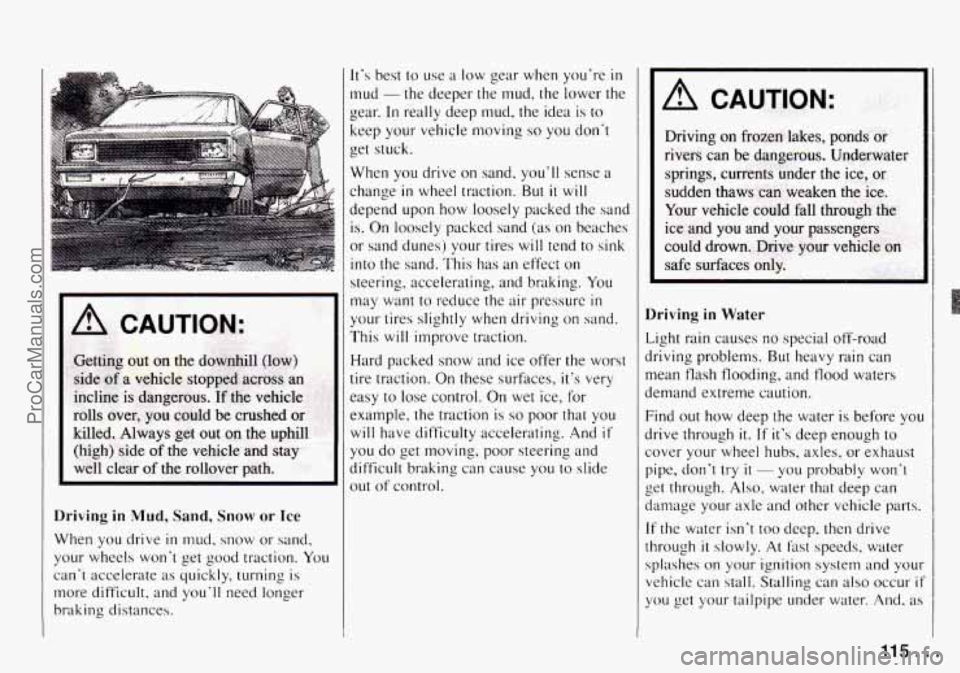
A CAUTION:
Driving in Mud, Sand, Snow or Ice
When you drive in mud, snow or sand,
your wheels won't get good traction. You
can't accelerate as quickly, turning is
more difficult, and you'll need longer
braking distances.
It's best to use a low gear when you're in
mud -the deeper the mud, the lower the
gear.
In really deep mud, the idea is to
keep your vehicle moving so you don't
get stuck.
When
you drive on sand, you'll sense a
change
in wheel traction. But it will
depend upon how loosely packed the sand
is. On loosely packed sand (as on beaches
or sand dunes) your tires will tend
to sink
into the sand. This has an effect on
steering. accelerating, and braking. You
may want to reduce the air pressure
in
your tires slightly when driving on sand.
This will improve traction.
Hard packed snow and ice offer the worst
tire traction. On these surfaces, it's very
easy
to lose control. On wet ice, for
example, the traction is
so poor that you
will have difficulty accelerating. .4nd
if
you do get moving, poor steering and
difficult braking can cause
you to slide
out of control.
A CAUTION:
Driving in Water
Light rain causes no special off-road
driving problems. But heavy rain can
mean tlash flooding, and tlood
waters
demand extreme caution.
Find out how deep the water is before you
drive through it.
If it's deep enough to
cover your wheel hubs, axles, or exhaust
pipe, don't
try il - you probably won't
get through.
Also, water that deep can
damage your axle and other vehicle parts.
If the water
isn't too deep, then drive
through
it slowly. At fast speeds. water
splashes on your ignition system and
your
vehicle can stall. Stalling can also occur if
you get your tailpipe under water. ,4nd, as
115 ...
ProCarManuals.com
Page 126 of 258

Towing a Trailer
NOTICE:
Pulling a trailer improperly can dam-
age your vehicle and result in costly
repairs not covered by your warranty,
To pull a trailer correctly, follow the
advice in this section, and see your
Geo dealer for important information
about towing a trailer with your
vehicle. Your
vehicle can tow a trailer. To identify
what the vehicle trailering capacity
is for
your vehicle,
you should read the
information in “Weight
of the Trailer” that
appears later in this section.
But trailering
is different than just driving your vehicle
by itself. Trailering means changes in
handling, durability, and fuel economy.
Successful, safe trailering takes correct
equipment, and it has to be used properly.
That’s the reason for this section.
In it are
many time-tested, important trailering
tips and safety rules. Many of these are
important for your safety and that of your
passengers.
So please read this section
carefully before you pull a trailer.
Load-pulling components such as the
engine, transmission, wheel assemblies,
and tires are forced to work harder against
the drag of the added weight. The engine
is required to operate at relatively higher
speeds and under greater loads,
generating extra heat. What’s more, the
trailer adds considerably to wind
resistance, increasing the pulling
requirements.
If You Do Decide to Pull a Trailer
If you do, here are some important points.
There are many different laws having
to do with trailering. Make sure your
rig will be legal, not only where you
live but also where you’ll be driving.
A good source for this information
can be state or provincial police.
Consider using a sway control. You
can ask a hitch dealer about sway
controls.
Don’t tow a trailer at all during the
first
500 miles (800 km) your new
vehicle is driven. Your engine, axle or
other parts could be damaged.
Then, during the first
500 miles (800
km) that you tow a trailer, don’t drive
over
50 mph (80 km/h) and don’t
make starts at
full throttle. This helps
your engine and other parts
of your
vehicle wear in at the heavier loads.
125 ...
ProCarManuals.com
Page 129 of 258

Your Driving and the Road
passed vehicle before vou can return to
your lane.
Backing Up
Hold the bottom of the steering wheel
with one hand. Then, to move the trailer
to the left, just move that hand to the left.
To move
the trailer to the right, move
your hand to the right. Always back up
slowly and,
if possible, have someone
guide you.
Making Turns
When you’re turning with a trailer, make
wider turns than normal.
Do this so your
trailer won’t strike soft shoulders, curbs,
road signs, trees, or other objects. Avoid
jerky or sudden maneuvers. Signal well
in
advance.
Turn Signals When Towing a Trailer
When you tow a trailer, your vehicle has
to have a different turn signal flasher and
extra wiring. The green arrows on your
instrument panel will flash whenever you
signal a turn or lane change. Properly
hooked up, the trailer lights will also
flash, telling other drivers you’re about to
turn, change lanes or stop. When towing
a trailer, the green arrows
on your instrument panel will flash for
turns even
if the bulbs on the trailer are
burned out. Thus, you may think drivers
behind you are seeing your signal when
they are not. It’s important to check
occasionally to be sure the trailer bulbs
are still working.
Driving on Grades
Reduce speed and shift to a lower gear
before you start down a long or steep
downgrade. If you don’t shift down, you
might have to use your brakes
so much
that they would get hot and no longer
work well.
On a long uphill grade, shift down and
reduce your speed to around
45 mph
(70 km/h) to reduce the possibility of
engine and transmission overheating.
If
you are towing a trailer and you have
a manual transmission with fifth gear,
you may prefer not
to use fifth gear. Just
drive in fourth gear (or, as
you need to,
.a lower gear).
Parking on Hills
You really should not park your vehicle,
with a trailer attached, on a hill. If
something goes wrong, your
rig could start
to move. People can be injured, and
both your vehicle and the trailer can be
damaged.
But if you ever have to park
your rig on a
hill, here’s how to do it:
1. Apply your regular brakes, but don’t
shift into
“F’” (Park) yet, or into gear
for a manual transmission.
2. Have someone place chocks under the
3. When the wheel chocks are in place,
release the regular brakes until the
chocks absorb the load.
trailer wheels.
4. Reapply the regular brakes.
Then
apply your parking brake, and then
shift to
‘T” (Park), or “R” (Reverse)
for a manual transmission.
5. If you have a four-wheel-drive
vehicle, be sure the transfer case is
in
a drive gear - not in “N” (Neutral).
6. Release the regular brakes.
. .-’ . 1 28
ProCarManuals.com
Page 137 of 258
Problems on the Road
h I B
2. Remove the cables in reverse order
to prevent electrical shorting. Take
care that they don't touch each other
or any other metal.
A. Heavy Metal Engine Part
B. Good Battery
C. Dead Battery
C
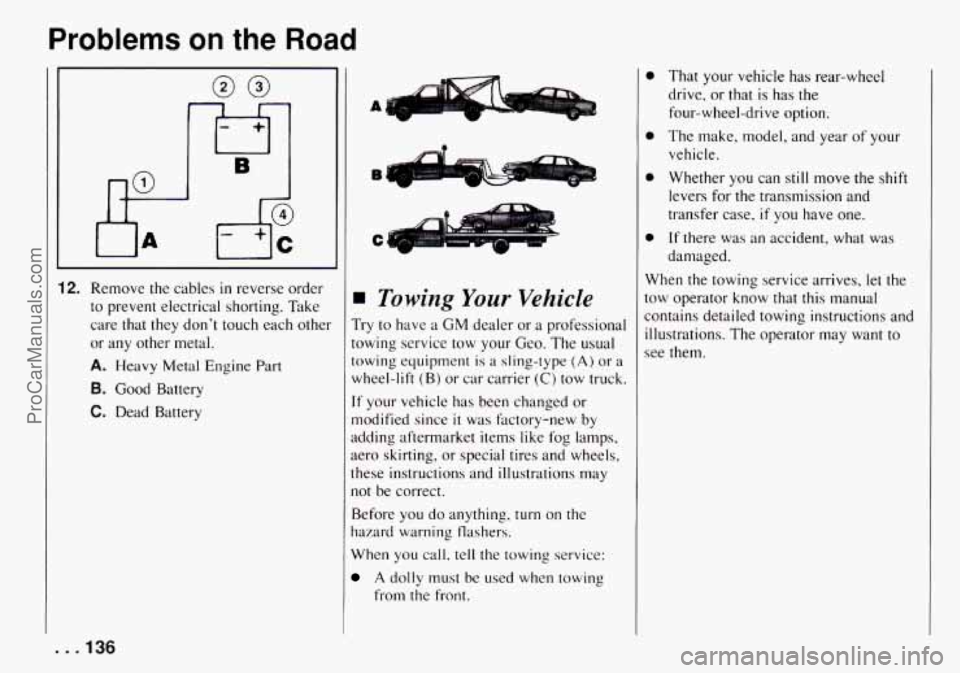
Towing Your Vehicle
Try to have a GM dealer or a professional
towing service tow your Geo. The usual
towing equipment
is a sling-type (A) or a
wheel-lift (B) or car carrier (C) tow truck.
If your vehicle has been changed or
modified since
it was factory-new by
adding aftermarket items like fog lamps,
aero skirting, or special tires and wheels,
these instructions and illustrations may
not be correct.
Before you do anything, turn
on the
hazard warning flashers.
When you
call, tell the towing service:
A dolly must be used when towing
from the front.
0
e
e
That your vehicle has rear-wheel
drive, or that is has the
four-wheel-drive option.
The make, model, and year
of your
vehicle.
Whether you
can still move the shift
levers for the transmission and
transfer case,
if you have one.
If there was an accident, what was
damaged.
When the towing service arrives,
let the
tow operator know that this manual
contains detailed towing instructions and
illustrations. The operator may want to
see them.
. .I36
ProCarManuals.com