lock CHEVROLET TRACKER 1995 Owner's Guide
[x] Cancel search | Manufacturer: CHEVROLET, Model Year: 1995, Model line: TRACKER, Model: CHEVROLET TRACKER 1995Pages: 354, PDF Size: 18.24 MB
Page 88 of 354
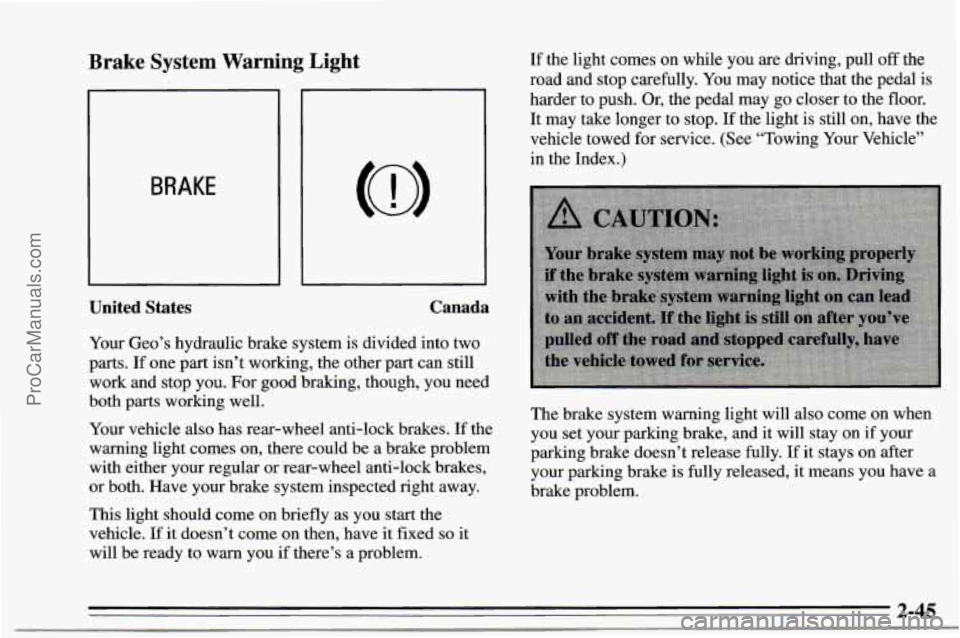
Brake System Warning Light
BRAKE
United States Canada
Your Geo’s
hydraulic brake system is divided into two
parts. If one part isn’t working, the other part can still
work and stop you. For good braking, though, you need
both
parts working well.
Your vehicle also has rear-wheel anti-lock brakes. If the
warning light comes on, there could be a brake problem
with either your regular or rear-wheel anti-lock brakes,
or both. Have your brake system inspected right away.
This light should come on briefly as you start the
vehicle.
If it doesn’t come on then, have it fixed so it
will be ready to warn you if there’s a problem. If
the light comes on while you are driving, pull
off the
road and stop carefully.
You may notice that the pedal is
harder to push. Or, the pedal may
go closer to the floor.
It may take longer to stop.
If the light is still on, have the
vehicle towed
for service. (See “Towing Your Vehicle”
in the Index.)
The brake system warning light will also come on when
you set your parking brake, and it will stay on if your
parking brake doesn’t release fully. If it stays on after
your parking brake is fully released, it means you have
a
brake problem.
~ ..
2-45
ProCarManuals.com
Page 100 of 354
-1 push both sides of the
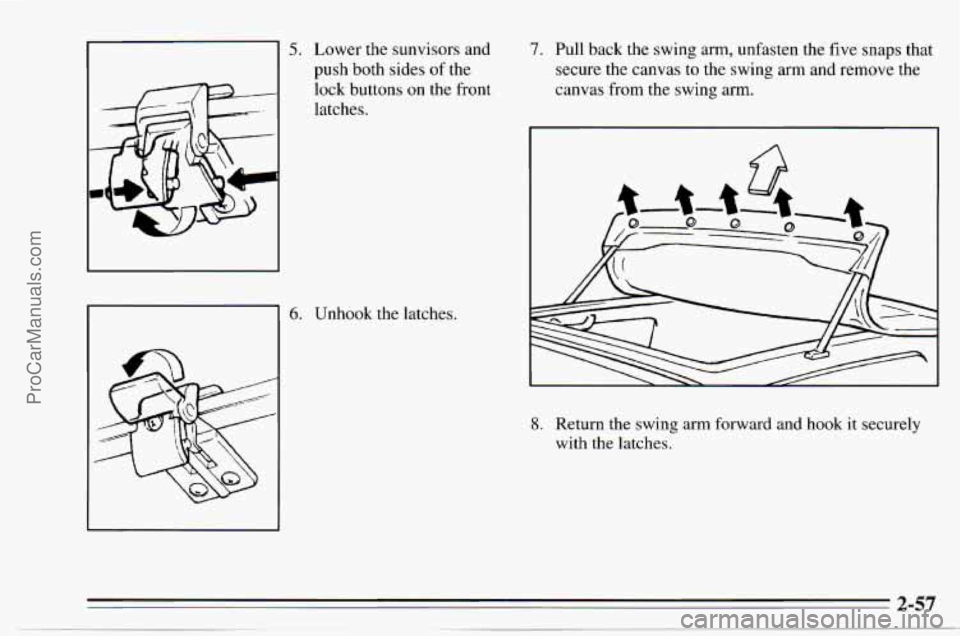
5. Lower the sunvisors and
-
lock buttons on the front
latches.
6. Unhook the latches.
7. Pull back the swing arm, unfasten the five snaps that
secure the canvas to the swing arm and remove the
canvas from the swing
arm.
8. Return the swing arm forward and hook it securely
with the latches.
2-57
ProCarManuals.com
Page 109 of 354
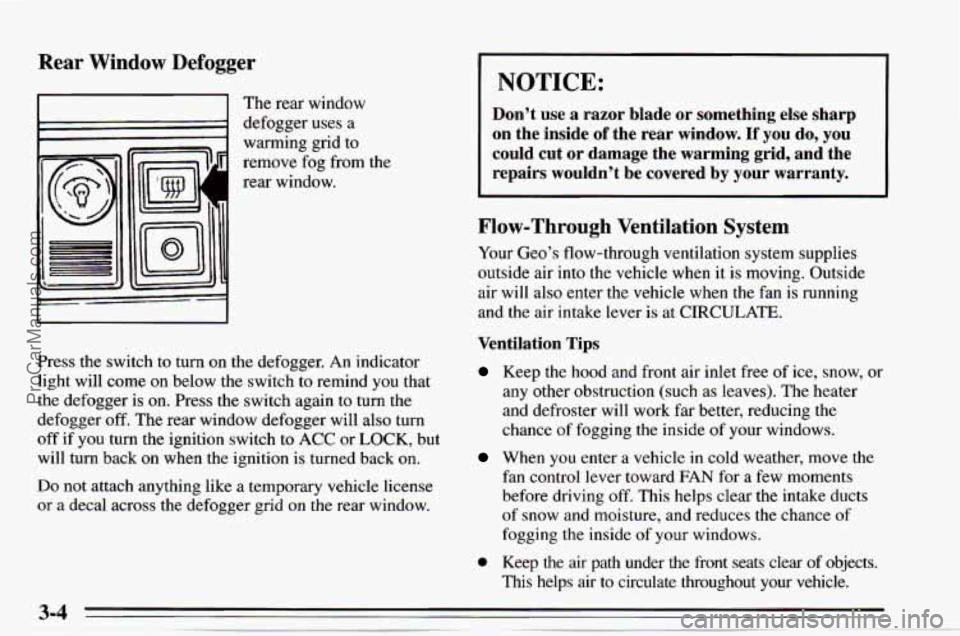
Rear Window Defogger
I I The rear window
1 defogger uses a
warming grid
to
remove fog from the
rear window.
Press the switch
to turn on the defogger. An indicator
light will come on below the switch to remind you that
the defogger is
on. Press the switch again to turn the
defogger
off. The rear window defogger will also turn
off if you turn the ignition switch to ACC or LOCK, but
will turn back on when the ignition
is turned back on.
Do not attach anything like a temporary vehicle license
or a decal across the defogger grid on the rear window.
I NOTICE:
Don’t use a razor blade or something else sharp
on the inside
of the rear window. If you do, you
could cut or damage the warming grid, and the
repairs wouldn’t be covered by
your warranty.
Flow-Through Ventilation System
Your Geo’s flow-through ventilation system supplies
outside air into the vehicle when it is moving. Outside
air will also enter the vehicle when the fan
is running
and the air intake lever is at CIRCULATE.
Ventilation Tips
Keep the hood and front air inlet free of ice, snow, or
any other obstruction (such as leaves). The heater
and defroster will work far better, reducing the
chance of fogging the inside of your windows.
When you enter a vehicle in cold weather, move the
fan control lever toward FAN for a few moments
before driving
off. This helps clear the intake ducts
of snow and moisture, and reduces the chance of
fogging the inside of your windows.
0 Keep the air path under the front seats clear of objects.
This helps air to circulate throughout your vehicle.
ProCarManuals.com
Page 110 of 354
Audio Systems
Your DelcoB audio system has been designed to operate
easily and give years of listening pleasure. But you will
get the most enjoyment out
of it if you acquaint yourself
with it first. Find out what your Delco@system can do
and how to operate all its controls, to be sure you're
getting the most out of the advanced engineering that
went into it.
Setting the Clock
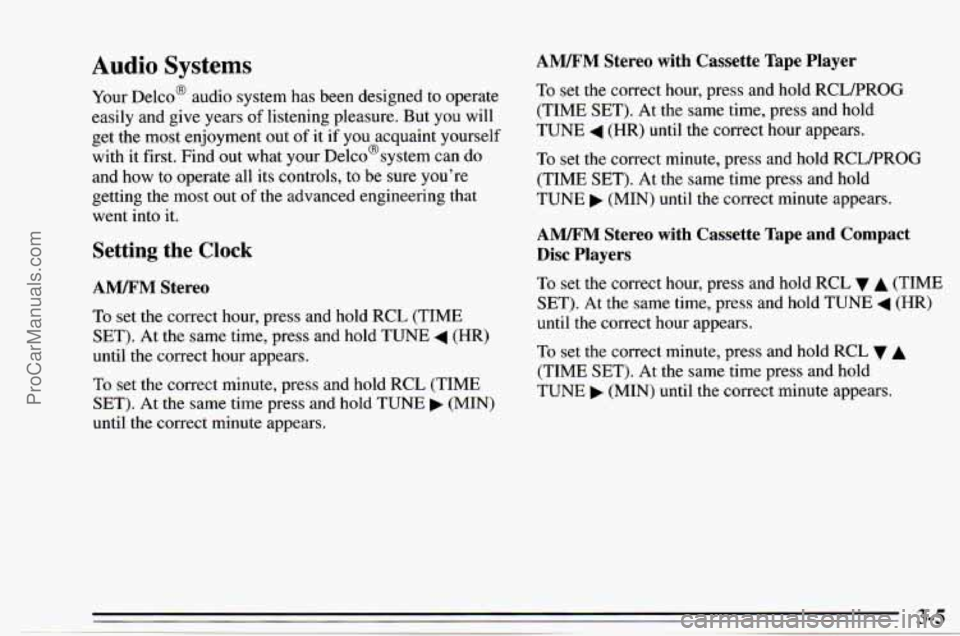
AM/FM Stereo
To set the correct hour, press and hold RCL (TIME
SET). At the same time, press and hold TUNE
4 (HR)
until the correct hour appears.
To set the correct minute, press and hold
RCL (TIME
SET). At the same time press and hold TUNE (MIN)
until the correct minute appears.
AM/FM Stereo with Cassette Tape Player
To set the correct hour, press and hold RCLPROG
(TIME SET). At the same time, press and hold
TUNE
4 (HR) until the correct hour appears.
To set the correct minute, press and hold RCLPROG
(TIME SET).
At the same time press and hold
TUNE (MIN) until the correct minute appears.
AM/FM Stereo with Cassette Tape and Compact
Disc Players
To set the correct hour, press and hold RCL v A (TIME
SET). At the same time, press and hold TUNE
4 (HR)
until the correct hour appears.
To set the correct minute, press and hold
RCL v A
(TIME SET). At the same time press and hold
TUNE (MIN) until the correct minute appears.
ProCarManuals.com
Page 115 of 354
Cln: This message may appear on the display. If it does,
your cassette tape player needs to
be cleaned. It will still
play tapes, but you should clean it as soon as possible to
prevent damage to your tapes and player. See “Care of
Your Cassette Tape Player” in the Index. After you clean
the player, press and hold EJECT for
five seconds to
reset the Cln indicator. “---” will appear in the display to
show the indicator was reset.
Theft-Deterrent Feature
The theft-deterrent feature for the A” stereo with
cassette tape player can be used
or ignored. If ignored, the
system plays normally. If it is used, your system won’t be \
usable
if it’s ever stolen because it will go into LOC mode
anytime your vehicle loses battery power. The unlock code must be entered or the radio will not
turn on.
Setting Your Security Code
The following instructions will tell you how to enter a
security code
into the system. If your vehicle loses
battery power for any reason, you must enter the
security code again before the system will turn
on.
You are now ready to enter your security code. Don’t
wait more
than 15 seconds between steps.
Press
4 SEEK b or 4 TUNE and “0000” will appear
on the display.
Press SEEK
4 and hold it until the first digit of your
code appears. Release the button.
Press
SEEK b and hold it until the second digit of your
code appears. Release
the button.
Press
TUNE 4 and hold it until the third digit of your
code appears. Release the button.
Press
TUNE b and hold it until the fourth digit of your
code appears. Release the button.
Press
AM-FM after you have checked that the code you
entered
is the one you wrote down. “rEP’ will appear on
the display, which means you need to repeat steps 5
through 9.
Press AM-FM again and the display will now show
SEC.
Write down any four-digit number and keep it in a safe place.
Then turn the ignition switch to the ACC or ON position
and the audio system
off. Press the 1 and 4 buttons together.
Hold them down until
“----” shows on the display.
3-10
ProCarManuals.com
Page 116 of 354

How to Shut Off the Theft-Deterrent Feature
If your radio is secured (SEC shows on the display) and
you wish to disable it, enter your security code as
follows, pausing no more than
15 seconds between
steps.
Press the 1 and
4 buttons together. Hold them down until
SEC shows
on the display. You are now ready to enter
your security code.
Press
the SEEK 4 button and hold it until the first digit
of your code appears.
Press the SEEK button and hold it
until the second
digit
of your code appears.
Press the TUNE
4 button and hold it until the third digit
of your code appears.
Press the
TUNE button and hold it until the fourth
di.git
of your code appears.
Press
AM-FM after you have checked that the code you
entered matches the one you wrote down. “0000” should
now appear
on the display and you will need to repeat
the above procedure.
If
the code is correct, the radio will now operate. If the
code
is wrong, Err will appear in the display.
To Unlock the System After a Power Loss
If power is disrupted to the radio while in the SEC
mode, the unit will not work and LOC will show on the
display whenever the ignition is
on. To unlock the unit,
press
4 SEEK b or 4 TUNE b and “0000” will appear
on the display.
Press the SEEK
4 button and hold it until the first digit
of your code appears.
Press the SEEK
b button and hold it until the second
digit of your code appears.
Press
the TUNE 4 button and hold it until the third digit
of your code appears.
Press the TUNE
b button and hold it until the fourth
digit
of your code appears.
Press
AM-FM after you have checked that the coae
matches the one you wrote down. Now the time of day
will appear
on the display. (Please note that if an
incorrect code is entered,
Err will appear on the display
and the above steps need to be repeated.)
ProCarManuals.com
Page 122 of 354
To Unlock the System After a Power Loss
If power is disrupted to the radio while in the SEC
mode, the unit will not work and LOC will show
on the
display whenever the ignition
is on. To unlock the unit.
press
4 SEEK b or 4 TUNE and “0000” will appear
on the display.
Press the
SEEK 4 button and hold it until the first digit
of your code appears.
Press the SEEK button and hold it until the second
digit of your code appears.
Press the
TUNE 4 button and hold it until the third digit
of your code appears.
Press the TUNE
b button and hold it until the fourth
digit of your code appears.
Understanding Radio Reception
FM Stereo
FM stereo will give you the best sound. But FM signals
will reach
only about 10 to 40 miles (16 to 65 km). And,
tall buildings or hills can interfere with
FM signals,
causing the sound
to come and go.
AM
The range for most AM stations is greater than for FM,
especially at night. The longer range, however, can
cause stations to interfere with each other.
AM can pick
up noise from things like storms and power lines. Try
reducing the treble to reduce this noise if you ever get it.
Press AM-FM after you have checked that the code
matches the one you wrote down. Now
SEC will appear
on the display.
(If an incorrect code is entered, Err will
appear on
the display. Repeat the above procedure.)
ProCarManuals.com
Page 131 of 354
Avoid needless heavy braking. Some people drive
in spurts -- heavy acceleration followed by heavy
braking
-- rather than keeping pace with traffic. This
is a mistake. Your brakes may not have time
to cool
between hard stops. Your brakes will wear out much
faster if
you do a lot of heavy braking. If you keep pace
with the traffic and allow realistic following distances,
you will eliminate
a lot of unnecessary braking. That
means better braking and longer brake life.
If your engine ever stops while you’re driving, brake
normally but don’t pump your brakes. If
you do, the
pedal may get harder
to push down. If your engine
stops, you will still have some power brake assist. But
you will
use it when you brake. Once the power assist is
used up, it may take longer to stop and the brake pedal
will
be harder to push.
Anti-Lock Brakes (ABS)
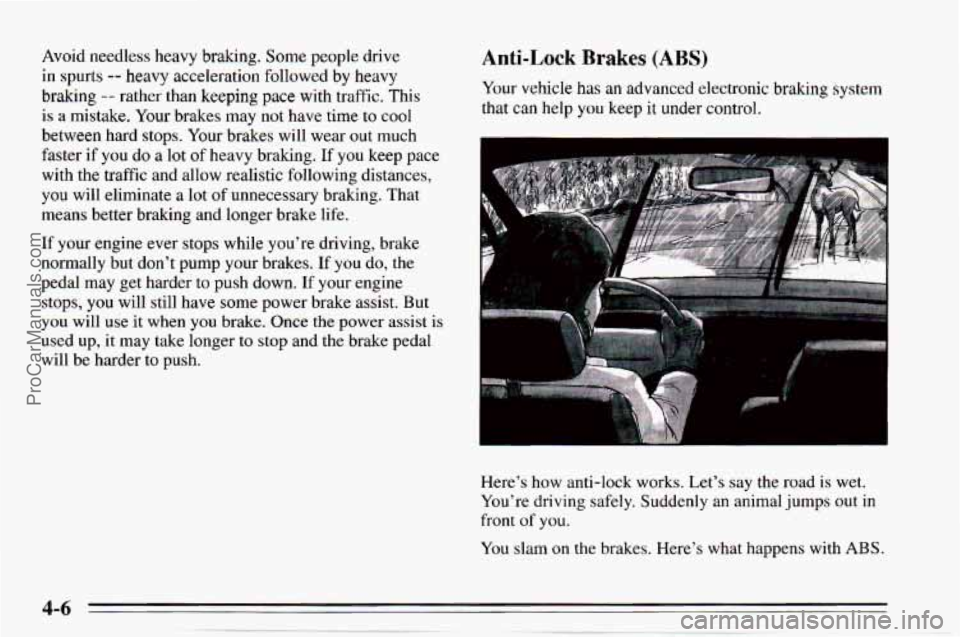
Your vehicle has an advanced electronic brahng system
that can help
you keep it under control.
Here’s how anti-lock works. Let’s say the road is wet.
You’re driving safely. Suddenly an animal jumps out in
front
of you.
You slam on the brakes. Here’s what happens with ABS.
ProCarManuals.com
Page 132 of 354
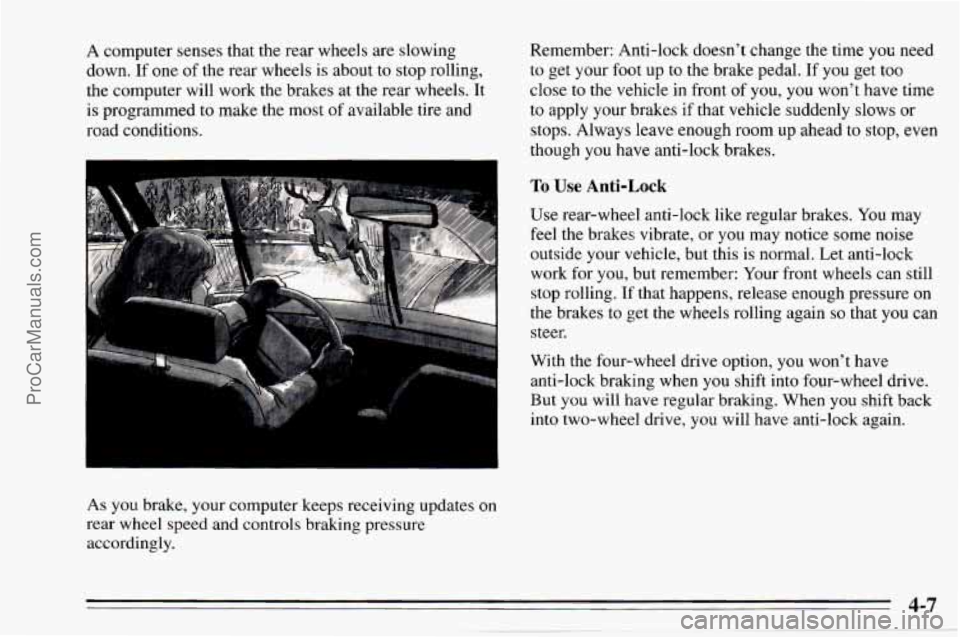
A computer senses that the rear wheels are slowing
down.
If one of the rear wheels is about to stop rolling,
the computer will work the brakes at the rear wheels. It
is programmed to make the most
of available tire and
road conditions.
As you brake, your computer keeps receiving updates
on
rear wheel speed and controls braking pressure
accordingly. Remember:
Anti-lock doesn’t change the time you need
to get your foot up to the brake pedal. If you get too
close to the vehicle in front of you,
you won’t have time
to apply your brakes if that vehicle suddenly slows or
stops. Always leave enough room up ahead to stop, even
though
you have anti-lock brakes.
To Use Anti-Lock
Use rear-wheel anti-lock like regular brakes. You may
feel the brakes; vibrate, or you may notice some noise
outside your vehicle, but this is normal. Let anti-lock
work for
you, but remember: Your front wheels can still
stop rolling.
If that happens, release enough pressure on
the brakes to get the wheels rolling again
so that you can
steer.
With the four-wheel drive option, you won’t have
anti-lock brak.ing when
you shift into four-wheel drive.
But
you will have regular braking. When you shift back
into two-wheel drive,
you will have anti-lock again.
4-7
ProCarManuals.com
Page 133 of 354
Braking in Emergencies
At some time, nearly every driver gets into a situation
that requires hard braking.
You have the rear-wheel anti-lock braking system. Your
front wheels can stop rolling when
you brake very hard.
Once they do, the vehicle can’t respond to your steering.
Momentum will carry it in whatever direction it was
headed when the front wheels stopped rolling. That
could be
off the road, into the very thing you were trying
to avoid, or into traffic.
So, use a “squeeze” braking technique. This will give
you maximum braking while maintaining steering
control. You
do this by pushing on the brake pedal with
steadily increasing pressure. When
you do, it will help
maintain steering control.
In many emergencies, steering
can help you more than even the very best braking.
Steering
Power Steering
If you lose power steering assist because the engine
stops or the system is not functioning, you
can steer but
it will take much more effort.
Steering Tips
Driving on Curves
It’s important to take curves at a reasonable speed.
A lot of the “driver lost control” accidents mentioned on
the news happen on curves. Here’s why:
Experienced driver or beginner, each
of us is subject to
the same laws
of physics when driving on curves. The
traction
of the tires against the road surface makes it
possible for the vehicle
to change its path when you turn
the front wheels.
If there’s no traction, inertia will keep
the vehicle going in the same direction.
If you’ve ever
tried
to steer a vehicle on wet ice, you’ll understand this.
The traction you can get in
a curve depends on the
condition of your tires and the road surface, the angle at
which the curve is banked, and your speed. While
you’re
in a curve, speed is the one factor you can
control.
ProCarManuals.com