reset CHEVROLET TRAIL BLAZER 2003 1.G Owner's Manual
[x] Cancel search | Manufacturer: CHEVROLET, Model Year: 2003, Model line: TRAIL BLAZER, Model: CHEVROLET TRAIL BLAZER 2003 1.GPages: 436, PDF Size: 2.98 MB
Page 224 of 436
Audio Steering Wheel Controls
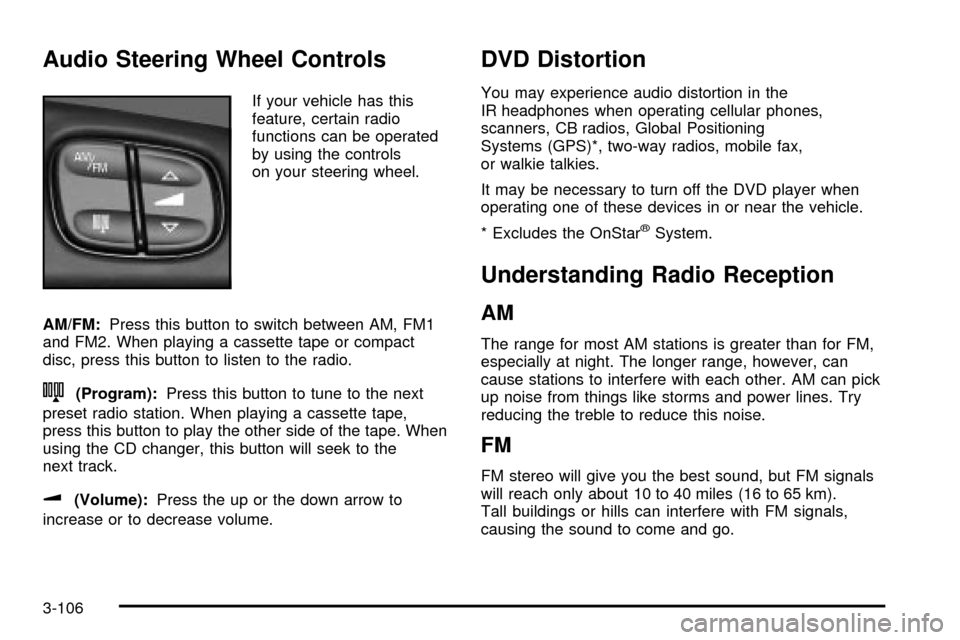
If your vehicle has this
feature, certain radio
functions can be operated
by using the controls
on your steering wheel.
AM/FM:Press this button to switch between AM, FM1
and FM2. When playing a cassette tape or compact
disc, press this button to listen to the radio.
n(Program):Press this button to tune to the next
preset radio station. When playing a cassette tape,
press this button to play the other side of the tape. When
using the CD changer, this button will seek to the
next track.
u(Volume):Press the up or the down arrow to
increase or to decrease volume.
DVD Distortion
You may experience audio distortion in the
IR headphones when operating cellular phones,
scanners, CB radios, Global Positioning
Systems (GPS)*, two-way radios, mobile fax,
or walkie talkies.
It may be necessary to turn off the DVD player when
operating one of these devices in or near the vehicle.
* Excludes the OnStar
žSystem.
Understanding Radio Reception
AM
The range for most AM stations is greater than for FM,
especially at night. The longer range, however, can
cause stations to interfere with each other. AM can pick
up noise from things like storms and power lines. Try
reducing the treble to reduce this noise.
FM
FM stereo will give you the best sound, but FM signals
will reach only about 10 to 40 miles (16 to 65 km).
Tall buildings or hills can interfere with FM signals,
causing the sound to come and go.
3-106
Page 225 of 436

Care of Your Cassette Tape Player
A tape player that is not cleaned regularly can cause
reduced sound quality, ruined cassettes or a damaged
mechanism. Cassette tapes should be stored in their
cases away from contaminants, direct sunlight and
extreme heat. If they aren't, they may not operate
properly or may cause failure of the tape player.
Your tape player should be cleaned regularly after every
50 hours of use. Your radio may display CLEAN to
indicate that you have used your tape player for
50 hours without resetting the tape clean timer. If this
message appears on the display, your cassette
tape player needs to be cleaned. It will still play tapes,
but you should clean it as soon as possible to
prevent damage to your tapes and player. If you notice
a reduction in sound quality, try a known good
cassette to see if the tape or the tape player is at fault.
If this other cassette has no improvement in sound
quality, clean the tape player.
For best results, use a scrubbing action, non-abrasive
cleaning cassette with pads which scrub the tape
head as the hubs of the cleaner cassette turn. The
recommended cleaning cassette is available through
your dealership.
The broken tape detection feature of your cassette tape
player may identify the cleaning cassette as a
damaged tape, in error. To prevent the cleaning cassette
from being ejected, use the following steps:1. Turn the ignition on.
2. Turn the radio off.
3. Press and hold the TAPE CD button for ®ve
seconds. READY will appear on the display and a
cassette symbol will ¯ash for ®ve seconds.
4. Insert the scrubbing action cleaning cassette.
5. Eject the cleaning cassette after the manufacturer's
recommended cleaning time.
After the cleaning cassette is ejected, the broken tape
detection feature will be active again.
You may also choose a non-scrubbing action, wet-type
cleaner which uses a cassette with a fabric belt to
clean the tape head. This type of cleaning cassette will
not eject on its own. A non-scrubbing action cleaner
may not clean as thoroughly as the scrubbing type
cleaner. The use of a non-scrubbing action, dry-type
cleaning cassette is not recommended.
After you clean the player, press and hold the EJT
button for ®ve seconds to reset the CLEAN indicator.
The radio will display CLEANED to show the indicator
was reset.
Cassettes are subject to wear and the sound quality
may degrade over time. Always make sure the cassette
tape is in good condition before you have your tape
player serviced.
3-107
Page 305 of 436

As in the chart shown previously, SAE 5W-30 is the
only viscosity grade recommended for your vehicle. You
should look for and use only oils which have the API
Starburst symbol and which are also identi®ed as
SAE 5W-30. If you cannot ®nd such SAE 5W-30 oils,
you can use an SAE 10W-30 oil which has the API
Starburst symbol, if it's going to be 0ÉF (-18ÉC)
or above. Do not use other viscosity grade oils, such as
SAE 10W-40 or SAE 20W-50 under any conditions.
Notice:Use only engine oil with the American
Petroleum Institute Certi®ed For Gasoline Engines
starburst symbol. Failure to use the recommended
oil can result in engine damage not covered by
your warranty.
GM Goodwrench
žoil meets all the requirements for
your vehicle.
If you are in an area of extreme cold, where the
temperature falls below-20ÉF (-29ÉC), it is
recommended that you use either an
SAE 5W-30 synthetic oil or an SAE 0W-30 oil.
Both will provide easier cold starting and better
protection for your engine at extremely low
temperatures.
Engine Oil Additives
Don't add anything to your oil. The recommended oils
with the starburst symbol are all you will need for
good performance and engine protection.
When to Change Engine Oil
(GM Oil Life System)
Your vehicle has a computer system that lets you know
when to change the engine oil and ®lter. This is
based on engine revolutions and engine temperature,
and not on mileage. Based on driving conditions,
the mileage at which an oil change will be indicated can
vary considerably. For the oil life system to work
properly, you must reset the system every time the oil is
changed.
When the system has calculated that oil life has been
diminished, it will indicate that an oil change is
necessary. A CHANGE ENG OIL light will come on.
Change your oil as soon as possible within the
next two times you stop for fuel. It is possible that, if
you are driving under the best conditions, the oil
life system may not indicate that an oil change is
necessary for over a year. However, your engine oil and
®lter must be changed at least once a year and at
this time the system must be reset. It is also important
to check your oil regularly and keep it at the proper
level.
If the system is ever reset accidentally, you must
change your oil at 3,000 miles (5 000 km) since your
last oil change. Remember to reset the oil life system
whenever the oil is changed.
5-19
Page 306 of 436
How to Reset the CHANGE ENG OIL Light
The GM Oil Life System calculates when to change
your engine oil and ®lter based on vehicle use. Anytime
your oil is changed, reset the system so it can
calculate when the next oil change is required. If a
situation occurs where you change your oil prior to a
CHANGE ENG OIL light being turned on, reset the
system.
To reset the CHANGE ENG OIL light, do the following:
1. Turn the ignition key to RUN with the
engine off.
2. Fully press and release the accelerator pedal three
times within ®ve seconds.
For vehicles with the Driver Information Center, see
Driver Information Center (DIC) on page 3-51to reset
the system.
What to Do with Used Oil
Used engine oil contains certain elements that may be
unhealthy for your skin and could even cause cancer.
Don't let used oil stay on your skin for very long. Clean
your skin and nails with soap and water, or a good
hand cleaner. Wash or properly dispose of clothing or
rags containing used engine oil. See the manufacturer's
warnings about the use and disposal of oil products.Used oil can be a threat to the environment. If you
change your own oil, be sure to drain all the oil from the
®lter before disposal. Never dispose of oil by putting it
in the trash, pouring it on the ground, into sewers, or into
streams or bodies of water. Instead, recycle it by
taking it to a place that collects used oil. If you have a
problem properly disposing of your used oil, ask
your dealer, a service station or a local recycling center
for help.
Engine Air Cleaner/Filter
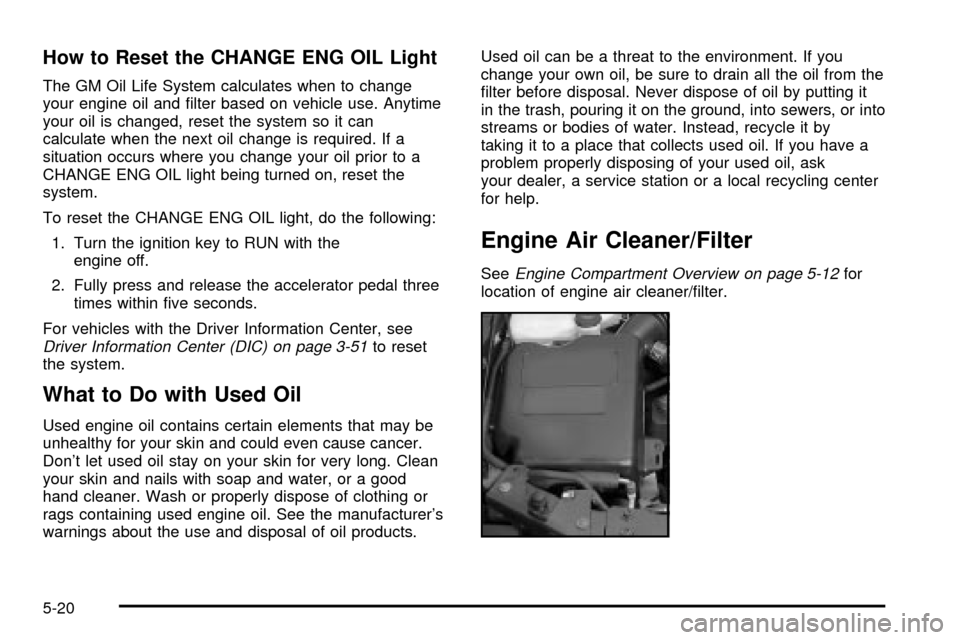
SeeEngine Compartment Overview on page 5-12for
location of engine air cleaner/®lter.
5-20
Page 346 of 436

Temperature ± A, B, C
The temperature grades are A (the highest), B, and C,
representing the tire's resistance to the generation
of heat and its ability to dissipate heat when tested
under controlled conditions on a speci®ed indoor
laboratory test wheel. Sustained high temperature can
cause the material of the tire to degenerate and
reduce tire life, and excessive temperature can lead to
sudden tire failure. The grade C corresponds to a
level of performance which all passenger car tires must
meet under the Federal Motor Vehicle Safety Standard
No. 109. Grades B and A represent higher levels of
performance on the laboratory test wheel than the
minimum required by law.
Warning: The temperature grade for this tire is
established for a tire that is properly in¯ated and not
overloaded. Excessive speed, underin¯ation, or
excessive loading, either separately or in combination,
can cause heat buildup and possible tire failure.
Wheel Alignment and Tire Balance
The wheels on your vehicle were aligned and balanced
carefully at the factory to give you the longest tire life
and best overall performance.
Scheduled wheel alignment and wheel balancing are
not needed. However, if you notice unusual tire wear or
your vehicle pulling one way or the other, the alignment
may need to be reset. If you notice your vehicle
vibrating when driving on a smooth road, your wheels
may need to be rebalanced.
5-60
Page 393 of 436

Scheduled Maintenance
The services shown in this schedule up to 100,000 miles
(166 000 km) should be repeated after 100,000 miles
(166 000 km) at the same intervals for the life of
this vehicle. The services shown at 150,000 miles
(240 000 km) should be repeated at the same interval
after 150,000 miles (240 000 km) for the life of this
vehicle.
See
Part B: Owner Checks and Services on page 6-11andPart C: Periodic MaintenanceInspections on
page 6-16.
Footnotes
²The U.S. Environmental Protection Agency or the
California Air Resources Board has determined that the
failure to perform this maintenance item will not nullify
the emission warranty or limit recall liability prior to
the completion of the vehicle's useful life. We, however,
urge that all recommended maintenance services be
performed at the indicated intervals and the
maintenance be recorded.
+A good time to check your brakes is during tire
rotation. See Brake System Inspection on page 6-17.
Engine Oil Scheduled Maintenance
Change engine oil and ®lter as indicated by the GM
Oil Life System (or every 12 months, whichever
occurs ®rst). Reset the system.
Your vehicle has a computer system that lets you know
when to change the engine oil and ®lter. This is
based on engine revolutions and engine temperature,
and not on mileage. Based on driving conditions,
the mileage at which an oil change will be indicated can
vary considerably. For the oil life system to work
properly, you must reset the system every time the oil is
changed.
When the system has calculated that oil life has been
diminished, it will indicate that an oil change is
necessary. A CHANGE ENGINE OIL light will come on.
Change your oil as soon as possible within the next
two times you stop for fuel. It is possible that, if you are
driving under the best conditions, the oil life system
may not indicate that an oil change is necessary for over
a year. However, your engine oil and ®lter must be
changed at least once a year and at this time the system
must be reset. Your dealer has GM-trained service
people who will perform this work using genuine GM
parts and reset the system.
6-5
Page 394 of 436

It is also important to check your oil regularly and keep
it at the proper level.
If the system is ever reset accidentally, you must
change your oil at 3,000 miles (5 000 km) since your
last oil change. Remember to reset the oil life system
whenever the oil is changed. See
Engine Oil on
page 5-16for information on resetting the system.
An Emission Control Service.
See the mileage intervals following for additional
services that may be performed with an engine oil
change. After the services are performed, record the
date, odometer reading and who performed the service
on the maintenance record pages in Part E of this
schedule.
7,500 Miles (12 500 km)
qCheck rear/front axle ¯uid level and add ¯uid as
needed. Check constant velocity joints and axle
seals for leaking.
qRotate tires. See
Tire Inspection and Rotation on
page 5-55for proper rotation pattern and additional
information.(See footnote +.)
15,000 Miles (25 000 km)
qInspect engine air cleaner ®lter or change indicator
(if equipped). If necessary, replace the ®lter. If
vehicle is driven in dusty/dirty conditions, inspect
®lter or change indicator (if equipped) at every engine
oil change. See
Engine Air Cleaner/Filter on
page 5-20for more information.An Emission Control
Service. (See footnote ².)
qCheck rear/front axle ¯uid level and add ¯uid as
needed. Check constant velocity joints and axle
seals for leaking.
qRotate tires. See
Tire Inspection and Rotation on
page 5-55for proper rotation pattern and additional
information.(See footnote +.)
22,500 Miles (37 500 km)
qCheck rear/front axle ¯uid level and add ¯uid as
needed. Check constant velocity joints and axle seals
for leaking.
qRotate tires. See
Tire Inspection and Rotation on
page 5-55for proper rotation pattern and additional
information.(See footnote +.)
6-6
Page 432 of 436

Rear Compartment Storage Panel/Cover............2-45
Rear Door Security Locks................................2-12
Rear Floor Storage Lid....................................2-48
Rear Safety Belt Comfort Guides......................1-24
Rear Seat Audio (RSA)..................................3-104
Rear Seat Entertainment System.......................3-93
Rear Seat Operation......................................... 1-6
Rear Seat Passenger Positions.........................1-21
Rear Seat Passengers, Safety Belts..................1-21
Rear Seats (TrailBlazer EXT)............................. 1-7
Rear Underseat Fuse Block..............................5-95
Rear Window Defogger............................3-23, 3-28
Rearview Mirror, Automatic Dimming with
OnStar
žand Compass.................................2-34
Reclining Seatbacks.......................................... 1-4
Recreational Vehicle Towing.............................4-44
Reduced Engine Power Light............................3-48
Remote Control..............................................3-98
Remote Keyless Entry System, Operation............ 2-6
Remote Keyless Entry System............................ 2-5
Removing the Flat Tire and Installing the
Spare Tire..................................................5-71
Removing the Spare Tire and Tools...................5-65
Replacement Bulbs.........................................5-51
Replacing Brake System Parts..........................5-41
Replacing Restraint System Parts After
a Crash.....................................................1-60
Reporting Safety Defects................................... 7-9
Canadian Government................................... 7-9
General Motors............................................. 7-9Reporting Safety Defects (cont.)
United States Government.............................. 7-8
Reprogramming a Single HomeLink
žButton.......2-42
Resetting Defaults...........................................2-43
Restraint System Check...................................6-12
Checking Your Restraint Systems...................1-59
Replacing Restraint System Parts After
a Crash..................................................1-60
Restraint Systems...........................................1-59
Checking....................................................1-59
Replacing Parts...........................................1-60
Retained Accessory Power (RAP)......................2-19
RFA # BATTERY LOW....................................3-63
Right Front Passenger Position, Safety Belts......1-21
RIGHT REAR DOOR AJAR..............................3-63
Roadside......................................................... 7-5
Assistance Program....................................... 7-5
Rocking Your Vehicle To Get It Out...................4-42
Running Your Engine While You Are Parked.......2-32
S
Safety Belt.....................................................3-38
Reminder Light............................................3-38
Safety Belts...................................................5-82
Care of......................................................5-82
Driver Position............................................1-14
How to Wear Safety Belts Properly................1-14
Questions and Answers About Safety Belts.....1-13
12
Page 433 of 436

Safety Belts (cont.)
Rear Safety Belt Comfort Guides for Children
and Small Adults......................................1-24
Rear Seat Passengers.................................1-21
Right Front Passenger Position......................1-21
Safety Belt Extender....................................1-27
Safety Belt Use During Pregnancy.................1-20
Safety Belts Are for Everyone......................... 1-8
Safety Chains.................................................4-55
Safety Warnings and Symbols.............................. iii
Scanning the Terrain.......................................4-18
Scheduled Maintenance..................................... 6-5
Seat............................................................... 1-5
Head Restraints............................................ 1-5
Seats.............................................................. 1-3
Heated Seats............................................... 1-3
Manual Lumbar............................................. 1-3
Manual........................................................ 1-2
Memory.....................................................2-50
Power Lumbar.............................................. 1-3
Power Seats................................................. 1-2
Rear Seat Operation...................................... 1-6
Reclining Seatbacks...................................... 1-4
Securing a Child Restraint................................1-46
Center Seat Position....................................1-46
Designed for the LATCH System...................1-42
Rear Outside Seat Position...........................1-43
Right Front Seat Position..............................1-46
Security Light.................................................3-47
Select...........................................................3-60SERVICE AIR BAG.........................................3-61
SERVICE BRAKE SYSTEM.............................3-62
Service Bulletins.............................................7-10
Service Engine Soon Light in the United States
or Check Engine Light in Canada..................3-43
Service Manuals............................................... 7-9
Service........................................................... 5-3
Adding Equipment to the Outside of Your
Vehicle..................................................... 5-4
Doing Your Own Work................................... 5-3
Engine Soon Light.......................................3-43
Four-Wheel-Drive Warning Light.....................3-49
Publications Ordering Information..................... 7-9
Setting Preset PTYs........................................3-86
Setting Preset Stations....................3-66, 3-73, 3-83
Setting the Time.............................................3-64
Setting the Tone (Bass/Treble)..........3-67, 3-74, 3-84
Sheet Metal Damage.......................................5-84
Shifting Into Park (P).......................................2-29
Shifting Out of Park (P)...................................2-31
Skidding........................................................4-14
Snow Plow....................................................4-50
Some Other Rainy Weather Tips.......................4-32
Spare Tire Check............................................6-12
Special Fabric Cleaning Problems.....................5-80
Speci®cations, Capacities...............................5-100
Speedometer..................................................3-37
Stalling on an Incline.......................................4-26
Starter Switch Check.......................................6-13
Starting Your Engine.......................................2-20
13