mirror CHEVROLET TRAIL BLAZER 2007 1.G Owners Manual
[x] Cancel search | Manufacturer: CHEVROLET, Model Year: 2007, Model line: TRAIL BLAZER, Model: CHEVROLET TRAIL BLAZER 2007 1.GPages: 574, PDF Size: 2.94 MB
Page 1 of 574
Seats and Restraint Systems
....................... 7
Front Seats
.............................................. 9
Rear Seats
............................................. 18
Safety Belts
............................................ 20
Child Restraints
...................................... 41
Airbag System
........................................ 69
Restraint System Check
......................... 88
Features and Controls
................................ 91
Keys
....................................................... 93
Doors and Locks
.................................... 98
Windows
............................................... 105
Theft-Deterrent Systems
....................... 108
Starting and Operating Your Vehicle
....... 111
Mirrors
.................................................. 132
OnStar
®System
................................... 145
Universal Home Remote System
.......... 149
Storage Areas
...................................... 161
Sunroof
................................................ 166Instrument Panel
....................................... 167
Instrument Panel Overview
................... 170
Climate Controls
................................... 187
Warning Lights, Gages,
and Indicators
................................... 198
Driver Information Center (DIC)
............ 220
Audio System(s)
................................... 238
Driving Your Vehicle
................................. 305
Your Driving, the Road, and
Your Vehicle
..................................... 306
Towing
................................................. 362
Service and Appearance Care
.................. 383
Service
................................................. 386
Fuel
...................................................... 388
Checking Things Under the Hood
......... 394
All-Wheel Drive
..................................... 438
Rear Axle
............................................. 438
2007 Chevrolet TrailBlazer Owner ManualM
1
Page 7 of 574
Front Seats..................................................... 9
Manual Seats................................................ 9
Power Seats............................................... 10
Manual Lumbar........................................... 10
Power Lumbar............................................. 11
Heated Seats.............................................. 11
Memory Seat, Mirrors, and Pedals.............. 12
Reclining Seatbacks.................................... 14
Head Restraints.......................................... 17
Rear Seats.................................................... 18
Rear Seat Operation................................... 18
Safety Belts.................................................. 20
Safety Belts: They Are for Everyone........... 20
Questions and Answers About
Safety Belts............................................. 24
How to Wear Safety Belts Properly............. 25
Driver Position............................................. 25
Safety Belt Use During Pregnancy.............. 33Right Front Passenger Position................... 34
Rear Seat Passengers................................ 34
Rear Safety Belt Comfort Guides................ 37
Safety Belt Pretensioners............................ 40
Safety Belt Extender................................... 40
Child Restraints............................................ 41
Older Children............................................. 41
Infants and Young Children......................... 44
Child Restraint Systems.............................. 48
Where to Put the Restraint.......................... 52
Lower Anchors and Tethers for
Children (LATCH).................................... 53
Securing a Child Restraint in a
Rear Outside Seat Position...................... 61
Securing a Child Restraint in the
Center Rear Seat Position....................... 64
Securing a Child Restraint in the
Right Front Seat Position......................... 64
Section 1 Seats and Restraint Systems
7
Page 12 of 574
To heat only the seatback, press the vertical
button with the heated seatback symbol. An
indicator light on the button will come on to
designate that only the seatback is being heated.
Additional presses will cycle through the heat
levels for the seatback only.
The feature will shut off automatically when the
ignition is turned off.
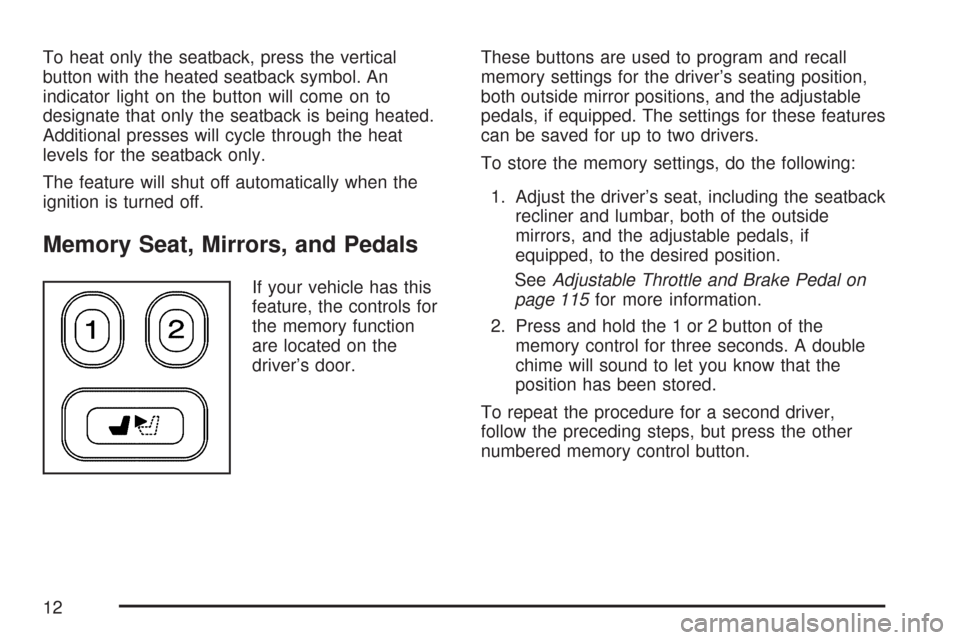
Memory Seat, Mirrors, and Pedals
If your vehicle has this
feature, the controls for
the memory function
are located on the
driver’s door.These buttons are used to program and recall
memory settings for the driver’s seating position,
both outside mirror positions, and the adjustable
pedals, if equipped. The settings for these features
can be saved for up to two drivers.
To store the memory settings, do the following:
1. Adjust the driver’s seat, including the seatback
recliner and lumbar, both of the outside
mirrors, and the adjustable pedals, if
equipped, to the desired position.
SeeAdjustable Throttle and Brake Pedal on
page 115for more information.
2. Press and hold the 1 or 2 button of the
memory control for three seconds. A double
chime will sound to let you know that the
position has been stored.
To repeat the procedure for a second driver,
follow the preceding steps, but press the other
numbered memory control button.
12
Page 13 of 574
To recall the memory settings, do one of the
following:
Press and release button 1 or 2 while the
vehicle is in PARK (P). A single chime
will sound and the memory position will
be recalled.
If programmed to do so through the Driver
Information Center (DIC), pressing the
unlock button on the remote keyless entry
transmitter will recall the preset driver’s
memory seat, mirrors, and adjustable pedals
position. The numbers on the back of the
transmitters, 1 or 2, correspond to the numbers
on the memory controls.
If programmed to do so through the DIC,
placing the key in the ignition will recall
the driver’s memory seat, mirrors, and
adjustable pedals positions.
See “Seat Recall” underDIC Vehicle
Customization on page 231for more information.
To stop recall movement of the memory seat
feature at any time, press one of the memory
buttons or power seat controls.
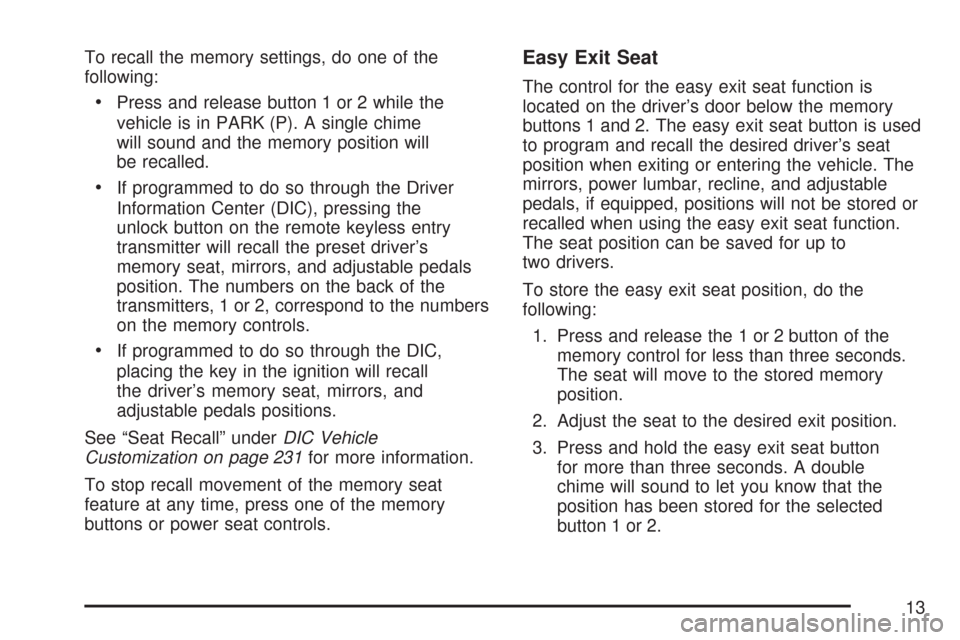
Easy Exit Seat
The control for the easy exit seat function is
located on the driver’s door below the memory
buttons 1 and 2. The easy exit seat button is used
to program and recall the desired driver’s seat
position when exiting or entering the vehicle. The
mirrors, power lumbar, recline, and adjustable
pedals, if equipped, positions will not be stored or
recalled when using the easy exit seat function.
The seat position can be saved for up to
two drivers.
To store the easy exit seat position, do the
following:
1. Press and release the 1 or 2 button of the
memory control for less than three seconds.
The seat will move to the stored memory
position.
2. Adjust the seat to the desired exit position.
3. Press and hold the easy exit seat button
for more than three seconds. A double
chime will sound to let you know that the
position has been stored for the selected
button 1 or 2.
13
Page 80 of 574
Passenger Sensing System
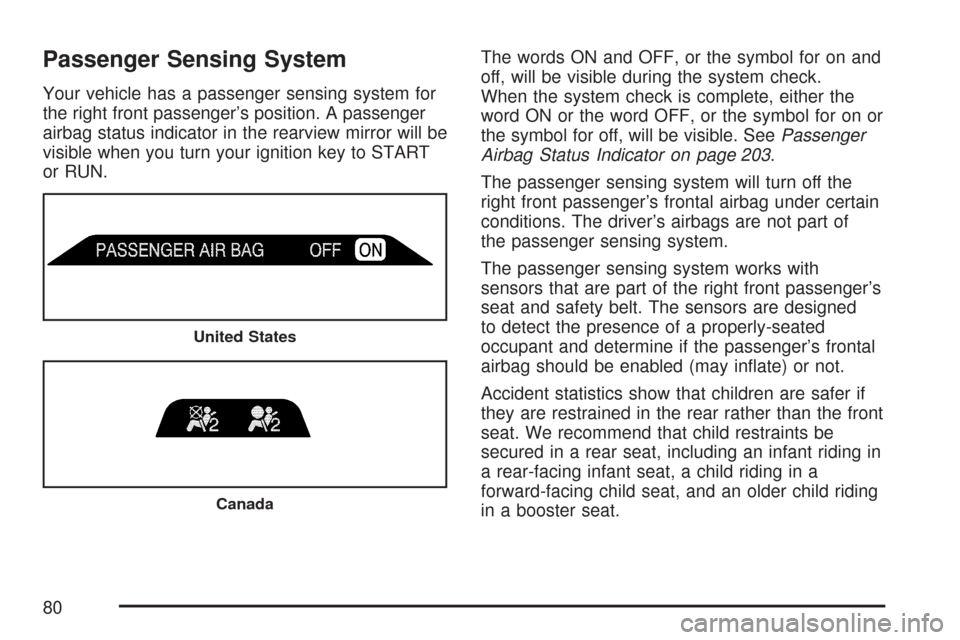
Your vehicle has a passenger sensing system for
the right front passenger’s position. A passenger
airbag status indicator in the rearview mirror will be
visible when you turn your ignition key to START
or RUN.The words ON and OFF, or the symbol for on and
off, will be visible during the system check.
When the system check is complete, either the
word ON or the word OFF, or the symbol for on or
the symbol for off, will be visible. SeePassenger
Airbag Status Indicator on page 203.
The passenger sensing system will turn off the
right front passenger’s frontal airbag under certain
conditions. The driver’s airbags are not part of
the passenger sensing system.
The passenger sensing system works with
sensors that are part of the right front passenger’s
seat and safety belt. The sensors are designed
to detect the presence of a properly-seated
occupant and determine if the passenger’s frontal
airbag should be enabled (may inate) or not.
Accident statistics show that children are safer if
they are restrained in the rear rather than the front
seat. We recommend that child restraints be
secured in a rear seat, including an infant riding in
a rear-facing infant seat, a child riding in a
forward-facing child seat, and an older child riding
in a booster seat.
United States
Canada
80
Page 83 of 574
The passenger sensing system is designed to turn
off the right front passenger’s frontal airbag if:
The right front passenger seat is unoccupied.
The system determines that an infant is
present in a rear-facing infant seat.
The system determines that a small child is
present in a forward-facing child restraint.
The system determines that a small child is
present in a booster seat.
A right front passenger takes his/her weight off
of the seat for a period of time.
The right front passenger seat is occupied by
a smaller person, such as a child who has
outgrown child restraints.
Or, if there is a critical problem with the airbag
system or the passenger sensing system.
When the passenger sensing system has turned
off the passenger’s frontal airbag, the off indicator
in the rearview mirror will light and stay lit to
remind you that the airbag is off.If a child restraint has been installed and the on
indicator is lit, turn the vehicle off. Remove
the child restraint from the vehicle and reinstall the
child restraint following the child restraint
manufacturer’s directions and refer toSecuring a
Child Restraint in the Right Front Seat Position
on page 64.
If, after reinstalling the child restraint and restarting
the vehicle, the on indicator is still lit, check to
make sure that the vehicle’s seatback is not
pressing the child restraint into the seat cushion.
If this happens, slightly recline the vehicle’s
seatback and adjust the seat cushion if possible.
Also make sure the child restraint is not trapped
under the vehicle head restraint. If this happens,
adjust the head restraint.
If the on indicator is still lit, secure the child in the
child restraint in a rear seat position in the
vehicle and check with your dealer.
83
Page 87 of 574
Adding Equipment to Your
Airbag-Equipped Vehicle
Q:Is there anything I might add to the front
or sides of the vehicle that could keep the
airbags from working properly?
A:Yes. If you add things that change your
vehicle’s frame, bumper system, height,
front end or side sheet metal, they may keep
the airbag system from working properly.
Also, the airbag system may not work properly
if you relocate any of the airbag sensors. If
you have any questions about this, you should
contact Customer Assistance before you
modify your vehicle. The phone numbers and
addresses for Customer Assistance are in
Step Two of the Customer Satisfaction
Procedure in this manual. SeeCustomer
Satisfaction Procedure on page 538.
Q:Because I have a disability, I have to get
my vehicle modied. How can I nd out
whether this will affect my airbag system?
A:Changing or moving any parts of the
front seats, safety belts, the airbag sensing
and diagnostic module, steering wheel,
instrument panel, the inside review mirror,
ceiling headliner, ceiling and pillar garnish trim,
roof-mounted airbag modules, or airbag
wiring can affect the operation of the airbag
system. If you have questions, call Customer
Assistance. The phone numbers and
addresses for Customer Assistance are in
Step Two of the Customer Satisfaction
Procedure in this manual. SeeCustomer
Satisfaction Procedure on page 538.
87
Page 92 of 574
Mirrors......................................................... 132
Manual Rearview Mirror............................. 132
Manual Rearview Mirror with OnStar
®.......... 132
Automatic Dimming Rearview Mirror with
OnStar
®and Compass........................... 133
Automatic Dimming Rearview Mirror with
OnStar
®, Compass and Temperature
Display................................................... 135
Automatic Dimming Rearview Mirror with
Compass............................................... 138
Automatic Dimming Rearview Mirror with
Compass and Temperature Display........ 140
Outside Manual Mirrors............................. 143
Outside Power Mirrors............................... 143
Outside Curb View Assist Mirror................ 144
Outside Convex Mirror............................... 144
Outside Heated Mirrors............................. 145
OnStar
®System.......................................... 145Universal Home Remote System................ 149
System Identication.................................. 149
Universal Home Remote System............... 150
Universal Home Remote System Operation
(With One Triangular LED)...................... 150
Universal Home Remote System
Operation (With Three Round LED)....... 154
Storage Areas............................................. 161
Glove Box................................................. 161
Overhead Console..................................... 161
Center Console Storage Area.................... 161
Luggage Carrier........................................ 162
Rear Floor Storage Lid.............................. 163
Convenience Net....................................... 164
Cargo Cover............................................. 164
Cargo Tie Downs...................................... 165
Sunroof....................................................... 166
Section 2 Features and Controls
92
Page 108 of 574
Sun Visors
Sun Visors with Slide Rod
Your vehicle may have this feature. Pull the sun
visor down to block glare. Detach the sun visor from
the center mount and slide it along the rod from
side-to-side to cover the driver or passenger side of
the front window. Swing the sun visor to the side to
cover the side window. It can also be moved along
the rod from side-to-side in this position.
Sun Visors with Fixed Rod and Pull-out
Extension
Your vehicle may have this feature. Pull the sun
visor down to block glare. Pull the sun visor
extender out for additional coverage. Detach the
sun visor from the center mount and swing it to the
side to cover the side window.
Visor Vanity Mirror
Pull the sun visor down to expose the vanity mirror.
You may have to lift a cover to expose the mirror.
Lighted Visor Vanity Mirror
Your vehicle may have this feature. Pull the sun
visor down and lift the mirror cover to turn on
the lamps. The lamps will turn off when the cover
is closed.
Theft-Deterrent Systems
Vehicle theft is big business, especially in some
cities. Although your vehicle has a number of
theft-deterrent features, we know that nothing we
put on it can make it impossible to steal.
Content Theft-Deterrent
Your vehicle may have a content theft-deterrent
alarm system.
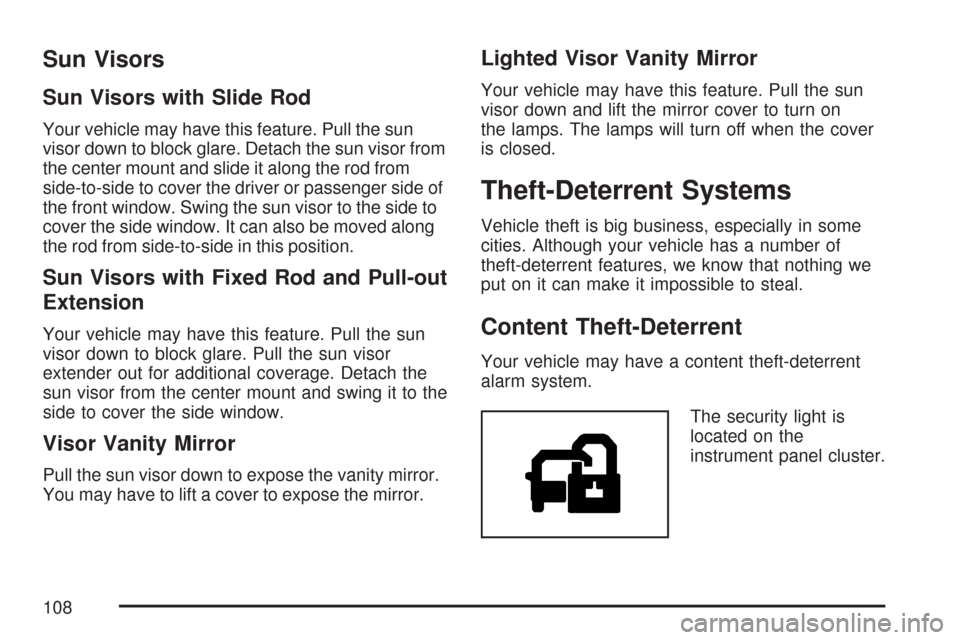
The security light is
located on the
instrument panel cluster.
108
Page 115 of 574
Notice:Your engine is designed to work with
the electronics in your vehicle. If you add
electrical parts or accessories, you could
change the way the engine operates. Before
adding electrical equipment, check with your
dealer/retailer. If you do not, your engine might
not perform properly. Any resulting damage
would not be covered by your vehicle’s
warranty.
Adjustable Throttle and Brake Pedal
If your vehicle has this feature, you can change
the position of the throttle and brake pedals.
This feature is designed for shorter drivers, since
the pedals cannot move farther away from the
standard position, but can move closer for better
pedal reach. If your vehicle has this feature,
it can be programmed to work with the memory
function. SeeMemory Seat, Mirrors, and
Pedals on page 12.The vehicle must be in PARK (P) for this feature
to operate.
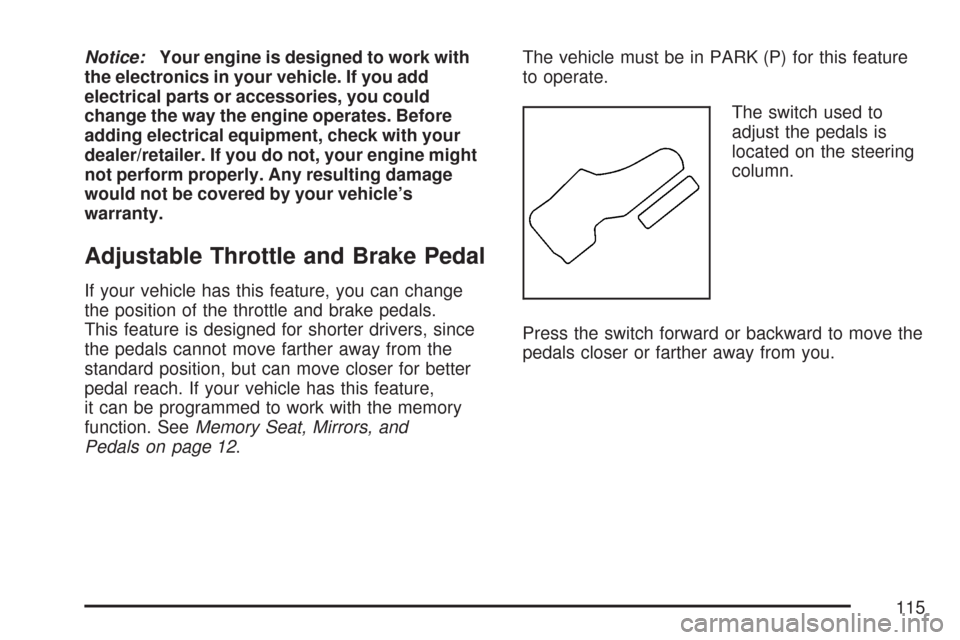
The switch used to
adjust the pedals is
located on the steering
column.
Press the switch forward or backward to move the
pedals closer or farther away from you.
115