maint CHEVROLET TRAVERSE 2019 Owner's Guide
[x] Cancel search | Manufacturer: CHEVROLET, Model Year: 2019, Model line: TRAVERSE, Model: CHEVROLET TRAVERSE 2019Pages: 428, PDF Size: 6.28 MB
Page 218 of 428
Chevrolet Traverse Owner Manual (GMNA-Localizing-U.S./Canada/Mexico-
12146157) - 2019 - CRC - 10/31/18
Driving and Operating 217
After operation in mud or sand,
have the brake linings cleaned and
checked. These substances can
cause glazing and uneven braking.
Check the body structure, steering,
suspension, wheels, tires, and
exhaust system for damage and
check the fuel lines and cooling
system for any leakage.
More frequent maintenance service
is required. SeeMaintenance
Schedule 0373.
Driving on Wet Roads
Rain and wet roads can reduce
vehicle traction and affect your
ability to stop and accelerate.
Always drive slower in these types
of driving conditions and avoid
driving through large puddles and
deep-standing or flowing water.
{Warning
Wet brakes can cause crashes.
They might not work as well in a
quick stop and could cause
pulling to one side. You could
lose control of the vehicle.
After driving through a large
puddle of water or a car/vehicle
wash, lightly apply the brake
pedal until the brakes work
normally.
Flowing or rushing water creates
strong forces. Driving through
flowing water could cause the
vehicle to be carried away. If this
happens, you and other vehicle
occupants could drown. Do not
ignore police warnings and be
very cautious about trying to drive
through flowing water.
Hydroplaning
Hydroplaning is dangerous. Water
can build up under the vehicle's
tires so they actually ride on the
water. This can happen if the road is wet enough and you are going fast
enough. When the vehicle is
hydroplaning, it has little or no
contact with the road.
There is no hard and fast rule about
hydroplaning. The best advice is to
slow down when the road is wet.
Other Rainy Weather Tips
Besides slowing down, other wet
weather driving tips include:
.
Allow extra following distance.
. Pass with caution.
. Keep windshield wiping
equipment in good shape.
. Keep the windshield washer fluid
reservoir filled.
. Have good tires with proper
tread depth. See Tires0326.
. Turn off cruise control.
. Activate All-Wheel Drive (AWD)
mode. See Driver Mode Control
0 242.
Page 229 of 428
Chevrolet Traverse Owner Manual (GMNA-Localizing-U.S./Canada/Mexico-
12146157) - 2019 - CRC - 10/31/18
228 Driving and Operating
Auto Engine Stop/Start
When the brakes are applied and
the vehicle is at a complete stop,
the engine may turn off. When
stopped, the tachometer displays
AUTO STOP. SeeTachometer
0 138. When the brake pedal is
released or the accelerator pedal is
pressed, the engine will restart.
To maintain vehicle performance,
other conditions may cause the
engine to automatically restart
before the brake pedal is released.
Auto Stops may not occur and/or
auto restarts may occur because:
. The climate control settings
require the engine to be running
to cool or heat the vehicle
interior.
. The vehicle battery charge
is low.
. The vehicle battery has recently
been disconnected. .
Minimum vehicle speed has not
been reached since the last
Auto Stop.
. The accelerator pedal is
pressed.
. The engine or transmission is
not at the required operating
temperature.
. The outside temperature is not
in the required operating range.
. The vehicle is in any gear other
than D (Drive).
. Tow/Haul Mode or other driver
modes have been selected.
. The vehicle is on a steep hill or
grade.
. The driver door has been
opened or driver seat belt has
been unbuckled.
. The hood has been opened.
. The Auto Stop has reached the
maximum allowed time.Engine Heater
The engine heater can provide
easier starting and better fuel
economy during engine warm-up in
cold weather conditions at or below
0 °F (−18 °C). Vehicles with an
engine heater should be plugged in
at least four hours before starting.
Some models may have an internal
thermostat in the cord which will
prevent engine heater operation at
temperatures above 0 °F (−18 °C).
{Warning
Do not plug in the engine block
heater while the vehicle is parked
in a garage or under a carport.
Property damage or personal
injury may result. Always park the
vehicle in a clear open area away
from buildings or structures.
Page 234 of 428
Chevrolet Traverse Owner Manual (GMNA-Localizing-U.S./Canada/Mexico-
12146157) - 2019 - CRC - 10/31/18
Driving and Operating 233
Running the Vehicle
While Parked
It is better not to park with the
engine running.
If the vehicle is left with the engine
running, follow the proper steps to
be sure the vehicle will not move.
SeeShifting Into Park 0230 and
Engine Exhaust 0232.
If parking on a hill and pulling a
trailer, see Driving Characteristics
and Towing Tips 0275.
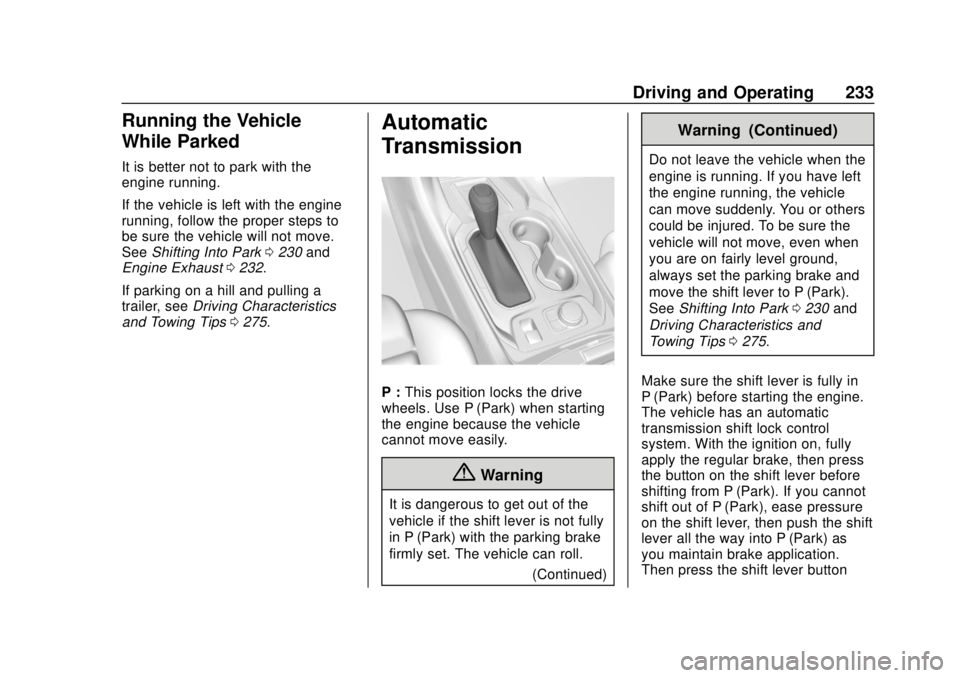
Automatic
Transmission
P : This position locks the drive
wheels. Use P (Park) when starting
the engine because the vehicle
cannot move easily.
{Warning
It is dangerous to get out of the
vehicle if the shift lever is not fully
in P (Park) with the parking brake
firmly set. The vehicle can roll.
(Continued)
Warning (Continued)
Do not leave the vehicle when the
engine is running. If you have left
the engine running, the vehicle
can move suddenly. You or others
could be injured. To be sure the
vehicle will not move, even when
you are on fairly level ground,
always set the parking brake and
move the shift lever to P (Park).
SeeShifting Into Park 0230 and
Driving Characteristics and
Towing Tips 0275.
Make sure the shift lever is fully in
P (Park) before starting the engine.
The vehicle has an automatic
transmission shift lock control
system. With the ignition on, fully
apply the regular brake, then press
the button on the shift lever before
shifting from P (Park). If you cannot
shift out of P (Park), ease pressure
on the shift lever, then push the shift
lever all the way into P (Park) as
you maintain brake application.
Then press the shift lever button
Page 237 of 428
Chevrolet Traverse Owner Manual (GMNA-Localizing-U.S./Canada/Mexico-
12146157) - 2019 - CRC - 10/31/18
236 Driving and Operating
If the transmission is in 9 (Ninth)
gear when L (Low) is selected, a
downshift to 7 (Seventh) will be
commanded. If in 8 (Eighth) through
2 (Second) a single downshift will
occur.
While in L (Low), the transmission
will prevent shifting to a lower gear
range if the engine speed is too
high. You have a brief period of time
to slow the vehicle. If vehicle speed
is not reduced within the time
allowed, the lower gear range shift
will not be completed. You must
further slow the vehicle, then press
−(Minus) to the desired lower gear
range.
Automatic Engine Grade Braking is
not available when the ERS is
active. It is available in D (Drive) for
both normal driving and Tow/Haul
Mode. While using the ERS, cruise
control and the Tow/Haul Mode can
be used. See “Tow/Haul Mode”
following.Tow/Haul Mode
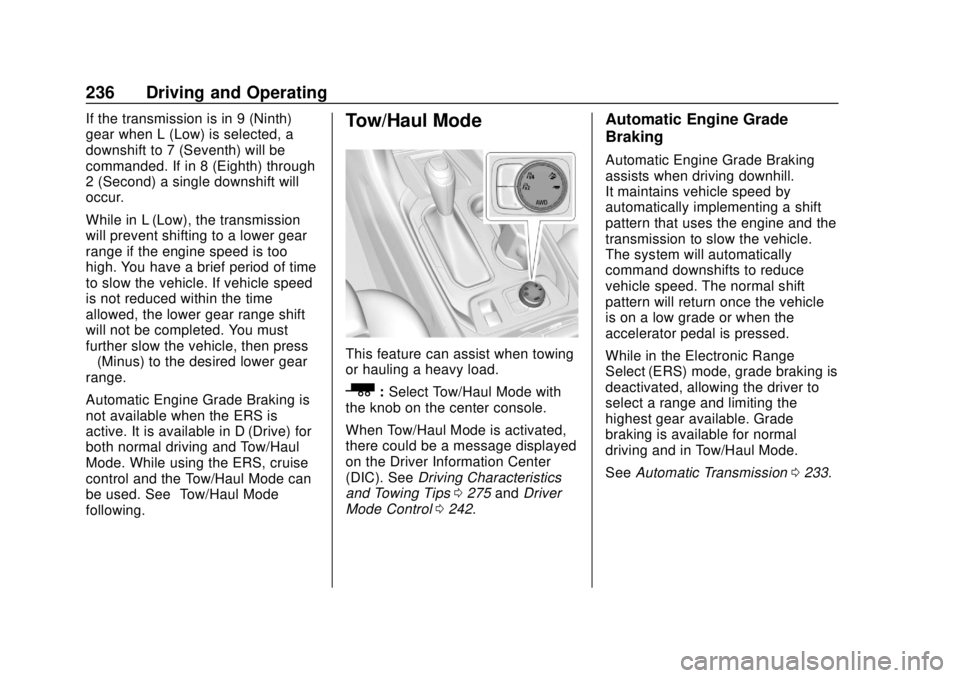
This feature can assist when towing
or hauling a heavy load.
_: Select Tow/Haul Mode with
the knob on the center console.
When Tow/Haul Mode is activated,
there could be a message displayed
on the Driver Information Center
(DIC). See Driving Characteristics
and Towing Tips 0275 andDriver
Mode Control 0242.
Automatic Engine Grade
Braking
Automatic Engine Grade Braking
assists when driving downhill.
It maintains vehicle speed by
automatically implementing a shift
pattern that uses the engine and the
transmission to slow the vehicle.
The system will automatically
command downshifts to reduce
vehicle speed. The normal shift
pattern will return once the vehicle
is on a low grade or when the
accelerator pedal is pressed.
While in the Electronic Range
Select (ERS) mode, grade braking is
deactivated, allowing the driver to
select a range and limiting the
highest gear available. Grade
braking is available for normal
driving and in Tow/Haul Mode.
See Automatic Transmission 0233.
Page 242 of 428
Chevrolet Traverse Owner Manual (GMNA-Localizing-U.S./Canada/Mexico-
12146157) - 2019 - CRC - 10/31/18
Driving and Operating 241
Ride Control Systems
Traction Control/
Electronic Stability
Control
System Operation
The vehicle has a Traction Control
System (TCS) and StabiliTrak/
Electronic Stability Control (ESC),
an electronic stability control
system. These systems help limit
wheel slip and assist the driver in
maintaining control, especially on
slippery road conditions.
TCS activates if it senses that any
of the drive wheels are spinning or
beginning to lose traction. When this
happens, TCS applies the brakes to
the spinning wheels and reduces
engine power to limit wheel spin.
StabiliTrak/ESC activates when the
vehicle senses a difference between
the intended path and the direction
the vehicle is actually traveling.
StabiliTrak/ESC selectively applies
braking pressure to any one of thevehicle wheel brakes to assist the
driver in keeping the vehicle on the
intended path.
If cruise control is being used and
TCS or StabiliTrak/ESC begins to
limit wheel spin, cruise control will
disengage. Cruise control may be
turned back on when road
conditions allow. TCS and
StabiliTrak/ESC will automatically
turn on when cruise control is set.
Both systems come on
automatically when the vehicle is
started and begins to move. The
systems may be heard or felt while
they are operating or while
performing diagnostic checks. This
is normal and does not mean there
is a problem with the vehicle.
It is recommended to leave both
systems on for normal driving
conditions, but it may be necessary
to turn TCS off if the vehicle gets
stuck in sand, mud, ice, or snow.
See
If the Vehicle Is Stuck 0220
and “Turning the Systems Off and
On” later in this section.
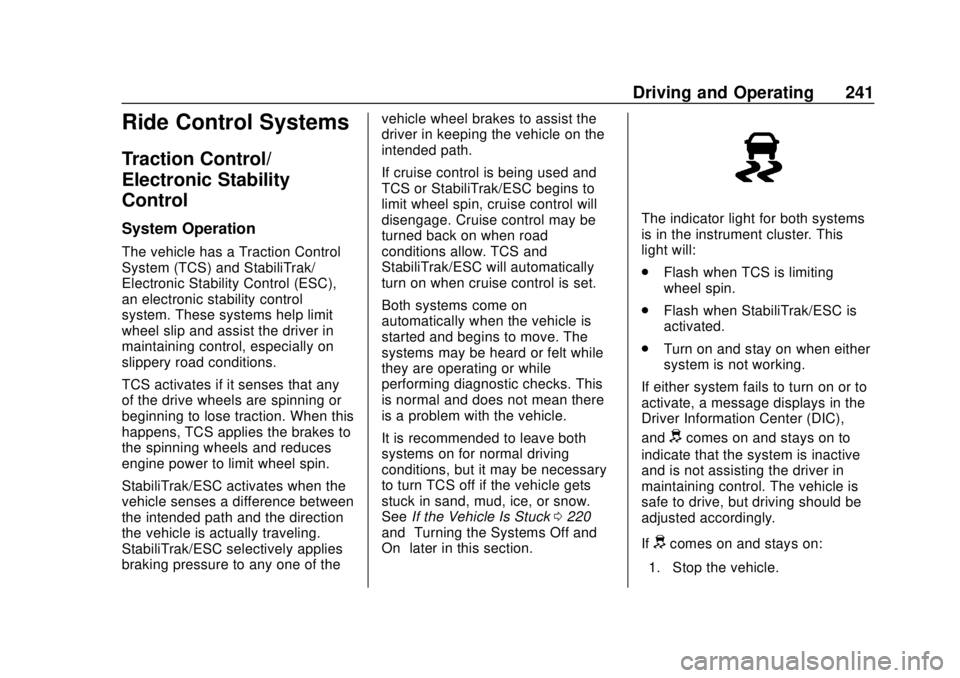
The indicator light for both systems
is in the instrument cluster. This
light will:
.
Flash when TCS is limiting
wheel spin.
. Flash when StabiliTrak/ESC is
activated.
. Turn on and stay on when either
system is not working.
If either system fails to turn on or to
activate, a message displays in the
Driver Information Center (DIC),
and
dcomes on and stays on to
indicate that the system is inactive
and is not assisting the driver in
maintaining control. The vehicle is
safe to drive, but driving should be
adjusted accordingly.
If
dcomes on and stays on:
1. Stop the vehicle.
Page 245 of 428
Chevrolet Traverse Owner Manual (GMNA-Localizing-U.S./Canada/Mexico-
12146157) - 2019 - CRC - 10/31/18
244 Driving and Operating
7(AWD Only) :Vehicle is in
Off-Road Mode. This mode will not
remain active through future ignition
cycles. The vehicle will be in
Two-Wheel Drive when the engine
is restarted. This mode will
automatically activate AWD. The
accelerator pedal will be more
sensitive to provide finer control of
the torque at the wheels.
StabiliTrak/ESC, ABS, and TCS will
change for optimal off-road
performance. Use this mode for
public off-road recreational driving.
See Off-Road Driving 0212._Tow/Haul : Vehicle is in Tow/
Haul Mode. This mode will not
remain active through future ignition
cycles. The vehicle will be in
Front-Wheel Drive or Two-Wheel
Drive when the engine is restarted.
This mode will automatically
activate AWD. See All-Wheel Drive
0 237. The transmission holds lower
gears longer before shifting to
provide more torque necessary
when towing heavy loads. This will also increase fuel consumption. Use
this mode to assist in maintaining
desired vehicle speeds when driving
on downhill grades by using the
engine and transmission to slow the
vehicle. This helps prevent the
brakes from overheating. For more
information, see
Tow/Haul Mode
0 236.
Page 247 of 428
Chevrolet Traverse Owner Manual (GMNA-Localizing-U.S./Canada/Mexico-
12146157) - 2019 - CRC - 10/31/18
246 Driving and Operating
Cruise Control
{Warning
Cruise control can be dangerous
where you cannot drive safely at
a steady speed. Do not use
cruise control on winding roads or
in heavy traffic.
Cruise control can be dangerous
on slippery roads. On such roads,
fast changes in tire traction can
cause excessive wheel slip, and
you could lose control. Do not use
cruise control on slippery roads.
With cruise control, a speed of
about 40 km/h (25 mph) or more can
be maintained without keeping your
foot on the accelerator. Cruise
control does not work at speeds
below about 40 km/h (25 mph). If the Traction Control System (TCS)
or StabiliTrak/Electronic Stability
Control (ESC) system begins to limit
wheel spin while using cruise
control, the cruise control
automatically disengages. See
Traction Control/Electronic Stability
Control
0241. If a collision alert
occurs when cruise control is
activated, cruise control is
disengaged. See Forward Collision
Alert (FCA) System 0261. When
road conditions allow the cruise
control to be safely used, cruise
control can be turned back on.
Turning off the TCS or StabiliTrak/
ESC system will disengage the
cruise control.
If the brakes are applied, cruise
control disengages.
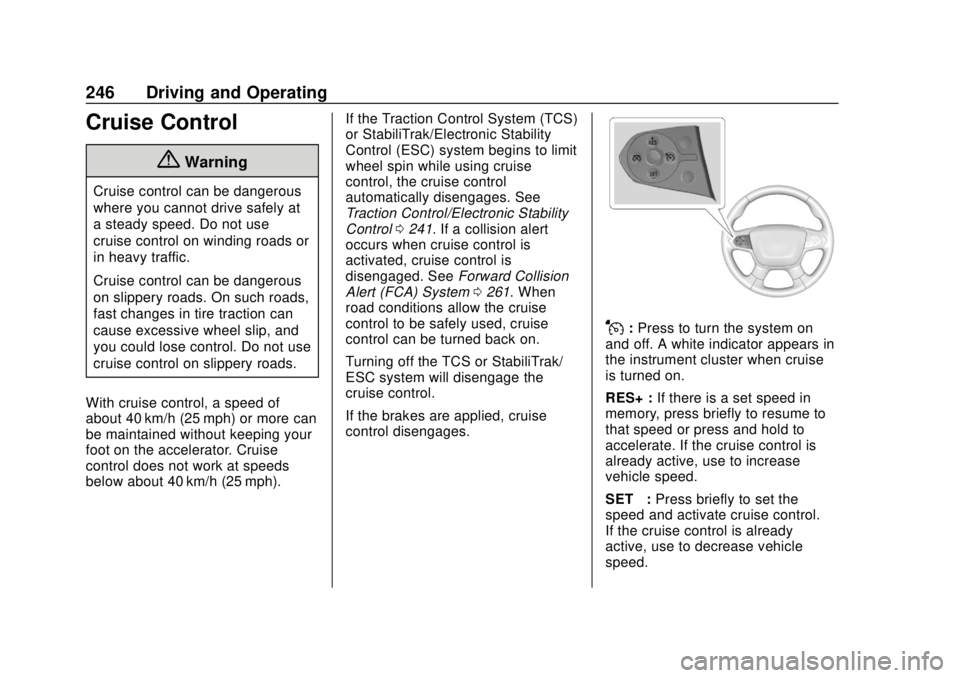
J: Press to turn the system on
and off. A white indicator appears in
the instrument cluster when cruise
is turned on.
RES+ : If there is a set speed in
memory, press briefly to resume to
that speed or press and hold to
accelerate. If the cruise control is
already active, use to increase
vehicle speed.
SET− :Press briefly to set the
speed and activate cruise control.
If the cruise control is already
active, use to decrease vehicle
speed.
Page 249 of 428
Chevrolet Traverse Owner Manual (GMNA-Localizing-U.S./Canada/Mexico-
12146157) - 2019 - CRC - 10/31/18
248 Driving and Operating
While pressing the accelerator pedal
or shortly following the release to
override cruise, briefly applying
SET−will result in cruise set to the
current vehicle speed.
Using Cruise Control on Hills
How well the cruise control will work
on hills depends upon the vehicle
speed, load, and the steepness of
the hills. When going up steep hills,
you might have to step on the
accelerator pedal to maintain your
speed. While on a hill, the
transmission may downshift in order
to use engine braking to slow the
vehicle and maintain the set speed.
Also, you may have to brake or shift
to a lower gear to keep your speed
down. If the brake pedal is applied,
cruise control disengages.
Ending Cruise Control
There are four ways to end cruise
control:
. Step lightly on the brake pedal.
. Press
*. .
Shift the transmission to
N (Neutral).
. Press
J.
Erasing Speed Memory
The cruise control set speed is
erased from memory if
Jis
pressed or if the ignition is
turned off.
Adaptive Cruise Control
If equipped with Adaptive Cruise
Control (ACC), it allows the driver to
select the cruise control set speed
and following gap. Read this entire
section before using this system.
The following gap is the following
time between your vehicle and a
vehicle detected directly ahead in
your path, moving in the same
direction. If no vehicle is detected in
your path, ACC works like regular
cruise control. ACC uses camera
and radar sensors. See Radio
Frequency Statement 0399.
If a vehicle is detected in your path,
ACC can apply acceleration or
limited, moderate braking to maintain the selected following gap.
To disengage ACC, apply the brake.
If ACC is controlling your vehicle
speed when the Traction Control
System (TCS) or StabiliTrak/
Electronic Stability Control (ESC)
system activates, the ACC may
automatically disengage. See
Traction Control/Electronic Stability
Control
0241. When road
conditions allow ACC to be safely
used, the ACC can be turned
back on.
Turning off the TCS or StabiliTrak/
ESC system will disengage the
cruise control.
{Warning
ACC has limited braking ability
and may not have time to slow
the vehicle down enough to avoid
a collision with another vehicle
you are following. This can occur
when vehicles suddenly slow or
stop ahead, or enter your lane.
Also see “Alerting the Driver” in
(Continued)
Page 253 of 428
Chevrolet Traverse Owner Manual (GMNA-Localizing-U.S./Canada/Mexico-
12146157) - 2019 - CRC - 10/31/18
252 Driving and Operating
Pressing RES+ when there is no
longer a vehicle ahead will
cause ACC to resume.
Reducing Speed While ACC Is at a
Set Speed
Do one of the following:
. Use the brake to get to the
desired lower speed. Release
the brake and press SET–. The
vehicle will now cruise at the
lower speed.
. Press and hold SET– until the
desired lower speed is reached,
then release it.
. To decrease the vehicle speed in
smaller increments, press SET−.
For each press, the vehicle goes
about 1 km/h (1 mph) slower.
. To decrease speed while the
vehicle is stopped, press SET−
until the desired set speed is
displayed.
Selecting the Follow Distance Gap
When a slower moving vehicle is
detected ahead within the selected
following gap, ACC will adjust the vehicle's speed and attempt to
maintain the follow distance gap
selected.
Press
[on the steering wheel to
adjust the following gap. Each press
cycles the gap button through three
settings: Far, Medium, or Near.
When pressed, the current gap
setting displays briefly on the
instrument cluster. The gap setting
will be maintained until it is
changed.
Since each gap setting corresponds
to a following time (Far, Medium,
or Near), the following distance will
vary based on vehicle speed. The
faster the vehicle speed, the further
back your vehicle will follow a
vehicle detected ahead. Consider
traffic and weather conditions when
selecting the following gap. The
range of selectable gaps may not be
appropriate for all drivers and
driving conditions.
Changing the gap setting
automatically changes the alert
timing sensitivity (Far, Medium, or Near) for the Forward Collision
Alert (FCA) feature. See
Forward
Collision Alert (FCA) System 0261.
Alerting the Driver
If ACC is engaged, driver action
may be required when ACC cannot
apply sufficient braking because of
approaching a vehicle too rapidly.
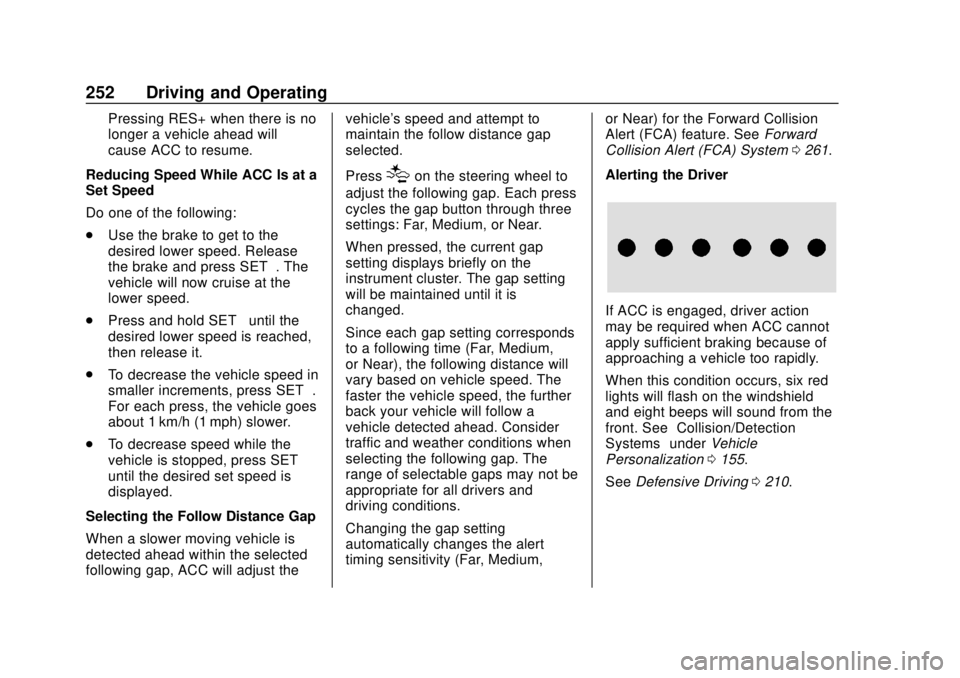
When this condition occurs, six red
lights will flash on the windshield
and eight beeps will sound from the
front. See “Collision/Detection
Systems” underVehicle
Personalization 0155.
See Defensive Driving 0210.
Page 255 of 428
Chevrolet Traverse Owner Manual (GMNA-Localizing-U.S./Canada/Mexico-
12146157) - 2019 - CRC - 10/31/18
254 Driving and Operating
Notification to Resume ACC
ACC will maintain a follow gap
behind a detected vehicle and slow
your vehicle to a stop behind that
vehicle.
If the stopped vehicle ahead has
driven away and ACC has not
resumed, the vehicle ahead
indicator will flash and three beeps
will sound as a reminder to check
traffic ahead before proceeding. See
“Adaptive Cruise Go Notifier”in
“Collision/Detection Systems” under
Vehicle Personalization 0155.
When the vehicle ahead drives
away, press RES+ or the
accelerator pedal to resume ACC.
If stopped for more than
two minutes or if the driver door is
opened and the driver seat belt is
unbuckled, the ACC automatically
applies the Electric Parking Brake
(EPB) to hold the vehicle. The
Electric Parking Brake status light
will turn on. See Electric Parking
Brake 0238. To resume ACC and
release the EPB, press the
accelerator pedal. A DIC warning message may
display indicating to shift to P (Park)
before exiting the vehicle. See
Vehicle Messages
0154.
{Warning
If ACC has stopped the vehicle,
and if ACC is disengaged, turned
off, or canceled, the vehicle will
no longer be held at a stop. The
vehicle can move. When ACC is
holding the vehicle at a stop,
always be prepared to manually
apply the brakes.
{Warning
Leaving the vehicle without
placing it in P (Park) can be
dangerous. Do not leave the
vehicle while it is being held at a
stop by ACC. Always place the
vehicle in P (Park) and turn off
the ignition before leaving the
vehicle. ACC Override
If using the accelerator pedal while
ACC is active, the ACC indicator
turns blue on the instrument cluster.
ACC will resume operation when the
accelerator pedal is not being
pressed.
{Warning
The ACC will not automatically
apply the brakes if your foot is
resting on the accelerator pedal.
You could crash into a vehicle
ahead of you.
Curves in the Road
{Warning
On curves, ACC may not detect a
vehicle ahead in your lane. You
could be startled if the vehicle
accelerates up to the set speed,
especially when following a
vehicle exiting or entering exit
ramps. You could lose control of (Continued)