display CHEVROLET TRAX 2013 1.G Owner's Manual
[x] Cancel search | Manufacturer: CHEVROLET, Model Year: 2013, Model line: TRAX, Model: CHEVROLET TRAX 2013 1.GPages: 408, PDF Size: 6.59 MB
Page 140 of 408
Black plate (36,1)Chevrolet TRAX Owner Manual - 2013 - CRC - 3/6/13
5-36 Instruments and Controls
Press Exit Lighting when
highlighted. Select On or Off.
Press
4.
Power Door Locks
Select Power Door Locks and the
following may be displayed:
.Auto Door Unlock
.Auto Door Lock
.Unlocked Door Anti Lock Out
.Delayed Door Lock
Auto Door Unlock
This allows selection of which of the
doors will automatically unlock when
the vehicle is shifted into P (Park).
Press Auto Door Unlock when
highlighted. Select All Doors, Driver
Door, or Off. Press
4.
Auto Door Lock
This allows selection of which of the
doors will automatically lock when
the vehicle is shifted out of P (Park). Press Auto Door Lock when
highlighted. Select On or Off or turn.
Press
4.
Unlocked Door Anti Lock Out
When on, this feature will keep the
driver door from locking when the
door is open. If Off is selected, the
Delayed Door Lock menu will be
available and the door will lock as
programmed through this menu.
Press Unlocked Door Anti Lock Out
when highlighted. Select On or Off.
Press
4.
Delayed Door Lock
When on, this feature will delay the
locking of the doors until
five seconds after the last door is
closed. Three chimes will signal that
delayed locking is in use. Pressing
either
QorKon the RKE
transmitter twice will override the
delayed locking feature and
immediately lock all of the doors. Press Delayed Door Lock when
highlighted. Select On or Off.
Press
4.
Lock, Unlock Settings
Select Lock, Unlock Settings and
the following may be displayed:
.Passive Entry Unlock
.Passive Entry Lock
.Sliding Door Selection
.Remote Unlock Light Feedback
.Remote Lock Light & Horn
Feedback
.Remote Door Unlock
.Relock Remotely Unlocked
Doors
.Relock Unlocked Doors
.Memory Remote Recall
.Remote Start
.Remote Left in Vehicle Reminder
Page 142 of 408
Black plate (38,1)Chevrolet TRAX Owner Manual - 2013 - CRC - 3/6/13
5-38 Instruments and Controls
door. The current driver is identified
when the RKE transmitter is used to
unlock the driver door.
Memory Remote Recall is when the
memorized settings will be recalled
when the vehicle is unlocked.
Press Memory Remote Recall when
highlighted. Select On or Off.
Press
4.
Remote Start
This allows the remote start feature
to be turned on or off.
Press Remote Start when
highlighted. Select On or Off.
Press
4.
Remote Left in Vehicle Reminder
This allows the Remote Left in
Vehicle Reminder feature to be
turned on or off. If on, the horn will
chirp if a remote is left in the
vehicle.
Press Remote Left in Vehicle
Reminder when highlighted. Select
On or Off. Press
4.
Rear Camera Option
Select Rear Camera Option and the
following may be displayed:
.Guidelines
Guidelines
This feature will turn on the
guidelines in the rear camera
display.
Press Guidelines when highlighted.
Select On or Off. Press
4.
Vehicle Factory Settings
Select Vehicle Factory Settings to
return all of the vehicle
personalization to the default
settings. Press Vehicle Factory
Settings when highlighted. Select
Yes or No. Press
4.
Sport Mode Settings
Select Sport Mode Settings and the
following may be displayed:
.Sport Suspension
.Powertrain Performance
.Sport Steering
.All Wheel Drive Steering
.Instrument Lighting
Sport Suspension
This feature will turn on the sport
suspension feature.
Press Sport Suspension when
highlighted. Select On or Off.
Press
4.
Powertrain Performance
This feature will turn on the
powertrain performance feature.
Press Powertrain Performance
when highlighted. Select On or Off.
Press
4.
Sport Steering
This feature will turn on the sport
steering feature on.
Press Sport Steering when
highlighted. Select On or Off.
Press
4.
Page 143 of 408
Black plate (39,1)Chevrolet TRAX Owner Manual - 2013 - CRC - 3/6/13
Instruments and Controls 5-39
All Wheel Drive Steering
This feature will turn on the all
wheel drive steering feature.
Press All Wheel Drive Steering
when highlighted. Select On or Off.
Press
4.
Instrument Lighting
This feature will turn on the
instrument lighting feature.
Press Instrument Lighting when
highlighted. Select On or Off.
Press
4.
Language
Select the Language menu and the
following may be displayed:
.English
.French
.Spanish
Press Language when highlighted.
Select the language desired.
Press
4.
Text Scroll
This allows the Text Scroll feature to
be turned on or off.
When on, if there is long text
displayed on the audio screen, the
text is scrolled. When off, the text is
scrolled once and displayed in
truncated form.
Press Text Scroll when highlighted.
Select On or Off. Press
4.
Touch Beep Volume
This allows the Touch Beep Volume
feature to be turned on or off.
When on, a beep will be heard
when pressing the screen. When
off, the beep is canceled.
Press Touch Beep Volume when
highlighted. Select On or Off.
Press
4.
Max Startup Volume
This allows the startup volume of
the infotainment system to be set.
Press Max Startup Volume when
highlighted. Press
SorTselect the
desired volume between 9-21.
Press
4.
About
Select the About menu and the
following will be displayed:
.System Version
.Legal Information
System Version
Press System Version when
highlighted to view the version of
the infotainment system. Press
4.
Page 149 of 408
Black plate (5,1)Chevrolet TRAX Owner Manual - 2013 - CRC - 3/6/13
Lighting 6-5
#(Front Fog Lamps):Press to
turn the fog lamps on or off. An
indicator light on the instrument
cluster comes on when the fog
lamps are on.
The fog lamps come on together
with the parking lamps.
If the high-beam headlamps are
turned on, the fog lamps will turn off.
If the high-beam headlamps are
turned off, the fog lamps will turn
back on again.
Some localities have laws that
require the headlamps to be on
along with the fog lamps.Interior Lighting
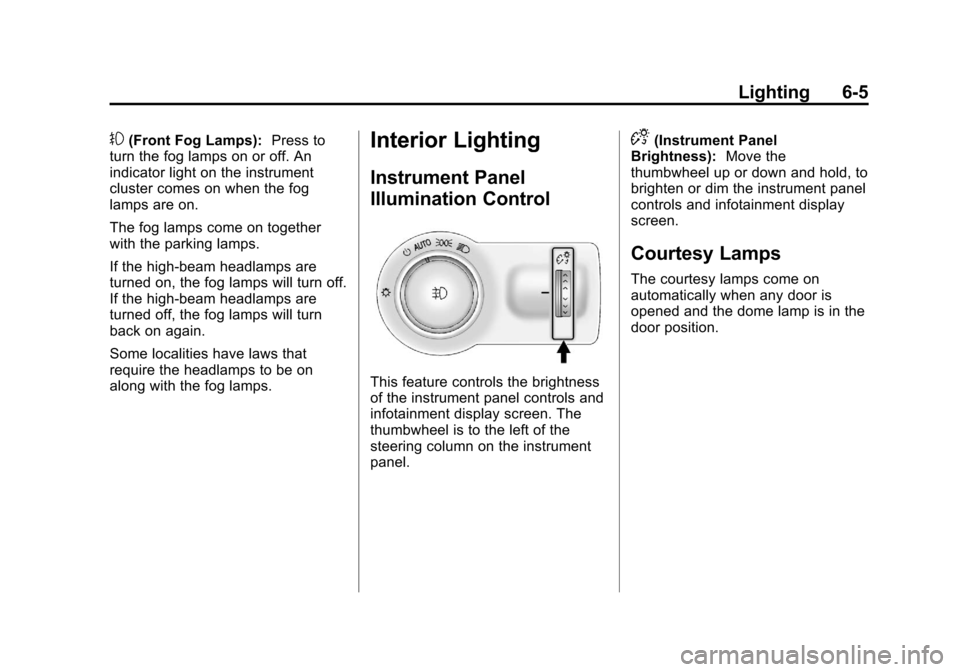
Instrument Panel
Illumination Control
This feature controls the brightness
of the instrument panel controls and
infotainment display screen. The
thumbwheel is to the left of the
steering column on the instrument
panel.
D(Instrument Panel
Brightness): Move the
thumbwheel up or down and hold, to
brighten or dim the instrument panel
controls and infotainment display
screen.
Courtesy Lamps
The courtesy lamps come on
automatically when any door is
opened and the dome lamp is in the
door position.
Page 150 of 408
Black plate (6,1)Chevrolet TRAX Owner Manual - 2013 - CRC - 3/6/13
6-6 Lighting
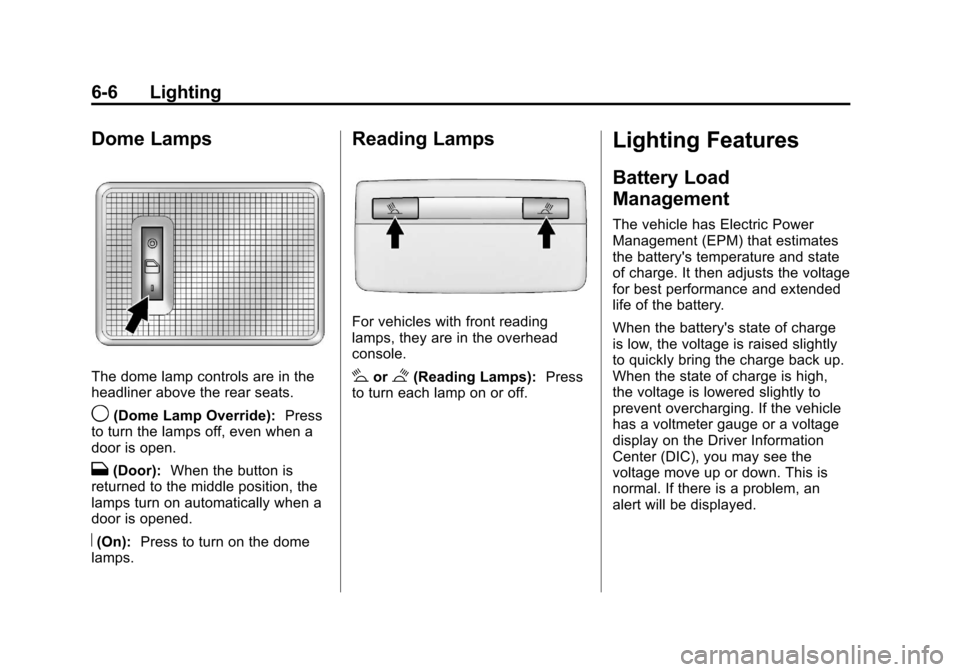
Dome Lamps
The dome lamp controls are in the
headliner above the rear seats.
9(Dome Lamp Override):Press
to turn the lamps off, even when a
door is open.
H(Door): When the button is
returned to the middle position, the
lamps turn on automatically when a
door is opened.
R(On): Press to turn on the dome
lamps.
Reading Lamps
For vehicles with front reading
lamps, they are in the overhead
console.
#or$(Reading Lamps): Press
to turn each lamp on or off.
Lighting Features
Battery Load
Management
The vehicle has Electric Power
Management (EPM) that estimates
the battery's temperature and state
of charge. It then adjusts the voltage
for best performance and extended
life of the battery.
When the battery's state of charge
is low, the voltage is raised slightly
to quickly bring the charge back up.
When the state of charge is high,
the voltage is lowered slightly to
prevent overcharging. If the vehicle
has a voltmeter gauge or a voltage
display on the Driver Information
Center (DIC), you may see the
voltage move up or down. This is
normal. If there is a problem, an
alert will be displayed.
Page 160 of 408
Black plate (8,1)Chevrolet TRAX Owner Manual - 2013 - CRC - 3/6/13
7-8 Infotainment System
7telephone:Press to activate
the phone features (if equipped).
See Bluetooth (Overview) on
page 7‑28 orBluetooth
(Infotainment Controls) on
page 7‑30 orBluetooth (Voice
Recognition) on page 7‑39.
^smartphone link: Press to listen
to Pandora or Stitcher. See
Smartphone Link (Overview) on
page 7‑47 orSmartphone Link
(Pandora) on page 7‑49 or
Smartphone Link (Stitcher) on
page 7‑51.
8settings: Press to access the
Personalization menu. See Vehicle
Personalization on page 5‑27.
Operation
Radio Controls Without
Touchscreen
The infotainment system is
operated by using the pushbuttons,
multifunction knobs, and menus
shown on the display.
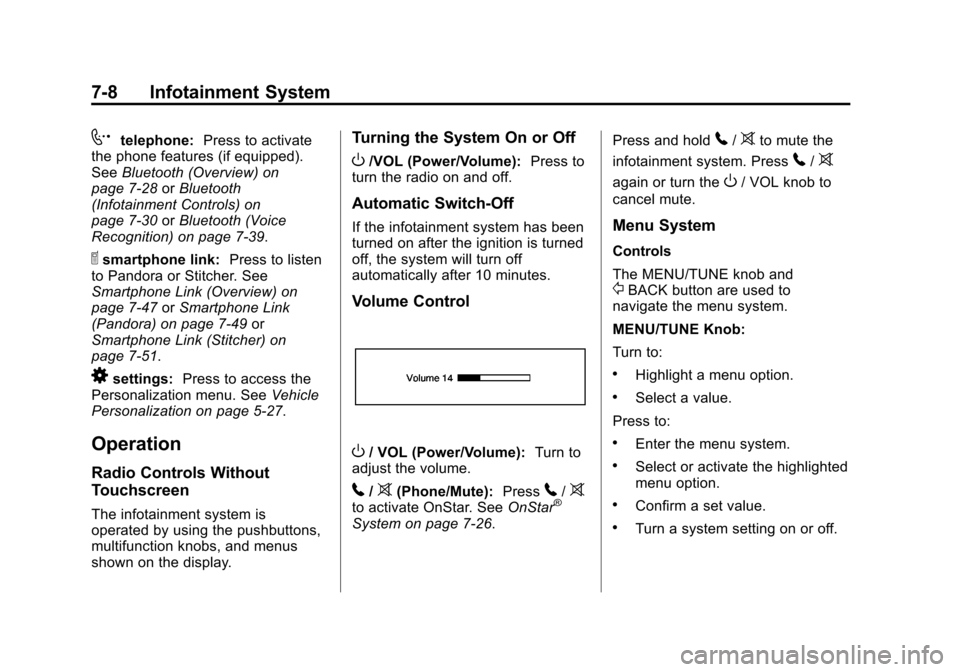
Turning the System On or Off
O/VOL (Power/Volume): Press to
turn the radio on and off.
Automatic Switch-Off
If the infotainment system has been
turned on after the ignition is turned
off, the system will turn off
automatically after 10 minutes.
Volume Control
O/ VOL (Power/Volume): Turn to
adjust the volume.
5/>(Phone/Mute): Press5/>to activate OnStar. See OnStar®
System on page 7‑26. Press and hold
5/>to mute the
infotainment system. Press
5/>
again or turn theO/ VOL knob to
cancel mute.
Menu System
Controls
The MENU/TUNE knob and
/BACK button are used to
navigate the menu system.
MENU/TUNE Knob:
Turn to:
.Highlight a menu option.
.Select a value.
Press to:
.Enter the menu system.
.Select or activate the highlighted
menu option.
.Confirm a set value.
.Turn a system setting on or off.
Page 161 of 408
Black plate (9,1)Chevrolet TRAX Owner Manual - 2013 - CRC - 3/6/13
Infotainment System 7-9
/BACK:
Press to:
.Exit a menu.
.Go back to the previous menu
screen.
.Delete the last character in a
sequence.
.Press and hold to delete the
entire character sequence.
Submenus
An arrow on the right-hand edge of
the menu indicates that it has a
submenu with other options.
Audio Settings
The audio settings can be set for
each radio band and each audio
player source.
Adjusting the Bass, Midrange,
Treble, Fader, and Balance
1. Press the TONE button.
2. Turn the MENU/TUNE knob to the desired tone. 3. Press the MENU/TUNE knob to
select the desired tone.
4. Turn the MENU/TUNE knob to adjust the desired tone.
5. Press the MENU/TUNE knob to save the setting.
Press the
/BACK button to go
back to the Tone Settings menu.
Adjusting the EQ (Equalizer)
1. Press the TONE button.
2. Turn the MENU/TUNE knob to EQ.
3. Press the MENU/TUNE knob.
Turn the MENU/TUNE knob to
select one of the following, then
press the MENU/TUNE knob to
select it.
.OFF
.Pop
.Rock
.Classical
.Talk
.Country
Press the
/BACK button to go
back to the Tone Settings menu.
System Settings
Configuring the Number of
Favorite Pages
Up to six favorite pages can be
saved, and each page can store up
to six radio stations.
To configure the number of available
favorite pages:
1. Press the CONFIG button.
2. Select Radio Settings.
3. Select Radio Favorites.
4. Select the number of available favorite pages to display.
5. Press the
/BACK button to go
back to the System
Configuration menu.
Page 162 of 408
Black plate (10,1)Chevrolet TRAX Owner Manual - 2013 - CRC - 3/6/13
7-10 Infotainment System
Auto Volume
This feature automatically adjusts
the radio volume to compensate for
road and wind noise.
The level of volume compensation
can be selected, or the feature can
be turned off.
1. Press the CONFIG button.
2. Select Radio Settings.
3. Select Auto Volume.
4. Select the setting.
5. Press the
/BACK button to
go back to the System
Configuration menu.
Radio Controls With
Touchscreen
The infotainment system is operated
by using the pushbuttons, menus
shown on the display, and steering
wheel controls.
Turning the System On or Off
O(Power): Press and hold to turn
the radio on and off.
Automatic Switch-Off
If the infotainment system has been
turned on after the ignition is turned
off, the system will turn off
automatically after 10 minutes.
Volume Control
zVOLy(Volume): Press to
increase or decrease the volume or
press the volume bar.
>(Mute): PresszVOLy, then
press
>to mute and unmute the
system.
System Settings
Auto Volume
This feature automatically adjusts
the radio volume to compensate for
road and wind noise.
The level of volume compensation
can be selected, or the feature can
be turned off.
1. Press
D.
2. Select Settings.
3. Select Radio Settings.
4. Select Auto Volume.
5. Select the setting by pressing
S
orT.
6. Press the
4screen button to
go back to the System
Configuration menu.
Page 163 of 408
Black plate (11,1)Chevrolet TRAX Owner Manual - 2013 - CRC - 3/6/13
Infotainment System 7-11
Audio Settings
The audio settings can be set for
each radio band and each audio
player source.
Tone Settings:Press menu, then
tone settings from the AM or
FM menu.
.EQ (Equalizer): PressSorTto
select a sound style or turn off
the sound style.
.Bass, Mid (Midrange), or Treble:
Press −or + to change the
desired sound style from −12
to +12.
.Fader or Balance: Adjust the
front/rear or left/right speakers.
.Reset: Restore the settings back
to default settings.
Press OK to exit Tone Settings.
Radio
AM-FM Radio
Playing the Radio Without
Touchscreen
Audio Source Menu
O/ VOL (Power/Volume): Press to
turn the system on and off. Turn to
increase or decrease the volume.
MENU/TUNE: Turn to change the
radio station.
RADIO/BAND: Press to select AM
and FM.
INFO: Press to display additional
information that may be available for
the current song.
FAV 123: Press to open the
favorites list and select a
favorite page.
Preset Buttons 1–6: Press to
select preset stations.
Radio Broadcast Data
System (RBDS)
RBDS is a service by FM stations
that makes it easier to find radio
stations with fault-free reception.
RBDS stations are indicated by the
program name instead of the
broadcasting frequency.
View RBDS Broadcast
Information
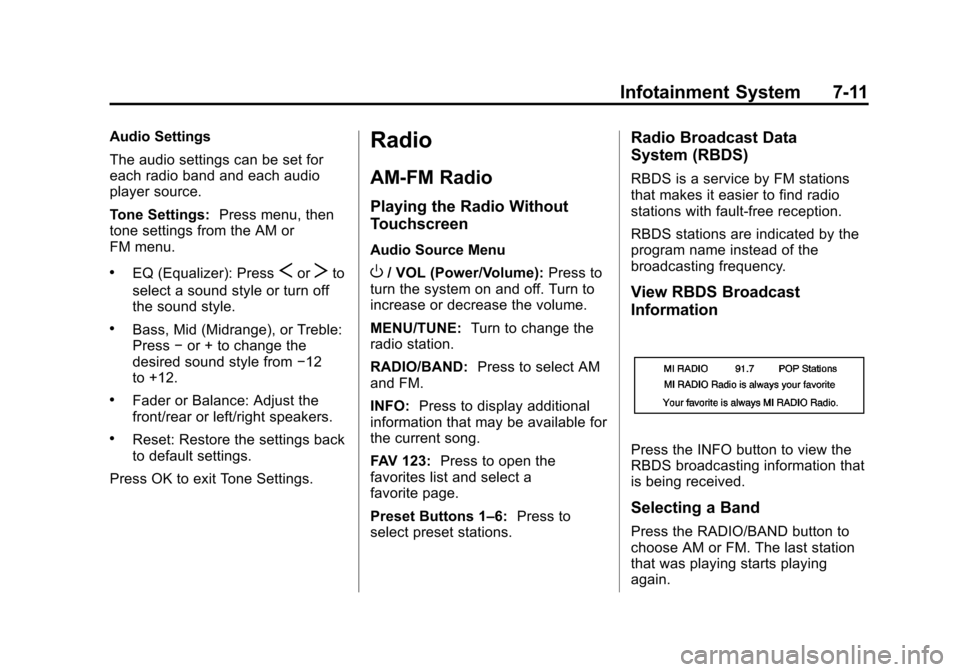
Press the INFO button to view the
RBDS broadcasting information that
is being received.
Selecting a Band
Press the RADIO/BAND button to
choose AM or FM. The last station
that was playing starts playing
again.
Page 164 of 408
Black plate (12,1)Chevrolet TRAX Owner Manual - 2013 - CRC - 3/6/13
7-12 Infotainment System
Selecting an Auxiliary Device
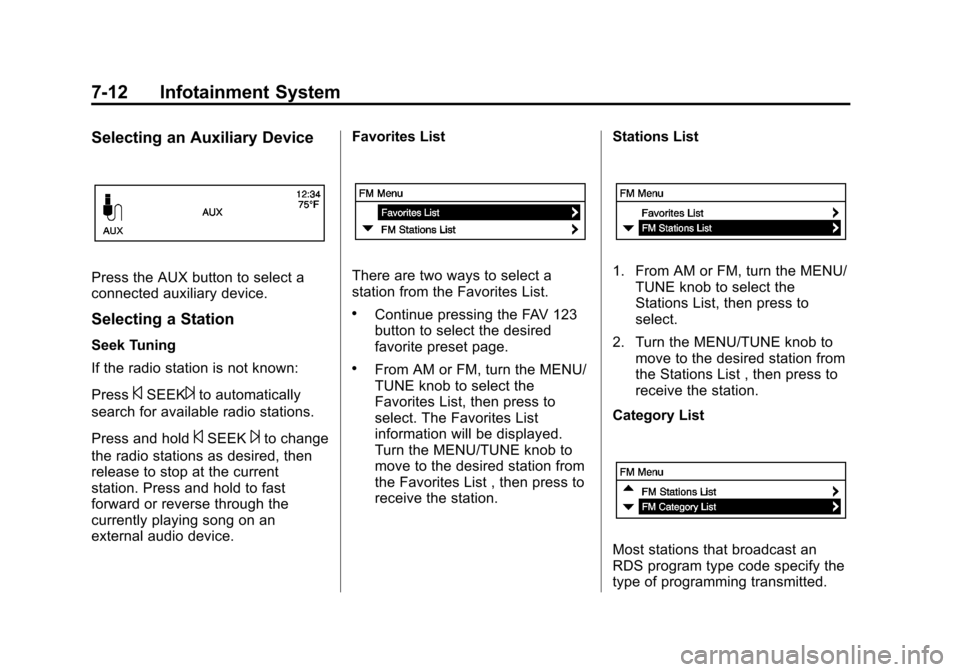
Press the AUX button to select a
connected auxiliary device.
Selecting a Station
Seek Tuning
If the radio station is not known:
Press
©SEEK¨to automatically
search for available radio stations.
Press and hold
©SEEK¨to change
the radio stations as desired, then
release to stop at the current
station. Press and hold to fast
forward or reverse through the
currently playing song on an
external audio device. Favorites List
There are two ways to select a
station from the Favorites List.
.Continue pressing the FAV 123
button to select the desired
favorite preset page.
.From AM or FM, turn the MENU/
TUNE knob to select the
Favorites List, then press to
select. The Favorites List
information will be displayed.
Turn the MENU/TUNE knob to
move to the desired station from
the Favorites List , then press to
receive the station.
Stations List
1. From AM or FM, turn the MENU/
TUNE knob to select the
Stations List, then press to
select.
2. Turn the MENU/TUNE knob to move to the desired station from
the Stations List , then press to
receive the station.
Category List
Most stations that broadcast an
RDS program type code specify the
type of programming transmitted.