ignition CHEVROLET TRAX 2013 1.G Owner's Manual
[x] Cancel search | Manufacturer: CHEVROLET, Model Year: 2013, Model line: TRAX, Model: CHEVROLET TRAX 2013 1.GPages: 408, PDF Size: 6.59 MB
Page 121 of 408
Black plate (17,1)Chevrolet TRAX Owner Manual - 2013 - CRC - 3/6/13
Instruments and Controls 5-17
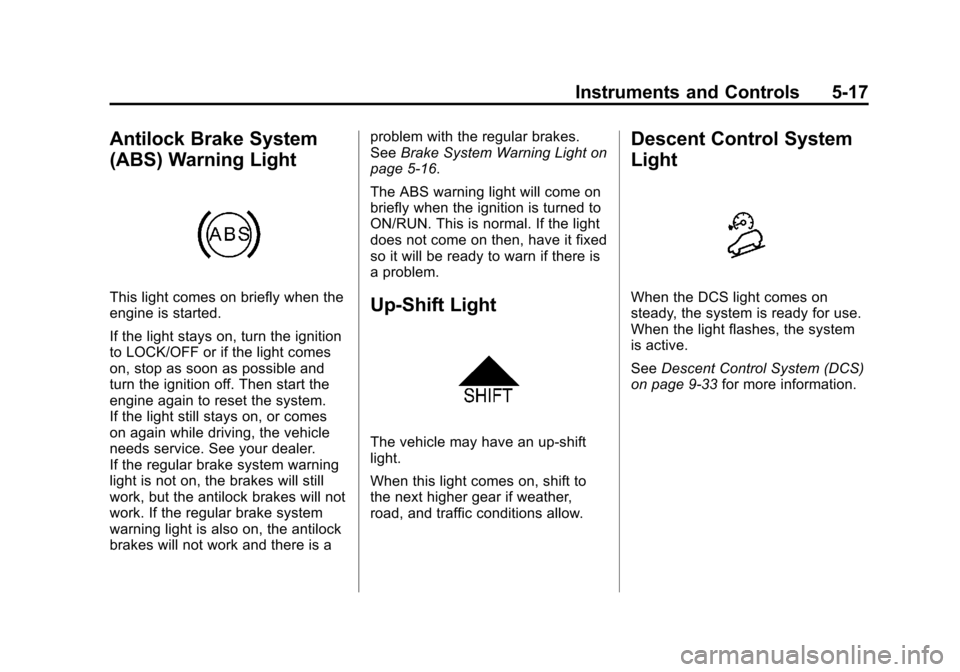
Antilock Brake System
(ABS) Warning Light
This light comes on briefly when the
engine is started.
If the light stays on, turn the ignition
to LOCK/OFF or if the light comes
on, stop as soon as possible and
turn the ignition off. Then start the
engine again to reset the system.
If the light still stays on, or comes
on again while driving, the vehicle
needs service. See your dealer.
If the regular brake system warning
light is not on, the brakes will still
work, but the antilock brakes will not
work. If the regular brake system
warning light is also on, the antilock
brakes will not work and there is aproblem with the regular brakes.
See
Brake System Warning Light on
page 5‑16.
The ABS warning light will come on
briefly when the ignition is turned to
ON/RUN. This is normal. If the light
does not come on then, have it fixed
so it will be ready to warn if there is
a problem.Up-Shift Light
The vehicle may have an up-shift
light.
When this light comes on, shift to
the next higher gear if weather,
road, and traffic conditions allow.
Descent Control System
Light
When the DCS light comes on
steady, the system is ready for use.
When the light flashes, the system
is active.
See Descent Control System (DCS)
on page 9‑33 for more information.
Page 122 of 408
Black plate (18,1)Chevrolet TRAX Owner Manual - 2013 - CRC - 3/6/13
5-18 Instruments and Controls
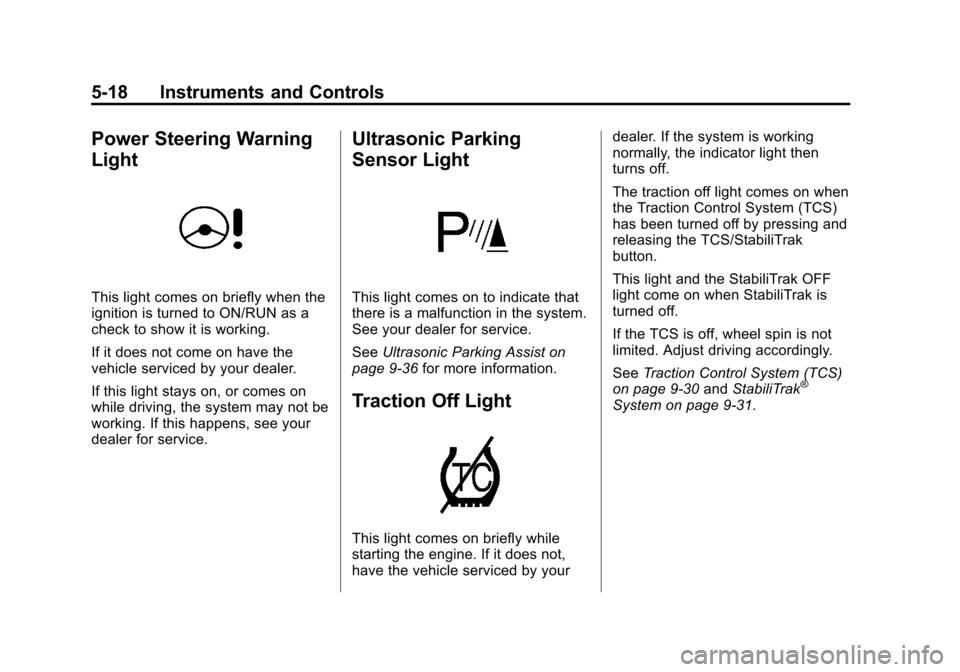
Power Steering Warning
Light
This light comes on briefly when the
ignition is turned to ON/RUN as a
check to show it is working.
If it does not come on have the
vehicle serviced by your dealer.
If this light stays on, or comes on
while driving, the system may not be
working. If this happens, see your
dealer for service.
Ultrasonic Parking
Sensor Light
This light comes on to indicate that
there is a malfunction in the system.
See your dealer for service.
SeeUltrasonic Parking Assist on
page 9‑36 for more information.
Traction Off Light
This light comes on briefly while
starting the engine. If it does not,
have the vehicle serviced by your dealer. If the system is working
normally, the indicator light then
turns off.
The traction off light comes on when
the Traction Control System (TCS)
has been turned off by pressing and
releasing the TCS/StabiliTrak
button.
This light and the StabiliTrak OFF
light come on when StabiliTrak is
turned off.
If the TCS is off, wheel spin is not
limited. Adjust driving accordingly.
See
Traction Control System (TCS)
on page 9‑30 andStabiliTrak
®
System on page 9‑31.
Page 124 of 408
Black plate (20,1)Chevrolet TRAX Owner Manual - 2013 - CRC - 3/6/13
5-20 Instruments and Controls
may not be covered by the
vehicle warranty. SeeEngine
Overheating on page 10‑18.
The engine coolant temperature
warning light comes on when the
engine has overheated.
If this happens, pull over and turn
off the engine as soon as possible.
See Engine Overheating on
page 10‑18.
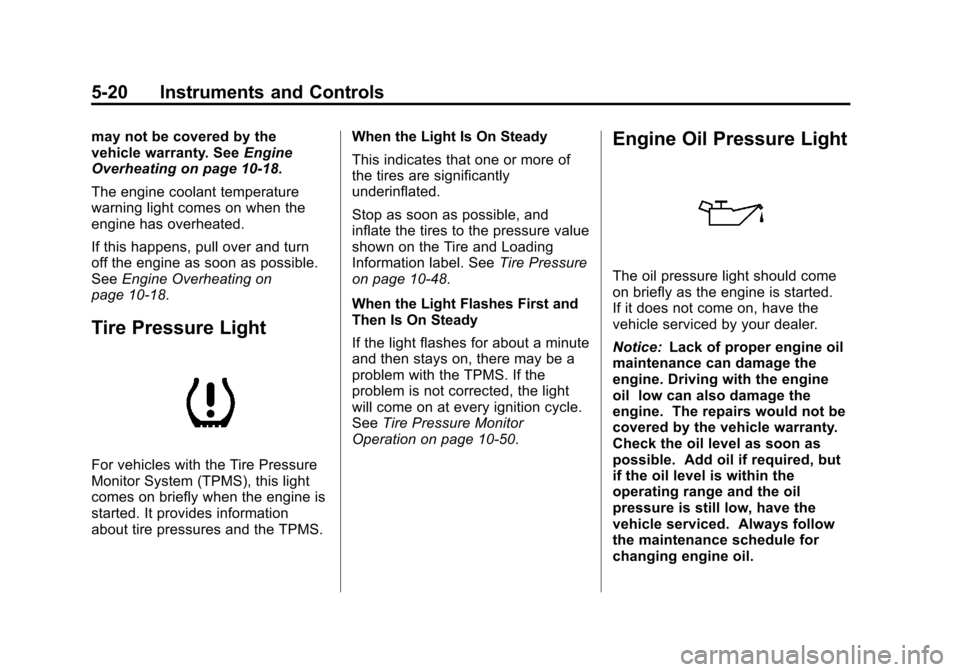
Tire Pressure Light
For vehicles with the Tire Pressure
Monitor System (TPMS), this light
comes on briefly when the engine is
started. It provides information
about tire pressures and the TPMS. When the Light Is On Steady
This indicates that one or more of
the tires are significantly
underinflated.
Stop as soon as possible, and
inflate the tires to the pressure value
shown on the Tire and Loading
Information label. See
Tire Pressure
on page 10‑48.
When the Light Flashes First and
Then Is On Steady
If the light flashes for about a minute
and then stays on, there may be a
problem with the TPMS. If the
problem is not corrected, the light
will come on at every ignition cycle.
See Tire Pressure Monitor
Operation on page 10‑50.
Engine Oil Pressure Light
The oil pressure light should come
on briefly as the engine is started.
If it does not come on, have the
vehicle serviced by your dealer.
Notice: Lack of proper engine oil
maintenance can damage the
engine. Driving with the engine
oil low can also damage the
engine. The repairs would not be
covered by the vehicle warranty.
Check the oil level as soon as
possible. Add oil if required, but
if the oil level is within the
operating range and the oil
pressure is still low, have the
vehicle serviced. Always follow
the maintenance schedule for
changing engine oil.
Page 125 of 408
Black plate (21,1)Chevrolet TRAX Owner Manual - 2013 - CRC - 3/6/13
Instruments and Controls 5-21
If the vehicle has low engine oil
pressure, this light will stay on after
the engine is started, or come on
while driving.
This indicates that the engine is not
receiving enough oil. The engine
could be low on oil, or could have
some other oil problem. Have it
fixed immediately by your dealer.
The oil pressure light could also
come on in other situations:
.When the ignition is on but the
engine is not running, the light
will come on as a test to show it
is working. The light will go out
when the ignition is turned on.
If it does not come on with the
ignition on, there may be a
problem with the fuse or bulb.
Have it fixed right away.
.If the vehicle comes to a hard
stop, the light may come on for a
moment. This is normal.
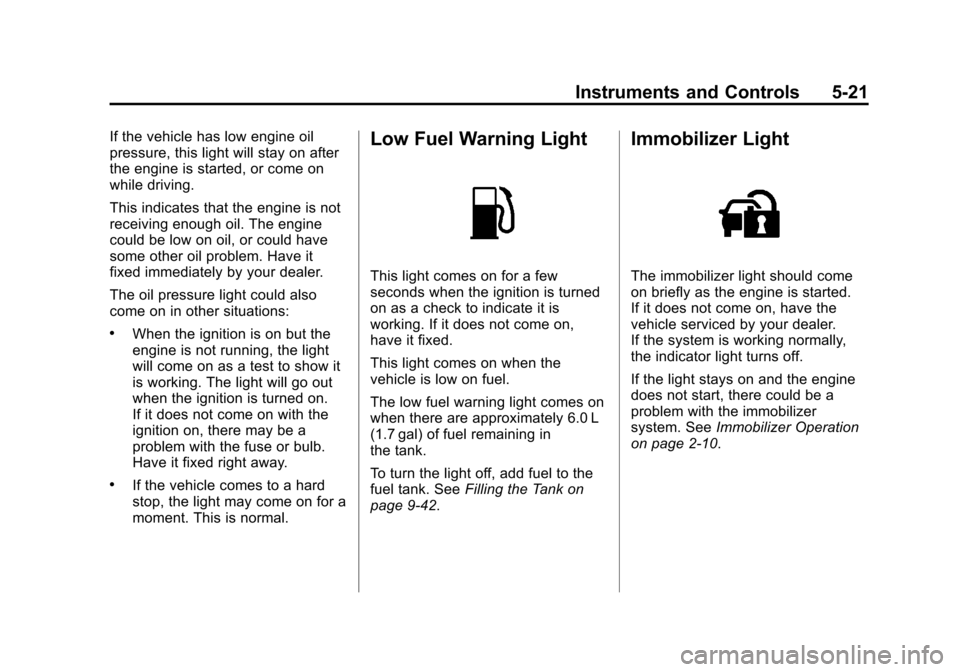
Low Fuel Warning Light
This light comes on for a few
seconds when the ignition is turned
on as a check to indicate it is
working. If it does not come on,
have it fixed.
This light comes on when the
vehicle is low on fuel.
The low fuel warning light comes on
when there are approximately 6.0 L
(1.7 gal) of fuel remaining in
the tank.
To turn the light off, add fuel to the
fuel tank. SeeFilling the Tank on
page 9‑42.
Immobilizer Light
The immobilizer light should come
on briefly as the engine is started.
If it does not come on, have the
vehicle serviced by your dealer.
If the system is working normally,
the indicator light turns off.
If the light stays on and the engine
does not start, there could be a
problem with the immobilizer
system. See Immobilizer Operation
on page 2‑10.
Page 126 of 408
Black plate (22,1)Chevrolet TRAX Owner Manual - 2013 - CRC - 3/6/13
5-22 Instruments and Controls
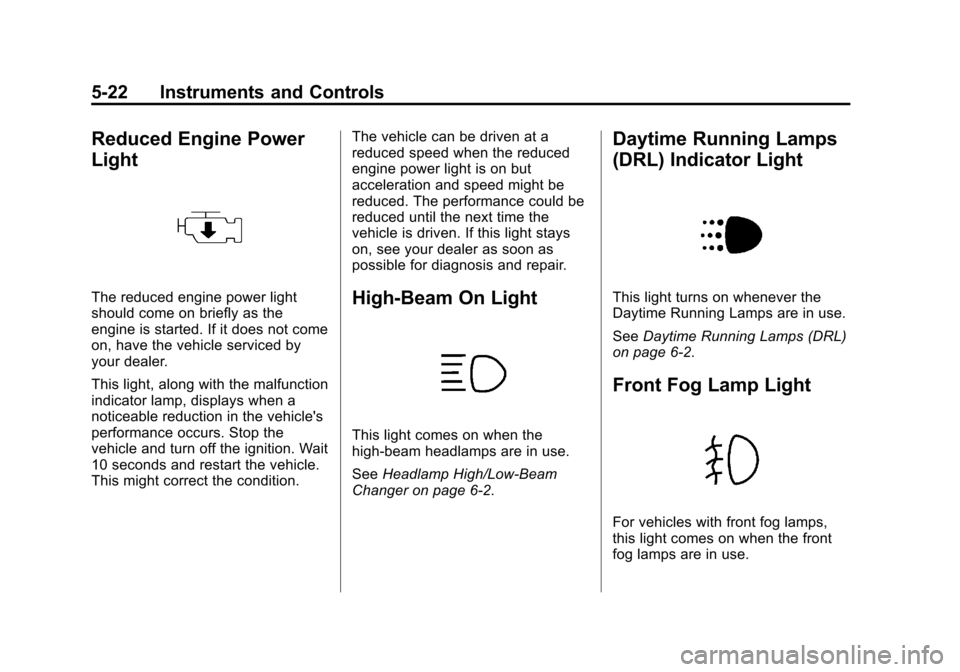
Reduced Engine Power
Light
The reduced engine power light
should come on briefly as the
engine is started. If it does not come
on, have the vehicle serviced by
your dealer.
This light, along with the malfunction
indicator lamp, displays when a
noticeable reduction in the vehicle's
performance occurs. Stop the
vehicle and turn off the ignition. Wait
10 seconds and restart the vehicle.
This might correct the condition.The vehicle can be driven at a
reduced speed when the reduced
engine power light is on but
acceleration and speed might be
reduced. The performance could be
reduced until the next time the
vehicle is driven. If this light stays
on, see your dealer as soon as
possible for diagnosis and repair.High-Beam On Light
This light comes on when the
high-beam headlamps are in use.
See
Headlamp High/Low-Beam
Changer on page 6‑2.
Daytime Running Lamps
(DRL) Indicator Light
This light turns on whenever the
Daytime Running Lamps are in use.
See Daytime Running Lamps (DRL)
on page 6‑2.
Front Fog Lamp Light
For vehicles with front fog lamps,
this light comes on when the front
fog lamps are in use.
Page 129 of 408
Black plate (25,1)Chevrolet TRAX Owner Manual - 2013 - CRC - 3/6/13
Instruments and Controls 5-25
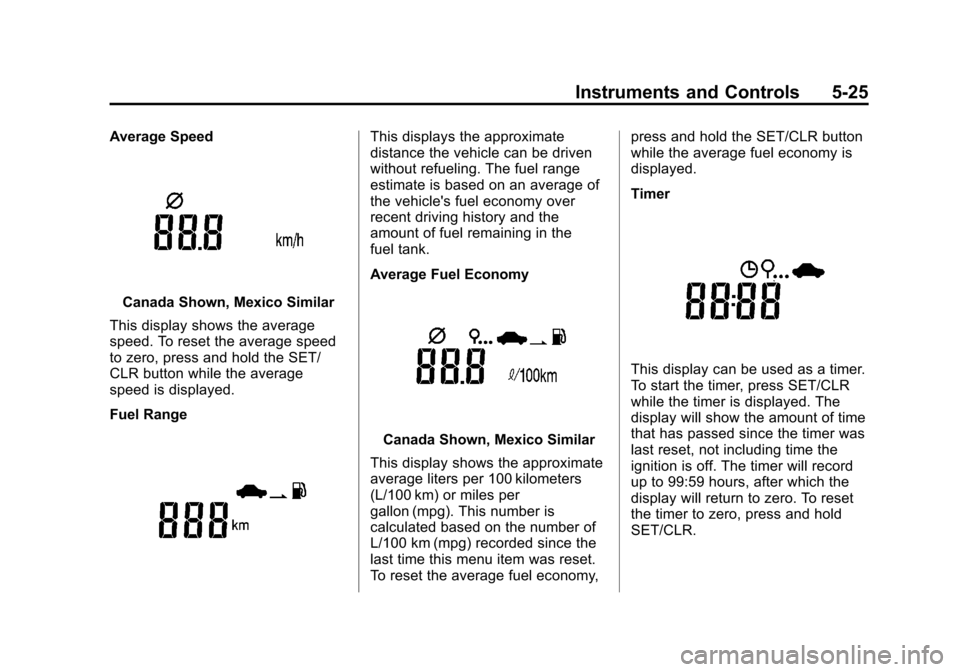
Average Speed
Canada Shown, Mexico Similar
This display shows the average
speed. To reset the average speed
to zero, press and hold the SET/
CLR button while the average
speed is displayed.
Fuel Range
This displays the approximate
distance the vehicle can be driven
without refueling. The fuel range
estimate is based on an average of
the vehicle's fuel economy over
recent driving history and the
amount of fuel remaining in the
fuel tank.
Average Fuel Economy
Canada Shown, Mexico Similar
This display shows the approximate
average liters per 100 kilometers
(L/100 km) or miles per
gallon (mpg). This number is
calculated based on the number of
L/100 km (mpg) recorded since the
last time this menu item was reset.
To reset the average fuel economy, press and hold the SET/CLR button
while the average fuel economy is
displayed.
Timer
This display can be used as a timer.
To start the timer, press SET/CLR
while the timer is displayed. The
display will show the amount of time
that has passed since the timer was
last reset, not including time the
ignition is off. The timer will record
up to 99:59 hours, after which the
display will return to zero. To reset
the timer to zero, press and hold
SET/CLR.
Page 136 of 408
Black plate (32,1)Chevrolet TRAX Owner Manual - 2013 - CRC - 3/6/13
5-32 Instruments and Controls
Personalization Menu (Radio
With Touchscreen)
Settings can be made with the
ignition ON and the vehicle not
moving.
The following are all possible
personalization features. Depending
on the vehicle, some may not be
available.
D(Home):Press to access the
Home Page Menu.
QorR: Press to scroll through the
menus or setup items.
4: Press to exit, or return to the
previous screen or menu.
To access the menu:
1. Press
D.
2. Press Settings.
3. Press Vehicle Settings.
Press the menu item to select it.
Each of the menus is detailed in the
following information. Settings menus and functions may
vary depending on vehicle option.
The following list of menu items may
be available:
.Climate & Air Quality
.Cluster display info
.Comfort & Convenience
.Collision/detection
.Lighting
.Power Door Locks
.Lock, Unlock Settings
.Rear Camera Option
.Vehicle Factory Settings
.Sport Mode Settings
.Language
.Text Scroll
.Touch Beep Volume
.Max Startup Volume
.About
.DivX®VOD
Climate and Air Quality
Select the Climate and Air Quality
menu and the following may be
displayed:
.Auto Fan Speed
.Auto Compartment Zone Temp
.Rear Zone Temp
.Air Quality Sensor
.Air Conditioning Mode
.Auto Defog
.Auto Rear Defog
.Auto Cooled Vented Seats
.Auto Heated Seats
.Remote Start Auto Seat Cool
.Remote Start Heated Seats
Auto Fan Speed
This allows the selection of the
automatic fan speed. It can be
adjusted to run lower or higher than
normal.
Page 139 of 408
Black plate (35,1)Chevrolet TRAX Owner Manual - 2013 - CRC - 3/6/13
Instruments and Controls 5-35
shifted out of R (Reverse), the
ignition is turned to OFF, or the
vehicle is left in reverse.
Press Auto Parking Mirror when
highlighted. Select On or Off.
Press
4.
Personalization By Driver
This allows the Personalization by
Driver feature to be turned on or off.
Press Personalization By Driver
when highlighted and open the
menu. Select On or Off. Press
4.
Auto Wipe in Reverse Gear
This allows selection of the Auto
Wipe in Reverse Gear feature to be
turned on or off. When on, and the
front wipers are on, the rear window
wiper will turn on automatically
when the vehicle is shifted into
R♦(Reverse).
Press Auto Wipe in Reverse Gear
when highlighted. Select On or Off.
Press
4.
Collision/Detection Systems
Select the Collision/Detection
Systems menu and the following
may be displayed:
.Park Assist
.Towbar Attached
.Side Blind Zone Alert
Park Assist
This allows the Ultrasonic Parking
Assist feature, audible only, to be
turned on or off.
Press Park Assist when highlighted.
Select On or Off. Press
4.
Towbar Attached
This allows the towbar feature to be
turned on or off .
Press Towbar Attached when
highlighted. Select Off, On,
or Towbar Attached. Press
4.
Side Blind Zone Alert
This allows the Side Blind Zone
Alert feature to be turned on or off. Press Side Blind Zone Alert when
highlighted. Select On or Off.
Press
4.
Lighting
Select the Lighting menu and the
following may be displayed:
.Vehicle Locator Lights
.Exit Lighting
Vehicle Locator Lights
This allows the vehicle locator lights
to be turned on or off. The vehicle
locator lights come on when
unlocking the vehicle with the
RKE transmitter.
Press Vehicle Locator Lights when
highlighted. Select Off, 30 Sec,
60 Sec, or 120 Sec. Press
4.
Exit Lighting
This allows selection of how long
the exterior lamps stay on when
leaving the vehicle and it is dark
outside.
Page 146 of 408
Black plate (2,1)Chevrolet TRAX Owner Manual - 2013 - CRC - 3/6/13
6-2 Lighting
5(Headlamps):Turns the
headlamps on together with the
lamps listed below. A warning chime
sounds if the driver door is opened
when the ignition switch is off and
the headlamps are on.
.Parking Lamps
.Taillamps
.License Plate Lamps
.Instrument Panel Lights
.Sidemarker Lamps
#(Front Fog Lamps): For
vehicles with fog lamps, press to
turn the lamps on or off.
See Front Fog Lamps on page 6‑4.
When the lights are on,
;will be
lit. See Lamps On Reminder on
page 5‑23.
Headlamp High/
Low-Beam Changer
3
(Headlamp High/Low-Beam
Changer): Push the turn signal
lever away from you and release, to
turn the high beams on.
To return to low beams, push the
lever again or pull it toward you and
release.
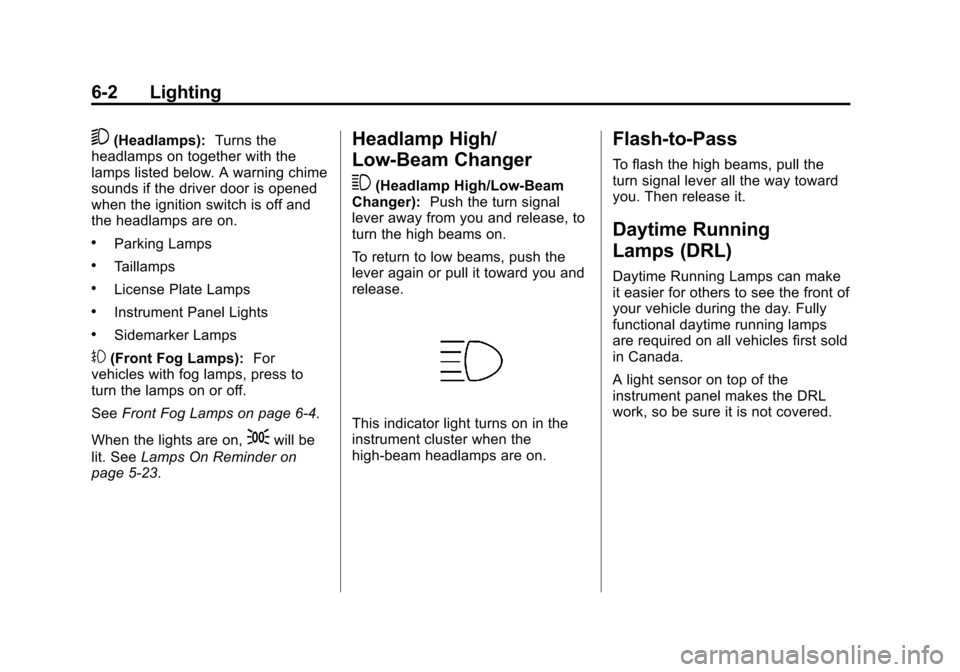
This indicator light turns on in the
instrument cluster when the
high-beam headlamps are on.
Flash-to-Pass
To flash the high beams, pull the
turn signal lever all the way toward
you. Then release it.
Daytime Running
Lamps (DRL)
Daytime Running Lamps can make
it easier for others to see the front of
your vehicle during the day. Fully
functional daytime running lamps
are required on all vehicles first sold
in Canada.
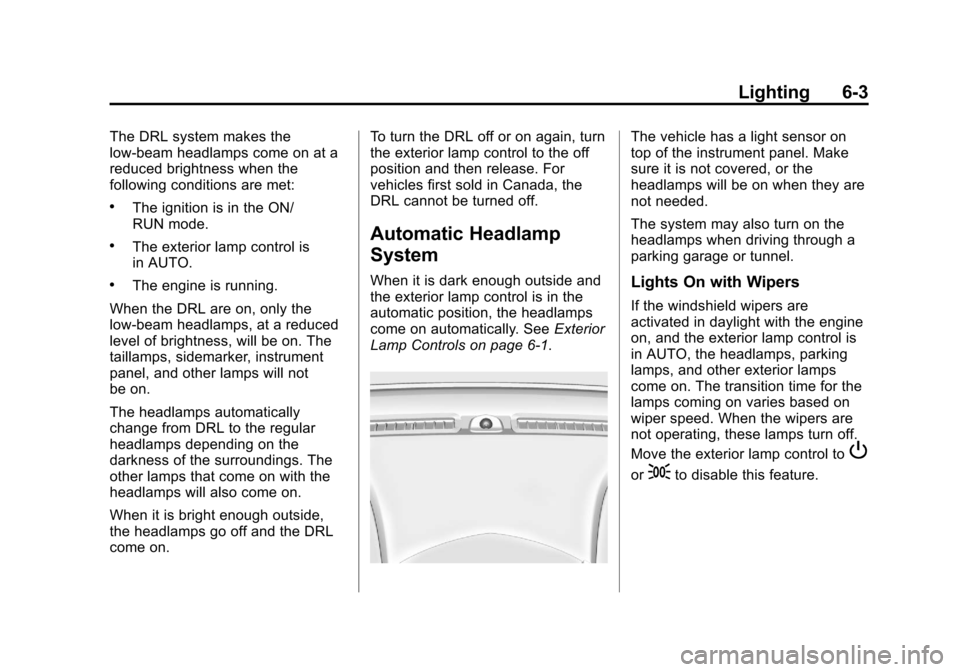
A light sensor on top of the
instrument panel makes the DRL
work, so be sure it is not covered.
Page 147 of 408
Black plate (3,1)Chevrolet TRAX Owner Manual - 2013 - CRC - 3/6/13
Lighting 6-3
The DRL system makes the
low-beam headlamps come on at a
reduced brightness when the
following conditions are met:
.The ignition is in the ON/
RUN mode.
.The exterior lamp control is
in AUTO.
.The engine is running.
When the DRL are on, only the
low-beam headlamps, at a reduced
level of brightness, will be on. The
taillamps, sidemarker, instrument
panel, and other lamps will not
be on.
The headlamps automatically
change from DRL to the regular
headlamps depending on the
darkness of the surroundings. The
other lamps that come on with the
headlamps will also come on.
When it is bright enough outside,
the headlamps go off and the DRL
come on. To turn the DRL off or on again, turn
the exterior lamp control to the off
position and then release. For
vehicles first sold in Canada, the
DRL cannot be turned off.
Automatic Headlamp
System
When it is dark enough outside and
the exterior lamp control is in the
automatic position, the headlamps
come on automatically. See
Exterior
Lamp Controls on page 6‑1.
The vehicle has a light sensor on
top of the instrument panel. Make
sure it is not covered, or the
headlamps will be on when they are
not needed.
The system may also turn on the
headlamps when driving through a
parking garage or tunnel.
Lights On with Wipers
If the windshield wipers are
activated in daylight with the engine
on, and the exterior lamp control is
in AUTO, the headlamps, parking
lamps, and other exterior lamps
come on. The transition time for the
lamps coming on varies based on
wiper speed. When the wipers are
not operating, these lamps turn off.
Move the exterior lamp control to
P
or;to disable this feature.