battery CHEVROLET UPLANDER 2008 1.G User Guide
[x] Cancel search | Manufacturer: CHEVROLET, Model Year: 2008, Model line: UPLANDER, Model: CHEVROLET UPLANDER 2008 1.GPages: 476, PDF Size: 5.77 MB
Page 180 of 476
Electric Power Management
The vehicle has Electric Power Management (EPM)
that estimates the battery’s temperature and state
of charge. It then adjusts the voltage for best
performance and extended life of the battery.
When the battery’s state of charge is low, the voltage is
raised slightly to quickly put the charge back in. When
the state of charge is high, the voltage is lowered slightly
to prevent overcharging. If the vehicle has a voltmeter
gage or a voltage display on the Driver Information
Center (DIC), you may see the voltage move up
or down. This is normal. If there is a problem,
an alert will be displayed.
The battery can be discharged at idle if the electrical
loads are very high. This is true for all vehicles.
This is because the generator (alternator) may
not be spinning fast enough at idle to produce all
the power that is needed for very high electrical loads.A high electrical load occurs when several of the
following loads are on: headlamps, high beams, fog
lamps, rear window defogger, climate control fan at
high speed, heated seats, engine cooling fans, trailer
loads, and loads plugged into accessory power outlets.
EPM works to prevent excessive discharge of the
battery. It does this by balancing the generator’s output
and the vehicle’s electrical needs. It can increase engine
idle speed to generate more power, whenever needed.
It can temporarily reduce the power demands of some
accessories.
Normally, these actions occur in steps or levels, without
being noticeable. In rare cases at the highest levels of
corrective action, this action may be noticeable to the
driver. If so, a Driver Information Center (DIC) message
might be displayed, such as Battery Saver Active or
Service Battery Charging System. If this message is
displayed, it is recommended that the driver reduce the
electrical loads as much as possible. SeeDIC Warnings
and Messages on page 3-58.
3-20
Page 181 of 476
Battery Run-Down Protection
Your vehicle has a feature to help prevent you from
draining the battery, in case you accidentally leave the
interior lamps on. If you leave any interior lamps on
while the ignition is in lock or off, they will automatically
turn off after 10 minutes. The lamps will not come
back on again until you do one of the following:
Turn the ignition to RUN or ACCESSORY
Open a closed door, or close and reopen a door.
Turn the interior lamps on if they are in the door or
override position.
Turn the interior lamps to the door or override
position and then to on again if the interior
lamp control is in the on position.
If your vehicle has less than 15 miles (25 km) on the
odometer, the battery saver will turn off the lamps after
only three minutes.
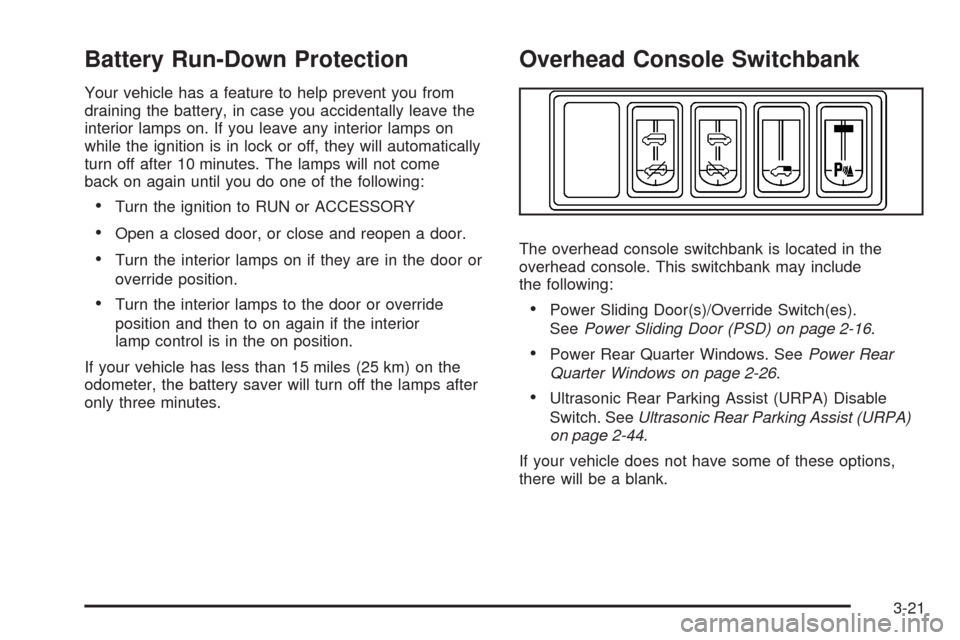
Overhead Console Switchbank
The overhead console switchbank is located in the
overhead console. This switchbank may include
the following:
Power Sliding Door(s)/Override Switch(es).
SeePower Sliding Door (PSD) on page 2-16.
Power Rear Quarter Windows. SeePower Rear
Quarter Windows on page 2-26.
Ultrasonic Rear Parking Assist (URPA) Disable
Switch. SeeUltrasonic Rear Parking Assist (URPA)
on page 2-44.
If your vehicle does not have some of these options,
there will be a blank.
3-21
Page 182 of 476
Accessory Power Outlet(s)
The accessory power outlets can be used to plug in
electrical equipment such as a cellular telephone or
CB radio.
Your vehicle may have two accessory power outlets.
There may be one outlet located below the climate
controls on the instrument panel and one outlet located
in the rear compartment on the driver’s side.
Pull the cover down to use the accessory power outlet.
When not in use, keep the cover on.
To remove the rear accessory power outlet cover, pull
the tab on the cover and pull it off. To put the cover back
on, line up the tabs at the back of the cover and put
the cover in place. Push down the tab to secure
the cover. When not in use, always cover the rear
accessory power outlet with the protective cap.
Notice:Leaving electrical equipment on for
extended periods will drain the battery. Always
unplug electrical equipment when not in use and do
not plug in equipment that exceeds the maximum
amperage rating of 20 amperes.Certain electrical accessories may not be compatible with
the accessory power outlet and could result in blown
vehicle or adapter fuses. If you experience a problem see
your dealer for additional information on accessory power
outlets.
Notice:Adding any electrical equipment to your
vehicle may damage it or keep other components
from working as they should. The repairs would not
be covered by your warranty. Do not use equipment
exceeding maximum amperage rating of 20 amperes.
Check with your dealer/retailer before adding
electrical equipment.
When adding electrical equipment, be sure to follow
the proper installation instructions included with
the equipment.
Notice:Improper use of the power outlet can cause
damage not covered by your warranty. Do not
hang any type of accessory or accessory bracket
from the plug because the power outlets are
designed for accessory power plugs only.
3-22
Page 207 of 476
Emissions Inspection and Maintenance
Programs
Some state/provincial and local governments have or
might begin programs to inspect the emission control
equipment on your vehicle. Failure to pass this
inspection could prevent you from getting a vehicle
registration.
Here are some things you need to know to help your
vehicle pass an inspection:
Your vehicle will not pass this inspection if the check
engine light is on or not working properly.
Your vehicle will not pass this inspection if the OBD
(on-board diagnostic) system determines that critical
emission control systems have not been completely
diagnosed by the system. The vehicle would be
considered not ready for inspection. This can happen if
you have recently replaced the battery or if the battery
has run down. The diagnostic system is designed to
evaluate critical emission control systems during normal
driving. This can take several days of routine driving. If
you have done this and your vehicle still does not pass
the inspection for lack of OBD system readiness, your
dealer/retailer can prepare the vehicle for inspection.
Oil Pressure Light
{CAUTION:
Do not keep driving if the oil pressure is low. If
you do, your engine can become so hot that it
catches re. You or others could be burned.
Check your oil as soon as possible and have
your vehicle serviced.
Notice:Lack of proper engine oil maintenance may
damage the engine. The repairs would not be covered
by your warranty. Always follow the maintenance
schedule in this manual for changing engine oil.
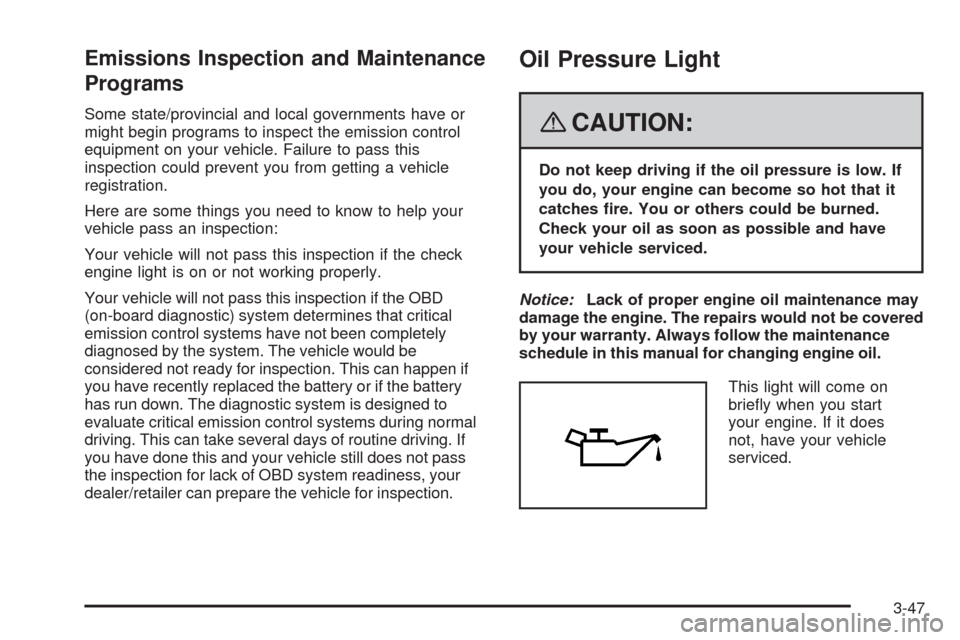
This light will come on
briey when you start
your engine. If it does
not, have your vehicle
serviced.
3-47
Page 211 of 476
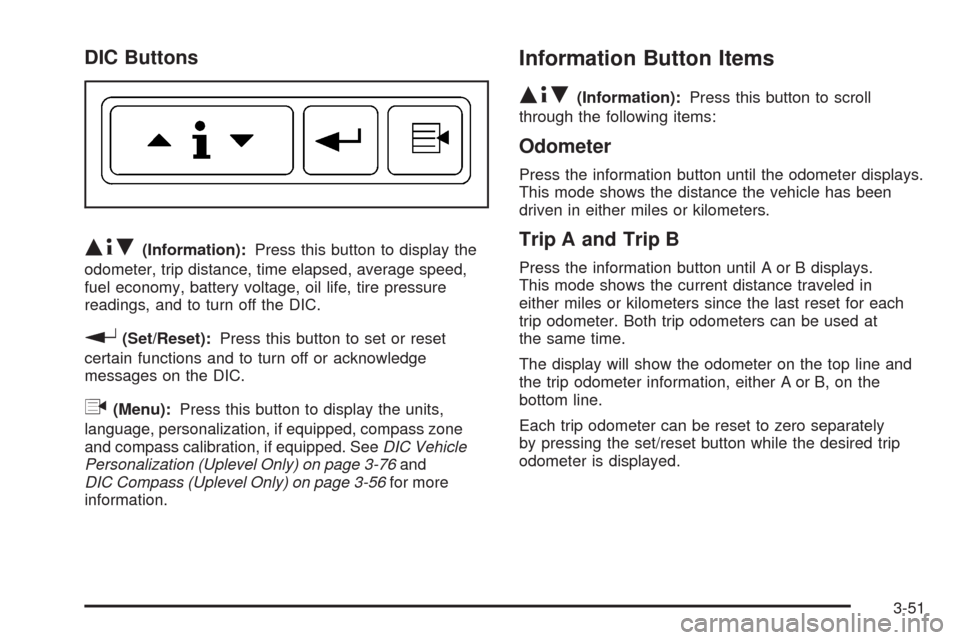
DIC Buttons
Q4R(Information):Press this button to display the
odometer, trip distance, time elapsed, average speed,
fuel economy, battery voltage, oil life, tire pressure
readings, and to turn off the DIC.
r(Set/Reset):Press this button to set or reset
certain functions and to turn off or acknowledge
messages on the DIC.
q(Menu):Press this button to display the units,
language, personalization, if equipped, compass zone
and compass calibration, if equipped. SeeDIC Vehicle
Personalization (Uplevel Only) on page 3-76and
DIC Compass (Uplevel Only) on page 3-56for more
information.
Information Button Items
Q4R
(Information):Press this button to scroll
through the following items:
Odometer
Press the information button until the odometer displays.
This mode shows the distance the vehicle has been
driven in either miles or kilometers.
Trip A and Trip B
Press the information button until A or B displays.
This mode shows the current distance traveled in
either miles or kilometers since the last reset for each
trip odometer. Both trip odometers can be used at
the same time.
The display will show the odometer on the top line and
the trip odometer information, either A or B, on the
bottom line.
Each trip odometer can be reset to zero separately
by pressing the set/reset button while the desired trip
odometer is displayed.
3-51
Page 213 of 476
Fuel Range
Press the information button until FUEL RANGE
displays. This mode shows the approximate number
of remaining miles or kilometers the vehicle can
be driven without refueling.
Fuel range is based on several factors, including
distance travelled, fuel used, fuel capacity, etc.
This estimate will change if driving conditions change.
For example, if driving in traffic and making frequent
stops, this mode may read one number, but if the vehicle
is driven on a freeway, the number may change even
though the same amount of fuel is in the fuel tank.
This is because different driving conditions produce
different fuel economies. Generally, freeway driving
produces better fuel economy than city driving.
Fuel range cannot be reset.
If your vehicle is low on fuel, FUEL RANGE LOW
will display followed by the LOW FUEL message.
See “LOW FUEL” underDIC Warnings and Messages
on page 3-58for more information.
Average Fuel Economy
Press the information button until AVG ECONOMY
displays. This mode shows the approximate average
miles per gallon (mpg) or liters per 100 kilometers
(L/100 km). This number is calculated based on the
number of mpg (L/100 km) recorded since the last time
this menu item was reset. To reset AVG ECONOMY,
press and hold the set/reset button. The display
will return to zero.
Battery
Press the information button until BATTERY displays.
This mode shows the current battery voltage.
Your vehicle’s charging system regulates voltage based
on the state of the battery. The battery voltage may
uctuate when viewing this information on the DIC.
This is normal.
If there is a problem with the battery charging system,
a DIC message will display. SeeDIC Warnings and
Messages on page 3-58andElectric Power
Management on page 3-20for more information.
3-53
Page 219 of 476
BATTERY SAVER ACTIVE
This message displays when the system detects that
the battery voltage is dropping beyond a reasonable
level. The battery saver system starts reducing certain
features of the vehicle that you may be able to notice.
At the point that the features are disabled, this message
is displayed. It means that the vehicle is trying to
save the charge in the battery.
Turn off all unnecessary accessories to allow the battery
to recharge.
The normal battery voltage range is 11.5 to 15.5 volts.
You can monitor the battery voltage by pressing the
information button until BATTERY displays.
CHANGE OIL SOON
This message displays when service is required for the
vehicle. See your dealer/retailer. SeeEngine Oil on
page 5-13andScheduled Maintenance on page 6-4
for more information.
The CHANGE OIL SOON message is reset by
acknowledging the message. The OIL LIFE screen
under the gages menu on the DIC must also be reset.
See “Oil Life” underDIC Operation and Displays on
page 3-50andEngine Oil Life System on page 5-16.
This message displays while the ignition is in ON/RUN.
Press any of the DIC buttons to acknowledge this
message and to clear it from the screen.This message continues to display for two seconds if it
has not been acknowledged when the engine is turned
off. It also re-displays for two seconds if the message has
been acknowledged, but the condition still exists when
the engine is turned off.
If the condition still exists, the message re-appears
when the engine is turned on.
CHARGING SYSTEM FAILURE
This message displays when there is a problem with the
generator and battery charging systems. Driving with this
problem could drain the battery. Turn off all unnecessary
accessories. Stop and turn off the vehicle as soon as it is
safe to do so. Have the electrical system checked by your
dealer/retailer immediately.
This message displays and a chime sounds while the
ignition is in ON/RUN. Press any of the DIC buttons
to acknowledge this message and to clear it from the
screen.
This message continues to display for two seconds if it
has not been acknowledged when the engine is turned
off. It also re-displays for two seconds if the message has
been acknowledged, but the condition still exists when
the engine is turned off.
If the condition still exists, the message re-appears
when the engine is turned on.
3-59
Page 223 of 476
HOOD AJAR
If your vehicle has the remote start feature, this
message displays when the hood is not closed
properly. Make sure that the hood is closed completely.
SeeHood Release on page 5-11.
This message displays while the ignition is in ON/RUN.
Press any of the DIC buttons to acknowledge this
message and to clear it from the screen.
This message continues to display for two seconds
if it has not been acknowledged when the engine
is turned off. It also re-displays for two seconds if the
message has been acknowledged, but the condition
still exists when the engine is turned off.
If the condition still exists, the message re-appears
when the engine is turned on.
KEY FOB BATTERY LOW
This message displays when the battery in the Remote
Keyless Entry (RKE) transmitter needs to be replaced.
To replace the battery, see “Battery Replacement” under
Remote Keyless Entry (RKE) System Operation on
page 2-5.This message displays while the ignition is in ON/RUN.
Press any of the DIC buttons to acknowledge this
message and to clear it from the screen.
This message continues to display for two seconds
if it has not been acknowledged when the engine
is turned off. It also re-displays for two seconds if the
message has been acknowledged, but the condition
still exists when the engine is turned off.
If the condition still exists, the message re-appears
when the engine is turned on.
KEY IN IGNITION
This message displays and a chime sounds
continuously when the driver’s door is open and
the key is in ACC/ACCESSORY or LOCK/OFF.
This message cannot be acknowledged.
This message disappears and the chiming stops when
the key is removed from the ignition.
3-63
Page 234 of 476
STABILITY CONTROL OFF
If your vehicle has StabiliTrak®, this message displays
any time the system turns off. When this message has
been displayed, StabiliTrak
®is no longer available to
assist you with directional control of the vehicle. Adjust
your driving accordingly. SeeStabiliTrak
®System on
page 4-7.
This message displays only while the ignition is in
ON/RUN.
Any of the following conditions may cause the
StabiliTrak
®system to turn off:
The battery is low.
There is a StabiliTrak®system failure. See your
dealer/retailer for service.
STARTING DISABLED
This message displays if the starting of the engine is
disabled due to the electronic throttle control system
or vehicle theft-deterrent system. Have your vehicle
serviced by your dealer/retailer immediately.
This message only appears while the ignition is in
ON/RUN and will not disappear until the problem is
resolved.
This message cannot be acknowledged.
TRACTION CONTROL ACTIVE
If your vehicle has the Traction Control System (TCS),
this message displays when the system is on. Slippery
road conditions may exist if this message is displayed,
so adjust your driving accordingly. SeeTraction Control
System (TCS) on page 4-6for more information.
This message only displays while the ignition is in
ON/RUN and will not disappear until driving conditions
change and the TCS is no longer active.
This message cannot be acknowledged or cleared from
the screen.
TRACTION CONTROL OFF
If your vehicle has the Traction Control System (TCS),
this message displays when the TCS turns off. See
Traction Control System (TCS) on page 4-6for more
information.
This message only displays while the ignition is in
ON/RUN and disappears after two seconds.
3-74
Page 235 of 476
Any of the following conditions may cause the TCS to
turn off:
The TCS is turned off by pressing the traction
control button located on the center of the instrument
panel. SeeTraction Control System (TCS) on
page 4-6.
The battery is low.
There is a TCS failure. See your dealer/retailer for
service.
TRANSMISSION FLUID HOT
This message displays when the transmission uid in
your vehicle is too hot. Stop the vehicle and allow
it to idle until it cools down. If the warning message
continues to display, have the vehicle serviced by your
dealer/retailer as soon as possible.
This message displays and a chime sounds only
while the ignition is in ON/RUN. Press any of the DIC
buttons to acknowledge this message and to clear
it from the screen.This message continues to display for two seconds if it
has not been acknowledged when the engine is turned
off. It also re-displays for two seconds if the message has
been acknowledged, but the condition still exists when
the engine is turned off.
If the condition still exists, the message re-appears
when the engine is turned on.
TURN SIGNAL ON
This message displays as a reminder to turn off the turn
signal if you drive your vehicle for more than about
0.75 mile (1.2 km) with a turn signal on. SeeTurn
Signal/Multifunction Lever on page 3-7.
This message displays and a chime sounds only when
the ignition is in ON/RUN. This message clears from
the DIC if the turn signal is manually turned off, a turn
is completed, or the message is acknowledged.
3-75