headlamp CHEVROLET UPLANDER 2009 1.G User Guide
[x] Cancel search | Manufacturer: CHEVROLET, Model Year: 2009, Model line: UPLANDER, Model: CHEVROLET UPLANDER 2009 1.GPages: 464, PDF Size: 2.59 MB
Page 215 of 464
ENGINE COOLANT HOT
Notice:If you drive your vehicle while the engine is
overheating, severe engine damage may occur. If
an overheat warning appears on the instrument
panel cluster and/or DIC, stop the vehicle as soon
as possible. Do not increase the engine speed above
normal idling speed. SeeEngine Overheating on
page 5-28for more information.
This message displays when the engine coolant
temperature is too hot. The engine coolant temperature
warning light also appears on the instrument panel
cluster. SeeEngine Coolant Temperature Gage
on page 3-37for more information.
To avoid added strain on the engine, turn off the air
conditioner if it is on. When the coolant temperature
returns to normal, the air conditioner can be turned
back on.
This message displays only when the ignition is in
ON/RUN. A chime sounds continuously when this
message is displayed. Press any of the DIC buttons to
acknowledge this message and to clear it from the
screen.This message continues to display for two seconds if it
has not been acknowledged when the engine is
turned off. It also re-displays for two seconds if the
message has been acknowledged, but the condition still
exists when the engine is turned off.
If the condition still exists, the message re-appears
when the engine is turned on.
HEADLAMPS SUGGESTED
This message displays when the amount of available
light outside of the vehicle is low, or the windshield wipers
have been on for about 30 seconds, and the exterior
lamps control is off or in the park lamps position. This
message informs the driver that turning on the exterior
lamps is recommended. SeeExterior Lamps on
page 3-13for more information.
This message displays while the ignition is in ON/RUN.
Press any of the DIC buttons to acknowledge this
message and to clear it from the screen.
This message continues to display for two seconds if it
has not been acknowledged when the engine is
turned off. It also re-displays for two seconds if the
message has been acknowledged, but the condition still
exists when the engine is turned off.
If the condition still exists, the message re-appears
when the engine is turned on.
3-55
Page 217 of 464
LEFT FRONT TURN LAMP OUT
This message displays when the left front turn signal
bulb needs to be replaced. SeeHeadlamps and
Sidemarker Lamps on page 5-42.
This message displays while the ignition is in ON/RUN.
Press any of the DIC buttons to acknowledge this
message and to clear it from the screen.
This message continues to display for two seconds if it
has not been acknowledged when the engine is
turned off. It also re-displays for two seconds if the
message has been acknowledged, but the condition still
exists when the engine is turned off.
If the condition still exists, the message re-appears
when the engine is turned on.
LEFT REAR TURN LAMP OUT
This message displays when the left rear turn signal
bulb needs to be replaced. SeeTaillamps, Turn Signal,
Stoplamps and Back-up Lamps on page 5-44.
This message displays while the ignition is in ON/RUN.
Press any of the DIC buttons to acknowledge this
message and to clear it from the screen.This message continues to display for two seconds if it
has not been acknowledged when the engine is
turned off. It also re-displays for two seconds if the
message has been acknowledged, but the condition still
exists when the engine is turned off.
If the condition still exists, the message re-appears
when the engine is turned on.
LIFT GATE AJAR
This message displays when the liftgate is not closed
completely. Make sure that the liftgate is closed
completely. SeeLiftgate on page 2-22.
This message displays while the ignition is in ON/RUN.
A chime sounds when the gear position is shifted out of
P (Park). Press any of the DIC buttons to acknowledge
this message and to clear it from the screen.
This message continues to display for two seconds
if it has not been acknowledged when the engine
is turned off. It also re-displays for two seconds if the
message has been acknowledged, but the condition still
exists when the engine is turned off.
If the condition still exists, the message re-appears
when the engine is turned on.
3-57
Page 219 of 464
Stop the vehicle immediately, as engine damage can
result from driving a vehicle with low oil pressure.
Have the vehicle serviced by your dealer/retailer as
soon as possible when this message is displayed.
This message displays only when the ignition is
in ON/RUN. A chime sounds continuously when this
message is displayed.
This message cannot be acknowledged and cleared
from the screen. This message re-displays for a
few seconds if the condition still exists when the engine
is turned off.
If the condition still exists, the message re-appears
when the engine is turned on.
PARKING BRAKE ON
This message displays to alert the driver when the
vehicle’s parking brake is on, the ignition is in ON/RUN,
and the vehicle speed is greater than 5 mph (8 km/h).
Release the parking brake before driving. SeeParking
Brake on page 2-38for more information.
The brake system warning light also appears on the
instrument panel cluster when this message appears on
the DIC. SeeBrake System Warning Light on page 3-35.A chime sounds continuously while this message is
displayed if driving above 5 mph (8 km/h). Press any of
the DIC buttons to acknowledge this message and
to clear it from the screen.
This message continues to display for two seconds if it
has not been acknowledged when the engine is turned
off. It also re-displays for two seconds if the message has
been acknowledged, but the condition still exists when
the engine is turned off.
If the condition still exists, the message re-appears
when the engine is turned on.
PARK LAMPS ON
This message displays to alert the driver when the
headlamps or parking lamps are on while the ignition is
off and the driver’s door is opened. SeeExterior
Lamps on page 3-13for more information. A chime
sounds continuously while this message is displayed.
Press any of the DIC buttons to acknowledge this
message and to clear it from the screen.
3-59
Page 222 of 464
REMOTE START DISABLED
If your vehicle has the remote start feature, this
message displays if a remote start attempt is
unsuccessful. This may be caused if any of the following
conditions are true when a remote start attempt is made:
The remote start system is disabled through the DIC.
The key is in the ignition.
The hood or the doors are not closed.
There is an emission control system malfunction.
The engine coolant temperature is too high.
The oil pressure is low.
The hazard warning ashers are turned on.
The maximum number of remote starts or remote
start attempts between ignition cycles has been
reached.
The content theft-deterrent alarm is on while
attempting to remote start the vehicle.
See “REMOTE START” underDIC Vehicle
Personalization (Uplevel Only) on page 3-68and
“Remote Vehicle Start” underRemote Keyless Entry
(RKE) System Operation on page 2-5for more
information.
REMOTE START ON
If your vehicle has the remote start feature, this
message displays when a remote start is initiated.
See “Remote Vehicle Start” underRemote Keyless Entry
(RKE) System Operation on page 2-5for more
information.
RIGHT FRONT TURN LAMP OUT
This message displays when the right front turn signal
bulb needs to be replaced. SeeHeadlamps and
Sidemarker Lamps on page 5-42.
This message displays while the ignition is in ON/RUN.
Press any of the DIC buttons to acknowledge this
message and to clear it from the screen.
This message continues to display for two seconds if it
has not been acknowledged when the engine is turned
off. It also re-displays for two seconds if the message has
been acknowledged, but the condition still exists when
the engine is turned off.
If the condition still exists, the message re-appears
when the engine is turned on.
3-62
Page 229 of 464
Entering the Personal Program Menu
1. Turn the ignition on and place the vehicle in
P (Park).
To avoid excessive drain on the battery, it is
recommended that the headlamps are turned off.
2. Press the menu button until PERSONAL
PROGRAM displays.
If the vehicle is not in P (Park), PERSONAL
PROGRAM ONLY IN PARK will display.
If the vehicle is not able to enter the personal
program menu, PERSONAL PROGRAM NOT
AVAILABLE will display.
3. Press the set/reset button to begin.
4. The DIC will then display an instruction screen.
Press the menu button to display the modes that
are available to program.
Press the set/reset button to change the setting of
each mode.
Customization Menu Items
The following are customization features that allow you
to program settings to the vehicle:
FACTORY DEFAULTS
This feature allows you to set all of the customization
and personalization features back to their factory default
settings.
Press the menu button until FACTORY DEFAULTS
appears on the DIC display. Press the set/reset button
to scroll through the following choices:
NO (default):The customization and personalization
features will not be set to their factory default settings.
YES:The customization and personalization features
will be set to their factory default settings.
If YES is selected, the keys will need to be personalized
again to be recognized as key 1 or 2. See
“PERSONALIZE KEY” later in this section for more
information.
To select a setting and move on to the next feature,
press the menu button while the desired setting is
displayed on the DIC.
3-69
Page 286 of 464
Skidding
In a skid, a driver can lose control of the vehicle.
Defensive drivers avoid most skids by taking reasonable
care suited to existing conditions, and by not overdriving
those conditions. But skids are always possible.
The three types of skids correspond to your vehicle’s
three control systems. In the braking skid, the wheels are
not rolling. In the steering or cornering skid, too much
speed or steering in a curve causes tires to slip and lose
cornering force. And in the acceleration skid, too much
throttle causes the driving wheels to spin.
Remember: Any traction control system helps avoid only
the acceleration skid. If your traction control system is
off, then an acceleration skid is best handled by
easing your foot off the accelerator pedal.
If your vehicle starts to slide, ease your foot off the
accelerator pedal and quickly steer the way you want
the vehicle to go. If you start steering quickly enough,
your vehicle may straighten out. Always be ready
for a second skid if it occurs.
Of course, traction is reduced when water, snow, ice,
gravel, or other material is on the road. For safety,
you will want to slow down and adjust your driving to
these conditions. It is important to slow down on slippery
surfaces because stopping distance will be longer and
vehicle control more limited.While driving on a surface with reduced traction, try
your best to avoid sudden steering, acceleration, or
braking, including reducing vehicle speed by shifting to a
lower gear. Any sudden changes could cause the tires to
slide. You may not realize the surface is slippery until
your vehicle is skidding. Learn to recognize warning
clues — such as enough water, ice, or packed snow on
the road to make a mirrored surface — and slow down
when you have any doubt.
Remember: Any Antilock Brake System (ABS) helps
avoid only the braking skid.
Driving at Night
Night driving is more dangerous than day driving
because some drivers are likely to be impaired — by
alcohol or drugs, with night vision problems, or by fatigue.
Night driving tips include:
Drive defensively.
Do not drink and drive.
Reduce headlamp glare by adjusting the inside
rearview mirror.
Slow down and keep more space between you and
other vehicles because headlamps can only light up
so much road ahead.
4-12
Page 287 of 464
Watch for animals.
When tired, pull off the road.
Do not wear sunglasses.
Avoid staring directly into approaching headlamps.
Keep the windshield and all glass on your vehicle
clean — inside and out.
Keep your eyes moving, especially during turns or
curves.
No one can see as well at night as in the daytime.
But, as we get older, these differences increase.
A 50-year-old driver might need at least twice as much
light to see the same thing at night as a 20-year-old.
Driving in Rain and on Wet Roads
Rain and wet roads can reduce vehicle traction
and affect your ability to stop and accelerate. Always
drive slower in these types of driving conditions
and avoid driving through large puddles and
deep-standing or owing water.
{CAUTION:
Wet brakes can cause crashes. They might not
work as well in a quick stop and could cause pulling
to one side. You could lose control of the vehicle.
After driving through a large puddle of water or a
car/vehicle wash, lightly apply the brake pedal until
the brakes work normally.
Flowing or rushing water creates strong forces.
Driving through owing water could cause your
vehicle to be carried away. If this happens, you and
other vehicle occupants could drown. Do not ignore
police warnings and be very cautious about trying to
drive through owing water.
Hydroplaning
Hydroplaning is dangerous. Water can build up under
your vehicle’s tires so they actually ride on the water. This
can happen if the road is wet enough and you are going
fast enough. When your vehicle is hydroplaning, it has
little or no contact with the road.
There is no hard and fast rule about hydroplaning.
The best advice is to slow down when the road is wet.
4-13
Page 291 of 464
{CAUTION:
Snow can trap engine exhaust under the vehicle.
This may cause exhaust gases to get inside. Engine
exhaust contains carbon monoxide (CO) which
cannot be seen or smelled. It can cause
unconsciousness and even death.
If the vehicle is stuck in the snow:
Clear away snow from around the base of your
vehicle, especially any that is blocking the
exhaust pipe.
Check again from time to time to be sure snow
does not collect there.
Open a window about two inches on the side of
the vehicle that is away from the wind to bring
in fresh air.
Fully open the air outlets on or under the
instrument panel.
Adjust the Climate Control system to a setting
that circulates the air inside the vehicle and
set the fan speed to the highest setting.
See Climate Control System in the Index.
CAUTION: (Continued)
CAUTION: (Continued)
For more information about carbon monoxide, see
Engine Exhaust on page 2-41.
Snow can trap exhaust gases under your vehicle.
This can cause deadly CO (carbon monoxide) gas
to get inside. CO could overcome you and kill you.
You cannot see it or smell it, so you might not
know it is in your vehicle. Clear away snow from
around the base of your vehicle, especially any
that is blocking the exhaust
Run the engine for short periods only as needed to
keep warm, but be careful.
To save fuel, run the engine for only short periods as
needed to warm the vehicle and then shut the engine off
and close the window most of the way to save heat.
Repeat this until help arrives but only when you feel really
uncomfortable from the cold. Moving about to keep warm
also helps.
If it takes some time for help to arrive, now and then
when you run the engine, push the accelerator pedal
slightly so the engine runs faster than the idle speed.
This keeps the battery charged to restart the vehicle and
to signal for help with the headlamps. Do this as little as
possible to save fuel.
4-17
Page 311 of 464
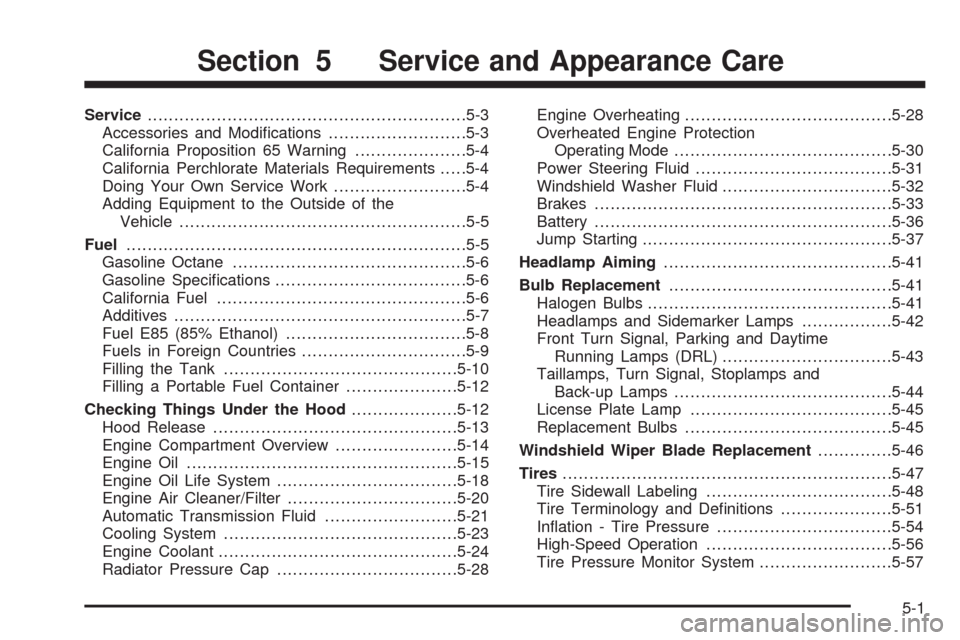
Service............................................................5-3
Accessories and Modications..........................5-3
California Proposition 65 Warning.....................5-4
California Perchlorate Materials Requirements.....5-4
Doing Your Own Service Work.........................5-4
Adding Equipment to the Outside of the
Vehicle......................................................5-5
Fuel................................................................5-5
Gasoline Octane............................................5-6
Gasoline Specications....................................5-6
California Fuel...............................................5-6
Additives.......................................................5-7
Fuel E85 (85% Ethanol)..................................5-8
Fuels in Foreign Countries...............................5-9
Filling the Tank............................................5-10
Filling a Portable Fuel Container.....................5-12
Checking Things Under the Hood....................5-12
Hood Release..............................................5-13
Engine Compartment Overview.......................5-14
Engine Oil...................................................5-15
Engine Oil Life System..................................5-18
Engine Air Cleaner/Filter................................5-20
Automatic Transmission Fluid.........................5-21
Cooling System............................................5-23
Engine Coolant.............................................5-24
Radiator Pressure Cap..................................5-28Engine Overheating.......................................5-28
Overheated Engine Protection
Operating Mode.........................................5-30
Power Steering Fluid.....................................5-31
Windshield Washer Fluid................................5-32
Brakes........................................................5-33
Battery........................................................5-36
Jump Starting...............................................5-37
Headlamp Aiming...........................................5-41
Bulb Replacement..........................................5-41
Halogen Bulbs..............................................5-41
Headlamps and Sidemarker Lamps.................5-42
Front Turn Signal, Parking and Daytime
Running Lamps (DRL)................................5-43
Taillamps, Turn Signal, Stoplamps and
Back-up Lamps.........................................5-44
License Plate Lamp......................................5-45
Replacement Bulbs.......................................5-45
Windshield Wiper Blade Replacement..............5-46
Tires..............................................................5-47
Tire Sidewall Labeling...................................5-48
Tire Terminology and Denitions.....................5-51
Ination - Tire Pressure.................................5-54
High-Speed Operation...................................5-56
Tire Pressure Monitor System.........................5-57
Section 5 Service and Appearance Care
5-1
Page 312 of 464
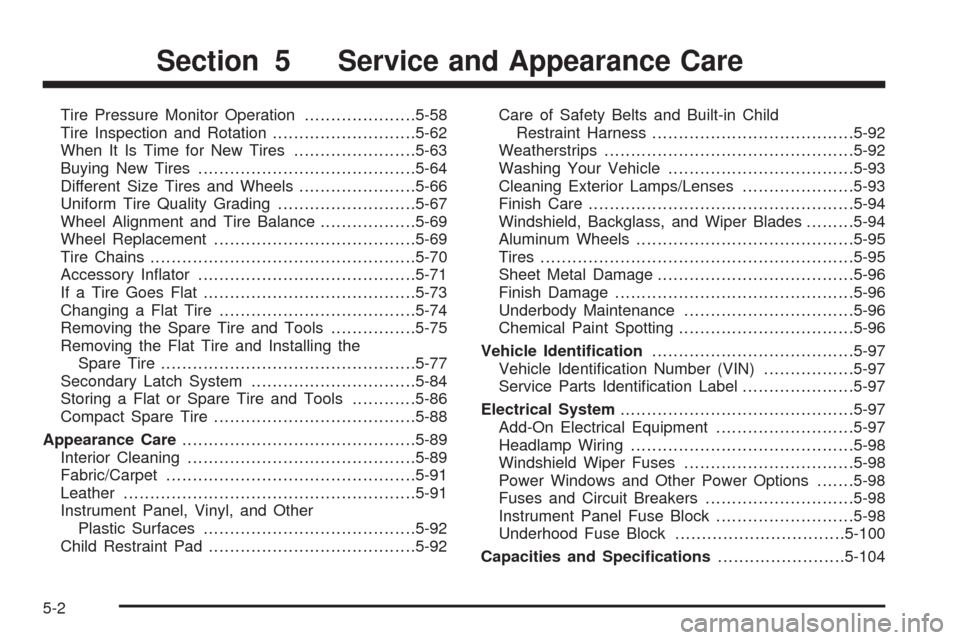
Tire Pressure Monitor Operation.....................5-58
Tire Inspection and Rotation...........................5-62
When It Is Time for New Tires.......................5-63
Buying New Tires.........................................5-64
Different Size Tires and Wheels......................5-66
Uniform Tire Quality Grading..........................5-67
Wheel Alignment and Tire Balance..................5-69
Wheel Replacement......................................5-69
Tire Chains..................................................5-70
Accessory Inator.........................................5-71
If a Tire Goes Flat........................................5-73
Changing a Flat Tire.....................................5-74
Removing the Spare Tire and Tools................5-75
Removing the Flat Tire and Installing the
Spare Tire................................................5-77
Secondary Latch System...............................5-84
Storing a Flat or Spare Tire and Tools............5-86
Compact Spare Tire......................................5-88
Appearance Care............................................5-89
Interior Cleaning...........................................5-89
Fabric/Carpet...............................................5-91
Leather.......................................................5-91
Instrument Panel, Vinyl, and Other
Plastic Surfaces........................................5-92
Child Restraint Pad.......................................5-92Care of Safety Belts and Built-in Child
Restraint Harness......................................5-92
Weatherstrips...............................................5-92
Washing Your Vehicle...................................5-93
Cleaning Exterior Lamps/Lenses.....................5-93
Finish Care..................................................5-94
Windshield, Backglass, and Wiper Blades.........5-94
Aluminum Wheels.........................................5-95
Tires...........................................................5-95
Sheet Metal Damage.....................................5-96
Finish Damage............................................
.5-96
Underbody Maintenance................................5-96
Chemical Paint Spotting.................................5-96
Vehicle Identication......................................5-97
Vehicle Identication Number (VIN).................5-97
Service Parts Identication Label.....................5-97
Electrical System............................................5-97
Add-On Electrical Equipment..........................5-97
Headlamp Wiring..........................................5-98
Windshield Wiper Fuses................................5-98
Power Windows and Other Power Options.......5-98
Fuses and Circuit Breakers............................5-98
Instrument Panel Fuse Block..........................5-98
Underhood Fuse Block................................5-100
Capacities and Specications........................5-104
Section 5 Service and Appearance Care
5-2