steering CHEVROLET UPLANDER 2009 1.G User Guide
[x] Cancel search | Manufacturer: CHEVROLET, Model Year: 2009, Model line: UPLANDER, Model: CHEVROLET UPLANDER 2009 1.GPages: 464, PDF Size: 2.59 MB
Page 167 of 464
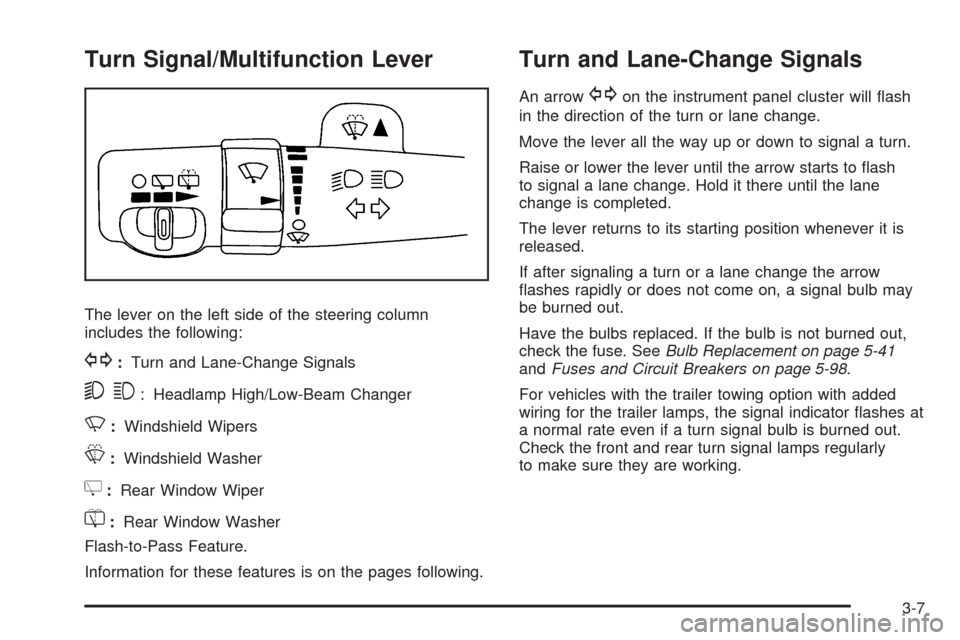
Turn Signal/Multifunction Lever
The lever on the left side of the steering column
includes the following:
G:Turn and Lane-Change Signals
53: Headlamp High/Low-Beam Changer
N:Windshield Wipers
L:Windshield Washer
Z:Rear Window Wiper
=:Rear Window Washer
Flash-to-Pass Feature.
Information for these features is on the pages following.
Turn and Lane-Change Signals
An arrowGon the instrument panel cluster will ash
in the direction of the turn or lane change.
Move the lever all the way up or down to signal a turn.
Raise or lower the lever until the arrow starts to ash
to signal a lane change. Hold it there until the lane
change is completed.
The lever returns to its starting position whenever it is
released.
If after signaling a turn or a lane change the arrow
ashes rapidly or does not come on, a signal bulb may
be burned out.
Have the bulbs replaced. If the bulb is not burned out,
check the fuse. SeeBulb Replacement on page 5-41
andFuses and Circuit Breakers on page 5-98.
For vehicles with the trailer towing option with added
wiring for the trailer lamps, the signal indicator ashes at
a normal rate even if a turn signal bulb is burned out.
Check the front and rear turn signal lamps regularly
to make sure they are working.
3-7
Page 168 of 464
Turn Signal On Chime
If either turn signal is left on for more than 3/4 mile
(1.2 km), a chime sounds to let the driver know to turn it
off. If the signal needs to be left on for more than 3/4 mile
(1.2 km), turn the signal off and then turn it back on.
Headlamp High/Low-Beam Changer
The headlamps must be on for this feature to work.
Push the turn signal lever away from you to turn the high
beams on.
This instrument panel cluster light
3comes on while
the high beam headlamps are on.
Pull the lever towards you to return to low beams.
Flash-to-Pass
This feature is used to signal the vehicle ahead that you
want to pass. When the headlamps are off, pull the
lever toward you to momentarily turn on the high beams.
Release the lever, to turn the high beams off.
Windshield Wipers
The windshield wiper/washer switch is on the
multifunction lever located on the left side of the
steering column.
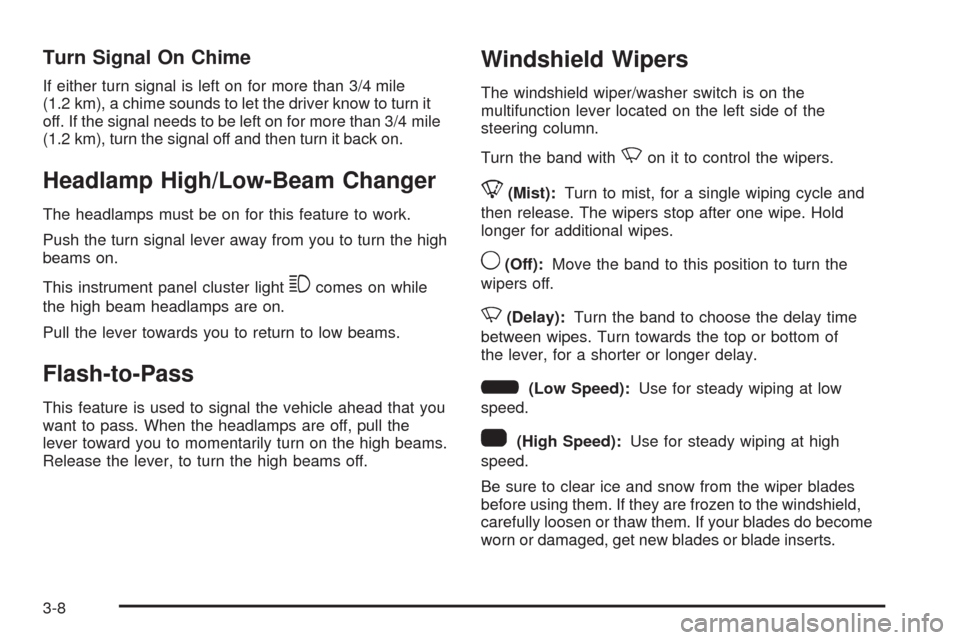
Turn the band with
Non it to control the wipers.
8(Mist):Turn to mist, for a single wiping cycle and
then release. The wipers stop after one wipe. Hold
longer for additional wipes.
9(Off):Move the band to this position to turn the
wipers off.
N(Delay):Turn the band to choose the delay time
between wipes. Turn towards the top or bottom of
the lever, for a shorter or longer delay.
6(Low Speed):Use for steady wiping at low
speed.
1(High Speed):Use for steady wiping at high
speed.
Be sure to clear ice and snow from the wiper blades
before using them. If they are frozen to the windshield,
carefully loosen or thaw them. If your blades do become
worn or damaged, get new blades or blade inserts.
3-8
Page 170 of 464
Cruise Control
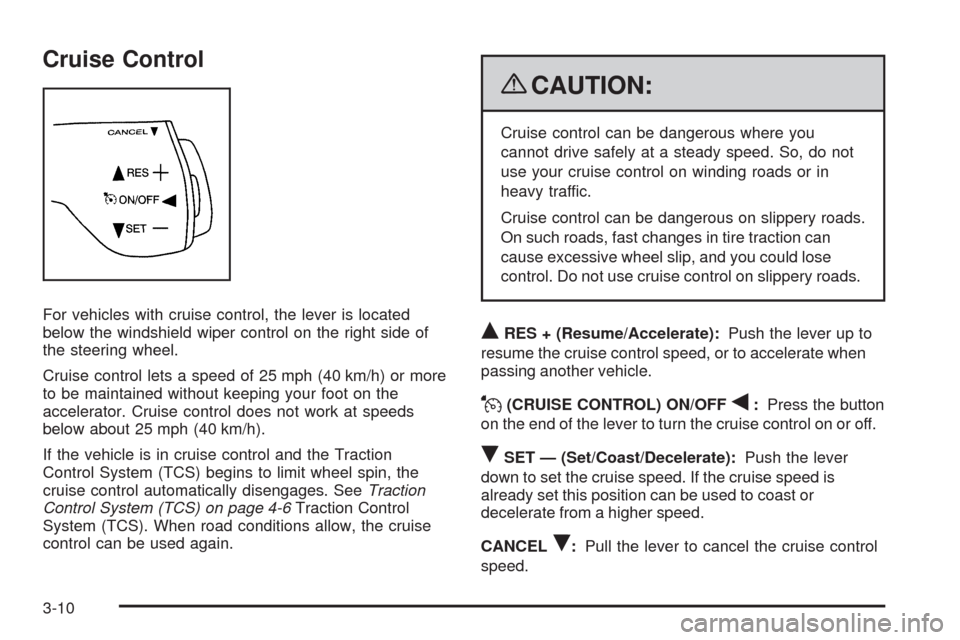
For vehicles with cruise control, the lever is located
below the windshield wiper control on the right side of
the steering wheel.
Cruise control lets a speed of 25 mph (40 km/h) or more
to be maintained without keeping your foot on the
accelerator. Cruise control does not work at speeds
below about 25 mph (40 km/h).
If the vehicle is in cruise control and the Traction
Control System (TCS) begins to limit wheel spin, the
cruise control automatically disengages. SeeTraction
Control System (TCS) on page 4-6Traction Control
System (TCS). When road conditions allow, the cruise
control can be used again.
{CAUTION:
Cruise control can be dangerous where you
cannot drive safely at a steady speed. So, do not
use your cruise control on winding roads or in
heavy traffic.
Cruise control can be dangerous on slippery roads.
On such roads, fast changes in tire traction can
cause excessive wheel slip, and you could lose
control. Do not use cruise control on slippery roads.
QRES + (Resume/Accelerate):Push the lever up to
resume the cruise control speed, or to accelerate when
passing another vehicle.
J(CRUISE CONTROL) ON/OFFq:Press the button
on the end of the lever to turn the cruise control on or off.
RSET — (Set/Coast/Decelerate):Push the lever
down to set the cruise speed. If the cruise speed is
already set this position can be used to coast or
decelerate from a higher speed.
CANCEL
R:Pull the lever to cancel the cruise control
speed.
3-10
Page 173 of 464
Exterior Lamps
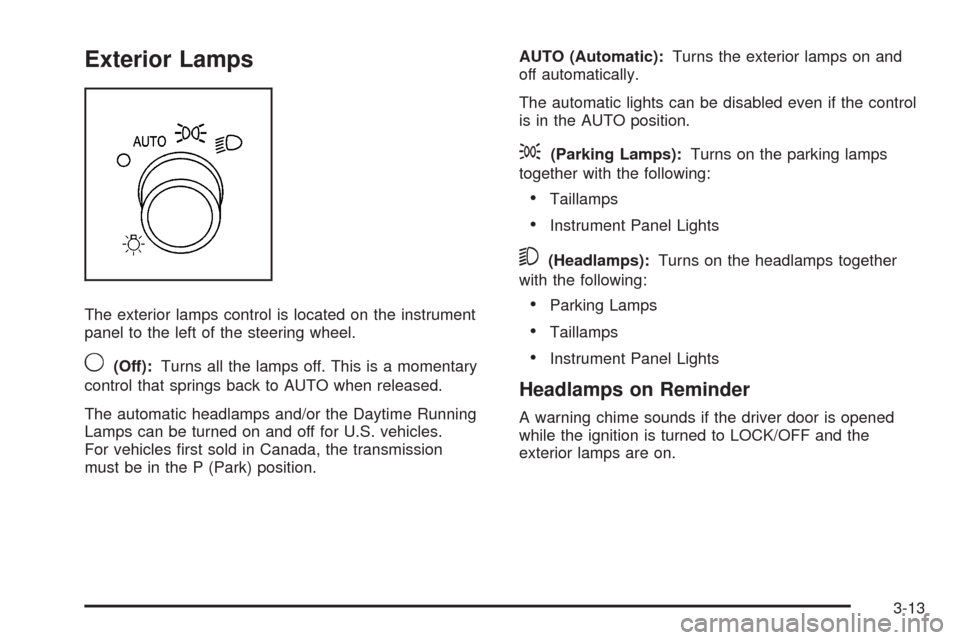
The exterior lamps control is located on the instrument
panel to the left of the steering wheel.
9(Off):Turns all the lamps off. This is a momentary
control that springs back to AUTO when released.
The automatic headlamps and/or the Daytime Running
Lamps can be turned on and off for U.S. vehicles.
For vehicles rst sold in Canada, the transmission
must be in the P (Park) position.AUTO (Automatic):Turns the exterior lamps on and
off automatically.
The automatic lights can be disabled even if the control
is in the AUTO position.
;(Parking Lamps):Turns on the parking lamps
together with the following:
Taillamps
Instrument Panel Lights
5(Headlamps):Turns on the headlamps together
with the following:
Parking Lamps
Taillamps
Instrument Panel Lights
Headlamps on Reminder
A warning chime sounds if the driver door is opened
while the ignition is turned to LOCK/OFF and the
exterior lamps are on.
3-13
Page 175 of 464
To idle the vehicle with the DRL and automatic
headlamps off, toggle the exterior lamp control
to off after starting the vehicle.
The regular headlamp system should be turned on
when needed.
Instrument Panel Brightness
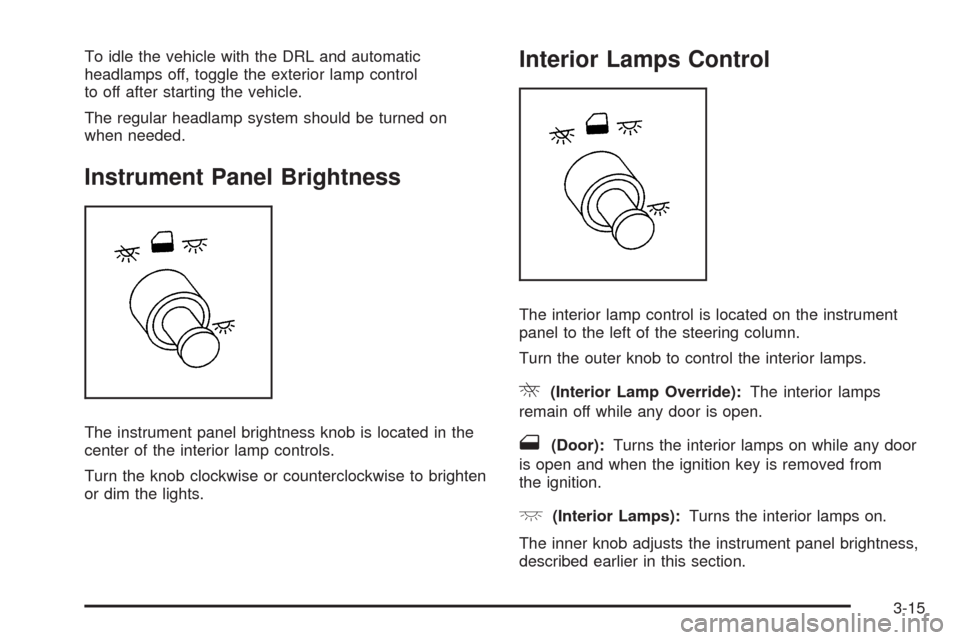
The instrument panel brightness knob is located in the
center of the interior lamp controls.
Turn the knob clockwise or counterclockwise to brighten
or dim the lights.
Interior Lamps Control
The interior lamp control is located on the instrument
panel to the left of the steering column.
Turn the outer knob to control the interior lamps.
R(Interior Lamp Override):The interior lamps
remain off while any door is open.
1(Door):Turns the interior lamps on while any door
is open and when the ignition key is removed from
the ignition.
+(Interior Lamps):Turns the interior lamps on.
The inner knob adjusts the instrument panel brightness,
described earlier in this section.
3-15
Page 271 of 464
Audio Steering Wheel Controls
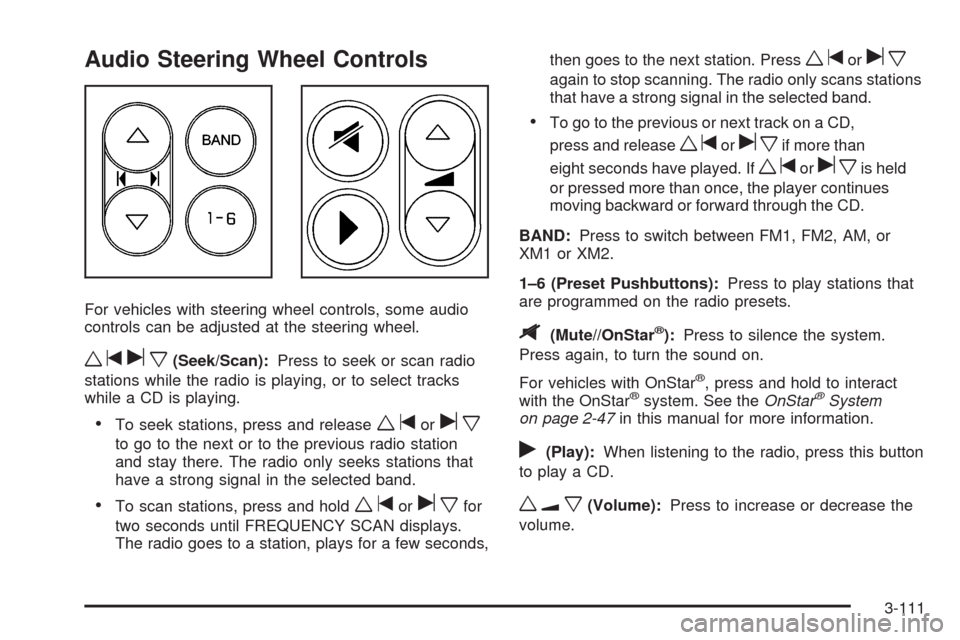
For vehicles with steering wheel controls, some audio
controls can be adjusted at the steering wheel.
wtux(Seek/Scan):Press to seek or scan radio
stations while the radio is playing, or to select tracks
while a CD is playing.
To seek stations, press and releasewtorux
to go to the next or to the previous radio station
and stay there. The radio only seeks stations that
have a strong signal in the selected band.
To scan stations, press and holdwtoruxfor
two seconds until FREQUENCY SCAN displays.
The radio goes to a station, plays for a few seconds,then goes to the next station. Press
wtorux
again to stop scanning. The radio only scans stations
that have a strong signal in the selected band.
To go to the previous or next track on a CD,
press and release
wtoruxif more than
eight seconds have played. If
wtoruxis held
or pressed more than once, the player continues
moving backward or forward through the CD.
BAND:Press to switch between FM1, FM2, AM, or
XM1orXM2.
1–6 (Preset Pushbuttons):Press to play stations that
are programmed on the radio presets.
$(Mute//OnStar®):Press to silence the system.
Press again, to turn the sound on.
For vehicles with OnStar
®, press and hold to interact
with the OnStar®system. See theOnStar®System
on page 2-47in this manual for more information.
r(Play):When listening to the radio, press this button
to play a CD.
wux(Volume):Press to increase or decrease the
volume.
3-111
Page 275 of 464
Your Driving, the Road, and the Vehicle............4-2
Defensive Driving...........................................4-2
Drunk Driving.................................................4-2
Control of a Vehicle........................................4-3
Braking.........................................................4-4
Antilock Brake System (ABS)...........................4-5
Braking in Emergencies...................................4-6
Traction Control System (TCS).........................4-6
StabiliTrak
®System........................................4-7
Steering........................................................4-9
Off-Road Recovery.......................................4-11
Passing.......................................................4-11
Loss of Control.............................................4-11
Driving at Night............................................4-12Driving in Rain and on Wet Roads..................4-13
Before Leaving on a Long Trip.......................4-14
Highway Hypnosis........................................4-14
Hill and Mountain Roads................................4-15
Winter Driving..............................................4-16
If Your Vehicle is Stuck in Sand, Mud,
Ice, or Snow.............................................4-18
Rocking Your Vehicle to Get It Out.................4-18
Loading the Vehicle......................................4-19
Towing..........................................................4-24
Towing Your Vehicle.....................................4-24
Recreational Vehicle Towing...........................4-24
Level Control...............................................4-25
Towing a Trailer...........................................4-26
Section 4 Driving Your Vehicle
4-1
Page 277 of 464
Police records show that almost 40 percent of all motor
vehicle-related deaths involve alcohol. In most cases,
these deaths are the result of someone who was drinking
and driving. In recent years, more than 17,000 annual
motor vehicle-related deaths have been associated with
the use of alcohol, with about 250,000 people injured.
For persons under 21, it is against the law in every
U.S. state to drink alcohol. There are good medical,
psychological, and developmental reasons for
these laws.
The obvious way to eliminate the leading highway
safety problem is for people never to drink alcohol and
then drive.
Medical research shows that alcohol in a person’s
system can make crash injuries worse, especially
injuries to the brain, spinal cord, or heart. This meansthat when anyone who has been drinking — driver or
passenger — is in a crash, that person’s chance
of being killed or permanently disabled is higher than if
the person had not been drinking.
Control of a Vehicle
The following three systems help to control your vehicle
while driving — brakes, steering, and accelerator.
At times, as when driving on snow or ice, it is easy to
ask more of those control systems than the tires
and road can provide. Meaning, you can lose control of
your vehicle. SeeTraction Control System (TCS) on
page 4-6andStabiliTrak
®System on page 4-7.
Adding non-dealer/non-retailer accessories can affect
your vehicle’s performance. SeeAccessories and
Modifications on page 5-3.
4-3
Page 280 of 464
Using ABS
Do not pump the brakes. Just hold the brake pedal
down rmly and let antilock work for you. You might feel
a slight brake pedal pulsation or notice some noise,
but this is normal.
Braking in Emergencies
With ABS, you can steer and brake at the same time.
In many emergencies, steering can help you more than
even the very best braking.
Traction Control System (TCS)
Your vehicle may have a traction control system that
limits wheel spin. This is especially useful in slippery
road conditions. The system operates if it senses that
one or both of the front wheels are spinning or beginning
to lose traction. When this happens, the system
brakes the spinning wheel(s) and/or reduces engine
power to limit wheel spin.
The TRACTION CONTROL ACTIVE message will come
on in the Driver Information Center (DIC) when the
traction control system is limiting wheel spin. You may
feel or hear the system working, but this is normal.If your vehicle is in cruise control when the traction
control system begins to limit wheel spin, the cruise
control will automatically disengage. When road
conditions allow you to safely use it again, you may
re-engage the cruise control.
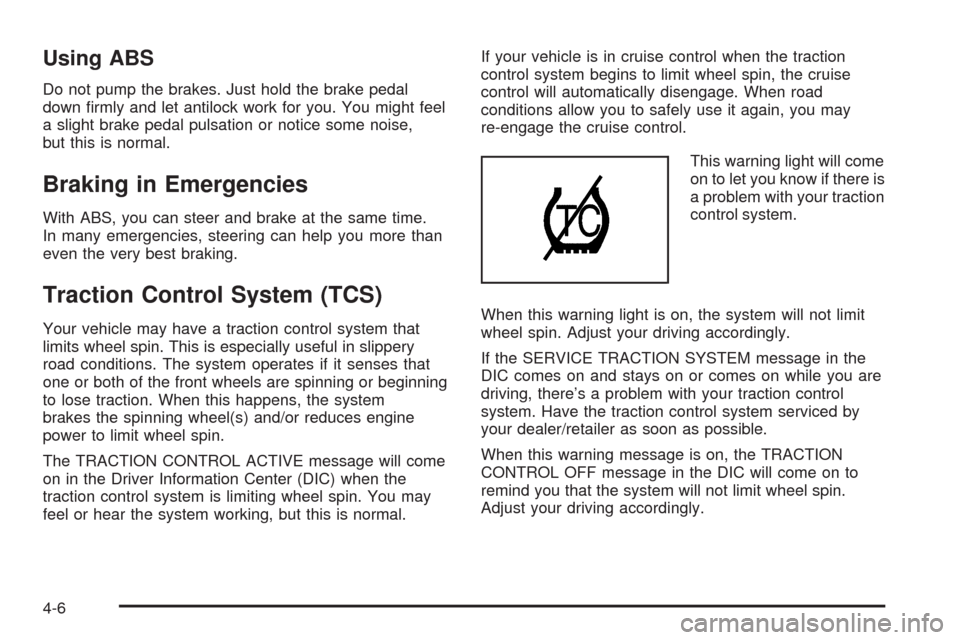
This warning light will come
on to let you know if there is
a problem with your traction
control system.
When this warning light is on, the system will not limit
wheel spin. Adjust your driving accordingly.
If the SERVICE TRACTION SYSTEM message in the
DIC comes on and stays on or comes on while you are
driving, there’s a problem with your traction control
system. Have the traction control system serviced by
your dealer/retailer as soon as possible.
When this warning message is on, the TRACTION
CONTROL OFF message in the DIC will come on to
remind you that the system will not limit wheel spin.
Adjust your driving accordingly.
4-6
Page 282 of 464
The STABILITY CONTROL ACTIVE message will
appear on the DIC only when the system is both on and
activated. It means that an advanced computer-controlled
system has come on to help your vehicle continue to go
in the direction in which you are steering. StabiliTrak
activates when the computer senses that your vehicle
is just starting to spin, as it might if you hit a patch of ice
or other slippery spot on the road. When the system
activates, you may hear a noise or feel a vibration in the
brake pedal. This is normal. When the STABILITY
CONTROL ACTIVE message is on, you should continue
to steer in the direction you want to go. The system is
designed to help you in bad weather or other difficult
driving situations by making the most of whatever road
conditions will permit. For more information on the
stability messages, seeDriver Information Center (DIC)
on page 3-43.
If the StabiliTrak system turns off, the traction control
system warning light will illuminate, and the STABILITY
CONTROL OFF message will appear on the DIC to
warn the driver that StabiliTrak is no longer available
to assist you with directional control of the vehicle.
Adjust your driving accordingly.To realize the full benets of the stability enhancement
system, you should normally leave StabiliTrak on, but it
may be necessary to turn the system off if your vehicle is
stuck in sand, mud, ice or snow, and you want to “rock”
your vehicle to attempt to free it. SeeRocking Your
Vehicle to Get It Out on page 4-18andIf Your Vehicle is
Stuck in Sand, Mud, Ice, or Snow on page 4-18.
Traction Control Operation
The traction control system is part of the StabiliTrak
system. Traction control limits wheel spin by reducing
engine power to the wheels (engine speed management)
and by applying brakes.
The traction control system is enabled automatically
when you start your vehicle. It will activate and display
the TRACTION CONTROL ACTIVE message in the
DIC if it senses that one or both of the front wheels are
spinning or beginning to lose traction while driving.
4-8