air condition CHEVROLET VOLT 2011 User Guide
[x] Cancel search | Manufacturer: CHEVROLET, Model Year: 2011, Model line: VOLT, Model: CHEVROLET VOLT 2011Pages: 516, PDF Size: 6.61 MB
Page 89 of 516
Black plate (33,1)Chevrolet Volt Owner Manual - 2011
Seats and Restraints 3-33
Passenger Sensing
System
The vehicle has a passenger
sensing system for the right front
passenger position. The passenger
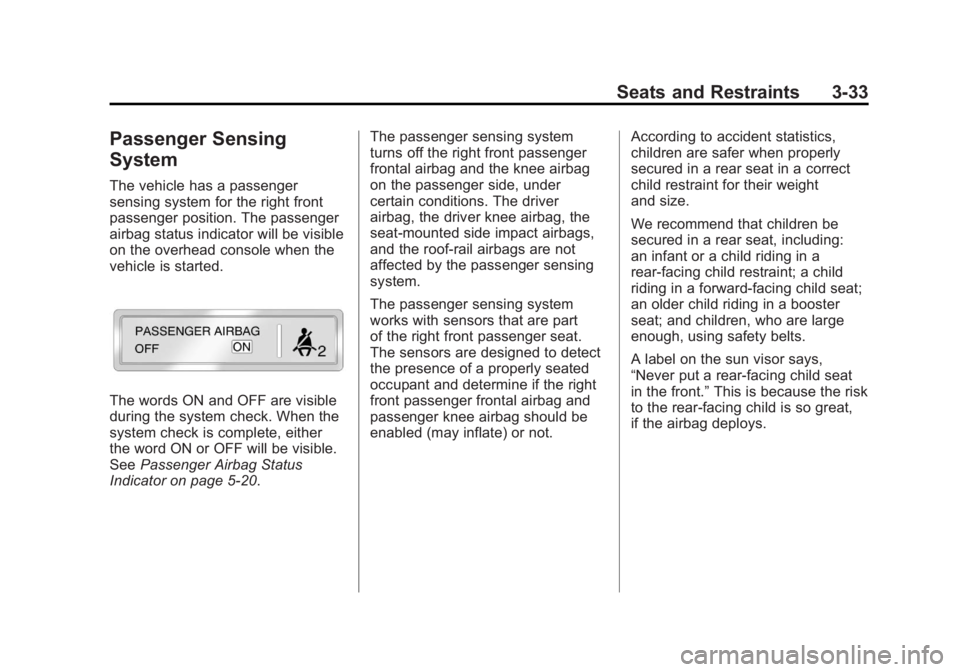
airbag status indicator will be visible
on the overhead console when the
vehicle is started.
The words ON and OFF are visible
during the system check. When the
system check is complete, either
the word ON or OFF will be visible.
SeePassenger Airbag Status
Indicator on page 5‑20. The passenger sensing system
turns off the right front passenger
frontal airbag and the knee airbag
on the passenger side, under
certain conditions. The driver
airbag, the driver knee airbag, the
seat-mounted side impact airbags,
and the roof-rail airbags are not
affected by the passenger sensing
system.
The passenger sensing system
works with sensors that are part
of the right front passenger seat.
The sensors are designed to detect
the presence of a properly seated
occupant and determine if the right
front passenger frontal airbag and
passenger knee airbag should be
enabled (may inflate) or not.
According to accident statistics,
children are safer when properly
secured in a rear seat in a correct
child restraint for their weight
and size.
We recommend that children be
secured in a rear seat, including:
an infant or a child riding in a
rear-facing child restraint; a child
riding in a forward-facing child seat;
an older child riding in a booster
seat; and children, who are large
enough, using safety belts.
A label on the sun visor says,
“Never put a rear-facing child seat
in the front.”
This is because the risk
to the rear-facing child is so great,
if the airbag deploys.
Page 116 of 516
Black plate (60,1)Chevrolet Volt Owner Manual - 2011
3-60 Seats and Restraints
Securing Child Restraints
(Front Passenger Seat)
This vehicle has airbags. A rear
seat is a safer place to secure
a forward-facing child restraint.
SeeWhere to Put the Restraint on
page 3‑47.
In addition, the vehicle has a
passenger sensing system which
is designed to turn off the right
front passenger frontal airbag
and passenger knee airbag under
certain conditions. See Passenger
Sensing System on page 3‑33 and
Passenger Airbag Status Indicator
on page 5‑20 for more information,
including important safety
information. A label on the sun visor says,
“Never put a rear-facing child seat
in the front.”
This is because the risk
to the rear-facing child is so great,
if the airbag deploys.
{WARNING
A child in a rear-facing child
restraint can be seriously
injured or killed if the right
front passenger airbag inflates.
This is because the back of the
rear-facing child restraint would
be very close to the inflating
airbag. A child in a forward-facing
child restraint can be seriously
injured or killed if the right front
passenger airbag inflates and the
passenger seat is in a forward
position.
(Continued)
WARNING (Continued)
Even if the passenger sensing
system has turned off the right
front passenger airbag(s), no
system is fail-safe. No one can
guarantee that an airbag will
not deploy under some unusual
circumstance, even though the
airbag(s) are turned off.
Secure rear-facing child
restraints in a rear seat, even if
the airbag(s) are off. If you secure
a forward-facing child restraint in
the right front seat, always move
the front passenger seat as far
back as it will go. It is better to
secure the child restraint in a
rear seat.
SeePassenger Sensing System
on page 3‑33 for additional
information.
Page 142 of 516
Black plate (22,1)Chevrolet Volt Owner Manual - 2011
5-22 Instruments and Controls
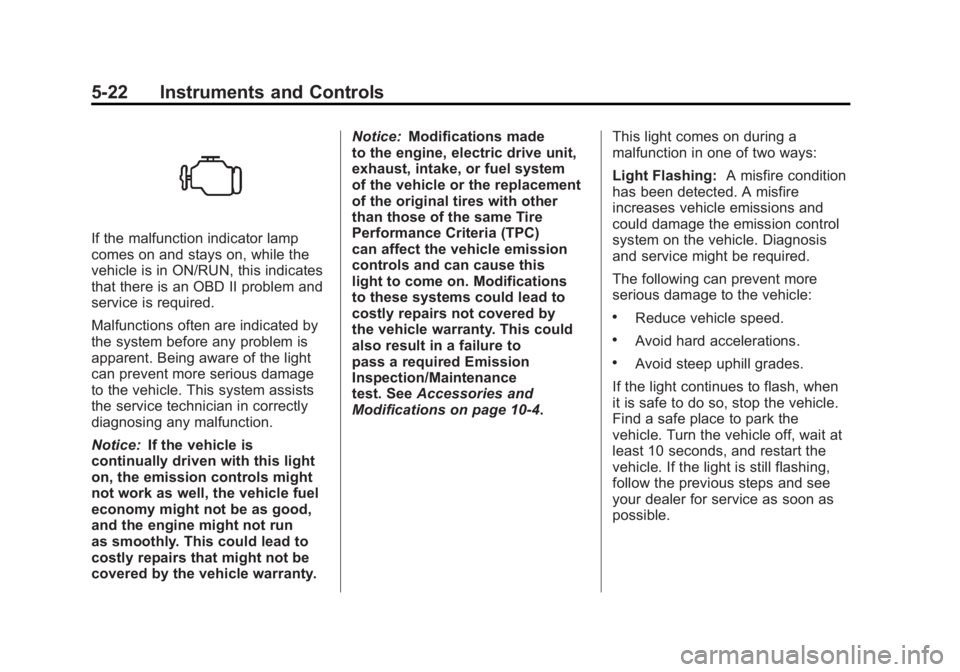
If the malfunction indicator lamp
comes on and stays on, while the
vehicle is in ON/RUN, this indicates
that there is an OBD II problem and
service is required.
Malfunctions often are indicated by
the system before any problem is
apparent. Being aware of the light
can prevent more serious damage
to the vehicle. This system assists
the service technician in correctly
diagnosing any malfunction.
Notice:If the vehicle is
continually driven with this light
on, the emission controls might
not work as well, the vehicle fuel
economy might not be as good,
and the engine might not run
as smoothly. This could lead to
costly repairs that might not be
covered by the vehicle warranty. Notice:
Modifications made
to the engine, electric drive unit,
exhaust, intake, or fuel system
of the vehicle or the replacement
of the original tires with other
than those of the same Tire
Performance Criteria (TPC)
can affect the vehicle emission
controls and can cause this
light to come on. Modifications
to these systems could lead to
costly repairs not covered by
the vehicle warranty. This could
also result in a failure to
pass a required Emission
Inspection/Maintenance
test. See Accessories and
Modifications on page 10‑4. This light comes on during a
malfunction in one of two ways:
Light Flashing:
A misfire condition
has been detected. A misfire
increases vehicle emissions and
could damage the emission control
system on the vehicle. Diagnosis
and service might be required.
The following can prevent more
serious damage to the vehicle:
.Reduce vehicle speed.
.Avoid hard accelerations.
.Avoid steep uphill grades.
If the light continues to flash, when
it is safe to do so, stop the vehicle.
Find a safe place to park the
vehicle. Turn the vehicle off, wait at
least 10 seconds, and restart the
vehicle. If the light is still flashing,
follow the previous steps and see
your dealer for service as soon as
possible.
Page 171 of 516
Black plate (51,1)Chevrolet Volt Owner Manual - 2011
Instruments and Controls 5-51
SERVICE TRACTION
CONTROL
This message displays when there
is a problem detected with the
Traction Control System (TCS).
The vehicle is safe to drive, but the
TCS is not operational. SeeTraction
Control System (TCS) on page 9‑37
for information on resetting the
system.
Airbag System Messages
SERVICE AIRBAG
This message displays if there is
a problem with the airbag system.
Take the vehicle to your dealer for
service.
Anti-theft Alarm System
Messages
SERVICE THEFT ALARM
This message displays if there is a
problem with the alarm. See your
dealer for service.
SERVICE THEFT DETERRENT
SYSTEM
This message displays if there is
a problem with the theft-deterrent
system. See your dealer for service.
Service Vehicle Messages
ENGINE MAINTENANCE XXX%
COMPLETE
This message displays when
the Engine Maintenance Mode is
running. See “Engine Maintenance
Mode” underMaintenance Modes
on page 9‑28.
ENGINE NOT AVAILABLE
SERVICE SOON
This message displays when the
engine is not available due to a
malfunction that will not allow the
engine to start. The vehicle can
continue to be driven in Electric
Mode until the battery is depleted,
but will have reduced acceleration.
When this message is displayed,
the vehicle should be taken to
your dealer for service as soon as
possible. See Out of Fuel/Engine
Unavailable on page 9‑28.
SERVICE AC SYSTEM
This message displays if there is a
problem with the air conditioning
system. Take the vehicle to your
dealer for service.
SERVICE HEATER SOON
This message displays if there is
a problem with the heater system.
Take the vehicle to your dealer for
service.
Page 175 of 516
Black plate (55,1)Chevrolet Volt Owner Manual - 2011
Instruments and Controls 5-55
Climate and Air Quality
Select the Climate and Air Quality
menu to display:
.Auto Fan Speed
.Auto Heated Seats
.Remote Start Auto Heat Seats
.Auto Defog
Auto Fan Speed
This feature sets the automatic
fan speed to maintain the desired
interior tempurature. This selection
is available on vehicles with the
Automatic Climate Control system.
Choose a blower setting:
High: Increased speed.
Medium: Moderate speed.
Low: Reduced speed.
To select the auto fan speed:
1. Press the Vehicle menu.
2. Select Climate and Air Quality. 3. Select Auto Fan Speed.
4. Select the fan speed.
5. Press Back to return to the
previous menu.
Auto Heated Seats
When enabled, the auto heated
seat buttons on the touch screen
will be highlighted. This feature will
automatically activate heated seats
at the level required by the interior
temperature. The auto heated seats
can be turned off by using the
heated seat buttons on the center
stack.
To turn the auto heated seats on
or off:
1. Press the Vehicle menu.
2. Select Climate and Air Quality.
3. Turn the auto heated seats feature on or off.
4. Press Back to return to the previous menu. Remote Start Auto Heat Seats
When on, this feature will turn the
heated seats on when using remote
start.
To turn the remote start auto heat
seats on or off:
1. Press the Vehicle menu.
2. Select Climate and Air Quality.
3. Turn the remote start auto heat
seats feature on or off.
4. Press Back to return to the previous menu.
Auto Defog
When on and high humidity is
detected, the Climate Control
system will adjust the outside air,
air conditioner, or heat to decrease
fogging. The fan speed may
increase. When high humidity is
no longer detected, the system
will return to previous operation.
Page 260 of 516
Black plate (70,1)Chevrolet Volt Owner Manual - 2011
7-70 Infotainment System
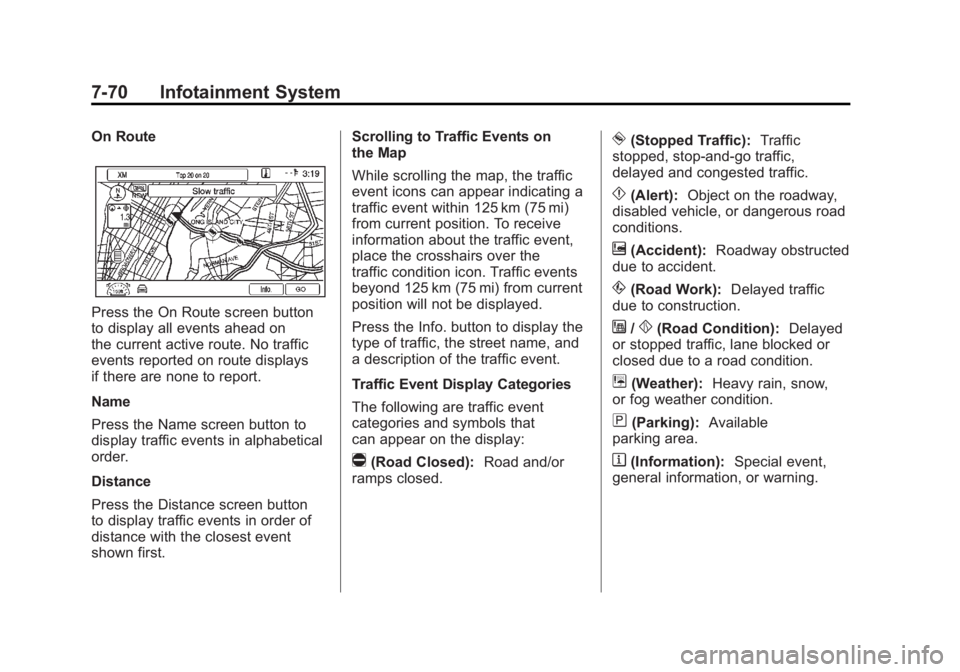
On Route
Press the On Route screen button
to display all events ahead on
the current active route. No traffic
events reported on route displays
if there are none to report.
Name
Press the Name screen button to
display traffic events in alphabetical
order.
Distance
Press the Distance screen button
to display traffic events in order of
distance with the closest event
shown first.Scrolling to Traffic Events on
the Map
While scrolling the map, the traffic
event icons can appear indicating a
traffic event within 125 km (75 mi)
from current position. To receive
information about the traffic event,
place the crosshairs over the
traffic condition icon. Traffic events
beyond 125 km (75 mi) from current
position will not be displayed.
Press the Info. button to display the
type of traffic, the street name, and
a description of the traffic event.
Traffic Event Display Categories
The following are traffic event
categories and symbols that
can appear on the display:
q(Road Closed):
Road and/or
ramps closed.
o(Stopped Traffic): Traffic
stopped, stop-and-go traffic,
delayed and congested traffic.
p(Alert): Object on the roadway,
disabled vehicle, or dangerous road
conditions.
t(Accident): Roadway obstructed
due to accident.
s(Road Work): Delayed traffic
due to construction.
j/r(Road Condition): Delayed
or stopped traffic, lane blocked or
closed due to a road condition.
k(Weather): Heavy rain, snow,
or fog weather condition.
m(Parking): Available
parking area.
l(Information): Special event,
general information, or warning.
Page 293 of 516
Black plate (1,1)Chevrolet Volt Owner Manual - 2011
Climate Controls 8-1
Climate Controls
Climate Control Systems
Automatic Climate ControlSystem . . . . . . . . . . . . . . . . . . . . . . 8-1
Air Vents
Air Vents . . . . . . . . . . . . . . . . . . . . . . 8-9
Climate Control
Systems
Automatic Climate
Control System
The climate control buttons and the
touch screen are used to adjust the
heating, cooling, and ventilation.
The vehicle may require the
use of an auxiliary heat source
under certain cold conditions. This provides additional heating
and defrost capability obtained
by running the engine, even if the
high voltage battery is adequately
charged. Under these conditions,
the engine will start and use fuel.
Make sure there is fuel in the tank.
Do not allow the vehicle to remain
in extreme temperatures for long
periods without being driven or
being plugged in.
Page 295 of 516
Black plate (3,1)Chevrolet Volt Owner Manual - 2011
Climate Controls 8-3
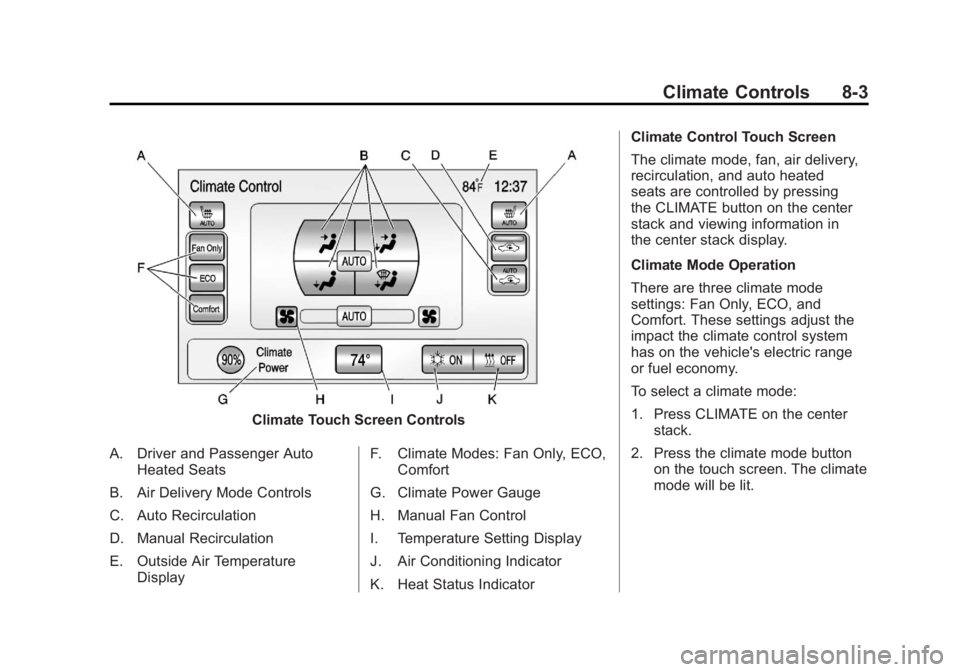
Climate Touch Screen Controls
A. Driver and Passenger Auto Heated Seats
B. Air Delivery Mode Controls
C. Auto Recirculation
D. Manual Recirculation
E. Outside Air Temperature Display F. Climate Modes: Fan Only, ECO,
Comfort
G. Climate Power Gauge
H. Manual Fan Control
I. Temperature Setting Display
J. Air Conditioning Indicator
K. Heat Status Indicator Climate Control Touch Screen
The climate mode, fan, air delivery,
recirculation, and auto heated
seats are controlled by pressing
the CLIMATE button on the center
stack and viewing information in
the center stack display.
Climate Mode Operation
There are three climate mode
settings: Fan Only, ECO, and
Comfort. These settings adjust the
impact the climate control system
has on the vehicle's electric range
or fuel economy.
To select a climate mode:
1. Press CLIMATE on the center
stack.
2. Press the climate mode button on the touch screen. The climate
mode will be lit.
Page 296 of 516
Black plate (4,1)Chevrolet Volt Owner Manual - 2011
8-4 Climate Controls
Fan Only Mode:The air
conditioning and electric heat are
turned off. As long as
0is not
selected, the climate control settings
may not have a noticeable effect
on the vehicle electric range and
fuel economy.
When in Fan Only mode, the
AUTO indicator light will be off.
When AUTO is selected in Fan
Only mode, the mode will change
to either ECO or Comfort.
When in Fan Only mode, the air
conditioning system may turn on
automatically if the high voltage
battery is being cooled. The climate
control system could blow cold air. This is normal. To prevent cold air
from blowing into the interior, turn
off the fan control and select the
vent mode and manual recirculation
mode, and close the air vents.
When in Fan Only mode,
if Auto Defog is enabled, the air
conditioning and electric heat
may turn on when high humidity
conditions exist. See
“Climate
and Air Quality” underVehicle
Personalization on page 5‑53
for more information on the
Auto Defog selection. The air
conditioning may also run
if
0is selected.
ECO Mode: The vehicle air
conditioning and electric heat are
controlled to balance comfort with
fuel economy. As long as
0is not
selected, the vehicle electric range
or fuel economy will decrease less
than in Comfort mode, but will result
in moderate comfort. Comfort Mode:
The vehicle air
conditioning and electric heat are
controlled to reach the best comfort
level based on the temperature
setting selected. In this mode,
vehicle electric range or fuel
economy will decrease depending
on the amount of energy required
to reach the best comfort levels.
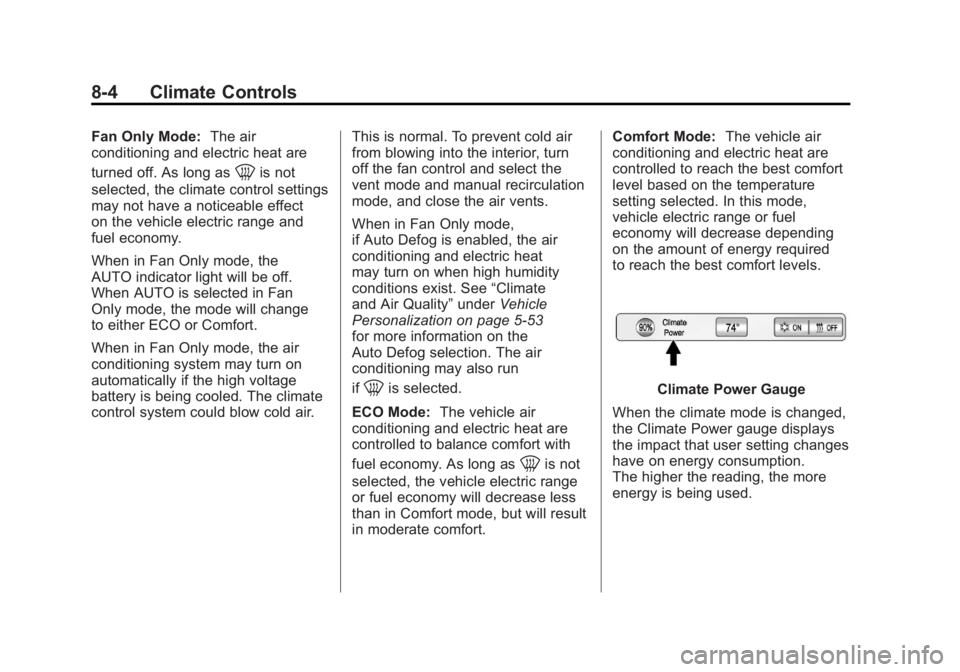
Climate Power Gauge
When the climate mode is changed,
the Climate Power gauge displays
the impact that user setting changes
have on energy consumption.
The higher the reading, the more
energy is being used.
Page 297 of 516
Black plate (5,1)Chevrolet Volt Owner Manual - 2011
Climate Controls 8-5
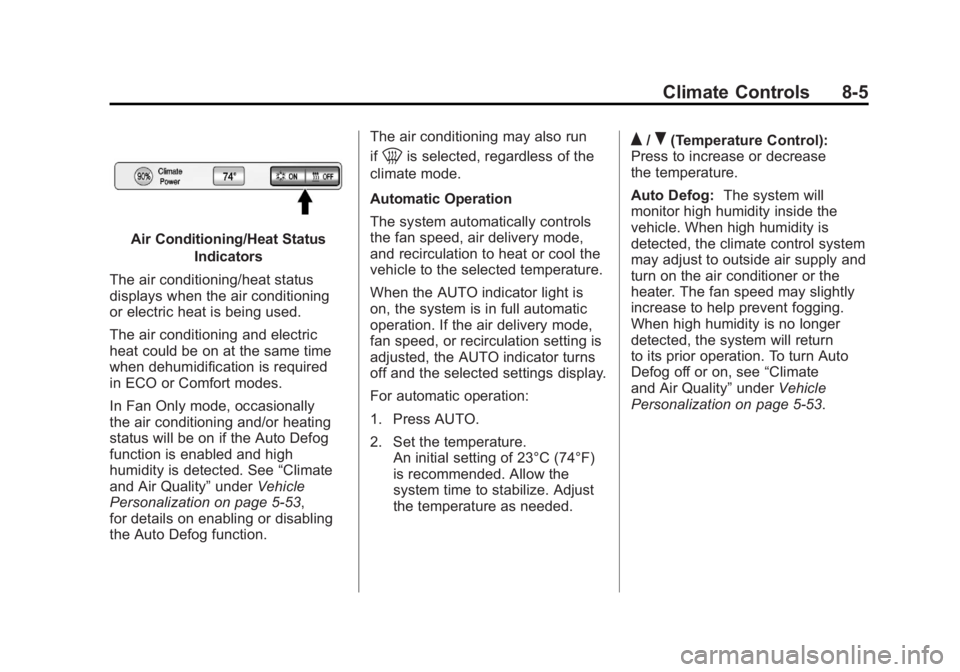
Air Conditioning/Heat StatusIndicators
The air conditioning/heat status
displays when the air conditioning
or electric heat is being used.
The air conditioning and electric
heat could be on at the same time
when dehumidification is required
in ECO or Comfort modes.
In Fan Only mode, occasionally
the air conditioning and/or heating
status will be on if the Auto Defog
function is enabled and high
humidity is detected. See “Climate
and Air Quality” underVehicle
Personalization on page 5‑53,
for details on enabling or disabling
the Auto Defog function. The air conditioning may also run
if
0is selected, regardless of the
climate mode.
Automatic Operation
The system automatically controls
the fan speed, air delivery mode,
and recirculation to heat or cool the
vehicle to the selected temperature.
When the AUTO indicator light is
on, the system is in full automatic
operation. If the air delivery mode,
fan speed, or recirculation setting is
adjusted, the AUTO indicator turns
off and the selected settings display.
For automatic operation:
1. Press AUTO.
2. Set the temperature. An initial setting of 23°C (74°F)
is recommended. Allow the
system time to stabilize. Adjust
the temperature as needed.Q/R(Temperature Control):
Press to increase or decrease
the temperature.
Auto Defog: The system will
monitor high humidity inside the
vehicle. When high humidity is
detected, the climate control system
may adjust to outside air supply and
turn on the air conditioner or the
heater. The fan speed may slightly
increase to help prevent fogging.
When high humidity is no longer
detected, the system will return
to its prior operation. To turn Auto
Defog off or on, see “Climate
and Air Quality” underVehicle
Personalization on page 5‑53.