bluetooth CHEVROLET VOLT 2011 User Guide
[x] Cancel search | Manufacturer: CHEVROLET, Model Year: 2011, Model line: VOLT, Model: CHEVROLET VOLT 2011Pages: 516, PDF Size: 6.61 MB
Page 281 of 516
Black plate (91,1)Chevrolet Volt Owner Manual - 2011
Infotainment System 7-91
Voice Pass-Thru
Voice pass‐thru allows access to
the voice recognition commands on
the cell phone. See your cell phone
manufacturer's user guide to see if
the cell phone supports this feature.
To access contacts stored in the cell
phone:
1. Press
bg. Say “Hands Free”
after the tone.
2. Say “Bluetooth.” The system
responds “Bluetooth ready,”
followed by a tone.
3. Say “Voice.” The system
responds “OK, accessing
The cell phone's normal prompt
messages will go through their
cycle according to the phone's
operating instructions.
Dual Tone Multi-Frequency
(DTMF) Tones
The Bluetooth system can send
numbers and numbers stored as
name tags during a call. Use this
feature when calling a menu-driven
phone system. Account numbers
can also be stored for use.
Sending a Number or Name Tag
During a Call
1. Press
b g. The system
responds “Ready,”followed
by a tone.
2. Say “Dial.”
3. Say the number or name tag to send.
Clearing the System
Unless information is deleted out
of the in‐vehicle Bluetooth system,
it will be retained indefinitely.
This includes all saved name tags in
the phone book and phone pairing
information. For information on how
to delete this information, see the
previous sections on “Deleting a
Paired Phone” and“Storing and
Deleting Phone Numbers.”
Page 282 of 516
Black plate (92,1)Chevrolet Volt Owner Manual - 2011
7-92 Infotainment System
Pairing a Phone Using the
Infotainment System
The pairing process can be started
by using the controls on the
infotainment system.
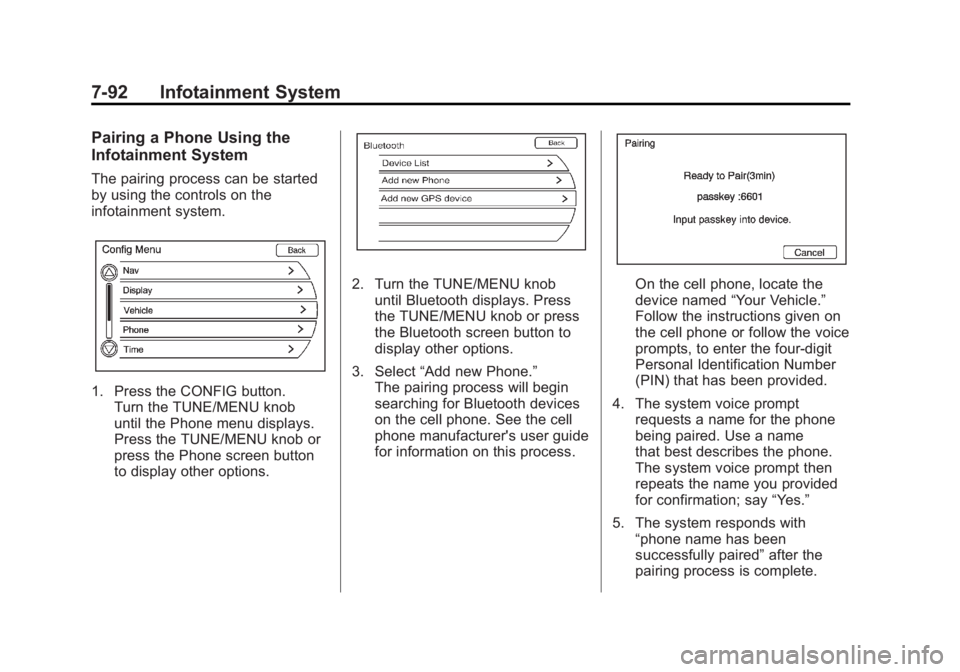
1. Press the CONFIG button.Turn the TUNE/MENU knob
until the Phone menu displays.
Press the TUNE/MENU knob or
press the Phone screen button
to display other options.
2. Turn the TUNE/MENU knobuntil Bluetooth displays. Press
the TUNE/MENU knob or press
the Bluetooth screen button to
display other options.
3. Select “Add new Phone.”
The pairing process will begin
searching for Bluetooth devices
on the cell phone. See the cell
phone manufacturer's user guide
for information on this process.On the cell phone, locate the
device named “Your Vehicle.”
Follow the instructions given on
the cell phone or follow the voice
prompts, to enter the four-digit
Personal Identification Number
(PIN) that has been provided.
4. The system voice prompt requests a name for the phone
being paired. Use a name
that best describes the phone.
The system voice prompt then
repeats the name you provided
for confirmation; say “Yes.”
5. The system responds with “phone name has been
successfully paired” after the
pairing process is complete.
Page 283 of 516
Black plate (93,1)Chevrolet Volt Owner Manual - 2011
Infotainment System 7-93
Listing All Paired and Connected
Phones
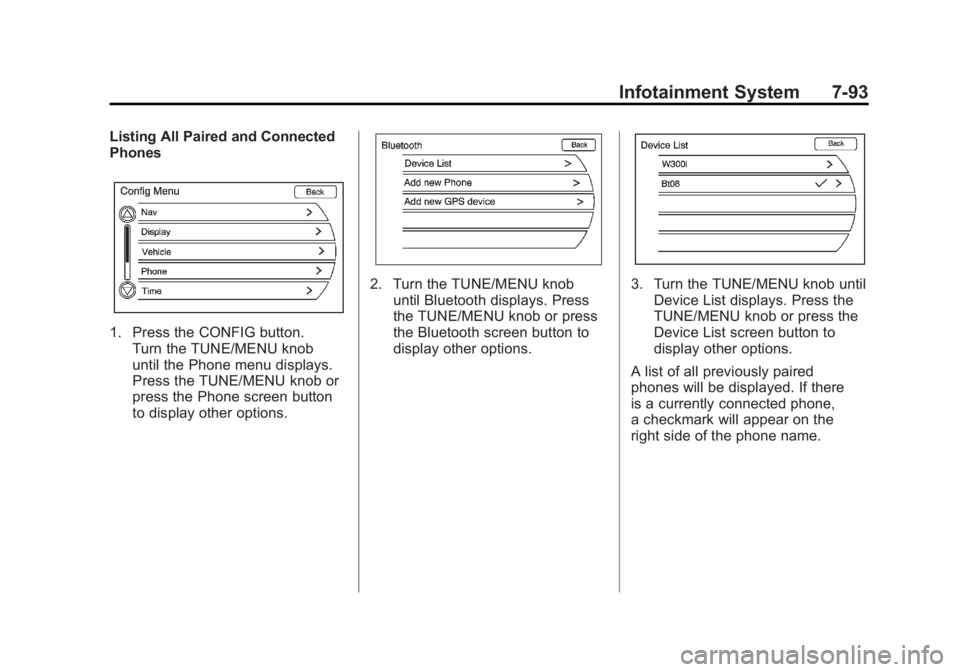
1. Press the CONFIG button.Turn the TUNE/MENU knob
until the Phone menu displays.
Press the TUNE/MENU knob or
press the Phone screen button
to display other options.
2. Turn the TUNE/MENU knobuntil Bluetooth displays. Press
the TUNE/MENU knob or press
the Bluetooth screen button to
display other options.3. Turn the TUNE/MENU knob untilDevice List displays. Press the
TUNE/MENU knob or press the
Device List screen button to
display other options.
A list of all previously paired
phones will be displayed. If there
is a currently connected phone,
a checkmark will appear on the
right side of the phone name.
Page 284 of 516
Black plate (94,1)Chevrolet Volt Owner Manual - 2011
7-94 Infotainment System
Deleting a Paired Phone
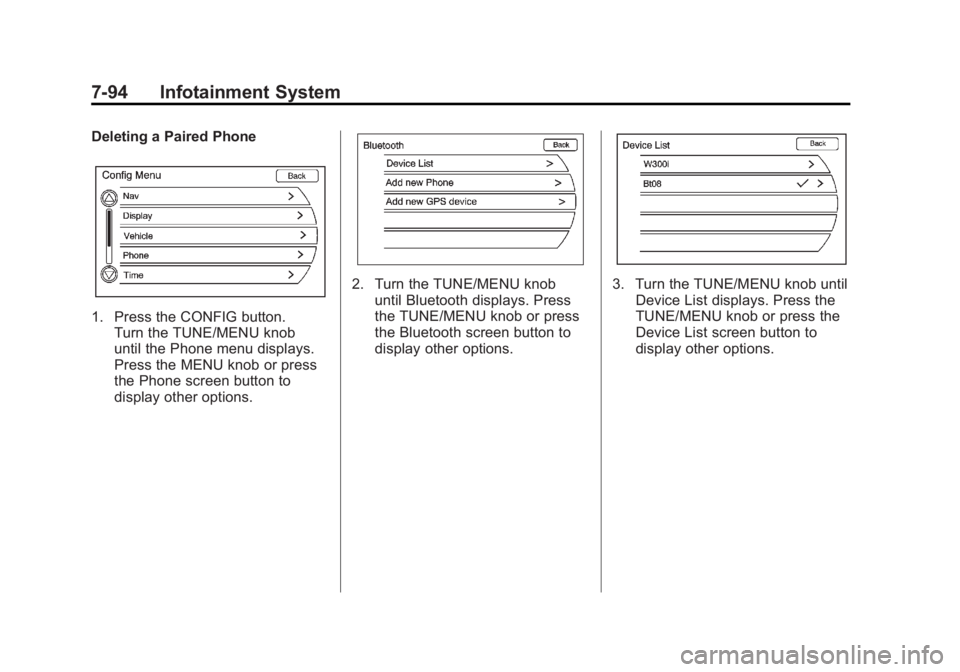
1. Press the CONFIG button.Turn the TUNE/MENU knob
until the Phone menu displays.
Press the MENU knob or press
the Phone screen button to
display other options.
2. Turn the TUNE/MENU knob
until Bluetooth displays. Press
the TUNE/MENU knob or press
the Bluetooth screen button to
display other options.3. Turn the TUNE/MENU knob untilDevice List displays. Press the
TUNE/MENU knob or press the
Device List screen button to
display other options.
Page 285 of 516
Black plate (95,1)Chevrolet Volt Owner Manual - 2011
Infotainment System 7-95
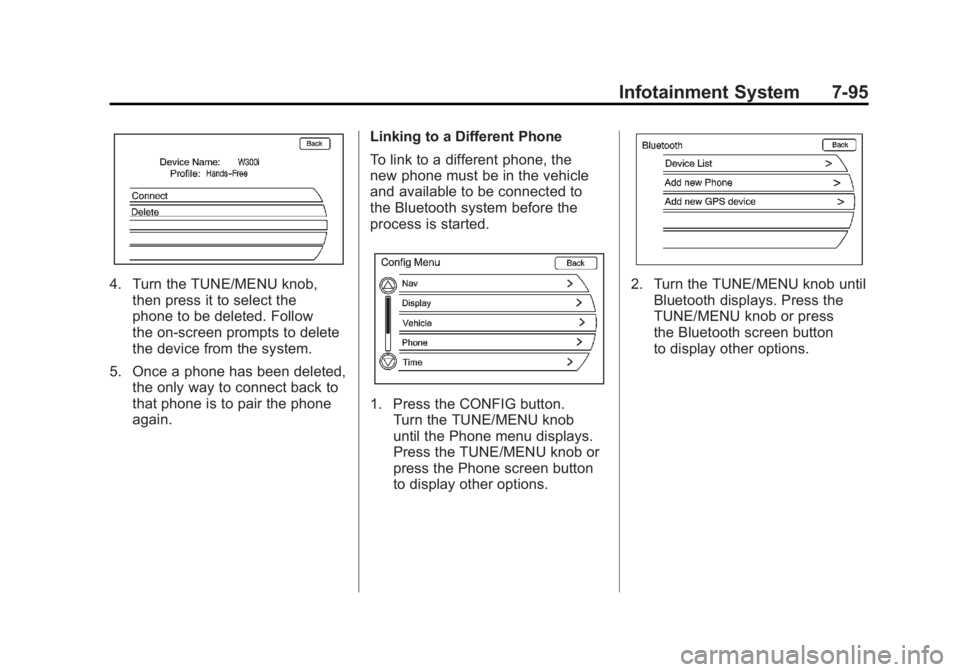
4. Turn the TUNE/MENU knob,then press it to select the
phone to be deleted. Follow
the on-screen prompts to delete
the device from the system.
5. Once a phone has been deleted, the only way to connect back to
that phone is to pair the phone
again. Linking to a Different Phone
To link to a different phone, the
new phone must be in the vehicle
and available to be connected to
the Bluetooth system before the
process is started.
1. Press the CONFIG button.
Turn the TUNE/MENU knob
until the Phone menu displays.
Press the TUNE/MENU knob or
press the Phone screen button
to display other options.
2. Turn the TUNE/MENU knob untilBluetooth displays. Press the
TUNE/MENU knob or press
the Bluetooth screen button
to display other options.
Page 290 of 516
Black plate (100,1)Chevrolet Volt Owner Manual - 2011
7-100 Infotainment System
Call Waiting
Call waiting must be supported on
the Bluetooth phone and enabled by
the wireless service carrier to work.
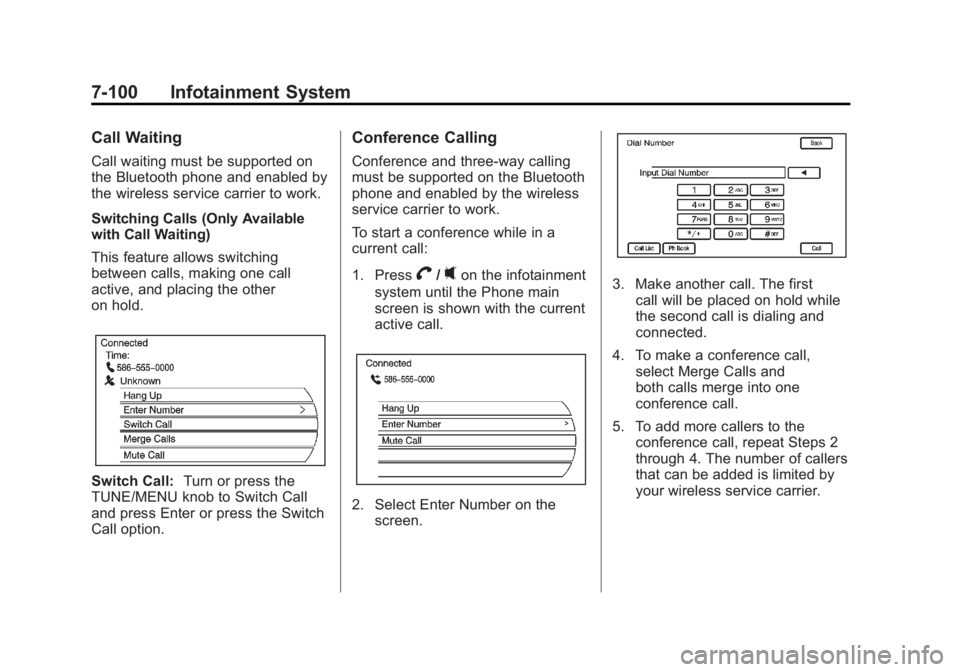
Switching Calls (Only Available
with Call Waiting)
This feature allows switching
between calls, making one call
active, and placing the other
on hold.
Switch Call:Turn or press the
TUNE/MENU knob to Switch Call
and press Enter or press the Switch
Call option.
Conference Calling
Conference and three-way calling
must be supported on the Bluetooth
phone and enabled by the wireless
service carrier to work.
To start a conference while in a
current call:
1. Press
V/0on the infotainment
system until the Phone main
screen is shown with the current
active call.
2. Select Enter Number on the screen.
3. Make another call. The first
call will be placed on hold while
the second call is dialing and
connected.
4. To make a conference call, select Merge Calls and
both calls merge into one
conference call.
5. To add more callers to the conference call, repeat Steps 2
through 4. The number of callers
that can be added is limited by
your wireless service carrier.
Page 291 of 516
Black plate (101,1)Chevrolet Volt Owner Manual - 2011
Infotainment System 7-101
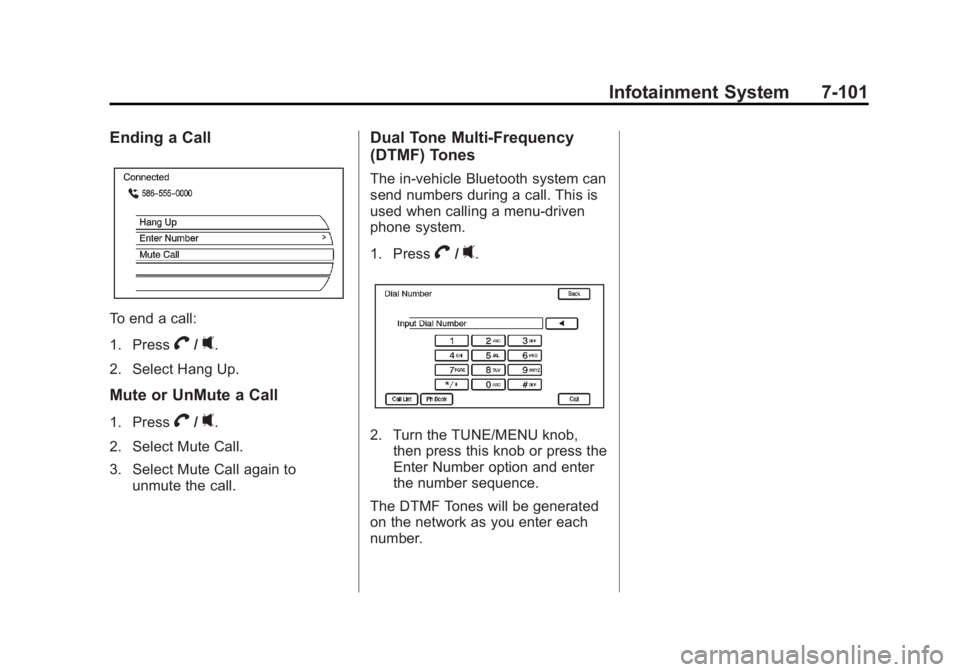
Ending a Call
To end a call:
1. Press
V/0.
2. Select Hang Up.
Mute or UnMute a Call
1. PressV/0.
2. Select Mute Call.
3. Select Mute Call again to unmute the call.
Dual Tone Multi-Frequency
(DTMF) Tones
The in-vehicle Bluetooth system can
send numbers during a call. This is
used when calling a menu-driven
phone system.
1. Press
V/0.
2. Turn the TUNE/MENU knob,then press this knob or press the
Enter Number option and enter
the number sequence.
The DTMF Tones will be generated
on the network as you enter each
number.
Page 505 of 516
Black plate (1,1)Chevrolet Volt Owner Manual - 2011
INDEX i-1
A
Accessories andModifications . . . . . . . . . . . . . . . . . 10-4
Accessory Power . . . . . . . . . . . . . . 9-22
Add-On Electrical Equipment . . . . . . . . . . . . . . . . . . . 9-63
Air Cleaner/Filter, Engine . . . . . 10-16
Air Conditioning . . . . . . . . . . . . . . . . 8-1
Air Vents . . . . . . . . . . . . . . . . . . . . . . . 8-9
Airbag Adding Equipment to the
Vehicle . . . . . . . . . . . . . . . . . . . . . . 3-38
Airbag System Check . . . . . . . . . . . . . . . . . . . . . . . . 3-40
How Does an AirbagRestrain? . . . . . . . . . . . . . . . . . . . 3-30
Passenger Sensing System . . . . . . . . . . . . . . . . . . . . . . 3-33
What Makes an Airbag Inflate? . . . . . . . . . . . . . . . . . . . . . . 3-30
What Will You See after an Airbag Inflates? . . . . . . . . . . . . . 3-31
When Should an Airbag Inflate? . . . . . . . . . . . . . . . . . . . . . . 3-28
Where Are the Airbags? . . . . . . 3-27 Airbags
Passenger Status Indicator . . . 5-20
Readiness Light . . . . . . . . . . . . . . 5-19
Servicing Airbag-Equipped
Vehicles . . . . . . . . . . . . . . . . . . . . . 3-38
System Check . . . . . . . . . . . . . . . . 3-25
Alarm System
Anti-theft . . . . . . . . . . . . . . . . . . . . . . 2-13
Alert Pedestrian Friendly . . . . . . . . . . . . 6-2
AM-FM Radio . . . . . . . . . . . . . . . . . . 7-10
Antenna
Multi-band . . . . . . . . . . . . . . . . . . . . 7-18
Anti-theft Alarm System . . . . . . . . . . . . . . . . 2-13
Alarm System Messages . . . . . 5-51
Antilock Brake System (ABS) . . . . . . . . . . . . . . . . 9-33
Warning Light . . . . . . . . . . . . . . . . . 5-26
Appearance Care Exterior . . . . . . . . . . . . . . . . . . . . . 10-89
Interior . . . . . . . . . . . . . . . . . . . . . . 10-93
Assistance Program, Roadside . . . . . . . . . . . . . . . . . . . . . 13-6 Audio Players
CD/DVD . . . . . . . . . . . . . . . . . . . . . . 7-18
MP3 . . . . . . . . . . . . . . . . . . . . . . . . . . 7-23
Audio System Hard Drive Device (HDD) . . . . . 7-26
Radio Reception . . . . . . . . . . . . . . 7-17
Theft-Deterrent Feature . . . . . . . . 7-3
Automatic Climate Control System . . . . . . . . 8-1
Door Locks . . . . . . . . . . . . . . . . . . . 2-11
Auxiliary Devices . . . . . . . . . . . . . . 7-38
B
Battery . . . . . . . . . . . . . . . . . . . . . . . 10-28
Gauge . . . . . . . . . . . . . . . . . . . . . . . . 5-16
High Voltage . . . . . . . . . . . . . . . . . . 5-16
Jump Starting . . . . . . . . . . . . . . . 10-79
Power Protection . . . . . . . . . . . . . . 6-6
Battery and Charging Messages. . . . . . . . . . . . . . . . . . . . 5-45
Blade Replacement, Wiper . . . 10-31
Bluetooth . . . . . . . . . . . . . . . . . . . . . . 7-85
Brake Parking, Electric . . . . . . . . . . . . . . 9-35
Page 512 of 516

Black plate (8,1)Chevrolet Volt Owner Manual - 2011
i-8 INDEX
N
NavigationDestination . . . . . . . . . . . . . . . . . . . 7-51
Symbols . . . . . . . . . . . . . . . . . . . . . . 7-47
Using the System . . . . . . . . . . . . . 7-39
Vehicle Data Recordingand Privacy . . . . . . . . . . . . . . . 13-27
New Vehicle Break-In . . . . . . . . . . 9-18
O
Object Detection System Messages . . . . . . . . . . . . . . . . . . . . 5-49
Odometer . . . . . . . . . . . . . . . . . . . . . . 5-15
Trip . . . . . . . . . . . . . . . . . . . . . . . . . . . 5-15
Off-Road Recovery . . . . . . . . . . . . . . . . . . . . . . 9-8
Oil Engine . . . . . . . . . . . . . . . . . . . . . . 10-12
Engine Oil Life System . . . . . 10-15
Messages . . . . . . . . . . . . . . . . . . . . 5-48
Pressure Light . . . . . . . . . . . . . . . . 5-28
Older Children, Restraints . . . . . 3-41
Online Owner Center . . . . . . . . . . 13-4
OnStar
®System . . . . . . . . . . . . . . . 1-27
Open Source Information . . . . . 13-24 Ordering
Map DVDs . . . . . . . . . . . . . . . . . . . . 7-76
Service Publications . . . . . . . . 13-12
Out of Fuel/Engine Unavailable . . . . . . . . . . . . . . . . . . 9-28
Outlets Power . . . . . . . . . . . . . . . . . . . . . . . . . 5-8
Overheating, Engine . . . . . . . . . . 10-23
Overview, Infotainment System . . . . . . . . . . . . . . . . . . . . . . . . 7-3
P
ParkShifting into . . . . . . . . . . . . . . . . . . . 9-22
Shifting out of . . . . . . . . . . . . . . . . . 9-23
Parking Assist, Ultrasonic . . . . . . . . . . . . . 9-43
Brake and P (Park)Mechanism Check . . . . . . . . 10-30
Over Things That Burn . . . . . . . 9-24
Passenger Airbag Status Indicator . . . . . . . . . . . . . . . . . . . . . 5-20
Passenger Sensing System . . . 3-33
Pedestrian Friendly Alert . . . . . . . 6-2
Perchlorate Materials
Requirements, California . . . . . 10-3 Personalization
Vehicle . . . . . . . . . . . . . . . . . . . . . . . 5-53
Phone Bluetooth . . . . . . . . . . . . . . . . . . . . . 7-85
Plug-In Charging . . . . . . . . . . . . . . 9-49
Power Button . . . . . . . . . . . . . . . . . . . . . . . . 9-18
Door Locks . . . . . . . . . . . . . . . . . . . 2-11
Flows . . . . . . . . . . . . . . . . . . . . . . . . . 5-31
Mirrors . . . . . . . . . . . . . . . . . . . . . . . . 2-15
Outlets . . . . . . . . . . . . . . . . . . . . . . . . 5-8
Protection, Battery . . . . . . . . . . . . . 6-6
Retained Accessory (RAP) . . . 9-22
Steering Fluid . . . . . . . . . . . . . . . 10-24
Windows . . . . . . . . . . . . . . . . . . . . . 2-17
Pregnancy, Using Safety
Belts . . . . . . . . . . . . . . . . . . . . . . . . . 3-23
Privacy Radio FrequencyIdentification (RFID) . . . . . . . 13-27
Problems with Route
Guidance . . . . . . . . . . . . . . . . . . . . 7-76
Program Courtesy Transportation . . . . . . 13-8