light CHEVROLET VOLT 2011 User Guide
[x] Cancel search | Manufacturer: CHEVROLET, Model Year: 2011, Model line: VOLT, Model: CHEVROLET VOLT 2011Pages: 516, PDF Size: 6.61 MB
Page 29 of 516
Black plate (23,1)Chevrolet Volt Owner Manual - 2011
In Brief 1-23
Service
{WARNING
Never try to do your own service
on high voltage components.
You can be injured and the
vehicle can be damaged if you
try to do your own service work.
Service and repair of these high
voltage components should
only be performed by a trained
service technician with the proper
knowledge and tools. SeeDoing
Your Own Service Work on
page 10‑8.
Performance and
Maintenance
Traction Control
System (TCS)
The Traction Control System limits
wheel spin. The system turns on
automatically every time the vehicle
is on and cannot be turned off.
For more information, see Traction
Control System (TCS) on
page 9‑37.
Electronic Stability
Control (ESC)
Electronic Stability Control assists
with directional control of the
vehicle in difficult driving conditions.
The system turns on automatically
every time the vehicle is on and
cannot be turned off.
For more information, see Electronic
Stability Control (ESC) on
page 9‑39.
Tire Pressure Monitor
This vehicle may have a Tire
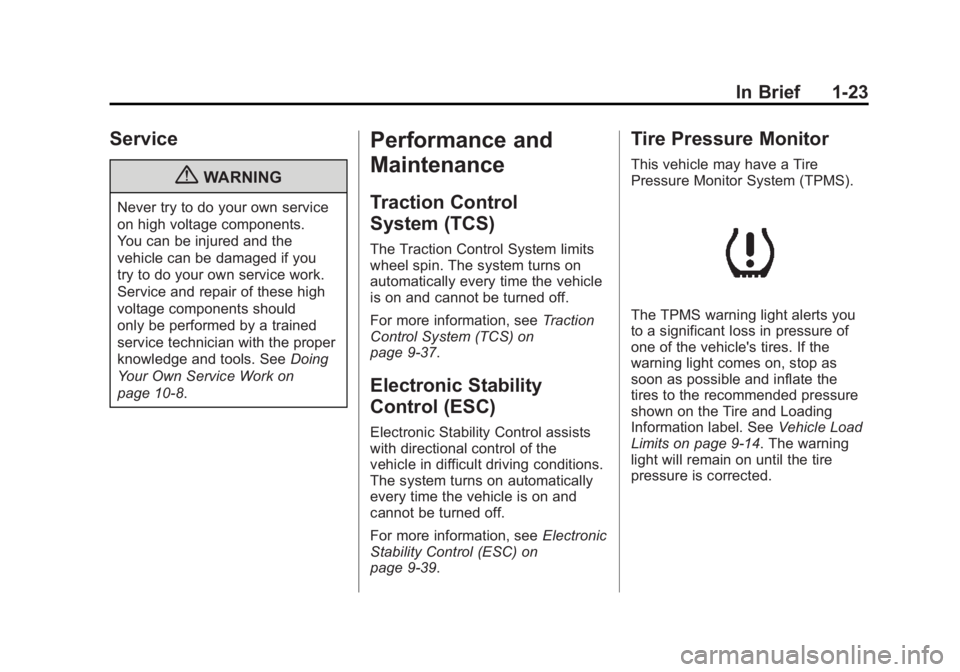
Pressure Monitor System (TPMS).
The TPMS warning light alerts you
to a significant loss in pressure of
one of the vehicle's tires. If the
warning light comes on, stop as
soon as possible and inflate the
tires to the recommended pressure
shown on the Tire and Loading
Information label. See Vehicle Load
Limits on page 9‑14. The warning
light will remain on until the tire
pressure is corrected.
Page 30 of 516
Black plate (24,1)Chevrolet Volt Owner Manual - 2011
1-24 In Brief
During cooler conditions, the low tire
pressure warning light may appear
when the vehicle is first started and
then turn off. This may be an early
indicator that the tire pressures are
getting low and the tires need to be
inflated to the proper pressure.
The TPMS does not replace normal
monthly tire maintenance. It is the
driver’s responsibility to maintain
correct tire pressures.
See Tire Pressure Monitor System
on page 10‑55.Tire Sealant and
Compressor Kit
This vehicle may have a tire sealant
and compressor kit that can be used
to seal small punctures in the tread
area of the tire. Significant sidewall
damage will require the tire to be
replaced.
See Tire Sealant and Compressor
Kit on page 10‑71 for complete
operating information.
Engine Oil Life System
The engine oil life system calculates
engine oil life based on vehicle use
and displays the CHANGE ENGINE
OIL SOON message when it is time
to change the engine oil and filter.
The oil life system should be reset
to 100% only following an oil
change. Resetting the Oil Life System
1. Use the SELECT knob to select
OIL LIFE on the DIC menu.
2. Press SELECT to start the OIL LIFE reset procedure.
3. The DIC menu will display “Are
you sure that you want to reset?”
Use SELECT to choose YES to
reset oil life or NO to exit and
return to the previous menu.
4. If YES is selected, the DIC menu will display RESET OIL LIFE for
a short time and then 100% OIL
LIFE will be displayed when
OIL LIFE is successfully reset.
See Engine Oil Life System on
page 10‑15.
Page 32 of 516
Black plate (26,1)Chevrolet Volt Owner Manual - 2011
1-26 In Brief
Climate Setting
Using the heat and air conditioning
systems decreases the energy
available for electric driving.
Optimal energy efficiency is
achieved with the heat, air
conditioning, and fan turned off.
Less energy is used at low fan
speeds. When using the fan:
.Fan Only is the most energy
efficient climate setting as long
as
0is not selected.
.ECO is for moderate air
conditioning and heater
operation and is the next most
energy efficient setting as long
as
0is not selected.
.Comfort provides the most
comfort but is the least energy
efficient.Use the auto heated seat feature
instead of climate settings. Heating
the seat uses less energy than
heating the vehicle interior.
Use remote start to heat or cool
the interior when the vehicle is
plugged in to maximize the electric
range by utilizing electricity from the
electrical outlet.
In hot weather, avoid parking in
direct sunlight or use sunshades
inside the vehicle.
Turn off the front and rear window
defog/defrost when they are no
longer needed.
Avoid driving with the windows open
at highway speeds.Vehicle Charging/Maintenance
Charging
Keep the vehicle plugged in, even
when fully charged, to keep the
battery temperature ready for the
next drive. This is important when
outside temperatures are extremely
hot or cold. Maintenance
Always keep the tires properly
inflated and the vehicle properly
aligned.
The weight of excess cargo in the
vehicle affects efficiency and range.
Avoid carrying more than is needed.
If fuel is not regularly used, consider
keeping the fuel tank only one‐third
full. Excess fuel weight impacts
efficiency and range.
Use premium fuel.
Avoid unnecessary use of electrical
accessories. Power used for
functions other than propelling the
vehicle will reduce EV range.
Using a rooftop carrier will reduce
efficiency due to additional weight
and drag.
Page 35 of 516

Black plate (29,1)Chevrolet Volt Owner Manual - 2011
In Brief 1-29
SeeRadio Frequency
Statement on page 13‑28 for
information regarding Part 15
of the Federal Communications
Commission (FCC) rules and
Industry Canada Standards
RSS-210/220/310.
OnStar Steering Wheel
Controls
This vehicle may have talk and
mute buttons that can be used to
interact with OnStar Hands-Free
Calling. See Steering Wheel
Controls on page 5‑6 for more
information.
On some vehicles, the mute button
can be used to dial numbers into
voice mail systems, or to dial phone
extensions. See the OnStar Owner's
Guide for more information.
Your Responsibility
Increase the volume of the radio
if the OnStar Advisor cannot be
heard.
If the light next to the OnStar
buttons is red, the system may
not be functioning properly.
Push
Qand request a vehicle
diagnostic check. If the light
appears clear or no light appears,
your OnStar subscription has
expired and all services have been
deactivated. Push
Qto confirm that
the OnStar equipment is active.
OnStar®
If the vehicle is equipped with
an active OnStar system, that
system may also record data in
crash or near crash-like situations.
The OnStar Terms and Conditions
provides information on data
collection and use and is available
in the OnStar Glove Box Kit,
at www.onstar.com (U.S.) or
www.onstar.ca (Canada), or by
pushing
Qand speaking to an
Advisor.
Page 48 of 516
Black plate (12,1)Chevrolet Volt Owner Manual - 2011
2-12 Keys, Doors and Windows
Safety Locks
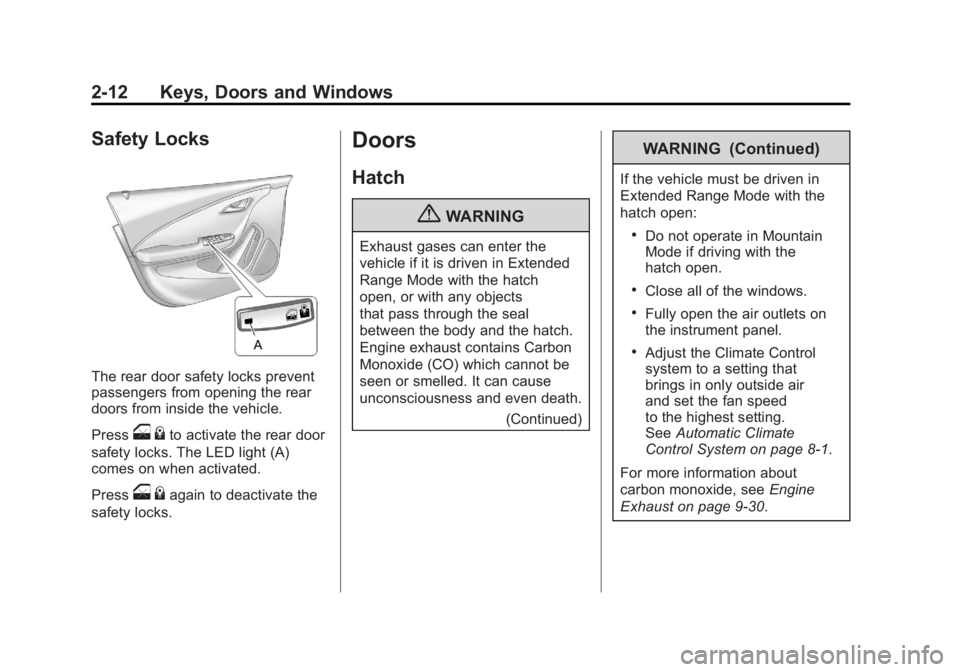
The rear door safety locks prevent
passengers from opening the rear
doors from inside the vehicle.
Press
o{to activate the rear door
safety locks. The LED light (A)
comes on when activated.
Press
o {again to deactivate the
safety locks.
Doors
Hatch
{WARNING
Exhaust gases can enter the
vehicle if it is driven in Extended
Range Mode with the hatch
open, or with any objects
that pass through the seal
between the body and the hatch.
Engine exhaust contains Carbon
Monoxide (CO) which cannot be
seen or smelled. It can cause
unconsciousness and even death.
(Continued)
WARNING (Continued)
If the vehicle must be driven in
Extended Range Mode with the
hatch open:
.Do not operate in Mountain
Mode if driving with the
hatch open.
.Close all of the windows.
.Fully open the air outlets on
the instrument panel.
.Adjust the Climate Control
system to a setting that
brings in only outside air
and set the fan speed
to the highest setting.
SeeAutomatic Climate
Control System on page 8‑1.
For more information about
carbon monoxide, see Engine
Exhaust on page 9‑30.
Page 51 of 516
Black plate (15,1)Chevrolet Volt Owner Manual - 2011
Keys, Doors and Windows 2-15
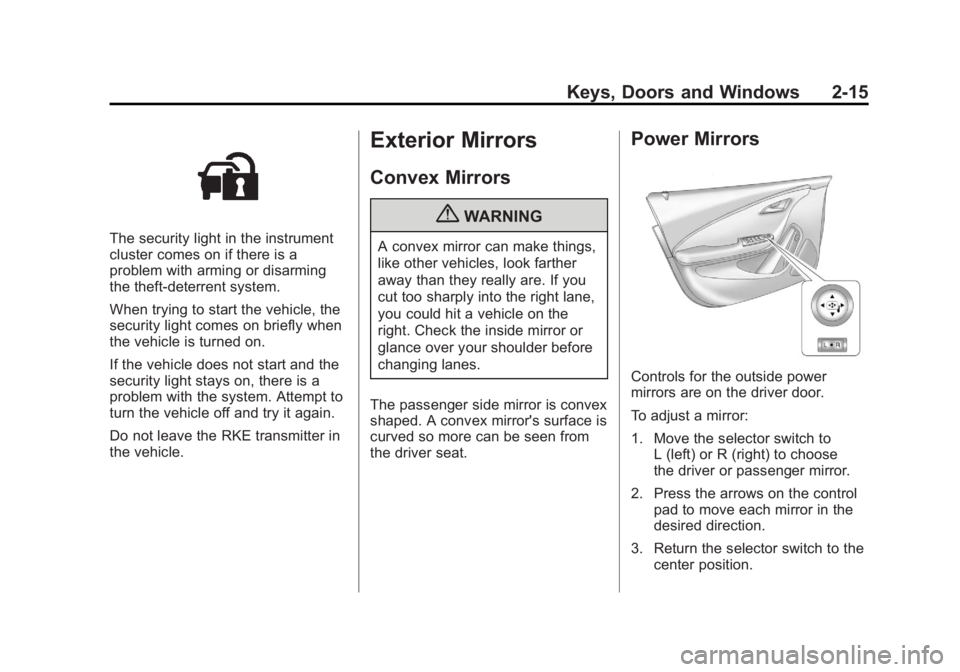
The security light in the instrument
cluster comes on if there is a
problem with arming or disarming
the theft-deterrent system.
When trying to start the vehicle, the
security light comes on briefly when
the vehicle is turned on.
If the vehicle does not start and the
security light stays on, there is a
problem with the system. Attempt to
turn the vehicle off and try it again.
Do not leave the RKE transmitter in
the vehicle.
Exterior Mirrors
Convex Mirrors
{WARNING
A convex mirror can make things,
like other vehicles, look farther
away than they really are. If you
cut too sharply into the right lane,
you could hit a vehicle on the
right. Check the inside mirror or
glance over your shoulder before
changing lanes.
The passenger side mirror is convex
shaped. A convex mirror's surface is
curved so more can be seen from
the driver seat.
Power Mirrors
Controls for the outside power
mirrors are on the driver door.
To adjust a mirror:
1. Move the selector switch to L (left) or R (right) to choose
the driver or passenger mirror.
2. Press the arrows on the control pad to move each mirror in the
desired direction.
3. Return the selector switch to the center position.
Page 52 of 516

Black plate (16,1)Chevrolet Volt Owner Manual - 2011
2-16 Keys, Doors and Windows
Folding Mirrors
Manual Foldaway Mirrors
The mirrors can be folded inward
toward the vehicle to prevent
damage when going through an
automatic car wash. Push the
mirror outward to return it to the
original position.
Heated Mirrors
The vehicle may have heated
mirrors.
=(Rear Window Defogger):
Press to heat the outside rearview
mirrors. See “Rear Window
Defogger” underAutomatic Climate
Control System on page 8‑1 for
more information.
Interior Mirrors
Automatic Dimming
Rearview Mirror
The vehicle has an automatic
dimming inside rearview mirror.
Automatic dimming reduces the
glare from the headlamps of the
vehicle behind you. The dimming
feature and the indicator light come
on each time the vehicle is started.
Hold the mirror in the center to
adjust it.
Cleaning the Mirror
Do not spray glass cleaner directly
on the mirror. Use a soft towel
dampened with water.
Windows
{WARNING
Leaving children, helpless
adults, or pets in a vehicle
with the windows closed is
dangerous. They can be
overcome by the extreme heat
and suffer permanent injuries
or even death from heat stroke.
Never leave a child, a helpless
adult, or a pet alone in a vehicle,
especially with the windows
closed in warm or hot weather.
Page 55 of 516
Black plate (19,1)Chevrolet Volt Owner Manual - 2011
Keys, Doors and Windows 2-19
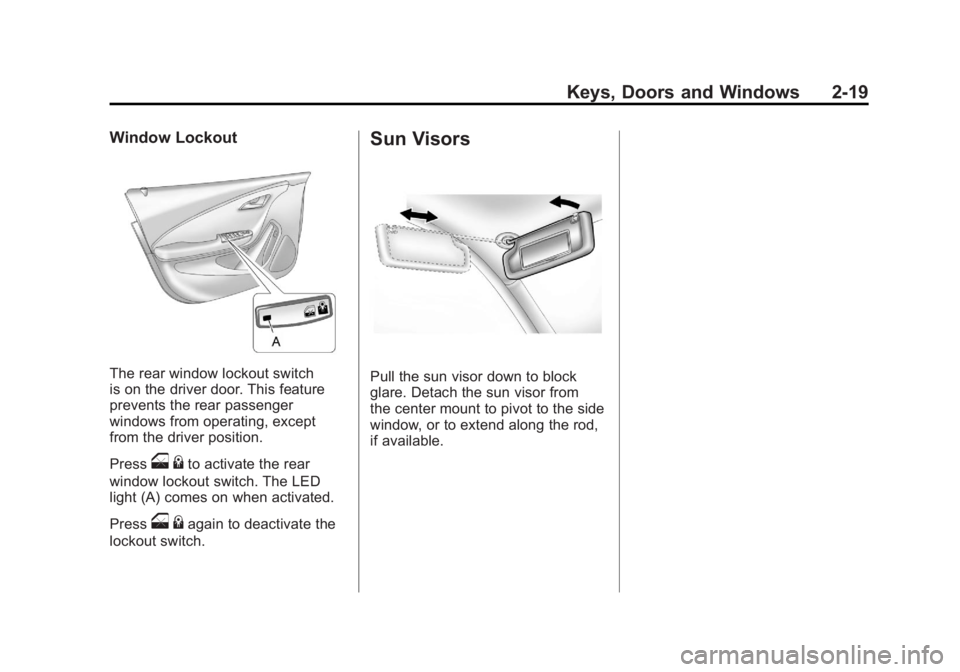
Window Lockout
The rear window lockout switch
is on the driver door. This feature
prevents the rear passenger
windows from operating, except
from the driver position.
Press
o{to activate the rear
window lockout switch. The LED
light (A) comes on when activated.
Press
o {again to deactivate the
lockout switch.
Sun Visors
Pull the sun visor down to block
glare. Detach the sun visor from
the center mount to pivot to the side
window, or to extend along the rod,
if available.
Page 62 of 516
Black plate (6,1)Chevrolet Volt Owner Manual - 2011
3-6 Seats and Restraints
Heated Front Seats
{WARNING
If you cannot feel temperature
change or pain to the skin, the
seat heater may cause burns
even at low temperatures.
To reduce the risk of burns,
people with such a condition
should use care when using
the seat heater, especially for
long periods of time. Do not
place anything on the seat that
insulates against heat, such
as a blanket, cushion, cover,
or similar item. This may cause
the seat heater to overheat.
An overheated seat heater may
cause a burn or may damage
the seat.
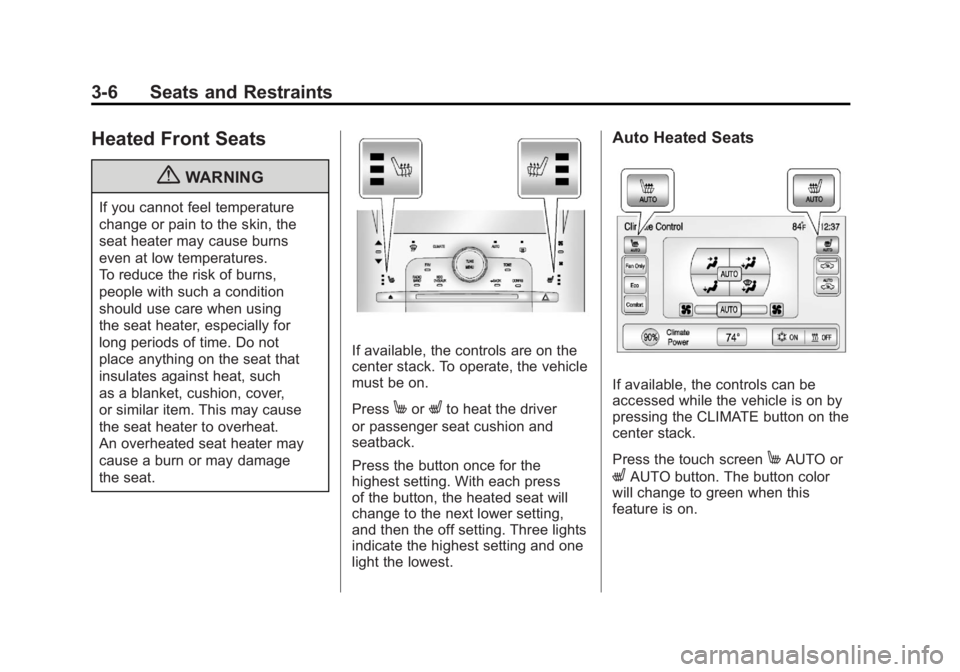
If available, the controls are on the
center stack. To operate, the vehicle
must be on.
Press
MorLto heat the driver
or passenger seat cushion and
seatback.
Press the button once for the
highest setting. With each press
of the button, the heated seat will
change to the next lower setting,
and then the off setting. Three lights
indicate the highest setting and one
light the lowest.
Auto Heated Seats
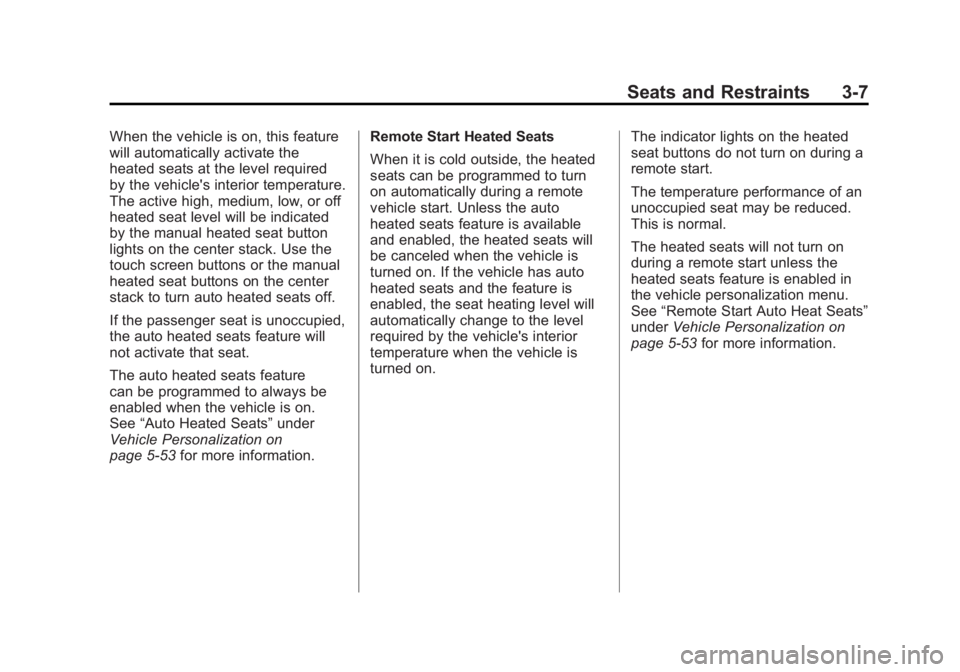
If available, the controls can be
accessed while the vehicle is on by
pressing the CLIMATE button on the
center stack.
Press the touch screen
MAUTO or
LAUTO button. The button color
will change to green when this
feature is on.
Page 63 of 516
Black plate (7,1)Chevrolet Volt Owner Manual - 2011
Seats and Restraints 3-7
When the vehicle is on, this feature
will automatically activate the
heated seats at the level required
by the vehicle's interior temperature.
The active high, medium, low, or off
heated seat level will be indicated
by the manual heated seat button
lights on the center stack. Use the
touch screen buttons or the manual
heated seat buttons on the center
stack to turn auto heated seats off.
If the passenger seat is unoccupied,
the auto heated seats feature will
not activate that seat.
The auto heated seats feature
can be programmed to always be
enabled when the vehicle is on.
See“Auto Heated Seats” under
Vehicle Personalization on
page 5‑53 for more information. Remote Start Heated Seats
When it is cold outside, the heated
seats can be programmed to turn
on automatically during a remote
vehicle start. Unless the auto
heated seats feature is available
and enabled, the heated seats will
be canceled when the vehicle is
turned on. If the vehicle has auto
heated seats and the feature is
enabled, the seat heating level will
automatically change to the level
required by the vehicle's interior
temperature when the vehicle is
turned on.
The indicator lights on the heated
seat buttons do not turn on during a
remote start.
The temperature performance of an
unoccupied seat may be reduced.
This is normal.
The heated seats will not turn on
during a remote start unless the
heated seats feature is enabled in
the vehicle personalization menu.
See
“Remote Start Auto Heat Seats”
under Vehicle Personalization on
page 5‑53 for more information.