light CHEVROLET VOLT 2011 Service Manual
[x] Cancel search | Manufacturer: CHEVROLET, Model Year: 2011, Model line: VOLT, Model: CHEVROLET VOLT 2011Pages: 516, PDF Size: 6.61 MB
Page 145 of 516
Black plate (25,1)Chevrolet Volt Owner Manual - 2011
Instruments and Controls 5-25
Electric Parking Brake
Light
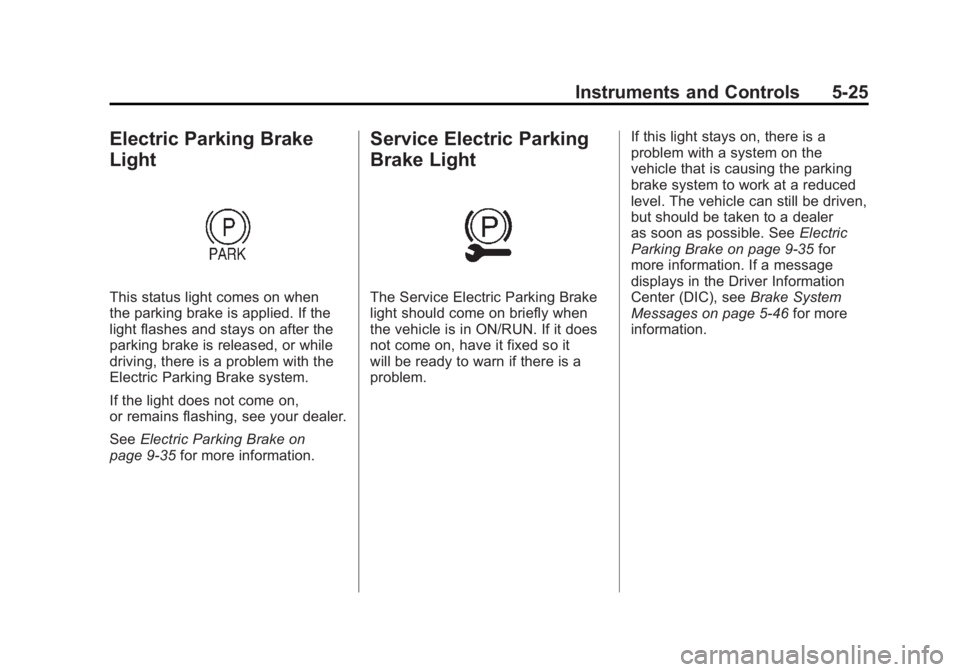
This status light comes on when
the parking brake is applied. If the
light flashes and stays on after the
parking brake is released, or while
driving, there is a problem with the
Electric Parking Brake system.
If the light does not come on,
or remains flashing, see your dealer.
SeeElectric Parking Brake on
page 9‑35 for more information.
Service Electric Parking
Brake Light
The Service Electric Parking Brake
light should come on briefly when
the vehicle is in ON/RUN. If it does
not come on, have it fixed so it
will be ready to warn if there is a
problem. If this light stays on, there is a
problem with a system on the
vehicle that is causing the parking
brake system to work at a reduced
level. The vehicle can still be driven,
but should be taken to a dealer
as soon as possible. See
Electric
Parking Brake on page 9‑35 for
more information. If a message
displays in the Driver Information
Center (DIC), see Brake System
Messages on page 5‑46 for more
information.
Page 146 of 516
Black plate (26,1)Chevrolet Volt Owner Manual - 2011
5-26 Instruments and Controls
Antilock Brake System
(ABS) Warning Light
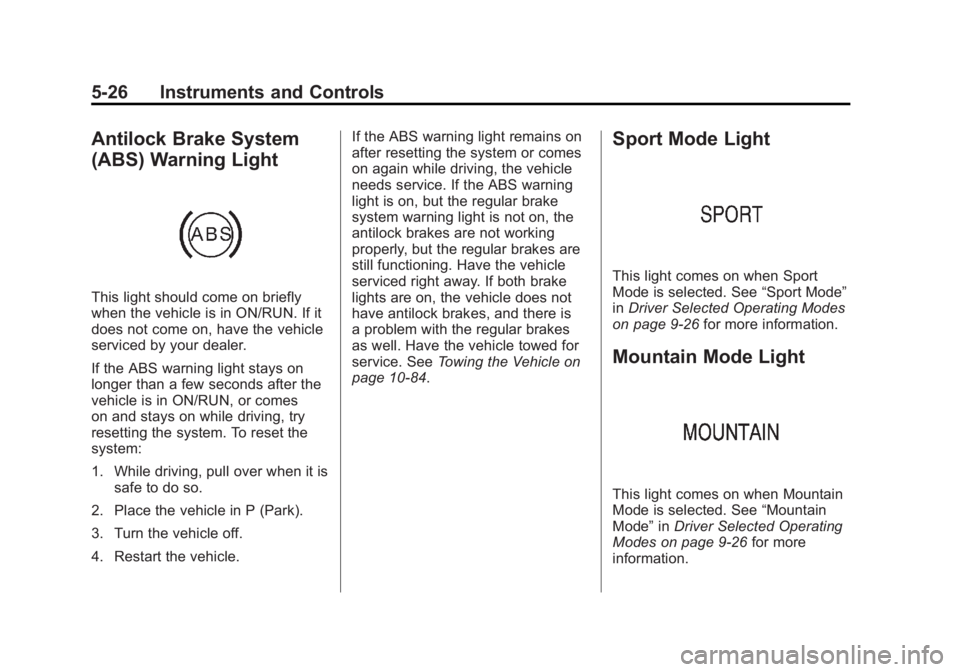
This light should come on briefly
when the vehicle is in ON/RUN. If it
does not come on, have the vehicle
serviced by your dealer.
If the ABS warning light stays on
longer than a few seconds after the
vehicle is in ON/RUN, or comes
on and stays on while driving, try
resetting the system. To reset the
system:
1. While driving, pull over when it issafe to do so.
2. Place the vehicle in P (Park).
3. Turn the vehicle off.
4. Restart the vehicle. If the ABS warning light remains on
after resetting the system or comes
on again while driving, the vehicle
needs service. If the ABS warning
light is on, but the regular brake
system warning light is not on, the
antilock brakes are not working
properly, but the regular brakes are
still functioning. Have the vehicle
serviced right away. If both brake
lights are on, the vehicle does not
have antilock brakes, and there is
a problem with the regular brakes
as well. Have the vehicle towed for
service. See
Towing the Vehicle on
page 10‑84.
Sport Mode Light
This light comes on when Sport
Mode is selected. See “Sport Mode”
in Driver Selected Operating Modes
on page 9‑26 for more information.
Mountain Mode Light
This light comes on when Mountain
Mode is selected. See “Mountain
Mode” inDriver Selected Operating
Modes on page 9‑26 for more
information.
Page 147 of 516
Black plate (27,1)Chevrolet Volt Owner Manual - 2011
Instruments and Controls 5-27
Traction Control System
(TCS)/StabiliTrak®Light
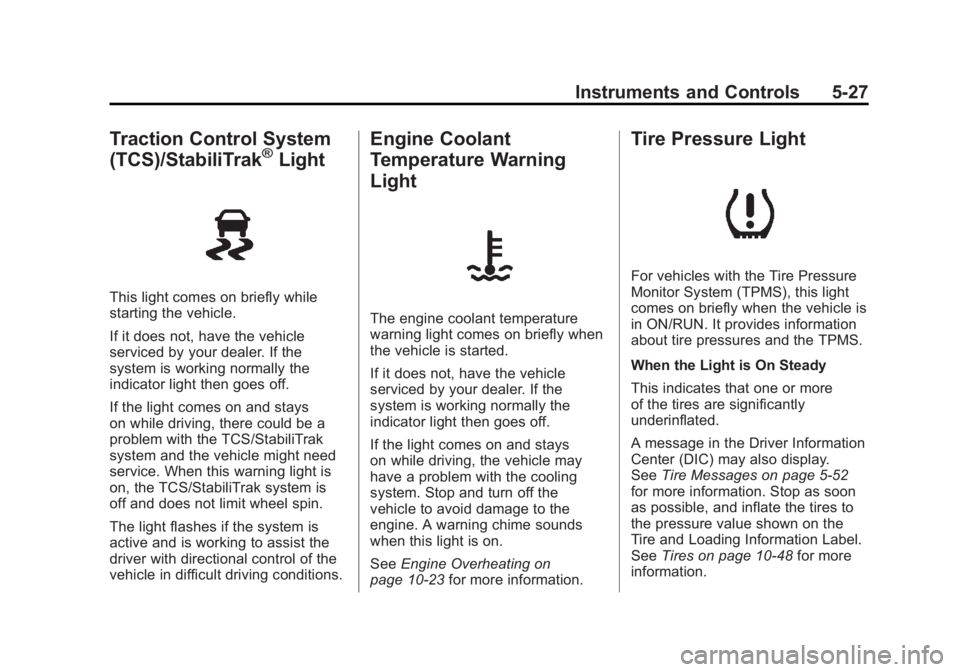
This light comes on briefly while
starting the vehicle.
If it does not, have the vehicle
serviced by your dealer. If the
system is working normally the
indicator light then goes off.
If the light comes on and stays
on while driving, there could be a
problem with the TCS/StabiliTrak
system and the vehicle might need
service. When this warning light is
on, the TCS/StabiliTrak system is
off and does not limit wheel spin.
The light flashes if the system is
active and is working to assist the
driver with directional control of the
vehicle in difficult driving conditions.
Engine Coolant
Temperature Warning
Light
The engine coolant temperature
warning light comes on briefly when
the vehicle is started.
If it does not, have the vehicle
serviced by your dealer. If the
system is working normally the
indicator light then goes off.
If the light comes on and stays
on while driving, the vehicle may
have a problem with the cooling
system. Stop and turn off the
vehicle to avoid damage to the
engine. A warning chime sounds
when this light is on.
SeeEngine Overheating on
page 10‑23 for more information.
Tire Pressure Light
For vehicles with the Tire Pressure
Monitor System (TPMS), this light
comes on briefly when the vehicle is
in ON/RUN. It provides information
about tire pressures and the TPMS.
When the Light is On Steady
This indicates that one or more
of the tires are significantly
underinflated.
A message in the Driver Information
Center (DIC) may also display.
SeeTire Messages on page 5‑52
for more information. Stop as soon
as possible, and inflate the tires to
the pressure value shown on the
Tire and Loading Information Label.
See Tires on page 10‑48 for more
information.
Page 148 of 516

Black plate (28,1)Chevrolet Volt Owner Manual - 2011
5-28 Instruments and Controls
When the Light Flashes First and
Then is On Steady
This indicates that there may be
a problem with the Tire Pressure
Monitor System. The light flashes
for about one minute and stays on
steady until the vehicle is in OFF.
This sequence repeats each time
the vehicle is in ON/RUN. SeeTire
Pressure Monitor System on
page 10‑55 for more information.
Engine Oil Pressure Light
{WARNING
Do not keep driving if the oil
pressure is low. The engine can
become so hot that it catches
fire. Someone could be burned.
Check the oil as soon as possible
and have the vehicle serviced. Notice:
Lack of proper engine
oil maintenance can damage the
engine. The repairs would not be
covered by the vehicle warranty.
Always follow the maintenance
schedule for changing engine oil.
The oil pressure light should come
on briefly as the vehicle is started.
If it does not come on have the
vehicle serviced by your dealer.
If the light comes on and stays on, it
means that oil is not flowing through
the engine properly. The vehicle
could be low on oil and might
have some other system problem.
See your dealer.
Low Fuel Warning Light
The low fuel warning light comes on
briefly when the vehicle is started.
This light also comes on when the
fuel level is low. When fuel is added,
the light should go off. If it does not,
have the vehicle serviced.
Page 149 of 516

Black plate (29,1)Chevrolet Volt Owner Manual - 2011
Instruments and Controls 5-29
Security Light
This light comes on briefly when the
vehicle is started.
If the light remains on while driving,
there is a problem with the security
system. See your dealer for service.
For more information, seeVehicle
Security on page 2‑13.
High-Beam On Light
The high-beam on light comes on
when the high-beam headlamps are
in use.
See Headlamp High/Low-Beam
Changer on page 6‑2 for more
information.
Lamps On Reminder
This light comes on when the
parking lamps, headlamps,
or taillamps are on.
Cruise Control Light
The cruise control light comes on
when the cruise control is turned on
and turns green when cruise control
is engaged.
See Cruise Control on page 9‑40 for
more information.
Page 150 of 516
Black plate (30,1)Chevrolet Volt Owner Manual - 2011
5-30 Instruments and Controls
Door, Hood, or Hatch
Open Light
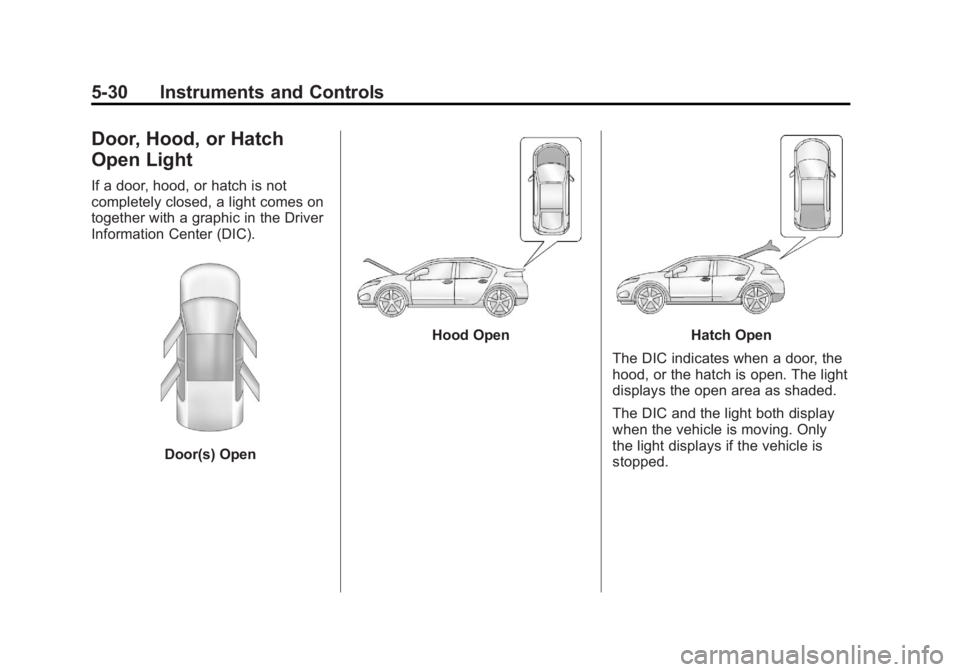
If a door, hood, or hatch is not
completely closed, a light comes on
together with a graphic in the Driver
Information Center (DIC).
Door(s) Open
Hood OpenHatch Open
The DIC indicates when a door, the
hood, or the hatch is open. The light
displays the open area as shaded.
The DIC and the light both display
when the vehicle is moving. Only
the light displays if the vehicle is
stopped.
Page 151 of 516
Black plate (31,1)Chevrolet Volt Owner Manual - 2011
Instruments and Controls 5-31
Information Displays
Center Stack Display
The center stack screen displays
Charging, Power Flow, and Energy
Information. See the information that
follows.
The Climate Control, Infotainment,
and Vehicle Personalization also
display information in this screen.
For more information on these
systems, see:
.Automatic Climate Control
System on page 8‑1.
.Infotainment on page 7‑2.
.Vehicle Personalization on
page 5‑53.
The center stack controls only need
a light touch to operate and work
best with bare hands. The controls
will work with most gloves although
they may take longer to respond. Use the finger pad rather than the
finger tip to minimize response time.
If the controls are not responding,
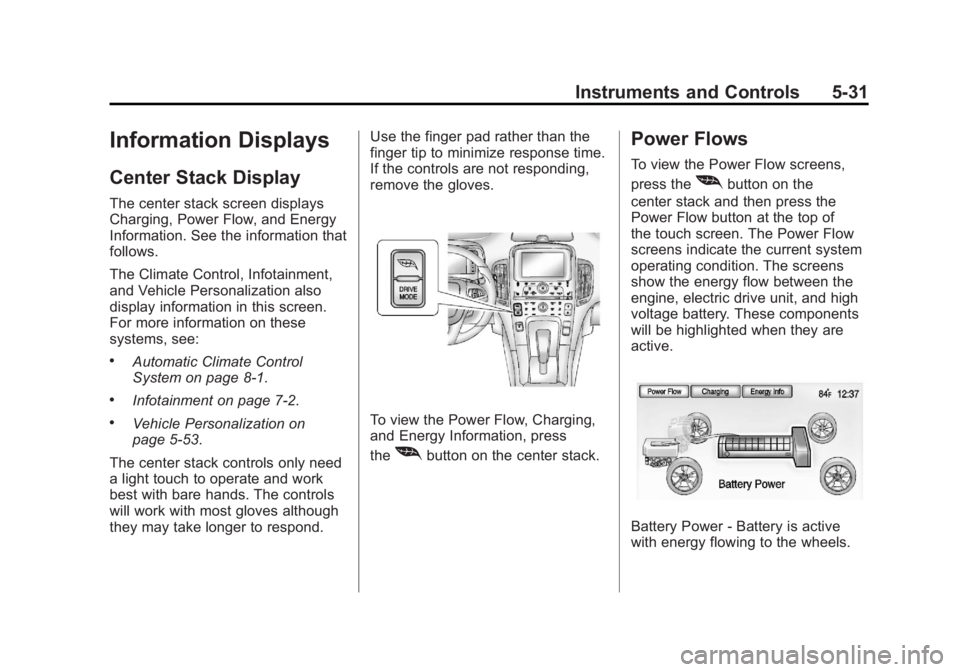
remove the gloves.To view the Power Flow, Charging,
and Energy Information, press
the
[button on the center stack.
Power Flows
To view the Power Flow screens,
press the
[button on the
center stack and then press the
Power Flow button at the top of
the touch screen. The Power Flow
screens indicate the current system
operating condition. The screens
show the energy flow between the
engine, electric drive unit, and high
voltage battery. These components
will be highlighted when they are
active.
Battery Power ‐Battery is active
with energy flowing to the wheels.
Page 163 of 516
Black plate (43,1)Chevrolet Volt Owner Manual - 2011
Instruments and Controls 5-43
Driver Information
Center (DIC)
The Driver Information Center (DIC)
display is in the instrument cluster.
The DIC displays information about
the vehicle. It also displays warning
messages if a system problem is
detected. SeeVehicle Messages on
page 5‑45 for more information.
DIC Operation and Displays
View the DIC displays by pressing
the DIC buttons located to the
left of the steering wheel. The DIC
displays trip, fuel, and warning
messages if a system problem
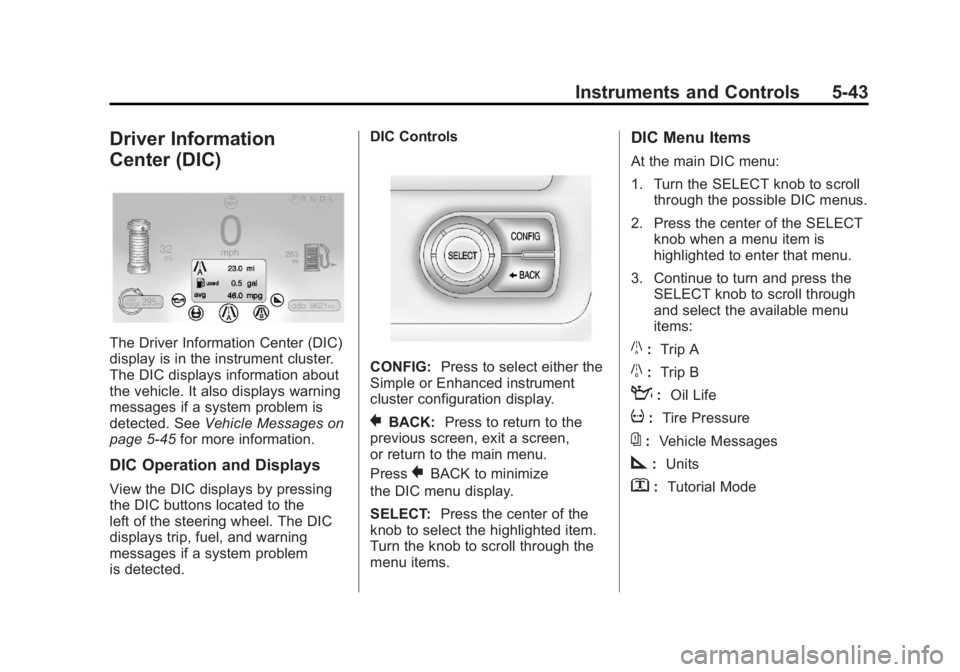
is detected. DIC Controls
CONFIG:
Press to select either the
Simple or Enhanced instrument
cluster configuration display.
}BACK: Press to return to the
previous screen, exit a screen,
or return to the main menu.
Press
}BACK to minimize
the DIC menu display.
SELECT: Press the center of the
knob to select the highlighted item.
Turn the knob to scroll through the
menu items.
DIC Menu Items
At the main DIC menu:
1. Turn the SELECT knob to scroll through the possible DIC menus.
2. Press the center of the SELECT knob when a menu item is
highlighted to enter that menu.
3. Continue to turn and press the SELECT knob to scroll through
and select the available menu
items:
}:Trip A
x:Trip B
:: Oil Life
v:Tire Pressure
{:Vehicle Messages
z:Units
y: Tutorial Mode
Page 166 of 516
Black plate (46,1)Chevrolet Volt Owner Manual - 2011
5-46 Instruments and Controls
SERVICE HIGH VOLTAGE
CHARGING SYSTEM
This message displays when there
is a problem with the high voltage
charging system. See your dealer
for service.
Brake System Messages
BRAKE FLUID LOW
This message displays when the
brake fluid level is low. SeeBrake
Fluid on page 10‑26.
RELEASE PARKING BRAKE
This message displays if the electric
parking brake is on while the vehicle
is in motion. Release it before
attempting to drive. See Electric
Parking Brake on page 9‑35 for
more information.
SERVICE BRAKE ASSIST
This message displays when there
is a problem with the brake boost
assist system. When this message
displays, the brake boost assist
motor might be heard operating
and a pulsation may be felt in the
brake pedal. Take the vehicle to
your dealer for service.
SERVICE PARKING BRAKE
This message displays when there
is a problem with the parking brake.
Take the vehicle to your dealer for
service.
STEP ON BRAKE TO
RELEASE PARK BRAKE
This message displays when
attempting to release the electric
parking brake without the brake
pedal applied. See Electric Parking
Brake on page 9‑35 for more
information.
Cruise Control Messages
CRUISE SET TO XXX
This message displays when the
cruise control is set and shows the
speed it was set to. See Cruise
Control on page 9‑40 for more
information.
Door Ajar Messages
DOOR(S) OPEN, HOOD OPEN,
HATCH OPEN
A symbol will appear on the display
showing the area that is open.
See Door, Hood, or Hatch Open
Light on page 5‑30.
Page 169 of 516
Black plate (49,1)Chevrolet Volt Owner Manual - 2011
Instruments and Controls 5-49
NO REMOTE DETECTED
This message displays when the
RKE transmitter is not detected
while attempting to start the vehicle.
The transmitter battery may be
weak. See“Starting the Vehicle
with a Low Transmitter Battery”
under Remote Keyless Entry (RKE)
System Operation on page 2‑3 for
more information.
NO REMOTE DETECTED,
PRESS BRAKE TO RESTART
This message displays if the RKE
transmitter is no longer detected
in the vehicle. Press the brake
pedal and the POWER
Obutton
to restart the vehicle, or press the
POWER
Obutton without pressing
the brake pedal to turn the vehicle
off. If the vehicle is turned off and
a valid transmitter is not available,
the vehicle will not restart.
REMINDER: KEY LEFT IN
VEHICLE
This message displays when
leaving the vehicle with the RKE
transmitter still inside.
REPLACE BATTERY IN
REMOTE KEY
This message displays when the
battery in the RKE transmitter needs
to be replaced.
SERVICE KEYLESS START
SYSTEM
This message displays when the
keyless start system needs service.
Take the vehicle to your dealer.
Lamp Messages
AUTOMATIC LIGHT CONTROL
ON OR OFF
A message will display when the
automatic light control has been
turned on or off.
CHECK LAMP or LAMP
FAILURE
Depending on the lamp, one of
these messages may display.
See Bulb Replacement on
page 10‑34.
TURN SIGNAL ON
This message displays if the turn
signal has been left on. Turn off the
turn signal.
Object Detection System
Messages
PARK ASSIST OFF
This message displays when the
park assist system has been turned
off. See Ultrasonic Parking Assist
on page 9‑43.
SERVICE PARKING ASSIST
This message displays if there is a
problem with the park assist system.
Take the vehicle to your dealer for
service.