radio CHEVROLET VOLT 2011 Owner's Guide
[x] Cancel search | Manufacturer: CHEVROLET, Model Year: 2011, Model line: VOLT, Model: CHEVROLET VOLT 2011Pages: 516, PDF Size: 6.61 MB
Page 203 of 516
Black plate (13,1)Chevrolet Volt Owner Manual - 2011
Infotainment System 7-13
Auto Volume
Select OFF, Low, Medium, or High
sensitivity to automatically adjust
the volume to minimize the effects
of unwanted background noise
that can result from changing road
surfaces, driving speeds, or open
windows. This feature works best
at lower volume settings where
background noise is typically louder
than the sound system volume.
Number of Favorite Pages
Change the number of mixed-band
preset pages when using the FAV
button. Press 1-6 to select the
number of preset lists.
HDD FAV Pages (Number
of Favorite Categories for
HDD Mode)
Select the categories such as
Playlist, Artist, Album, and Genre
to be used as a favorite category
during HDD mode.Show/Hide XM Categories
Configure favorite categories to be
used during XM mode.
DivX Registration Code
Display the DivX registration code
used for DivX media playback.
Finding a Station
To select the band, see
“Audio
Source Menu” earlier in this section.
Turn the TUNE/MENU knob to find
a radio station. To select a preset
station, press the corresponding
preset button.
See “Mixed-Band Presets” later for
more information.
Seeking a Station
Press
rSEEK/SEEK[to search
for a station. Local Station List Search
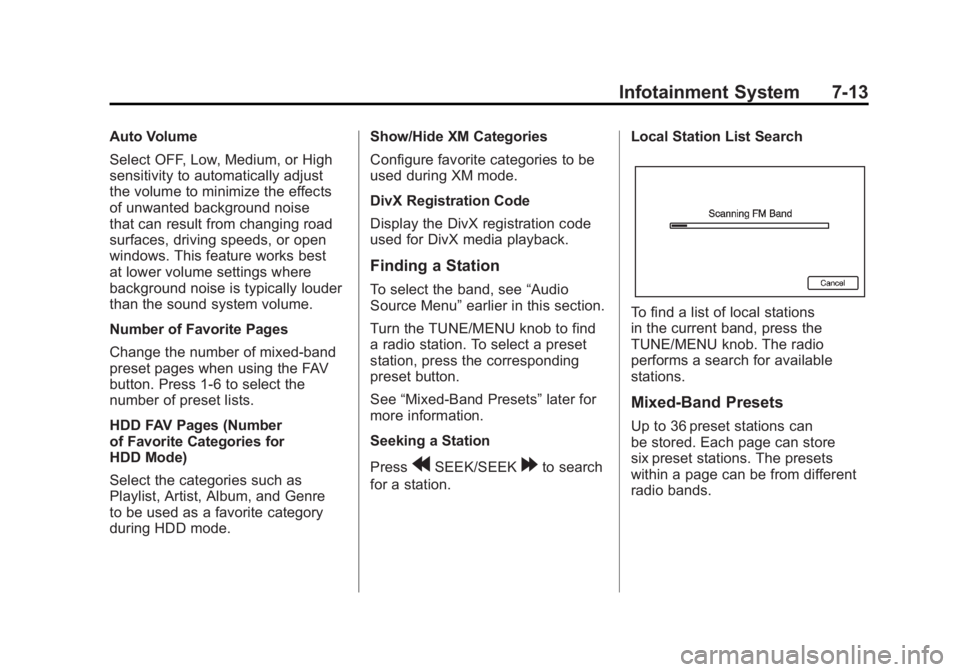
To find a list of local stations
in the current band, press the
TUNE/MENU knob. The radio
performs a search for available
stations.
Mixed-Band Presets
Up to 36 preset stations can
be stored. Each page can store
six preset stations. The presets
within a page can be from different
radio bands.
Page 204 of 516
Black plate (14,1)Chevrolet Volt Owner Manual - 2011
7-14 Infotainment System
To scroll through the pages, press
the FAV button. The current page
number displays above the preset
buttons. The stored stations for
each list display on the preset
buttons at the bottom of the screen.
The number of preset FAV lists can
be changed.
To store a radio station to a
mixed-band preset list:
1. Press the RADIO BAND button,then press AM, FM, or XM,
if equipped, to select the
desired band.
2. Tune to the station.
3. Press the FAV button to scroll to the list. 4. Press and hold one of the
preset buttons for more than
two seconds. The station
frequency appears on the
preset button at the bottom
of the display.
5. Repeat the steps for each preset in each page.
To recall a preset station from a
FAV page:
1. Press the FAV button to scroll to the page.
2. Press the preset button. The stored preset station
is recalled.Timeshift
The timeshift feature automatically
begins recording the audio when
listening to the radio.
The recording allows playback of
content that was missed.
Timeshift stores up to 20 minutes
of content. After 20 minutes, it
removes the oldest content and
continues recording new content.
While listening to the radio, press
k(Play/Pause) to stop hearing the
information through the speaker.
During this paused time, timeshift
keeps recording. A status bar
displays the length of the recording.
Page 205 of 516
Black plate (15,1)Chevrolet Volt Owner Manual - 2011
Infotainment System 7-15
To resume listening to the broadcast
at the point left off, press
kagain.
Timeshift stops recording and
erases the buffer when the vehicle
is turned off or the station or source
is changed.
Before turning the vehicle off, press
kso that timeshift keeps recording
for 20 minutes. If the vehicle is still
off after 20 minutes, the system
stops recording and all information
is lost. If a low 12-volt battery
condition occurs, timeshift stops
recording and all information is
erased.
Radio Data System (RDS)
The audio system has a Radio
Data System (RDS). RDS features
are available for use only on
FM stations that broadcast
RDS information. With RDS,
the radio can:
.Seek to stations broadcasting
the selected type of
programming.
.Receive announcements
concerning local and national
emergencies.
.Display messages from radio
stations. This system relies on receiving
specific information from these
stations and only works when
the information is available.
In rare cases, a radio station could
broadcast incorrect information
that causes the radio features to
work improperly. If this happens,
contact the radio station.
The RDS system is always on.
When information is broadcast from
the current FM station, the station
name or call letters display on the
audio screen. RDS can provide a
program type (PTY) for current
programming and the name of
the program being broadcasted.
Page 206 of 516

Black plate (16,1)Chevrolet Volt Owner Manual - 2011
7-16 Infotainment System
Satellite Radio
XM™Satellite Radio Service
Vehicles with an XM satellite radio
tuner and an XM satellite radio
subscription can receive XM
programming.
XM is a satellite radio service based
in the 48 contiguous United States
and 10 Canadian provinces. XM
satellite radio has a wide variety of
programming and commercial-free
music, coast to coast, and in
digital-quality sound. A service
fee is required to receive the XM
service. For more information,
see www.xmradio.com or call
1-800-929-2100 in the U.S.
In Canada, see www.xmradio.ca
or call 1-877-438-9677.
When XM is active, the channel
name and number, category name,
song title, and artist display on the
screen.
XM Categories
XM stations are organized in
categories.
Removing or Adding Categories
1. Press the CONFIG button.
Turn the TUNE/MENU knob
until Radio displays. Press the
TUNE/MENU knob or press
Radio to display the radio
settings menu.
2. Select the Show/Hide XM Categories screen button.
3. Press the category buttons on the screen to show or hide the
category.
XM Messages
XL (Explicit Language
Channels): These channels, or any
others, can be blocked by request,
by calling 1-800-929-2100 in the
U.S., and 1-877-438-9677 in
Canada. XM Updating:
The encryption code
in the receiver is being updated.
No action is required. This process
should take no longer than
30 seconds.
Loading XM: The audio system
is acquiring and processing audio
and text data. No action is needed.
This message should disappear
shortly.
Channel Off Air: This channel is
not currently in service. Tune in to
another channel.
Channel Unauth: This channel is
blocked or cannot be received with
your XM subscription package.
Channel Unavailable: This
previously assigned channel is
no longer assigned. Tune to
another station.
No Artist Info: The system
is working properly. No artist
information is available at this
time on this channel.
Page 207 of 516
Black plate (17,1)Chevrolet Volt Owner Manual - 2011
Infotainment System 7-17
No Title Info:The system is
working properly. No song title
information is available at this
time on this channel.
No CAT Info: The system is
working properly. No category
information is available at this
time on this channel.
No Information: The system
is working properly. No text or
informational messages are
available at this time on this
channel.
No XM Signal: The system is
working properly. The vehicle may
be in a location where the XM signal
is being blocked. When the vehicle
is moved into an open area, the
signal should return. CAT Not Found:
The system is
working properly. There are no
channels available for the selected
category.
XM Radio ID: If tuned to channel 0,
this message alternates with the
XM radio eight‐digit radio ID label.
This label is needed to activate the
service.
Unknown: If this message is
received when tuned to channel 0,
there could be a receiver fault.
Consult with your dealer.
Check Antenna: If this message
does not clear within a short period
of time, the receiver could have a
fault. Consult with your dealer.
XM Not Available: If this message
does not clear within a short period
of time, the receiver could have a
fault. Consult with your dealer.Radio Reception
Frequency interference and static
can occur during normal radio
reception if items such as cell phone
chargers, vehicle convenience
accessories, and external electronic
devices are plugged into the
accessory power outlet. If there is
interference or static, unplug the
item from the accessory power
outlet.
FM
FM signals only reach about 16 to
65 km (10 to 40 mi). Although the
radio has a built-in electronic circuit
that automatically works to reduce
interference, some static can occur,
especially around tall buildings or
hills, causing the sound to fade in
and out.
Page 208 of 516

Black plate (18,1)Chevrolet Volt Owner Manual - 2011
7-18 Infotainment System
AM
The range for most AM stations is
greater than for FM, especially at
night. The longer range can cause
station frequencies to interfere with
each other. Static can occur when
things like storms and power lines
interfere with radio reception. When
this happens, try reducing the treble
on the radio.
XM™Satellite Radio Service
XM Satellite Radio Service gives
digital radio reception from coast
to coast in the 48 contiguous
United States, and in Canada.
Just as with FM, tall buildings or
hills can interfere with satellite radio
signals, causing the sound to fade
in and out. In addition, traveling
or standing under heavy foliage,
bridges, garages, or tunnels may
cause loss of the XM signal for a
period of time.
Cellular Phone Usage
Cellular phone usage can cause
interference with the vehicle's radio.
Multi-Band Antenna
The multi-band antenna is on the
roof of the vehicle. The antenna
is used for the AM‐FM radio,
OnStar, the XM Satellite Radio
Service System, and GPS (Global
Positioning System), if the vehicle
has these features. Keep the
antenna clear of obstructions
for clear reception.
Audio Players
CD/DVD Player
The player can be used for CD,
MP3, and DVD audio, and as a
DVD video player.
With the vehicle on, insert a
CD/DVD into the slot, label side
up. The player pulls it in and
begins playing. While playing,
the navigation system is available.
The vehicle must be in P (Park) for
video to display.
The DVD player is only compatible
with DVDs of the appropriate region
code printed on the jacket of
most DVDs.
Page 216 of 516
Black plate (26,1)Chevrolet Volt Owner Manual - 2011
7-26 Infotainment System
Empty Directory or Folder
If a root directory or folder is empty
or contains only folders, the player
advances to the next folder in
the file structure that contains a
compressed audio file. The empty
folder(s) are not displayed or
numbered.
No Folder
When the CD only contains
compressed audio files without
any folders or playlists, all files
are under the root folder.
File System and Naming
The displayed song title is taken
from the file's ID3 tag. If a song
title is not present in the ID3 tag,
the radio displays the file name
as the track name.Preprogrammed Playlists
The radio recognizes
preprogrammed playlists;
however, there is no editing
capability. These playlists are
treated as special folders containing
compressed audio song files.
Hard Drive Device (HDD)
With a Hard Drive Device (HDD),
songs can be recorded.
The types of formats supported by
the HDD are:
.MP3
.MP3-Pro
.WMA
.Audible.com
.M4A
Songs can be recorded from
a CD player or a mass media
storage device connected by a
USB connector. The hard drive has
30 GB memory capacity for storage
of media files. For optimal recording performance,
make sure the disc is clean with
no damage; otherwise the system
might partially record the track.
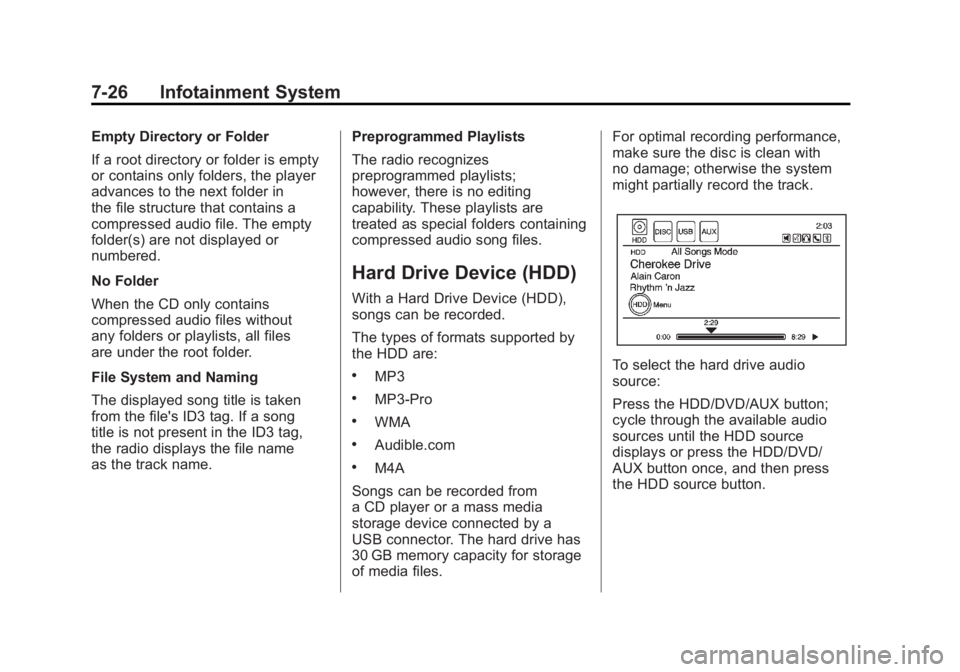
To select the hard drive audio
source:
Press the HDD/DVD/AUX button;
cycle through the available audio
sources until the HDD source
displays or press the HDD/DVD/
AUX button once, and then press
the HDD source button.
Page 218 of 516
Black plate (28,1)Chevrolet Volt Owner Manual - 2011
7-28 Infotainment System
Duplicate Content
When the record function starts,
there is a check to verify that the
content does not already exist on
the hard drive. If the entire content
of the CD exists on the hard drive,
it will not record the content.
If it is determined that some or none
of the content exists, then only that
missing content will be copied to the
hard drive.
If the same file is recorded from the
USB and CD, it is possible to have
duplicate tracks.
CD Eject
If the CD ejects before the recording
process completes, only tracks that
have been completely recorded are
stored to the hard drive. Incomplete
tracks are discarded.
Power Mode
If the system is turned off during
a CD or USB recording process,
it stops. When the radio is turned
back on, the recording process
does not resume automatically.
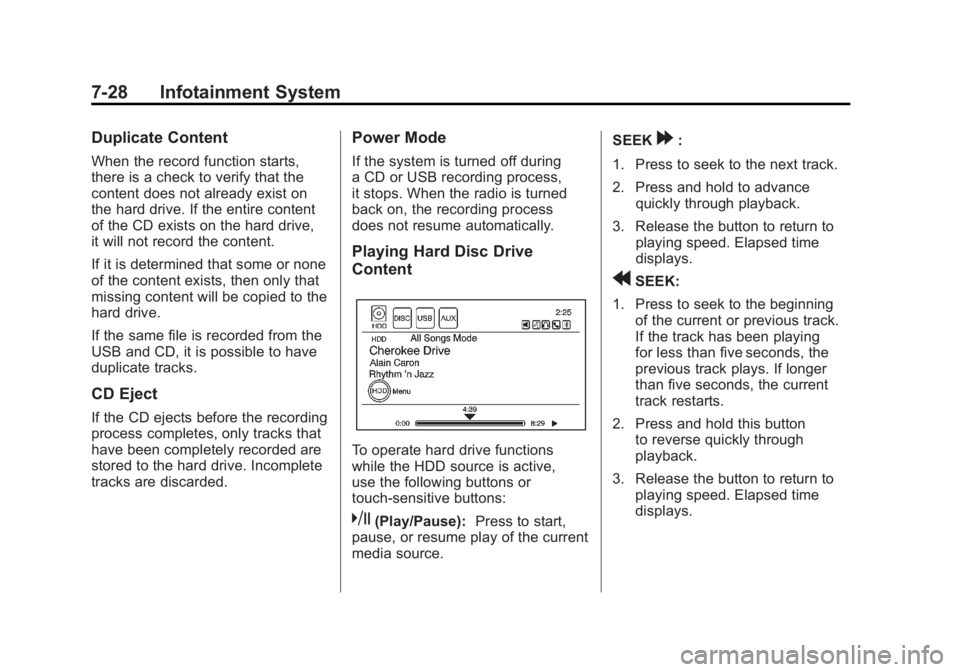
Playing Hard Disc Drive
Content
To operate hard drive functions
while the HDD source is active,
use the following buttons or
touch-sensitive buttons:
k(Play/Pause):Press to start,
pause, or resume play of the current
media source. SEEK
[:
1. Press to seek to the next track.
2. Press and hold to advance quickly through playback.
3. Release the button to return to playing speed. Elapsed time
displays.
rSEEK:
1. Press to seek to the beginning of the current or previous track.
If the track has been playing
for less than five seconds, the
previous track plays. If longer
than five seconds, the current
track restarts.
2. Press and hold this button to reverse quickly through
playback.
3. Release the button to return to playing speed. Elapsed time
displays.
Page 223 of 516
Black plate (33,1)Chevrolet Volt Owner Manual - 2011
Infotainment System 7-33
Eject USB:Press when the USB
is to be removed. If the USB is
disconnected without selecting
Eject USB, the files could become
corrupted.
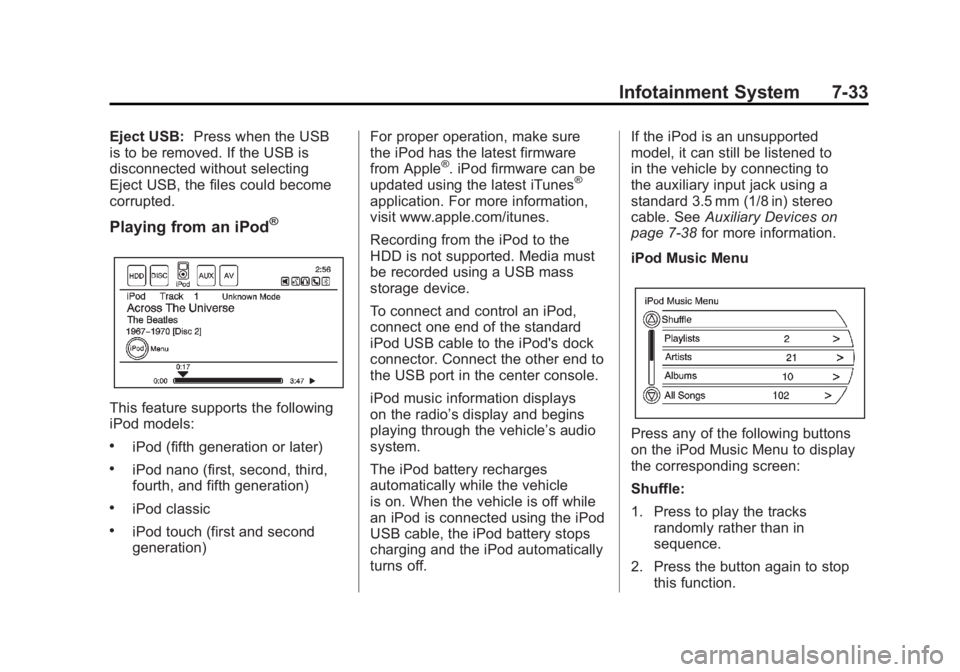
Playing from an iPod®
This feature supports the following
iPod models:
.iPod (fifth generation or later)
.iPod nano (first, second, third,
fourth, and fifth generation)
.iPod classic
.iPod touch (first and second
generation) For proper operation, make sure
the iPod has the latest firmware
from Apple
®. iPod firmware can be
updated using the latest iTunes®
application. For more information,
visit www.apple.com/itunes.
Recording from the iPod to the
HDD is not supported. Media must
be recorded using a USB mass
storage device.
To connect and control an iPod,
connect one end of the standard
iPod USB cable to the iPod's dock
connector. Connect the other end to
the USB port in the center console.
iPod music information displays
on the radio’s display and begins
playing through the vehicle’s audio
system.
The iPod battery recharges
automatically while the vehicle
is on. When the vehicle is off while
an iPod is connected using the iPod
USB cable, the iPod battery stops
charging and the iPod automatically
turns off. If the iPod is an unsupported
model, it can still be listened to
in the vehicle by connecting to
the auxiliary input jack using a
standard 3.5 mm (1/8 in) stereo
cable. See
Auxiliary Devices on
page 7‑38 for more information.
iPod Music Menu
Press any of the following buttons
on the iPod Music Menu to display
the corresponding screen:
Shuffle:
1. Press to play the tracks randomly rather than in
sequence.
2. Press the button again to stop this function.
Page 225 of 516
Black plate (35,1)Chevrolet Volt Owner Manual - 2011
Infotainment System 7-35
Audio Books:
1. Press to view the audio booksstored on the iPod.
2. Select the audio book from the list. Once an audio book has
been selected, Audio Book
Mode appears on the iPod
main screen.
Podcasts appear with the general
music. They do not have their own
category. Like the other music files,
they are searchable by title, artist,
and album.
Eject iPod: Press to remove the
iPod. If the iPod is disconnected
without selecting this button, the
files on the iPod could be corrupted.Audio Book
The system can play back audio
book content downloaded from
Audible.com by either burning it
to a CD or recording it to a USB
storage device.
Audible.com is a provider of
spoken word audio entertainment,
information, and educational
programming. The use of the
Audible.com playback feature
requires that the Audible.com
account be activated with the radio.
For more information on creating
an account or how to activate the
radio with an existing account,
visit www.audible.com/caraudio.
The activation process requires the
Vehicle Identification Number (VIN)
of the vehicle.
Once activated, files can be
transferred by burning them to a CD
or by using a USB storage device. After inserting the USB or CD
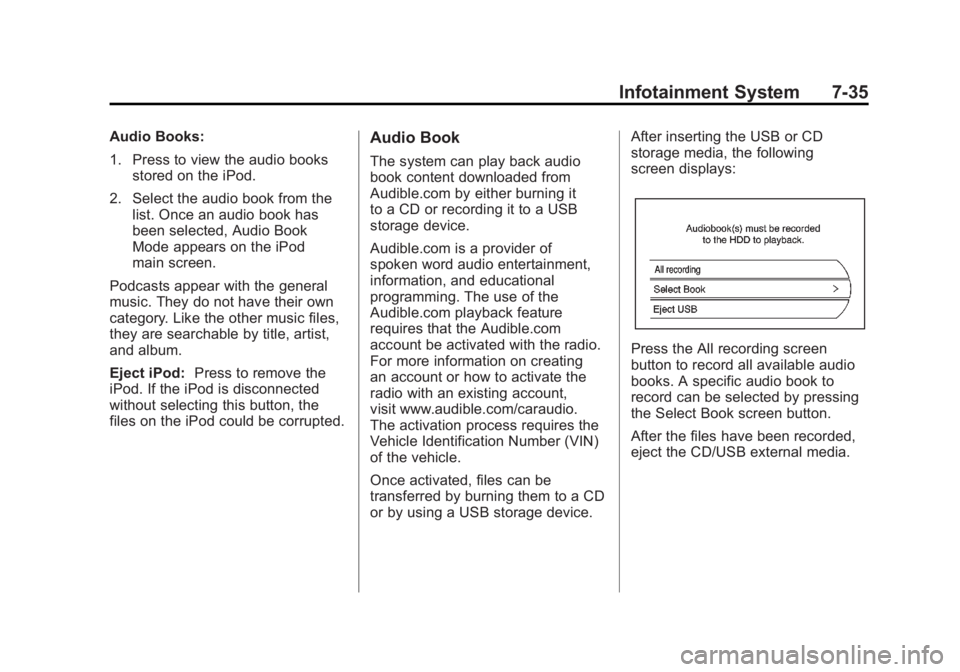
storage media, the following
screen displays:
Press the All recording screen
button to record all available audio
books. A specific audio book to
record can be selected by pressing
the Select Book screen button.
After the files have been recorded,
eject the CD/USB external media.