warning CHEVROLET VOLT 2011 Owner's Manual
[x] Cancel search | Manufacturer: CHEVROLET, Model Year: 2011, Model line: VOLT, Model: CHEVROLET VOLT 2011Pages: 516, PDF Size: 6.61 MB
Page 1 of 516
Black plate (1,1)Chevrolet Volt Owner Manual - 2011
2011 Chevrolet Volt Owner ManualM
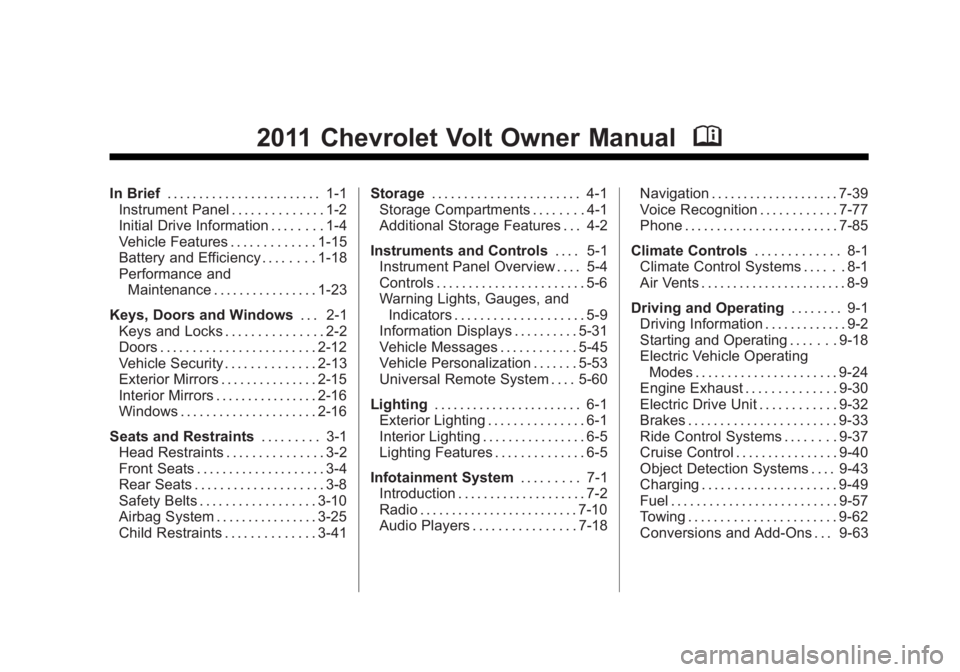
In Brief. . . . . . . . . . . . . . . . . . . . . . . . 1-1
Instrument Panel . . . . . . . . . . . . . . 1-2
Initial Drive Information . . . . . . . . 1-4
Vehicle Features . . . . . . . . . . . . . 1-15
Battery and Efficiency . . . . . . . . 1-18
Performance and
Maintenance . . . . . . . . . . . . . . . . 1-23
Keys, Doors and Windows . . . 2-1
Keys and Locks . . . . . . . . . . . . . . . 2-2
Doors . . . . . . . . . . . . . . . . . . . . . . . . 2-12
Vehicle Security . . . . . . . . . . . . . . 2-13
Exterior Mirrors . . . . . . . . . . . . . . . 2-15
Interior Mirrors . . . . . . . . . . . . . . . . 2-16
Windows . . . . . . . . . . . . . . . . . . . . . 2-16
Seats and Restraints . . . . . . . . . 3-1
Head Restraints . . . . . . . . . . . . . . . 3-2
Front Seats . . . . . . . . . . . . . . . . . . . . 3-4
Rear Seats . . . . . . . . . . . . . . . . . . . . 3-8
Safety Belts . . . . . . . . . . . . . . . . . . 3-10
Airbag System . . . . . . . . . . . . . . . . 3-25
Child Restraints . . . . . . . . . . . . . . 3-41 Storage
. . . . . . . . . . . . . . . . . . . . . . . 4-1
Storage Compartments . . . . . . . . 4-1
Additional Storage Features . . . 4-2
Instruments and Controls . . . . 5-1
Instrument Panel Overview . . . . 5-4
Controls . . . . . . . . . . . . . . . . . . . . . . . 5-6
Warning Lights, Gauges, and
Indicators . . . . . . . . . . . . . . . . . . . . 5-9
Information Displays . . . . . . . . . . 5-31
Vehicle Messages . . . . . . . . . . . . 5-45
Vehicle Personalization . . . . . . . 5-53
Universal Remote System . . . . 5-60
Lighting . . . . . . . . . . . . . . . . . . . . . . . 6-1
Exterior Lighting . . . . . . . . . . . . . . . 6-1
Interior Lighting . . . . . . . . . . . . . . . . 6-5
Lighting Features . . . . . . . . . . . . . . 6-5
Infotainment System . . . . . . . . . 7-1
Introduction . . . . . . . . . . . . . . . . . . . . 7-2
Radio . . . . . . . . . . . . . . . . . . . . . . . . . 7-10
Audio Players . . . . . . . . . . . . . . . . 7-18 Navigation . . . . . . . . . . . . . . . . . . . . 7-39
Voice Recognition . . . . . . . . . . . . 7-77
Phone . . . . . . . . . . . . . . . . . . . . . . . . 7-85
Climate Controls . . . . . . . . . . . . . 8-1
Climate Control Systems . . . . . . 8-1
Air Vents . . . . . . . . . . . . . . . . . . . . . . . 8-9
Driving and Operating . . . . . . . . 9-1
Driving Information . . . . . . . . . . . . . 9-2
Starting and Operating . . . . . . . 9-18
Electric Vehicle Operating Modes . . . . . . . . . . . . . . . . . . . . . . 9-24
Engine Exhaust . . . . . . . . . . . . . . 9-30
Electric Drive Unit . . . . . . . . . . . . 9-32
Brakes . . . . . . . . . . . . . . . . . . . . . . . 9-33
Ride Control Systems . . . . . . . . 9-37
Cruise Control . . . . . . . . . . . . . . . . 9-40
Object Detection Systems . . . . 9-43
Charging . . . . . . . . . . . . . . . . . . . . . 9-49
Fuel . . . . . . . . . . . . . . . . . . . . . . . . . . 9-57
Towing . . . . . . . . . . . . . . . . . . . . . . . 9-62
Conversions and Add-Ons . . . 9-63
Page 4 of 516
Black plate (4,1)Chevrolet Volt Owner Manual - 2011
iv Introduction
Using this Manual
To quickly locate information
about the vehicle, use the Index
in the back of the manual. It is an
alphabetical list of what is in the
manual and the page number
where it can be found.
Danger, Warnings, and
Cautions
Warning messages found on vehicle
labels and in this manual describe
hazards and what to do to avoid or
reduce them.
Dangerindicates a hazard with a
high level of risk which will result in
serious injury or death.
Warning orCaution indicates a
hazard that could result in injury or
death.
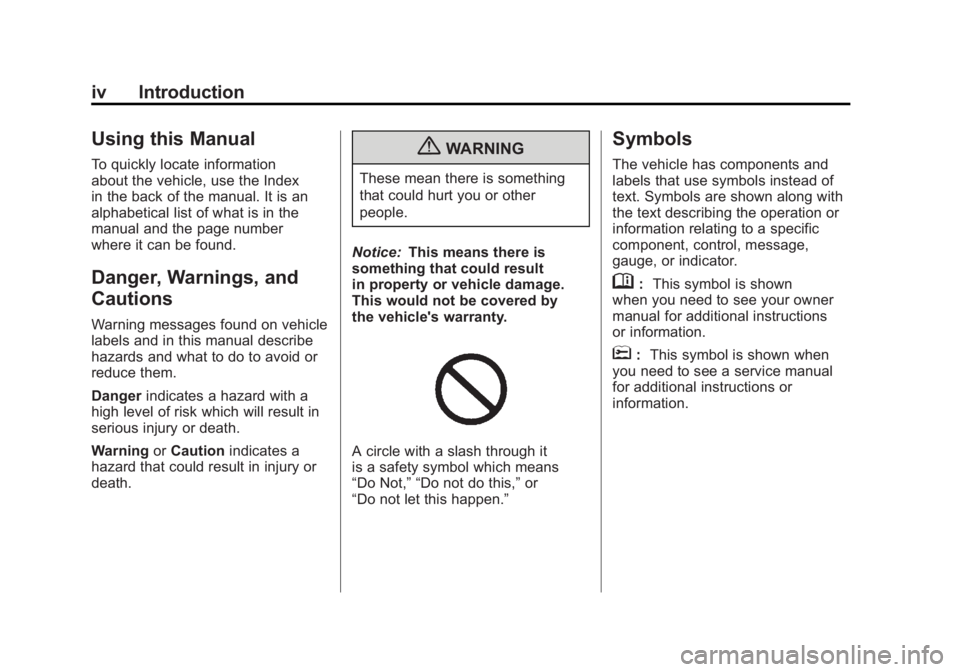
{WARNING
These mean there is something
that could hurt you or other
people.
Notice: This means there is
something that could result
in property or vehicle damage.
This would not be covered by
the vehicle's warranty.
A circle with a slash through it
is a safety symbol which means
“Do Not,” “Do not do this,” or
“Do not let this happen.”
Symbols
The vehicle has components and
labels that use symbols instead of
text. Symbols are shown along with
the text describing the operation or
information relating to a specific
component, control, message,
gauge, or indicator.
M: This symbol is shown
when you need to see your owner
manual for additional instructions
or information.
*: This symbol is shown when
you need to see a service manual
for additional instructions or
information.
Page 5 of 516
Black plate (5,1)Chevrolet Volt Owner Manual - 2011
Introduction v
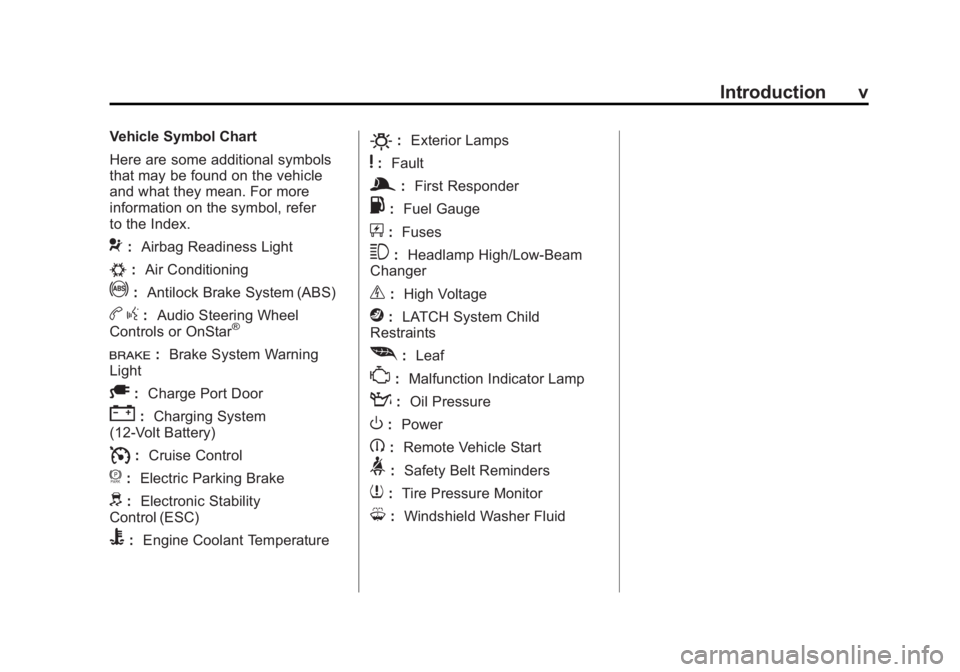
Vehicle Symbol Chart
Here are some additional symbols
that may be found on the vehicle
and what they mean. For more
information on the symbol, refer
to the Index.
9:Airbag Readiness Light
#:Air Conditioning
!:Antilock Brake System (ABS)
bg: Audio Steering Wheel
Controls or OnStar®
I: Brake System Warning
Light
A: Charge Port Door
":Charging System
(12‐Volt Battery)
I: Cruise Control
f: Electric Parking Brake
d:Electronic Stability
Control (ESC)
B: Engine Coolant Temperature
O:Exterior Lamps
y:Fault
g:First Responder
.: Fuel Gauge
+:Fuses
3: Headlamp High/Low-Beam
Changer
_: High Voltage
j:LATCH System Child
Restraints
[: Leaf
*:Malfunction Indicator Lamp
::Oil Pressure
O:Power
B:Remote Vehicle Start
>:Safety Belt Reminders
7:Tire Pressure Monitor
M:Windshield Washer Fluid
Page 9 of 516
Black plate (3,1)Chevrolet Volt Owner Manual - 2011
In Brief 1-3
A.Air Vents on page 8‑9.
B. Turn and Lane‐Change Lever. See Turn and Lane-Change
Signals on page 6‑4.
Exterior Lamp Controls on
page 6‑1.
Pedestrian Friendly Alert on
page 6‑2.
C. Instrument Cluster on page 5‑9.
Driver Information Center (DIC)
Display. See Driver Information
Center (DIC) on page 5‑43.
D. Windshield Wiper/Washer on
page 5‑7.
E. Heated Front Seats on page 3‑6
(If Equipped).
F. Center Stack Display on
page 5‑31.
G. Charging Status Indicator. See Charging Status Feedback
on page 9‑52. H. Light Sensor. See
Daytime
Running Lamps (DRL) on
page 6‑3.
I. Instrument Panel Storage on
page 4‑1.
J. Automatic Climate Control
System on page 8‑1.
K. Driver Information Center (DIC) Controls. See Driver Information
Center (DIC) on page 5‑43.
L. Instrument Panel Illumination
Control on page 6‑5.
M. Data Link Connector (DLC) (Out of View). See Malfunction
Indicator Lamp on page 5‑21.
N. Cruise Control on page 9‑40.
O. Steering Wheel Adjustment on
page 5‑6.
P. Horn on page 5‑7.
Q. Steering Wheel Controls on
page 5‑6 (If Equipped). R. Leaf Button. See
Center Stack
Display on page 5‑31.
S. DRIVE MODE Button. See Driver Selected Operating
Modes on page 9‑26.
T. Power Button on page 9‑18.
U. Shift Lever. See Electric Drive
Unit on page 9‑32.
V. Infotainment on page 7‑2.
Navigation System. See Using
the Navigation System on
page 7‑39.
W. Electric Parking Brake on
page 9‑35.
X. Power Door Locks on
page 2‑11.
Y. Hazard Warning Flashers on
page 6‑4.
Z. Glove Box on page 4‑1.
Page 11 of 516

Black plate (5,1)Chevrolet Volt Owner Manual - 2011
In Brief 1-5
Remote Start
This feature starts the heating or
air conditioning systems and rear
window defogger from outside the
vehicle. Normal operation of the
system will return after the vehicle
has been turned on. The engine
may start to support the climate
control operation.
Activating the Remote Start
1. Aim the RKE transmitter at thevehicle.
2. Press
Qon the RKE transmitter;
the doors will lock.
3. Within five seconds, press and hold
Buntil the turn signal
lamps flash or for approximately
four seconds. Pressing
Bagain
during a remote start will turn the
feature off. After entering the vehicle during a
remote start, press the POWER
O
button on the center stack with the
brake pedal applied to operate as
normal.
Canceling Remote Start
To cancel a remote start, do any of
the following:
.Aim the RKE transmitter at the
vehicle and press and hold
B
until the parking lamps turn off.
.Turn on the hazard warning
flashers.
.Press the POWERObutton on
the center stack, with the brake
pedal applied, then press the
POWER
Obutton again to turn
the vehicle off.
See Remote Start on page 2‑8.
Door Locks
To lock or unlock the door, use
the Remote Keyless Entry (RKE)
transmitter or the key from outside
the vehicle. Use the door lock knob
or switch from inside the vehicle.
SeeDoor Locks on page 2‑10.
Power Door Locks
The power door lock switches are
on the center stack.
K:Press to unlock the doors.
Q:Press to lock the doors.
Page 24 of 516
Black plate (18,1)Chevrolet Volt Owner Manual - 2011
1-18 In Brief
Battery and Efficiency
High Voltage Safety
Information
{WARNING
Exposure to high voltage
can cause shock, burns, and
even death. The high voltage
components in the vehicle can
only be serviced by technicians
with special training.
High voltage components are
identified by labels. Do not
remove, open, take apart,
or modify these components.
High voltage cable or wiring has
orange covering. Do not probe,
tamper with, cut, or modify high
voltage cable or wiring.
This vehicle has a high voltage
battery and a standard 12‐volt
battery. If the vehicle is in a crash, the
sensing system may shut down
the high voltage system. When this
occurs, the high voltage battery is
disconnected and the vehicle will
not start. The SERVICE VEHICLE
SOON message in the Driver
Information Center (DIC) will be
displayed. Before the vehicle can
be operated again, it must be
serviced at your dealer.
See
Battery on page 10‑28 for
important safety information. If an
airbag has inflated, see What Will
You See after an Airbag Inflates? on
page 3‑31.
Only a trained service technician
with the proper knowledge and
tools should inspect, test, or replace
the high voltage battery. See your
dealer if the high voltage battery
needs service.
See Battery on page 10‑28.
Charging
The high voltage battery can
be charged using a household
electrical outlet. There are three
ways to program how the vehicle
is charged. See Charging on
page 5‑33 for more information.
This section explains the process
for charging the high voltage battery.
Do not allow the vehicle to remain
in temperature extremes for long
periods without being driven or
plugged in. It is recommended that
the vehicle be plugged in when
temperatures are below 0°C (32°F)
and above 32°C (90°F) to maximize
high voltage battery life.
The charging system may run fans
and pumps that result in sounds
from the vehicle while it is turned
off. Additional unexpected clicking
sounds may be experienced caused
by the electrical devices used while
charging.
Page 29 of 516
Black plate (23,1)Chevrolet Volt Owner Manual - 2011
In Brief 1-23
Service
{WARNING
Never try to do your own service
on high voltage components.
You can be injured and the
vehicle can be damaged if you
try to do your own service work.
Service and repair of these high
voltage components should
only be performed by a trained
service technician with the proper
knowledge and tools. SeeDoing
Your Own Service Work on
page 10‑8.
Performance and
Maintenance
Traction Control
System (TCS)
The Traction Control System limits
wheel spin. The system turns on
automatically every time the vehicle
is on and cannot be turned off.
For more information, see Traction
Control System (TCS) on
page 9‑37.
Electronic Stability
Control (ESC)
Electronic Stability Control assists
with directional control of the
vehicle in difficult driving conditions.
The system turns on automatically
every time the vehicle is on and
cannot be turned off.
For more information, see Electronic
Stability Control (ESC) on
page 9‑39.
Tire Pressure Monitor
This vehicle may have a Tire
Pressure Monitor System (TPMS).
The TPMS warning light alerts you
to a significant loss in pressure of
one of the vehicle's tires. If the
warning light comes on, stop as
soon as possible and inflate the
tires to the recommended pressure
shown on the Tire and Loading
Information label. See Vehicle Load
Limits on page 9‑14. The warning
light will remain on until the tire
pressure is corrected.
Page 30 of 516
Black plate (24,1)Chevrolet Volt Owner Manual - 2011
1-24 In Brief
During cooler conditions, the low tire
pressure warning light may appear
when the vehicle is first started and
then turn off. This may be an early
indicator that the tire pressures are
getting low and the tires need to be
inflated to the proper pressure.
The TPMS does not replace normal
monthly tire maintenance. It is the
driver’s responsibility to maintain
correct tire pressures.
See Tire Pressure Monitor System
on page 10‑55.Tire Sealant and
Compressor Kit
This vehicle may have a tire sealant
and compressor kit that can be used
to seal small punctures in the tread
area of the tire. Significant sidewall
damage will require the tire to be
replaced.
See Tire Sealant and Compressor
Kit on page 10‑71 for complete
operating information.
Engine Oil Life System
The engine oil life system calculates
engine oil life based on vehicle use
and displays the CHANGE ENGINE
OIL SOON message when it is time
to change the engine oil and filter.
The oil life system should be reset
to 100% only following an oil
change. Resetting the Oil Life System
1. Use the SELECT knob to select
OIL LIFE on the DIC menu.
2. Press SELECT to start the OIL LIFE reset procedure.
3. The DIC menu will display “Are
you sure that you want to reset?”
Use SELECT to choose YES to
reset oil life or NO to exit and
return to the previous menu.
4. If YES is selected, the DIC menu will display RESET OIL LIFE for
a short time and then 100% OIL
LIFE will be displayed when
OIL LIFE is successfully reset.
See Engine Oil Life System on
page 10‑15.
Page 38 of 516

Black plate (2,1)Chevrolet Volt Owner Manual - 2011
2-2 Keys, Doors and Windows
Keys and Locks
Keys
{WARNING
Leaving children in a vehicle with
the Remote Keyless Entry (RKE)
transmitter is dangerous for many
reasons; children or others could
be badly injured or even killed.
They could operate the power
windows or other controls or
even make the vehicle move.
The windows will function with
the RKE transmitter in the vehicle
and they could be seriously
injured or killed if caught in
the path of a closing window.
Do not leave the RKE transmitter
in a vehicle with children.The key that is part of the RKE
transmitter can be used for all locks.
Press the key release button on the
RKE transmitter to extend the key.
Press the key release button and
fold the key blade to retract the key.
The key has a bar-coded key tag
that the dealer or qualified locksmith
can use to make new keys. Store
this information in a safe place, not
in the vehicle.
See your dealer if a replacement
key or an additional key is needed.
Notice:
If the keys get locked
in the vehicle, it may have to be
damaged to get them out. Always
carry a spare key.
If locked out of the vehicle, call the
Roadside Assistance Center. See
Roadside Assistance Program on
page 13‑6. With an active OnStar
subscription, an OnStar Advisor
may remotely unlock the vehicle.
See OnStar
®on page 1‑27.
Page 39 of 516

Black plate (3,1)Chevrolet Volt Owner Manual - 2011
Keys, Doors and Windows 2-3
Remote Keyless
Entry (RKE) System
SeeRadio Frequency
Statement on page 13‑28 for
information regarding Part 15
of the Federal Communications
Commission (FCC) rules and
Industry Canada Standards
RSS-210/220/310.
If there is a decrease in the RKE
operating range:
.Check the distance.
The transmitter may be
too far from the vehicle.
.Check the location. Other
vehicles or objects may be
blocking the signal.
.Check the transmitter's battery.
See “Battery Replacement” later
in this section.
.If the transmitter is still not
working correctly, see your
dealer or a qualified technician
for service.
Remote Keyless Entry
(RKE) System Operation
The RKE transmitter functions will
work up to 60 m (195 ft) away from
the vehicle.
Keep in mind that other conditions,
such as those previously stated,
can impact the performance of the
transmitter.
K(Unlock): Press once to unlock
the driver door. Press a second time
within five seconds to unlock all
doors. The hazard warning lamps will
flash twice each time the button
is pressed and the anti-theft
alarm system will be disarmed.
See
Anti-theft Alarm System on
page 2‑13.
Q(Lock): Press to lock all doors.
The hazard warning lamps will flash
once and the anti-theft alarm system
will be armed. See Anti-theft Alarm
System on page 2‑13.
If the driver door is open when
Qis
pressed, all doors lock and then
the driver door will unlock if the
Unlocked Door Anti Lock Out
feature is enabled through
the vehicle personalization.
See “Unlocked Door Anti Lock
Out Feature” underVehicle
Personalization on page 5‑53 for
more information. This may vary
based on vehicle personalization.