buttons CHEVROLET VOLT 2012 1.G Owner's Guide
[x] Cancel search | Manufacturer: CHEVROLET, Model Year: 2012, Model line: VOLT, Model: CHEVROLET VOLT 2012 1.GPages: 454, PDF Size: 7.89 MB
Page 236 of 454

Black plate (6,1)Chevrolet Volt Owner Manual - 2012
8-6 Climate Controls
Air Delivery Mode Control:Press
CLIMATE to select the Climate
touch screen. Press the air delivery
mode touch screen button to
change the direction of the airflow.
The selected air delivery mode
button is lit. Pressing any of the air
delivery buttons cancels automatic
air delivery control and the direction
of the airflow can be controlled
manually. Press AUTO to return to
automatic operation.
To change the current mode, select
one of the following:
Y(Vent): Air is directed to the
instrument panel outlets.
\(Bi-Level): Air is divided
between the instrument panel
outlets and the floor outlets.
[(Floor): Air is directed to the
floor outlets.
-(Defog): Air is directed to the
windshield and floor outlets. Clears
the windows of fog or moisture.
0(Defrost): Air is directed to the
windshield. The windshield is
cleared of fog or frost more quickly.
Selecting
0will disable automatic
control and the AUTO button
indicator will not be lit.
Selecting
0again will return to the
previous climate settings.
For best results, clear all snow and
ice from the windshield before
defrosting.
If
0is selected in Fan Only or
ECO mode, air conditioning or
electric heat may turn on and have
a noticeable effect on vehicle
electric range and fuel economy.
AUTO
h(Auto Recirculation):
Press to allow the system to
automatically choose the air supply
mode for best performance in terms
of comfort, efficiency, and
defogging. Air is recirculated or
outside air is pulled into the vehicle.
The touch screen button is lit.
h(Manual Recirculation):
Press to alternate between
recirculating air inside the vehicle or
pulling in outside air. When
selected, the touch screen button
lights up to indicate that air is being
recirculated. This helps to quickly
cool the air inside the vehicle or
prevent outside air and odors from
entering.
Pressing this button cancels
automatic recirculation. Press AUTO
or AUTO
hto return to automatic
operation; recirculation runs
automatically as needed.
Manual recirculation mode is not
available when in Defrost or Defog
modes.
M/L(Manual Heated Seats): If
available, the controls are on the
center stack. To operate, the vehicle
must be on.
Press
MorLto heat the driver or
passenger seat cushion and
seatback. For more information, see
Heated Front Seats on page 3‑6.
Page 237 of 454
Black plate (7,1)Chevrolet Volt Owner Manual - 2012
Climate Controls 8-7
MAUTO/LAUTO (Auto Heated
Seats): If available, the controls
are on the touch screen on the
center stack.
Press the touch screen
LAUTO or
MAUTO button. The button color
will change to green when this
feature is on. When the vehicle is
on, this feature will automatically
activate the heated seats at the
level required by the vehicle's
interior temperature. The active
high, medium, low, or off heated
seat level will be indicated by the
manual heated seat button lights on
the center stack. Use the touch
screen buttons or the manual
heated seat buttons on the center
stack to turn auto heated seats off.
For more information, see Heated
Front Seats on page 3‑6.
Rear Window Defogger
=(Rear Window Defogger):
Press to turn the rear window
defogger on or off.
The rear window defogger turns off
automatically after about
five minutes. If turned on again, it
runs for about five minutes before
turning off. The defogger can also
be turned off by turning the
vehicle off.
For vehicles with heated outside
rearview mirrors, they turn on when
the rear window defogger button is
on and help to clear fog or frost from
the surface of the mirror. See
Heated Mirrors on page 2‑17.
Notice: Do not try to clear frost
or other material from the inside
of the front windshield and rear
window with a razor blade or
anything else that is sharp. This
may damage the rear window
defogger grid and affect the
radio's ability to pick up stations
clearly. The repairs would not be
covered by the vehicle warranty. Remote Start:
For vehicles with
this feature, the climate control
system may be started by using the
Remote Keyless Entry (RKE)
transmitter. The climate control
system will default to an appropriate
heating or cooling mode. See
Remote Start on page 2‑8.
The rear window defogger turns on
if it is cold outside.
Compressor
The vehicle has an electric powered
air conditioning compressor. This
allows for continuous air
conditioning and/or high voltage
battery cooling operation, without
running the engine.
The compressor operating speed is
not tied to the engine speed, so
some noise may be heard from the
compressor, especially when air
conditioning use is high and the
engine has turned off. This is
normal.
Page 395 of 454
Black plate (91,1)Chevrolet Volt Owner Manual - 2012
Vehicle Care 10-91
Instrument Panel, Vinyl, and
Other Plastic Surfaces
Use a soft microfiber cloth
dampened with water to remove
dust and loose dirt. For a more
thorough cleaning, use a soft
microfiber cloth dampened with a
mild soap solution.
Notice:Soaking or saturating
leather, especially perforated
leather, as well as other interior
surfaces, may cause permanent
damage. Wipe excess moisture
from these surfaces after
cleaning and allow them to dry
naturally. Never use heat, steam,
spot lifters or spot removers. Do
not use cleaners that contain
silicone or wax-based products.
Cleaners containing these
solvents can permanently change
the appearance and feel of leather
or soft trim and are not
recommended. Do not use cleaners that increase
gloss, especially on the instrument
panel. Reflected glare can decrease
visibility through the windshield
under certain conditions.
Notice:
Use of air fresheners may
cause permanent damage to
plastics and painted surfaces.
If an air freshener comes in
contact with any plastic or
painted surface in the vehicle,
blot immediately and clean with a
soft cloth dampened with a mild
soap solution. Damage caused by
air fresheners would not be
covered by the vehicle warranty.
Cleaning the Center
Stack
Cleaning the Display
Notice: Using abrasive cleaners
when cleaning glass surfaces
could scratch the glass. Use only
a soft cloth and do not spray
cleaner directly on the system as
it could affect the mechanical
parts.
Do not apply spray cleaner directly
to the system, the cleaner could
affect the mechanical parts.
Do not wipe the panel with a hard
cloth or use a volatile liquid such as
paint thinner, it could scratch the
surface or erase the characters on
the buttons.
Page 435 of 454
Black plate (1,1)Chevrolet Volt Owner Manual - 2012
OnStar 14-1
OnStar
OnStar Overview
OnStar Overview . . . . . . . . . . . . 14-1
OnStar Services
Emergency . . . . . . . . . . . . . . . . . . 14-2
Security . . . . . . . . . . . . . . . . . . . . . . 14-2
Navigation . . . . . . . . . . . . . . . . . . . 14-2
Connections . . . . . . . . . . . . . . . . . 14-4
Diagnostics . . . . . . . . . . . . . . . . . . 14-5
OnStar Additional Information
OnStar AdditionalInformation . . . . . . . . . . . . . . . . . 14-5
OnStar Overview
If equipped, this vehicle has a
comprehensive, in-vehicle system
that can connect to a live Advisor
for Emergency, Security, Navigation,
Connection, and Diagnostic
Services.
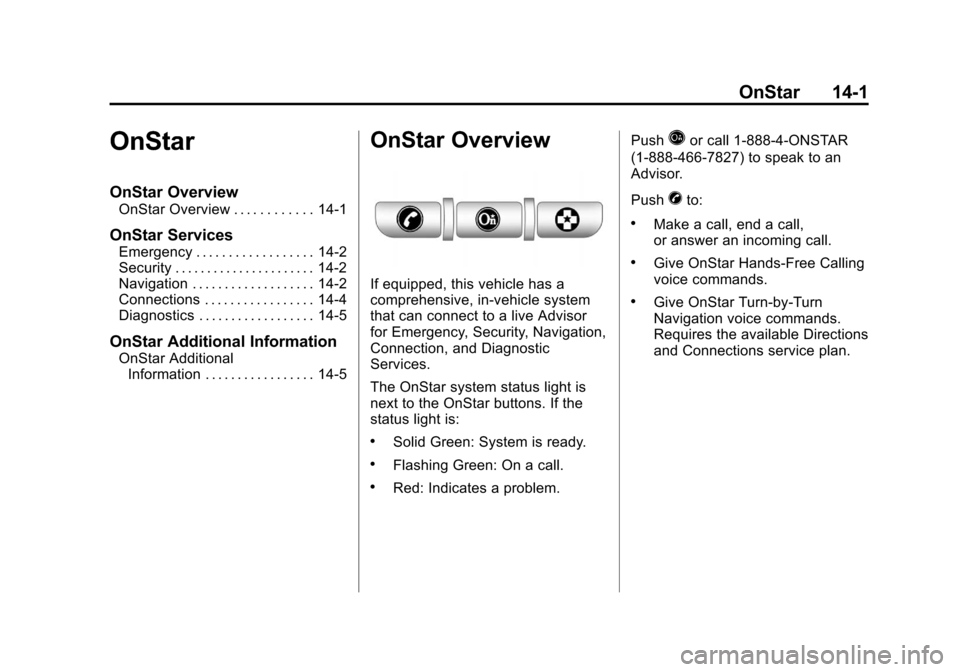
The OnStar system status light is
next to the OnStar buttons. If the
status light is:
.Solid Green: System is ready.
.Flashing Green: On a call.
.Red: Indicates a problem. Push
Qor call 1‐888‐4‐ONSTAR
(1‐888‐466‐7827) to speak to an
Advisor.
Push
Xto:
.Make a call, end a call,
or answer an incoming call.
.Give OnStar Hands-Free Calling
voice commands.
.Give OnStar Turn-by-Turn
Navigation voice commands.
Requires the available Directions
and Connections service plan.