battery CHEVROLET VOLT 2014 1.G Owner's Guide
[x] Cancel search | Manufacturer: CHEVROLET, Model Year: 2014, Model line: VOLT, Model: CHEVROLET VOLT 2014 1.GPages: 394, PDF Size: 5.86 MB
Page 159 of 394
(51,1)Chevrolet VOLT Owner Manual (GMNA-Localizing-U.S./Canada-6014139) -
2014 - CRC - 9/16/13
Instruments and Controls 5-51
next time the vehicle is driven. The
vehicle may be driven at a reduced
speed while this message is on, but
maximum acceleration and speed
may be reduced. If this message
stays on when the malfunction
indicator lamp is on, the vehicle
should be taken to your dealer for
service as soon as possible.
This message can display when
driving in mountainous terrain
without using Mountain Mode or by
not entering Mountain Mode soon
enough to build a sufficient battery
charge reserve before climbing
steep grades. This is normal
operation to protect the high voltage
battery. Only if both the
PROPULSION POWER IS
REDUCED message and the
malfunction indicator lamp are on
should the vehicle be taken to the
dealer for service.
While climbing the grade with this
message displayed, the vehicle
speed may be reduced until the
engine can recover the battery stateof charge to a normal level. See
“Mountain Mode”
underDriver
Selected Operating Modes on
page 9-22.
Ride Control System
Messages
LOW TRACTION
This message displays when the
Antilock Brake System (ABS) is
active and is working to assist the
driver with control of the vehicle in
difficult driving conditions.
SERVICE STABILITRAK
This message displays when there
is a problem detected with the
StabiliTrak system. The vehicle is
safe to drive, but the StabiliTrak
system is not operational. See
Traction Control/Electronic Stability
Control on page 9-33 for information
on resetting the system.
SERVICE TRACTION
CONTROL
This message displays when there
is a problem detected with the
Traction Control System (TCS). The
vehicle is safe to drive, but the TCS
is not operational. See Traction
Control/Electronic Stability Control
on page 9-33 for information on
resetting the system.
STABILITRAK OFF
This message displays when
StabiliTrak is turned off. Adjust your
driving accordingly.
TRACTION CONTROL OFF
This message displays when the
Traction Control System (TCS) is
turned off. Adjust your driving
accordingly.
TRACTION CONTROL ON
This message displays when the
Traction Control System (TCS) is
turned on.
Page 160 of 394
(52,1)Chevrolet VOLT Owner Manual (GMNA-Localizing-U.S./Canada-6014139) -
2014 - CRC - 9/16/13
5-52 Instruments and Controls
Airbag System Messages
SERVICE AIRBAG
This message displays if there is a
problem with the airbag system.
Take the vehicle to your dealer for
service.
Security Messages
SERVICE THEFT ALARM
This message displays if there is a
problem with the alarm. See your
dealer for service.
SERVICE THEFT DETERRENT
SYSTEM
This message displays if there is a
problem with the theft-deterrent
system. See your dealer for service.
Service Vehicle Messages
ENGINE MAINTENANCE XXX%
COMPLETE
This message displays when the
Engine Maintenance Mode is
running. See“Engine Maintenance
Mode” underMaintenance Modes
on page 9-25.
ENGINE NOT AVAILABLE
SERVICE SOON
This message displays when the
engine is not available due to a
malfunction that will not allow the
engine to start. The vehicle can
continue to be driven in Electric
Mode until the battery is depleted,
but will have reduced acceleration.
When this message is displayed,
the vehicle should be taken to your
dealer for service as soon as
possible. See Out of Fuel/Engine
Unavailable on page 9-25.
SERVICE AC SYSTEM
This message displays if there is a
problem with the air conditioning
system. Take the vehicle to your
dealer for service.
SERVICE HEATER SOON
This message displays if there is a
problem with the heater system.
Take the vehicle to your dealer for
service.
SERVICE POWER STEERING
This message displays if there is a
problem with the power steering
system. Take the vehicle to your
dealer for service.
SERVICE VEHICLE SOON
This message displays if there is a
problem with the vehicle. Take the
vehicle to your dealer for service.
Depending on the severity of a
crash, this message may come on
along with the airbag readiness
light.
Page 169 of 394
(61,1)Chevrolet VOLT Owner Manual (GMNA-Localizing-U.S./Canada-6014139) -
2014 - CRC - 9/16/13
Instruments and Controls 5-61
Do not use the Universal Remote
system with any garage door opener
that does not have the stop and
reverse feature. This includes any
garage door opener model
manufactured before April 1, 1982.
Read these instructions completely
before programming the Universal
Remote system. It may help to have
another person assist with the
programming process.
Keep the original hand-held
transmitter for use in other vehicles
as well as for future programming.
Erase the programming when
vehicle ownership is terminated.
See“Erasing Universal Remote
System Buttons” later in this
section.
To program a garage door opener,
park outside directly in line with and
facing the garage door opener
receiver. Clear all people and
objects near the garage door. Make sure the hand-held transmitter
has a new battery for quick and
accurate transmission of the
radio-frequency signal.
Programming the Universal
Remote System
For questions or help programming
the Universal Remote system, call
1-800-355-3515 or see
www.homelink.com.
Programming involves
time-sensitive actions, and may time
out causing the procedure to be
repeated.
To program up to three devices:
1. Hold the end of the hand-held
transmitter about 3 to 8 cm
(1 to 3 in) away from the
Universal Remote system
buttons with the indicator light
in view. The hand-held
transmitter was supplied by the
manufacturer of the garage door
opener receiver. 2. At the same time, press and
hold both the hand-held
transmitter button and one of the
three Universal Remote system
buttons to be used to operate
the garage door. Do not release
either button until the indicator
light changes from a slow to a
rapid flash. Then release both
buttons.
Some garage door openers may
require substitution of Step 2
with the procedure under “Radio
Signals for Canada and Some
Gate Operators” later in this
section.
3. Press and hold the newly programmed Universal Remote
system button for five seconds
while watching the indicator light
and garage door activation.
.If the indicator light stays on
continuously or the garage
door moves when the
button is pressed, then
Page 173 of 394
(1,1)Chevrolet VOLT Owner Manual (GMNA-Localizing-U.S./Canada-6014139) -
2014 - CRC - 9/16/13
Lighting 6-1
Lighting
Exterior Lighting
Exterior Lamp Controls . . . . . . . . 6-1
Headlamp High/Low-BeamChanger . . . . . . . . . . . . . . . . . . . . . 6-1
Flash-to-Pass . . . . . . . . . . . . . . . . . 6-1
Daytime Running Lamps (DRL) . . . . . . . . . . . . . . . . 6-2
Automatic Headlamp System . . . . . . . . . . . . . . . . . . . . . . 6-2
Hazard Warning Flashers . . . . . 6-3
Turn and Lane-Change Signals . . . . . . . . . . . . . . . . . . . . . . 6-3
Interior Lighting
Instrument Panel IlluminationControl . . . . . . . . . . . . . . . . . . . . . . 6-4
Dome Lamps . . . . . . . . . . . . . . . . . 6-4
Reading Lamps . . . . . . . . . . . . . . . 6-5
Lighting Features
Entry Lighting . . . . . . . . . . . . . . . . . 6-5
Exit Lighting . . . . . . . . . . . . . . . . . . . 6-5
Battery Power Protection . . . . . . 6-6
Exterior Lighting
Exterior Lamp Controls
The exterior lamp control is on the
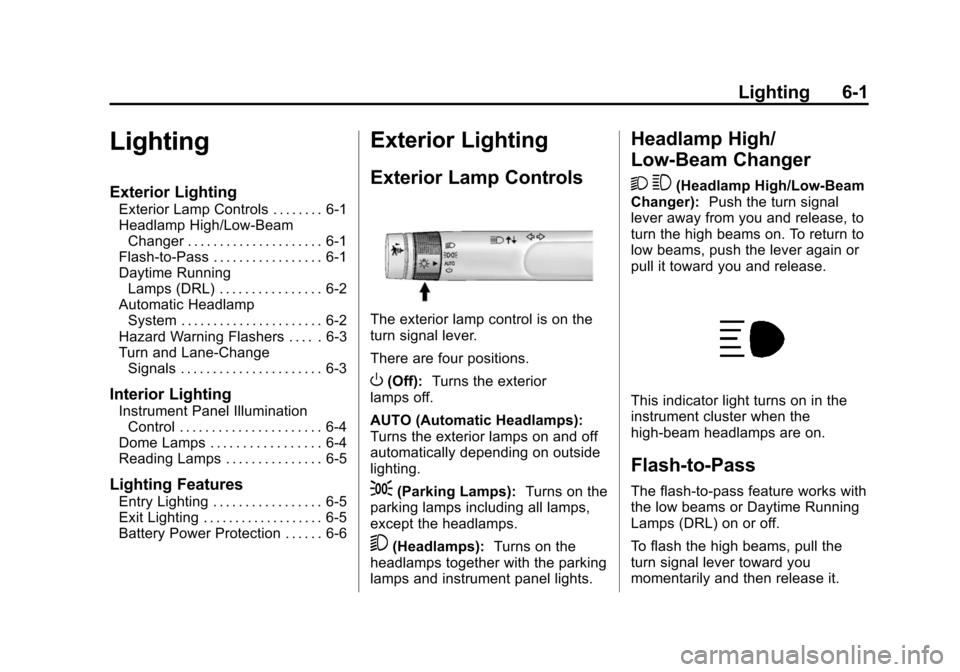
turn signal lever.
There are four positions.
O(Off): Turns the exterior
lamps off.
AUTO (Automatic Headlamps):
Turns the exterior lamps on and off
automatically depending on outside
lighting.
;(Parking Lamps): Turns on the
parking lamps including all lamps,
except the headlamps.
5(Headlamps): Turns on the
headlamps together with the parking
lamps and instrument panel lights.
Headlamp High/
Low-Beam Changer
2 3
(Headlamp High/Low-Beam
Changer): Push the turn signal
lever away from you and release, to
turn the high beams on. To return to
low beams, push the lever again or
pull it toward you and release.
This indicator light turns on in the
instrument cluster when the
high-beam headlamps are on.
Flash-to-Pass
The flash-to-pass feature works with
the low beams or Daytime Running
Lamps (DRL) on or off.
To flash the high beams, pull the
turn signal lever toward you
momentarily and then release it.
Page 178 of 394
(6,1)Chevrolet VOLT Owner Manual (GMNA-Localizing-U.S./Canada-6014139) -
2014 - CRC - 9/16/13
6-6 Lighting
The exit lighting feature can be
changed. SeeVehicle
Personalization on page 5-54.
Battery Power Protection
The battery saver feature is
designed to protect the vehicle's
12-volt battery.
If the exterior lamps or any interior
lamp is left on and the vehicle is
turned off, the battery rundown
protection system automatically
turns the lamps off after about
10 minutes.
Page 181 of 394
(1,1)Chevrolet VOLT Owner Manual (GMNA-Localizing-U.S./Canada-6014139) -
2014 - CRC - 9/16/13
Climate Controls 8-1
Climate Controls
Climate Control Systems
Automatic Climate ControlSystem . . . . . . . . . . . . . . . . . . . . . . 8-1
Air Vents
Air Vents . . . . . . . . . . . . . . . . . . . . . . 8-8
Climate Control
Systems
Automatic Climate
Control System
The climate control buttons and the
touch screen are used to adjust the
heating, cooling, and ventilation.
The vehicle may require the use of
an auxiliary heat source under
certain cold conditions. This
provides additional heating and
defrost capability obtained by
running the engine, even if the high voltage battery is adequately
charged. Under these conditions,
the engine will start and use fuel.
Make sure there is fuel in the tank.
Do not allow the vehicle to remain in
extreme temperatures for long
periods without being driven or
being plugged in.
Page 184 of 394
(4,1)Chevrolet VOLT Owner Manual (GMNA-Localizing-U.S./Canada-6014139) -
2014 - CRC - 9/16/13
8-4 Climate Controls
Fan Only Mode:The air
conditioning and electric heat are
turned off. As long as
0is not
selected, the climate control settings
may not have a noticeable effect on
the vehicle electric range and fuel
economy.
When in Fan Only mode, the AUTO
indicator light will be off. When
AUTO is selected in Fan Only
mode, the mode will change to
either ECO or Comfort.
When in Fan Only mode, the air
conditioning system may turn on
automatically if the high voltage
battery is being cooled. The climate
control system could blow cold air.
This is normal. To prevent cold air
from blowing into the interior, turn off
the fan control and select the vent
mode and manual recirculation
mode, and close the air vents. When in Fan Only mode, if Auto
Defog is enabled, the air
conditioning and electric heat may
turn on when high humidity
conditions exist. See
“Climate and
Air Quality” underVehicle
Personalization on page 5-54 for
more information on the Auto Defog
selection. The air conditioning may
also run if
0is selected.
ECO Mode: The air conditioning
and electric heat are controlled to
balance comfort with fuel economy.
As long as
0is not selected, the
vehicle electric range or fuel
economy will decrease less than in
Comfort mode, but will result in
moderate comfort.
Comfort Mode: The air
conditioning and electric heat are
controlled to reach the best comfort
level based on the temperature
setting selected. In this mode,
vehicle electric range or fuel
economy will decrease depending
on the amount of energy required to
reach the best comfort levels.
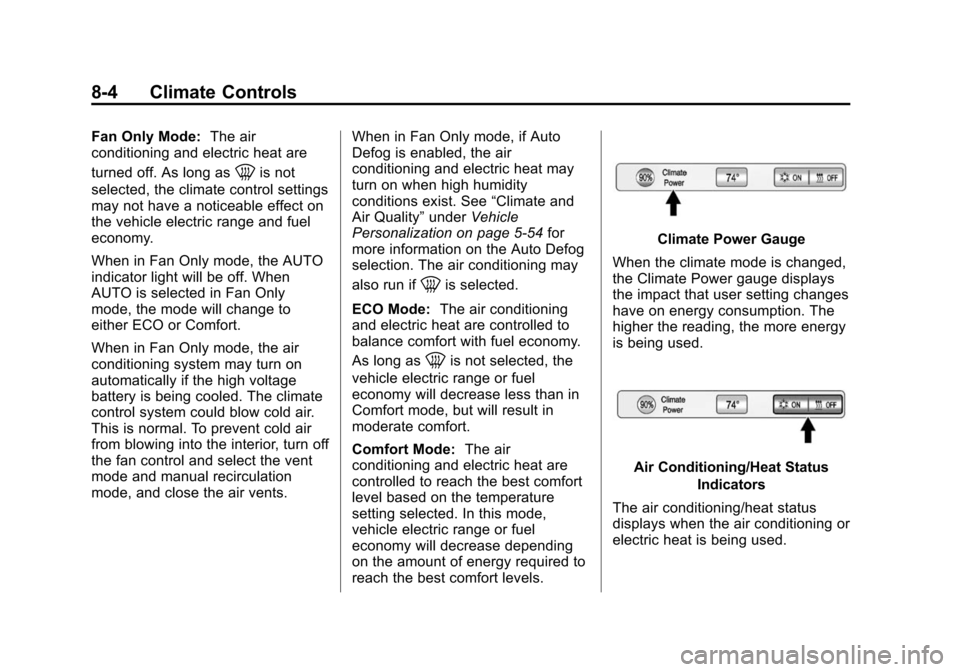
Climate Power Gauge
When the climate mode is changed,
the Climate Power gauge displays
the impact that user setting changes
have on energy consumption. The
higher the reading, the more energy
is being used.
Air Conditioning/Heat Status Indicators
The air conditioning/heat status
displays when the air conditioning or
electric heat is being used.
Page 187 of 394
(7,1)Chevrolet VOLT Owner Manual (GMNA-Localizing-U.S./Canada-6014139) -
2014 - CRC - 9/16/13
Climate Controls 8-7
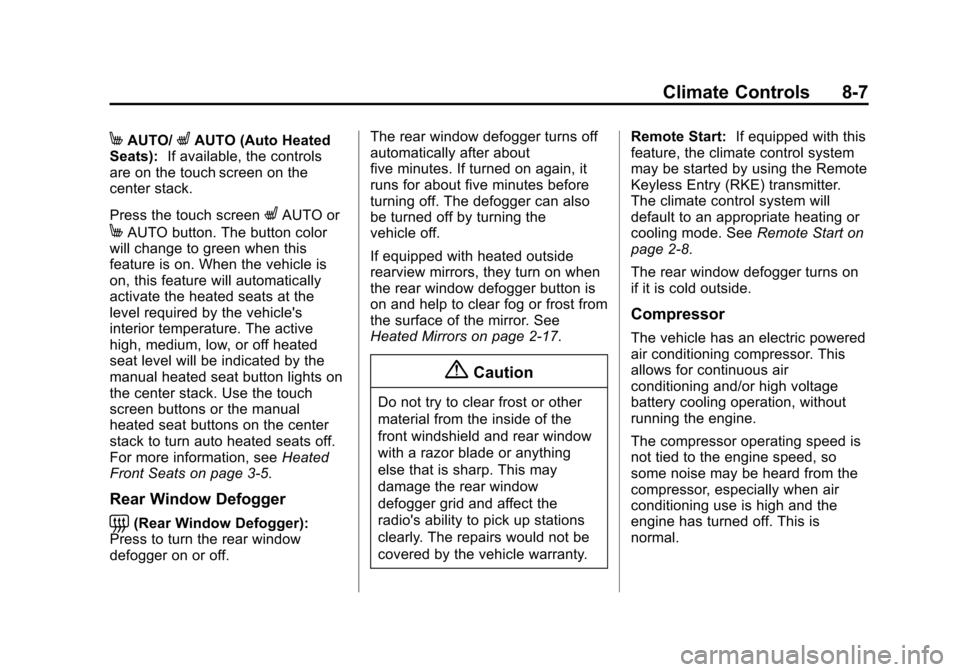
MAUTO/LAUTO (Auto Heated
Seats): If available, the controls
are on the touch screen on the
center stack.
Press the touch screen
LAUTO or
MAUTO button. The button color
will change to green when this
feature is on. When the vehicle is
on, this feature will automatically
activate the heated seats at the
level required by the vehicle's
interior temperature. The active
high, medium, low, or off heated
seat level will be indicated by the
manual heated seat button lights on
the center stack. Use the touch
screen buttons or the manual
heated seat buttons on the center
stack to turn auto heated seats off.
For more information, see Heated
Front Seats on page 3-5.
Rear Window Defogger
=(Rear Window Defogger):
Press to turn the rear window
defogger on or off. The rear window defogger turns off
automatically after about
five minutes. If turned on again, it
runs for about five minutes before
turning off. The defogger can also
be turned off by turning the
vehicle off.
If equipped with heated outside
rearview mirrors, they turn on when
the rear window defogger button is
on and help to clear fog or frost from
the surface of the mirror. See
Heated Mirrors on page 2-17.
{Caution
Do not try to clear frost or other
material from the inside of the
front windshield and rear window
with a razor blade or anything
else that is sharp. This may
damage the rear window
defogger grid and affect the
radio's ability to pick up stations
clearly. The repairs would not be
covered by the vehicle warranty.
Remote Start:
If equipped with this
feature, the climate control system
may be started by using the Remote
Keyless Entry (RKE) transmitter.
The climate control system will
default to an appropriate heating or
cooling mode. See Remote Start on
page 2-8.
The rear window defogger turns on
if it is cold outside.
Compressor
The vehicle has an electric powered
air conditioning compressor. This
allows for continuous air
conditioning and/or high voltage
battery cooling operation, without
running the engine.
The compressor operating speed is
not tied to the engine speed, so
some noise may be heard from the
compressor, especially when air
conditioning use is high and the
engine has turned off. This is
normal.
Page 190 of 394
(2,1)Chevrolet VOLT Owner Manual (GMNA-Localizing-U.S./Canada-6014139) -
2014 - CRC - 9/16/13
9-2 Driving and Operating
Charge Cord . . . . . . . . . . . . . . . . . 9-53
Utility Interruption ofCharging . . . . . . . . . . . . . . . . . . . 9-54
Electrical Requirements for Battery Charging . . . . . . . . . . . 9-54
Fuel
Fuel . . . . . . . . . . . . . . . . . . . . . . . . . 9-55
Gasoline Specifications . . . . . . 9-56
California Fuel
Requirements . . . . . . . . . . . . . . 9-56
Fuels in Foreign Countries . . . 9-56
Fuel Additives . . . . . . . . . . . . . . . 9-56
Filling the Tank . . . . . . . . . . . . . . 9-57
Filling a Portable Fuel Container . . . . . . . . . . . . . . . . . . . 9-59
Trailer Towing
General TowingInformation . . . . . . . . . . . . . . . . . 9-59
Conversions and Add-Ons
Add-On ElectricalEquipment . . . . . . . . . . . . . . . . . 9-60
Driving Information
Driving for Better Energy
Efficiency
Use the following tips to help
maximize energy efficiency and
range.
In colder temperatures, while these
efficiency tips will help, the electric
vehicle driving range may be lower
due to higher energy usage.
Driving Style
Efficiency Gauge (Instrument
Cluster)
The ball indicator should be kept
green and in the center of the
gauge.
Inefficient acceleration is indicated
when the ball turns yellow and
travels above the center of the
gauge. Aggressive braking is indicated
when the ball turns yellow and
travels below the center of the
gauge.
Acceleration/Braking/Coasting
Avoid unnecessary rapid
accelerations and decelerations.
Electric range is maximized at
80 km/h (50 mph) and below. Higher
speeds use more energy and can
significantly reduce electric range.
Use cruise control when
appropriate.
Plan ahead for decelerations and
coast whenever possible. For
example, do not rush to traffic
signals.
Do not shift to N (Neutral) to coast.
The vehicle recovers energy while
coasting and braking in D (Drive)
or L (Low).
Page 192 of 394
(4,1)Chevrolet VOLT Owner Manual (GMNA-Localizing-U.S./Canada-6014139) -
2014 - CRC - 9/16/13
9-4 Driving and Operating
Vehicle Charging/Maintenance
Charging
Keep the vehicle plugged in, even
when fully charged, to keep the
battery temperature ready for the
next drive. This is important when
outside temperatures are extremely
hot or cold.
Maintenance
Always keep the tires properly
inflated and the vehicle properly
aligned.
The weight of excess cargo in the
vehicle affects efficiency and range.
Avoid carrying more than is needed.
If fuel is not regularly used, consider
keeping the fuel tank only one-third
full. Excess fuel weight impacts
efficiency and range.
For fuel recommendations, seeFuel
on page 9-55
Avoid unnecessary use of electrical
accessories. Power used for
functions other than propelling the
vehicle will reduce EV range. Using a rooftop carrier will reduce
efficiency due to additional weight
and drag.
Distracted Driving
Distraction comes in many forms
and can take your focus from the
task of driving. Exercise good
judgment and do not let other
activities divert your attention away
from the road. Many local
governments have enacted laws
regarding driver distraction. Become
familiar with the local laws in
your area.
To avoid distracted driving, always
keep your eyes on the road, hands
on the wheel, and mind on the drive.
.Do not use a phone in
demanding driving situations.
Use a hands-free method to
place or receive necessary
phone calls.
.Watch the road. Do not read,
take notes, or look up
information on phones or other
electronic devices.
.Designate a front seat
passenger to handle potential
distractions.
.Become familiar with vehicle
features before driving, such as
programming favorite radio
stations and adjusting climate
control and seat settings.
Program all trip information into
any navigation device prior to
driving.
.Wait until the vehicle is parked
to retrieve items that have fallen
to the floor.
.Stop or park the vehicle to tend
to children.
.Keep pets in an appropriate
carrier or restraint.
.Avoid stressful conversations
while driving, whether with a
passenger or on a cell phone.