Operation CHEVROLET VOLT 2017 2.G Owner's Manual
[x] Cancel search | Manufacturer: CHEVROLET, Model Year: 2017, Model line: VOLT, Model: CHEVROLET VOLT 2017 2.GPages: 376, PDF Size: 6.75 MB
Page 100 of 376
Chevrolet VOLT Owner Manual (GMNA-Localizing-U.S./Canada/Mexico-
9807421) - 2017 - CRC - 11/18/15
Instruments and Controls 99
Power Outlets
The accessory power outlets can be
used to plug in electrical equipment,
such as a cell phone or MP3 player.
There are two accessory power
outlets:
.In the storage area below the
climate control system.
. On the rear of the front console
armrest.
The power outlets supply power
while the vehicle is on, or if the
vehicle is in Retained Accessory
Power (RAP). See Retained
Accessory Power (RAP) 0177.
Lift the cover to access and replace
when not in use.
Certain accessory plugs may not be
compatible with the accessory
power outlet and could overload
vehicle or adapter fuses. If a
problem is experienced, see your
dealer. When adding electrical equipment,
be sure to follow the installation
instructions included with the
equipment. See
Add-On Electrical
Equipment 0234.
Caution
Hanging heavy equipment from
the power outlet can cause
damage not covered by the
vehicle warranty. The power
outlets are designed for
accessory power plugs only, such
as cell phone charge cords.
Wireless Charging
The vehicle may have a wireless
charging pocket inside the armrest
of the center console. The system
wirelessly charges one PMA or Qi
compatible mobile device.
To check for phone or other device
compatibility:
.
In the U.S., see
my.chevrolet.com/learn. .
In Canada, see
gmtotalconnect.ca.
. Or, see your dealer for details.
{Warning
Wireless charging can affect the
operation of an implanted
pacemaker or other medical
devices. If you have one, it is
recommended to consult with
your doctor before using the
wireless charging system.
The vehicle must be in ON/RUN,
ACC/ACCESSORY, or Retained
Accessory Power (RAP). The
wireless charging feature may not
correctly indicate charging when the
vehicle is in RAP. See Retained
Accessory Power (RAP) 0177.
The operating temperature is −20 °C
(−4 °F) to 60 °C (140 °F) for the
charging system and 0 °C (32 °F) to
35 °C (95 °F) for the phone.
Page 105 of 376
Chevrolet VOLT Owner Manual (GMNA-Localizing-U.S./Canada/Mexico-
9807421) - 2017 - CRC - 11/18/15
104 Instruments and Controls
Pressoto access the cluster
applications. Use
worxto scroll
through the list of applications.
. Info. This is where you can view
the Driver Information Center
(DIC) displays. See Driver
Information Center (DIC) 0130.
. Audio
. Phone
. Navigation
. Display Layout. See
“Reconfigurable Instrument
Cluster” earlier in this section.
. Settings
Audio
While the Audio application page is
displayed, press
pto enter the
Audio menu. In the Audio menu,
search for music or change the
audio source. Phone
While the Phone application page is
displayed, press
pto enter the
Phone menu. In the Phone menu,
if there is no active phone call, view
recent calls or scroll through
contacts. If there is an active call,
mute the phone or switch to handset
operation.
Navigation
If there is no active route, a
compass will be displayed. If there
is an active route, press
pto end
route guidance or turn the voice
prompts on or off.
Settings
Press
pto enter the Settings menu.
Use
worxto scroll through the
items in the Settings menu
Units : Press
Vwhile Units is
highlighted to enter the Unit menu.
Choose US, Metric, or Imperial units
by pressing
Vwhile the desired
item is highlighted. A checkmark will
be displayed next to the
selected item. Speed Warning :
The Speed
Warning display allows the driver to
set a speed that they do not want to
exceed. To set the Speed Warning,
press
Vwhen Speed Warning is
displayed. Press
worxto adjust
the value. Press
Vto set the speed.
Once the speed is set, this feature
can be turned off by pressing
V
while viewing this page. If the
selected speed limit is exceeded, a
pop-up warning is displayed with a
chime.
Tutorial : Press
Vwhile Tutorial is
highlighted to view the tutorials that
explain some of the features of the
instrument cluster. The tutorials are
only available when the vehicle is in
P (Park).
Open Source Software : Press
V
while Open Source Software is
highlighted to display open source
software information.
Page 111 of 376
Chevrolet VOLT Owner Manual (GMNA-Localizing-U.S./Canada/Mexico-
9807421) - 2017 - CRC - 11/18/15
110 Instruments and Controls
Caution
If the vehicle is driven continually
with this light on, the emission
control system may not work as
well, the fuel economy may be
lower, and the vehicle may not
run smoothly. This could lead to
costly repairs that might not be
covered by the vehicle warranty.
Caution
Modifications to the engine,
electric drive unit, exhaust, intake,
or fuel system, or the use of
replacement tires that do not
meet the original tire
specifications, can cause this light
to come on. This could lead to
costly repairs not covered by the
vehicle warranty. This could also
affect the vehicle’s ability to pass
an Emissions Inspection/
Maintenance test. See
Accessories and
Modifications0237. If the light is flashing :
A
malfunction has been detected that
could damage the emission control
system and increase vehicle
emissions. Diagnosis and service
may be required.
To help prevent damage, reduce
vehicle speed and avoid hard
accelerations and uphill grades.
If the light continues to flash, find a
safe place to park. Turn the vehicle
off and wait at least 10 seconds
before restarting the engine. If the
light is still flashing, follow the
previous guidelines and see your
dealer for service as soon as
possible.
If the light is on steady : A
malfunction has been detected.
Diagnosis and service may be
required.
Check the following:
. A loose or missing fuel cap may
cause the light to come on. See
Filling the Tank 0231. A few
driving trips with the cap
properly installed may turn the
light off. .
Poor fuel quality can cause
inefficient engine operation and
poor driveability, which may go
away once the engine is warmed
up. If this occurs, change the
fuel brand. It may require at
least one full tank of the proper
fuel to turn the light off. See
Fuel 0230.
If the light remains on, see your
dealer.
Emissions Inspection and
Maintenance Programs
If the vehicle requires an Emissions
Inspection/Maintenance test, the
test equipment will likely connect to
the vehicle's Data Link
Connector (DLC).
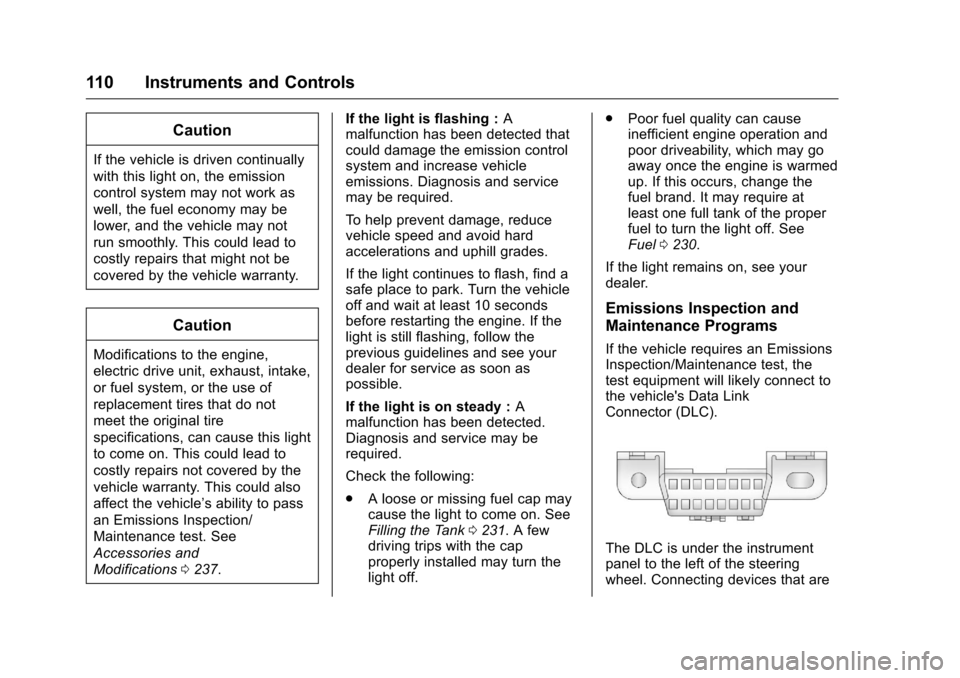
The DLC is under the instrument
panel to the left of the steering
wheel. Connecting devices that are
Page 112 of 376
Chevrolet VOLT Owner Manual (GMNA-Localizing-U.S./Canada/Mexico-
9807421) - 2017 - CRC - 11/18/15
Instruments and Controls 111
not used to perform an Emissions
Inspection/Maintenance test or to
service the vehicle may affect
vehicle operation. SeeAdd-On
Electrical Equipment 0234. See
your dealer if assistance is needed.
The vehicle may not pass
inspection if:
. The light is on when the engine
is running.
. The light does not come on
when the vehicle is in Service
Only Mode.
. Critical emission control systems
have not been completely
diagnosed. If this happens, the
vehicle would not be ready for
inspection and might require
several days of routine driving
before the system is ready for
inspection. This can happen if
the 12-volt battery has recently
been replaced or run down, or if
the vehicle has been recently
serviced.
See your dealer if the vehicle will
not pass or cannot be made ready
for the test.Brake System Warning
Light
The vehicle brake system consists
of two hydraulic circuits. If one
circuit is not working, the remaining
circuit can still work to stop the
vehicle. For normal braking
performance, both circuits need to
be working.
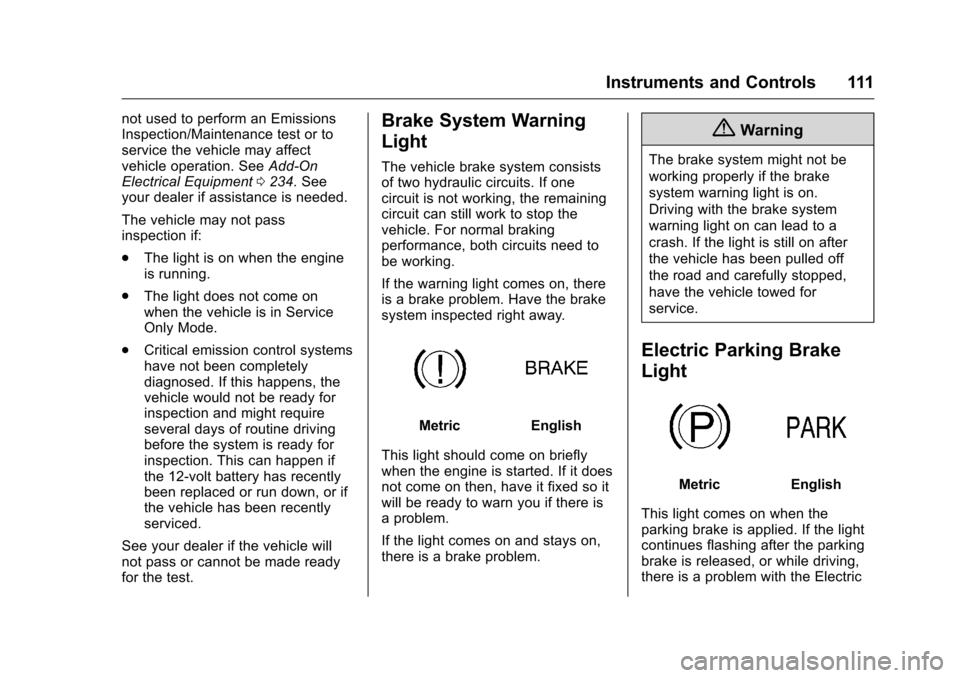
If the warning light comes on, there
is a brake problem. Have the brake
system inspected right away.
MetricEnglish
This light should come on briefly
when the engine is started. If it does
not come on then, have it fixed so it
will be ready to warn you if there is
a problem.
If the light comes on and stays on,
there is a brake problem.
{Warning
The brake system might not be
working properly if the brake
system warning light is on.
Driving with the brake system
warning light on can lead to a
crash. If the light is still on after
the vehicle has been pulled off
the road and carefully stopped,
have the vehicle towed for
service.
Electric Parking Brake
Light
MetricEnglish
This light comes on when the
parking brake is applied. If the light
continues flashing after the parking
brake is released, or while driving,
there is a problem with the Electric
Page 117 of 376
Chevrolet VOLT Owner Manual (GMNA-Localizing-U.S./Canada/Mexico-
9807421) - 2017 - CRC - 11/18/15
116 Instruments and Controls
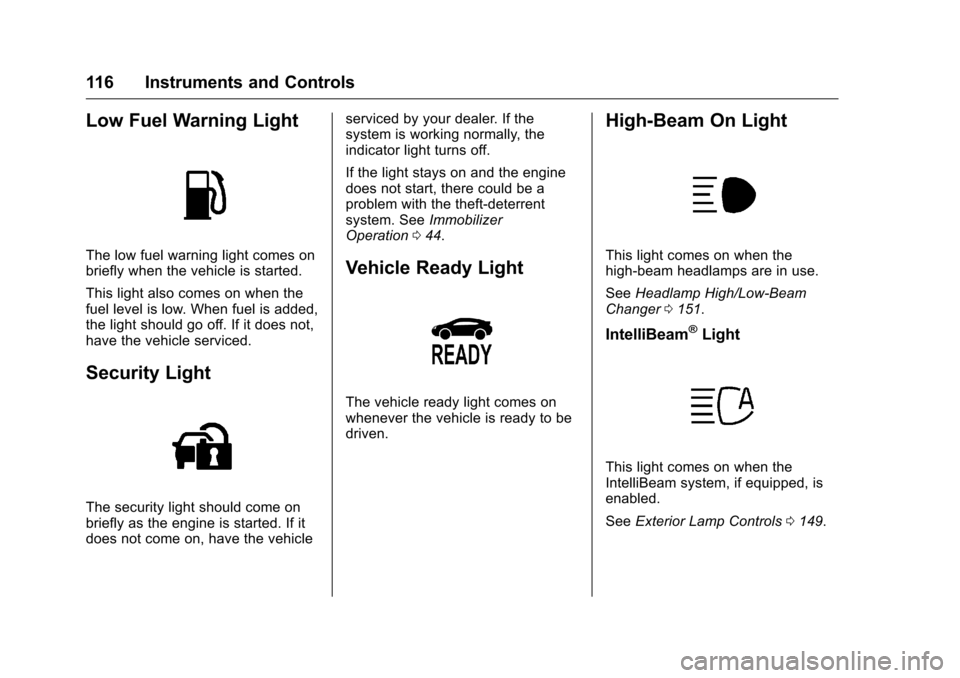
Low Fuel Warning Light
The low fuel warning light comes on
briefly when the vehicle is started.
This light also comes on when the
fuel level is low. When fuel is added,
the light should go off. If it does not,
have the vehicle serviced.
Security Light
The security light should come on
briefly as the engine is started. If it
does not come on, have the vehicleserviced by your dealer. If the
system is working normally, the
indicator light turns off.
If the light stays on and the engine
does not start, there could be a
problem with the theft-deterrent
system. See
Immobilizer
Operation 044.
Vehicle Ready Light
The vehicle ready light comes on
whenever the vehicle is ready to be
driven.
High-Beam On Light
This light comes on when the
high-beam headlamps are in use.
See Headlamp High/Low-Beam
Changer 0151.
IntelliBeam®Light
This light comes on when the
IntelliBeam system, if equipped, is
enabled.
See Exterior Lamp Controls 0149.
Page 128 of 376
Chevrolet VOLT Owner Manual (GMNA-Localizing-U.S./Canada/Mexico-
9807421) - 2017 - CRC - 11/18/15
Instruments and Controls 127
level preference will update based
on vehicle location. See“Charge
Limit Preference Selection” earlier in
this section. The charging
customization settings will be the
saved home profile settings at home
and Charge Immediate when away
from home.
Dashes display on the screen when
GPS is unavailable.
Using Location Based Charging
To use location based charging, a
home location must first be stored.
To store a home location:
1. From the Home screen, touch Settings.
2. Touch Vehicle.
3. Touch Energy.
4. Touch Location Based Charging.
5. Touch Set Home Location.
6. A pop-up will confirm the setting and the compass will be
lit. In addition, the Set Home
Location will change to Update
Home Location. To turn location based charging on
or off:
1. Follow Steps 1–4 under “Using
Location Based Charging” to
get to the Location Based
Charging screen.
2. Touch ON or OFF to turn the system on or off.
Updating Home Location
To update the home location: 1. Follow Steps 1–4 under “Using
Location Based Charging” to
get to the Location Based
Charging screen.
2. Choose Update Home Location.
3. Choose:
Update : Use when the vehicle is
parked in a new location.
Cancel : Use to cancel this
operation and make no changes.
Remove : Use to remove the stored
home location from the vehicle. This
will turn the feature off because
there will be no home location
stored. Expiration
The charge level preference at the
home location is stored for up to
90 days. After 90 days, a notification
will display on the screen and the
charge level preference will need to
be reset for the next 90 days.
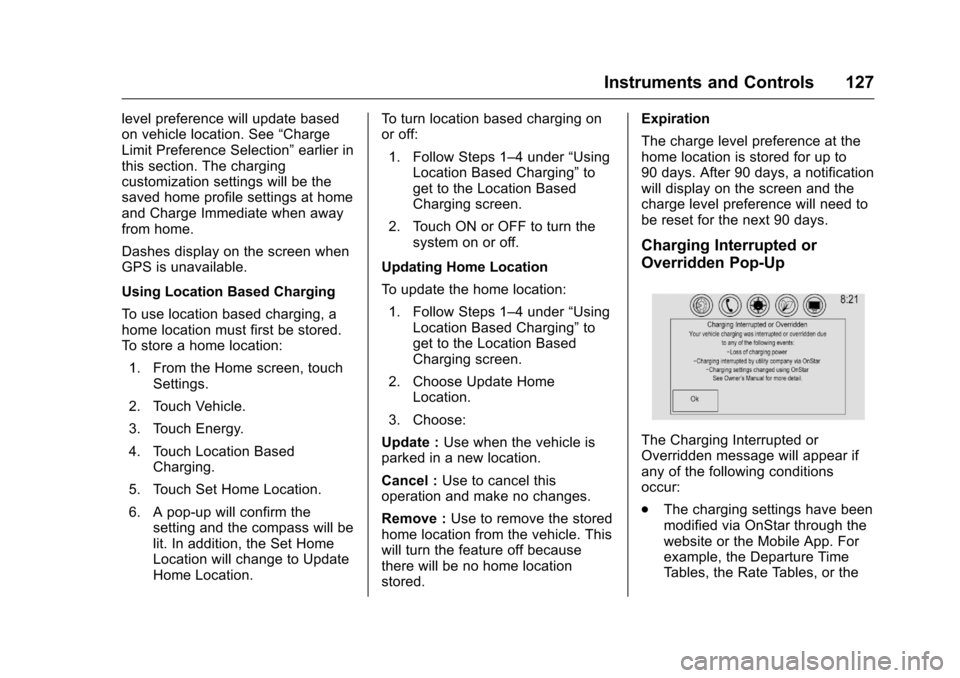
Charging Interrupted or
Overridden Pop-Up
The Charging Interrupted or
Overridden message will appear if
any of the following conditions
occur:
.
The charging settings have been
modified via OnStar through the
website or the Mobile App. For
example, the Departure Time
Tables, the Rate Tables, or the
Page 132 of 376
Chevrolet VOLT Owner Manual (GMNA-Localizing-U.S./Canada/Mexico-
9807421) - 2017 - CRC - 11/18/15
Instruments and Controls 131
The Average Fuel Economy display
shows the approximate average
liters per 100 kilometers (L/100 km)
or miles per gallon (mpg). This
number is calculated based on the
number of L/100 km (mpg) recorded
since the last time this menu item
was reset. This number reflects only
the approximate average fuel
economy that the vehicle has right
now, and will change as driving
conditions change. The Average
Fuel Economy can be reset along
with the trip odometer by pressing
and holding
Vwhile this display is
active.
Compass and Speed : Shows the
direction the vehicle is driving and
the vehicle speed in either
kilometers per hour (km/h) or miles
per hour (mph).
Total Range : Shows the remaining
distance the vehicle can be driven
combining the electric range and
fuel range. Oil Life :
The Oil Life display shows
an estimate of the oil's remaining
useful life. If REMAINING OIL LIFE
99% is displayed, that means 99%
of the current oil life remains.
When the remaining oil life is low,
the CHANGE ENGINE OIL SOON
message will appear on the display.
See Engine Oil Messages 0134.
The oil should be changed as soon
as possible. See Engine Oil0243.
In addition to the engine oil life
system monitoring the oil life,
additional maintenance is
recommended. See Maintenance
Schedule 0326.
Remember, the Oil Life display must
be reset after each oil change. It will
not reset itself. Also, be careful not
to reset the Oil Life display
accidentally at any time other than
when the oil has just been changed.
It cannot be reset accurately until
the next oil change. To reset the
engine oil life system, press and
hold
Vfor several seconds while
the Oil Life display is active. See
Engine Oil Life System 0245. Tire Pressure :
Shows the
approximate pressures of all four
tires. Tire pressure is displayed in
either kilopascal (kPa) or in pounds
per square inch (psi). If the pressure
is low, the value for that tire is
shown in amber. See Tire Pressure
Monitor System 0280 andTire
Pressure Monitor Operation 0281.
Average Speed : Shows the
average speed of the vehicle in
kilometers per hour (km/h) or miles
per hour (mph). This average is
calculated based on the various
vehicle speeds recorded since the
last reset of this value. The average
speed can be reset by pressing and
holding
Vwhile this display is
active.
Timer : This display can be used as
a timer. To start the timer, press
V
while this display is active. The
display will show the amount of
time that has passed since the timer
was last reset. To stop the timer,
press
Vbriefly while this display
is active and the timer is running.
Page 135 of 376
Chevrolet VOLT Owner Manual (GMNA-Localizing-U.S./Canada/Mexico-
9807421) - 2017 - CRC - 11/18/15
134 Instruments and Controls
HOOD OPEN
This message will display along with
a hood open symbol when the hood
is open. Close the hood completely.
TRUNK OPEN
This message will display along with
a symbol when the hatch is open.
Close the hatch completely.
Electric Drive Unit
Messages
SHIFT FROM NEUTRAL
This message displays when the
vehicle should be shifted from
N (Neutral). If the vehicle remains in
electric neutral at low vehicle
speeds, the vehicle will not be able
to charge the high voltage battery.
SHIFT TO PARK
This message displays when the
vehicle should be shifted to
P (Park). This may appear when
attempting to turn off the vehicle
when it is not in P (Park).
Engine Cooling System
Messages
ENGINE OVERHEATED—
REDUCE SPEED
This message displays when the
engine coolant temperature or
engine oil is too hot. Reduce speed
and allow the vehicle to cool down.
ENGINE OVERHEATED —
TURN VEHICLE OFF
This message displays and a
continuous chime sounds if the
engine cooling system reaches
unsafe temperatures for operation.
Stop and turn off the vehicle as
soon as it is safe to do so to avoid
severe damage. This message
clears when the engine has cooled
to a safe operating temperature.
ENGINE RUNNING DUE TO
TEMPERATURE
This message displays when the
high voltage battery is charged but
the engine has to come on because
of the outside temperature or high
voltage battery temperature.
Engine Oil Messages
CHANGE ENGINE OIL SOON
This message displays when the
engine oil needs to be changed.
After changing the engine oil, the
Engine Oil Life System must be
reset. See Engine Oil Life System
0 245 andDriver Information Center
(DIC) 0130 for information on how
to reset the system. See Engine Oil
0 243 andMaintenance
Schedule 0326.
OIL PRESSURE LOW —TURN
VEHICLE OFF
This message displays if low oil
pressure levels occur. Stop the
vehicle as soon as safely possible
and do not operate it until the cause
of the low oil pressure has been
corrected. Check the oil as soon as
possible and see your dealer for
service.
Page 136 of 376
Chevrolet VOLT Owner Manual (GMNA-Localizing-U.S./Canada/Mexico-
9807421) - 2017 - CRC - 11/18/15
Instruments and Controls 135
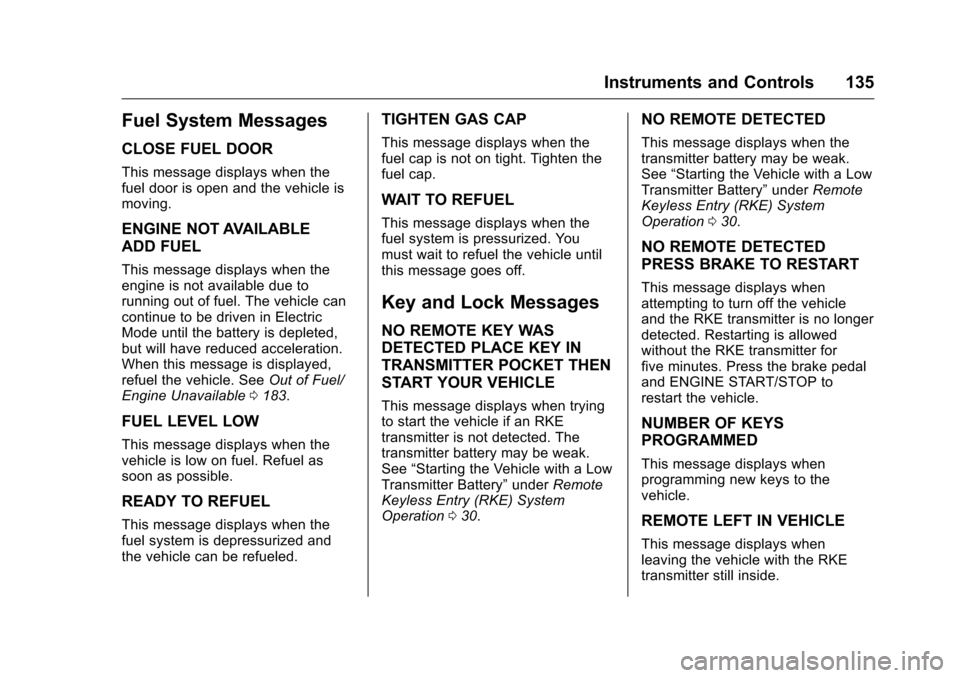
Fuel System Messages
CLOSE FUEL DOOR
This message displays when the
fuel door is open and the vehicle is
moving.
ENGINE NOT AVAILABLE
ADD FUEL
This message displays when the
engine is not available due to
running out of fuel. The vehicle can
continue to be driven in Electric
Mode until the battery is depleted,
but will have reduced acceleration.
When this message is displayed,
refuel the vehicle. SeeOut of Fuel/
Engine Unavailable 0183.
FUEL LEVEL LOW
This message displays when the
vehicle is low on fuel. Refuel as
soon as possible.
READY TO REFUEL
This message displays when the
fuel system is depressurized and
the vehicle can be refueled.
TIGHTEN GAS CAP
This message displays when the
fuel cap is not on tight. Tighten the
fuel cap.
WAIT TO REFUEL
This message displays when the
fuel system is pressurized. You
must wait to refuel the vehicle until
this message goes off.
Key and Lock Messages
NO REMOTE KEY WAS
DETECTED PLACE KEY IN
TRANSMITTER POCKET THEN
START YOUR VEHICLE
This message displays when trying
to start the vehicle if an RKE
transmitter is not detected. The
transmitter battery may be weak.
See “Starting the Vehicle with a Low
Transmitter Battery” underRemote
Keyless Entry (RKE) System
Operation 030.
NO REMOTE DETECTED
This message displays when the
transmitter battery may be weak.
See “Starting the Vehicle with a Low
Transmitter Battery” underRemote
Keyless Entry (RKE) System
Operation 030.
NO REMOTE DETECTED
PRESS BRAKE TO RESTART
This message displays when
attempting to turn off the vehicle
and the RKE transmitter is no longer
detected. Restarting is allowed
without the RKE transmitter for
five minutes. Press the brake pedal
and ENGINE START/STOP to
restart the vehicle.
NUMBER OF KEYS
PROGRAMMED
This message displays when
programming new keys to the
vehicle.
REMOTE LEFT IN VEHICLE
This message displays when
leaving the vehicle with the RKE
transmitter still inside.
Page 138 of 376
Chevrolet VOLT Owner Manual (GMNA-Localizing-U.S./Canada/Mexico-
9807421) - 2017 - CRC - 11/18/15
Instruments and Controls 137
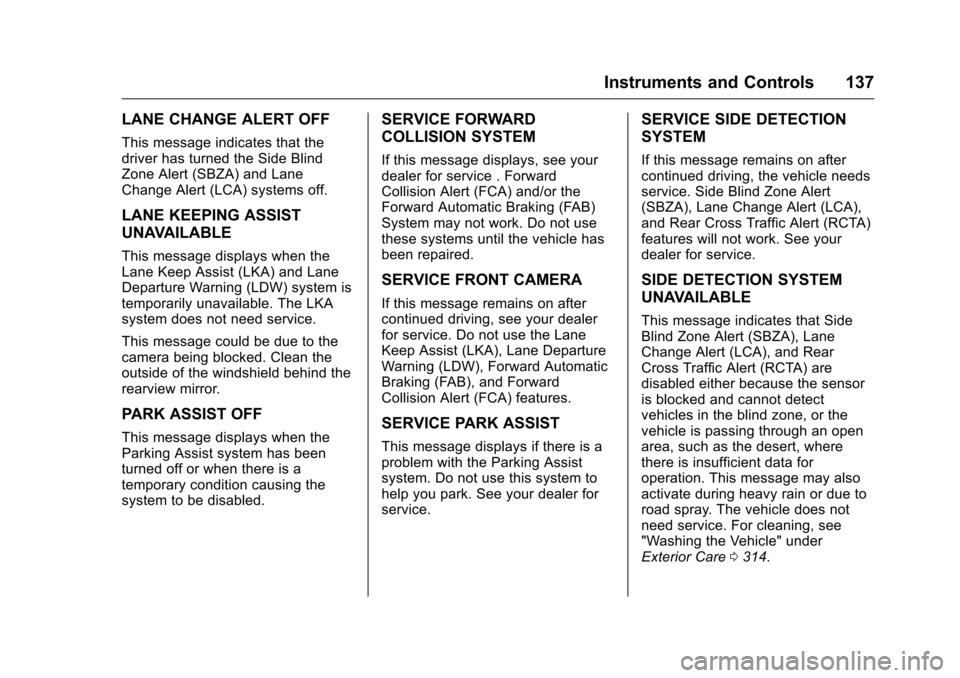
LANE CHANGE ALERT OFF
This message indicates that the
driver has turned the Side Blind
Zone Alert (SBZA) and Lane
Change Alert (LCA) systems off.
LANE KEEPING ASSIST
UNAVAILABLE
This message displays when the
Lane Keep Assist (LKA) and Lane
Departure Warning (LDW) system is
temporarily unavailable. The LKA
system does not need service.
This message could be due to the
camera being blocked. Clean the
outside of the windshield behind the
rearview mirror.
PARK ASSIST OFF
This message displays when the
Parking Assist system has been
turned off or when there is a
temporary condition causing the
system to be disabled.
SERVICE FORWARD
COLLISION SYSTEM
If this message displays, see your
dealer for service . Forward
Collision Alert (FCA) and/or the
Forward Automatic Braking (FAB)
System may not work. Do not use
these systems until the vehicle has
been repaired.
SERVICE FRONT CAMERA
If this message remains on after
continued driving, see your dealer
for service. Do not use the Lane
Keep Assist (LKA), Lane Departure
Warning (LDW), Forward Automatic
Braking (FAB), and Forward
Collision Alert (FCA) features.
SERVICE PARK ASSIST
This message displays if there is a
problem with the Parking Assist
system. Do not use this system to
help you park. See your dealer for
service.
SERVICE SIDE DETECTION
SYSTEM
If this message remains on after
continued driving, the vehicle needs
service. Side Blind Zone Alert
(SBZA), Lane Change Alert (LCA),
and Rear Cross Traffic Alert (RCTA)
features will not work. See your
dealer for service.
SIDE DETECTION SYSTEM
UNAVAILABLE
This message indicates that Side
Blind Zone Alert (SBZA), Lane
Change Alert (LCA), and Rear
Cross Traffic Alert (RCTA) are
disabled either because the sensor
is blocked and cannot detect
vehicles in the blind zone, or the
vehicle is passing through an open
area, such as the desert, where
there is insufficient data for
operation. This message may also
activate during heavy rain or due to
road spray. The vehicle does not
need service. For cleaning, see
"Washing the Vehicle" under
Exterior Care0314.