U connect CHRYSLER 200 2015 2.G Owner's Manual
[x] Cancel search | Manufacturer: CHRYSLER, Model Year: 2015, Model line: 200, Model: CHRYSLER 200 2015 2.GPages: 220, PDF Size: 3.7 MB
Page 60 of 220
ParkSense® Active Park Assist
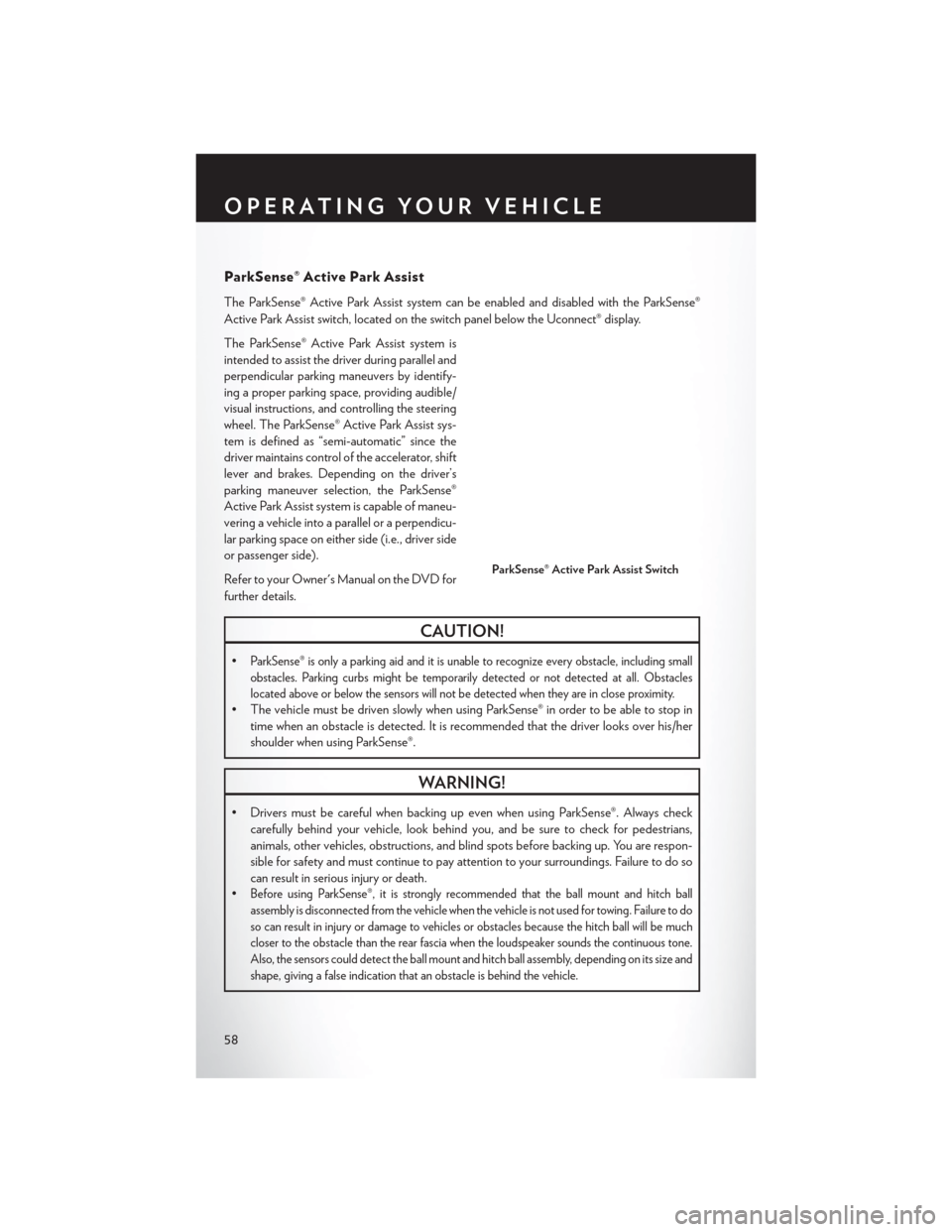
The ParkSense® Active Park Assist system can be enabled and disabled with the ParkSense®
Active Park Assist switch, located on the switch panel below the Uconnect® display.
The ParkSense® Active Park Assist system is
intended to assist the driver during parallel and
perpendicular parking maneuvers by identify-
ing a proper parking space, providing audible/
visual instructions, and controlling the steering
wheel. The ParkSense® Active Park Assist sys-
tem is defined as “semi-automatic” since the
driver maintains control of the accelerator, shift
lever and brakes. Depending on the driver’s
parking maneuver selection, the ParkSense®
Active Park Assist system is capable of maneu-
vering a vehicle into a parallel or a perpendicu-
lar parking space on either side (i.e., driver side
or passenger side).
Refer to your Owner's Manual on the DVD for
further details.
CAUTION!
•ParkSense® is only a parking aid and it is unable to recognize every obstacle, including small
obstacles. Parking curbs might be temporarily detected or not detected at all. Obstacles
located above or below the sensors will not be detected when they are in close proximity.
• The vehicle must be driven slowly when using ParkSense® in order to be able to stop intime when an obstacle is detected. It is recommended that the driver looks over his/her
shoulder when using ParkSense®.
WARNING!
• Drivers must be careful when backing up even when using ParkSense®. Always checkcarefully behind your vehicle, look behind you, and be sure to check for pedestrians,
animals, other vehicles, obstructions, and blind spots before backing up. You are respon-
sible for safety and must continue to pay attention to your surroundings. Failure to do so
can result in serious injury or death.
•
Before using ParkSense®, it is strongly recommended that the ball mount and hitch ball
assembly is disconnected from the vehicle when the vehicle is not used for towing. Failure to do
so can result in injury or damage to vehicles or obstacles because the hitch ball will be much
closer to the obstacle than the rear fascia when the loudspeaker sounds the continuous tone.
Also, the sensors could detect the ball mount and hitch ball assembly, depending on its size and
shape, giving a false indication that an obstacle is behind the vehicle.
ParkSense® Active Park Assist Switch
OPERATING YOUR VEHICLE
58
Page 61 of 220
LANESENSE
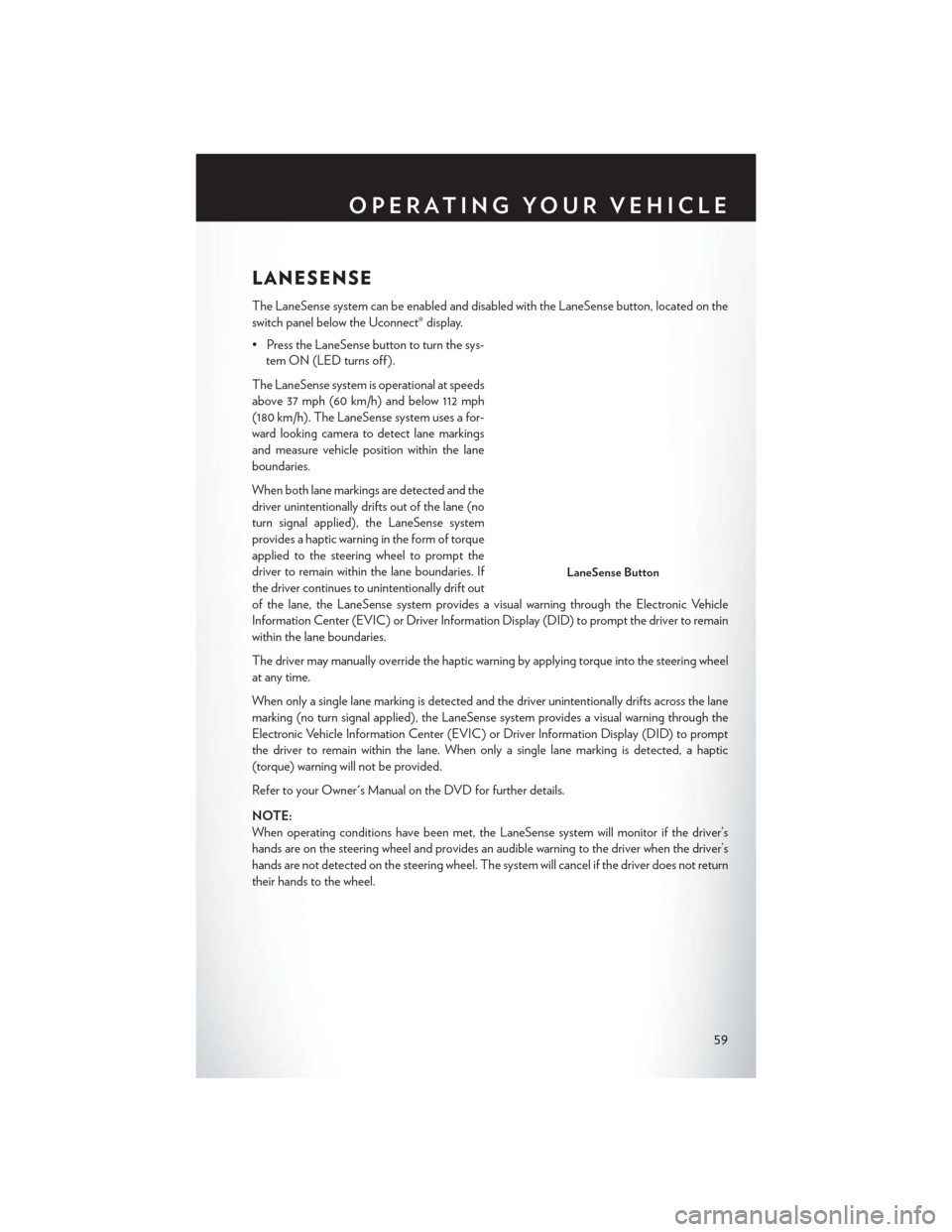
The LaneSense system can be enabled and disabled with the LaneSense button, located on the
switch panel below the Uconnect® display.
• Press the LaneSense button to turn the sys-tem ON (LED turns off ).
The LaneSense system is operational at speeds
above 37 mph (60 km/h) and below 112 mph
(180 km/h). The LaneSense system uses a for-
ward looking camera to detect lane markings
and measure vehicle position within the lane
boundaries.
When both lane markings are detected and the
driver unintentionally drifts out of the lane (no
turn signal applied), the LaneSense system
provides a haptic warning in the form of torque
applied to the steering wheel to prompt the
driver to remain within the lane boundaries. If
the driver continues to unintentionally drift out
of the lane, the LaneSense system provides a visual warning through the Electronic Vehicle
Information Center (EVIC) or Driver Information Display (DID) to prompt the driver to remain
within the lane boundaries.
The driver may manually override the haptic warning by applying torque into the steering wheel
at any time.
When only a single lane marking is detected and the driver unintentionally drifts across the lane
marking (no turn signal applied), the LaneSense system provides a visual warning through the
Electronic Vehicle Information Center (EVIC) or Driver Information Display (DID) to prompt
the driver to remain within the lane. When only a single lane marking is detected, a haptic
(torque) warning will not be provided.
Refer to your Owner's Manual on the DVD for further details.
NOTE:
When operating conditions have been met, the LaneSense system will monitor if the driver’s
hands are on the steering wheel and provides an audible warning to the driver when the driver’s
hands are not detected on the steering wheel. The system will cancel if the driver does not return
their hands to the wheel.
LaneSense Button
OPERATING YOUR VEHICLE
59
Page 66 of 220
YOUR VEHICLE'S SOUND SYSTEM
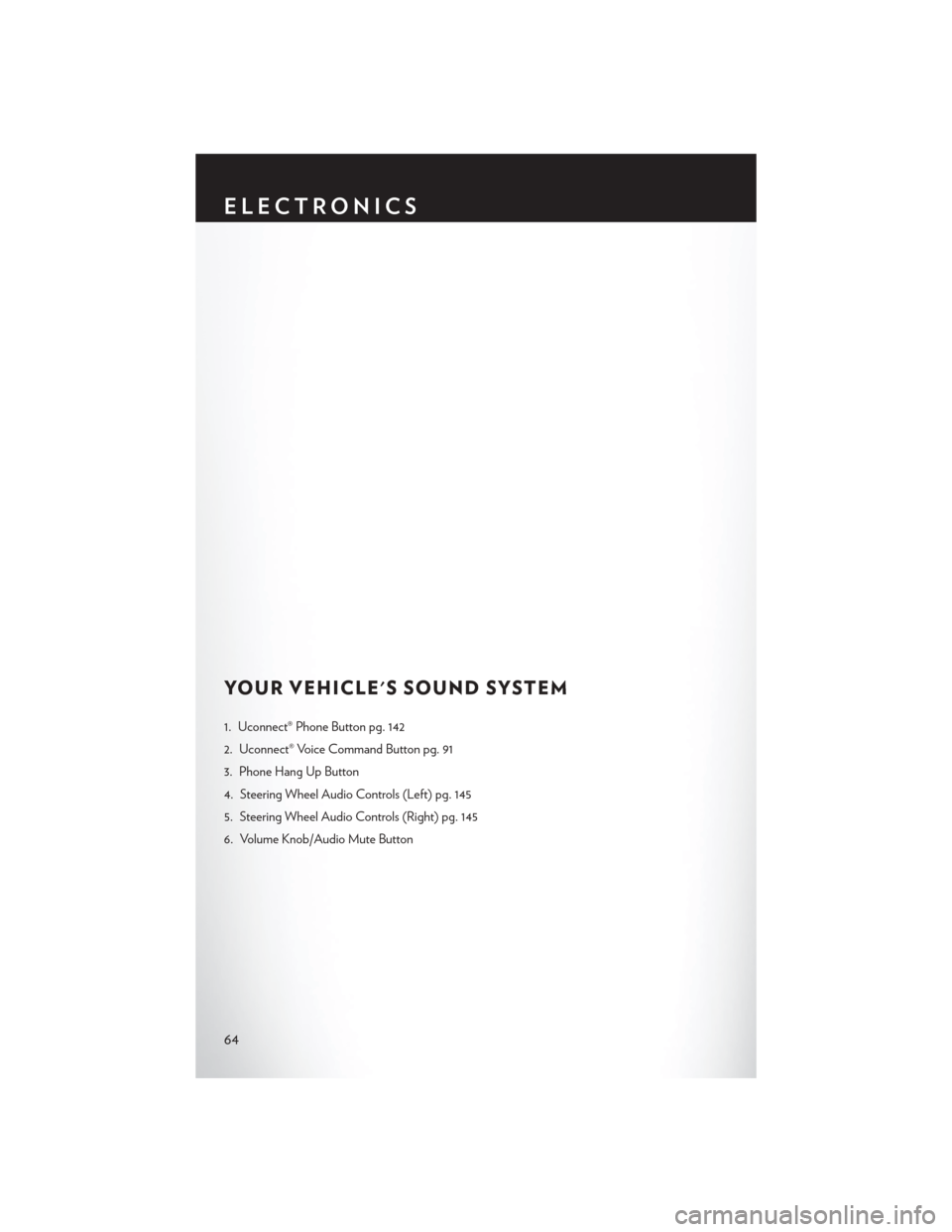
1. Uconnect® Phone Button pg. 142
2. Uconnect® Voice Command Button pg. 91
3. Phone Hang Up Button
4. Steering Wheel Audio Controls (Left) pg. 145
5. Steering Wheel Audio Controls (Right) pg. 145
6. Volume Knob/Audio Mute Button
ELECTRONICS
64
Page 67 of 220
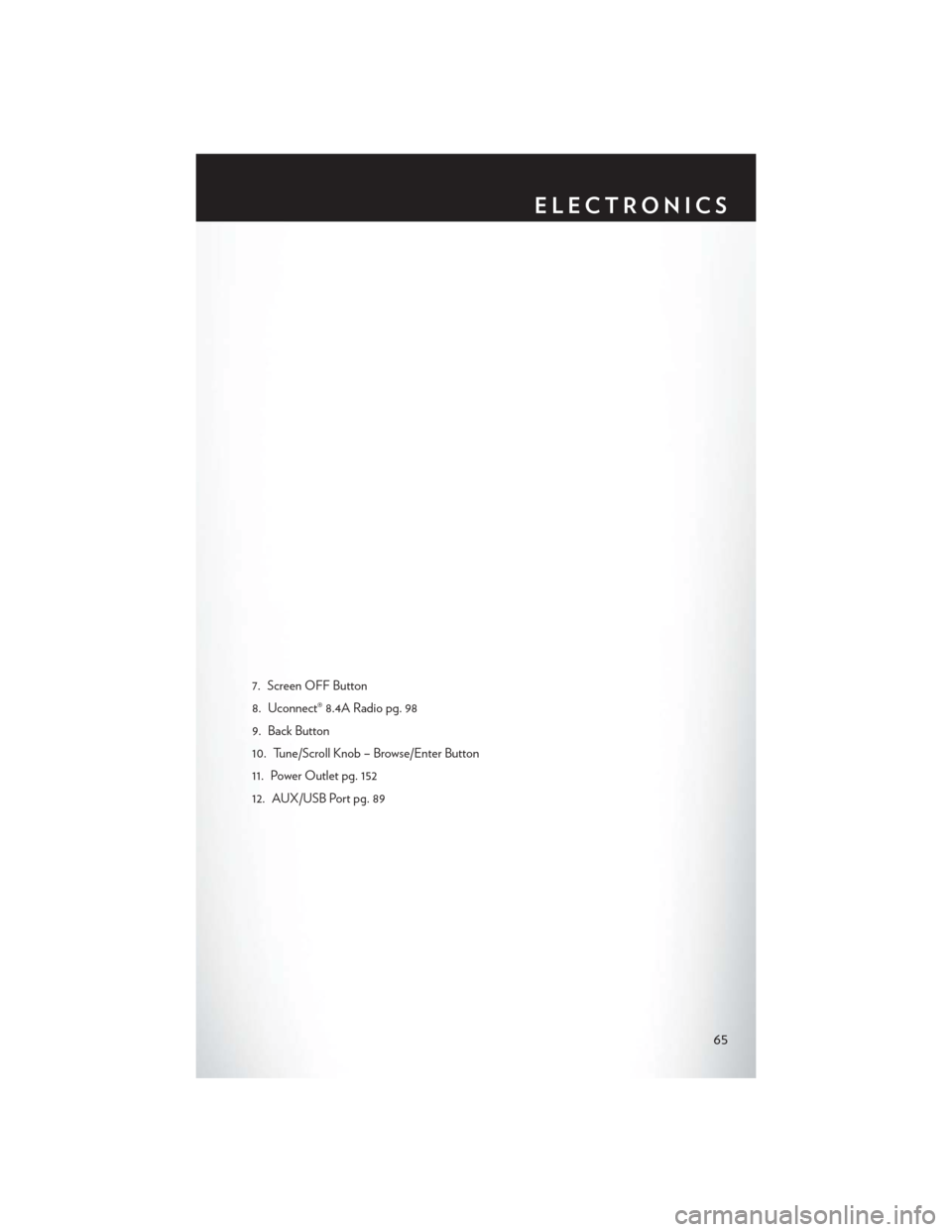
7. Screen OFF Button
8. Uconnect® 8.4A Radio pg. 98
9. Back Button
10. Tune/Scroll Knob – Browse/Enter Button
11. Power Outlet pg. 152
12. AUX/USB Port pg. 89
ELECTRONICS
65
Page 68 of 220
IDENTIFYING YOUR RADIO
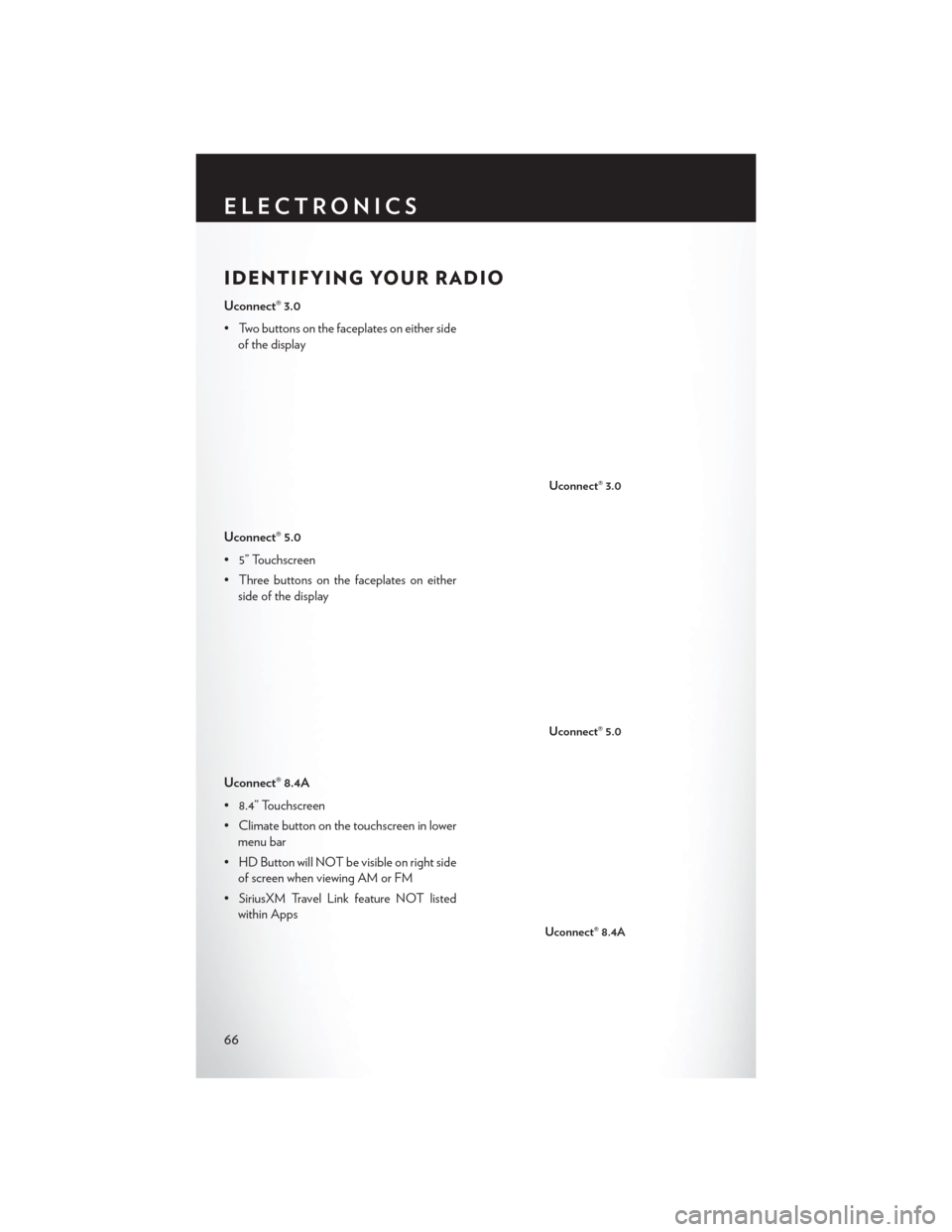
Uconnect® 3.0
• Two buttons on the faceplates on either sideof the display
Uconnect® 5.0
• 5” Touchscreen
• Three buttons on the faceplates on either side of the display
Uconnect® 8.4A
• 8.4” Touchscreen
• Climate button on the touchscreen in lower menu bar
• HD Button will NOT be visible on right side of screen when viewing AM or FM
• SiriusXM Travel Link feature NOT listed within Apps
Uconnect® 3.0
Uconnect® 5.0
Uconnect® 8.4A
ELECTRONICS
66
Page 69 of 220
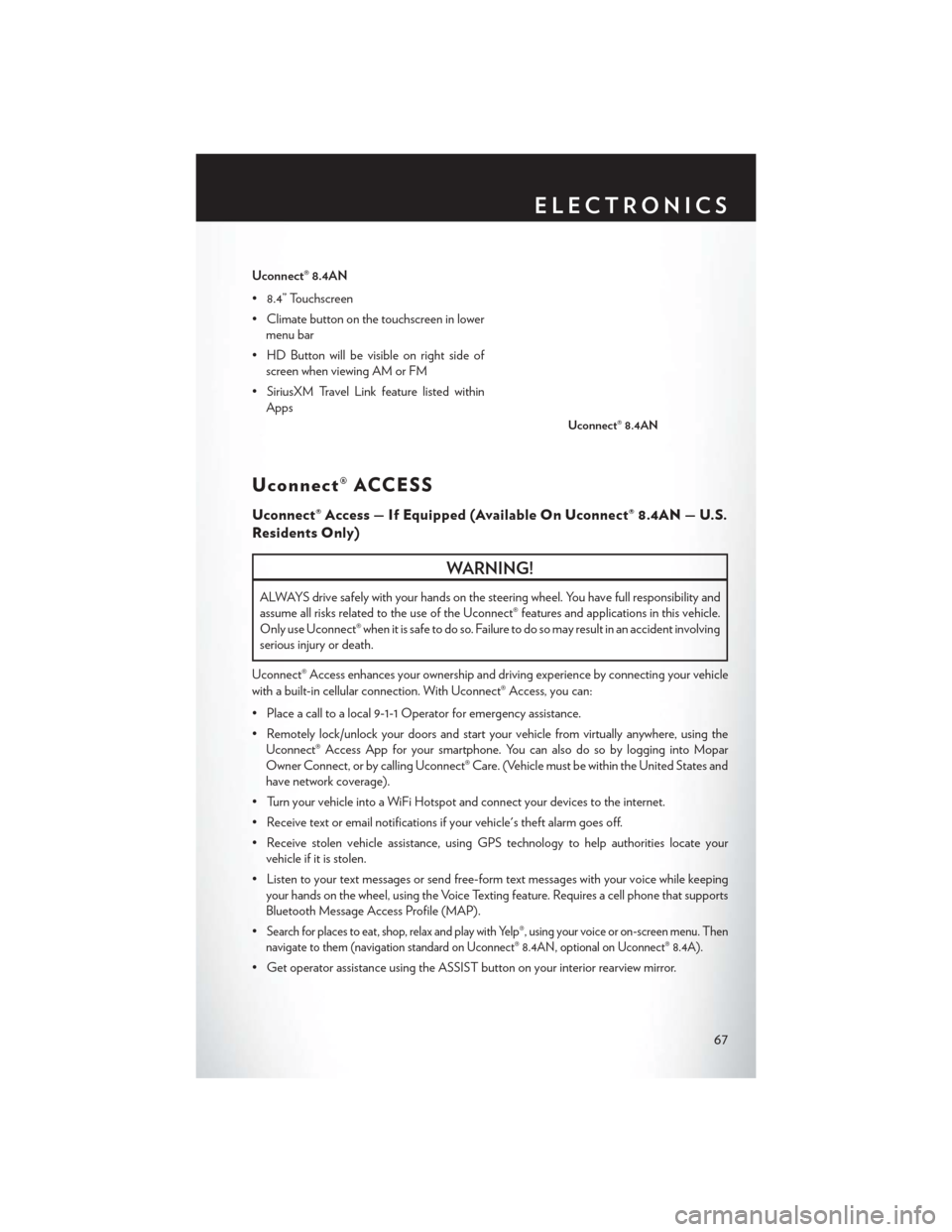
Uconnect® 8.4AN
• 8.4” Touchscreen
• Climate button on the touchscreen in lowermenu bar
• HD Button will be visible on right side of screen when viewing AM or FM
• SiriusXM Travel Link feature listed within Apps
Uconnect® ACCESS
Uconnect® Access — If Equipped (Available On Uconnect® 8.4AN — U.S.
Residents Only)
WARNING!
ALWAYS drive safely with your hands on the steering wheel. You have full responsibility and
assume all risks related to the use of the Uconnect® features and applications in this vehicle.
Only use Uconnect® when it is safe to do so. Failure to do so may result in an accident involving
serious injury or death.
Uconnect® Access enhances your ownership and driving experience by connecting your vehicle
with a built-in cellular connection. With Uconnect® Access, you can:
• Place a call to a local 9-1-1 Operator for emergency assistance.
• Remotely lock/unlock your doors and start your vehicle from virtually anywhere, using the Uconnect® Access App for your smartphone. You can also do so by logging into Mopar
Owner Connect, or by calling Uconnect® Care. (Vehicle must be within the United States and
have network coverage).
• Turn your vehicle into a WiFi Hotspot and connect your devices to the internet.
• Receive text or email notifications if your vehicle's theft alarm goes off.
• Receive stolen vehicle assistance, using GPS technology to help authorities locate your vehicle if it is stolen.
• Listen to your text messages or send free-form text messages with your voice while keeping your hands on the wheel, using the Voice Texting feature. Requires a cell phone that supports
Bluetooth Message Access Profile (MAP).
•
Search for places to eat, shop, relax and play with Yelp®, using your voice or on-screen menu. Then
navigate to them (navigation standard on Uconnect® 8.4AN, optional on Uconnect® 8.4A).
• Get operator assistance using the ASSIST button on your interior rearview mirror.
Uconnect® 8.4AN
ELECTRONICS
67
Page 70 of 220
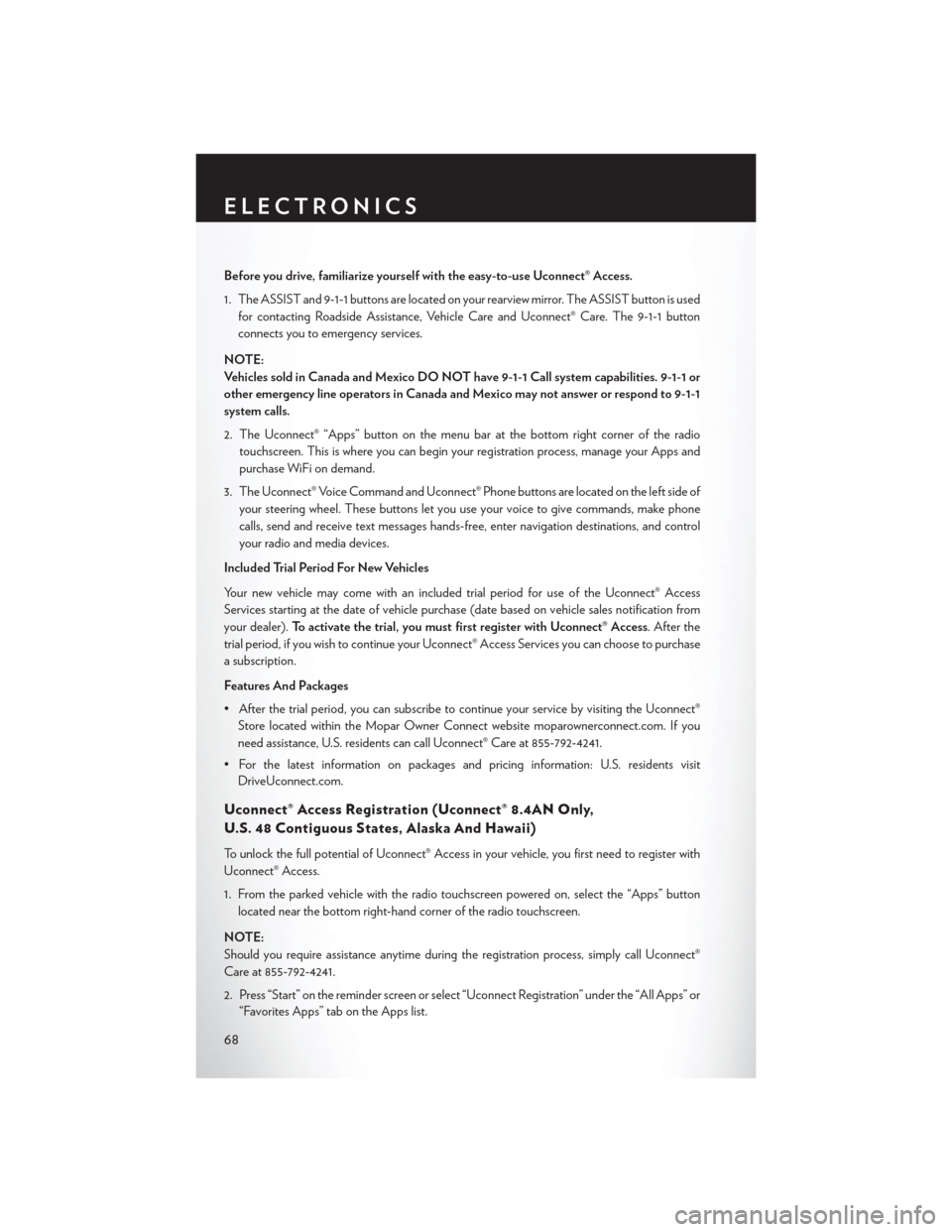
Before you drive, familiarize yourself with the easy-to-use Uconnect® Access.
1. The ASSIST and 9-1-1 buttons are located on your rearview mirror. The ASSIST button is usedfor contacting Roadside Assistance, Vehicle Care and Uconnect® Care. The 9-1-1 button
connects you to emergency services.
NOTE:
Vehicles sold in Canada and Mexico DO NOT have 9-1-1 Call system capabilities. 9-1-1 or
other emergency line operators in Canada and Mexico may not answer or respond to 9-1-1
system calls.
2. The Uconnect® “Apps” button on the menu bar at the bottom right corner of the radio touchscreen. This is where you can begin your registration process, manage your Apps and
purchase WiFi on demand.
3. The Uconnect® Voice Command and Uconnect® Phone buttons are located on the left side of your steering wheel. These buttons let you use your voice to give commands, make phone
calls, send and receive text messages hands-free, enter navigation destinations, and control
your radio and media devices.
Included Trial Period For New Vehicles
Your new vehicle may come with an included trial period for use of the Uconnect® Access
Services starting at the date of vehicle purchase (date based on vehicle sales notification from
your dealer). To activate the trial, you must first register with Uconnect® Access. After the
trial period, if you wish to continue your Uconnect® Access Services you can choose to purchase
a subscription.
Features And Packages
• After the trial period, you can subscribe to continue your service by visiting the Uconnect® Store located within the Mopar Owner Connect website moparownerconnect.com. If you
need assistance, U.S. residents can call Uconnect® Care at 855-792-4241.
• For the latest information on packages and pricing information: U.S. residents visit DriveUconnect.com.
Uconnect® Access Registration (Uconnect® 8.4AN Only,
U.S. 48 Contiguous States, Alaska And Hawaii)
To unlock the full potential of Uconnect® Access in your vehicle, you first need to register with
Uconnect® Access.
1. From the parked vehicle with the radio touchscreen powered on, select the “Apps” button
located near the bottom right-hand corner of the radio touchscreen.
NOTE:
Should you require assistance anytime during the registration process, simply call Uconnect®
Care at 855-792-4241.
2. Press “Start” on the reminder screen or select “Uconnect Registration” under the “All Apps” or “Favorites Apps” tab on the Apps list.
ELECTRONICS
68
Page 71 of 220
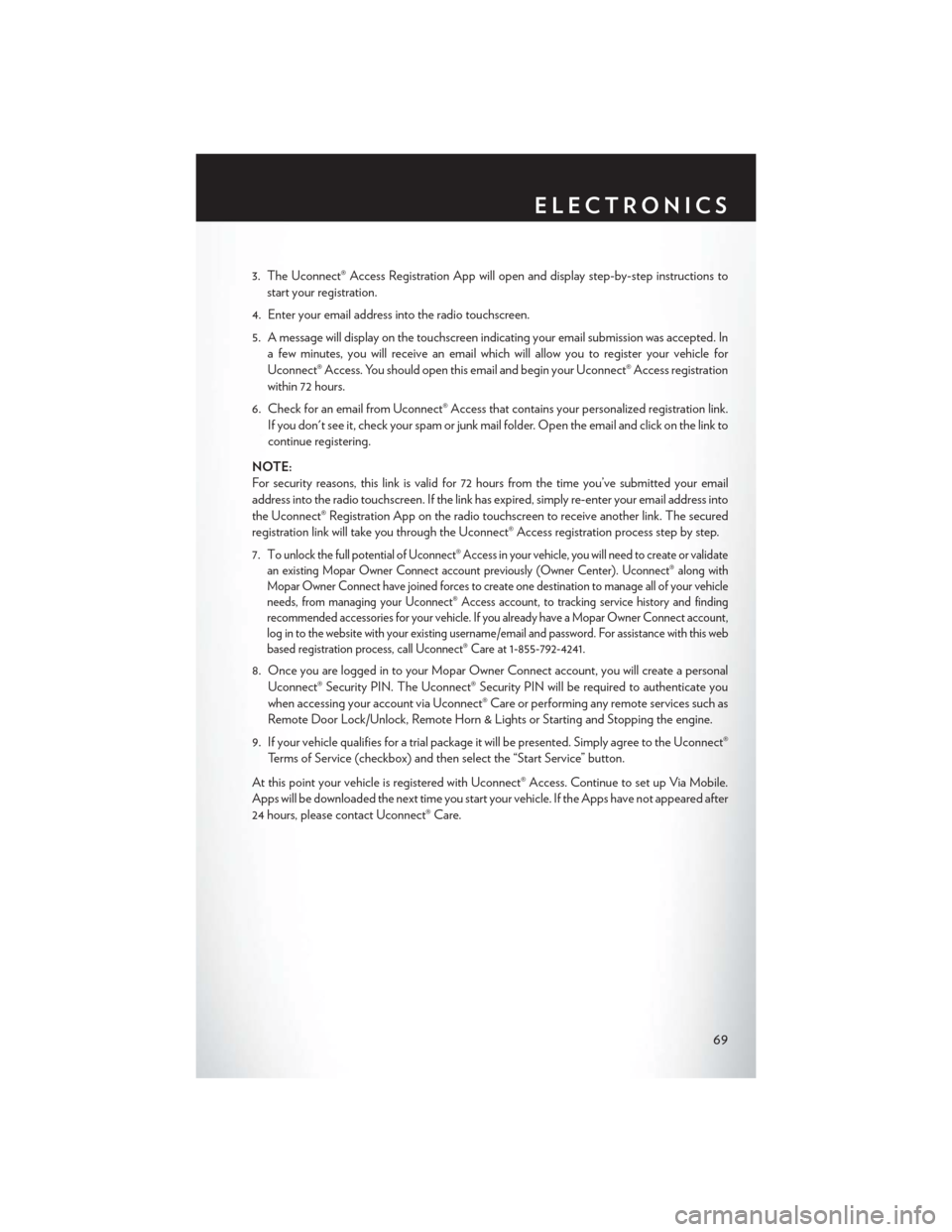
3. The Uconnect® Access Registration App will open and display step-by-step instructions tostart your registration.
4. Enter your email address into the radio touchscreen.
5. A message will display on the touchscreen indicating your email submission was accepted. In a few minutes, you will receive an email which will allow you to register your vehicle for
Uconnect® Access. You should open this email and begin your Uconnect® Access registration
within 72 hours.
6. Check for an email from Uconnect® Access that contains your personalized registration link. If you don't see it, check your spam or junk mail folder. Open the email and click on the link to
continue registering.
NOTE:
For security reasons, this link is valid for 72 hours from the time you’ve submitted your email
address into the radio touchscreen. If the link has expired, simply re-enter your email address into
the Uconnect® Registration App on the radio touchscreen to receive another link. The secured
registration link will take you through the Uconnect® Access registration process step by step.
7. T
o unlock the full potential of Uconnect® Access in your vehicle, you will need to create or validate
an existing Mopar Owner Connect account previously (Owner Center). Uconnect® along with
Mopar Owner Connect have joined forces to create one destination to manage all of your vehicle
needs, from managing your Uconnect® Access account, to tracking service history and finding
recommended accessories for your vehicle. If you already have a Mopar Owner Connect account,
log in to the website with your existing username/email and password. For assistance with this web
based registration process, call Uconnect® Care at 1-855-792-4241.
8. Once you are logged in to your Mopar Owner Connect account, you will create a personal
Uconnect® Security PIN. The Uconnect® Security PIN will be required to authenticate you
when accessing your account via Uconnect® Care or performing any remote services such as
Remote Door Lock/Unlock, Remote Horn & Lights or Starting and Stopping the engine.
9. If your vehicle qualifies for a trial package it will be presented. Simply agree to the Uconnect® Terms of Service (checkbox) and then select the “Start Service” button.
At this point your vehicle is registered with Uconnect® Access. Continue to set up Via Mobile.
Apps will be downloaded the next time you start your vehicle. If the Apps have not appeared after
24 hours, please contact Uconnect® Care.
ELECTRONICS
69
Page 72 of 220
Download The Uconnect® Access App
The Uconnect® Access smartphone app allows you to remotely lock or unlock your doors, start
your engine (if equipped) and activate your horn and lights from virtually anywhere. The
smartphone app also features Via Mobile (if equipped) which uses your smartphone’s data plan
to access your personal Pandora®, iHeartRadio, Slacker Radio and Aha™ by HARMAN accounts
and control them using your vehicle touchscreen.
The Uconnect® Access app is only compatible with select iPhone® and Android smartphones.
Visit UconnectPhone.com or call 1-877-855-8400 to confirm that your smartphone is compatible
with Uconnect®. Once you’ve confirmed your smartphone is compatible, Android and iPhone®
users should visit their respective app store and search for “Uconnect Access” to download the
app.
Set Up Your Via Mobile Profile — If Equipped
Setting up your Via Mobile profile means entering your login information for each App so that
they can work in your vehicle. Complete your Via Mobile Profile online during registration of your
Uconnect® Access system. Access this pageby logging into your Mopar Owner Connect
account (moparownerconnect.com), going to Edit Profile, then Via Mobile Profile.
If you already have an account with these Apps, scroll down and press “Link” to enter your
information. If you do not have an account, you can create a new one.
Aha™ by HARMAN (www.aharadio.com)
• Enter your email address and password for Aha™, or create a new Aha™ account.
• You can link your Facebook, Twitter or Slacker accounts on the Aha™ website.
iHeartRadio (www.iHeartRadio.com)
• Enter your email address and password for iHeartRadio, or create a new iHeartRadio account.
• Select “Activate” to continue,
• Select “Close” to complete activation.
Pandora® (www.pandora.com)
• Enter your Pandora® username/email address and password, then click “Save.”
• Create a new Pandora® account.
Slacker Radio (www.slacker.com)
• Enter your Slacker username/email address and password, then click “Save.”
• Create a new Slacker Radio account.
Invite family and friends to use the Via Mobile Apps in your vehicle by setting up their own Via
Mobile profile.
ELECTRONICS
70
Page 73 of 220
Renewing Subscriptions And Purchasing WiFi Hotspot
(Uconnect® 8.4AN Only, U.S. 48 Contiguous States And Alaska)
Subscriptions, and WiFi Hotspot, can be purchased from the Uconnect® Store within your
vehicle, and online at Mopar Owner Connect. If you need help press the ASSIST button on the
rearview mirror, then select Uconnect® Care (or dial 1-855-792-4241).
Purchasing Online
You can renew your subscription to a package or purchase WiFi from the Mopar Owner Connect
website. You must first set up a Uconnect® Access Payment Account online. Log into
moparownerconnect.com
1. Log In to the Mopar Owner Connect website (moparownerconnect.com) with yourusername/email and password.
2. Click on the “Shop” tab, then click on the Uconnect® Store.
3. From the Uconnect® Store, select the item you wish to purchase.
4. This will launch the selected item into purchase mode along with providing additional information.
5. The Uconnect® Store will display a “Purchase Overview” message confirming the financial details of your purchase. Press the “Purchase” key to continue.
6. The Uconnect® Store will ask you to “Confirm Payment” using your default payment method on file in your Payment Account. Press the “Complete” key to continue.
7. The Uconnect® Payment Account will then ask for your “Payment Account PIN,” which you established when setting up your Uconnect® payment account. After entering this four digit
PIN, press the “Complete” key to make the purchase.
8. You will receive a confirmation message that your purchase has been submitted. Press the “OK” button to end the process.
ELECTRONICS
71