lock CHRYSLER CONCORDE 2004 2.G User Guide
[x] Cancel search | Manufacturer: CHRYSLER, Model Year: 2004, Model line: CONCORDE, Model: CHRYSLER CONCORDE 2004 2.GPages: 273, PDF Size: 6 MB
Page 19 of 273
1. Press and hold the Unlock button on the transmitter.
2. Continue to hold the Unlock button, wait at least 4 but
no longer than 10 seconds, then press the Lock button.
3. Release both buttons.
Enable/Disable Lamp Flash:
The Lamp Flash can be enabled or disabled by perform-
ing the following procedure:
1. Press and hold the Lock button on the transmitter.
2. Continue to hold the Lock button, wait at least 4 but
no longer than 10 seconds, then press the Trunk button.
3. Release both buttons.
To lock the doors:
Press and release the LOCK button to lock all doors.
Enable/Disable Horn chirp:
The horn chirp feature can be enabled or disabled by
performing the following procedure:
1. Press and hold the Lock button on the transmitter.2. Continue to hold the Lock button, wait at least 4 but
no longer than 10 seconds, then press the Unlock button.
3. Release both buttons.
NOTE:To enable/disable the Lamp Flash, see proce-
dure described above.
To unlock the trunk:
Press and hold the trunk button on the transmitter to
unlatch the trunk.
Enable/Disable Trunk Press and Hold:
The transmitter can be programmed to unlatch the trunk
immediately upon activation of the Trunk button (with-
out pressing and holding) by performing the following
procedure:
1. Press and hold the Unlock button on the transmitter.
2. Continue to hold the Unlock button, wait at least 4 but
no longer than 10 seconds, then press the Trunk button.
3. Release both buttons.
THINGS TO KNOW BEFORE STARTING YOUR VEHICLE 19
2
Page 20 of 273

Panic Alarm
The panic alarm unlocks the driver’s door, turns on the
interior lights, flashes the headlights and sounds the horn
for about 3 minutes or until the alarm is turned off. The
vehicle can be driven while in the Panic mode.
To Use The Panic Alarm:
Press and hold the Panic button to activate the alarm.
Press and hold the Panic button or unlock the door with
the key to deactivate the alarm. The alarm will also shut
itself off after 3 minutes or when vehicle speed reaches 15
m.p.h. (24 km/h).
To Program Additional Transmitters:
Up to 4 transmitters can be programmed to your vehicle.
To program a transmitter, perform the following proce-
dure.
On vehicles equipped with an EVIC (Electronic Vehicle
Information Center), these functions can be selected at
the EVIC using the Customer Programmable Features.
Refer to EVIC— Customer Programmable Features for
details.
NOTE:When entering program mode, all previously
programmed transmitters are erased from memory,
therefore you must reprogram ALL the transmitters
when you enter program mode.
1. With the vehicle in Park, turn the Ignition switch to the
ON position.
2. Using a previously programmed transmitter, press the
Unlock button on the transmitter. Continue to hold the
Unlock button, wait at least 4 but no longer than 10
seconds, then press and hold the Panic button for at least
20 THINGS TO KNOW BEFORE STARTING YOUR VEHICLE
Page 21 of 273
one second. Release both buttons simultaneously. You
will hear a chime to signal that you can proceed with
programming the new transmitter.
3. One by one with each transmitter (includes previously
programmed as well as the new transmitter), press and
release the lock and unlock buttons simultaneously. You
will hear a chime after each transmitter has been success-
fully programmed. You will have 30 seconds to finish
programming all new transmitters. A chime will sound
when the 30 seconds is over or the ignition switch is
turned to the Lock position.
Transmitter Linked to Memory Programming
Your remote transmitters can be programmed to return
the driver’s seat, mirrors, and radio presets to the saved
position when the Unlock button is pressed and released.
NOTE:When newly purchased (or replacement) trans-
mitters are programmed into the vehicle, the first trans-
mitter programmed will be associated with memory
setting 1, and the second transmitter programmed will be
associated with memory setting 2. Additional transmit-
ters will not be associated with a memory setting.To program your transmitters, perform the following:
1. Insert key into the igniton and turn the key to the
On/Run position.
2. Adjust the seat and side view mirrors to the desired
position. Program the radio preset buttons to the desired
stations.
3. Press and release the Set (S) button on the memory
seat switch, then press and release memory button 1 or 2.
4. Press and release the Lock button on the transmitter.
This will link the transmitter to the desired memory
setting.
5. Do not press any buttons for 10 seconds.
NOTE:Your transmitters may be unlinked from your
memory settings by following the procedure above ex-
cept pressing the Unlock button on the transmitter in step
4 above. On vehicles equipped with an EVIC (Electronic
Vehicle Information Center), these functions can be se-
lected at the EVIC using the Customer Programmable
Features. Refer to EVIC-Customer Programmable Fea-
tures for details. When newly purchased (or replacement)
THINGS TO KNOW BEFORE STARTING YOUR VEHICLE 21
2
Page 22 of 273
transmitters are programmed into the vehicle, the first
transmitter trained will be associated with memory set-
ting 1, and the second transmitter trained will be associ-
ated with memory setting 2. Additional transmitters will
not be associated with a memory setting.
General Information
This transmitter complies with FCC rules part 15 and
with RS-210 of Industry Canada. Operation is subject to
the following two conditions: (1) this device may not
cause harmful interference and (2) This device must
accept any interference that may be received, including
interference that may cause undesired operation.
If your Remote Lock Control fails to operate from a
normal distance, check for these two conditions:
1. Weak batteries in transmitter. The expected life of
batteries is from one to two years.
2. Closeness to a radio transmitter such as a radio station
tower, airport transmitter, and some mobile or CB radios.
Transmitter Battery Service
The recommended replacement battery is DL 2016 or its
equivalent.
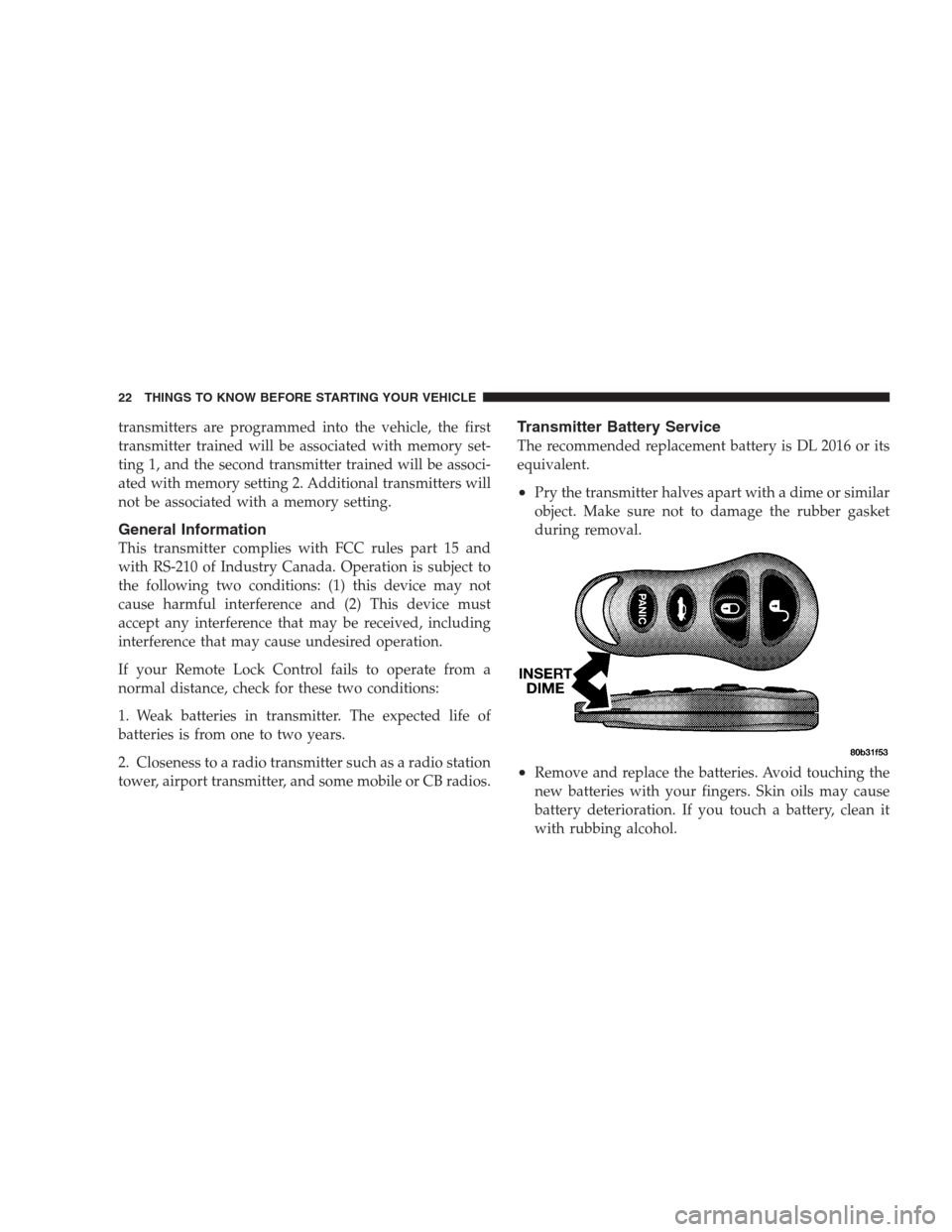
•Pry the transmitter halves apart with a dime or similar
object. Make sure not to damage the rubber gasket
during removal.
•Remove and replace the batteries. Avoid touching the
new batteries with your fingers. Skin oils may cause
battery deterioration. If you touch a battery, clean it
with rubbing alcohol.
22 THINGS TO KNOW BEFORE STARTING YOUR VEHICLE
Page 23 of 273
•Reassemble the transmitter case. Snap the halves to-
gether and test transmitter operation.
SECURITY ALARM SYSTEM
The system monitors the doors, trunk key cylinder, and
ignition for unauthorized operation.
If something triggers the alarm, the system will signal for
up to 18 minutes. For the first 3 minutes the horn will
sound and the headlights, park and tail lights and the
SET light will flash. The horn will stop and if the source
of the trigger is still present, the lights will continue to
flash for another 15 minutes.
NOTE:The engine will not start until you disarm the
system.
To set the alarm:
1. Remove the keys from the ignition switch and get out
of the vehicle.
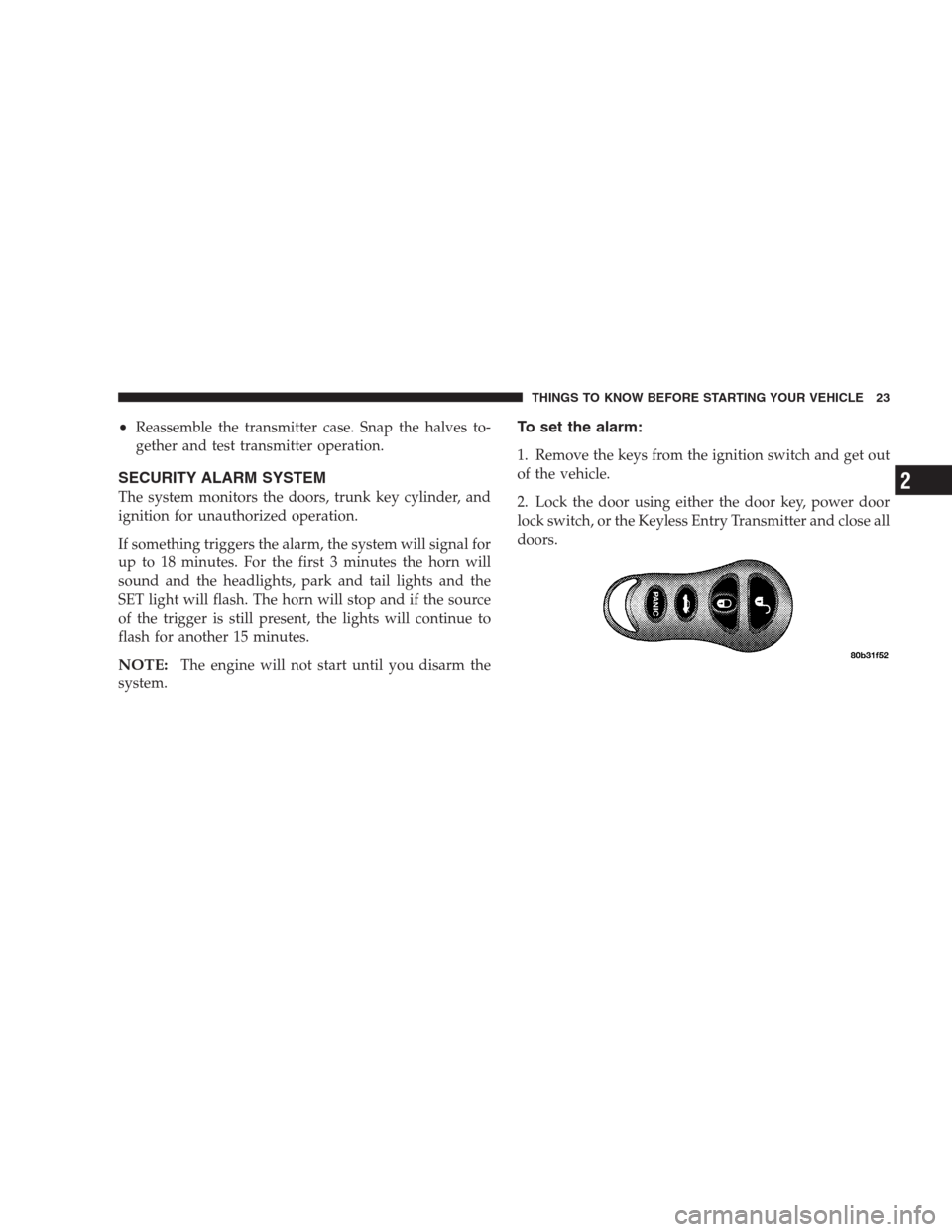
2. Lock the door using either the door key, power door
lock switch, or the Keyless Entry Transmitter and close all
doors.
THINGS TO KNOW BEFORE STARTING YOUR VEHICLE 23
2
Page 24 of 273
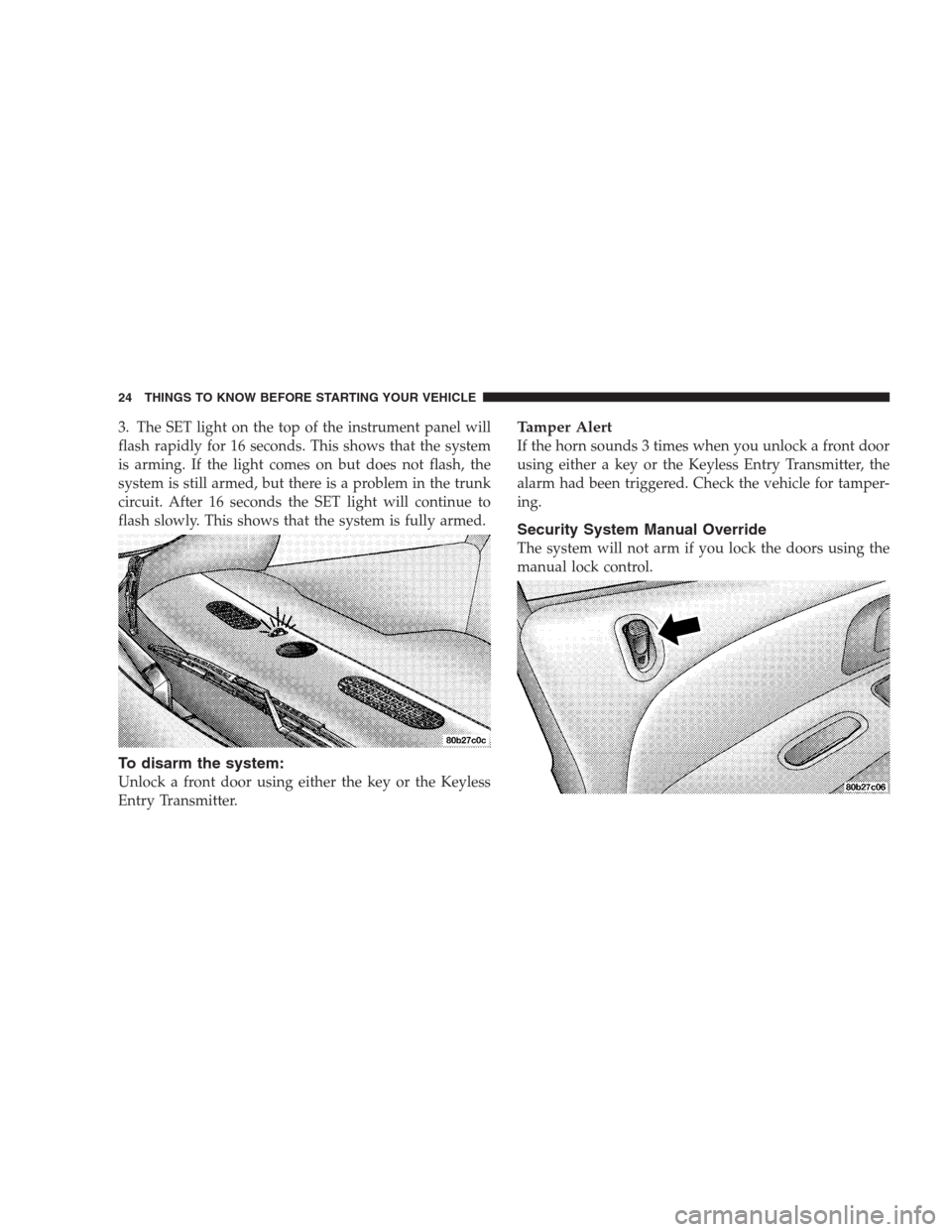
3. The SET light on the top of the instrument panel will
flash rapidly for 16 seconds. This shows that the system
is arming. If the light comes on but does not flash, the
system is still armed, but there is a problem in the trunk
circuit. After 16 seconds the SET light will continue to
flash slowly. This shows that the system is fully armed.
To disarm the system:
Unlock a front door using either the key or the Keyless
Entry Transmitter.
Tamper Alert
If the horn sounds 3 times when you unlock a front door
using either a key or the Keyless Entry Transmitter, the
alarm had been triggered. Check the vehicle for tamper-
ing.
Security System Manual Override
The system will not arm if you lock the doors using the
manual lock control.
24 THINGS TO KNOW BEFORE STARTING YOUR VEHICLE
Page 25 of 273
POWER WINDOWS
Window controls on the driver’s door control all door
windows.
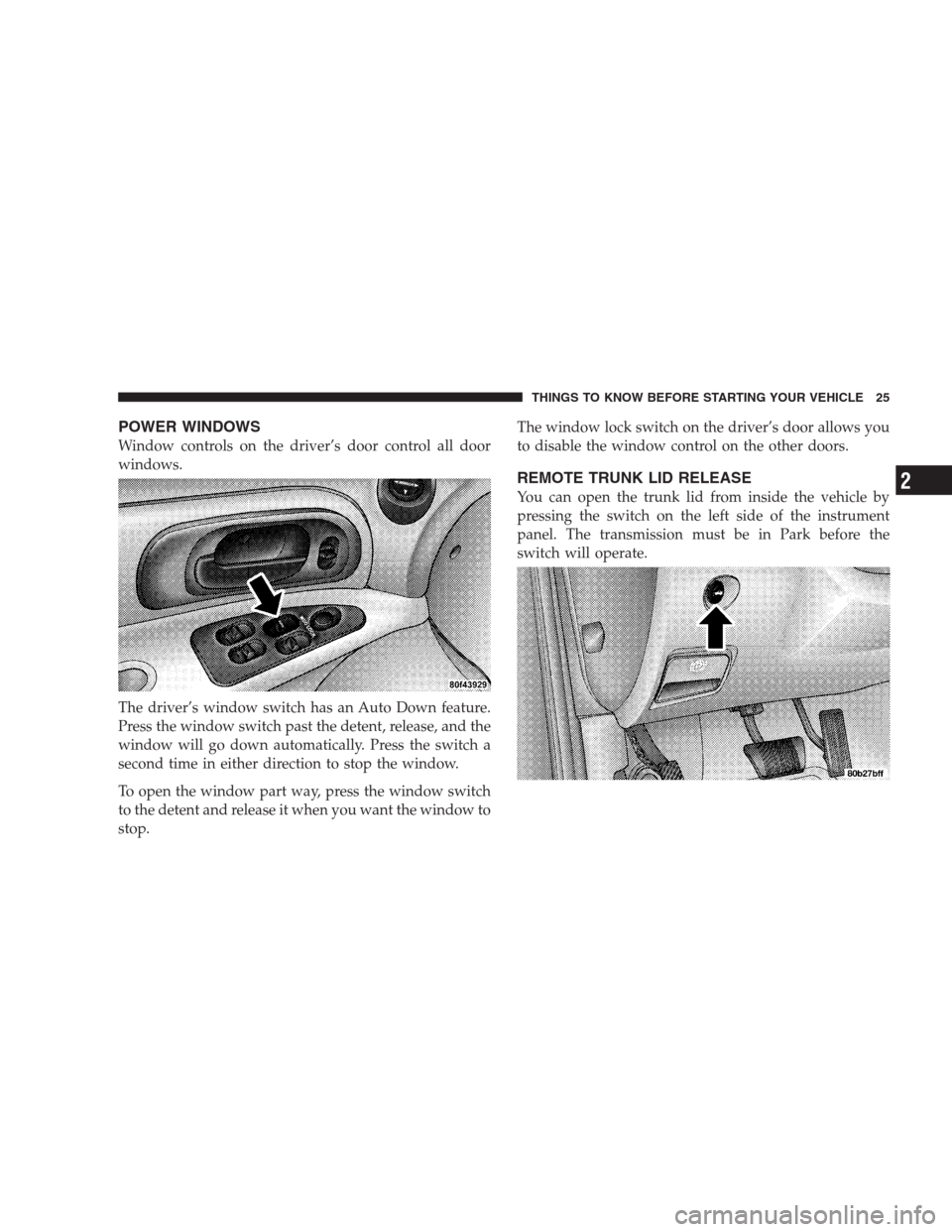
The driver’s window switch has an Auto Down feature.
Press the window switch past the detent, release, and the
window will go down automatically. Press the switch a
second time in either direction to stop the window.
To open the window part way, press the window switch
to the detent and release it when you want the window to
stop.The window lock switch on the driver’s door allows you
to disable the window control on the other doors.
REMOTE TRUNK LID RELEASE
You can open the trunk lid from inside the vehicle by
pressing the switch on the left side of the instrument
panel. The transmission must be in Park before the
switch will operate.
THINGS TO KNOW BEFORE STARTING YOUR VEHICLE 25
2
Page 28 of 273
Lap/Shoulder Belts
All seating positions in your vehicle are equipped with
Lap/Shoulder Belts.
The belt webbing retractor will lock only during very
sudden stops or collisions. This feature allows the shoul-
der part of the belt to move freely with you under normal
conditions. But in a collision, the belt will lock and reduce
your risk of striking the inside of the vehicle or being
thrown out.WARNING!
•Wearing a seat belt incorrectly is dangerous. Seat
belts are designed to go around the large bones of
your body. These are the strongest parts of your
body and can take the forces of a collision the
best. Wearing your belt in the wrong place could
make your injuries in a collision much worse. You
might suffer internal injuries, or you could even
slide out of part of the belt. Follow these instruc-
tions to wear your seat belt safely and to keep
your passengers safe, too.
•Two people should never be belted into a single
seat belt. People belted together can crash into one
another in an accident, hurting one another badly.
Never use a lap/shoulder belt or a lap belt for
more than one person, no matter what their size.
28 THINGS TO KNOW BEFORE STARTING YOUR VEHICLE
Page 32 of 273
Adjustable Upper Shoulder Belt Anchorage
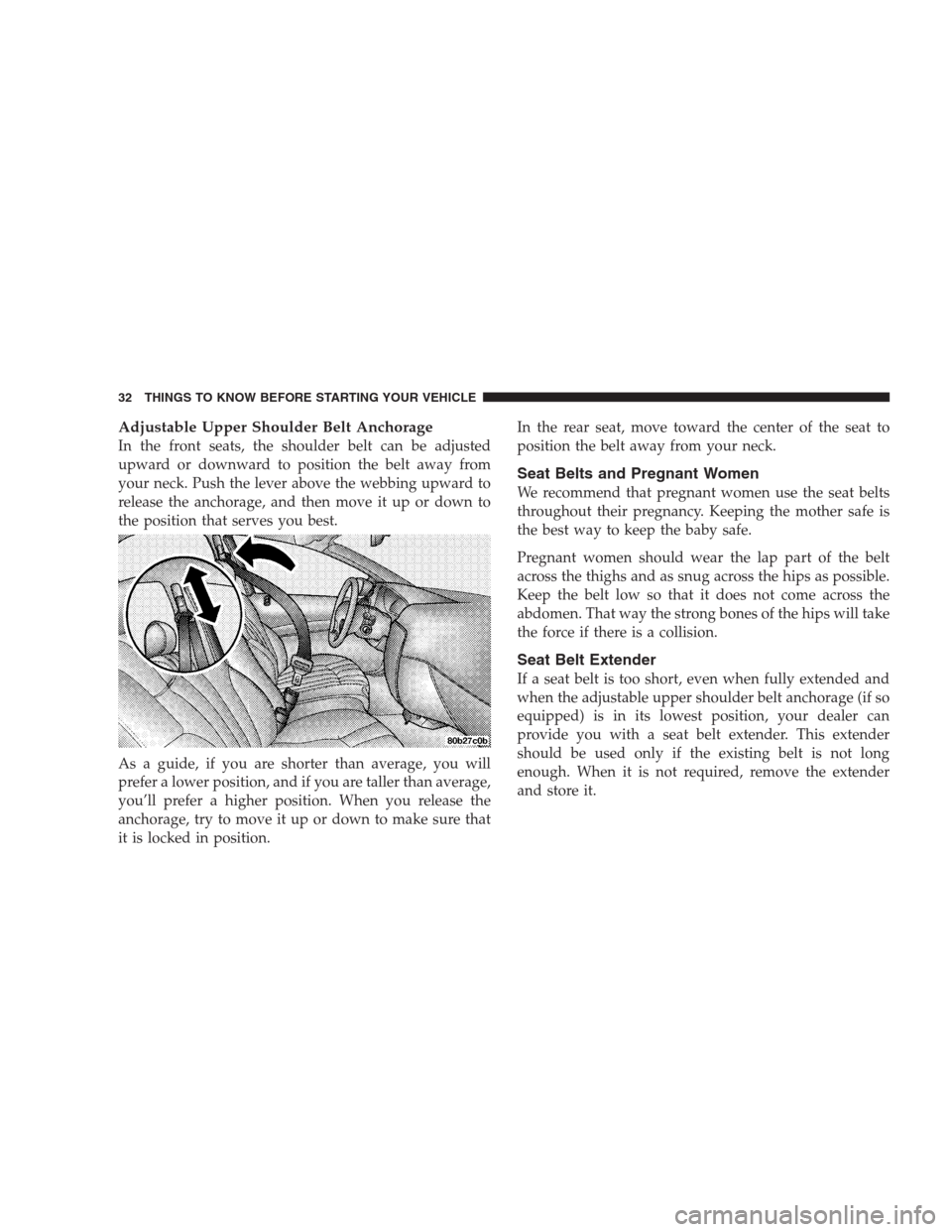
In the front seats, the shoulder belt can be adjusted
upward or downward to position the belt away from
your neck. Push the lever above the webbing upward to
release the anchorage, and then move it up or down to
the position that serves you best.
As a guide, if you are shorter than average, you will
prefer a lower position, and if you are taller than average,
you’ll prefer a higher position. When you release the
anchorage, try to move it up or down to make sure that
it is locked in position.In the rear seat, move toward the center of the seat to
position the belt away from your neck.
Seat Belts and Pregnant Women
We recommend that pregnant women use the seat belts
throughout their pregnancy. Keeping the mother safe is
the best way to keep the baby safe.
Pregnant women should wear the lap part of the belt
across the thighs and as snug across the hips as possible.
Keep the belt low so that it does not come across the
abdomen. That way the strong bones of the hips will take
the force if there is a collision.
Seat Belt Extender
If a seat belt is too short, even when fully extended and
when the adjustable upper shoulder belt anchorage (if so
equipped) is in its lowest position, your dealer can
provide you with a seat belt extender. This extender
should be used only if the existing belt is not long
enough. When it is not required, remove the extender
and store it.
32 THINGS TO KNOW BEFORE STARTING YOUR VEHICLE
Page 46 of 273
You will first loosen the adjusters on the lower straps and
on the tether strap so that you can more easily attach the
hooks or connectors over the top of the anchorage bars,
pushing aside the seat cover material. Then lift the tether
anchorage cover directly behind the seat where you are
placing the child restraint and attach the tether strap to
the anchorage, being careful to route the tether strap to
provide the most direct path between the anchor and the
child restraint. If your vehicle is equipped with adjust-
able rear head restraints, raise the head restraint and,
where possible, route the tether strap under the head
restraint and between the two posts. If not possible,
lower the head restraint and route the tether strap around
the outboard side of the head restraint. Finally, tighten all
three straps as you push the child restraint rearward and
downward into the seat, removing slack in the straps
according to the child restraint manufacturer’s instruc-
tions.WARNING!
Improper installation of a child restraint to the
LATCH anchorages can lead to failure of an infant or
child restraint. The child could be badly injured or
killed. Follow the manufacturer’s directions exactly
when installing an infant or child restraint.
Installing Child Restraints Using the Vehicle Seat
Belts
The passenger seat belts are equipped with cinching latch
plates which are designed to keep the lap portion of the
lap/shoulder belt tight around the child restraint so that
it is not necessary to use a locking clip. Pull up on the
shoulder portion of the lap/shoulder belt to tighten the
belt. The cinching latch plate will keep the belt tight,
however, any seat belt system will loosen with time, so
check the belt occasionally and pull it tight if necessary.
In the rear seat, you may have trouble tightening the
lap/shoulder belt on the child restraint because the
buckle or latch plate is too close to the belt path opening
on the restraint. Disconnect the latch plate from the
46 THINGS TO KNOW BEFORE STARTING YOUR VEHICLE