lock CHRYSLER CONCORDE 2004 2.G Owner's Manual
[x] Cancel search | Manufacturer: CHRYSLER, Model Year: 2004, Model line: CONCORDE, Model: CHRYSLER CONCORDE 2004 2.GPages: 273, PDF Size: 6 MB
Page 62 of 273
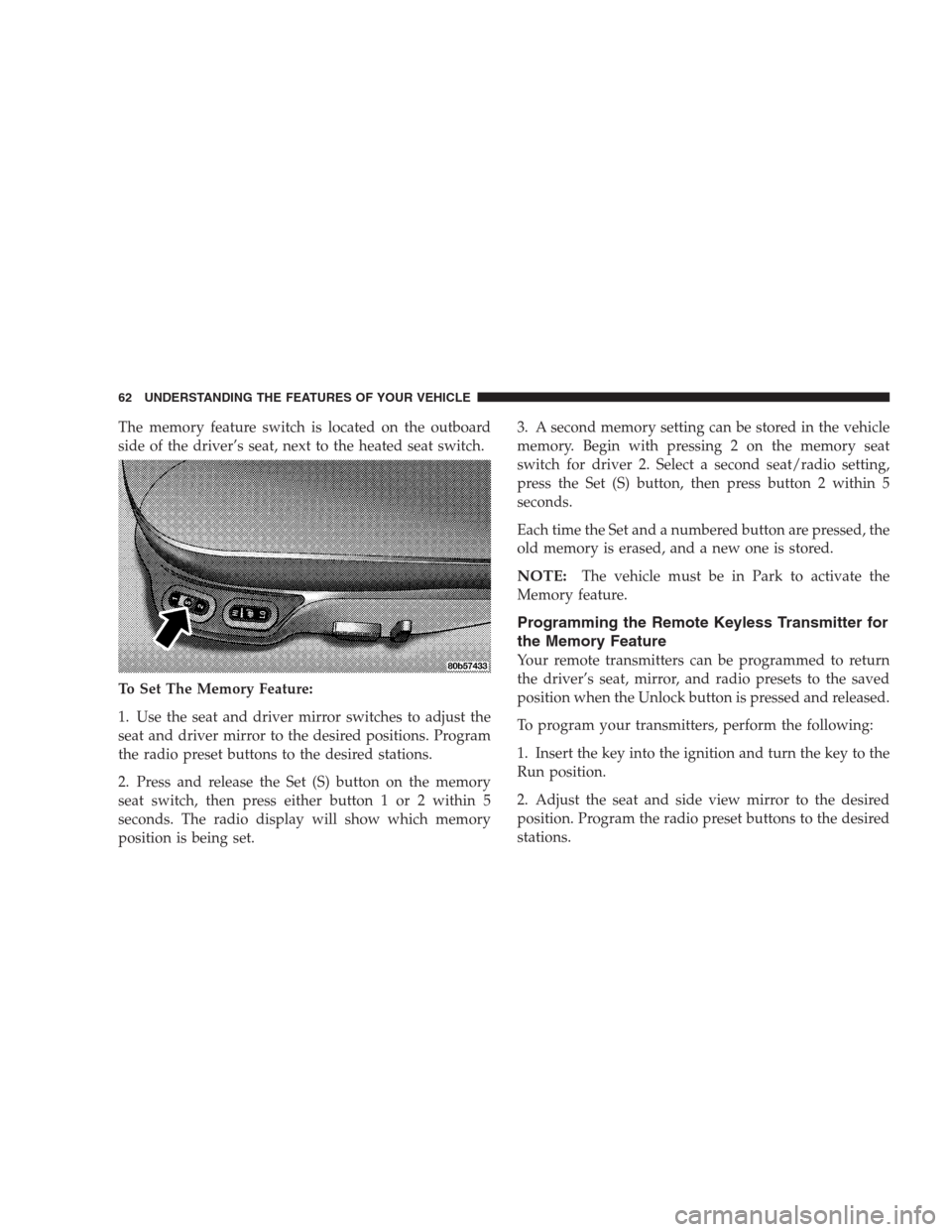
The memory feature switch is located on the outboard
side of the driver’s seat, next to the heated seat switch.
To Set The Memory Feature:
1. Use the seat and driver mirror switches to adjust the
seat and driver mirror to the desired positions. Program
the radio preset buttons to the desired stations.
2. Press and release the Set (S) button on the memory
seat switch, then press either button 1 or 2 within 5
seconds. The radio display will show which memory
position is being set.3. A second memory setting can be stored in the vehicle
memory. Begin with pressing 2 on the memory seat
switch for driver 2. Select a second seat/radio setting,
press the Set (S) button, then press button 2 within 5
seconds.
Each time the Set and a numbered button are pressed, the
old memory is erased, and a new one is stored.
NOTE:The vehicle must be in Park to activate the
Memory feature.
Programming the Remote Keyless Transmitter for
the Memory Feature
Your remote transmitters can be programmed to return
the driver’s seat, mirror, and radio presets to the saved
position when the Unlock button is pressed and released.
To program your transmitters, perform the following:
1. Insert the key into the ignition and turn the key to the
Run position.
2. Adjust the seat and side view mirror to the desired
position. Program the radio preset buttons to the desired
stations.
62 UNDERSTANDING THE FEATURES OF YOUR VEHICLE
Page 63 of 273
3. Press and release the Set (S) button on the memory
seat switch, then press and release button 1 or 2.
4. Press and release the Lock button on the transmitter.
5. Do not press any buttons for 10 seconds.
NOTE:Your transmitters may be unlinked to your
memory settings by pressing the Unlock button on the
transmitter in step 4 above. On vehicles equipped with an
EVIC (Electronic Vehicle Information Center), these func-
tions can be selected at the EVIC using the Customer
Programmable Features. Refer to EVIC-Customer Pro-
grammable Features for details. When newly purchased
(or replacement) transmitters are programmed into the
vehicle, the first transmitter trained will be associated
with memory setting 1, and the second transmitter
trained will be associated with memory setting 2. Addi-
tional transmitters will not be associated with a memory
setting.
Head Restraints
Head restraints can reduce the risk of whiplash injury in
the event of impact from the rear. Adjustable restraints
should be adjusted so that the upper edge is as high as
practical.
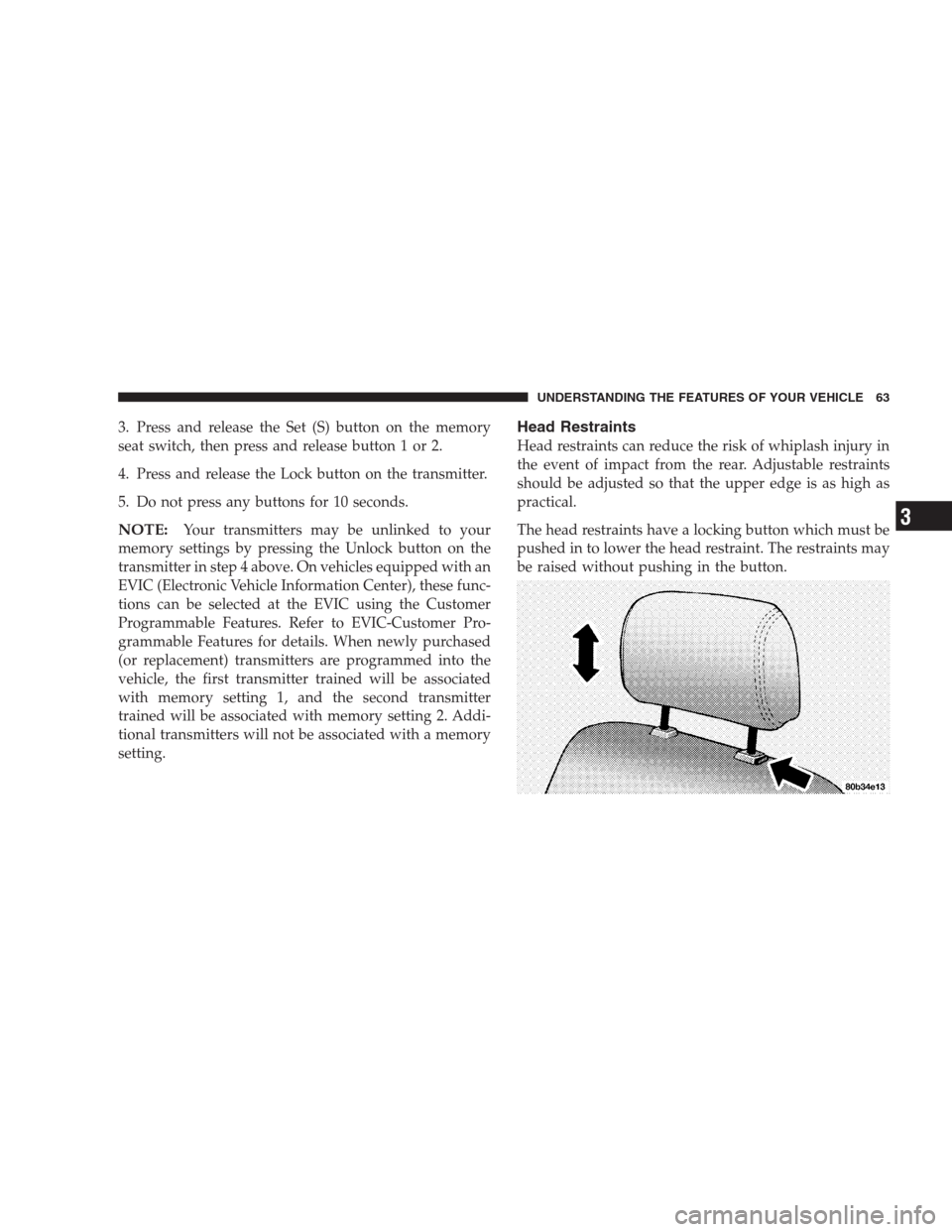
The head restraints have a locking button which must be
pushed in to lower the head restraint. The restraints may
be raised without pushing in the button.
UNDERSTANDING THE FEATURES OF YOUR VEHICLE 63
3
Page 65 of 273
WARNING!
If the hood is not fully latched, it could fly up when
the vehicle is moving and block your forward vision.
You could have a collision. Be sure all hood latches
are fully latched before driving.
INTERIOR LIGHTS
To Turn The Interior Lights On:
Rotate the Dimmer Control upward to the second detent.
Rotate the switch downward to turn the interior lights
off.
NOTE:The interior lights have a “fade to off” feature.
When the lights are turned off, they gradually “fade” off.
Battery Saver Feature—Interior Lights
The interior courtesy lights come on when a door is open
or left ajar. To prevent battery drain, if you leave a door
open or ajar these lights will turn off after 15 minutes.
After you close the door, the interior courtesy lights will
again function in the normal matter.
NOTE:The map lights or reading lights that are manu-
ally switched on will not turn off automatically.
Instrument Panel Lighting
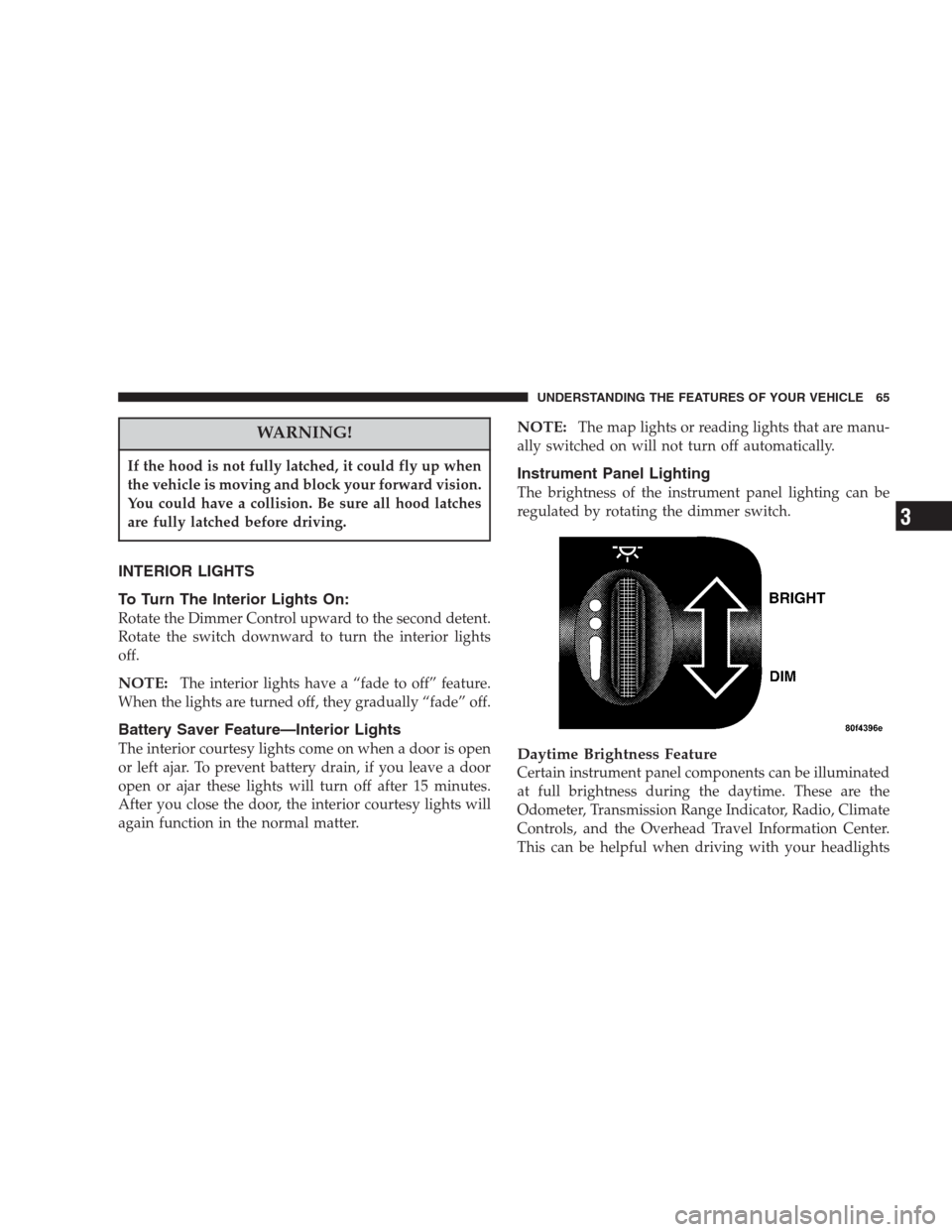
The brightness of the instrument panel lighting can be
regulated by rotating the dimmer switch.
Daytime Brightness Feature
Certain instrument panel components can be illuminated
at full brightness during the daytime. These are the
Odometer, Transmission Range Indicator, Radio, Climate
Controls, and the Overhead Travel Information Center.
This can be helpful when driving with your headlights
UNDERSTANDING THE FEATURES OF YOUR VEHICLE 65
3
Page 66 of 273

on during the daytime such as in a parade or a funeral
procession. To activate this feature, rotate the Dimmer
Control upward to the first detent.
Front Map/Reading Lights
These lights are mounted between the sun visors. Each
light is turned On by pressing the lens. Press the lens a
second time to turn the light Off. The lights also come on
when a door is opened or the dimmer switch is turned
fully upward, past the second detent.
NOTE:The lights will remain on until the switch is
pressed a second time, so be sure they have been turned
off before leaving the vehicle. They will not turn off
automatically.
Rear Seat Reading/Courtesy Lights
These lights may be individually operated by a switch
next to the light. The Battery Saver feature will not turn
these lights off. Be sure the lights are off before leaving
the vehicle. The lights also come on when a door is
opened or the dimmer switch is turned to the dome light
position, past the detent.
EXTERIOR LIGHTS
Headlights And Parking Lights
When the headlight switch is turned clockwise
from Off to the first position, the parking lights,
taillights, side marker lights, license plate light and
instrument panel lights are all turned on. The headlights
turn on when the switch is turned to the second position.
66 UNDERSTANDING THE FEATURES OF YOUR VEHICLE
Page 67 of 273
Lights-On Reminder
If the headlights or parking lights are left on after the
ignition is turned Off, a chime will sound when the
driver’s door is opened.
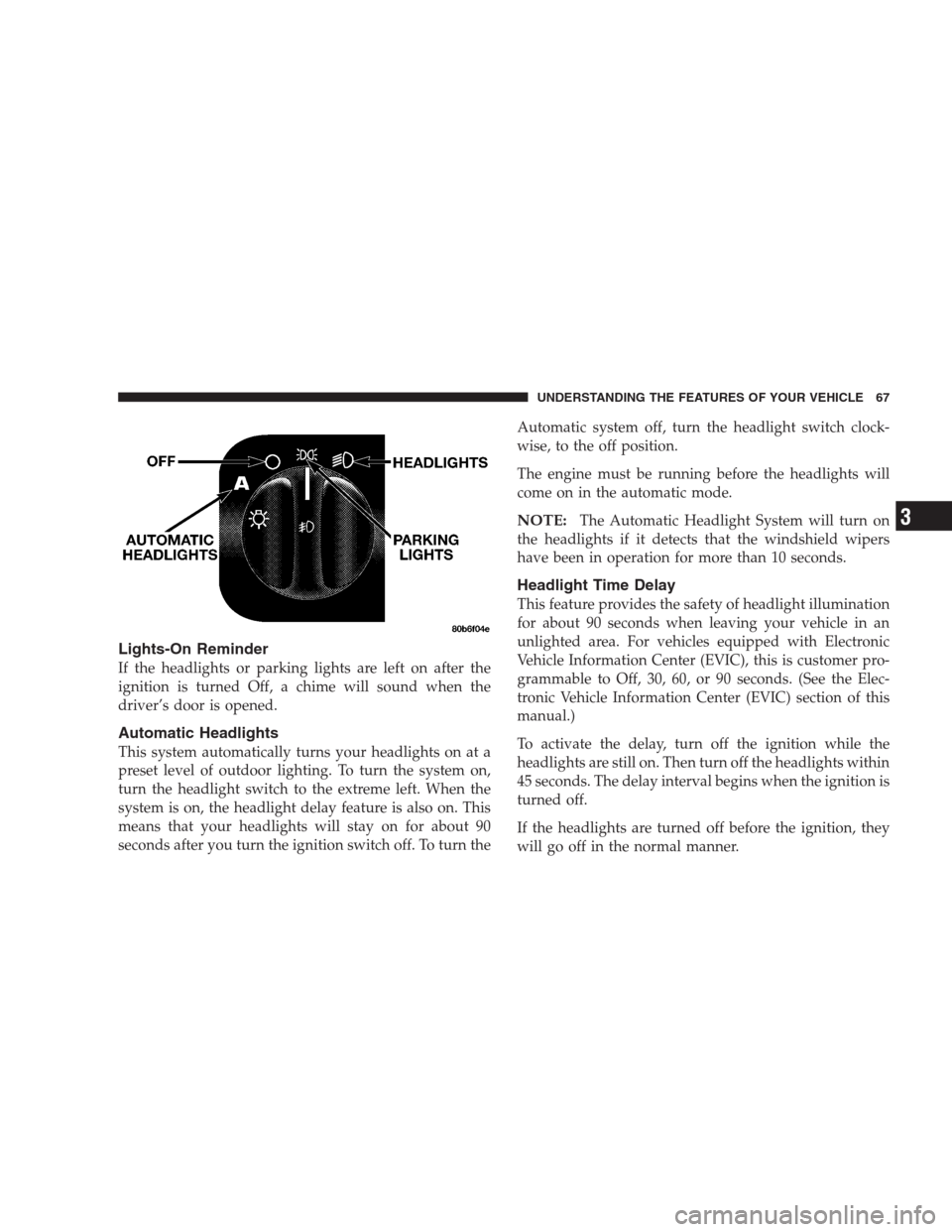
Automatic Headlights
This system automatically turns your headlights on at a
preset level of outdoor lighting. To turn the system on,
turn the headlight switch to the extreme left. When the
system is on, the headlight delay feature is also on. This
means that your headlights will stay on for about 90
seconds after you turn the ignition switch off. To turn theAutomatic system off, turn the headlight switch clock-
wise, to the off position.
The engine must be running before the headlights will
come on in the automatic mode.
NOTE:The Automatic Headlight System will turn on
the headlights if it detects that the windshield wipers
have been in operation for more than 10 seconds.
Headlight Time Delay
This feature provides the safety of headlight illumination
for about 90 seconds when leaving your vehicle in an
unlighted area. For vehicles equipped with Electronic
Vehicle Information Center (EVIC), this is customer pro-
grammable to Off, 30, 60, or 90 seconds. (See the Elec-
tronic Vehicle Information Center (EVIC) section of this
manual.)
To activate the delay, turn off the ignition while the
headlights are still on. Then turn off the headlights within
45 seconds. The delay interval begins when the ignition is
turned off.
If the headlights are turned off before the ignition, they
will go off in the normal manner.
UNDERSTANDING THE FEATURES OF YOUR VEHICLE 67
3
Page 71 of 273
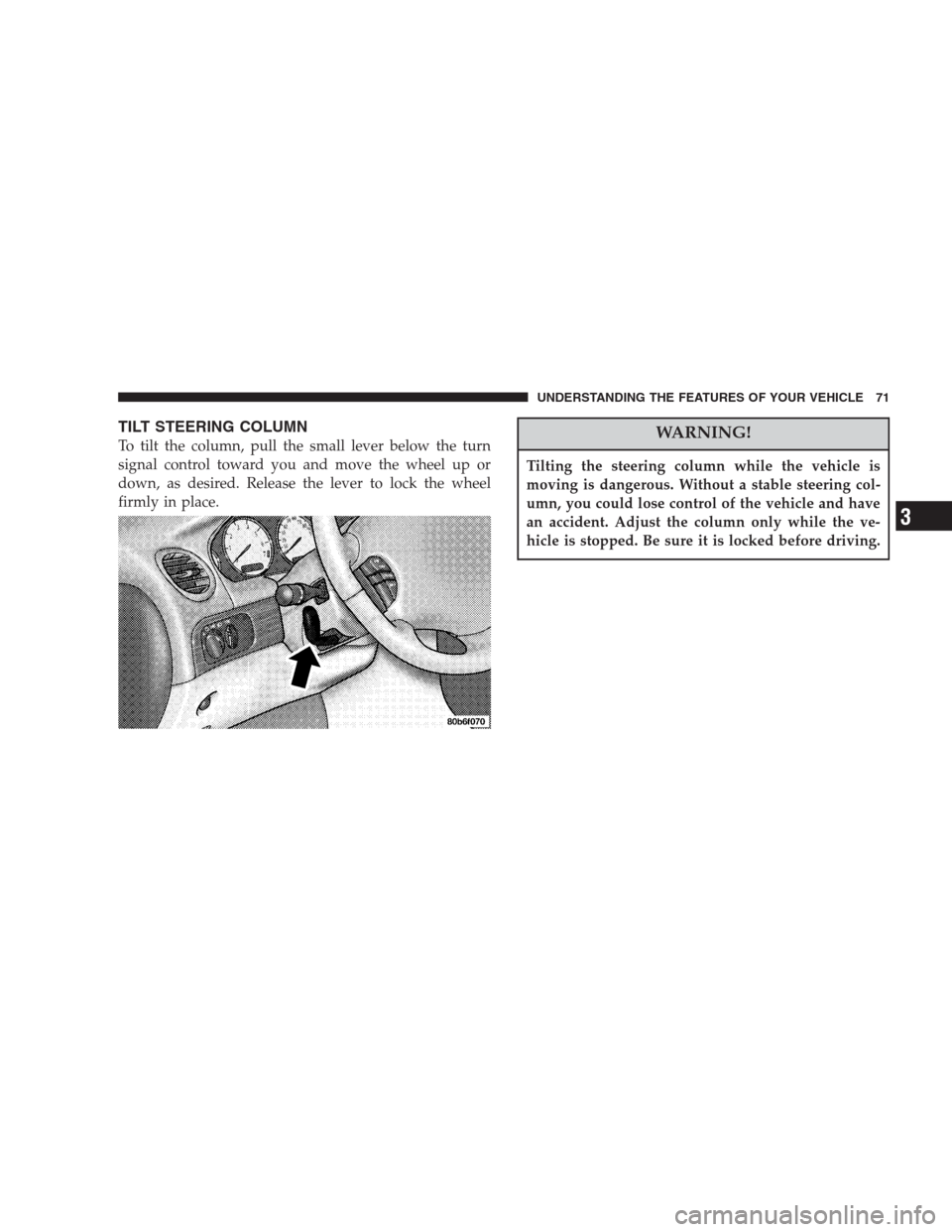
TILT STEERING COLUMN
To tilt the column, pull the small lever below the turn
signal control toward you and move the wheel up or
down, as desired. Release the lever to lock the wheel
firmly in place.WARNING!
Tilting the steering column while the vehicle is
moving is dangerous. Without a stable steering col-
umn, you could lose control of the vehicle and have
an accident. Adjust the column only while the ve-
hicle is stopped. Be sure it is locked before driving.
UNDERSTANDING THE FEATURES OF YOUR VEHICLE 71
3
Page 90 of 273
Auto Door Locks
When this feature is selected, all doors lock automatically
when the speed of the vehicle reaches 15 mph (25 km/h).
Pressing the STEP button when in this display will select
“Yes” or “No.”
Auto Unlock On Exit (Available Only When the
AUTO DOOR LOCKS Feature is Turned On )
When this feature is selected all the vehicle’s doors will
unlock when the driver’s door is opened if the vehicle is
stopped and the transmission is in P (Park) or N (Neu-
tral) position. Pressing the STEP button when in this
display will select “Yes” or “No.”
Remote Unlock Driver’s Door 1st
When this feature is selected only the driver’s door will
unlock on the first press of the remote keyless entry
unlock button and require a second press to unlock the
remaining locked door. WhenREMOTE UNLOCK ALL
DOORSis selected all of the doors will unlock at the first
press of the remote keyless entry unlock button. Pressing
the STEP button when in this display will select DRIV-
ER’S DOOR 1ST or ALL DOORS.
Remote Linked To Memory (Available with
Memory Seat Only)
When this feature is selected the memory seat, mirror,
and radio settings will return to the memory set position
when the remote keyless entry “Unlock” button is
pressed. If this feature is not selected then the memory
seat, mirror, and radio settings can only return to the
memory set position using the door mounted switch.
Pressing the STEP button when in this display will select
“Yes” or “No.”
Sound Horn with Lock
When this feature is selected a short horn sound will
occur when the remote keyless entry “Lock” button is
pressed. This feature may be selected with or without the
flash lights on lock/unlock feature. Pressing the STEP
button when in this display will select “Yes” or “No.”
Flash Lights with Lock/Unlock
When this feature is selected, the front and rear turn
signals will flash when the doors are locked or unlocked
using the remote keyless entry transmitter. This feature
may be selected with or without the sound horn on lock
90 UNDERSTANDING THE FEATURES OF YOUR VEHICLE
Page 91 of 273
feature selected. Pressing the STEP button when in this
display will select “Yes” or “No.”
Headlamp Delay
When this feature is selected the driver can choose, when
exiting the vehicle, to have the headlamps remain on for
30, 60, or 90 seconds, or not remain on. Pressing the STEP
button when in this display will select 30, 60, 90, or OFF.
Headlamp On With Wipers (Available with Auto
Headlights Only)
When this feature is selected and the headlight switch
has at least once been moved to the AUTO position, the
headlights will turn on when the wipers are turned on.
The headlights will also turn off when the wipers are
turned off if they were turned on in this way. Pressing the
STEP button when in this display will select “Yes” or
“No.”
NOTE:Turning the headlights on during the daytime
causes the instrument panel lights to dim. To increase the
brightness, refer to “Lights” in this section.
Service Interval
When this feature is selected a service interval between
2,000 (3 200 km) and 6,000 miles (9 600 km) in 500 mile
(800 km) increments may be selected. Pressing the STEP
button when in this display will select distances between
2,000 (3 200 km) and 6,000 miles (9 600 km) in 500 mile
(800 km) increments.
Reset Service Distance (Displays Only if Service
Interval was Changed)
When this feature is selected the current accumulated
service distance can be reset to the newly selected service
interval. Pressing the STEP button when in this display
will select “Yes” or “No.”
Easy Exit Seat
When this feature is selected the driver’s seat moves
rearward two inches (55 mm) or to the farthest rearward
position if this distance is less than two inches (55 mm)
when the key is removed from the ignition switch so that
the driver can more easily exit the vehicle. The seat will
return to the memorized seat location (if REMOTE LINK
TO MEMORY is set to YES) when the remote keyless
entry transmitter is used to unlock the door. Pressing the
UNDERSTANDING THE FEATURES OF YOUR VEHICLE 91
3
Page 92 of 273
STEP button when in this display will select “Yes” or
“No.”
Tilt Mirrors Down
When this feature is selected, and the vehicle is placed in
reverse, the driver’s exterior mirror will tilt downward to
improve visibility of rear wheel area. Once reverse is
disengaged, the driver’s exterior mirror will return to it’s
original position. Pressing the STEP button when inthis
display will select “YES” or “NO”.
Train Remote
NOTE:
As a safety feature, successful training of at least
one transmitter will erase all previously trained transmit-
ters.
When this feature is selected the driver can choose to
train up to four remote keyless entry transmitters. Press-
ing the STEP button when in this display will select“YES” or “NO”. When “YES” is selected and the MENU
button is pressed; the EVIC will display “PRESS RE-
MOTE LOCK & UNLOCK THEN PRESS UNLOCK”,
followed by a chime to indicate the training sequence can
commence. You have approximately 30 seconds to train
up to four transmitters; after each transmitter is trained a
chime will sound indicating that the training was suc-
cessful. If remote link to memory is “YES,” the first
transmitter trained will be associated with memory set-
ting 1 and the second transmitter trained will be associ-
ated with memory setting 2. Additional transmitters will
not be associated with a memory setting. When you have
finished training the transmitters, press the MENU but-
ton again and the EVIC will display “TRAIN DONE, x
TRAINED”. (Where x = 1,2,3, or 4) If no transmitters are
trained within approximately 30 seconds the EVIC will
display “TRAIN TIMEOUT”.
92 UNDERSTANDING THE FEATURES OF YOUR VEHICLE
Page 100 of 273
Outside Temperature
Because engine temperature can increase the displayed
temperature, temperature readings are slowly updated
when vehicle speed is below 20 mph (30 km/h).
ELECTRCAL POWER OUTLET
Your vehicle is equipped with one power outlet which is
located in the forward portion of the center console if
your vehicle has bucket seats or in the lower center of the
instrument panel if your vehicle has bench or split bench
seats. Accessories powered through this outlet are pro-
tected by a 15 amp fuse. The outlet may be converted to
a cigar lighter by installing the dealer obtained smoker’s
package. The outlet is operated by the ignition switch,
when in the “run” or “acc” positions only. You may
convert the outlet from ignition to battery power by
performing the following:
•Remove the fuse cover from the left end of the
instrument panel (see the paragraph on fuses in sec-
tion 7 of this manual.)
•Remove fuse #6 (its on the upper right of the fuse
block) from its “IGN” position.
•Move the fuse slightly right and insert it in the fuse #6
“BAT” location in the fuse block.
•Reinstall the fuse cover.
100 UNDERSTANDING THE FEATURES OF YOUR VEHICLE