cruise control CHRYSLER PACIFICA 2020 User Guide
[x] Cancel search | Manufacturer: CHRYSLER, Model Year: 2020, Model line: PACIFICA, Model: CHRYSLER PACIFICA 2020Pages: 516, PDF Size: 28.69 MB
Page 245 of 516
STARTING AND OPERATING243
To Cancel
The following conditions cancel the system:
The brake pedal is applied.
The CANC (cancel) button is pushed.
An Anti-Lock Brake System (ABS) event
occurs.
The gear selector is removed from the DRIVE
position.
The Electronic Stability Control/Traction
Control System (ESC/TCS) activates.
The vehicle parking brake is applied.
Driver seat belt is unbuckled at low speeds.
Driver door is opened at low speeds.
To Turn Off
The system will turn off and clear the set speed
in memory if:
The Adaptive Cruise Control (ACC) on/off
button is pushed.
The Normal (Fixed Speed) Cruise Control on/
off button is pushed.
The ignition is placed in the OFF position.
To Resume
If there is a set speed in memory, push the RES
(resume) button and then remove your foot
from the accelerator pedal. The instrument
cluster display will display the last set speed.
NOTE:
If your vehicle stays at standstill for longer
than two seconds, then the driver will either
have to push the RES (resume) button, or
apply the accelerator pedal to reengage the
ACC to the existing set speed.
ACC cannot be resumed if there is a
stationary vehicle in-front of your vehicle in
close proximity.
To Vary The Speed Setting
To Increase Speed
While ACC is set, you can increase the set speed
by pushing the SET (+) button.
The driver's preferred units can be selected
through the instrument cluster. Refer to
“Instrument Cluster Display” in “Getting To
Know Your Instrument Panel” for more
information. The speed increment shown is
dependent on the chosen speed unit of U.S.
(mph) or Metric (km/h):
U.S. Speed (mph)
Pushing the SET (+) button once will result in
a 1 mph increase in set speed. Each subse -
quent tap of the button results in an increase
of 1 mph.
If the button is continually pushed, the set
speed will continue to increase in 5 mph
increments until the button is released. The
increase in set speed is reflected in the
instrument cluster display.WARNING!
The Resume function should only be used if
traffic and road conditions permit. Resuming
a set speed that is too high or too low for
prevailing traffic and road conditions could
cause the vehicle to accelerate or decelerate
too sharply for safe operation. Failure to
follow these warnings can result in a collision
and death or serious personal injury.
5
20_RU_OM_EN_US_t.book Page 243
Page 249 of 516
STARTING AND OPERATING247
Adaptive Cruise Control (ACC) Menu
The instrument cluster displays the current ACC
system settings. The instrument cluster display
is located in the center of the instrument
cluster. The information it displays depends on
ACC system status.
Push the Adaptive Cruise Control (ACC) on/off
button (located on the steering wheel) until one
of the following displays in the instrument
cluster display:
Adaptive Cruise Control Off
When ACC is deactivated, the display will read
“Adaptive Cruise Control Off.”
Adaptive Cruise Control Ready
When ACC is activated but the vehicle speed
setting has not been selected, the display will
read “Adaptive Cruise Control Ready.” Push the SET (+) or the SET (-) button (located
on the steering wheel) and the following will
display in the instrument cluster display:
ACC SET
When ACC is set, the set speed will display in
the instrument cluster.
The ACC screen may display once again if any
ACC activity occurs, which may include any of
the following:System Cancel
Driver Override
System Off
ACC Proximity Warning
ACC Unavailable Warning
The instrument cluster display will return to the
last display selected after five seconds of no
ACC display activity
Display Warnings And Maintenance
“Wipe Front Radar Sensor In Front Of
Vehicle” Warning
The “ACC/FCW Unavailable Wipe Front Radar
Sensor” warning will display and also a chime will indicate when conditions temporarily limit
system performance.
This most often occurs at times of poor visibility,
such as in snow or heavy rain. The ACC system
may also become temporarily blinded due to
obstructions, such as mud, dirt or ice. In these
cases, the instrument cluster display will show
“ACC/FCW Unavailable Wipe Front Radar
Sensor” and the system will deactivate.
The “ACC/FCW Unavailable Wipe Front Radar
Sensor” message can sometimes be displayed
while driving in highly reflective areas (i.e.
tunnels with reflective tiles, or ice and snow).
The ACC system will recover after the vehicle
has left these areas. Under rare conditions,
when the radar is not tracking any vehicles or
objects in its path this warning may temporarily
occur.
NOTE:
If the “ACC/FCW Unavailable Wipe Front Radar
Sensor” warning is active Normal (Fixed Speed)
Cruise Control is still available. For additional
information refer to “Normal (Fixed Speed)
Cruise Control Mode” in this section.
WARNING!
When the ACC system is resumed, the driver
must ensure that there are no pedestrians,
vehicles or objects in the path of the vehicle.
Failure to follow these warnings can result in
a collision and death or serious personal
injury.
5
20_RU_OM_EN_US_t.book Page 247
Page 250 of 516
248STARTING AND OPERATING
If weather conditions are not a factor, the driver
should examine the sensor. It may require
cleaning or removal of an obstruction. The
sensor is located in the center of the vehicle
behind the lower grille.
To keep the ACC System operating properly, it is
important to note the following maintenance
items:
Always keep the sensor clean. Carefully wipe
the sensor lens with a soft cloth. Be cautious
not to damage the sensor lens.
Do not remove any screws from the sensor.
Doing so could cause an ACC system
malfunction or failure and require a sensor
realignment.
If the sensor or front end of the vehicle is
damaged due to a collision, see an autho -
rized dealer for service.
Do not attach or install any accessories near
the sensor, including transparent material or
aftermarket grilles. Doing so could cause an
ACC system failure or malfunction. When the condition that deactivated the system
is no longer present, the system will return to
the “Adaptive Cruise Control Off” state and will
resume function by simply reactivating it.
NOTE:
If the “ACC/FCW Unavailable Wipe Front Radar
Sensor” message occurs frequently (e.g. more
than once on every trip) without any snow, rain,
mud, or other obstruction, have the radar
sensor realigned at an authorized dealer.
“Clean Front Windshield” Warning
The “ACC/FCW Limited Functionality Clean
Front Windshield” warning will display and also
a chime will indicate when conditions
temporarily limit system performance. This
most often occurs at times of poor visibility,
such as in snow or heavy rain and fog. The ACC
system may also become temporarily blinded
due to obstructions, such as mud, dirt, or ice on
windshield, driving directly into the sun and fog
on the inside of glass. In these cases, the
instrument cluster display will show “ACC/FCW
Limited Functionality Clean Front Windshield”
and the system will have degraded
performance. The “ACC/FCW Limited Functionality Clean
Front Windshield” message can sometimes be
displayed while driving in adverse weather
conditions. The ACC/FCW system will recover
after the vehicle has left these areas. Under
rare conditions, when the camera is not
tracking any vehicles or objects in its path this
warning may temporarily occur.
If weather conditions are not a factor, the driver
should examine the windshield and the camera
located on the back side of the inside rear view
mirror. They may require cleaning or removal of
an obstruction.
When the condition that created limited
functionality is no longer present, the system
will return to full functionality.
NOTE:
If the “ACC/FCW Limited Functionality Clean
Front Windshield” message occurs frequently
(e.g. more than once on every trip) without any
snow, rain, mud, or other obstruction, have the
windshield and forward facing camera
inspected at an authorized dealer.
20_RU_OM_EN_US_t.book Page 248
Page 254 of 516
252STARTING AND OPERATING
Normal (Fixed Speed) Cruise Control Mode
In addition to Adaptive Cruise Control mode, a
Normal (Fixed Speed) Cruise Control mode is
available for cruising at fixed speeds. The
Normal (Fixed Speed) Cruise Control mode is
designed to maintain a set cruising speed
without requiring the driver to operate the
accelerator. Cruise Control can only be
operated if the vehicle speed is above 20 mph
(32 km/h).
To change between the different control modes,
push the Adaptive Cruise Control (ACC) on/off
button which turns the ACC and the Normal
(Fixed Speed) Cruise Control off. Pushing the
Normal (Fixed Speed) Cruise Control on/off
button will result in turning on (changing to) the
Normal (Fixed Speed) Cruise Control mode.
To Set A Desired Speed
Turn the Normal (Fixed Speed) Cruise
Control on. When the vehicle has
reached the desired speed, push the
SET (+) or SET (-) button and release.
Release the accelerator and the vehicle will
operate at the selected speed. Once a speed
has been set a message “CRUISE CONTROL SET
TO MPH (km/h)” will appear indicating what
speed was set. This light will turn on when the
system is turned on via the on/off control. It
turns green when the cruise control is set.
To Vary The Speed Setting
To Increase Speed
When the Normal (Fixed Speed) Cruise Control
is set, you can increase speed by pushing the
SET (+) button.
The driver’s preferred units can be selected
through the instrument cluster. Refer to
“Instrument Cluster Display” in “Getting To
Know Your Instrument Panel” for more
information. The speed increment shown is
dependent on the speed of U.S. (mph) or Metric
(km/h) units:
U.S. Speed (mph)
Pushing the SET (+) button once will result in
a 1 mph increase in set speed. Each subse -
quent tap of the button results in an increase
of 1 mph.
If the button is continually pushed, the set
speed will continue to increase in 5 mph
increments until the button is released. The
increase in set speed is reflected in the
instrument cluster display.
WARNING!
In the Normal (Fixed Speed) Cruise Control
mode, the system will not react to vehicles
ahead. In addition, the proximity warning
does not activate and no alarm will sound
even if you are too close to the vehicle ahead
since neither the presence of the vehicle
ahead nor the vehicle-to-vehicle distance is
detected. Be sure to maintain a safe distance
between your vehicle and the vehicle ahead.
Always be aware which mode is selected.
20_RU_OM_EN_US_t.book Page 252
Page 255 of 516
STARTING AND OPERATING253
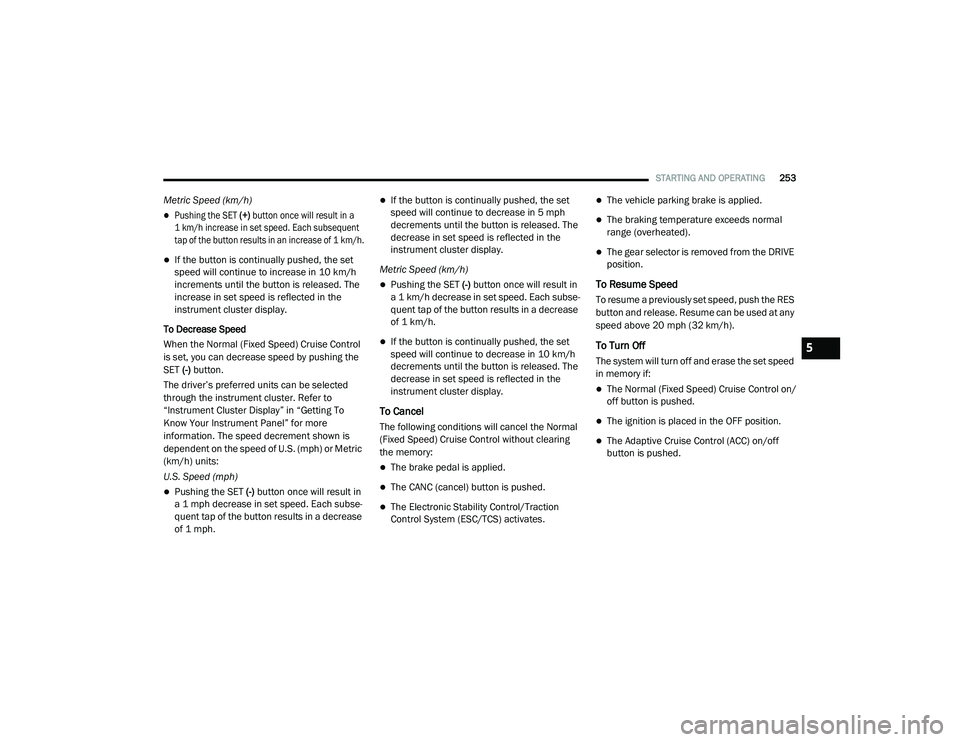
Metric Speed (km/h)
Pushing the SET (+) button once will result in a
1 km/h increase in set speed. Each subsequent
tap of the button results in an increase of 1 km/h.
If the button is continually pushed, the set
speed will continue to increase in 10 km/h
increments until the button is released. The
increase in set speed is reflected in the
instrument cluster display.
To Decrease Speed
When the Normal (Fixed Speed) Cruise Control
is set, you can decrease speed by pushing the
SET (-) button.
The driver’s preferred units can be selected
through the instrument cluster. Refer to
“Instrument Cluster Display” in “Getting To
Know Your Instrument Panel” for more
information. The speed decrement shown is
dependent on the speed of U.S. (mph) or Metric
(km/h) units:
U.S. Speed (mph)
Pushing the SET (-) button once will result in
a 1 mph decrease in set speed. Each subse -
quent tap of the button results in a decrease
of 1 mph.
If the button is continually pushed, the set
speed will continue to decrease in 5 mph
decrements until the button is released. The
decrease in set speed is reflected in the
instrument cluster display.
Metric Speed (km/h)
Pushing the SET (-) button once will result in
a 1 km/h decrease in set speed. Each subse -
quent tap of the button results in a decrease
of 1 km/h.
If the button is continually pushed, the set
speed will continue to decrease in 10 km/h
decrements until the button is released. The
decrease in set speed is reflected in the
instrument cluster display.
To Cancel
The following conditions will cancel the Normal
(Fixed Speed) Cruise Control without clearing
the memory:
The brake pedal is applied.
The CANC (cancel) button is pushed.
The Electronic Stability Control/Traction
Control System (ESC/TCS) activates.
The vehicle parking brake is applied.
The braking temperature exceeds normal
range (overheated).
The gear selector is removed from the DRIVE
position.
To Resume Speed
To resume a previously set speed, push the RES
button and release. Resume can be used at any
speed above 20 mph (32 km/h).
To Turn Off
The system will turn off and erase the set speed
in memory if:
The Normal (Fixed Speed) Cruise Control on/
off button is pushed.
The ignition is placed in the OFF position.
The Adaptive Cruise Control (ACC) on/off
button is pushed.
5
20_RU_OM_EN_US_t.book Page 253
Page 505 of 516
503
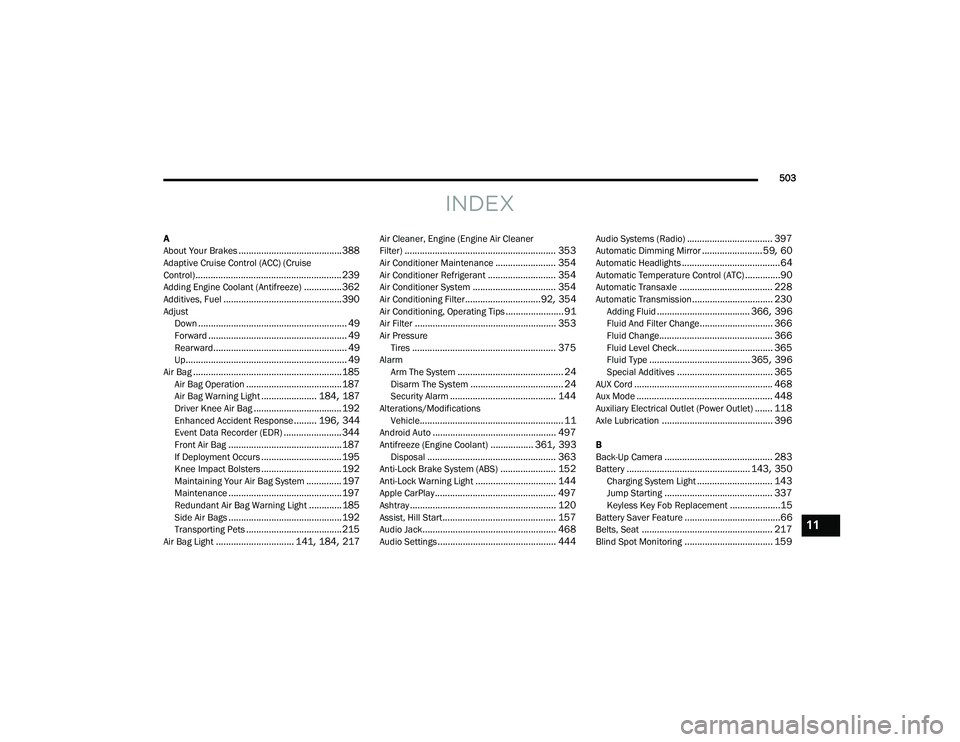
INDEX
A
About Your Brakes......................................... 388Adaptive Cruise Control (ACC) (Cruise
Control).......................................................... 239Adding Engine Coolant (Antifreeze)............... 362Additives, Fuel............................................... 390AdjustDown........................................................... 49Forward....................................................... 49Rearward..................................................... 49Up................................................................ 49Air Bag........................................................... 185Air Bag Operation...................................... 187Air Bag Warning Light...................... 184, 187Driver Knee Air Bag................................... 192Enhanced Accident Response......... 196, 344Event Data Recorder (EDR)....................... 344Front Air Bag............................................. 187If Deployment Occurs................................ 195Knee Impact Bolsters................................ 192Maintaining Your Air Bag System.............. 197Maintenance............................................. 197Redundant Air Bag Warning Light.............185Side Air Bags............................................. 192Transporting Pets...................................... 215Air Bag Light............................... 141, 184, 217
Air Cleaner, Engine (Engine Air Cleaner
Filter)............................................................ 353Air Conditioner Maintenance........................ 354Air Conditioner Refrigerant........................... 354Air Conditioner System................................. 354Air Conditioning Filter..............................92, 354Air Conditioning, Operating Tips....................... 91Air Filter........................................................ 353Air PressureTires......................................................... 375AlarmArm The System.......................................... 24Disarm The System..................................... 24Security Alarm.......................................... 144Alterations/ModificationsVehicle......................................................... 11Android Auto................................................. 497Antifreeze (Engine Coolant)................. 361, 393Disposal................................................... 363Anti-Lock Brake System (ABS)...................... 152Anti-Lock Warning Light................................ 144Apple CarPlay................................................ 497Ashtray.......................................................... 120Assist, Hill Start............................................. 157Audio Jack..................................................... 468Audio Settings............................................... 444
Audio Systems (Radio).................................. 397Automatic Dimming Mirror........................59, 60Automatic Headlights.......................................64Automatic Temperature Control (ATC)..............90Automatic Transaxle..................................... 228Automatic Transmission................................ 230Adding Fluid..................................... 366, 396Fluid And Filter Change............................. 366Fluid Change............................................. 366Fluid Level Check...................................... 365Fluid Type........................................ 365, 396Special Additives...................................... 365AUX Cord....................................................... 468Aux Mode...................................................... 448Auxiliary Electrical Outlet (Power Outlet)....... 118Axle Lubrication............................................ 396
B
Back-Up Camera........................................... 283Battery................................................. 143, 350Charging System Light.............................. 143Jump Starting........................................... 337Keyless Key Fob Replacement....................15Battery Saver Feature......................................66Belts, Seat.................................................... 217Blind Spot Monitoring................................... 159
11
20_RU_OM_EN_US_t.book Page 503
Page 507 of 516
505
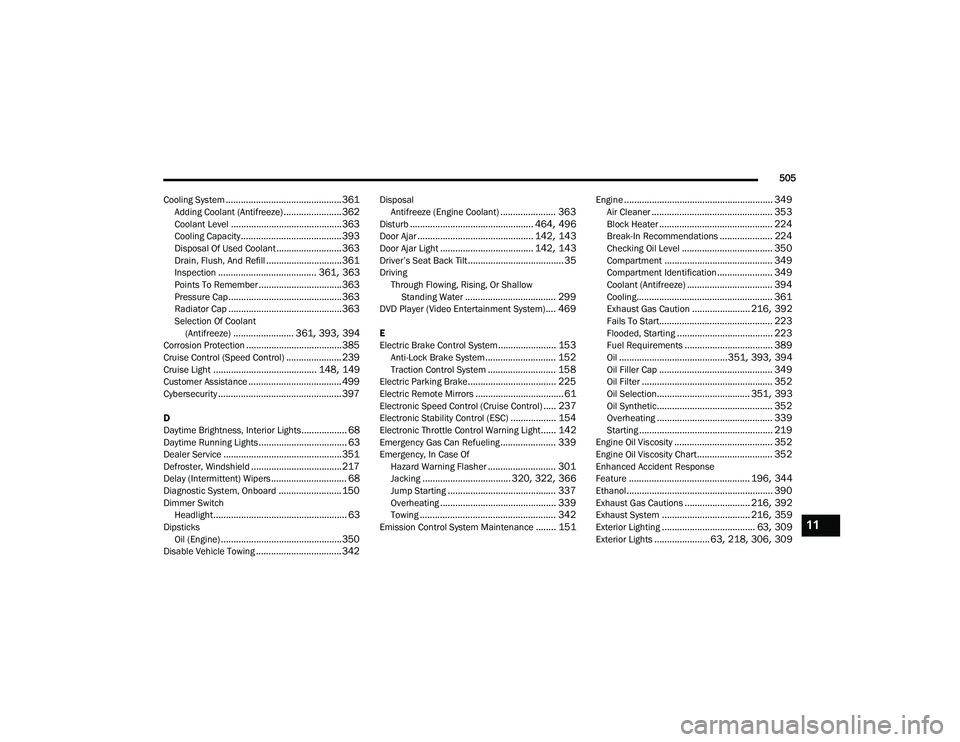
Cooling System
.............................................. 361Adding Coolant (Antifreeze)....................... 362Coolant Level............................................ 363Cooling Capacity........................................ 393Disposal Of Used Coolant.......................... 363Drain, Flush, And Refill.............................. 361Inspection....................................... 361, 363Points To Remember................................. 363Pressure Cap............................................. 363Radiator Cap............................................. 363Selection Of Coolant (Antifreeze)........................ 361, 393, 394Corrosion Protection...................................... 385Cruise Control (Speed Control)...................... 239Cruise Light......................................... 148, 149Customer Assistance..................................... 499Cybersecurity................................................. 397
D
Daytime Brightness, Interior Lights.................. 68Daytime Running Lights................................... 63Dealer Service............................................... 351Defroster, Windshield.................................... 217Delay (Intermittent) Wipers.............................. 68Diagnostic System, Onboard......................... 150Dimmer SwitchHeadlight..................................................... 63DipsticksOil (Engine)................................................ 350Disable Vehicle Towing.................................. 342
DisposalAntifreeze (Engine Coolant)...................... 363Disturb................................................. 464, 496Door Ajar.............................................. 142, 143Door Ajar Light..................................... 142, 143Driver’s Seat Back Tilt...................................... 35DrivingThrough Flowing, Rising, Or ShallowStanding Water
.................................... 299DVD Player (Video Entertainment System).... 469
E
Electric Brake Control System....................... 153Anti-Lock Brake System............................ 152Traction Control System........................... 158Electric Parking Brake................................... 225Electric Remote Mirrors................................... 61Electronic Speed Control (Cruise Control)..... 237Electronic Stability Control (ESC).................. 154Electronic Throttle Control Warning Light...... 142Emergency Gas Can Refueling...................... 339Emergency, In Case OfHazard Warning Flasher........................... 301Jacking................................... 320, 322, 366Jump Starting........................................... 337Overheating.............................................. 339Towing...................................................... 342Emission Control System Maintenance........ 151
Engine........................................................... 349Air Cleaner................................................ 353Block Heater............................................. 224Break-In Recommendations..................... 224Checking Oil Level.................................... 350Compartment........................................... 349Compartment Identification...................... 349Coolant (Antifreeze).................................. 394Cooling...................................................... 361Exhaust Gas Caution....................... 216, 392Fails To Start............................................. 223Flooded, Starting...................................... 223Fuel Requirements................................... 389Oil...........................................351, 393, 394Oil Filler Cap............................................. 349Oil Filter.................................................... 352Oil Selection..................................... 351, 393Oil Synthetic.............................................. 352Overheating.............................................. 339Starting..................................................... 219Engine Oil Viscosity....................................... 352Engine Oil Viscosity Chart.............................. 352Enhanced Accident Response
Feature................................................ 196, 344Ethanol.......................................................... 390Exhaust Gas Cautions.......................... 216, 392Exhaust System................................... 216, 359Exterior Lighting..................................... 63, 309Exterior Lights...................... 63, 218, 306, 309
11
20_RU_OM_EN_US_t.book Page 505
Page 509 of 516
507
I
Ignition
............................................................ 18Switch......................................................... 18In Vehicle Help Vehicle User Guide...................................... 12Inside Rearview Mirror............................ 59, 301Instrument Cluster......................................... 126Descriptions.............................................. 149Display...................................................... 127Menu Items............................................... 131Instrument Panel Lens Cleaning.................... 387Interior And Instrument Lights......................... 66Interior Appearance Care............................... 386Interior Lights.................................................. 66Intermittent Wipers (Delay Wipers).................. 68InverterPower........................................................ 119iPod/USB/MP3 Control................................. 447
J
Jack Location................................................. 320Jack Operation..................................... 320, 366Jump Starting................................................ 337
K
Key Fob........................................................... 13Arm The System.......................................... 24Disarm The Alarm........................................ 24Programming Additional Key Fobs....... 16, 23
Key Fob Battery Service (Remote Keyless
Entry)............................................................... 15Key Fob Programming (Remote Keyless
Entry)............................................................... 16Keys................................................................. 13Replacement............................................... 23
L
Lane Change And Turn Signals........................ 63Lane Change Assist.................................. 63, 66LaneSense.................................................... 280Lap/Shoulder Belts....................................... 174Latches......................................................... 218Hood............................................................ 97Lead Free Gasoline....................................... 389Leaks, Fluid.................................................. 218Life Of Tires................................................... 377Liftgate............................................................ 99Power....................................................... 100Light Bulbs........................................... 218, 309LighterCigar......................................................... 120Lights............................................................ 218Air Bag.................................... 141, 184, 217Battery Saver............................................... 66Brake Assist Warning............................... 156Brake Warning.......................................... 141Bulb Replacement........................... 306, 309Center Mounted Stop............................... 311Cruise.............................................. 148, 149
Daytime Running.........................................63Dimmer Switch, Headlight...........................63Engine Temperature Warning................... 143Exterior............................................ 218, 309Fog..................................................... 65, 310Headlights.................................. 63, 64, 308High Beam/Low Beam Select......................63Instrument Cluster.......................................63Intensity Control..........................................67Interior.........................................................66Lights On Reminder..............................63, 65Malfunction Indicator (Check Engine)....... 145Parade Mode (Daytime Brightness).............68Park.......................................................... 148Passing.................................................63, 64Reading.......................................................66Seat Belt Reminder.................................. 143Security Alarm.......................................... 144Service...................................................... 306Side Marker.............................................. 309SmartBeams................................................64Traction Control........................................ 156Turn Signals..................... 63, 149, 218, 309Warning Instrument Cluster Descriptions................................ 143, 149Load Floor, Cargo.......................................... 103Load Shed Battery Saver Mode..................... 138Load Shed Battery Saver On......................... 138Load Shed Electrical Load Reduction........... 138Load Shed Intelligent Battery Sensor............ 138
11
20_RU_OM_EN_US_t.book Page 507
Page 512 of 516
510
Seat Belt Extender
.................................... 180Seat Belt Pretensioner.............................. 181Untwisting Procedure................................ 176Seat Belts Maintenance................................ 386Seats................................................. 35, 49, 53Adjustment............................. 35, 36, 37, 49Bench.......................................................... 37Heated........................................................ 53Memory....................................................... 34Power................................................... 48, 50Rear Folding................................................ 35Reclining..................................................... 36Seatback Release................................ 35, 37Stow ‘n Go (Fold in Floor)............................ 43Tilting................................................... 35, 37Security Alarm............................................... 144Arm The System.......................................... 24Disarm The System..................................... 24Selection Of Coolant (Antifreeze)...................394Sentry Key Key Programming........................................ 23Sentry Key (Immobilizer).................................. 22Sentry Key Replacement................................. 23Service Assistance......................................... 499Service Contract............................................ 500Service Manuals............................................ 502ShiftingAutomatic Transmission............................ 230Shoulder Belts............................................... 174Side View Mirror Adjustment........................... 59
Signals, Turn........................ 63, 149, 218, 309Siri................................................................ 496Sirius Satellite Radio..................................... 440Favorites................................................... 442Replay...................................................... 442SiriusXM Satellite RadioBrowse in SXM......................................... 443Favorites................................................... 442Replay...................................................... 442SmartBeams.................................................... 64Snow Chains (Tire Chains)............................ 382Snow Tires.................................................... 379Spare Tire Changing..................................... 320Spare Tire Stowage....................................... 330Spare Tires................................. 320, 379, 380Spark Plugs................................................... 394SpecificationsOil............................................................. 394Speed ControlAccel/Decel (ACC Only)............................. 243Cancel...................................................... 239Resume.................................................... 239Speed Control (Cruise Control)............ 237, 239Starting...................................................19, 219Button......................................................... 18Cold Weather............................................ 223Engine Fails To Start................................. 223Remote........................................................ 19Starting And Operating.................................. 219Starting Procedures...................................... 219
Steering........................................................ 234Tilt Column...................................................58Wheel, Heated.............................................58Wheel, Tilt....................................................58Steering Wheel Audio Controls...................... 467Steering Wheel Mounted Sound System
Controls........................................................ 467Storage, Vehicle...............................................91Store Radio Presets...................................... 440Stow ‘n Go (Fold In Floor) Seats.......................43Stow ‘n Vac................................................... 103Stuck, Freeing............................................... 341Sun Roof..........................................................95Sunglasses Storage...................................... 120Supplemental Restraint System – Air Bag.... 185Sway Control, Trailer..................................... 158Synthetic Engine Oil...................................... 352System, Remote Starting.................................19
T
Telescoping Steering Column...........................58Temperature Control, Automatic (ATC).............90Tie Down Hooks, Cargo................................. 103Tilt Steering Column.........................................58Time DelayHeadlight.....................................................63Tire And Loading Information Placard........... 371Tire Markings................................................ 366Tire Safety Information.................................. 366Tire Service Kit.............................................. 330
20_RU_OM_EN_US_t.book Page 510