Uconnect CHRYSLER PACIFICA 2020 Owner's Manual
[x] Cancel search | Manufacturer: CHRYSLER, Model Year: 2020, Model line: PACIFICA, Model: CHRYSLER PACIFICA 2020Pages: 516, PDF Size: 28.69 MB
Page 71 of 516
GETTING TO KNOW YOUR VEHICLE69
Windshield Washers
To use the washer, pull the lever rearward
toward you and hold while spray is desired. If
the lever is pulled while on the intermittent
setting, the wipers will turn on and operate for
several wipe cycles after the lever is released,
and then resume the intermittent interval
previously selected. If the lever is pulled while
the wipers are in the off position, the wipers will
operate several wipe cycles, then turn off.
Mist Feature
Use the Mist feature when weather conditions
make occasional usage of the wipers
necessary. Push the lever upward to the MIST
position and release for a single wiping cycle.
NOTE:
The mist feature does not activate the washer
pump; therefore, no washer fluid will be sprayed
on the windshield. The wash function must be
used in order to spray the windshield with
washer fluid.
Rain Sensing Wipers — If Equipped
This feature senses rain or snowfall on the
windshield and automatically activates the
wipers for the driver. This feature is especially
useful for road splash or overspray from the
windshield washers of the vehicle ahead.
Rotate the end of the windshield wiper lever to
one of the four intermittent wiper sensitivity
settings to activate this feature.
The sensitivity of the system is adjustable from
the windshield wiper lever. Wiper sensitivity
position 3 has been calibrated for best overall
wiping sensitivity. If the operator desires more
wiping sensitivity, they may select sensitivity
position 4. If the operator desires less wiping
sensitivity, they may select sensitivity positions
2 or 1. Place the windshield wiper lever in the
OFF position when not using the system.
NOTE:
The Rain Sensing feature will not operate when
the wiper switch is in the low or high position.
The Rain Sensing feature may not function
properly when ice or dried saltwater is
present on the windshield.
Use of Rain-X or products containing wax or
silicone may reduce rain sensor performance.
The Rain Sensing feature can be turned on
and off through the Uconnect System. Refer
to “Uconnect Settings” in “Multimedia” for
further information.
The Rain Sensing system has protective
features for the wiper blades and arms. It will
not operate under the following conditions:
Low Temperature Wipe Inhibit — The Rain
Sensing feature will not operate when the
ignition is first placed in the ON position,
when the vehicle is stationary and the
outside temperature is below 32°F (0°C),
unless the wiper control on the windshield
wiper lever is moved, the vehicle speed
becomes greater than 3 mph (5 km/h) or the
outside temperature rises above freezing.
2
20_RU_OM_EN_US_t.book Page 69
Page 72 of 516
70GETTING TO KNOW YOUR VEHICLE
Neutral Wipe Inhibit — The Rain Sensing
feature will not operate when the ignition is
ON, when the transmission gear selector is in
the NEUTRAL position and the vehicle speed
is less than 3 mph (5 km/h), unless the wiper
control on the windshield wiper lever is
moved, the vehicle speed is greater than
3 mph (5 km/h) or the gear selector is moved
out of the NEUTRAL position.
Remote Start Mode Inhibit — On vehicles
equipped with Remote Starting system, Rain
Sensing wipers are not operational when the
vehicle is in the remote start mode. Once the
operator is in the vehicle and has placed the
ignition switch in the ON/RUN position, rain
sensing wiper operation can resume, if it has
been selected, and no other inhibit condi -
tions (mentioned previously) exist.
Rear Wiper And Washer
Rear Window Wiper Operation
Rotate the windshield wiper lever center ring
upwards to operate one of two modes for the
rear window wiper:
First detent — intermittent mode.
Second detent — continuous mode.
Rear Window Washer Operation
Pushing the windshield wiper lever forward
activates the rear window washer. If the lever is
pushed while on the intermittent setting, the
wipers will turn on and operate for several wipe
cycles after the lever is released, and then
resume the intermittent interval previously
selected. If the lever is pushed while the wipers
are in the off position, the wipers will operate
several wipe cycles, then turn off.
CLIMATE CONTROLS
Manual Climate Controls Overview
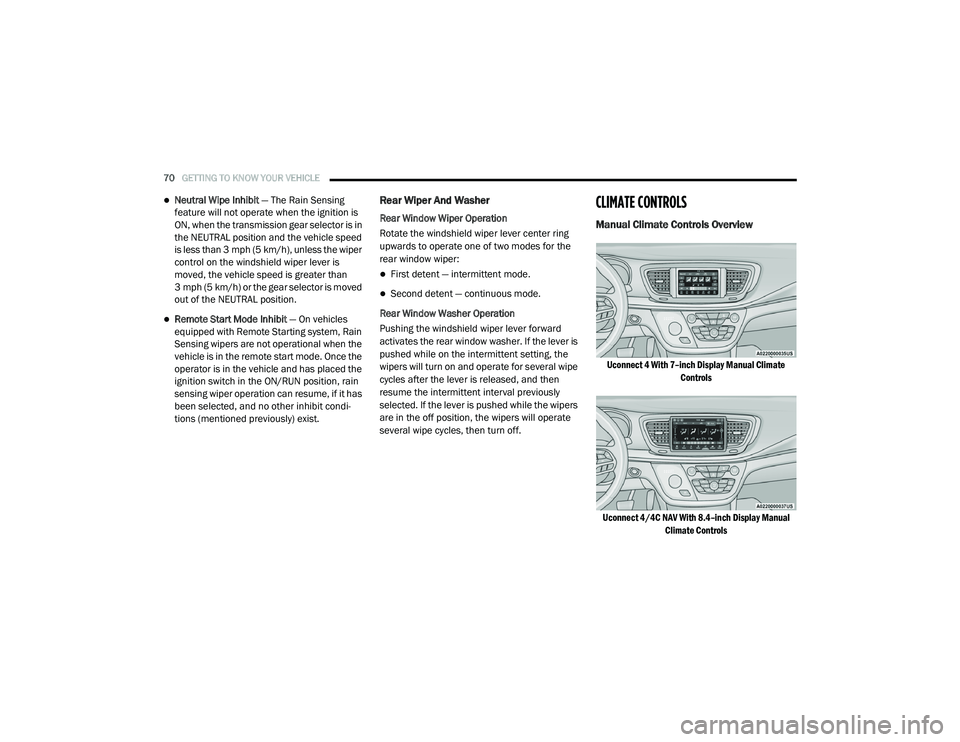
Uconnect 4 With 7–inch Display Manual Climate Controls
Uconnect 4/4C NAV With 8.4–inch Display Manual Climate Controls
20_RU_OM_EN_US_t.book Page 70
Page 77 of 516
GETTING TO KNOW YOUR VEHICLE75
Controlling The Rear Climate Controls From
The Front MTC Display/Touchscreen
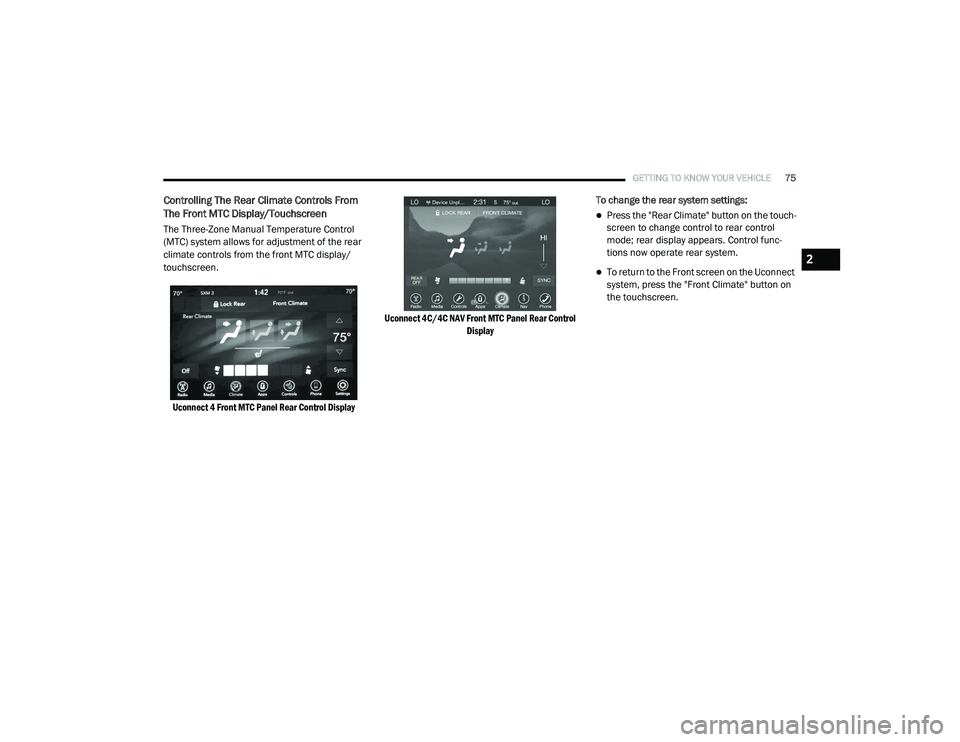
The Three-Zone Manual Temperature Control
(MTC) system allows for adjustment of the rear
climate controls from the front MTC display/
touchscreen.
Uconnect 4 Front MTC Panel Rear Control Display Uconnect 4C/4C NAV Front MTC Panel Rear Control
Display
To change the rear system settings:
Press the "Rear Climate" button on the touch
-
screen to change control to rear control
mode; rear display appears. Control func -
tions now operate rear system.
To return to the Front screen on the Uconnect
system, press the "Front Climate" button on
the touchscreen.2
20_RU_OM_EN_US_t.book Page 75
Page 78 of 516
76GETTING TO KNOW YOUR VEHICLE
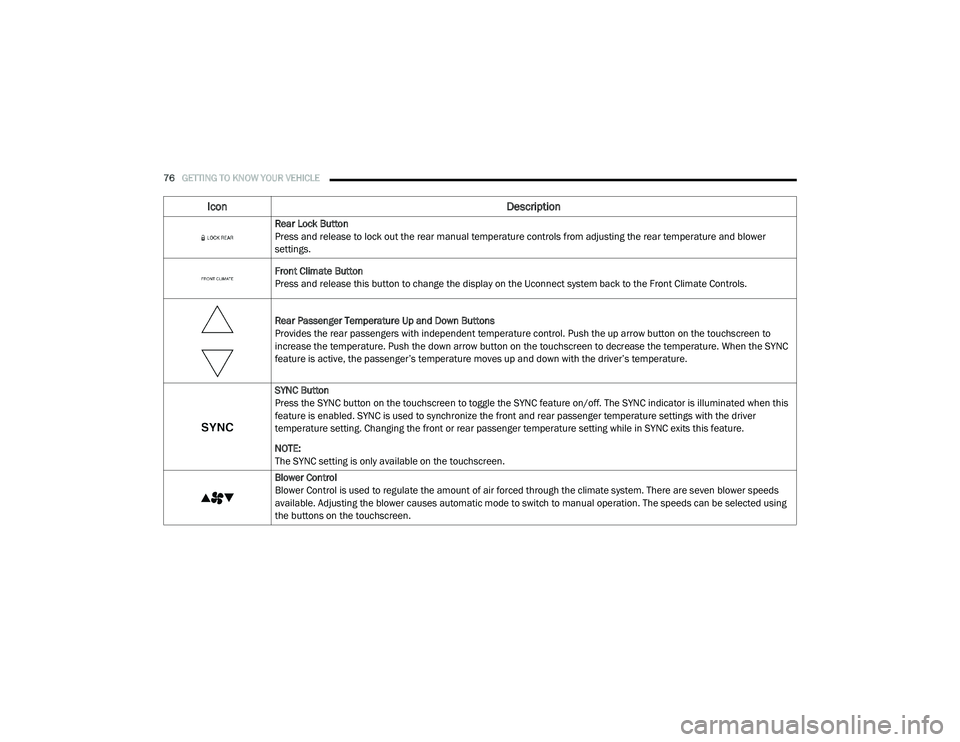
Icon Description
Rear Lock Button
Press and release to lock out the rear manual temperature controls from adjusting the rear temperature and blower
settings.
Front Climate Button
Press and release this button to change the display on the Uconnect system back to the Front Climate Controls.
Rear Passenger Temperature Up and Down Buttons
Provides the rear passengers with independent temperature control. Push the up arrow button on the touchscreen to
increase the temperature. Push the down arrow button on the touchscreen to decrease the temperature. When the SYNC
feature is active, the passenger’s temperature moves up and down with the driver’s temperature.
SYNC Button
Press the SYNC button on the touchscreen to toggle the SYNC feature on/off. The SYNC indicator is illuminated when this
feature is enabled. SYNC is used to synchronize the front and rear passenger temperature settings with the driver
temperature setting. Changing the front or rear passenger temperature setting while in SYNC exits this feature.
NOTE:
The SYNC setting is only available on the touchscreen.
Blower Control
Blower Control is used to regulate the amount of air forced through the climate system. There are seven blower speeds
available. Adjusting the blower causes automatic mode to switch to manual operation. The speeds can be selected using
the buttons on the touchscreen.
20_RU_OM_EN_US_t.book Page 76
Page 82 of 516
80GETTING TO KNOW YOUR VEHICLE
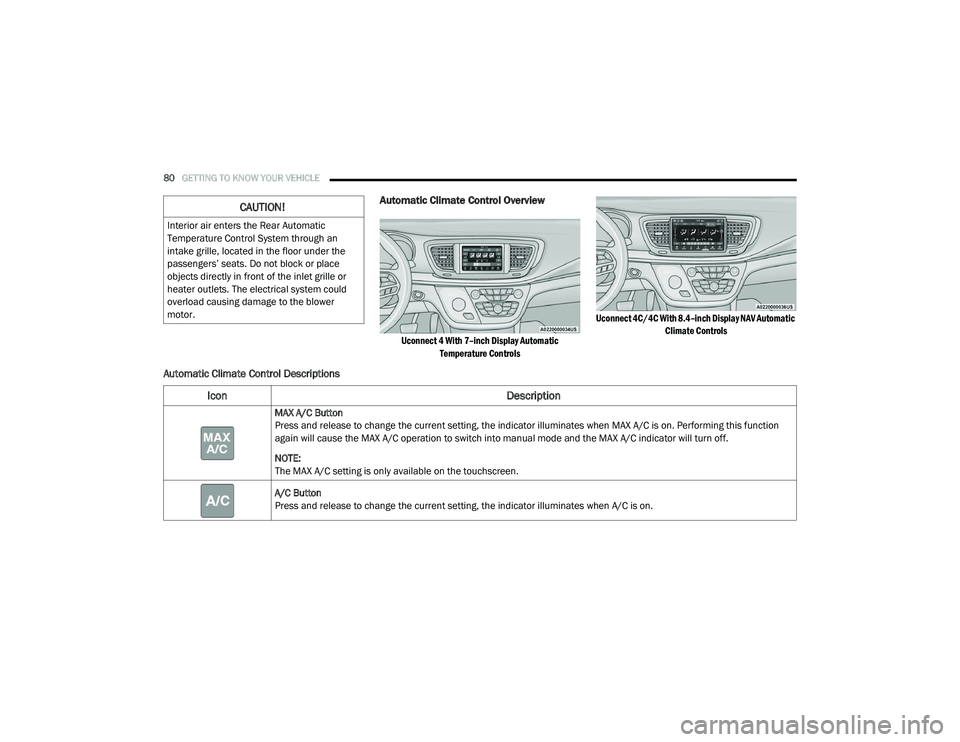
Automatic Climate Control Overview
Uconnect 4 With 7–inch Display Automatic
Temperature Controls Uconnect 4C/4C With 8.4–inch Display NAV Automatic
Climate Controls
Automatic Climate Control Descriptions
CAUTION!
Interior air enters the Rear Automatic
Temperature Control System through an
intake grille, located in the floor under the
passengers’ seats. Do not block or place
objects directly in front of the inlet grille or
heater outlets. The electrical system could
overload causing damage to the blower
motor.
Icon Description
MAX A/C Button
Press and release to change the current setting, the indicator illuminates when MAX A/C is on. Performing this function
again will cause the MAX A/C operation to switch into manual mode and the MAX A/C indicator will turn off.
NOTE:
The MAX A/C setting is only available on the touchscreen.
A/C Button
Press and release to change the current setting, the indicator illuminates when A/C is on.
20_RU_OM_EN_US_t.book Page 80
Page 86 of 516
84GETTING TO KNOW YOUR VEHICLE
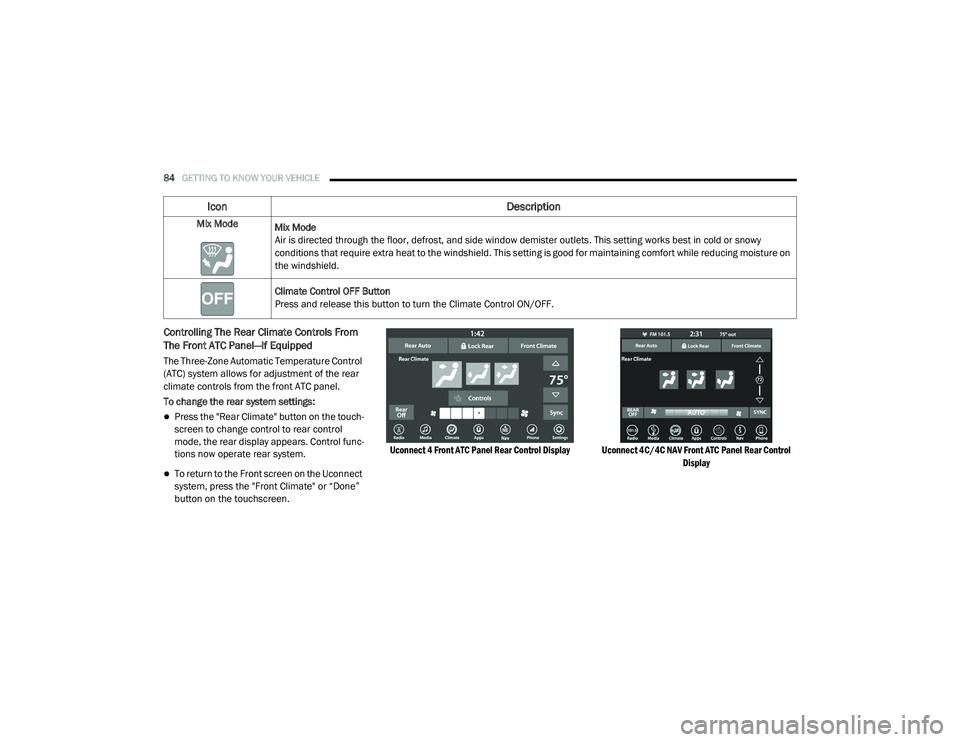
Controlling The Rear Climate Controls From
The Front ATC Panel—If Equipped
The Three-Zone Automatic Temperature Control
(ATC) system allows for adjustment of the rear
climate controls from the front ATC panel.
To change the rear system settings:
Press the "Rear Climate" button on the touch -
screen to change control to rear control
mode, the rear display appears. Control func -
tions now operate rear system.
To return to the Front screen on the Uconnect
system, press the "Front Climate" or “Done”
button on the touchscreen.
Uconnect 4 Front ATC Panel Rear Control Display Uconnect 4C/4C NAV Front ATC Panel Rear Control
Display
Mix Mode
Mix Mode
Air is directed through the floor, defrost, and side window demister outlets. This setting works best in cold or snowy
conditions that require extra heat to the windshield. This setting is good for maintaining comfort while reducing moisture on
the windshield.
Climate Control OFF Button
Press and release this button to turn the Climate Control ON/OFF.
Icon Description
20_RU_OM_EN_US_t.book Page 84
Page 87 of 516
GETTING TO KNOW YOUR VEHICLE85
Icon Description
Rear Auto Button
Automatically controls the rear interior cabin temperature by adjusting airflow distribution and amount. Performing this
function causes the system to switch between manual mode and automatic modes. Refer to “Automatic Operation” within
this section for more information.
Rear Lock Button
Press and release to lock out the rear manual temperature controls from adjusting the rear temperature and blower
settings.
Front Climate Button
Press and release this button to change the display on the Uconnect system back to the Front Climate Controls.
Rear Passenger Temperature Up And Down Buttons
Provides the front occupants with the ability to control the rear temperature. Push the up arrow button on the touchscreen
to increase the temperature. Push the down arrow button on the touchscreen to decrease the temperature. When the
SYNC feature is active, the passenger’s temperature will move up and down with the driver’s temperature.
SYNC Button
Press the SYNC button on the touchscreen to toggle the SYNC feature on/off. The SYNC indicator is illuminated when this
feature is enabled. SYNC is used to synchronize the front and rear passenger temperature settings with the driver
temperature setting. Changing the front or rear passenger temperature/mode/blower settings while in SYNC will
automatically exit this feature.
NOTE:
The SYNC setting is only available on the touchscreen.
2
20_RU_OM_EN_US_t.book Page 85
Page 93 of 516
GETTING TO KNOW YOUR VEHICLE91
NOTE:
It is not necessary to move the temperature
settings for cold or hot vehicles. The system
automatically adjusts the temperature,
mode, and blower speed to provide comfort
as quickly as possible.
The temperature can be displayed in U.S. or
Metric units by selecting the U.S./Metric
customer-programmable feature. Refer to
the “Uconnect Settings” in “Multimedia” for
further information.
To provide you with maximum comfort in the
Automatic mode during cold start-ups, the
blower fan will remain on low until the engine
warms up. The blower will increase in speed
and transition into Auto mode.
Manual Operation Override
This system offers a full complement of manual
override features. The AUTO symbol in the front
Automatic Temperature Control (ATC) display
will be turned off when the system is being used
in the manual mode.
Operating Tips
NOTE:
Refer to the chart at the end of this section for
suggested control settings for various weather
conditions.
Summer Operation
The engine cooling system must be protected
with a high-quality antifreeze coolant to provide
proper corrosion protection and to protect
against engine overheating. OAT coolant
(conforming to MS.90032) is recommended.
Refer to “Fluids And Lubricants” in “Technical
Specifications” for proper coolant selection.
Winter Operation
To ensure the best possible heater and
defroster performance, make sure the engine
cooling system is functioning properly and the
proper amount, type, and concentration of
coolant is used. Refer to “Fluids And
Lubricants” in “Technical Specifications” for
proper coolant selection. Use of the air
Recirculation mode during Winter months is not
recommended, because it may cause window
fogging.
Vacation/Storage
Before you store your vehicle, or keep it out of
service (i.e., vacation) for two weeks or more,
run the air conditioning system at idle for about
five minutes, in fresh air with the blower setting
on high. This will ensure adequate system
lubrication to minimize the possibility of
compressor damage when the system is started
again.
Window Fogging
Vehicle windows tend to fog on the inside in
mild, rainy, and/or humid weather. To clear the
windows, select Defrost or Mix mode and
increase the front blower speed. Do not use the
Recirculation mode without A/C (air
conditioning) for long periods, as fogging may
occur.
2
20_RU_OM_EN_US_t.book Page 91
Page 99 of 516
GETTING TO KNOW YOUR VEHICLE97
NOTE:
If the sunroof is open, the shade will close to the
half-open position. Pushing the shade close
button again will automatically close both the
sunroof and shade completely.
Closing Power Shade — Manual Mode
To close the shade, push and hold the
sunshade close switch. Any release of the
switch will stop the movement and the shade
will remain in a partially closed condition until
the switch is pushed again.
Pinch Protect Feature
This feature will detect an obstruction in the
closing of the sunroof during the Express Close
operation. If an obstruction in the path of the
sunroof is detected, the sunroof will
automatically retract. Remove the obstruction if
this occurs. NOTE:
If three consecutive sunroof close attempts
result in Pinch Protect reversals, Pinch Protect
will disable and the sunroof must be closed in
Manual Mode.
Sunroof Maintenance
Use only a non-abrasive cleaner and a soft cloth
to clean the glass panel. Periodically check for
and clear out any debris that may have
collected in the tracks.
Ignition Off Operation
The power sunroof switch will remain active for
up to approximately 10 minutes after the
ignition switch is placed in the OFF position.
Opening either front door will cancel this
feature.
NOTE:
Ignition off time is programmable through the
Uconnect System. Refer to “Uconnect Settings”
in “Multimedia” for further information.
HOOD
Opening
If applicable, refer to the “Hybrid Supplement”
for additional information.
The hood release lever (to open the primary
latch) and safety latch (to open the secondary
latch) must be released to open the hood.
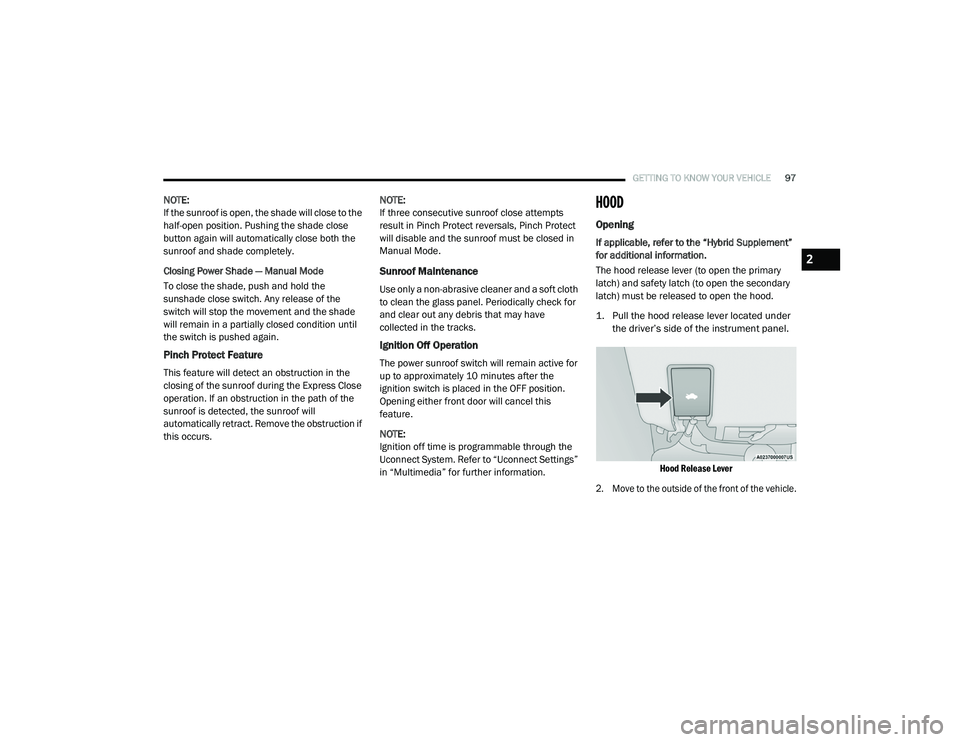
1. Pull the hood release lever located under
the driver’s side of the instrument panel.
Hood Release Lever
2. Move to the outside of the front of the vehicle.
2
20_RU_OM_EN_US_t.book Page 97
Page 101 of 516
GETTING TO KNOW YOUR VEHICLE99
LIFTGATE
Opening
To Unlock/Enter The Liftgate
The liftgate may be released in several ways:
Overhead console liftgate button
Key fob
Outside handle
Push the liftgate button on the key fob twice
within five seconds to release the liftgate.
The key fob and the overhead console button
will release the liftgate when the liftgate is
locked. The outside handle requires the liftgate
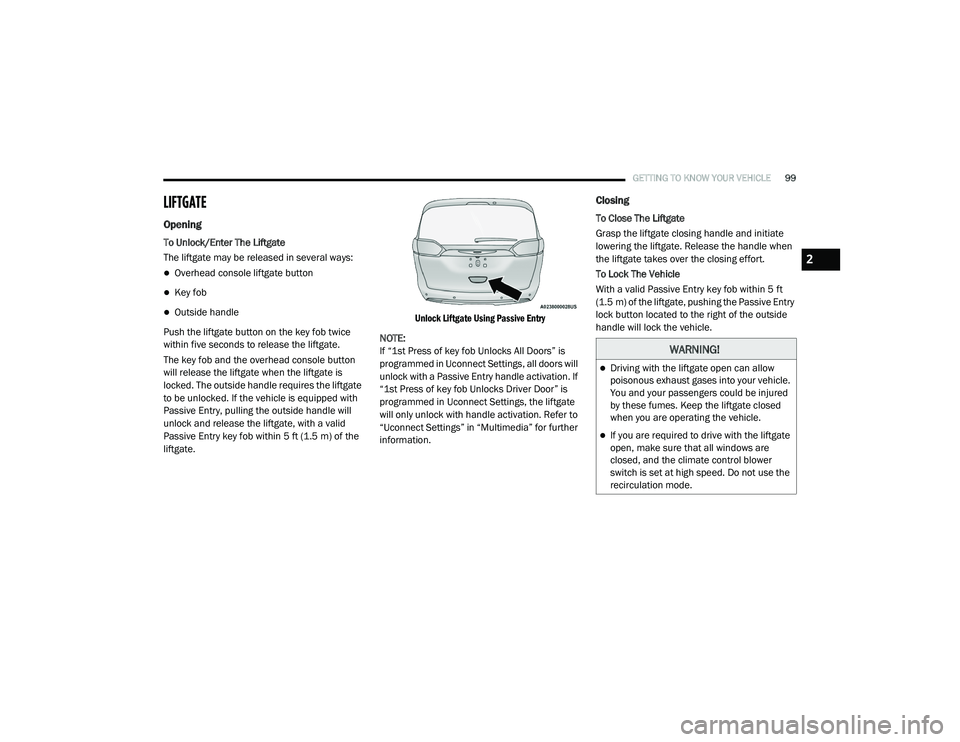
to be unlocked. If the vehicle is equipped with
Passive Entry, pulling the outside handle will
unlock and release the liftgate, with a valid
Passive Entry key fob within 5 ft (1.5 m) of the
liftgate.
Unlock Liftgate Using Passive Entry
NOTE:
If “1st Press of key fob Unlocks All Doors” is
programmed in Uconnect Settings, all doors will
unlock with a Passive Entry handle activation. If
“1st Press of key fob Unlocks Driver Door” is
programmed in Uconnect Settings, the liftgate
will only unlock with handle activation. Refer to
“Uconnect Settings” in “Multimedia” for further
information.
Closing
To Close The Liftgate
Grasp the liftgate closing handle and initiate
lowering the liftgate. Release the handle when
the liftgate takes over the closing effort.
To Lock The Vehicle
With a valid Passive Entry key fob within 5 ft
(1.5 m) of the liftgate, pushing the Passive Entry
lock button located to the right of the outside
handle will lock the vehicle.
WARNING!
Driving with the liftgate open can allow
poisonous exhaust gases into your vehicle.
You and your passengers could be injured
by these fumes. Keep the liftgate closed
when you are operating the vehicle.
If you are required to drive with the liftgate
open, make sure that all windows are
closed, and the climate control blower
switch is set at high speed. Do not use the
recirculation mode.
2
20_RU_OM_EN_US_t.book Page 99