Eco CHRYSLER PACIFICA 2020 Repair Manual
[x] Cancel search | Manufacturer: CHRYSLER, Model Year: 2020, Model line: PACIFICA, Model: CHRYSLER PACIFICA 2020Pages: 516, PDF Size: 28.69 MB
Page 113 of 516
GETTING TO KNOW YOUR VEHICLE111
3. Press and hold the HomeLink® button you
want to program while you press and hold
the hand-held transmitter button.
4. Continue to hold both buttons and observe the indicator light. The HomeLink®
indicator will flash slowly and then rapidly
after HomeLink® has received the
frequency signal from the hand-held
transmitter. Release both buttons after the
indicator light changes from slow to rapid.
5. Press and hold the programmed HomeLink® button and observe the
indicator light.
If the indicator light stays on constantly,
programming is complete and the garage
door/device should activate when the
HomeLink® button is pressed.
To program the two remaining Home -
Link® buttons, repeat each step for each
remaining button. DO NOT erase the
channels. Reprogramming A Single HomeLink® Button
(Non-Rolling Code)
To reprogram a channel that has been
previously trained, follow these steps:
1. Place the ignition in the ON/RUN position.
2. Press and hold the desired HomeLink®
button until the indicator light begins to flash
after 20 seconds. Do not release the button.
3. Without releasing the button, proceed with “Programming A Non-Rolling Code” step 2
and follow all remaining steps.
Canadian/Gate Operator Programming
For programming transmitters in Canada/
United States that require the transmitter
signals to “time-out” after several seconds of
transmission.
Canadian radio frequency laws require
transmitter signals to time-out (or quit) after
several seconds of transmission – which may
not be long enough for HomeLink® to pick up
the signal during programming. Similar to this
Canadian law, some U.S. gate operators are
designed to time-out in the same manner. It may be helpful to unplug the device during the
cycling process to prevent possible overheating
of the garage door or gate motor.
1. Place the ignition in the ON/RUN position.
2. Place the hand-held transmitter 1 to
3 inches (3 to 8 cm) away from the
HomeLink® button you wish to program
while keeping the HomeLink® indicator
light in view.
3. Continue to press and hold the HomeLink® button, while you press and release
(“cycle”) your hand-held transmitter every
two seconds until HomeLink® has
successfully accepted the frequency signal.
The indicator light will flash slowly and then
rapidly when fully trained.
4. Watch for the HomeLink® indicator to change flash rates. When it changes, it is
programmed. It may take up to 30 seconds
or longer in rare cases. The garage door
may open and close while you are
programming.
5. Press and hold the programmed HomeLink® button and observe the
indicator light.
2
20_RU_OM_EN_US_t.book Page 111
Page 114 of 516
112GETTING TO KNOW YOUR VEHICLE
(Continued)
NOTE:
If the indicator light stays on constantly,
programming is complete and the garage
door/device should activate when the
HomeLink® button is pressed.
To program the two remaining Home-
Link® buttons, repeat each step for each
remaining button. DO NOT erase the
channels.
If you unplugged the garage door opener/
device for programming, plug it back in at this
time.
Reprogramming A Single HomeLink® Button
(Canadian/Gate Operator)
To reprogram a channel that has been
previously trained, follow these steps:
1. Place the ignition in the ON/RUN position.
2. Press and hold the desired HomeLink® button until the indicator light begins to
flash after 20 seconds. Do not release the
button.
3. Without releasing the button, proceed with “Canadian/Gate Operator Programming”
step 2 and follow all remaining steps.
Using HomeLink®
To operate, push and release the programmed
HomeLink® button. Activation will now occur for
the programmed device (i.e. garage door
opener, gate operator, security system, entry
door lock, home/office lighting, etc.). The
hand-held transmitter of the device may also be
used at any time.
Security
It is advised to erase all channels before you sell
or turn in your vehicle.
To do this, push and hold the two outside
buttons for 20 seconds until the orange
indicator flashes. Note that all channels will be
erased. Individual channels cannot be erased.
The HomeLink Universal Transceiver is disabled
when the Vehicle Security Alarm is active.
Troubleshooting Tips
If you are having trouble programming
HomeLink®, here are some of the most
common solutions:
Replace the battery in the garage door
opener hand-held transmitter.
Push the LEARN button on the garage door
opener to complete the training for a Rolling
Code.
Did you unplug the device for programming
and remember to plug it back in?
If you have any problems, or require assistance,
please call toll-free 1-800-355-3515 or, on the
Internet at HomeLink.com for information or
assistance.
WARNING!
Vehicle exhaust contains carbon monoxide,
a dangerous gas. Do not run your vehicle in
the garage while programming the trans -
ceiver. Exhaust gas can cause serious
injury or death.
20_RU_OM_EN_US_t.book Page 112
Page 115 of 516
GETTING TO KNOW YOUR VEHICLE113
General Information
The following regulatory statement applies to all
Radio Frequency (RF) devices equipped in this
vehicle:
This device complies with Part 15 of the FCC
Rules and with Innovation, Science and
Economic Development Canada license-exempt
RSS standard(s). Operation is subject to the
following two conditions:
1. This device may not cause harmful
interference, and
2. This device must accept any interference received, including interference that may
cause undesired operation.
Le présent appareil est conforme aux CNR
d`Innovation, Science and Economic
Development applicables aux appareils radio
exempts de licence. L'exploitation est autorisée
aux deux conditions suivantes:
1. l'appareil ne doit pas produire de brouillage, et
2. l'utilisateur de l'appareil doit accepter tout brouillage radioélectrique subi, même si le
brouillage est susceptible d'en compro -
mettre le fonctionnement.
La operación de este equipo está sujeta a las
siguientes dos condiciones:
1. es posible que este equipo o dispositivo no cause interferencia perjudicial y
2. este equipo o dispositivo debe aceptar cualquier interferencia, incluyendo la que
pueda causar su operación no deseada. NOTE:
Changes or modifications not expressly
approved by the party responsible for compli
-
ance could void the user’s authority to operate
the equipment.
INTERNAL EQUIPMENT
Storage
Glove Compartment
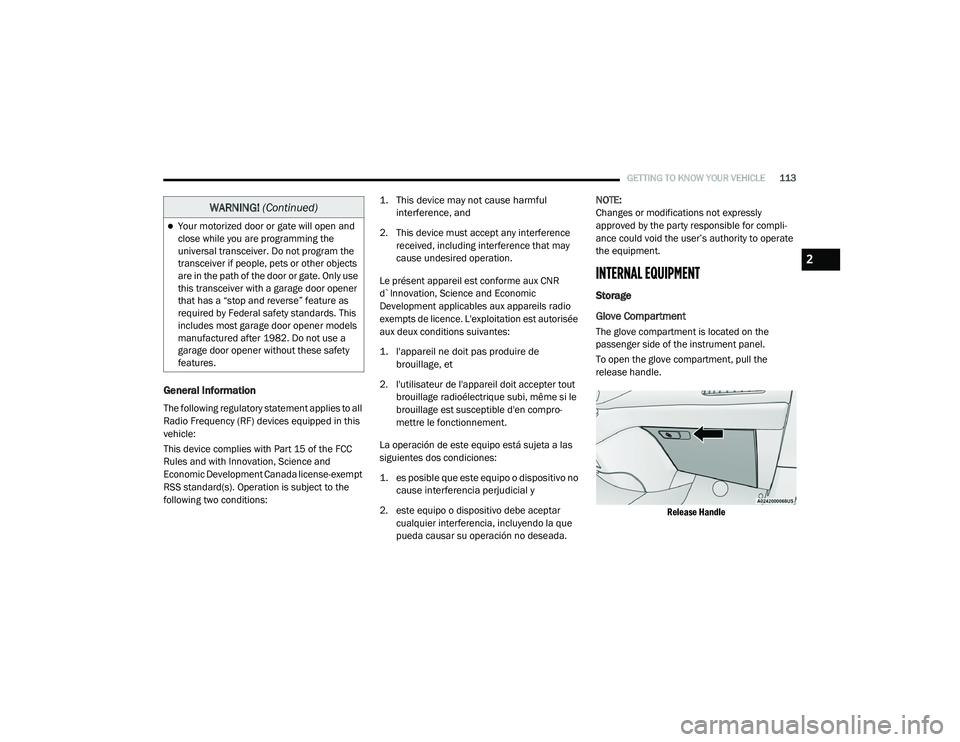
The glove compartment is located on the
passenger side of the instrument panel.
To open the glove compartment, pull the
release handle.
Release Handle
Your motorized door or gate will open and
close while you are programming the
universal transceiver. Do not program the
transceiver if people, pets or other objects
are in the path of the door or gate. Only use
this transceiver with a garage door opener
that has a “stop and reverse” feature as
required by Federal safety standards. This
includes most garage door opener models
manufactured after 1982. Do not use a
garage door opener without these safety
features.
WARNING! (Continued)
2
20_RU_OM_EN_US_t.book Page 113
Page 117 of 516
GETTING TO KNOW YOUR VEHICLE115
Umbrella Holder
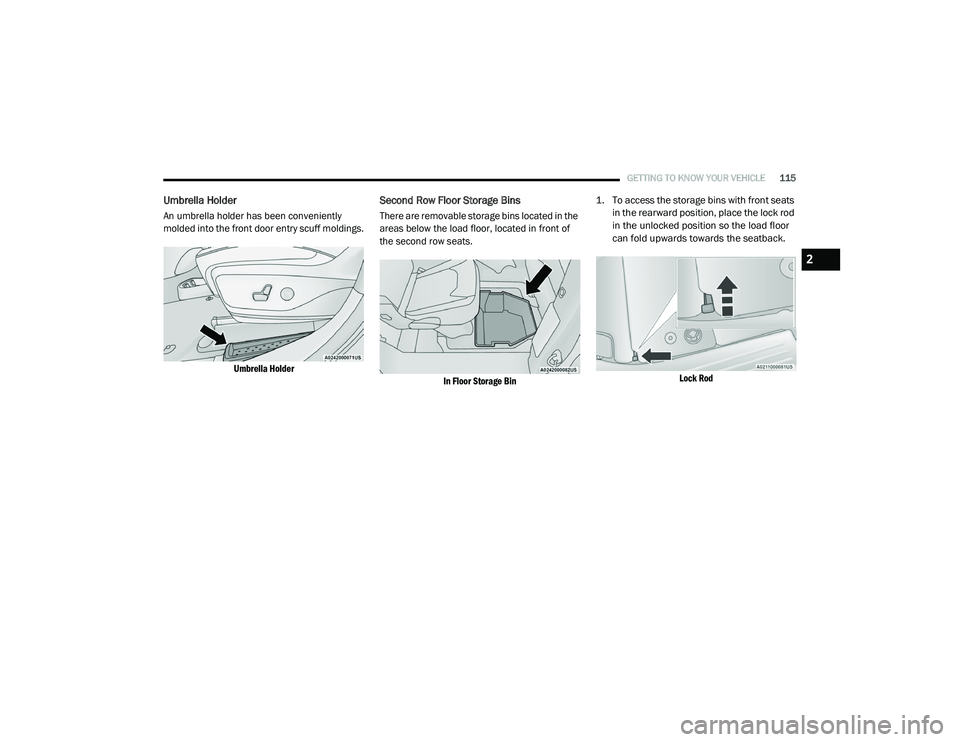
An umbrella holder has been conveniently
molded into the front door entry scuff moldings.
Umbrella Holder
Second Row Floor Storage Bins
There are removable storage bins located in the
areas below the load floor, located in front of
the second row seats.
In Floor Storage Bin
1. To access the storage bins with front seats
in the rearward position, place the lock rod
in the unlocked position so the load floor
can fold upwards towards the seatback.
Lock Rod
2
20_RU_OM_EN_US_t.book Page 115
Page 118 of 516
116GETTING TO KNOW YOUR VEHICLE
NOTE:
Push the lock rod inward for the locked
position.
Pull outward on the lock rod for the
unlocked position.
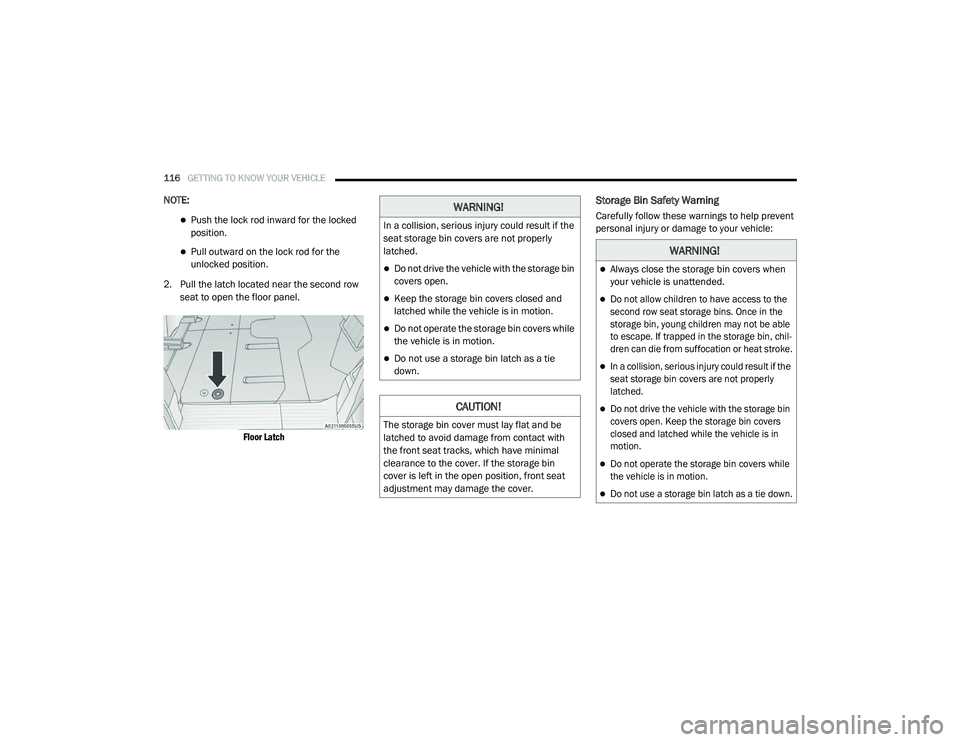
2. Pull the latch located near the second row seat to open the floor panel.
Floor Latch
Storage Bin Safety Warning
Carefully follow these warnings to help prevent
personal injury or damage to your vehicle:WARNING!
In a collision, serious injury could result if the
seat storage bin covers are not properly
latched.
Do not drive the vehicle with the storage bin
covers open.
Keep the storage bin covers closed and
latched while the vehicle is in motion.
Do not operate the storage bin covers while
the vehicle is in motion.
Do not use a storage bin latch as a tie
down.
CAUTION!
The storage bin cover must lay flat and be
latched to avoid damage from contact with
the front seat tracks, which have minimal
clearance to the cover. If the storage bin
cover is left in the open position, front seat
adjustment may damage the cover.
WARNING!
Always close the storage bin covers when
your vehicle is unattended.
Do not allow children to have access to the
second row seat storage bins. Once in the
storage bin, young children may not be able
to escape. If trapped in the storage bin, chil -
dren can die from suffocation or heat stroke.
In a collision, serious injury could result if the
seat storage bin covers are not properly
latched.
Do not drive the vehicle with the storage bin
covers open. Keep the storage bin covers
closed and latched while the vehicle is in
motion.
Do not operate the storage bin covers while
the vehicle is in motion.
Do not use a storage bin latch as a tie down.
20_RU_OM_EN_US_t.book Page 116
Page 119 of 516
GETTING TO KNOW YOUR VEHICLE117
Seat Storage Bin Cover Emergency Release
Lever
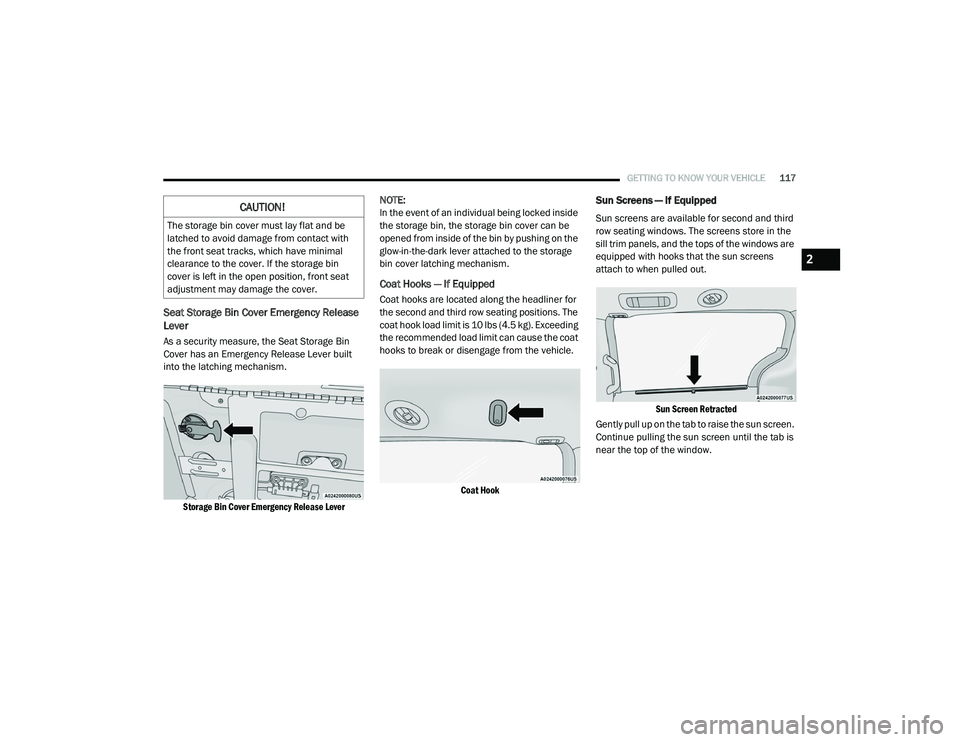
As a security measure, the Seat Storage Bin
Cover has an Emergency Release Lever built
into the latching mechanism.
Storage Bin Cover Emergency Release Lever
NOTE:
In the event of an individual being locked inside
the storage bin, the storage bin cover can be
opened from inside of the bin by pushing on the
glow-in-the-dark lever attached to the storage
bin cover latching mechanism.
Coat Hooks — If Equipped
Coat hooks are located along the headliner for
the second and third row seating positions. The
coat hook load limit is 10 lbs (4.5 kg). Exceeding
the recommended load limit can cause the coat
hooks to break or disengage from the vehicle.
Coat Hook
Sun Screens — If Equipped
Sun screens are available for second and third
row seating windows. The screens store in the
sill trim panels, and the tops of the windows are
equipped with hooks that the sun screens
attach to when pulled out.
Sun Screen Retracted
Gently pull up on the tab to raise the sun screen.
Continue pulling the sun screen until the tab is
near the top of the window.CAUTION!
The storage bin cover must lay flat and be
latched to avoid damage from contact with
the front seat tracks, which have minimal
clearance to the cover. If the storage bin
cover is left in the open position, front seat
adjustment may damage the cover.
2
20_RU_OM_EN_US_t.book Page 117
Page 122 of 516
120GETTING TO KNOW YOUR VEHICLE
Certain high-end video game consoles will
exceed this power limit, as will most power
tools.
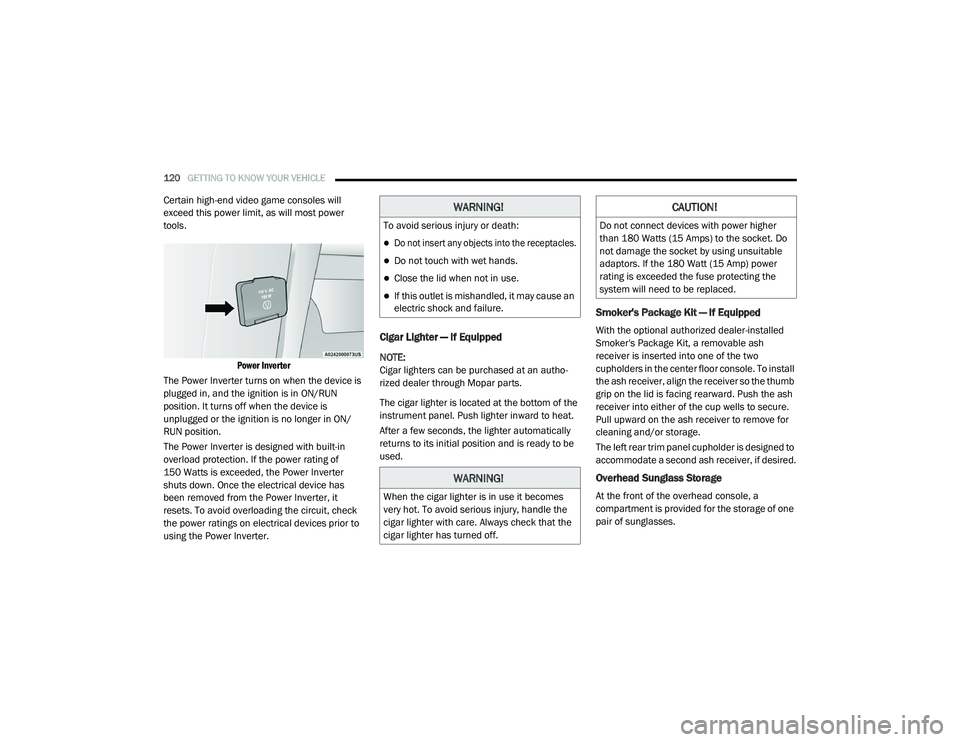
Power Inverter
The Power Inverter turns on when the device is
plugged in, and the ignition is in ON/RUN
position. It turns off when the device is
unplugged or the ignition is no longer in ON/
RUN position.
The Power Inverter is designed with built-in
overload protection. If the power rating of
150 Watts is exceeded, the Power Inverter
shuts down. Once the electrical device has
been removed from the Power Inverter, it
resets. To avoid overloading the circuit, check
the power ratings on electrical devices prior to
using the Power Inverter.
Cigar Lighter — If Equipped
NOTE:
Cigar lighters can be purchased at an autho -
rized dealer through Mopar parts.
The cigar lighter is located at the bottom of the
instrument panel. Push lighter inward to heat.
After a few seconds, the lighter automatically
returns to its initial position and is ready to be
used.
Smoker's Package Kit — If Equipped
With the optional authorized dealer-installed
Smoker's Package Kit, a removable ash
receiver is inserted into one of the two
cupholders in the center floor console. To install
the ash receiver, align the receiver so the thumb
grip on the lid is facing rearward. Push the ash
receiver into either of the cup wells to secure.
Pull upward on the ash receiver to remove for
cleaning and/or storage.
The left rear trim panel cupholder is designed to
accommodate a second ash receiver, if desired.
Overhead Sunglass Storage
At the front of the overhead console, a
compartment is provided for the storage of one
pair of sunglasses.
WARNING!
To avoid serious injury or death:
Do not insert any objects into the receptacles.
Do not touch with wet hands.
Close the lid when not in use.
If this outlet is mishandled, it may cause an
electric shock and failure.
WARNING!
When the cigar lighter is in use it becomes
very hot. To avoid serious injury, handle the
cigar lighter with care. Always check that the
cigar lighter has turned off.
CAUTION!
Do not connect devices with power higher
than 180 Watts (15 Amps) to the socket. Do
not damage the socket by using unsuitable
adaptors. If the 180 Watt (15 Amp) power
rating is exceeded the fuse protecting the
system will need to be replaced.
20_RU_OM_EN_US_t.book Page 120
Page 125 of 516
GETTING TO KNOW YOUR VEHICLE123
5. Deploy and tighten the second crossbar to
complete the deployment of the crossbars.
NOTE:
The crossbars are not identical and have fixed
deployment positions. The rear crossbar can be
deployed in two different positions.
Stowing The Crossbars
1. Starting with one crossbar, completely loosen the thumb screws at both ends. Lift
the crossbar away from the matching letter
to remove it from the deployed position.
Repeat with the other crossbar.
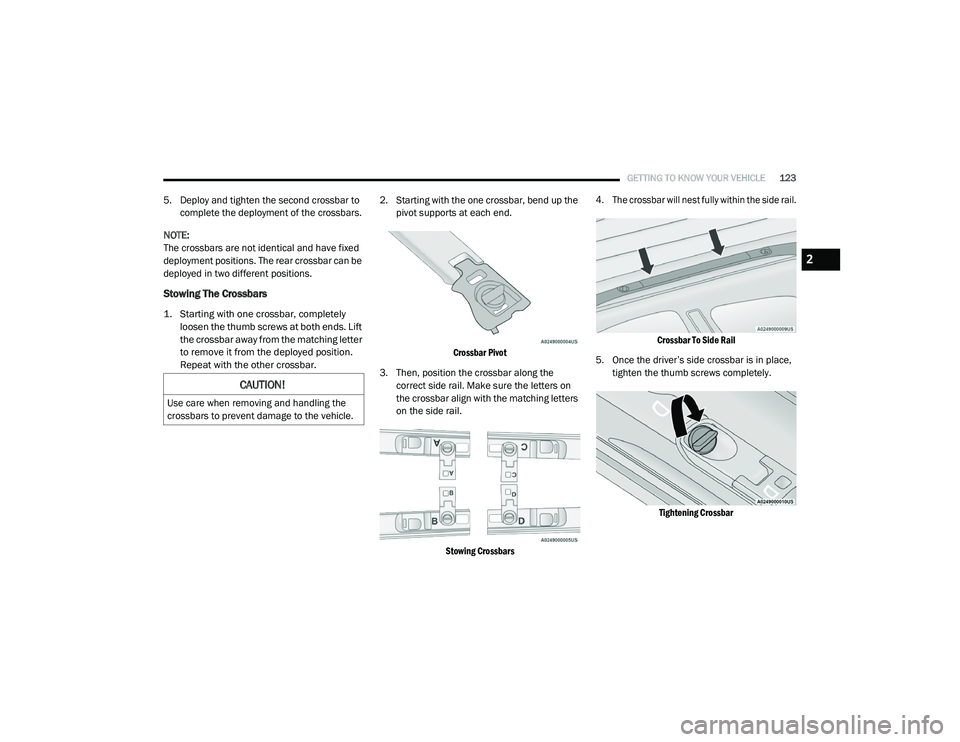
2. Starting with the one crossbar, bend up the
pivot supports at each end.
Crossbar Pivot
3. Then, position the crossbar along the correct side rail. Make sure the letters on
the crossbar align with the matching letters
on the side rail.
Stowing Crossbars 4. The crossbar will nest fully within the side rail.
Crossbar To Side Rail
5. Once the driver’s side crossbar is in place, tighten the thumb screws completely.
Tightening Crossbar
CAUTION!
Use care when removing and handling the
crossbars to prevent damage to the vehicle.
2
20_RU_OM_EN_US_t.book Page 123
Page 126 of 516
124GETTING TO KNOW YOUR VEHICLE
(Continued)
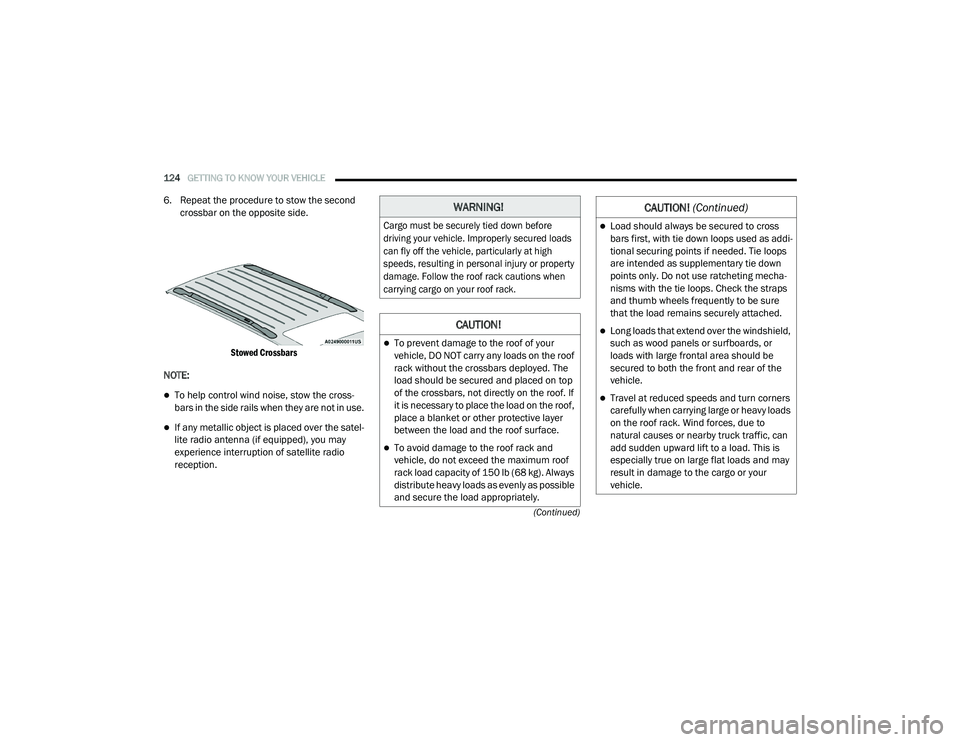
6. Repeat the procedure to stow the second crossbar on the opposite side.
Stowed Crossbars
NOTE:
To help control wind noise, stow the cross -
bars in the side rails when they are not in use.
If any metallic object is placed over the satel -
lite radio antenna (if equipped), you may
experience interruption of satellite radio
reception.
WARNING!
Cargo must be securely tied down before
driving your vehicle. Improperly secured loads
can fly off the vehicle, particularly at high
speeds, resulting in personal injury or property
damage. Follow the roof rack cautions when
carrying cargo on your roof rack.
CAUTION!
To prevent damage to the roof of your
vehicle, DO NOT carry any loads on the roof
rack without the crossbars deployed. The
load should be secured and placed on top
of the crossbars, not directly on the roof. If
it is necessary to place the load on the roof,
place a blanket or other protective layer
between the load and the roof surface.
To avoid damage to the roof rack and
vehicle, do not exceed the maximum roof
rack load capacity of 150 lb (68 kg). Always
distribute heavy loads as evenly as possible
and secure the load appropriately.
Load should always be secured to cross
bars first, with tie down loops used as addi -
tional securing points if needed. Tie loops
are intended as supplementary tie down
points only. Do not use ratcheting mecha -
nisms with the tie loops. Check the straps
and thumb wheels frequently to be sure
that the load remains securely attached.
Long loads that extend over the windshield,
such as wood panels or surfboards, or
loads with large frontal area should be
secured to both the front and rear of the
vehicle.
Travel at reduced speeds and turn corners
carefully when carrying large or heavy loads
on the roof rack. Wind forces, due to
natural causes or nearby truck traffic, can
add sudden upward lift to a load. This is
especially true on large flat loads and may
result in damage to the cargo or your
vehicle.
CAUTION! (Continued)
20_RU_OM_EN_US_t.book Page 124
Page 130 of 516
128GETTING TO KNOW YOUR INSTRUMENT PANEL
Instrument Cluster Display Location And
Controls
The vehicle’s instrument cluster is equipped
with an instrument cluster display (base or
premium cluster), which offers useful
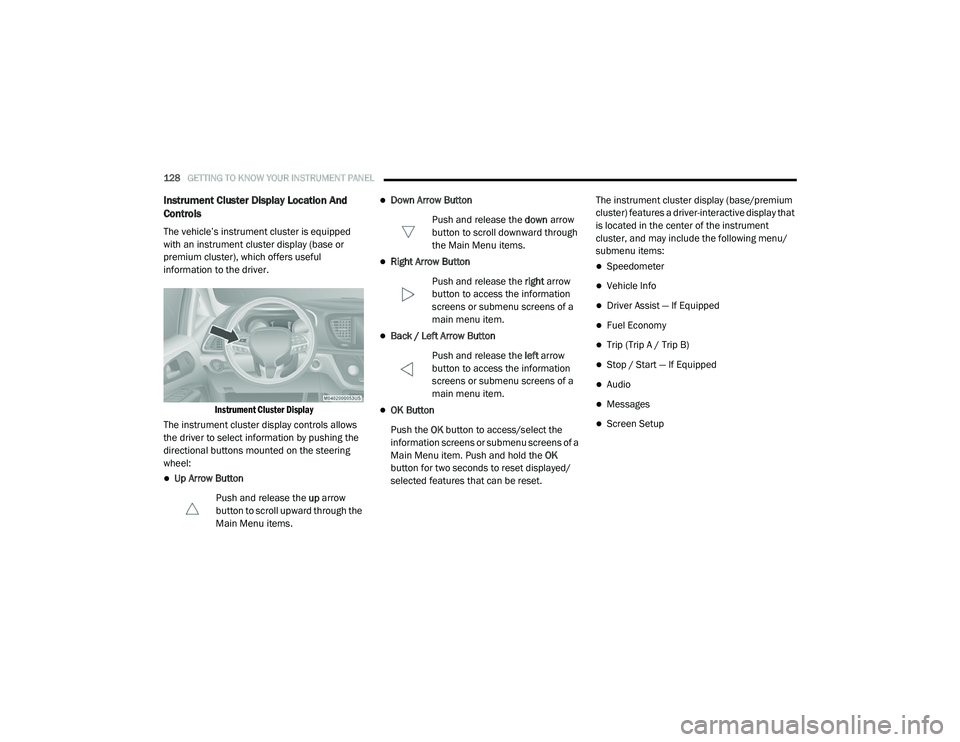
information to the driver.
Instrument Cluster Display
The instrument cluster display controls allows
the driver to select information by pushing the
directional buttons mounted on the steering
wheel:
Up Arrow Button
Push and release the up arrow
button to scroll upward through the
Main Menu items.
Down Arrow Button
Push and release the down arrow
button to scroll downward through
the Main Menu items.
Right Arrow Button
Push and release the right arrow
button to access the information
screens or submenu screens of a
main menu item.
Back / Left Arrow Button
Push and release the left arrow
button to access the information
screens or submenu screens of a
main menu item.
OK Button
Push the OK button to access/select the
information screens or submenu screens of a
Main Menu item. Push and hold the OK
button for two seconds to reset displayed/
selected features that can be reset. The instrument cluster display (base/premium
cluster) features a driver-interactive display that
is located in the center of the instrument
cluster, and may include the following menu/
submenu items:
Speedometer
Vehicle Info
Driver Assist — If Equipped
Fuel Economy
Trip (Trip A / Trip B)
Stop / Start — If Equipped
Audio
Messages
Screen Setup
20_RU_OM_EN_US_t.book Page 128