Eco CHRYSLER PACIFICA 2020 Manual PDF
[x] Cancel search | Manufacturer: CHRYSLER, Model Year: 2020, Model line: PACIFICA, Model: CHRYSLER PACIFICA 2020Pages: 516, PDF Size: 28.69 MB
Page 131 of 516
GETTING TO KNOW YOUR INSTRUMENT PANEL129
Oil Life Reset
Your vehicle is equipped with an engine oil
change indicator system. The “Oil Change
Required” message will display for approxi-
mately five seconds after a single chime has
sounded, to indicate it is time to change the
engine oil. The engine oil change indicator
system is duty cycle based, which means the
engine oil change interval may fluctuate,
dependent upon your personal driving style.
Unless reset, this message will continue to
display each time the ignition is cycled to the
ON/RUN position.
To reset the oil change indicator after
performing the scheduled maintenance,
refer to the following procedure.
NOTE:
This procedure should only be performed after
scheduled maintenance is completed. Reset -
ting oil life other than when associated with a
scheduled maintenance may result in damage
due to not properly maintaining the engine oil. Oil Life Reset
1. Without pressing the brake pedal, push the
ENGINE START/STOP button and place the
ignition in the ON/RUN position (do not
start the vehicle.)
2. Push the OK button to enter the instrument
cluster display menu screen.
3. Push and release the down arrow button to
access the ”Vehicle Info” menu screen.
4. Push the left arrow button or right arrow
button to access the “Oil Life” submenu.
5. Hold the OK button to reset the “Oil Life” to
100%.
6. Push the up arrow button to exit the
instrument cluster display menu screen.
Secondary Method For Oil Life Reset Procedure
1. Without pushing the brake pedal, place the ignition in the ON/RUN position (do not
start the engine).
2. Fully press the accelerator pedal, slowly, three times within 10 seconds. 3. Without pushing the brake pedal, place the
ignition in the OFF/LOCK position.
NOTE:
If the indicator message illuminates when you
start the vehicle, the oil change indicator
system did not reset. If necessary, repeat this
procedure.
Fuel And Oil Refresh Mode
Since it is possible to operate this vehicle for
extended periods of time without running the
gas engine, the fuel within the vehicle’s fuel
tank can become stale or the engine oil’s
lubricating properties can be reduced. To
prevent engine and/or fuel system damage due
to stale fuel, as well as, maintaining internal
engine lubrication, this vehicle is equipped with
a “Fuel and Oil Refresh Mode”.
The vehicle will automatically enter into the Fuel and
Oil Refresh Mode to minimize potential for stale
fuel, and to ensure lubrication of internal engine
components. When operating in this mode, the gas
engine will run to provide vehicle propulsion
(electric only operation is inhibited). A message will
be displayed in the instrument cluster whenever
Fuel and Oil Refresh Mode is active.
3
20_RU_OM_EN_US_t.book Page 129
Page 132 of 516
130GETTING TO KNOW YOUR INSTRUMENT PANEL
The vehicle will automatically exit the Fuel and Oil
Refresh Mode when conditions have been
satisfied. If the vehicle enters Fuel and Oil
Refresh Mode, due to fuel which has been in the
fuel tank for a long period of time (becoming stale
fuel), the engine will run whenever the vehicle is
operational (no electric only operation) until the
low fuel level warning is activated. It is also
possible to exit the Fuel and Oil Refresh Mode
sooner by adding a minimum of 4 gallons of new
fuel to the vehicle’s fuel tank.
NOTE:
If the vehicle enters Fuel and Oil Refresh Mode
to maintain engine lubrication, adding fuel will
not exit the mode sooner.
If the vehicle enters Fuel and Oil Refresh Mode
to maintain engine lubrication properties, the
engine may run for a period of up to 20 minutes
when fully warm whenever the vehicle is
operational (no electric only operation). If the
vehicle is shut down before conditions to exit
the refresh mode have been satisfied, the
engine may run for additional time on
subsequent trips.NOTE:
Frequent short trips at low ambient tempera
-
ture conditions are more likely to trigger the
lubrication based mode.
KeySense Cluster Messages — If Equipped
When the KeySense key is in use there will be:
Continuous, dedicated telltale
Unique Display Splash Screen
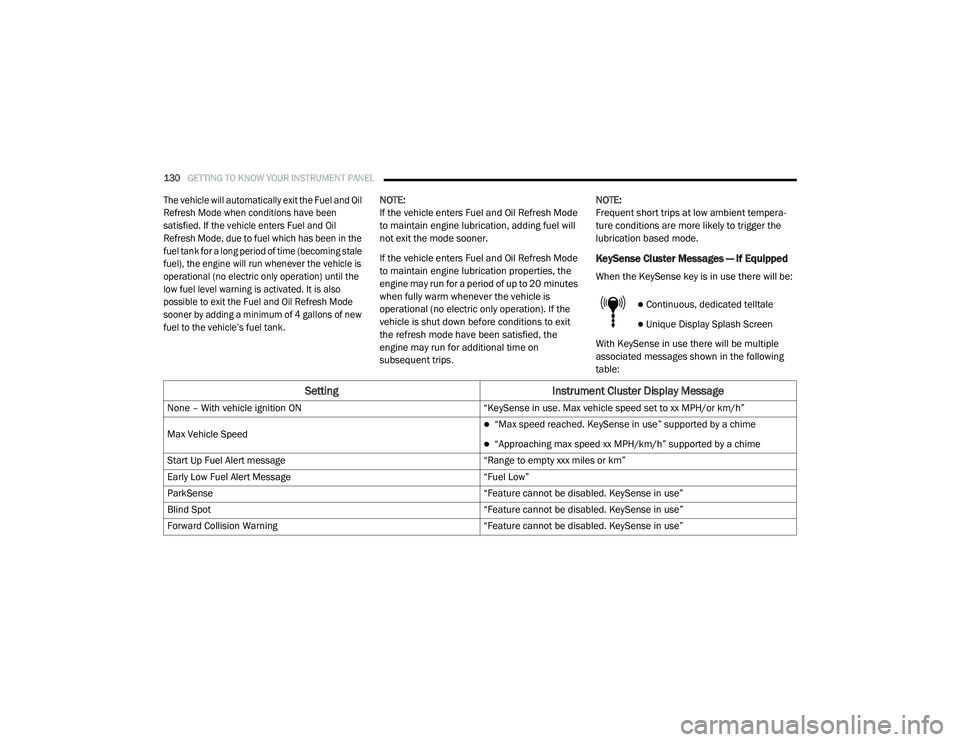
With KeySense in use there will be multiple
associated messages shown in the following
table:
Setting Instrument Cluster Display Message
None – With vehicle ignition ON “KeySense in use. Max vehicle speed set to xx MPH/or km/h”
Max Vehicle Speed
“Max speed reached. KeySense in use” supported by a chime
“Approaching max speed xx MPH/km/h” supported by a chime
Start Up Fuel Alert message “Range to empty xxx miles or km”
Early Low Fuel Alert Message “Fuel Low”
ParkSense “Feature cannot be disabled. KeySense in use”
Blind Spot “Feature cannot be disabled. KeySense in use”
Forward Collision Warning “Feature cannot be disabled. KeySense in use”
20_RU_OM_EN_US_t.book Page 130
Page 134 of 516
132GETTING TO KNOW YOUR INSTRUMENT PANEL
To reset the Oil Life, you must hold the OK
button. The “Hold OK to Reset” instruction will
be displayed at all times, but the following
conditions will need to be met in order to reset
Oil Life:
The ignition must be in the ON/RUN position
If the conditions are met, holding the OK button
will reset the gauge and the numeric display will
return to 100%.
If the conditions are not met, a popup message
will display for five seconds, describing the
required conditions, and then the Oil Life screen
will reappear.
Driver Assist
Push and release the up or down arrow button
until the Driver Assist display icon is highlighted
in the instrument cluster display. Refer to
“Adaptive Cruise Control (ACC) — If Equipped” in
“Starting And Operating” for further
information.
Fuel Economy
Push and release the up or down arrow button
until the Fuel Economy Menu item is highlighted
in the instrument cluster display. The Fuel
Economy Menu will display the following:
Two submenu pages that can be toggled
between using the left and right arrow
buttons; one with Current Value displayed
and one without the Current Value displayed:
Average Fuel Economy (MPG, L/100 km,
or km/L)
Range To Empty (miles or km)
Current Fuel Economy (MPG, L/100 km,
or km/L)
The Max and Min values will correspond
to the particular engine requirements
Hold OK to reset average fuel economy infor -
mation.
Trip Info
Push and release the up or down arrow button
until the Trip Menu item is highlighted in the
instrument cluster display. Push the left or right
arrow button to scroll through the Trip A and Trip
B submenus. The Trip information will display
the following:
Distance
Average Fuel Economy
Elapsed Time
Hold the OK button to reset feature information.
Stop / Start – If Equipped
Push and release the up or down arrow button
until the Stop/Start menu title is displayed in
the instrument cluster display.
Audio
Push and release the up or down arrow button
until the Audio Menu displays in the instrument
cluster display.
20_RU_OM_EN_US_t.book Page 132
Page 140 of 516
138GETTING TO KNOW YOUR INSTRUMENT PANEL
Speed Warning — If Equipped
Push and release the up or down arrow button
until Speed Warning is highlighted in the
instrument cluster display. Push and release the
OK button to enter speed warning. Use the up or
down arrow button to turn the speed warning ON
or OFF, then push and release the OK button to
confirm the selection. If the ON status is selected,
use the up or down arrow button to set the
desired speed, then push the OK button to set
the speed for the speed warning. A speed
warning telltale will illuminate in the instrument
cluster, with a number matching the set speed,
with a pop up message to inform the driver that
the speed warning has been set to the desired
speed. Each time the set speed is exceeded, a
single chime will sound and a pop up warning
message will display. If the set speed is exceeded
more than 2 mph (3 km/h), a continuous chime
will sound for up to 10 seconds, or until the speed
is no longer exceeded. The telltale in the
instrument cluster will also change from white to
yellow, and a pop up warning message will pop up
on the instrument cluster display.
NOTE:
Speed Warning is unavailable while KeySense
is in use.
Battery Saver On/Battery Saver Mode
Message — Electrical Load Reduction
Actions — If Equipped
This vehicle is equipped with an Intelligent
Battery Sensor (IBS) to perform additional
monitoring of the electrical system and status
of the vehicle battery.
In cases when the IBS detects charging system
failure, or the 12 Volt vehicle battery conditions
are deteriorating, electrical load reduction
actions will take place to extend the driving time
and distance of the vehicle. This is done by
reducing power to or turning off non-essential
12 Volt electrical loads. Load reduction will be
functional when the vehicle propulsion system
is active.
The vehicle may not be running depending on
the HV battery SOC or temperature. It will
display a message if there is a risk of battery
depletion to the point where the vehicle may
stall due to lack of electrical supply, or will not
restart after the current drive cycle.
When 12 Volt load reduction is activated, the
message “Battery Saver On” or “Battery Saver
Mode” will appear in the instrument cluster
display. These messages indicate the vehicle battery
has a low state of charge and continues to lose
electrical charge at a rate that the charging
system cannot sustain.
NOTE:
The charging system is independent from
load reduction. The charging system
performs a diagnostic on the charging
system continuously.
If the Battery Charge Warning Light is on it
may indicate a problem with the charging
system. Refer to “Battery Charge Warning
Light” in this chapter for further information.
The electrical loads that may be switched off (if
equipped), and vehicle functions which can be
effected by load reduction:
Heated Seat/Vented Seats/Heated Wheel
Heated/Cooled Cup Holders — If Equipped
Rear Defroster And Heated Mirrors
HVAC System
115 Volts AC Power Inverter System
Audio and Telematics System
20_RU_OM_EN_US_t.book Page 138
Page 143 of 516
GETTING TO KNOW YOUR INSTRUMENT PANEL141
WARNING LIGHTS AND MESSAGES
The warning/indicator lights will illuminate in
the instrument panel together with a dedicated
message and/or acoustic signal when
applicable. These indications are indicative and
precautionary and as such must not be
considered as exhaustive and/or alternative to
the information contained in the Owner’s
Manual, which you are advised to read carefully
in all cases. Always refer to the information in
this chapter in the event of a failure indication.
All active telltales will display first if applicable.
The system check menu may appear different
based upon equipment options and current
vehicle status. Some telltales are optional and
may not appear.
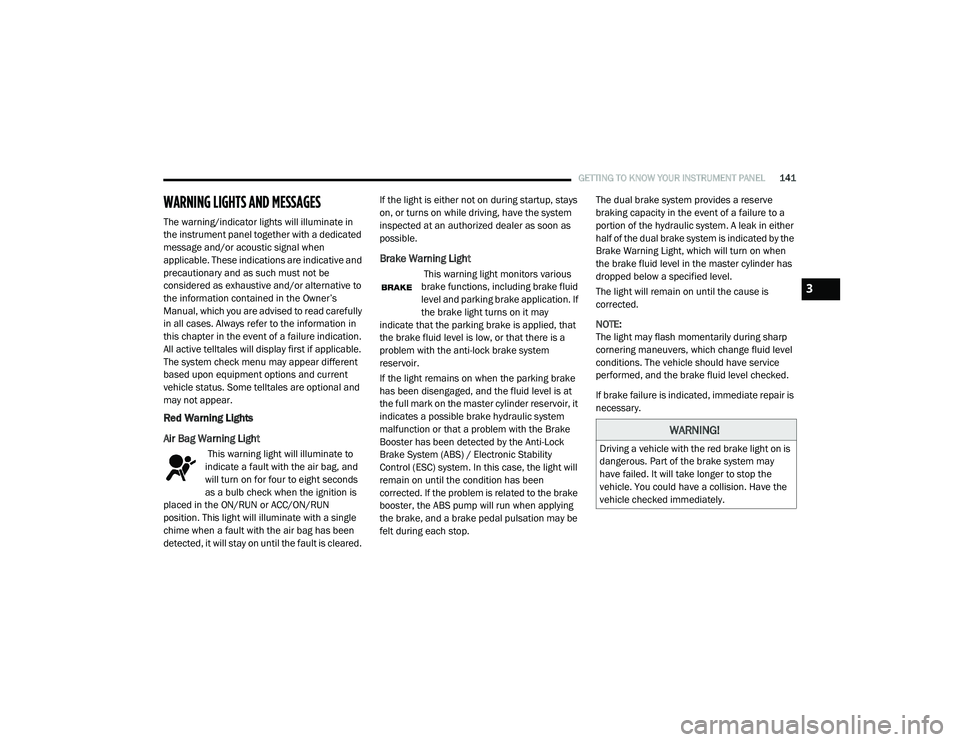
Red Warning Lights
Air Bag Warning Light
This warning light will illuminate to
indicate a fault with the air bag, and
will turn on for four to eight seconds
as a bulb check when the ignition is
placed in the ON/RUN or ACC/ON/RUN
position. This light will illuminate with a single
chime when a fault with the air bag has been
detected, it will stay on until the fault is cleared. If the light is either not on during startup, stays
on, or turns on while driving, have the system
inspected at an authorized dealer as soon as
possible.
Brake Warning Light
This warning light monitors various
brake functions, including brake fluid
level and parking brake application. If
the brake light turns on it may
indicate that the parking brake is applied, that
the brake fluid level is low, or that there is a
problem with the anti-lock brake system
reservoir.
If the light remains on when the parking brake
has been disengaged, and the fluid level is at
the full mark on the master cylinder reservoir, it
indicates a possible brake hydraulic system
malfunction or that a problem with the Brake
Booster has been detected by the Anti-Lock
Brake System (ABS) / Electronic Stability
Control (ESC) system. In this case, the light will
remain on until the condition has been
corrected. If the problem is related to the brake
booster, the ABS pump will run when applying
the brake, and a brake pedal pulsation may be
felt during each stop. The dual brake system provides a reserve
braking capacity in the event of a failure to a
portion of the hydraulic system. A leak in either
half of the dual brake system is indicated by the
Brake Warning Light, which will turn on when
the brake fluid level in the master cylinder has
dropped below a specified level.
The light will remain on until the cause is
corrected.
NOTE:
The light may flash momentarily during sharp
cornering maneuvers, which change fluid level
conditions. The vehicle should have service
performed, and the brake fluid level checked.
If brake failure is indicated, immediate repair is
necessary.
WARNING!
Driving a vehicle with the red brake light on is
dangerous. Part of the brake system may
have failed. It will take longer to stop the
vehicle. You could have a collision. Have the
vehicle checked immediately.
3
20_RU_OM_EN_US_t.book Page 141
Page 144 of 516
142GETTING TO KNOW YOUR INSTRUMENT PANEL
Vehicles equipped with the Anti-Lock Brake
System (ABS) are also equipped with Electronic
Brake Force Distribution (EBD). In the event of
an EBD failure, the Brake Warning Light will turn
on along with the ABS Light. Immediate repair to
the ABS system is required.
Operation of the Brake Warning Light can be
checked by turning the ignition switch from the
OFF position to the ON/RUN position. The light
should illuminate for approximately two
seconds. The light should then turn off unless
the parking brake is applied or a brake fault is
detected. If the light does not illuminate, have
the light inspected by an authorized dealer.
The light also will turn on when the parking
brake is applied with the ignition switch in the
ON/RUN position.
NOTE:
This light shows only that the parking brake is
applied. It does not show the degree of brake
application.Door Open Warning Light — If Equipped
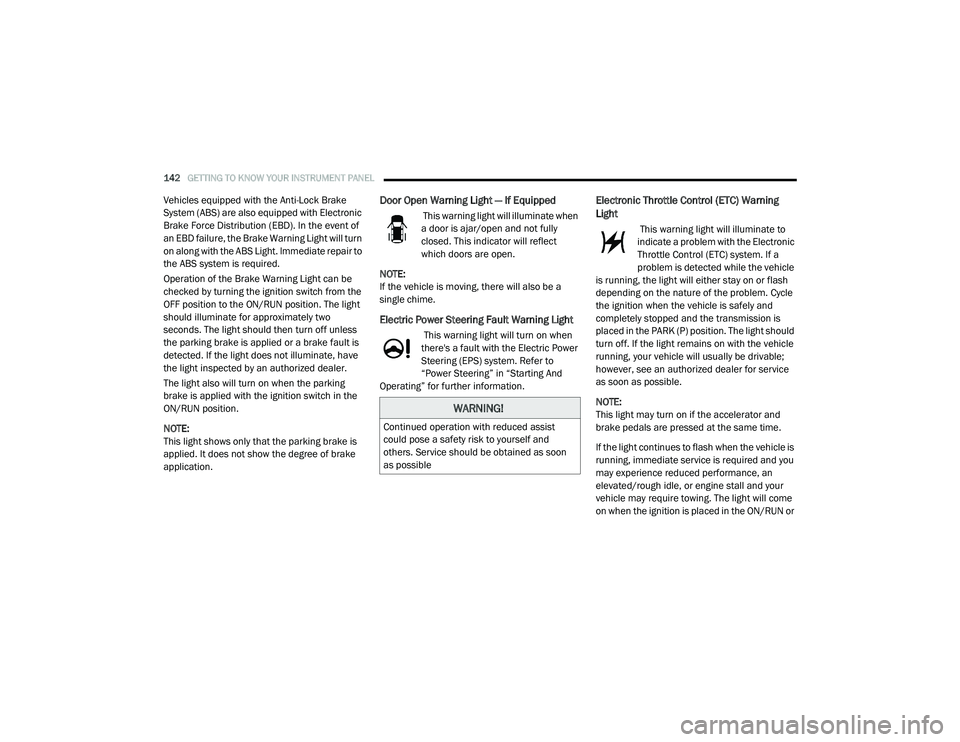
This warning light will illuminate when
a door is ajar/open and not fully
closed. This indicator will reflect
which doors are open.
NOTE:
If the vehicle is moving, there will also be a
single chime.
Electric Power Steering Fault Warning Light
This warning light will turn on when
there's a fault with the Electric Power
Steering (EPS) system. Refer to
“Power Steering” in “Starting And
Operating” for further information.
Electronic Throttle Control (ETC) Warning
Light
This warning light will illuminate to
indicate a problem with the Electronic
Throttle Control (ETC) system. If a
problem is detected while the vehicle
is running, the light will either stay on or flash
depending on the nature of the problem. Cycle
the ignition when the vehicle is safely and
completely stopped and the transmission is
placed in the PARK (P) position. The light should
turn off. If the light remains on with the vehicle
running, your vehicle will usually be drivable;
however, see an authorized dealer for service
as soon as possible.
NOTE:
This light may turn on if the accelerator and
brake pedals are pressed at the same time.
If the light continues to flash when the vehicle is
running, immediate service is required and you
may experience reduced performance, an
elevated/rough idle, or engine stall and your
vehicle may require towing. The light will come
on when the ignition is placed in the ON/RUN or
WARNING!
Continued operation with reduced assist
could pose a safety risk to yourself and
others. Service should be obtained as soon
as possible
20_RU_OM_EN_US_t.book Page 142
Page 146 of 516
144GETTING TO KNOW YOUR INSTRUMENT PANEL
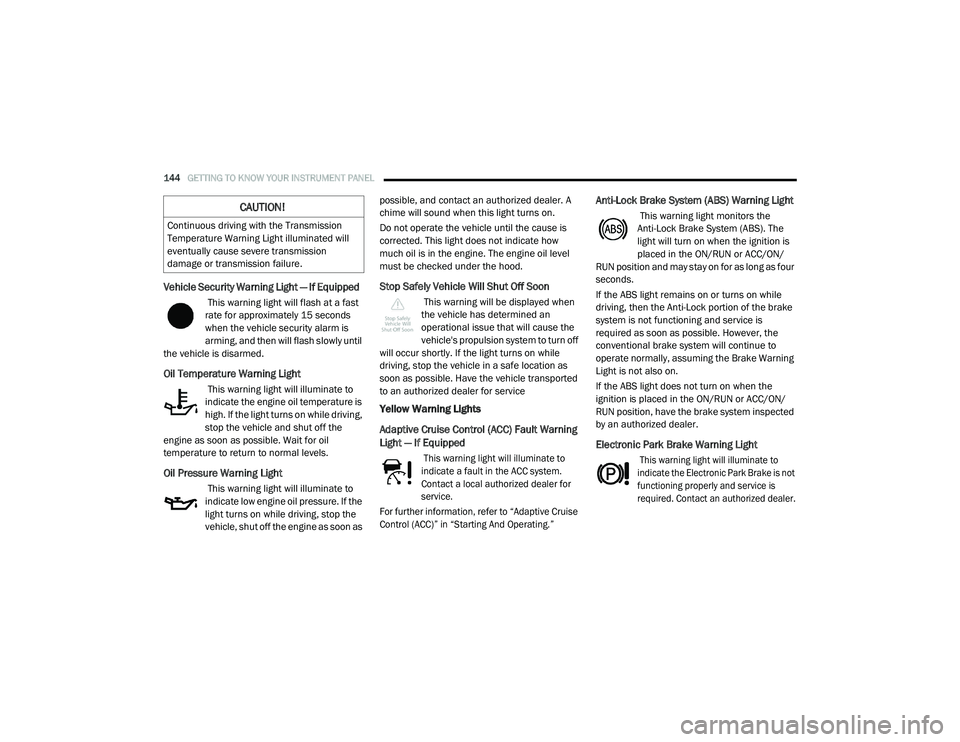
Vehicle Security Warning Light — If Equipped
This warning light will flash at a fast
rate for approximately 15 seconds
when the vehicle security alarm is
arming, and then will flash slowly until
the vehicle is disarmed.
Oil Temperature Warning Light
This warning light will illuminate to
indicate the engine oil temperature is
high. If the light turns on while driving,
stop the vehicle and shut off the
engine as soon as possible. Wait for oil
temperature to return to normal levels.
Oil Pressure Warning Light
This warning light will illuminate to
indicate low engine oil pressure. If the
light turns on while driving, stop the
vehicle, shut off the engine as soon as possible, and contact an authorized dealer. A
chime will sound when this light turns on.
Do not operate the vehicle until the cause is
corrected. This light does not indicate how
much oil is in the engine. The engine oil level
must be checked under the hood.
Stop Safely Vehicle Will Shut Off Soon
This warning will be displayed when
the vehicle has determined an
operational issue that will cause the
vehicle's propulsion system to turn off
will occur shortly. If the light turns on while
driving, stop the vehicle in a safe location as
soon as possible. Have the vehicle transported
to an authorized dealer for service
Yellow Warning Lights
Adaptive Cruise Control (ACC) Fault Warning
Light — If Equipped
This warning light will illuminate to
indicate a fault in the ACC system.
Contact a local authorized dealer for
service.
For further information, refer to “Adaptive Cruise
Control (ACC)” in “Starting And Operating.”
Anti-Lock Brake System (ABS) Warning Light
This warning light monitors the
Anti-Lock Brake System (ABS). The
light will turn on when the ignition is
placed in the ON/RUN or ACC/ON/
RUN position and may stay on for as long as four
seconds.
If the ABS light remains on or turns on while
driving, then the Anti-Lock portion of the brake
system is not functioning and service is
required as soon as possible. However, the
conventional brake system will continue to
operate normally, assuming the Brake Warning
Light is not also on.
If the ABS light does not turn on when the
ignition is placed in the ON/RUN or ACC/ON/
RUN position, have the brake system inspected
by an authorized dealer.
Electronic Park Brake Warning Light
This warning light will illuminate to
indicate the Electronic Park Brake is not
functioning properly and service is
required. Contact an authorized dealer.
CAUTION!
Continuous driving with the Transmission
Temperature Warning Light illuminated will
eventually cause severe transmission
damage or transmission failure.
20_RU_OM_EN_US_t.book Page 144
Page 147 of 516
GETTING TO KNOW YOUR INSTRUMENT PANEL145
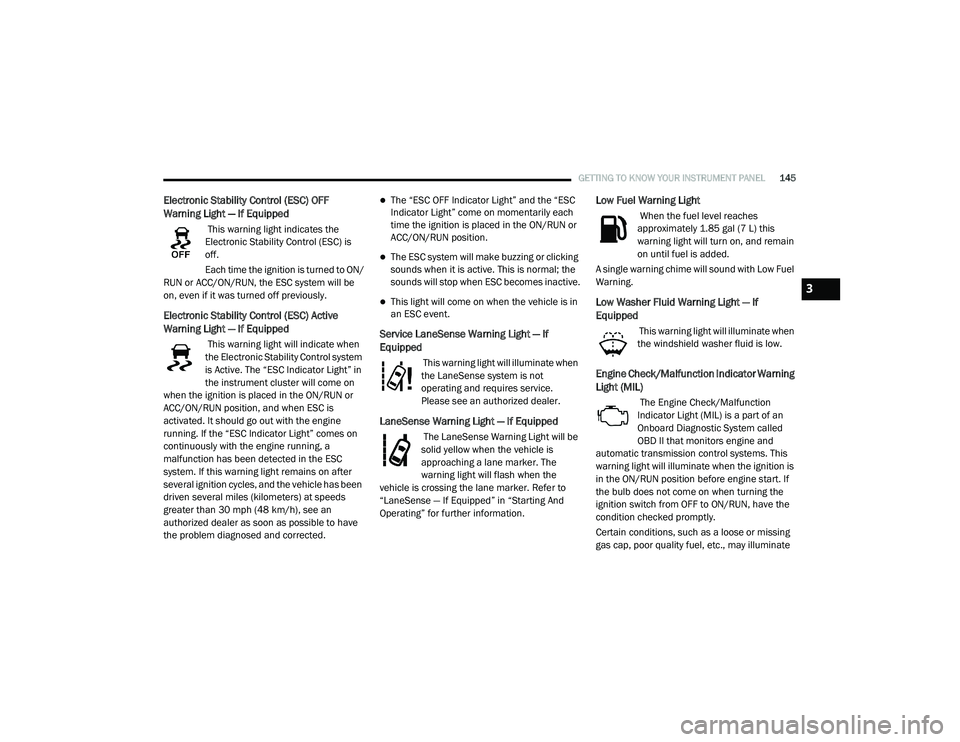
Electronic Stability Control (ESC) OFF
Warning Light — If Equipped
This warning light indicates the
Electronic Stability Control (ESC) is
off.
Each time the ignition is turned to ON/
RUN or ACC/ON/RUN, the ESC system will be
on, even if it was turned off previously.
Electronic Stability Control (ESC) Active
Warning Light — If Equipped
This warning light will indicate when
the Electronic Stability Control system
is Active. The “ESC Indicator Light” in
the instrument cluster will come on
when the ignition is placed in the ON/RUN or
ACC/ON/RUN position, and when ESC is
activated. It should go out with the engine
running. If the “ESC Indicator Light” comes on
continuously with the engine running, a
malfunction has been detected in the ESC
system. If this warning light remains on after
several ignition cycles, and the vehicle has been
driven several miles (kilometers) at speeds
greater than 30 mph (48 km/h), see an
authorized dealer as soon as possible to have
the problem diagnosed and corrected.
The “ESC OFF Indicator Light” and the “ESC
Indicator Light” come on momentarily each
time the ignition is placed in the ON/RUN or
ACC/ON/RUN position.
The ESC system will make buzzing or clicking
sounds when it is active. This is normal; the
sounds will stop when ESC becomes inactive.
This light will come on when the vehicle is in
an ESC event.
Service LaneSense Warning Light — If
Equipped
This warning light will illuminate when
the LaneSense system is not
operating and requires service.
Please see an authorized dealer.
LaneSense Warning Light — If Equipped
The LaneSense Warning Light will be
solid yellow when the vehicle is
approaching a lane marker. The
warning light will flash when the
vehicle is crossing the lane marker. Refer to
“LaneSense — If Equipped” in “Starting And
Operating” for further information.
Low Fuel Warning Light
When the fuel level reaches
approximately 1.85 gal (7 L) this
warning light will turn on, and remain
on until fuel is added.
A single warning chime will sound with Low Fuel
Warning.
Low Washer Fluid Warning Light — If
Equipped
This warning light will illuminate when
the windshield washer fluid is low.
Engine Check/Malfunction Indicator Warning
Light (MIL)
The Engine Check/Malfunction
Indicator Light (MIL) is a part of an
Onboard Diagnostic System called
OBD II that monitors engine and
automatic transmission control systems. This
warning light will illuminate when the ignition is
in the ON/RUN position before engine start. If
the bulb does not come on when turning the
ignition switch from OFF to ON/RUN, have the
condition checked promptly.
Certain conditions, such as a loose or missing
gas cap, poor quality fuel, etc., may illuminate
3
20_RU_OM_EN_US_t.book Page 145
Page 148 of 516
146GETTING TO KNOW YOUR INSTRUMENT PANEL
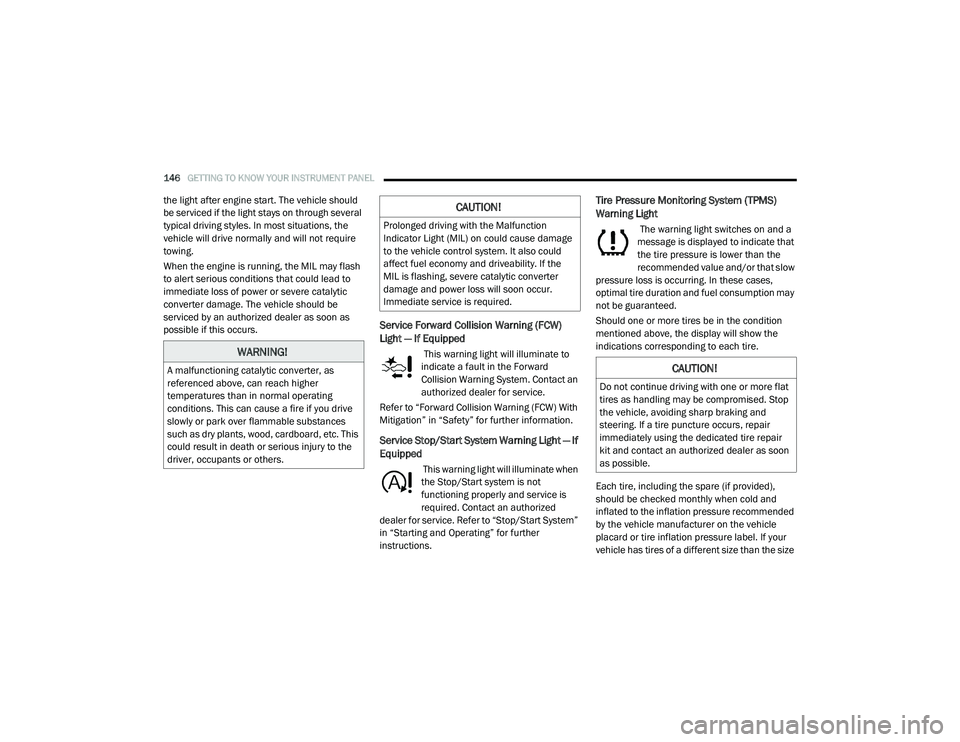
the light after engine start. The vehicle should
be serviced if the light stays on through several
typical driving styles. In most situations, the
vehicle will drive normally and will not require
towing.
When the engine is running, the MIL may flash
to alert serious conditions that could lead to
immediate loss of power or severe catalytic
converter damage. The vehicle should be
serviced by an authorized dealer as soon as
possible if this occurs.
Service Forward Collision Warning (FCW)
Light — If Equipped
This warning light will illuminate to
indicate a fault in the Forward
Collision Warning System. Contact an
authorized dealer for service.
Refer to “Forward Collision Warning (FCW) With
Mitigation” in “Safety” for further information.
Service Stop/Start System Warning Light — If
Equipped
This warning light will illuminate when
the Stop/Start system is not
functioning properly and service is
required. Contact an authorized
dealer for service. Refer to “Stop/Start System”
in “Starting and Operating” for further
instructions.
Tire Pressure Monitoring System (TPMS)
Warning Light
The warning light switches on and a
message is displayed to indicate that
the tire pressure is lower than the
recommended value and/or that slow
pressure loss is occurring. In these cases,
optimal tire duration and fuel consumption may
not be guaranteed.
Should one or more tires be in the condition
mentioned above, the display will show the
indications corresponding to each tire.
Each tire, including the spare (if provided),
should be checked monthly when cold and
inflated to the inflation pressure recommended
by the vehicle manufacturer on the vehicle
placard or tire inflation pressure label. If your
vehicle has tires of a different size than the size
WARNING!
A malfunctioning catalytic converter, as
referenced above, can reach higher
temperatures than in normal operating
conditions. This can cause a fire if you drive
slowly or park over flammable substances
such as dry plants, wood, cardboard, etc. This
could result in death or serious injury to the
driver, occupants or others.
CAUTION!
Prolonged driving with the Malfunction
Indicator Light (MIL) on could cause damage
to the vehicle control system. It also could
affect fuel economy and driveability. If the
MIL is flashing, severe catalytic converter
damage and power loss will soon occur.
Immediate service is required.
CAUTION!
Do not continue driving with one or more flat
tires as handling may be compromised. Stop
the vehicle, avoiding sharp braking and
steering. If a tire puncture occurs, repair
immediately using the dedicated tire repair
kit and contact an authorized dealer as soon
as possible.
20_RU_OM_EN_US_t.book Page 146
Page 149 of 516
GETTING TO KNOW YOUR INSTRUMENT PANEL147
indicated on the vehicle placard or tire inflation
pressure label, you should determine the
proper tire inflation pressure for those tires.
As an added safety feature, your vehicle has
been equipped with a Tire Pressure Monitoring
System (TPMS) that illuminates a low tire
pressure telltale when one or more of your tires is
significantly under-inflated. Accordingly, when
the low tire pressure telltale illuminates, you
should stop and check your tires as soon as
possible, and inflate them to the proper pressure.
Driving on a significantly under-inflated tire
causes the tire to overheat and can lead to tire
failure. Under-inflation also reduces fuel
efficiency and tire tread life, and may affect the
vehicle’s handling and stopping ability.
Please note that the TPMS is not a substitute for
proper tire maintenance, and it is the driver’s
responsibility to maintain correct tire pressure,
even if under-inflation has not reached the level
to trigger illumination of the TPMS low tire
pressure telltale.
Your vehicle has also been equipped with a TPMS
malfunction indicator to indicate when the
system is not operating properly. The TPMS
malfunction indicator is combined with the low
tire pressure telltale. When the system detects a
malfunction, the telltale will flash for
approximately one minute and then remain
continuously illuminated. This sequence will
continue upon subsequent vehicle start-ups as
long as the malfunction exists. When the
malfunction indicator is illuminated, the system
may not be able to detect or signal low tire
pressure as intended. TPMS malfunctions may
occur for a variety of reasons, including the
installation of replacement or alternate tires or
wheels on the vehicle that prevent the TPMS from
functioning properly. Always check the TPMS
malfunction telltale after replacing one or more
tires or wheels on your vehicle to ensure that the
replacement or alternate tires and wheels allow
the TPMS to continue to function properly.
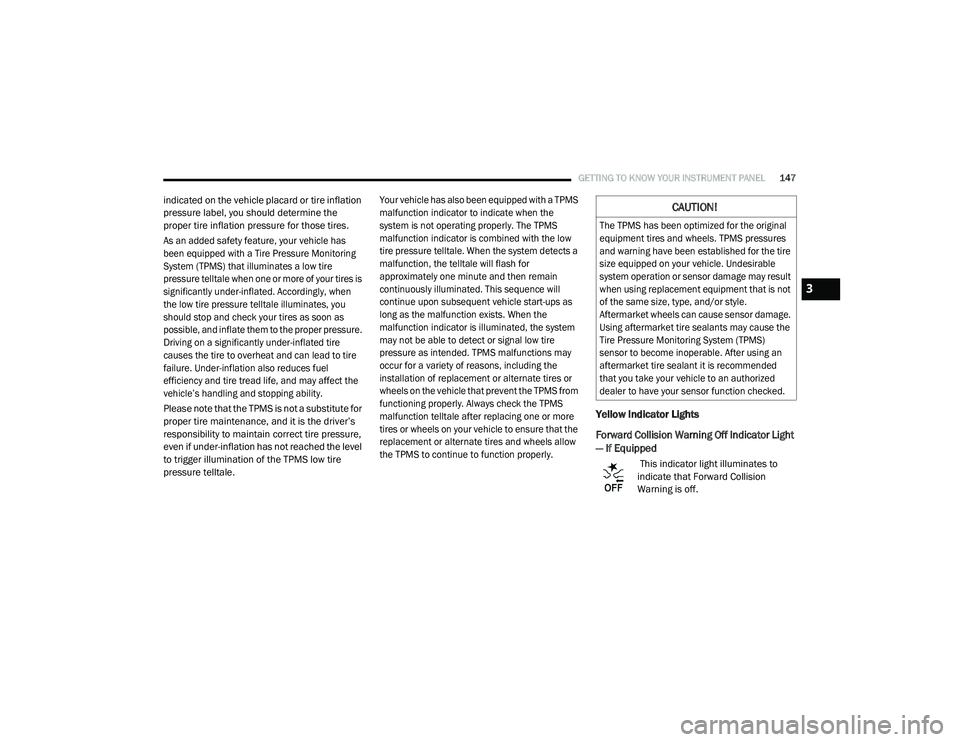
Yellow Indicator Lights
Forward Collision Warning Off Indicator Light
— If Equipped
This indicator light illuminates to
indicate that Forward Collision
Warning is off.
CAUTION!
The TPMS has been optimized for the original
equipment tires and wheels. TPMS pressures
and warning have been established for the tire
size equipped on your vehicle. Undesirable
system operation or sensor damage may result
when using replacement equipment that is not
of the same size, type, and/or style.
Aftermarket wheels can cause sensor damage.
Using aftermarket tire sealants may cause the
Tire Pressure Monitoring System (TPMS)
sensor to become inoperable. After using an
aftermarket tire sealant it is recommended
that you take your vehicle to an authorized
dealer to have your sensor function checked.
3
20_RU_OM_EN_US_t.book Page 147