flat tire CHRYSLER PACIFICA HYBRID 2017 2.G User Guide
[x] Cancel search | Manufacturer: CHRYSLER, Model Year: 2017, Model line: PACIFICA HYBRID, Model: CHRYSLER PACIFICA HYBRID 2017 2.GPages: 592, PDF Size: 6.73 MB
Page 346 of 592
•During a semi-automatic maneuver, if the driver touches
the steering wheel after being instructed to remove their
hands from the steering wheel, the system will cancel,
and the driver will be required to manually complete the
parking maneuver.
• The system may not work in all conditions (e.g. envi-
ronmental conditions such as heavy rain, snow, etc., or if
searching for a parking space that has surfaces that will
absorb the ultrasonic sensor waves).
• New vehicles from the dealership must have at least 30
miles (48 km) accumulated before the ParkSense Active
Park Assist system is fully calibrated and performs
accurately. This is due to the system’s dynamic vehicle
calibration to improve the performance of the feature.
The system will also continuously perform the dynamic
vehicle calibration to account for differences such as
over or under inflated tires and new tires.
Enabling And Disabling The ParkSense Active Park
Assist System
The ParkSense Active Park Assist system can be enabled
and disabled with the ParkSense Active Park Assist switch,
located on the switch panel below the Uconnect display. To enable the ParkSense Active Park Assist system, push
the ParkSense Active Park Assist switch once (LED turns
on).
To disable the ParkSense Active Park Assist system, push
the ParkSense Active Park Assist switch again (LED turns
off).
The ParkSense Active Park Assist system will turn off
automatically for any of the following conditions:
•
The parking maneuver is completed.
• Vehicle speed greater than 18 mph (30 km/h) when
searching for a parking space.
ParkSense Active Park Assist Switch
344 STARTING AND OPERATING
Page 380 of 592
included on this label and indicates the Month, Day and
Hour of manufacture. The bar code that appears on the
bottom of the label is your VIN.
Gross Vehicle Weight Rating (GVWR)
The GVWR is the total permissible weight of your vehicle
including driver, passengers, vehicle, options and cargo.
The label also specifies maximum capacities of front and
rear axle systems (GAWR). Total load must be limited so
GVWR and front and rear GAWR are not exceeded.
Payload
The payload of a vehicle is defined as the allowable load
weight a truck can carry, including the weight of the driver,
all passengers, options and cargo.
Gross Axle Weight Rating (GAWR)
The GAWR is the maximum permissible load on the front
and rear axles. The load must be distributed in the cargo
area so that the GAWR of each axle is not exceeded.
Each axle GAWR is determined by the components in the
system with the lowest load carrying capacity (axle,
springs, tires or wheels). Heavier axles or suspensioncomponents sometimes specified by purchasers for in-
creased durability does not necessarily increase the vehi-
cle’s GVWR.
Tire Size
The tire size on the Vehicle Certification Label represents
the actual tire size on your vehicle. Replacement tires must
be equal to the load capacity of this tire size.
Rim Size
This is the rim size that is appropriate for the tire size
listed.
Inflation Pressure
This is the cold tire inflation pressure for your vehicle for
all loading conditions up to full GAWR.
Curb Weight
The curb weight of a vehicle is defined as the total weight
of the vehicle with all fluids, including vehicle fuel, at full
capacity conditions, and with no occupants or cargo loaded
into the vehicle. The front and rear curb weight values are
determined by weighing your vehicle on a commercial
scale before any occupants or cargo are added.
378 STARTING AND OPERATING
Page 384 of 592
Traction
When driving on wet or slushy roads, it is possible for a
wedge of water to build up between the tire and road
surface. This is hydroplaning and may cause partial or
complete loss of vehicle control and stopping ability. To
reduce this possibility, the following precautions should be
observed:
1. Slow down during rainstorms or when the roads areslushy.
2. Slow down if the road has standing water or puddles.
3. Replace the tires when tread wear indicators first be- come visible.
4. Keep tires properly inflated.
5. Maintain sufficient distance between your vehicle and the vehicle in front of you to avoid a collision in a
sudden stop.
Driving Through Water
Driving through water more than a few inches/centimeters
deep will require extra caution to ensure safety and pre-
vent damage to your vehicle.
Flowing/Rising Water
WARNING!
Do not drive on or across a road or path where water is
flowing and/or rising (as in storm run-off). Flowing
water can wear away the road or path’s surface and
cause your vehicle to sink into deeper water. Further-
more, flowing and/or rising water can carry your ve-
hicle away swiftly. Failure to follow this warning may
result in injuries that are serious or fatal to you, your
passengers, and others around you.
Shallow Standing Water
Although your vehicle is capable of driving through shal-
low standing water, consider the following Cautions and
Warnings before doing so.
382 STARTING AND OPERATING
Page 389 of 592
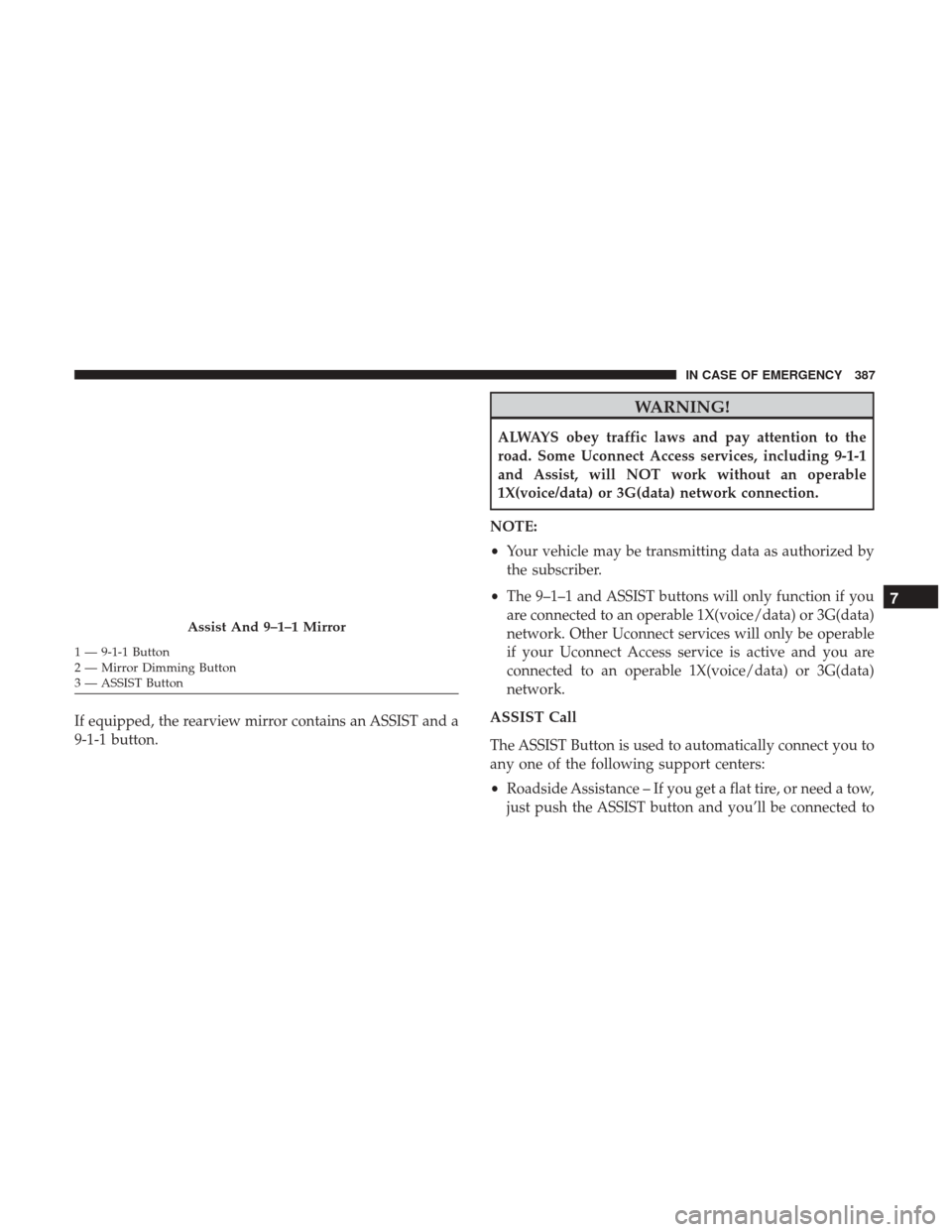
If equipped, the rearview mirror contains an ASSIST and a
9-1-1 button.
WARNING!
ALWAYS obey traffic laws and pay attention to the
road. Some Uconnect Access services, including 9-1-1
and Assist, will NOT work without an operable
1X(voice/data) or 3G(data) network connection.
NOTE:
• Your vehicle may be transmitting data as authorized by
the subscriber.
• The 9–1–1 and ASSIST buttons will only function if you
are connected to an operable 1X(voice/data) or 3G(data)
network. Other Uconnect services will only be operable
if your Uconnect Access service is active and you are
connected to an operable 1X(voice/data) or 3G(data)
network.
ASSIST Call
The ASSIST Button is used to automatically connect you to
any one of the following support centers:
• Roadside Assistance – If you get a flat tire, or need a tow,
just push the ASSIST button and you’ll be connected to
Assist And 9–1–1 Mirror
1 — 9-1-1 Button
2 — Mirror Dimming Button
3 — ASSIST Button
7
IN CASE OF EMERGENCY 387
Page 409 of 592
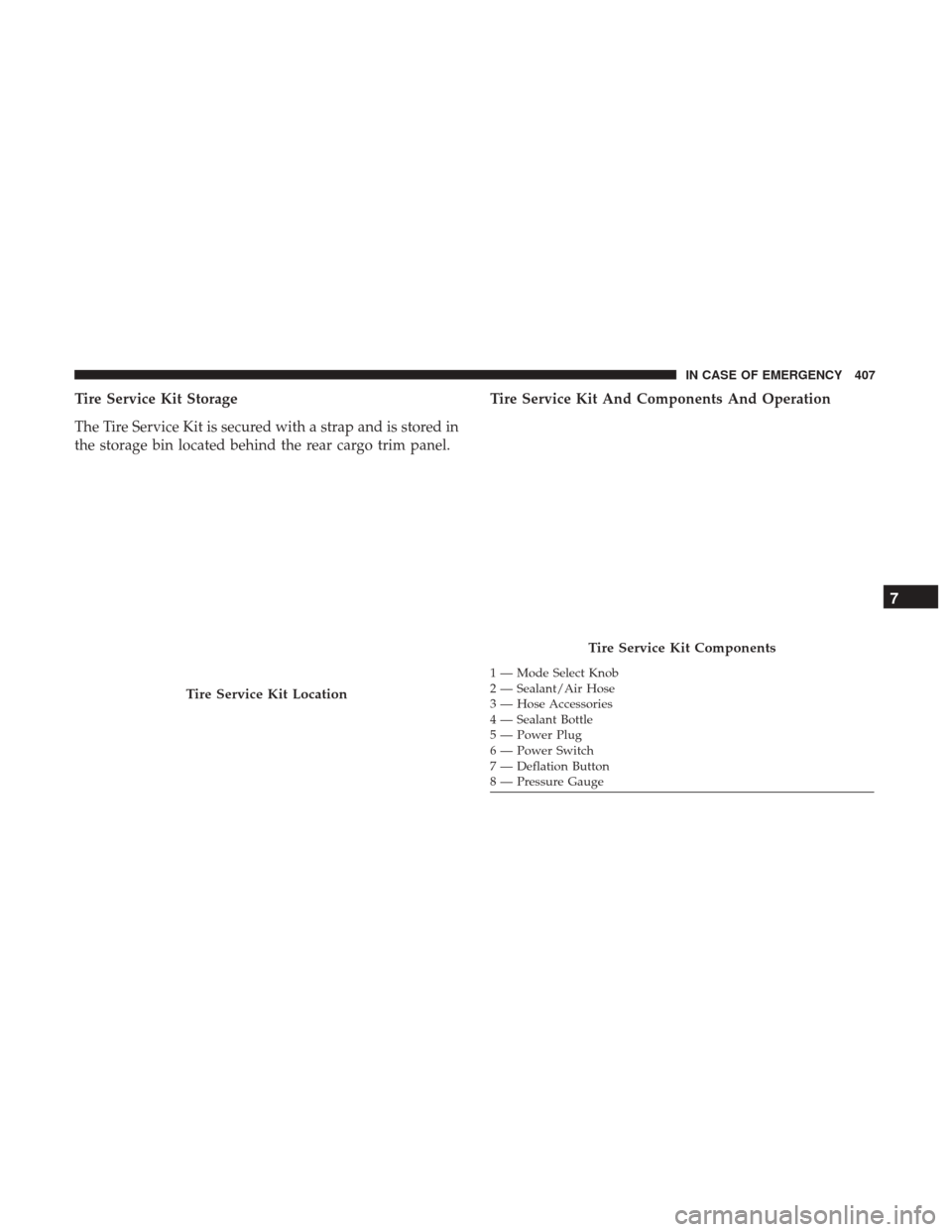
Tire Service Kit Storage
The Tire Service Kit is secured with a strap and is stored in
the storage bin located behind the rear cargo trim panel.Tire Service Kit And Components And Operation
Tire Service Kit Location
Tire Service Kit Components
1 — Mode Select Knob
2 — Sealant/Air Hose
3 — Hose Accessories
4 — Sealant Bottle
5 — Power Plug
6 — Power Switch
7 — Deflation Button
8 — Pressure Gauge
7
IN CASE OF EMERGENCY 407
Page 410 of 592
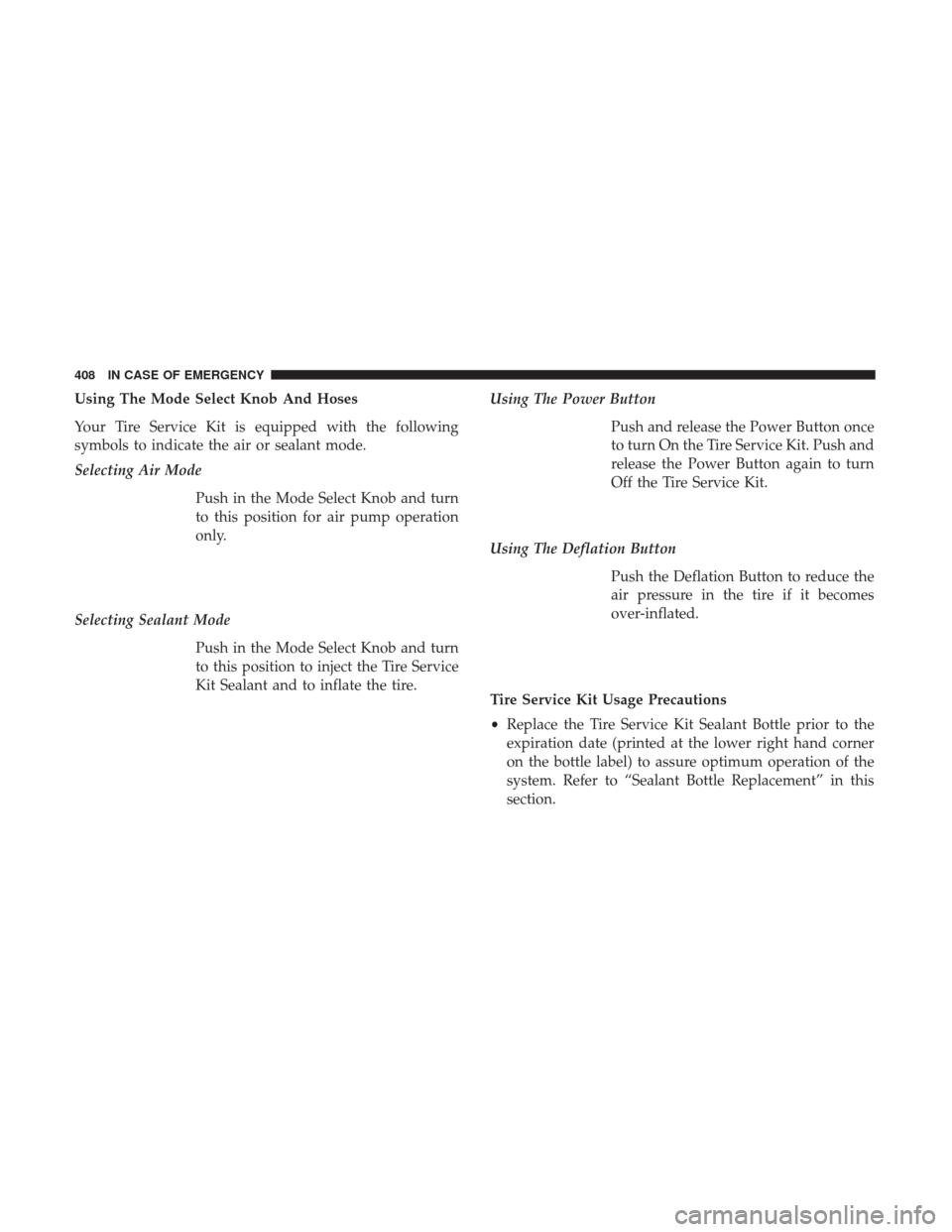
Using The Mode Select Knob And Hoses
Your Tire Service Kit is equipped with the following
symbols to indicate the air or sealant mode.
Selecting Air ModePush in the Mode Select Knob and turn
to this position for air pump operation
only.
Selecting Sealant Mode Push in the Mode Select Knob and turn
to this position to inject the Tire Service
Kit Sealant and to inflate the tire. Using The Power Button
Push and release the Power Button once
to turn On the Tire Service Kit. Push and
release the Power Button again to turn
Off the Tire Service Kit.
Using The Deflation Button Push the Deflation Button to reduce the
air pressure in the tire if it becomes
over-inflated.
Tire Service Kit Usage Precautions
• Replace the Tire Service Kit Sealant Bottle prior to the
expiration date (printed at the lower right hand corner
on the bottle label) to assure optimum operation of the
system. Refer to “Sealant Bottle Replacement” in this
section.
408 IN CASE OF EMERGENCY
Page 411 of 592
•The Sealant Bottle is a one tire application use and needs
to be replaced after each use. Always replace these
components immediately at your original equipment
vehicle dealer.
• When the Tire Service Kit sealant is in a liquid form,
clean water, and a damp cloth will remove the material
from the vehicle or tire and wheel components. Once the
sealant dries, it can easily be peeled off and properly
discarded.
• For optimum performance, make sure the valve stem on
the wheel is free of debris before connecting the Tire
Service Kit.
• You can use the Tire Service Kit air pump to inflate
bicycle tires. The kit also comes with two needles,
located in the Accessory Storage Compartment (on the
bottom of the air pump) for inflating sport balls, rafts, or
similar inflatable items. However, use only the Air Pump
and make sure the Mode Select Knob is in the Air Mode
when inflating such items to avoid injecting sealant into
them. The Tire Service Kit Sealant is only intended to
seal punctures less than 1/4 inch (6 mm) diameter in the
tread of your vehicle.
• Do not lift or carry the Tire Service Kit by the hoses.WARNING!
•Do not attempt to seal a tire on the side of the vehicle
closest to traffic. Pull far enough off the road to avoid
the danger of being hit when using the Tire Service
Kit.
• Do not use Tire Service Kit or drive the vehicle under
the following circumstances:
– If the puncture in the tire tread is approximately 1/4 inch (6 mm) or larger.
– If the tire has any sidewall damage.
– If the tire has any damage from driving with extremely low tire pressure.
– If the tire has any damage from driving on a flat tire.
– If the wheel has any damage.
– If you are unsure of the condition of the tire or the wheel.
• Keep Tire Service Kit away from open flames or heat
source.
• A loose Tire Service Kit thrown forward in a collision
or hard stop could endanger the occupants of the
vehicle. Always stow the Tire Service Kit in the place
provided. Failure to follow these warnings can result
(Continued)
7
IN CASE OF EMERGENCY 409
Page 412 of 592
WARNING!(Continued)
in injuries that are serious or fatal to you, your
passengers, and others around you.
• Take care not to allow the contents of Tire Service Kit
to come in contact with hair, eyes, or clothing. Tire
Service Kit sealant is harmful if inhaled, swallowed,
or absorbed through the skin. It causes skin, eye, and
respiratory irritation. Flush immediately with plenty
of water if there is any contact with eyes or skin.
Change clothing as soon as possible, if there is any
contact with clothing.
• Tire Service Kit Sealant solution contains latex. In
case of an allergic reaction or rash, consult a physi-
cian immediately. Keep Tire Service Kit out of reach
of children. If swallowed, rinse mouth immediately
with plenty of water and drink plenty of water. Do
not induce vomiting! Consult a physician immedi-
ately.
Sealing A Tire With Tire Service Kit
Whenever You Stop To Use Tire Service Kit:
1. Pull over to a safe location and turn on the vehicle’s Hazard Warning flashers. 2. Verify that the valve stem (on the wheel with the
deflated tire) is in a position that is near to the ground.
This will allow the Tire Service Kit Hose to reach the
valve stem and keep the Tire Service Kit flat on the
ground. This will provide the best positioning of the kit
when injecting the sealant into the deflated tire and
running the air pump. Move the vehicle as necessary to
place the valve stem in this position before proceeding.
3. Place the transmission in PARK and cycle the ignition in the OFF position.
4. Set the parking brake.
Setting Up To Use Tire Service Kit:
1. Uncoil the Sealant Hose and then remove the cap from the fitting at the end of the hose.
2. Place the Tire Service Kit flat on the ground next to the deflated tire.
410 IN CASE OF EMERGENCY
Page 413 of 592
3. Remove the cap from the valve stemand then screw the fitting at the end
of the Sealant Hose onto the valve
stem.
4. Uncoil the Power Plug and insert the plug into the vehicle’s 12 Volt power
outlet.
NOTE: Do not remove foreign objects (e.g., screws or nails)
from the tire. Injecting Tire Service Kit Sealant Into The Deflated Tire:
1. Always start the vehicle before turn-ing ON the Tire Service Kit.
2. Ensure the Mode Select Knob is to the Sealant Mode position.
3. After pushing the Power Button, the sealant (white fluid) will flow from
the Sealant Bottle through the Sealant
Hose and into the tire.
NOTE: Sealant may leak out through the puncture in the
tire.
7
IN CASE OF EMERGENCY 411
Page 414 of 592
If the sealant (white fluid) does not flow within0–10
seconds through the Sealant Hose:
1. Push the Power Button to turn Off the Tire Service Kit.Disconnect the Sealant Hose from the valve stem. Make
sure the valve stem is free of debris. Reconnect the
Sealant Hose to the valve stem. Check that the Mode
Select Knob is in the Sealant Mode position and not Air
Mode. Push the Power Button to turn On the Tire
Service Kit.
2. Connect the Power Plug to a different 12 Volt power outlet in your vehicle or another vehicle, if available.
Make sure the vehicle is running before turning ON the
Tire Service Kit.
3. The Sealant Bottle may be empty due to previous use. Call for assistance. If the sealant (white fluid) does flow through the Sealant
Hose:
1. Continue to operate the pump untilsealant is no longer flowing through
hose (typically takes 30 - 70 seconds).
As the sealant flows through the Seal-
ant Hose, the Pressure Gauge can
read as high as 70 psi (4.8 Bar). The
Pressure Gauge will decrease quickly
from approximately 70 psi (4.8 Bar) to
the actual tire pressure when the Seal-
ant Bottle is empty.
2. The pump will start to inject air into the tire immediately after the Sealant
Bottle is empty. Continue to operate
the pump and inflate the tire to the
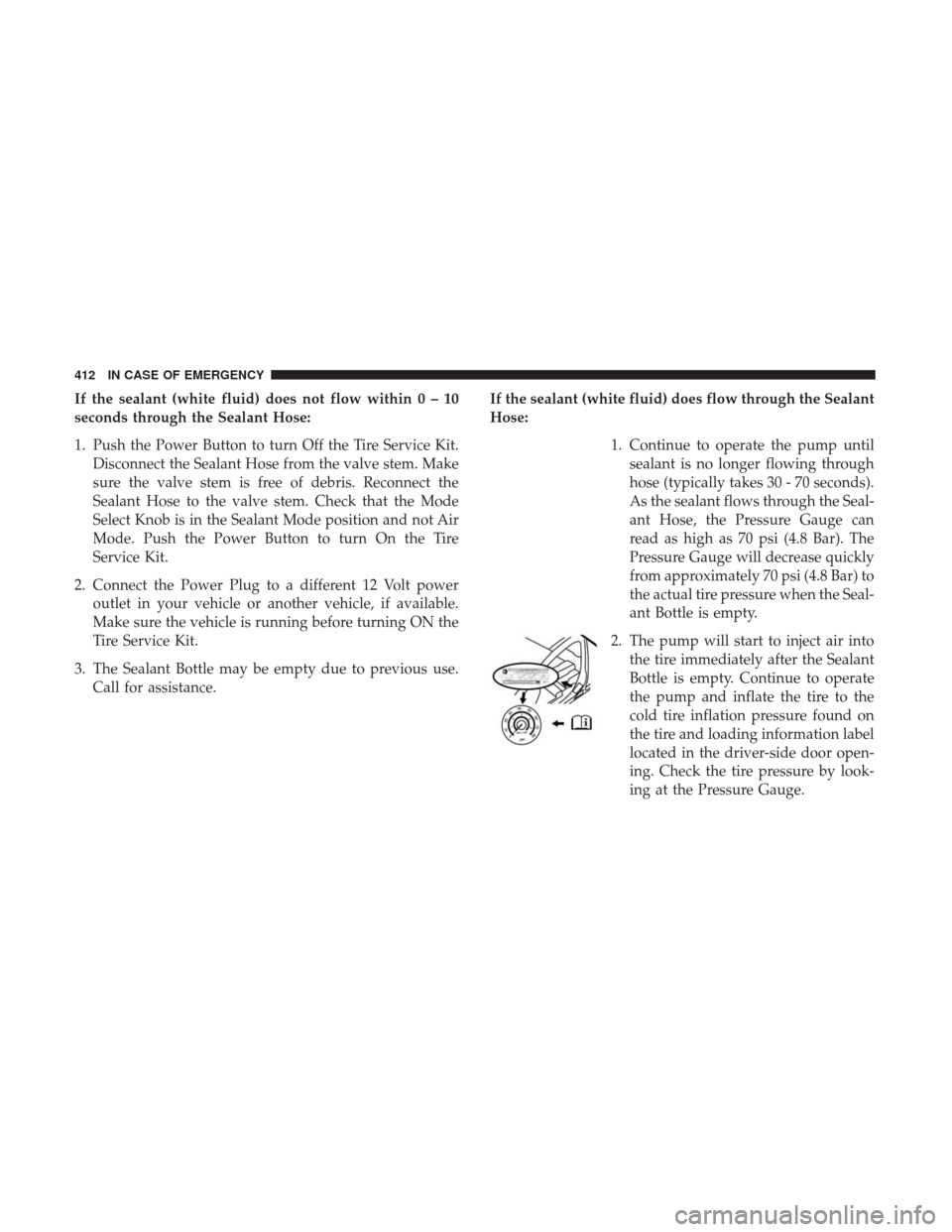
cold tire inflation pressure found on
the tire and loading information label
located in the driver-side door open-
ing. Check the tire pressure by look-
ing at the Pressure Gauge.
412 IN CASE OF EMERGENCY