display CHRYSLER VOYAGER 2001 Manual PDF
[x] Cancel search | Manufacturer: CHRYSLER, Model Year: 2001, Model line: VOYAGER, Model: CHRYSLER VOYAGER 2001Pages: 4284, PDF Size: 83.53 MB
Page 396 of 4284
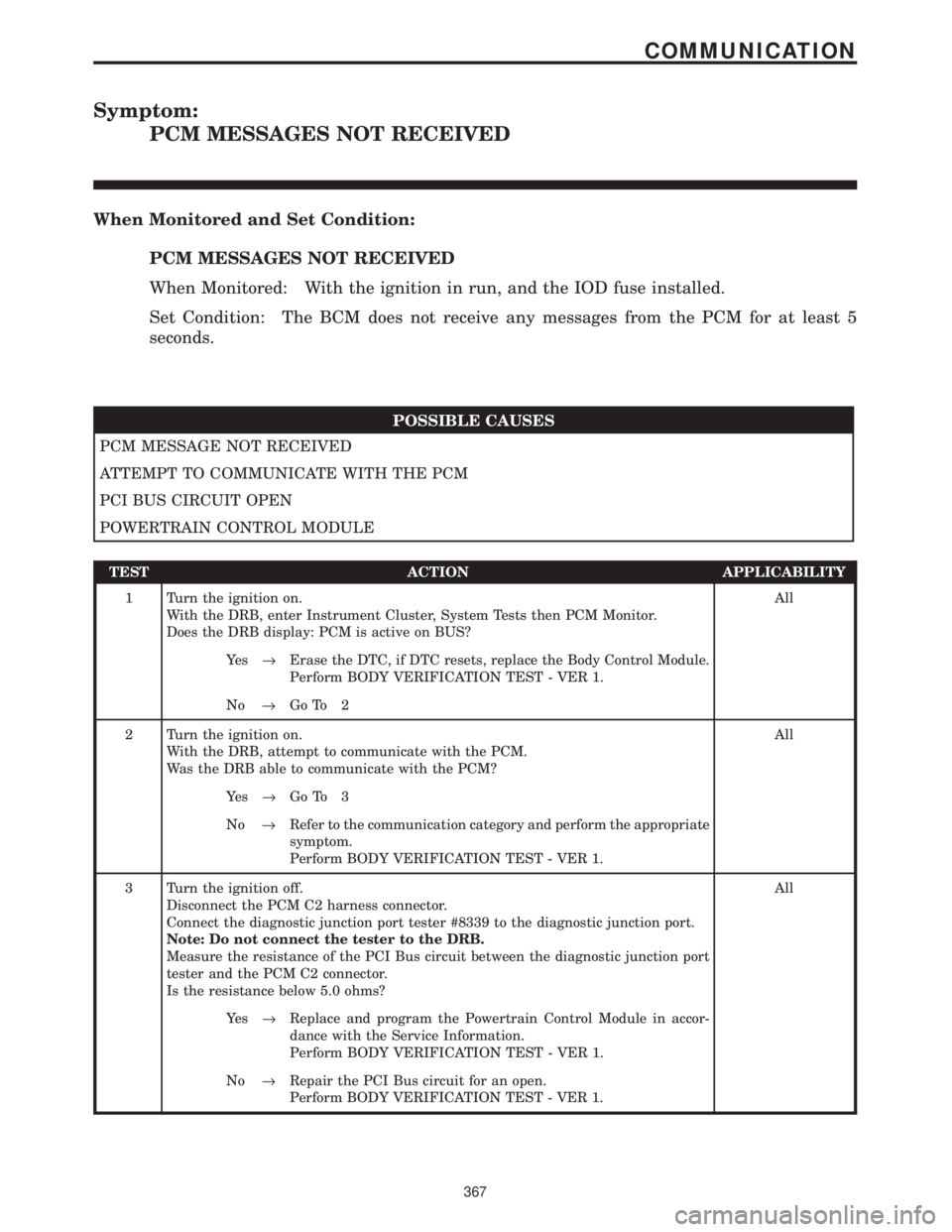
Symptom:
PCM MESSAGES NOT RECEIVED
When Monitored and Set Condition:
PCM MESSAGES NOT RECEIVED
When Monitored: With the ignition in run, and the IOD fuse installed.
Set Condition: The BCM does not receive any messages from the PCM for at least 5
seconds.
POSSIBLE CAUSES
PCM MESSAGE NOT RECEIVED
ATTEMPT TO COMMUNICATE WITH THE PCM
PCI BUS CIRCUIT OPEN
POWERTRAIN CONTROL MODULE
TEST ACTION APPLICABILITY
1 Turn the ignition on.
With the DRB, enter Instrument Cluster, System Tests then PCM Monitor.
Does the DRB display: PCM is active on BUS?All
Ye s®Erase the DTC, if DTC resets, replace the Body Control Module.
Perform BODY VERIFICATION TEST - VER 1.
No®Go To 2
2 Turn the ignition on.
With the DRB, attempt to communicate with the PCM.
Was the DRB able to communicate with the PCM?All
Ye s®Go To 3
No®Refer to the communication category and perform the appropriate
symptom.
Perform BODY VERIFICATION TEST - VER 1.
3 Turn the ignition off.
Disconnect the PCM C2 harness connector.
Connect the diagnostic junction port tester #8339 to the diagnostic junction port.
Note: Do not connect the tester to the DRB.
Measure the resistance of the PCI Bus circuit between the diagnostic junction port
tester and the PCM C2 connector.
Is the resistance below 5.0 ohms?All
Ye s®Replace and program the Powertrain Control Module in accor-
dance with the Service Information.
Perform BODY VERIFICATION TEST - VER 1.
No®Repair the PCI Bus circuit for an open.
Perform BODY VERIFICATION TEST - VER 1.
367
COMMUNICATION
Page 399 of 4284

Symptom:
RUN/START HARDWIRE INPUT FAILURE
When Monitored and Set Condition:
RUN/START HARDWIRE INPUT FAILURE
When Monitored: With the ignition on and battery voltage greater than 10.4 volts.
Set Condition: The Fused Ignition Switch Output circuit voltage at the BCM goes below
0.5 volts and the BCM detects a voltage mismatch between the two ignition switch inputs.
POSSIBLE CAUSES
TEST FOR CURRENT DTC'S
FUSED IGNITION SWITCH OUTPUT CIRCUIT OPEN
IGNITION SWITCH
BODY CONTROL MODULE
TEST ACTION APPLICABILITY
1 With the DRBIIIt, record and erase DTC's.
Cycle the ignition from ON to OFF.
Start the vehicle and observe the DRBIIIt.
With the DRBIIIt, read DTC's.
Does the DRBIIItdisplay RUN/START HARDWIRE INPUT FAILURE?All
Ye s®Go To 2
No®The condition that caused this DTC is currently not present. Use
the wiring diagram/schematic as a guide, and inspect the related
wiring harness for a possible intermittent condition.
Perform BODY VERIFICATION TEST - VER 1.
2 Turn the ignition off.
Gain access to the Ignition Switch connector.
Turn the ignition on.
While back probing, measure the voltage of the Fused Ignition Switch Output circuit.
Is the voltage above 10.0 volts?All
Ye s®Go To 3
No®Replace the Ignition Switch.
Perform BODY VERIFICATION TEST - VER 1.
3 Turn the ignition off.
Gain access to the Body Control Module C2 connector.
While back probing, measure the voltage of the Fused Ignition Switch Output circuit.
Is the voltage above 10.0 volts?All
Ye s®Repair the Fused Ignition Switch Output circuit for an open.
Perform BODY VERIFICATION TEST - VER 1.
No®Replace the Body Control Module.
Perform BODY VERIFICATION TEST - VER 1.
370
COMMUNICATION
Page 403 of 4284
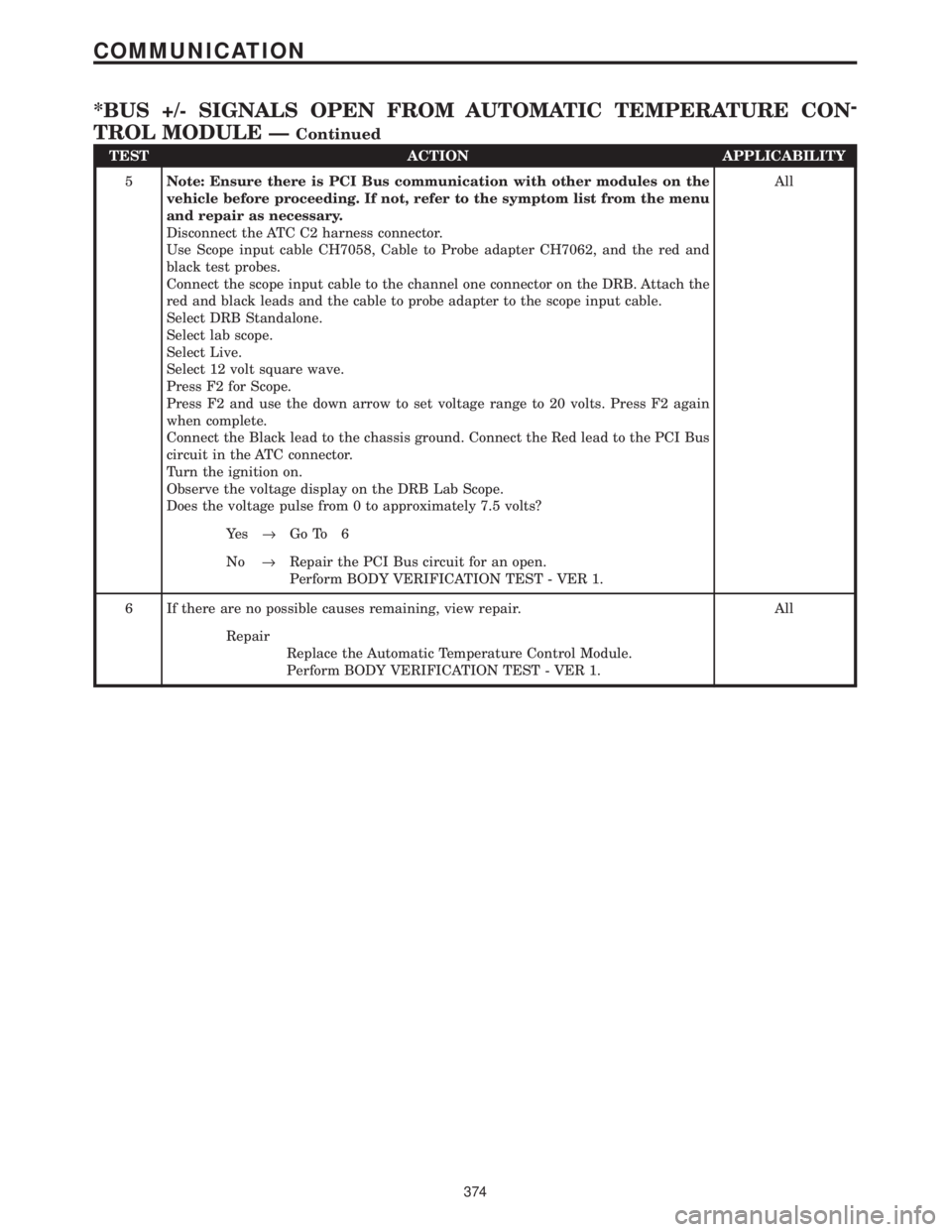
TEST ACTION APPLICABILITY
5Note: Ensure there is PCI Bus communication with other modules on the
vehicle before proceeding. If not, refer to the symptom list from the menu
and repair as necessary.
Disconnect the ATC C2 harness connector.
Use Scope input cable CH7058, Cable to Probe adapter CH7062, and the red and
black test probes.
Connect the scope input cable to the channel one connector on the DRB. Attach the
red and black leads and the cable to probe adapter to the scope input cable.
Select DRB Standalone.
Select lab scope.
Select Live.
Select 12 volt square wave.
Press F2 for Scope.
Press F2 and use the down arrow to set voltage range to 20 volts. Press F2 again
when complete.
Connect the Black lead to the chassis ground. Connect the Red lead to the PCI Bus
circuit in the ATC connector.
Turn the ignition on.
Observe the voltage display on the DRB Lab Scope.
Does the voltage pulse from 0 to approximately 7.5 volts?All
Ye s®Go To 6
No®Repair the PCI Bus circuit for an open.
Perform BODY VERIFICATION TEST - VER 1.
6 If there are no possible causes remaining, view repair. All
Repair
Replace the Automatic Temperature Control Module.
Perform BODY VERIFICATION TEST - VER 1.
374
COMMUNICATION
*BUS +/- SIGNALS OPEN FROM AUTOMATIC TEMPERATURE CON-
TROL MODULE Ð
Continued
Page 405 of 4284
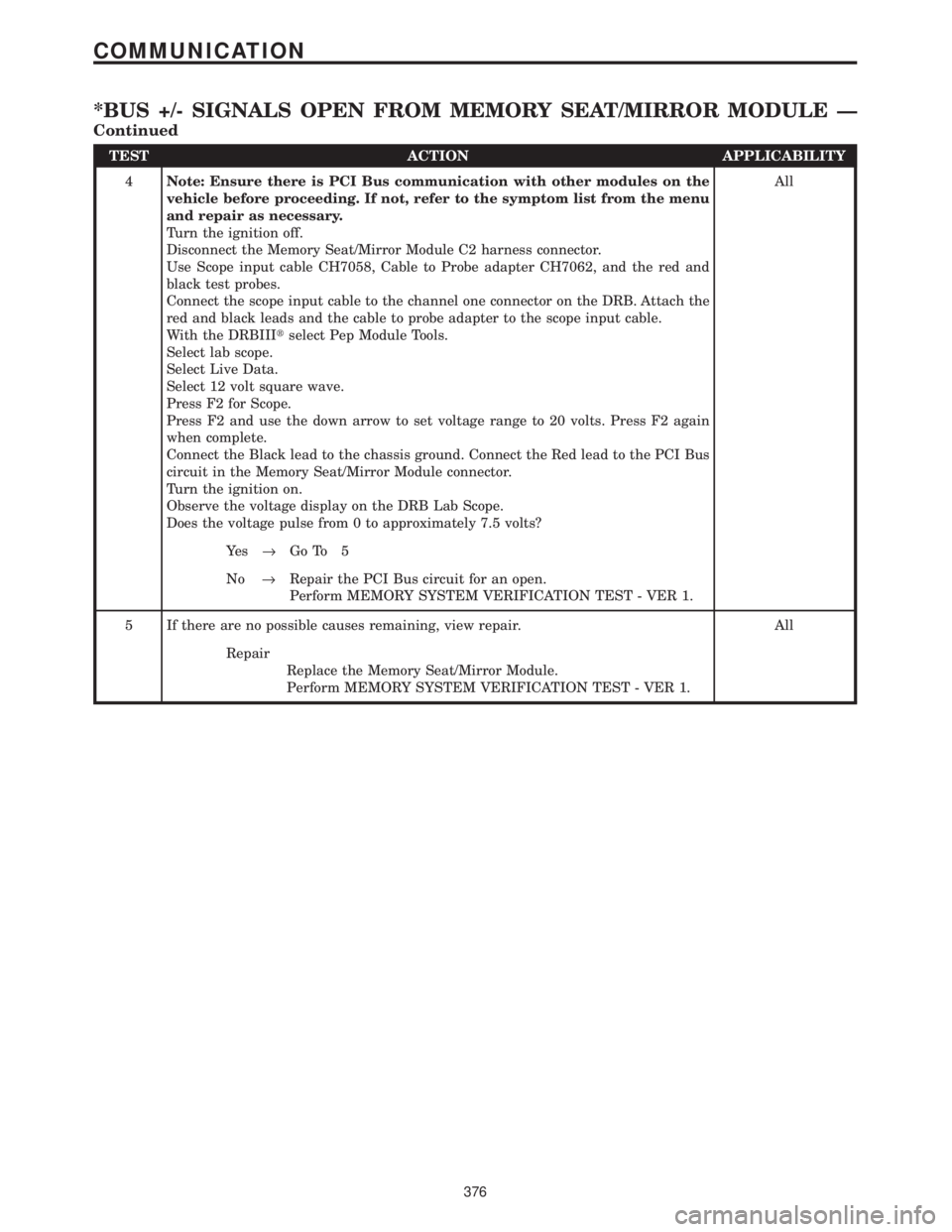
TEST ACTION APPLICABILITY
4Note: Ensure there is PCI Bus communication with other modules on the
vehicle before proceeding. If not, refer to the symptom list from the menu
and repair as necessary.
Turn the ignition off.
Disconnect the Memory Seat/Mirror Module C2 harness connector.
Use Scope input cable CH7058, Cable to Probe adapter CH7062, and the red and
black test probes.
Connect the scope input cable to the channel one connector on the DRB. Attach the
red and black leads and the cable to probe adapter to the scope input cable.
With the DRBIIItselect Pep Module Tools.
Select lab scope.
Select Live Data.
Select 12 volt square wave.
Press F2 for Scope.
Press F2 and use the down arrow to set voltage range to 20 volts. Press F2 again
when complete.
Connect the Black lead to the chassis ground. Connect the Red lead to the PCI Bus
circuit in the Memory Seat/Mirror Module connector.
Turn the ignition on.
Observe the voltage display on the DRB Lab Scope.
Does the voltage pulse from 0 to approximately 7.5 volts?All
Ye s®Go To 5
No®Repair the PCI Bus circuit for an open.
Perform MEMORY SYSTEM VERIFICATION TEST - VER 1.
5 If there are no possible causes remaining, view repair. All
Repair
Replace the Memory Seat/Mirror Module.
Perform MEMORY SYSTEM VERIFICATION TEST - VER 1.
376
COMMUNICATION
*BUS +/- SIGNALS OPEN FROM MEMORY SEAT/MIRROR MODULE Ð
Continued
Page 407 of 4284
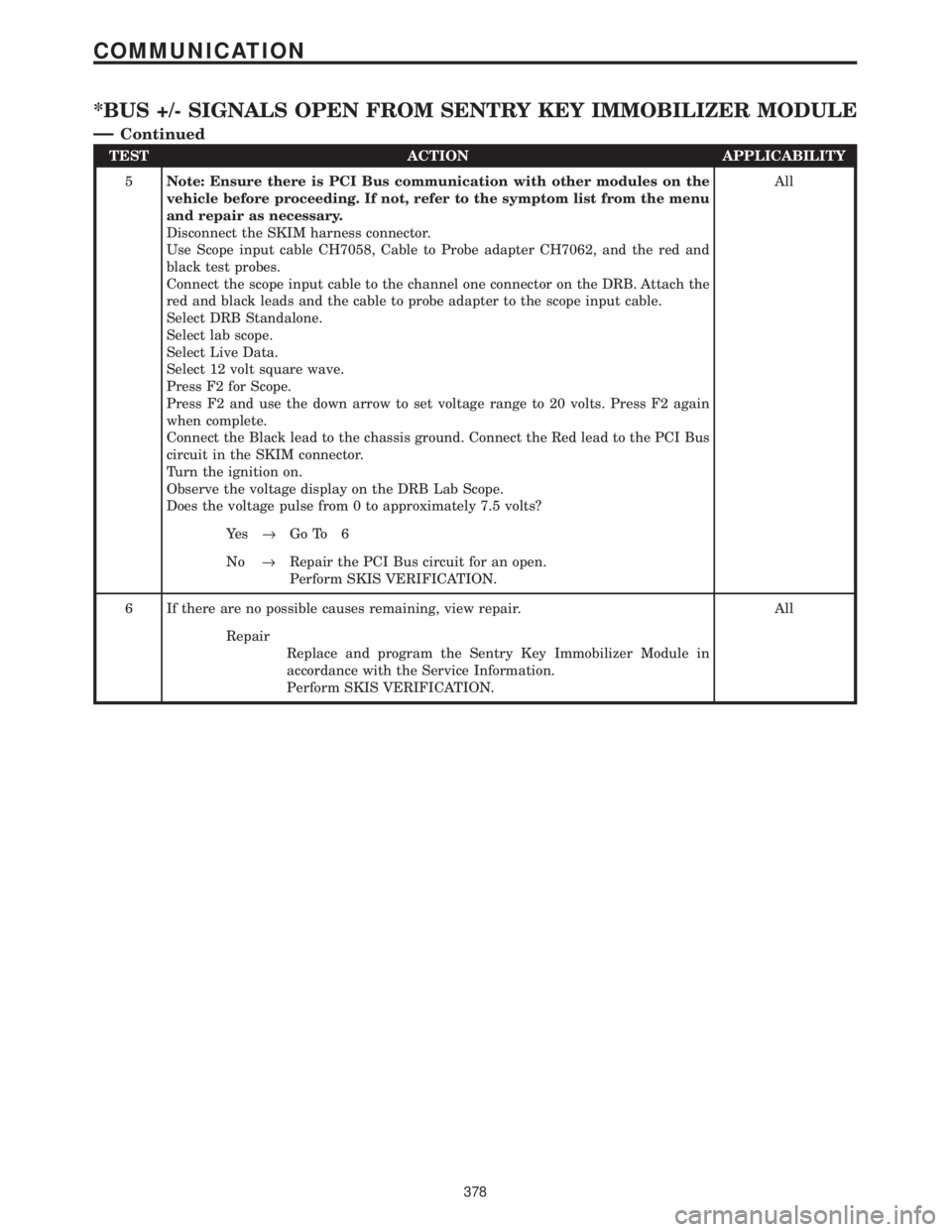
TEST ACTION APPLICABILITY
5Note: Ensure there is PCI Bus communication with other modules on the
vehicle before proceeding. If not, refer to the symptom list from the menu
and repair as necessary.
Disconnect the SKIM harness connector.
Use Scope input cable CH7058, Cable to Probe adapter CH7062, and the red and
black test probes.
Connect the scope input cable to the channel one connector on the DRB. Attach the
red and black leads and the cable to probe adapter to the scope input cable.
Select DRB Standalone.
Select lab scope.
Select Live Data.
Select 12 volt square wave.
Press F2 for Scope.
Press F2 and use the down arrow to set voltage range to 20 volts. Press F2 again
when complete.
Connect the Black lead to the chassis ground. Connect the Red lead to the PCI Bus
circuit in the SKIM connector.
Turn the ignition on.
Observe the voltage display on the DRB Lab Scope.
Does the voltage pulse from 0 to approximately 7.5 volts?All
Ye s®Go To 6
No®Repair the PCI Bus circuit for an open.
Perform SKIS VERIFICATION.
6 If there are no possible causes remaining, view repair. All
Repair
Replace and program the Sentry Key Immobilizer Module in
accordance with the Service Information.
Perform SKIS VERIFICATION.
378
COMMUNICATION
*BUS +/- SIGNALS OPEN FROM SENTRY KEY IMMOBILIZER MODULE
Ð
Continued
Page 409 of 4284
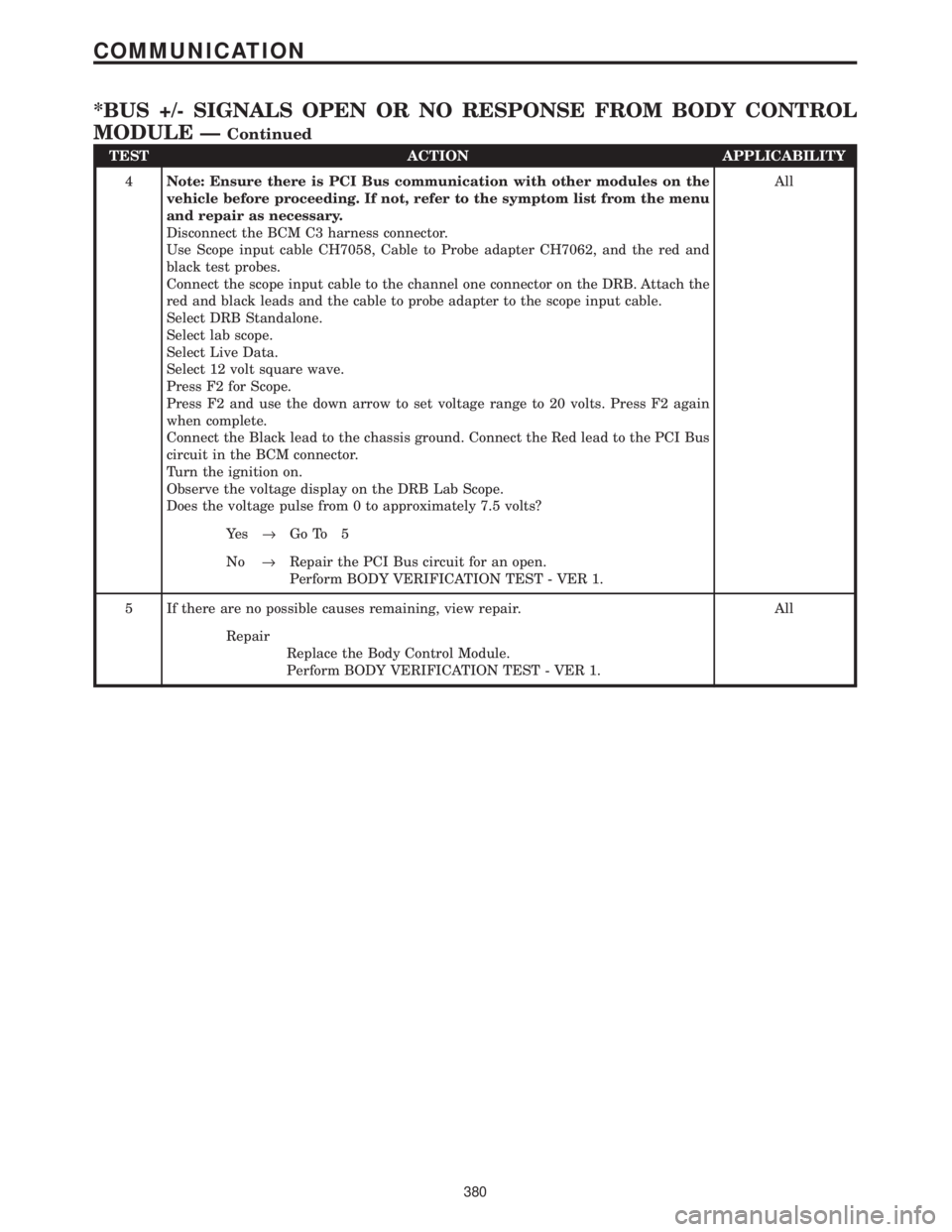
TEST ACTION APPLICABILITY
4Note: Ensure there is PCI Bus communication with other modules on the
vehicle before proceeding. If not, refer to the symptom list from the menu
and repair as necessary.
Disconnect the BCM C3 harness connector.
Use Scope input cable CH7058, Cable to Probe adapter CH7062, and the red and
black test probes.
Connect the scope input cable to the channel one connector on the DRB. Attach the
red and black leads and the cable to probe adapter to the scope input cable.
Select DRB Standalone.
Select lab scope.
Select Live Data.
Select 12 volt square wave.
Press F2 for Scope.
Press F2 and use the down arrow to set voltage range to 20 volts. Press F2 again
when complete.
Connect the Black lead to the chassis ground. Connect the Red lead to the PCI Bus
circuit in the BCM connector.
Turn the ignition on.
Observe the voltage display on the DRB Lab Scope.
Does the voltage pulse from 0 to approximately 7.5 volts?All
Ye s®Go To 5
No®Repair the PCI Bus circuit for an open.
Perform BODY VERIFICATION TEST - VER 1.
5 If there are no possible causes remaining, view repair. All
Repair
Replace the Body Control Module.
Perform BODY VERIFICATION TEST - VER 1.
380
COMMUNICATION
*BUS +/- SIGNALS OPEN OR NO RESPONSE FROM BODY CONTROL
MODULE Ð
Continued
Page 411 of 4284
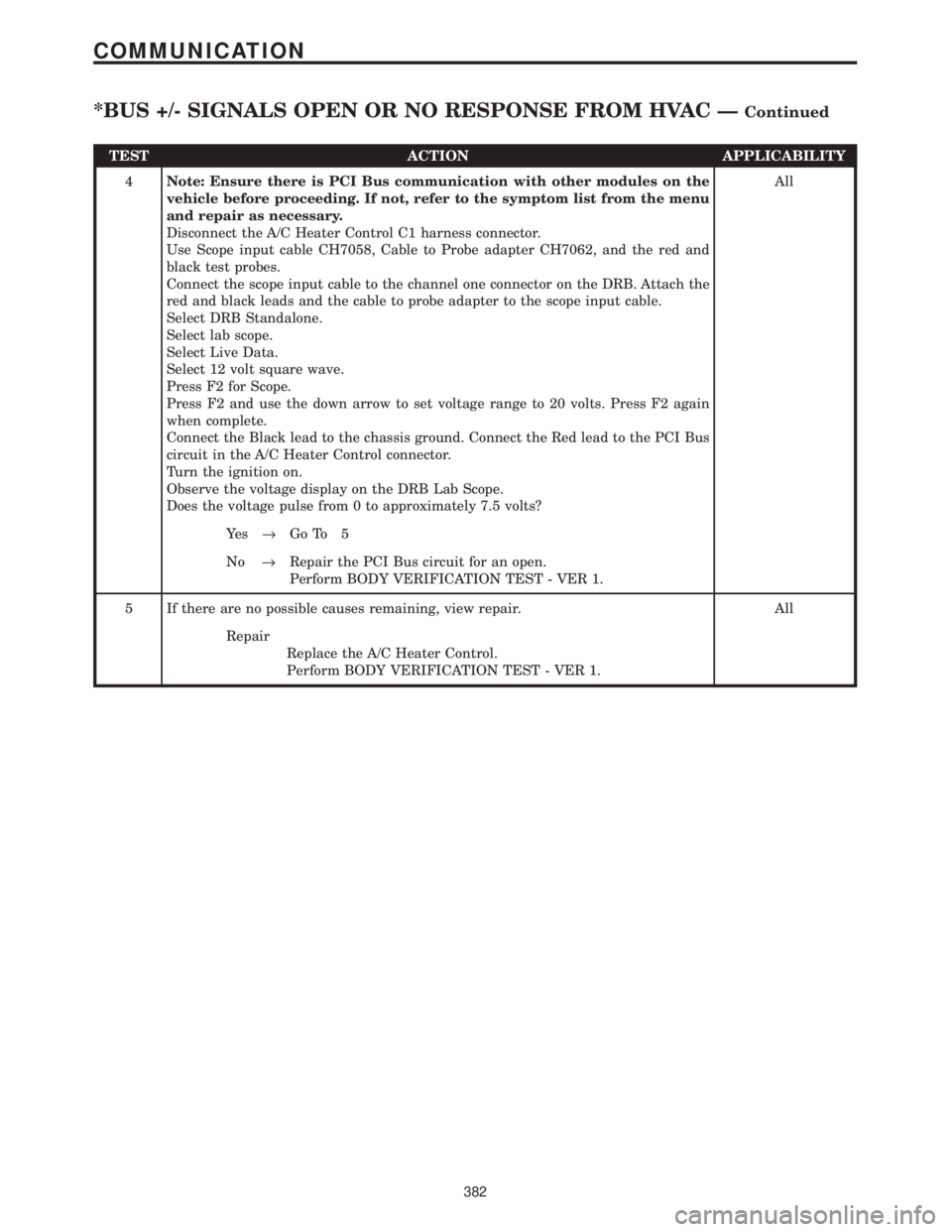
TEST ACTION APPLICABILITY
4Note: Ensure there is PCI Bus communication with other modules on the
vehicle before proceeding. If not, refer to the symptom list from the menu
and repair as necessary.
Disconnect the A/C Heater Control C1 harness connector.
Use Scope input cable CH7058, Cable to Probe adapter CH7062, and the red and
black test probes.
Connect the scope input cable to the channel one connector on the DRB. Attach the
red and black leads and the cable to probe adapter to the scope input cable.
Select DRB Standalone.
Select lab scope.
Select Live Data.
Select 12 volt square wave.
Press F2 for Scope.
Press F2 and use the down arrow to set voltage range to 20 volts. Press F2 again
when complete.
Connect the Black lead to the chassis ground. Connect the Red lead to the PCI Bus
circuit in the A/C Heater Control connector.
Turn the ignition on.
Observe the voltage display on the DRB Lab Scope.
Does the voltage pulse from 0 to approximately 7.5 volts?All
Ye s®Go To 5
No®Repair the PCI Bus circuit for an open.
Perform BODY VERIFICATION TEST - VER 1.
5 If there are no possible causes remaining, view repair. All
Repair
Replace the A/C Heater Control.
Perform BODY VERIFICATION TEST - VER 1.
382
COMMUNICATION
*BUS +/- SIGNALS OPEN OR NO RESPONSE FROM HVAC ÐContinued
Page 413 of 4284
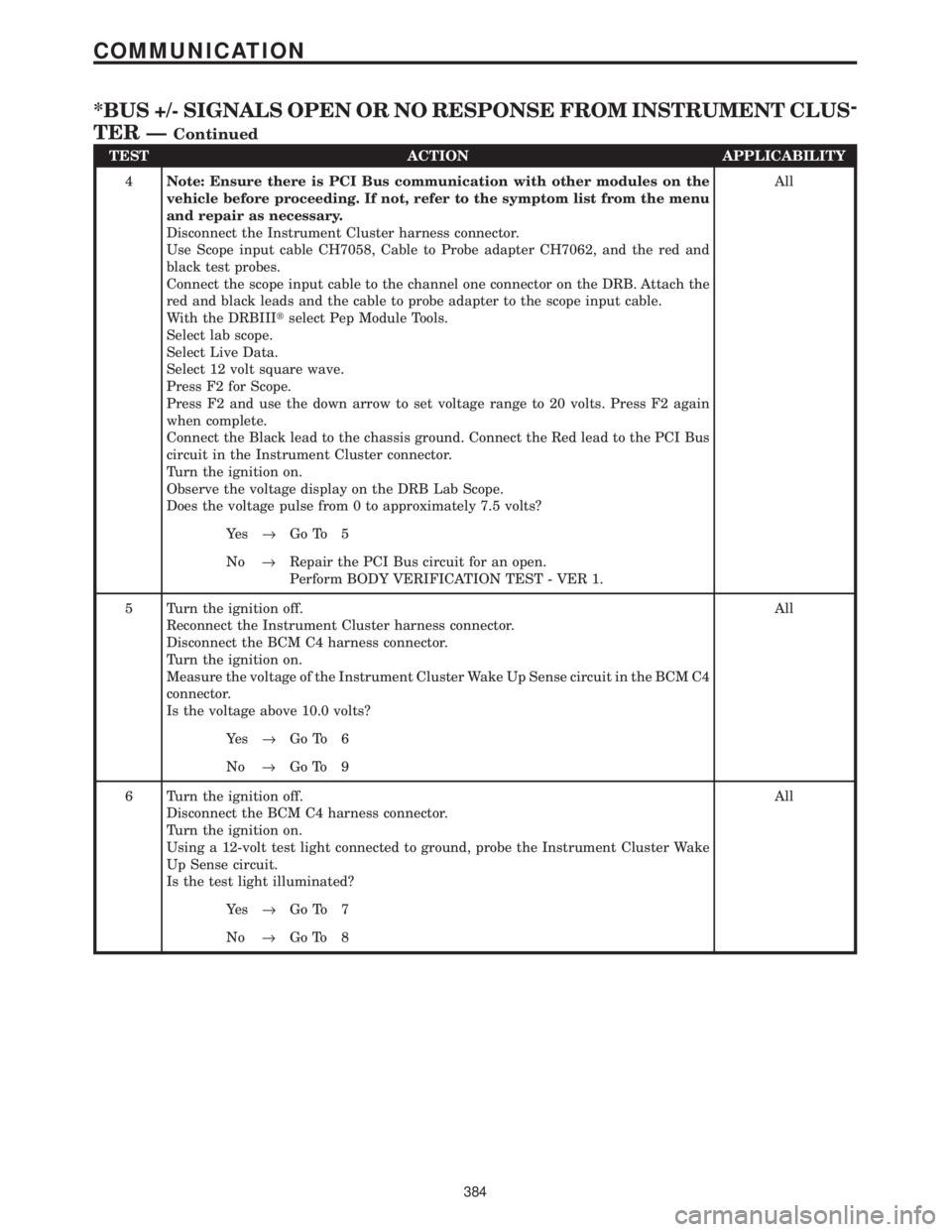
TEST ACTION APPLICABILITY
4Note: Ensure there is PCI Bus communication with other modules on the
vehicle before proceeding. If not, refer to the symptom list from the menu
and repair as necessary.
Disconnect the Instrument Cluster harness connector.
Use Scope input cable CH7058, Cable to Probe adapter CH7062, and the red and
black test probes.
Connect the scope input cable to the channel one connector on the DRB. Attach the
red and black leads and the cable to probe adapter to the scope input cable.
With the DRBIIItselect Pep Module Tools.
Select lab scope.
Select Live Data.
Select 12 volt square wave.
Press F2 for Scope.
Press F2 and use the down arrow to set voltage range to 20 volts. Press F2 again
when complete.
Connect the Black lead to the chassis ground. Connect the Red lead to the PCI Bus
circuit in the Instrument Cluster connector.
Turn the ignition on.
Observe the voltage display on the DRB Lab Scope.
Does the voltage pulse from 0 to approximately 7.5 volts?All
Ye s®Go To 5
No®Repair the PCI Bus circuit for an open.
Perform BODY VERIFICATION TEST - VER 1.
5 Turn the ignition off.
Reconnect the Instrument Cluster harness connector.
Disconnect the BCM C4 harness connector.
Turn the ignition on.
Measure the voltage of the Instrument Cluster Wake Up Sense circuit in the BCM C4
connector.
Is the voltage above 10.0 volts?All
Ye s®Go To 6
No®Go To 9
6 Turn the ignition off.
Disconnect the BCM C4 harness connector.
Turn the ignition on.
Using a 12-volt test light connected to ground, probe the Instrument Cluster Wake
Up Sense circuit.
Is the test light illuminated?All
Ye s®Go To 7
No®Go To 8
384
COMMUNICATION
*BUS +/- SIGNALS OPEN OR NO RESPONSE FROM INSTRUMENT CLUS-
TER Ð
Continued
Page 416 of 4284
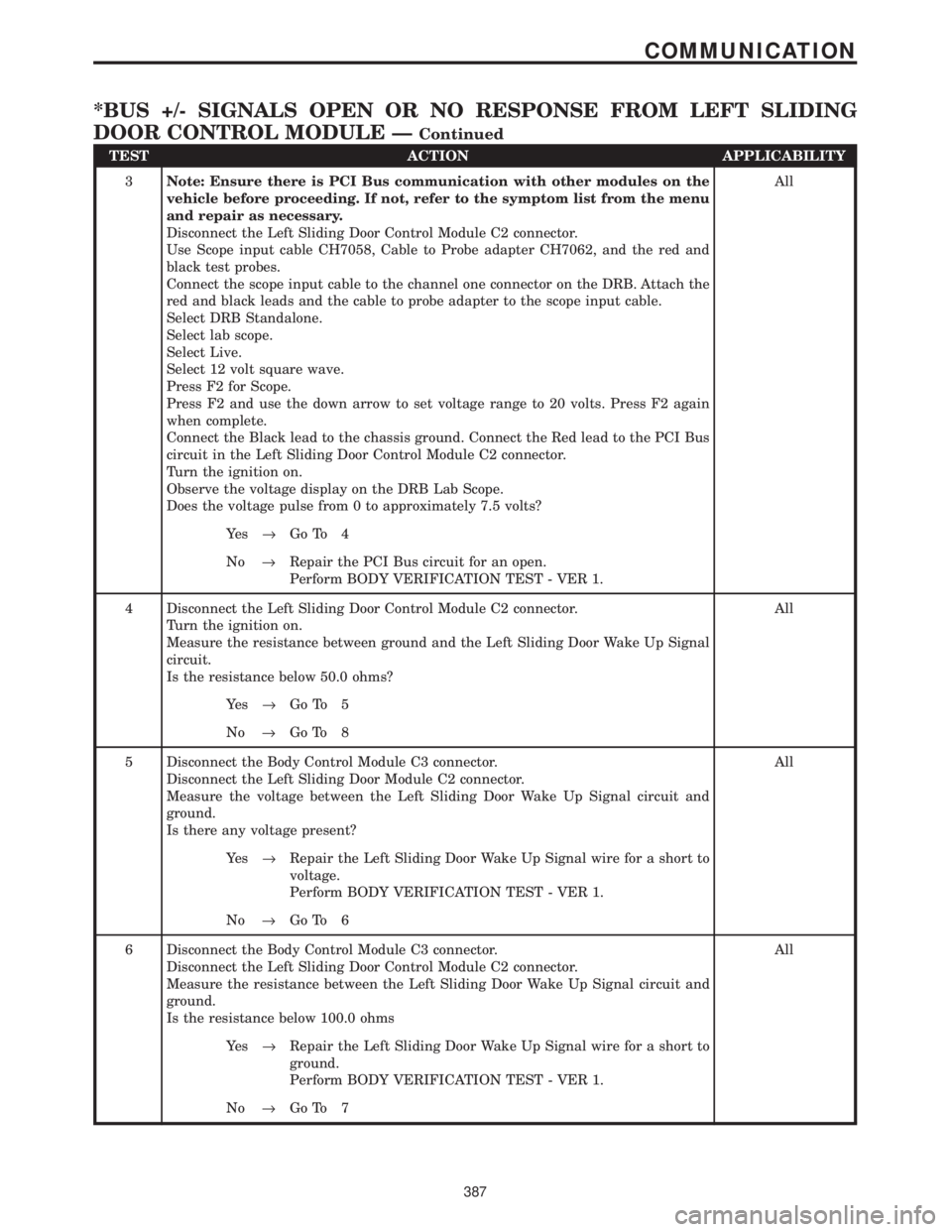
TEST ACTION APPLICABILITY
3Note: Ensure there is PCI Bus communication with other modules on the
vehicle before proceeding. If not, refer to the symptom list from the menu
and repair as necessary.
Disconnect the Left Sliding Door Control Module C2 connector.
Use Scope input cable CH7058, Cable to Probe adapter CH7062, and the red and
black test probes.
Connect the scope input cable to the channel one connector on the DRB. Attach the
red and black leads and the cable to probe adapter to the scope input cable.
Select DRB Standalone.
Select lab scope.
Select Live.
Select 12 volt square wave.
Press F2 for Scope.
Press F2 and use the down arrow to set voltage range to 20 volts. Press F2 again
when complete.
Connect the Black lead to the chassis ground. Connect the Red lead to the PCI Bus
circuit in the Left Sliding Door Control Module C2 connector.
Turn the ignition on.
Observe the voltage display on the DRB Lab Scope.
Does the voltage pulse from 0 to approximately 7.5 volts?All
Ye s®Go To 4
No®Repair the PCI Bus circuit for an open.
Perform BODY VERIFICATION TEST - VER 1.
4 Disconnect the Left Sliding Door Control Module C2 connector.
Turn the ignition on.
Measure the resistance between ground and the Left Sliding Door Wake Up Signal
circuit.
Is the resistance below 50.0 ohms?All
Ye s®Go To 5
No®Go To 8
5 Disconnect the Body Control Module C3 connector.
Disconnect the Left Sliding Door Module C2 connector.
Measure the voltage between the Left Sliding Door Wake Up Signal circuit and
ground.
Is there any voltage present?All
Ye s®Repair the Left Sliding Door Wake Up Signal wire for a short to
voltage.
Perform BODY VERIFICATION TEST - VER 1.
No®Go To 6
6 Disconnect the Body Control Module C3 connector.
Disconnect the Left Sliding Door Control Module C2 connector.
Measure the resistance between the Left Sliding Door Wake Up Signal circuit and
ground.
Is the resistance below 100.0 ohmsAll
Ye s®Repair the Left Sliding Door Wake Up Signal wire for a short to
ground.
Perform BODY VERIFICATION TEST - VER 1.
No®Go To 7
387
COMMUNICATION
*BUS +/- SIGNALS OPEN OR NO RESPONSE FROM LEFT SLIDING
DOOR CONTROL MODULE Ð
Continued
Page 419 of 4284
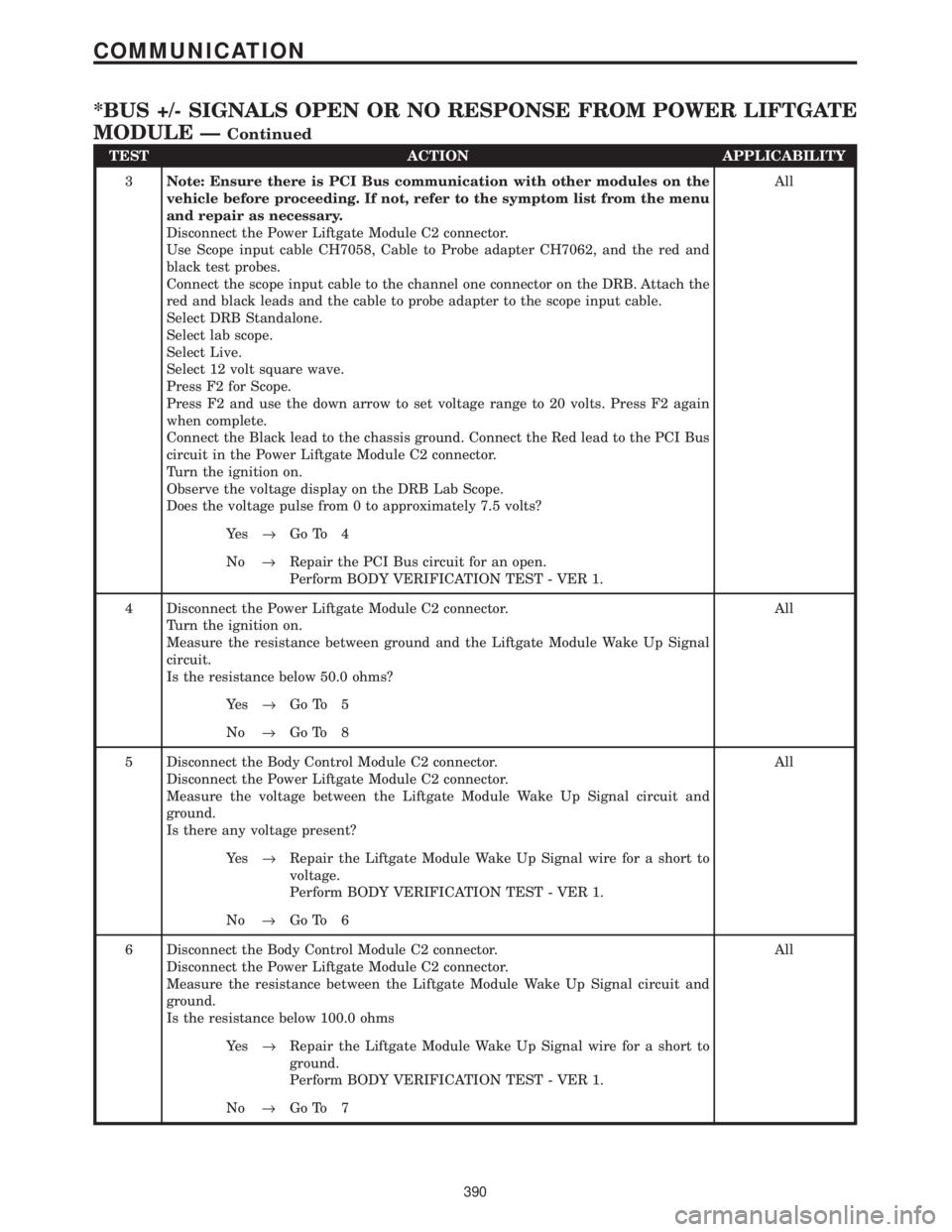
TEST ACTION APPLICABILITY
3Note: Ensure there is PCI Bus communication with other modules on the
vehicle before proceeding. If not, refer to the symptom list from the menu
and repair as necessary.
Disconnect the Power Liftgate Module C2 connector.
Use Scope input cable CH7058, Cable to Probe adapter CH7062, and the red and
black test probes.
Connect the scope input cable to the channel one connector on the DRB. Attach the
red and black leads and the cable to probe adapter to the scope input cable.
Select DRB Standalone.
Select lab scope.
Select Live.
Select 12 volt square wave.
Press F2 for Scope.
Press F2 and use the down arrow to set voltage range to 20 volts. Press F2 again
when complete.
Connect the Black lead to the chassis ground. Connect the Red lead to the PCI Bus
circuit in the Power Liftgate Module C2 connector.
Turn the ignition on.
Observe the voltage display on the DRB Lab Scope.
Does the voltage pulse from 0 to approximately 7.5 volts?All
Ye s®Go To 4
No®Repair the PCI Bus circuit for an open.
Perform BODY VERIFICATION TEST - VER 1.
4 Disconnect the Power Liftgate Module C2 connector.
Turn the ignition on.
Measure the resistance between ground and the Liftgate Module Wake Up Signal
circuit.
Is the resistance below 50.0 ohms?All
Ye s®Go To 5
No®Go To 8
5 Disconnect the Body Control Module C2 connector.
Disconnect the Power Liftgate Module C2 connector.
Measure the voltage between the Liftgate Module Wake Up Signal circuit and
ground.
Is there any voltage present?All
Ye s®Repair the Liftgate Module Wake Up Signal wire for a short to
voltage.
Perform BODY VERIFICATION TEST - VER 1.
No®Go To 6
6 Disconnect the Body Control Module C2 connector.
Disconnect the Power Liftgate Module C2 connector.
Measure the resistance between the Liftgate Module Wake Up Signal circuit and
ground.
Is the resistance below 100.0 ohmsAll
Ye s®Repair the Liftgate Module Wake Up Signal wire for a short to
ground.
Perform BODY VERIFICATION TEST - VER 1.
No®Go To 7
390
COMMUNICATION
*BUS +/- SIGNALS OPEN OR NO RESPONSE FROM POWER LIFTGATE
MODULE Ð
Continued