ECO mode CHRYSLER VOYAGER 2023 User Guide
[x] Cancel search | Manufacturer: CHRYSLER, Model Year: 2023, Model line: VOYAGER, Model: CHRYSLER VOYAGER 2023Pages: 256, PDF Size: 13.97 MB
Page 47 of 256
GETTING TO KNOW YOUR VEHICLE45
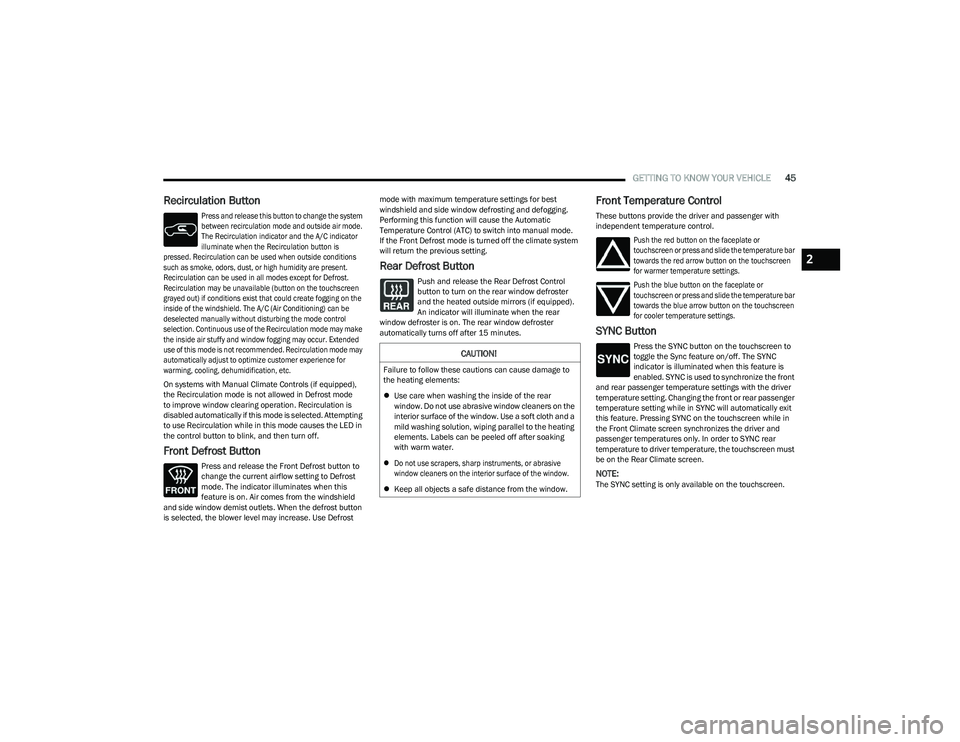
Recirculation Button
Press and release this button to change the system
between recirculation mode and outside air mode.
The Recirculation indicator and the A/C indicator
illuminate when the Recirculation button is
pressed. Recirculation can be used when outside conditions
such as smoke, odors, dust, or high humidity are present.
Recirculation can be used in all modes except for Defrost.
Recirculation may be unavailable (button on the touchscreen
grayed out) if conditions exist that could create fogging on the
inside of the windshield. The A/C (Air Conditioning) can be
deselected manually without disturbing the mode control
selection. Continuous use of the Recirculation mode may make
the inside air stuffy and window fogging may occur. Extended
use of this mode is not recommended. Recirculation mode may
automatically adjust to optimize customer experience for
warming, cooling, dehumidification, etc.
On systems with Manual Climate Controls (if equipped),
the Recirculation mode is not allowed in Defrost mode
to improve window clearing operation. Recirculation is
disabled automatically if this mode is selected. Attempting
to use Recirculation while in this mode causes the LED in
the control button to blink, and then turn off.
Front Defrost Button
Press and release the Front Defrost button to
change the current airflow setting to Defrost
mode. The indicator illuminates when this
feature is on. Air comes from the windshield
and side window demist outlets. When the defrost button
is selected, the blower level may increase. Use Defrost mode with maximum temperature settings for best
windshield and side window defrosting and defogging.
Performing this function will cause the Automatic
Temperature Control (ATC) to switch into manual mode.
If the Front Defrost mode is turned off the climate system
will return the previous setting.
Rear Defrost Button
Push and release the Rear Defrost Control
button to turn on the rear window defroster
and the heated outside mirrors (if equipped).
An indicator will illuminate when the rear
window defroster is on. The rear window defroster
automatically turns off after 15 minutes.
Front Temperature Control
These buttons provide the driver and passenger with
independent temperature control.
Push the red button on the faceplate or
touchscreen or press and slide the temperature bar
towards the red arrow button on the touchscreen
for warmer temperature settings.
Push the blue button on the faceplate or
touchscreen or press and slide the temperature bar
towards the blue arrow button on the touchscreen
for cooler temperature settings.
SYNC Button
Press the SYNC button on the touchscreen to
toggle the Sync feature on/off. The SYNC
indicator is illuminated when this feature is
enabled. SYNC is used to synchronize the front
and rear passenger temperature settings with the driver
temperature setting. Changing the front or rear passenger
temperature setting while in SYNC will automatically exit
this feature. Pressing SYNC on the touchscreen while in
the Front Climate screen synchronizes the driver and
passenger temperatures only. In order to SYNC rear
temperature to driver temperature, the touchscreen must
be on the Rear Climate screen.
NOTE:The SYNC setting is only available on the touchscreen.
CAUTION!
Failure to follow these cautions can cause damage to
the heating elements:
Use care when washing the inside of the rear
window. Do not use abrasive window cleaners on the
interior surface of the window. Use a soft cloth and a
mild washing solution, wiping parallel to the heating
elements. Labels can be peeled off after soaking
with warm water.
Do not use scrapers, sharp instruments, or abrasive
window cleaners on the interior surface of the window.
Keep all objects a safe distance from the window.
2
23_RUV_OM_EN_US_t.book Page 45
Page 50 of 256
48GETTING TO KNOW YOUR VEHICLE
REAR TEMPERATURE CONTROL
Push the up arrow button to raise the
temperature. The rear temperature settings
are displayed in control head.
Push the down arrow button to lower the
temperature. The rear temperature settings
are displayed in control head.
REAR BLOWER CONTROL
The rear blower control can be manually set to
off, or any fixed blower speed by pushing the
blower control buttons. This allows the rear
seat occupants to control the volume of air
circulated in the rear of the vehicle. The larger of the two
icons increases blower speed, whereas the smaller of the
two icons decreases the blower speed.
REAR MODE CONTROL
Push this button on the Rear Climate Controls
to change the air distribution mode for the rear
passengers.
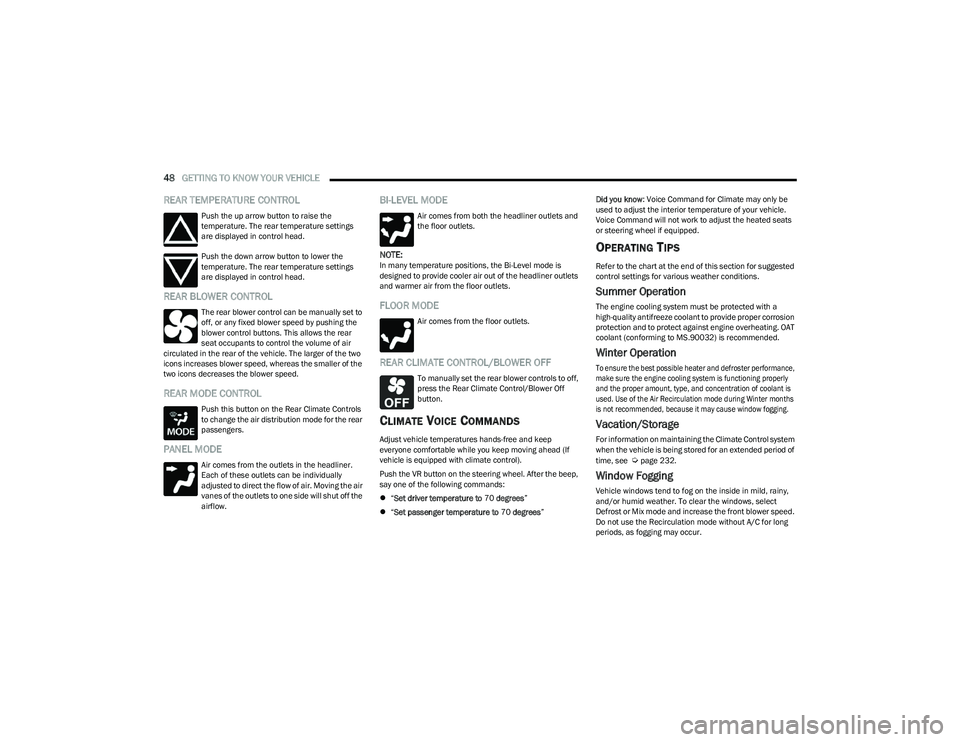
PANEL MODE
Air comes from the outlets in the headliner.
Each of these outlets can be individually
adjusted to direct the flow of air. Moving the air
vanes of the outlets to one side will shut off the
airflow.
BI-LEVEL MODE
Air comes from both the headliner outlets and
the floor outlets.
NOTE:In many temperature positions, the Bi-Level mode is
designed to provide cooler air out of the headliner outlets
and warmer air from the floor outlets.
FLOOR MODE
Air comes from the floor outlets.
REAR CLIMATE CONTROL/BLOWER OFF
To manually set the rear blower controls to off,
press the Rear Climate Control/Blower Off
button.
CLIMATE VOICE COMMANDS
Adjust vehicle temperatures hands-free and keep
everyone comfortable while you keep moving ahead (If
vehicle is equipped with climate control).
Push the VR button on the steering wheel. After the beep,
say one of the following commands:
“Set driver temperature to 70 degrees ”
“Set passenger temperature to 70 degrees ” Did you know
: Voice Command for Climate may only be
used to adjust the interior temperature of your vehicle.
Voice Command will not work to adjust the heated seats
or steering wheel if equipped.
OPERATING TIPS
Refer to the chart at the end of this section for suggested
control settings for various weather conditions.
Summer Operation
The engine cooling system must be protected with a
high-quality antifreeze coolant to provide proper corrosion
protection and to protect against engine overheating. OAT
coolant (conforming to MS.90032) is recommended.
Winter Operation
To ensure the best possible heater and defroster performance,
make sure the engine cooling system is functioning properly
and the proper amount, type, and concentration of coolant is
used. Use of the Air Recirculation mode during Winter months
is not recommended, because it may cause window fogging.
Vacation/Storage
For information on maintaining the Climate Control system
when the vehicle is being stored for an extended period of
time, see
Úpage 232.
Window Fogging
Vehicle windows tend to fog on the inside in mild, rainy,
and/or humid weather. To clear the windows, select
Defrost or Mix mode and increase the front blower speed.
Do not use the Recirculation mode without A/C for long
periods, as fogging may occur.
23_RUV_OM_EN_US_t.book Page 48
Page 52 of 256
50GETTING TO KNOW YOUR VEHICLE
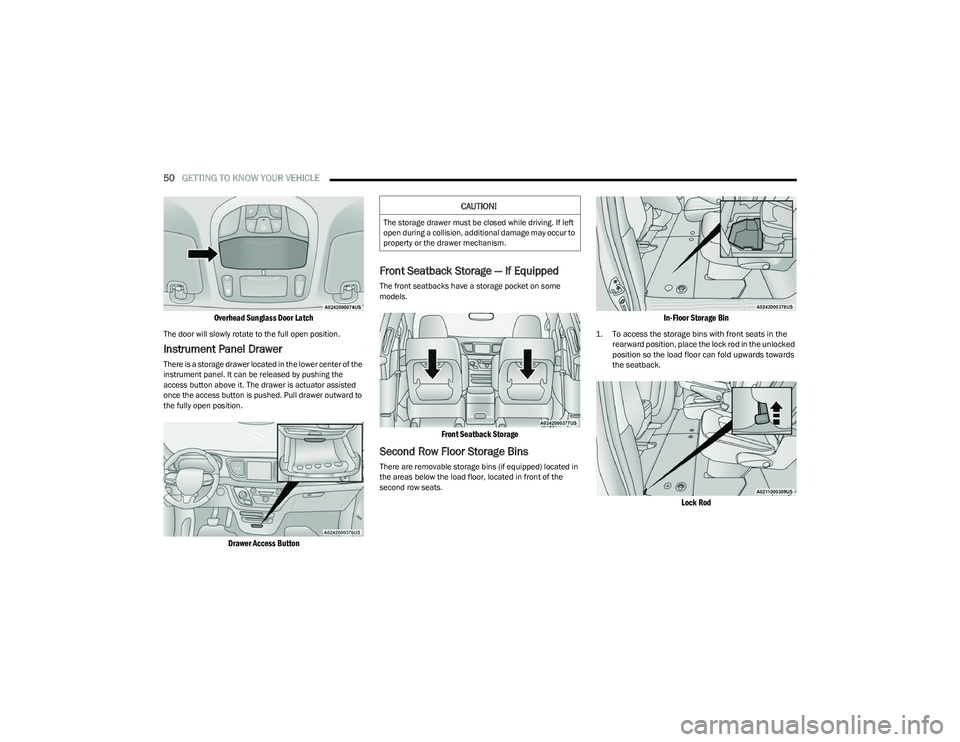
Overhead Sunglass Door Latch
The door will slowly rotate to the full open position.
Instrument Panel Drawer
There is a storage drawer located in the lower center of the
instrument panel. It can be released by pushing the
access button above it. The drawer is actuator assisted
once the access button is pushed. Pull drawer outward to
the fully open position.
Drawer Access Button
Front Seatback Storage — If Equipped
The front seatbacks have a storage pocket on some
models.
Front Seatback Storage
Second Row Floor Storage Bins
There are removable storage bins (if equipped) located in
the areas below the load floor, located in front of the
second row seats.
In-Floor Storage Bin
1. To access the storage bins with front seats in the
rearward position, place the lock rod in the unlocked
position so the load floor can fold upwards towards
the seatback.
Lock Rod
CAUTION!
The storage drawer must be closed while driving. If left
open during a collision, additional damage may occur to
property or the drawer mechanism.
23_RUV_OM_EN_US_t.book Page 50
Page 59 of 256
GETTING TO KNOW YOUR VEHICLE57
The key fob and the overhead console button will release
the liftgate when the liftgate is locked. The outside handle
requires the liftgate to be unlocked. If the vehicle is
equipped with Passive Entry, pulling the outside handle
will unlock and release the liftgate, with a valid Passive
Entry key fob within 5 ft (1.5 m) of the liftgate.
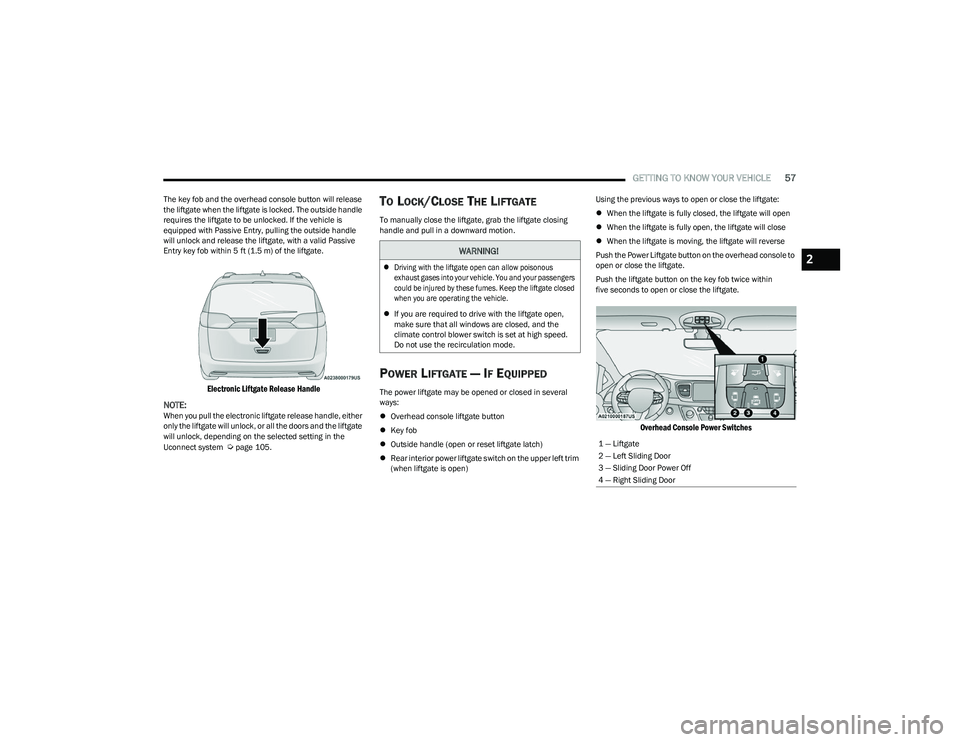
Electronic Liftgate Release Handle
NOTE:
When you pull the electronic liftgate release handle, either
only the liftgate will unlock, or all the doors and the liftgate
will unlock, depending on the selected setting in the
Uconnect system
Úpage 105.
TO LOCK/CLOSE THE LIFTGATE
To manually close the liftgate, grab the liftgate closing
handle and pull in a downward motion.
POWER LIFTGATE — IF EQUIPPED
The power liftgate may be opened or closed in several
ways:
Overhead console liftgate button
Key fob
Outside handle (open or reset liftgate latch)
Rear interior power liftgate switch on the upper left trim
(when liftgate is open) Using the previous ways to open or close the liftgate:
When the liftgate is fully closed, the liftgate will open
When the liftgate is fully open, the liftgate will close
When the liftgate is moving, the liftgate will reverse
Push the Power Liftgate button on the overhead console to
open or close the liftgate.
Push the liftgate button on the key fob twice within
five seconds to open or close the liftgate.
Overhead Console Power Switches
WARNING!
Driving with the liftgate open can allow poisonous
exhaust gases into your vehicle. You and your passengers
could be injured by these fumes. Keep the liftgate closed
when you are operating the vehicle.
If you are required to drive with the liftgate open,
make sure that all windows are closed, and the
climate control blower switch is set at high speed.
Do not use the recirculation mode.
1 — Liftgate
2 — Left Sliding Door
3 — Sliding Door Power Off
4 — Right Sliding Door
2
23_RUV_OM_EN_US_t.book Page 57
Page 69 of 256
GETTING TO KNOW YOUR INSTRUMENT PANEL67
NOTE:
The charging system is independent from load reduc -
tion. The charging system performs a diagnostic on the
charging system continuously.
If the Battery Charge Warning Light is on it may indicate
a problem with the charging system
Úpage 68.
The electrical loads that may be switched off (if equipped),
and vehicle functions which can be effected by load
reduction:
Heated Seat/Vented Seats/Heated Wheel
Heated/Cooled Cup Holders — If Equipped
Rear Defroster And Heated Mirrors
HVAC System
115 Volts AC Power Inverter System
Audio and Telematics System
Loss of the battery charge may indicate one or more of the
following conditions:
The charging system cannot deliver enough electrical
power to the vehicle system because the electrical
loads are larger than the capability of charging system.
The charging system is still functioning properly.
Turning on all possible vehicle electrical loads (e.g.
HVAC to max settings, exterior and interior lights, over -
loaded power outlets +12 Volts, 150W, USB ports)
during certain driving conditions (city driving, towing,
frequent stopping).
Installing options like additional lights, upfitter elec -
trical accessories, audio systems, alarms and similar
devices.
Unusual driving cycles (short trips separated by long
parking periods).
The vehicle was parked for an extended period of time
(weeks, months).
The battery was recently replaced and was not charged
completely.
The battery was discharged by an electrical load left on
when the vehicle was parked.
The battery was used for an extended period with the
engine not running to supply radio, lights, chargers,
+12 Volt portable appliances like vacuum cleaners,
game consoles and similar devices.
What to do when an electrical load reduction action
message is present (“Battery Saver On” or “Battery Saver
Mode”)
During a trip:
Reduce power to unnecessary loads if possible:
Turn off redundant lights (interior or exterior)
Check what may be plugged in to power outlets
+12 Volts, 150W, USB ports
Check HVAC settings (blower, temperature)
Check the audio settings (volume)
After a trip:
Check if any aftermarket equipment was installed
(additional lights, upfitter electrical accessories, audio
systems, alarms) and review specifications if any (load
and Ignition Off Draw currents).
Evaluate the latest driving cycles (distance, driving
time and parking time).
The vehicle should have service performed if the
message is still present during consecutive trips and
the evaluation of the vehicle and driving pattern did not
help to identify the cause.WARNING LIGHTS AND MESSAGES
The warning/indicator lights will illuminate in the
instrument panel together with a dedicated message
and/or acoustic signal when applicable. These indications
are indicative and precautionary and as such must not
be considered as exhaustive and/or alternative to the
information contained in the Owner’s Manual, which you
are advised to read carefully in all cases. Always refer to
the information in this chapter in the event of a failure
indication. All active warning/indicator lights will display
first if applicable. The system check menu may appear
different based upon equipment options and current
vehicle status. Some warning/indicator lights are optional
and may not appear.
RED WARNING LIGHTS
Air Bag Warning Light
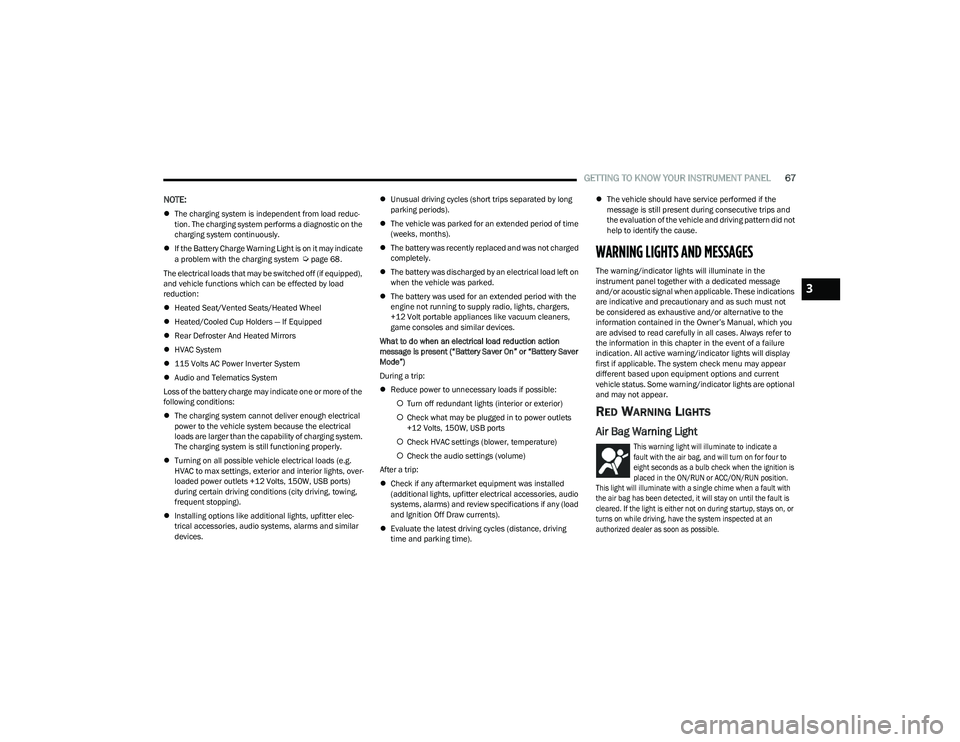
This warning light will illuminate to indicate a
fault with the air bag, and will turn on for four to
eight seconds as a bulb check when the ignition is
placed in the ON/RUN or ACC/ON/RUN position.
This light will illuminate with a single chime when a fault with
the air bag has been detected, it will stay on until the fault is
cleared. If the light is either not on during startup, stays on, or
turns on while driving, have the system inspected at an
authorized dealer as soon as possible.
3
23_RUV_OM_EN_US_t.book Page 67
Page 74 of 256
72GETTING TO KNOW YOUR INSTRUMENT PANEL
TPMS from functioning properly. Always check the TPMS
malfunction light after replacing one or more tires or
wheels on your vehicle to ensure that the replacement or
alternate tires and wheels allow the TPMS to continue to
function properly.
YELLOW INDICATOR LIGHTS
Automatic Emergency Braking (AEB) or
Pedestrian Emergency Braking (PEB) OFF
Indicator Light — If Equipped
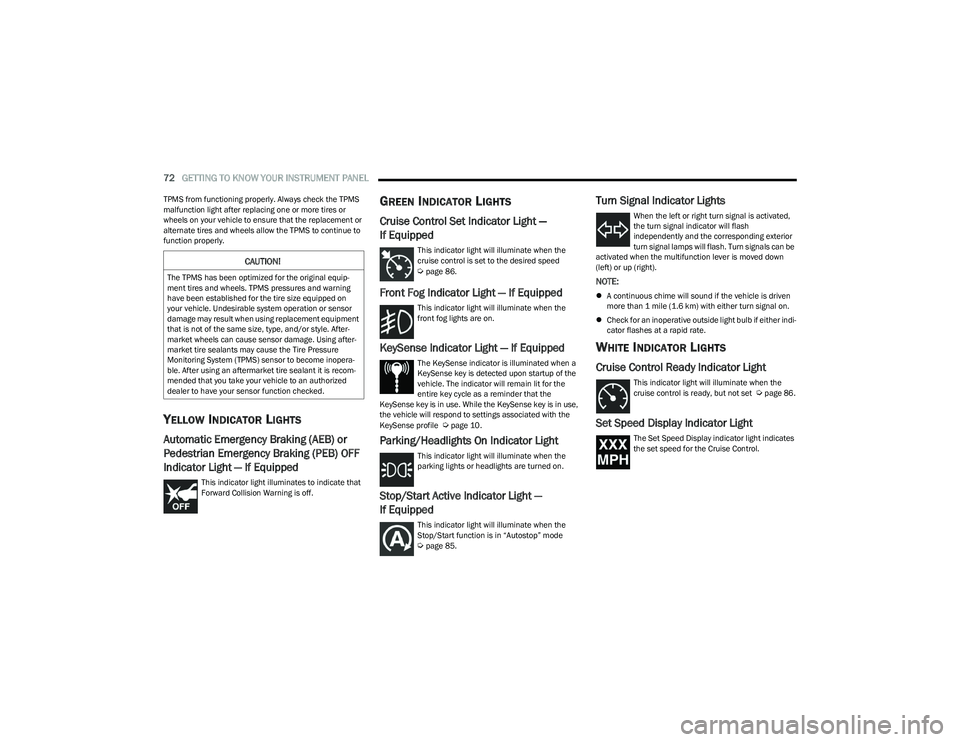
This indicator light illuminates to indicate that
Forward Collision Warning is off.
GREEN INDICATOR LIGHTS
Cruise Control Set Indicator Light —
If Equipped
This indicator light will illuminate when the
cruise control is set to the desired speed
Úpage 86.
Front Fog Indicator Light — If Equipped
This indicator light will illuminate when the
front fog lights are on.
KeySense Indicator Light — If Equipped
The KeySense indicator is illuminated when a
KeySense key is detected upon startup of the
vehicle. The indicator will remain lit for the
entire key cycle as a reminder that the
KeySense key is in use. While the KeySense key is in use,
the vehicle will respond to settings associated with the
KeySense profile
Úpage 10.
Parking/Headlights On Indicator Light
This indicator light will illuminate when the
parking lights or headlights are turned on.
Stop/Start Active Indicator Light —
If Equipped
This indicator light will illuminate when the
Stop/Start function is in “Autostop” mode
Úpage 85.
Turn Signal Indicator Lights
When the left or right turn signal is activated,
the turn signal indicator will flash
independently and the corresponding exterior
turn signal lamps will flash. Turn signals can be
activated when the multifunction lever is moved down
(left) or up (right).
NOTE:
A continuous chime will sound if the vehicle is driven
more than 1 mile (1.6 km) with either turn signal on.
Check for an inoperative outside light bulb if either indi -
cator flashes at a rapid rate.
WHITE INDICATOR LIGHTS
Cruise Control Ready Indicator Light
This indicator light will illuminate when the
cruise control is ready, but not set Úpage 86.
Set Speed Display Indicator Light
The Set Speed Display indicator light indicates
the set speed for the Cruise Control.
CAUTION!
The TPMS has been optimized for the original equip -
ment tires and wheels. TPMS pressures and warning
have been established for the tire size equipped on
your vehicle. Undesirable system operation or sensor
damage may result when using replacement equipment
that is not of the same size, type, and/or style. After -
market wheels can cause sensor damage. Using after -
market tire sealants may cause the Tire Pressure
Monitoring System (TPMS) sensor to become inopera -
ble. After using an aftermarket tire sealant it is recom -
mended that you take your vehicle to an authorized
dealer to have your sensor function checked.
23_RUV_OM_EN_US_t.book Page 72
Page 80 of 256

78STARTING AND OPERATING
TO TURN OFF THE ENGINE USING
ENGINE START/STOP B
UTTON
1. Place the gear selector in PARK, then push and
release the ENGINE START/STOP button.
2. The ignition switch will return to the OFF position.
3. If the gear selector is not in PARK, the ENGINE START/STOP button must be held for two seconds or
three short pushes in a row with the vehicle speed
above 5 mph (8 km/h) before the engine will shut off.
The ignition switch position will remain in the ACC
position until the gear selector is in PARK and the
button is pushed twice to the OFF position. If the gear
selector is not in PARK and the ENGINE START/STOP
button is pushed once, the instrument cluster will
display a “Vehicle Not In Park” message and the
engine will remain running. Never leave a vehicle out
of the PARK position, or it could roll.
NOTE:If the ignition switch is left in the ACC or RUN (engine not
running) position and the transmission is in PARK, the
system will automatically time out after 30 minutes of
inactivity and the ignition will switch to the OFF position.
ENGINE BLOCK HEATER — IF EQUIPPED
The engine block heater warms the engine and permits
quicker starts in cold weather.
Connect the cord to a 110-115 Volt AC electrical outlet
with a grounded, three-wire extension cord. For ambient temperatures below 0°F (-18°C), the engine
block heater is recommended. For ambient temperatures
below -20°F (-29°C), the engine block heater is required.
The engine block heater cord is routed under the hood,
behind to the passenger’s side headlamp. See the
following steps to properly use the engine block heater:
1. Locate the engine block heater cord (behind the
passenger’s side headlamp).
2. Undo the hook-and-loop strap that secures the heater cord in place.
3. Pull the cord to the front of the vehicle and plug it into a grounded, three-wire extension cord.
4. After the vehicle is running, reattach the cord to the hook-and-loop strap and properly stow it away behind
the passenger’s side headlamp.
NOTE:
The engine block heater cord is a factory installed
option. If your vehicle is not equipped, heater cords are
available from an authorized dealer.
The engine block heater will require 110 Volt AC and
6.5 Amps to activate the heater element.
The engine block heater must be plugged in at least
one hour to have an adequate warming effect on the
engine.
ENGINE BREAK-IN RECOMMENDATIONS
A long break-in period is not required for the engine and
drivetrain (transmission and axle) in your vehicle.
Drive moderately during the first 300 miles (500 km).
After the initial 60 miles (100 km), speeds up to 50 or
55 mph (80 or 90 km/h) are desirable.
While cruising, brief full-throttle acceleration within the
limits of local traffic laws contributes to a good break-in.
Wide-open throttle acceleration in low gear can be
detrimental and should be avoided.
The engine oil installed in the engine at the factory is a
high-quality energy conserving type lubricant. Oil changes
should be consistent with anticipated climate conditions
under which vehicle operations will occur. For the
recommended viscosity and quality grades
Úpage 197.
NOTE:A new engine may consume some oil during its first few
thousand miles (kilometers) of operation. This should be
considered a normal part of the break-in and not inter -
preted as a problem.
WARNING!
Remember to disconnect the engine block heater cord
before driving. Damage to the 110-115 Volt electrical
cord could cause electrocution.
CAUTION!
Never use Non-Detergent Oil or Straight Mineral Oil in
the engine or damage may result.
23_RUV_OM_EN_US_t.book Page 78
Page 82 of 256
80STARTING AND OPERATING
If exceptional circumstances should make it necessary to
engage the parking brake while the vehicle is in motion,
push on the EPB switch for as long as engagement is
desired. The Brake Warning Light will illuminate, and a
continuous chime will sound. The rear stop lamps will also
be illuminated automatically while the vehicle remains in
motion. To disengage the parking brake while the vehicle is in
motion, release the switch. If the vehicle is brought to a
complete stop using the parking brake, when the vehicle
reaches approximately 3 mph (4.8 km/h), the parking
brake will remain engaged.
In the unlikely event of a malfunction of the EPB system,
a yellow EPB Warning Light will illuminate. This may be
accompanied by the Brake Warning Light flashing. In this
case, urgent service of the EPB system is required. Do not
rely on the parking brake to hold the vehicle stationary.
Auto Park Brake
The Electric Park Brake (EPB) can be programmed to be applied
automatically whenever the vehicle is at a standstill and the
automatic transmission is placed in PARK. Auto Park Brake is
enabled and disabled by customer selection through the
customer programmable features
Ú
page 105.
SafeHold
SafeHold is a safety feature of the Electric Park Brake
(EPB) system that will engage the parking brake
automatically if the vehicle is left unsecured. If the
automatic transmission is not in PARK, the seat belt is
unbuckled, the driver door is open, the vehicle is at a
standstill, and there is no attempt to press the brake pedal
or accelerator pedal, the parking brake will automatically
engage to prevent the vehicle from rolling.
SafeHold can be temporarily bypassed by pushing the EPB
while the driver door is open and brake pedal is pressed.
Once manually bypassed, SafeHold will be enabled again
once the vehicle reaches 12 mph (20 km/h) or the ignition
is cycled to the OFF position and back to ON again.
Brake Service Mode
We recommend having your brakes serviced by an
authorized dealer. You should only make repairs for
which you have the knowledge and the right equipment.
You should only enter Brake Service Mode during brake
service.
When servicing your rear brakes, it may be necessary for
you or your technician to push the rear piston into the rear
caliper bore. With the Electric Park Brake (EPB) system,
this can only be done after retracting the EPB actuator.
Fortunately, actuator retraction can be done easily by
entering Brake Service Mode in your vehicle
Úpage 105.
This menu-based system will guide you through the steps
necessary to retract the EPB actuator in order to perform
rear brake service.
Brake Service Mode has requirements that must be met in
order to be activated:
The vehicle must be at a standstill.
The parking brake must be unapplied.
The transmission must be in PARK or NEUTRAL.
While in Brake Service Mode, the EPB Warning Light will
flash continuously while the ignition switch is ON.
When brake service work is complete, the following steps
must be followed to reset the parking brake system to
normal operation:
Ensure the vehicle is at a standstill.
Press the brake pedal with moderate force.
Apply the EPB.
Be sure the parking brake is fully disengaged before
driving; failure to do so can lead to brake failure and
a collision.
Always fully apply the parking brake when leaving
your vehicle, or it may roll and cause damage or
injury. Also be certain to leave the transmission in
PARK. Failure to do so may allow the vehicle to roll
and cause damage or injury.
Driving the vehicle with the parking brake engaged,
or repeated use of the parking brake to slow the
vehicle may cause serious damage to the brake
system.
CAUTION!
If the Brake System Warning Light remains on with the
parking brake released, a brake system malfunction
is indicated. Have the brake system serviced by an
authorized dealer immediately.
WARNING!
23_RUV_OM_EN_US_t.book Page 80
Page 85 of 256
STARTING AND OPERATING83
The following indicators should be used to ensure that you
have properly engaged the transmission into the PARK
position:
Look at the transmission gear position display and
verify that it indicates the PARK position (P), and is not
blinking.
With the brake pedal released, verify that the gear
selector will not move out of PARK.
REVERSE (R)
This range is for moving the vehicle backward. Shift into
REVERSE only after the vehicle has come to a complete stop.
NEUTRAL (N)
Use this range when the vehicle is standing for prolonged
periods with the engine running. The engine may be
started in this range. Apply the parking brake and shift the
transmission into PARK if you must exit the vehicle.
DRIVE (D)
This range should be used for most city and highway driving. It
provides the smoothest upshifts and downshifts, and the best
fuel economy. The transmission automatically upshifts through
all forward gears. The DRIVE position provides optimum driving
characteristics under all normal operating conditions.
If the transmission temperature exceeds normal operating
limits, the transmission controller may modify the transmission
shift schedule, reduce engine torque, and/or expand the range
of torque converter clutch engagement. This is done to prevent
transmission damage due to overheating.
If the transmission becomes extremely hot, the
Transmission Temperature Warning Light will illuminate, a
warning message will appear in the instrument cluster,
and the transmission may operate differently until the
transmission cools down.
During cold temperatures, transmission operation may be
modified depending on engine and transmission temperature
as well as vehicle speed. This feature improves warm-up time
of the engine and transmission to achieve maximum efficiency.
Engagement of the torque converter clutch, and shifts into
EIGHTH or NINTH gear, are inhibited until the transmission fluid
is warm
Ú
page 84. Normal operation will resume once the
transmission temperature has risen to a suitable level.
LOW (L)
Use this range for engine braking when descending
very steep grades. In this range, the transmission will
downshift for increased engine braking. To access the
LOW position, push down on the gear selector and rotate
it fully clockwise.
Transmission Limp Home Mode
Transmission function is monitored electronically for
abnormal conditions. If a condition is detected that could
result in transmission damage, Transmission Limp Home
Mode is activated. In this mode, the transmission may
operate only in a fixed gear, or may remain in NEUTRAL.
The Malfunction Indicator Light (MIL) may be illuminated.
Limp Home Mode may allow the vehicle to be driven to an
authorized dealer for service without damaging the
transmission.
CAUTION!
Before moving the transmission gear selector out of
PARK, you must start the engine, and also press the
brake pedal. Otherwise, damage to the gear selector
could result.
DO NOT race the engine when shifting from PARK
or NEUTRAL into another gear range, as this can
damage the drivetrain.
WARNING!
Do not coast in NEUTRAL and never turn off the ignition to
coast down a hill. These are unsafe practices that limit your
response to changing traffic or road conditions. You might
lose control of the vehicle and have a collision.
CAUTION!
Towing the vehicle, coasting, or driving for any other
reason with the transmission in NEUTRAL can cause
severe transmission damage.
If Recreational Towing
Úpage 101.
If Towing A Disabled Vehicle
Úpage 190.
4
23_RUV_OM_EN_US_t.book Page 83
Page 89 of 256
STARTING AND OPERATING87
To Activate
Push the on/off button to activate the Cruise Control. The
cruise indicator light in the instrument cluster display will
illuminate. To turn the system off, push the on/off button
a second time. The cruise indicator light will turn off.
The system should be turned off when not in use.
To Set A Desired Speed
Turn the Cruise Control on.
NOTE:The vehicle should be traveling at a steady speed and on
level ground before pushing the SET (+) or SET (-) button.
When the vehicle has reached the desired speed, push
the SET (+) or SET (-) button and release. Release the
accelerator and the vehicle will operate at the selected
speed.
To Vary The Speed Setting
To Increase Or Decrease The Set Speed
When the Cruise Control is set, you can increase speed by
pushing the SET (+) button, or decrease speed by pushing
the SET (-) button. U.S. Speed (mph)
Pushing the SET (+), or SET (-) button once will result in
a 1 mph speed adjustment. Each subsequent tap of
the button results in an adjustment of 1 mph.
If the button is continually pushed, the set speed will
continue to adjust in 5 mph increments until the button
is released. The new set speed is reflected in the instru -
ment cluster display.
Metric Speed (km/h)
Pushing the SET (+), or SET (-) button once will result in
a 1 km/h speed adjustment. Each subsequent tap of
the button results in an adjustment of 1 km/h.
If the button is continually pushed, the set speed will
continue to adjust in 10 km/h increments until the
button is released. The new set speed is reflected in
the instrument cluster display.
To Accelerate For Passing
Press the accelerator as you would normally. When the
pedal is released, the vehicle will return to the set speed.
USING CRUISE CONTROL ON HILLS
The transmission may downshift on hills to maintain the
vehicle set speed.
The Cruise Control system maintains speed up and down
hills. A slight speed change on moderate hills is normal.
On steep hills, a greater speed loss or gain may occur so it
may be preferable to drive without Cruise Control.
To Resume Speed
To resume a previously set speed, push the RES button
and release. Resume can be used at any speed above
20 mph (32 km/h).
To Deactivate
A tap on the brake pedal, pushing the CANC button, or
normal brake pressure will deactivate the Cruise Control
system without erasing the set speed from memory.
Pushing the on/off button or placing the ignition in the OFF
position erases the set speed from memory.
PARKSENSE REAR PARK ASSIST —
IF EQUIPPED
The ParkSense Rear Park Assist system provides visual
and audible indications of the distance between the rear
fascia and a detected obstacle when backing up (e.g.
during a parking maneuver). If your vehicle is equipped
with an automatic transmission, the vehicle brakes may
be automatically applied and released when performing a
reverse parking maneuver if the system detects a possible
collision with an obstacle.
WARNING!
Leaving the Cruise Control system on when not in use is
dangerous. You could accidentally set the system or
cause it to go faster than you want. You could lose
control and have an accident. Always leave the system
off when you are not using it.
WARNING!
Cruise Control can be dangerous where the system
cannot maintain a constant speed. Your vehicle could
go too fast for the conditions, and you could lose control
and have an accident. Do not use Cruise Control in
heavy traffic or on roads that are winding, icy,
snow-covered or slippery.
4
23_RUV_OM_EN_US_t.book Page 87