lock CHRYSLER VOYAGER 2023 Owner's Manual
[x] Cancel search | Manufacturer: CHRYSLER, Model Year: 2023, Model line: VOYAGER, Model: CHRYSLER VOYAGER 2023Pages: 256, PDF Size: 13.97 MB
Page 32 of 256
30GETTING TO KNOW YOUR VEHICLE
Stow 'n Go Seating
On vehicles equipped with Stow 'n Go seating, the second
and third row seats can be folded into the floor for
convenient storage.
SECOND ROW STOW 'N GO
To stow the seat in the floor, move the front seat all the
way forward using the manual seat adjustment bar. Move
the seatback all the way forward using the recliner handle
located on the outboard side of the cushion. Move the
seat height to at least mid-position using the height
adjuster handle in the outboard side of the cushion.
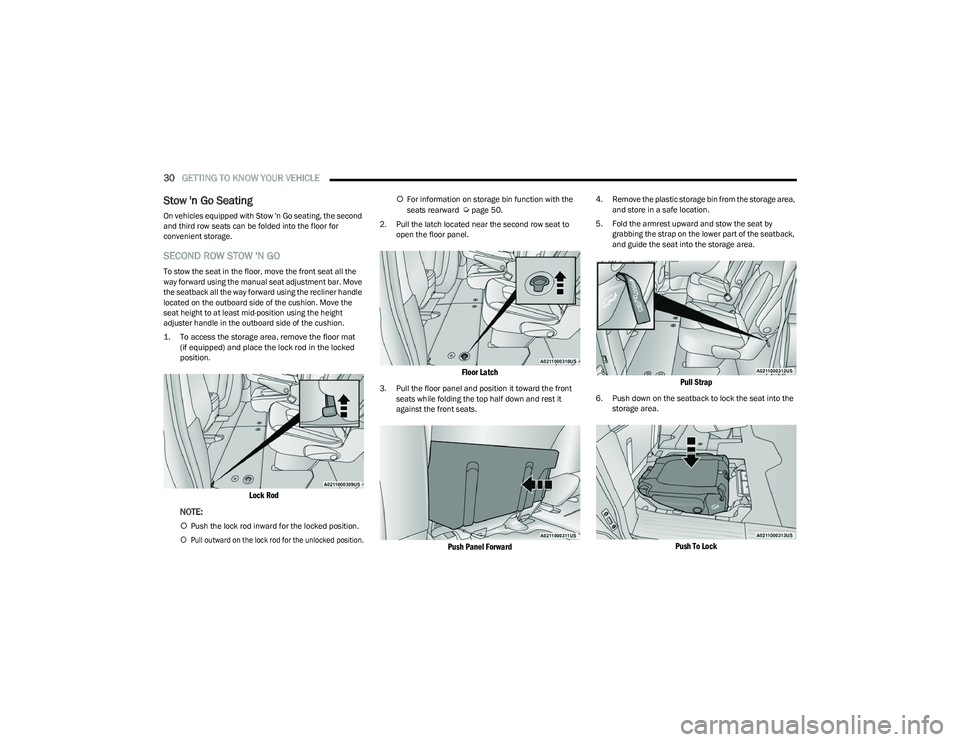
1. To access the storage area, remove the floor mat
(if equipped) and place the lock rod in the locked
position.
Lock Rod
NOTE:
Push the lock rod inward for the locked position.
Pull outward on the lock rod for the unlocked position.
For information on storage bin function with the
seats rearward
Úpage 50.
2. Pull the latch located near the second row seat to open the floor panel.
Floor Latch
3. Pull the floor panel and position it toward the front seats while folding the top half down and rest it
against the front seats.
Push Panel Forward
4. Remove the plastic storage bin from the storage area, and store in a safe location.
5. Fold the armrest upward and stow the seat by grabbing the strap on the lower part of the seatback,
and guide the seat into the storage area.
Pull Strap
6. Push down on the seatback to lock the seat into the storage area.
Push To Lock
23_RUV_OM_EN_US_t.book Page 30
Page 33 of 256
GETTING TO KNOW YOUR VEHICLE31
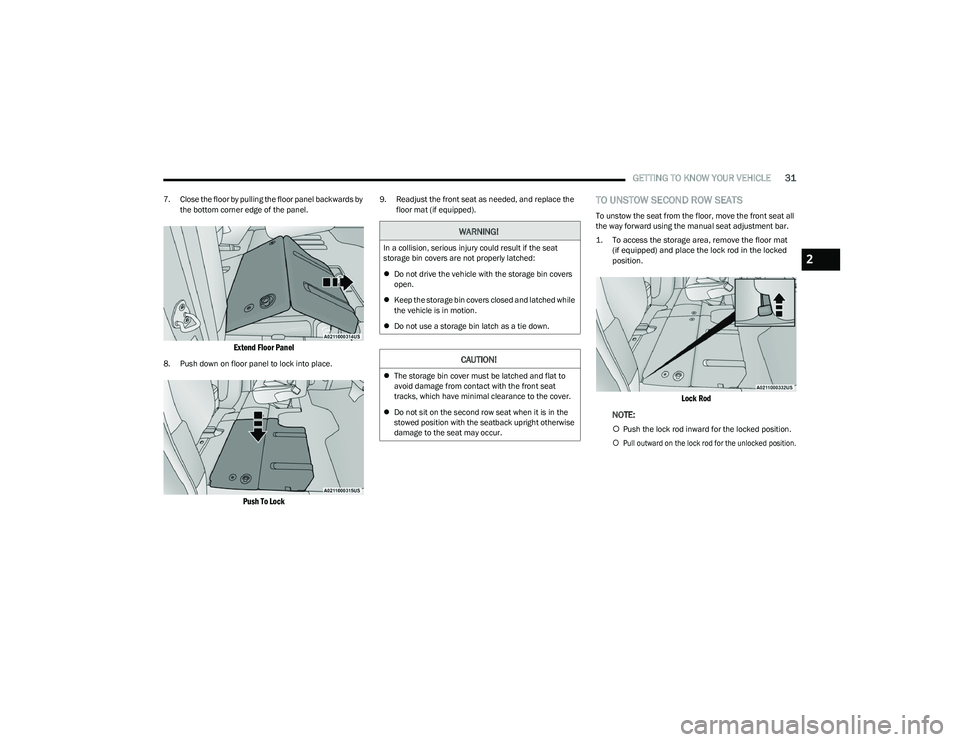
7. Close the floor by pulling the floor panel backwards by
the bottom corner edge of the panel.
Extend Floor Panel
8. Push down on floor panel to lock into place.
Push To Lock
9. Readjust the front seat as needed, and replace the floor mat (if equipped).TO UNSTOW SECOND ROW SEATS
To unstow the seat from the floor, move the front seat all
the way forward using the manual seat adjustment bar.
1. To access the storage area, remove the floor mat(if equipped) and place the lock rod in the locked
position.
Lock Rod
NOTE:
Push the lock rod inward for the locked position.
Pull outward on the lock rod for the unlocked position.
WARNING!
In a collision, serious injury could result if the seat
storage bin covers are not properly latched:
Do not drive the vehicle with the storage bin covers
open.
Keep the storage bin covers closed and latched while
the vehicle is in motion.
Do not use a storage bin latch as a tie down.
CAUTION!
The storage bin cover must be latched and flat to
avoid damage from contact with the front seat
tracks, which have minimal clearance to the cover.
Do not sit on the second row seat when it is in the
stowed position with the seatback upright otherwise
damage to the seat may occur.
2
23_RUV_OM_EN_US_t.book Page 31
Page 34 of 256
32GETTING TO KNOW YOUR VEHICLE
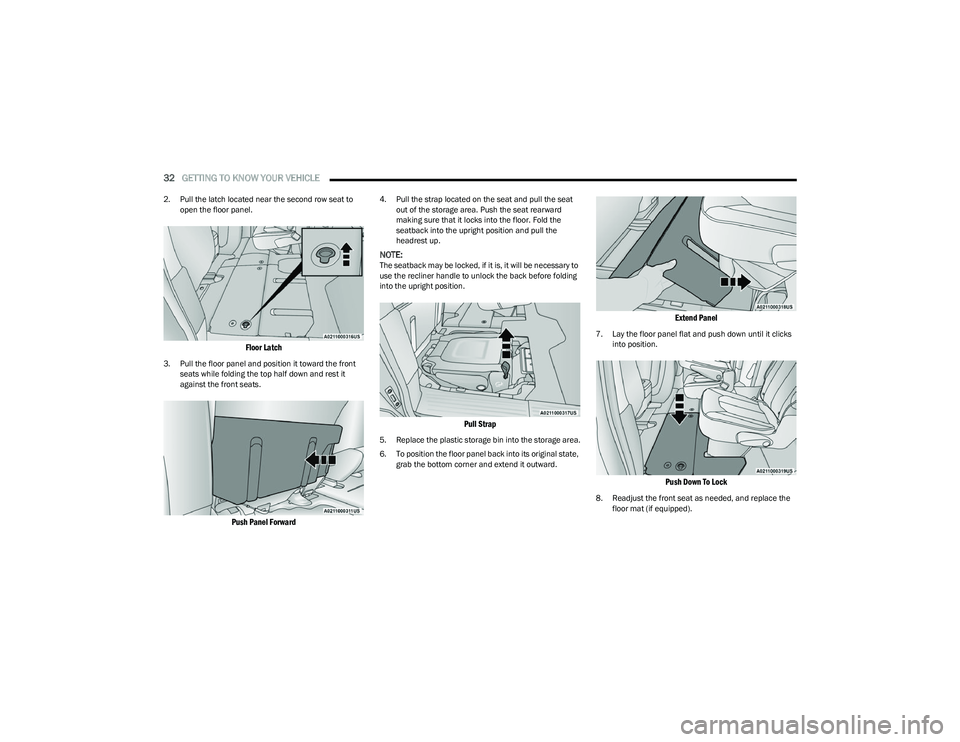
2. Pull the latch located near the second row seat to
open the floor panel.
Floor Latch
3. Pull the floor panel and position it toward the front seats while folding the top half down and rest it
against the front seats.
Push Panel Forward
4. Pull the strap located on the seat and pull the seat out of the storage area. Push the seat rearward
making sure that it locks into the floor. Fold the
seatback into the upright position and pull the
headrest up.
NOTE:The seatback may be locked, if it is, it will be necessary to
use the recliner handle to unlock the back before folding
into the upright position.
Pull Strap
5. Replace the plastic storage bin into the storage area.
6. To position the floor panel back into its original state, grab the bottom corner and extend it outward.
Extend Panel
7. Lay the floor panel flat and push down until it clicks into position.
Push Down To Lock
8. Readjust the front seat as needed, and replace the floor mat (if equipped).
23_RUV_OM_EN_US_t.book Page 32
Page 42 of 256
40GETTING TO KNOW YOUR VEHICLE
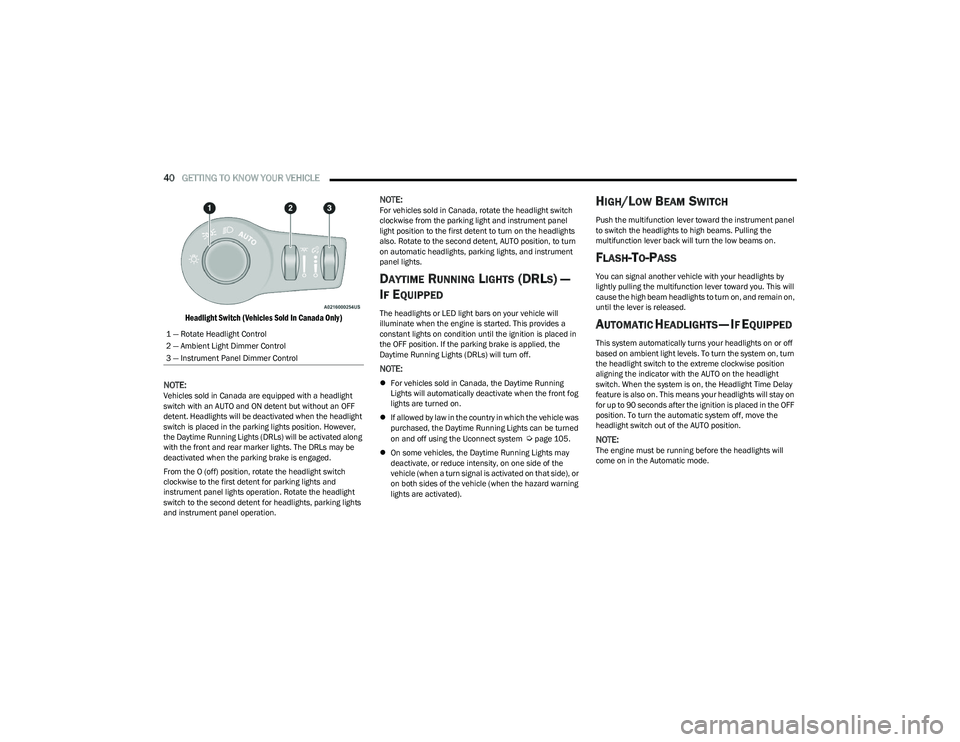
Headlight Switch (Vehicles Sold In Canada Only)
NOTE:
Vehicles sold in Canada are equipped with a headlight
switch with an AUTO and ON detent but without an OFF
detent. Headlights will be deactivated when the headlight
switch is placed in the parking lights position. However,
the Daytime Running Lights (DRLs) will be activated along
with the front and rear marker lights. The DRLs may be
deactivated when the parking brake is engaged.
From the O (off) position, rotate the headlight switch
clockwise to the first detent for parking lights and
instrument panel lights operation. Rotate the headlight
switch to the second detent for headlights, parking lights
and instrument panel operation.
NOTE:For vehicles sold in Canada, rotate the headlight switch
clockwise from the parking light and instrument panel
light position to the first detent to turn on the headlights
also. Rotate to the second detent, AUTO position, to turn
on automatic headlights, parking lights, and instrument
panel lights.
DAYTIME RUNNING LIGHTS (DRLS) —
I
F EQUIPPED
The headlights or LED light bars on your vehicle will
illuminate when the engine is started. This provides a
constant lights on condition until the ignition is placed in
the OFF position. If the parking brake is applied, the
Daytime Running Lights (DRLs) will turn off.
NOTE:
For vehicles sold in Canada, the Daytime Running
Lights will automatically deactivate when the front fog
lights are turned on.
If allowed by law in the country in which the vehicle was
purchased, the Daytime Running Lights can be turned
on and off using the Uconnect system
Úpage 105.
On some vehicles, the Daytime Running Lights may
deactivate, or reduce intensity, on one side of the
vehicle (when a turn signal is activated on that side), or
on both sides of the vehicle (when the hazard warning
lights are activated).
HIGH/LOW BEAM SWITCH
Push the multifunction lever toward the instrument panel
to switch the headlights to high beams. Pulling the
multifunction lever back will turn the low beams on.
FLASH-TO-PASS
You can signal another vehicle with your headlights by
lightly pulling the multifunction lever toward you. This will
cause the high beam headlights to turn on, and remain on,
until the lever is released.
AUTOMATIC HEADLIGHTS — IF EQUIPPED
This system automatically turns your headlights on or off
based on ambient light levels. To turn the system on, turn
the headlight switch to the extreme clockwise position
aligning the indicator with the AUTO on the headlight
switch. When the system is on, the Headlight Time Delay
feature is also on. This means your headlights will stay on
for up to 90 seconds after the ignition is placed in the OFF
position. To turn the automatic system off, move the
headlight switch out of the AUTO position.
NOTE:The engine must be running before the headlights will
come on in the Automatic mode.
1 — Rotate Headlight Control
2 — Ambient Light Dimmer Control
3 — Instrument Panel Dimmer Control
23_RUV_OM_EN_US_t.book Page 40
Page 44 of 256
42GETTING TO KNOW YOUR VEHICLE
Rear Courtesy/Reading Lights —
If Equipped
Located above the rear passengers are courtesy/reading
lights. The lights turn on when a front door, a sliding door
or the liftgate is opened. If your vehicle is equipped with
Remote Keyless Entry (RKE) the lights will also turn on
when the unlock button on the key fob is pushed.
The courtesy lights also function as reading lights. Push
the lens to turn these lights on while inside the vehicle.
Push the lens a second time to turn each light off.
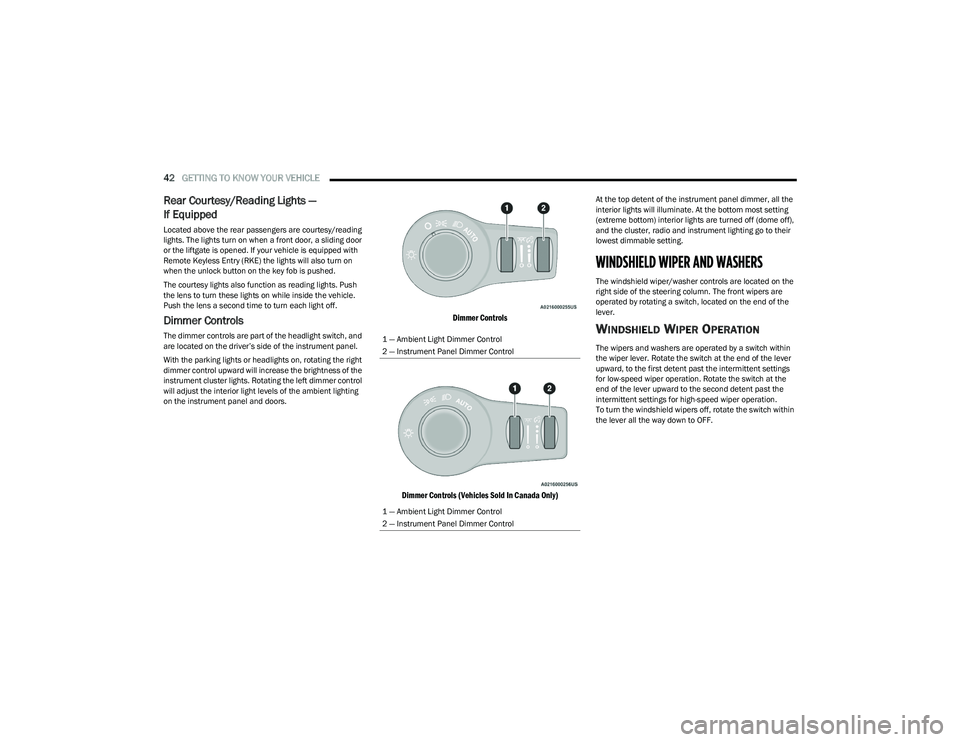
Dimmer Controls
The dimmer controls are part of the headlight switch, and
are located on the driver’s side of the instrument panel.
With the parking lights or headlights on, rotating the right
dimmer control upward will increase the brightness of the
instrument cluster lights. Rotating the left dimmer control
will adjust the interior light levels of the ambient lighting
on the instrument panel and doors.
Dimmer Controls
Dimmer Controls (Vehicles Sold In Canada Only)
At the top detent of the instrument panel dimmer, all the
interior lights will illuminate. At the bottom most setting
(extreme bottom) interior lights are turned off (dome off),
and the cluster, radio and instrument lighting go to their
lowest dimmable setting.
WINDSHIELD WIPER AND WASHERS
The windshield wiper/washer controls are located on the
right side of the steering column. The front wipers are
operated by rotating a switch, located on the end of the
lever.
WINDSHIELD WIPER OPERATION
The wipers and washers are operated by a switch within
the wiper lever. Rotate the switch at the end of the lever
upward, to the first detent past the intermittent settings
for low-speed wiper operation. Rotate the switch at the
end of the lever upward to the second detent past the
intermittent settings for high-speed wiper operation.
To turn the windshield wipers off, rotate the switch within
the lever all the way down to OFF.
1 — Ambient Light Dimmer Control
2 — Instrument Panel Dimmer Control
1 — Ambient Light Dimmer Control
2 — Instrument Panel Dimmer Control
23_RUV_OM_EN_US_t.book Page 42
Page 48 of 256
46GETTING TO KNOW YOUR VEHICLE
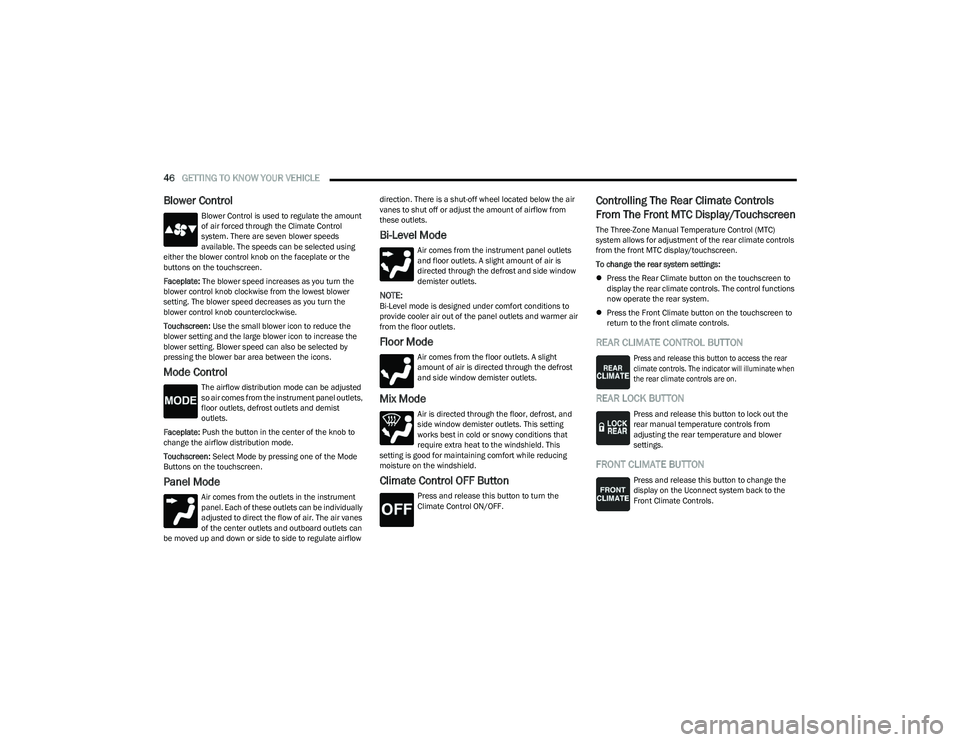
Blower Control
Blower Control is used to regulate the amount
of air forced through the Climate Control
system. There are seven blower speeds
available. The speeds can be selected using
either the blower control knob on the faceplate or the
buttons on the touchscreen.
Faceplate: The blower speed increases as you turn the
blower control knob clockwise from the lowest blower
setting. The blower speed decreases as you turn the
blower control knob counterclockwise.
Touchscreen: Use the small blower icon to reduce the
blower setting and the large blower icon to increase the
blower setting. Blower speed can also be selected by
pressing the blower bar area between the icons.
Mode Control
The airflow distribution mode can be adjusted
so air comes from the instrument panel outlets,
floor outlets, defrost outlets and demist
outlets.
Faceplate: Push the button in the center of the knob to
change the airflow distribution mode.
Touchscreen: Select Mode by pressing one of the Mode
Buttons on the touchscreen.
Panel Mode
Air comes from the outlets in the instrument
panel. Each of these outlets can be individually
adjusted to direct the flow of air. The air vanes
of the center outlets and outboard outlets can
be moved up and down or side to side to regulate airflow direction. There is a shut-off wheel located below the air
vanes to shut off or adjust the amount of airflow from
these outlets.
Bi-Level Mode
Air comes from the instrument panel outlets
and floor outlets. A slight amount of air is
directed through the defrost and side window
demister outlets.
NOTE:Bi-Level mode is designed under comfort conditions to
provide cooler air out of the panel outlets and warmer air
from the floor outlets.
Floor Mode
Air comes from the floor outlets. A slight
amount of air is directed through the defrost
and side window demister outlets.
Mix Mode
Air is directed through the floor, defrost, and
side window demister outlets. This setting
works best in cold or snowy conditions that
require extra heat to the windshield. This
setting is good for maintaining comfort while reducing
moisture on the windshield.
Climate Control OFF Button
Press and release this button to turn the
Climate Control ON/OFF.
Controlling The Rear Climate Controls
From The Front MTC Display/Touchscreen
The Three-Zone Manual Temperature Control (MTC)
system allows for adjustment of the rear climate controls
from the front MTC display/touchscreen.
To change the rear system settings:
Press the Rear Climate button on the touchscreen to
display the rear climate controls. The control functions
now operate the rear system.
Press the Front Climate button on the touchscreen to
return to the front climate controls.
REAR CLIMATE CONTROL BUTTON
Press and release this button to access the rear
climate controls. The indicator will illuminate when
the rear climate controls are on.
REAR LOCK BUTTON
Press and release this button to lock out the
rear manual temperature controls from
adjusting the rear temperature and blower
settings.
FRONT CLIMATE BUTTON
Press and release this button to change the
display on the Uconnect system back to the
Front Climate Controls.
23_RUV_OM_EN_US_t.book Page 46
Page 49 of 256

GETTING TO KNOW YOUR VEHICLE47
REAR TEMPERATURE CONTROL
These buttons provide the rear passengers with
independent temperature control.
Push the up arrow button on the touchscreen
to increase the temperature.
Push the down arrow button on the
touchscreen to decrease the temperature.
NOTE:
When the SYNC feature is active, the passenger’s temperature
moves up and down with the driver’s temperature.
SYNC BUTTON
Press the SYNC button on the touchscreen to
toggle the SYNC feature on/off. The SYNC
indicator is illuminated when this feature is
enabled. SYNC is used to synchronize the front
and rear passenger temperature settings with the driver
temperature setting. Changing the front or rear passenger
temperature setting while in SYNC exits this feature.
NOTE:The SYNC setting is only available on the touchscreen.
BLOWER CONTROL
Blower Control is used to regulate the amount of air
forced through the Climate Control system. There
are seven blower speeds available. Adjusting the
blower causes automatic mode to switch to manual
operation. The speeds can be selected using the buttons on the
touchscreen.
PANEL MODE
Press this button on the touchscreen to change
the air distribution mode to Panel Mode.
In Panel Mode, air comes from the outlets in
the headliner. Each of these outlets can be
individually adjusted to direct the flow of air. Moving the
air vanes of the outlets to one side will shut off the airflow.
BI-LEVEL MODE
Press this button on the touchscreen to change
the air distribution mode to Bi-Level Mode. In
Bi-Level Mode, air comes from the headliner
outlets and floor outlets.
NOTE:Bi-Level Mode is designed under comfort conditions to
provide cooler air out of the panel outlets and warmer air
from the floor outlets.
FLOOR MODE
Press this button on the touchscreen to change
the air distribution mode to Floor Mode. In Floor
Mode, air comes from the floor outlets.
REAR PASSENGER CLIMATE CONTROL OFF
BUTTON
Press and release this button to turn the Rear
Climate Controls off.
Rear Manual Temperature Control (MTC)
The rear Manual Temperature Control (MTC) system has
floor air outlets at the rear right side of the third row seats
and overhead outlets at each outboard rear seating
position. The system provides heated air through the floor
outlets or cool, dehumidified air through the headliner
outlets.
The rear system temperature control buttons are located
on the headliner on the passenger side of the vehicle.
Rear Manual Climate Controls
CAUTION!
Interior air enters the Rear Automatic Temperature
Control system through an intake grille, located in the
floor under the passengers’ seats. Do not block or
place objects directly in front of the inlet grille or heater
outlets. The electrical system could overload causing
damage to the blower motor.
2
23_RUV_OM_EN_US_t.book Page 47
Page 52 of 256
50GETTING TO KNOW YOUR VEHICLE
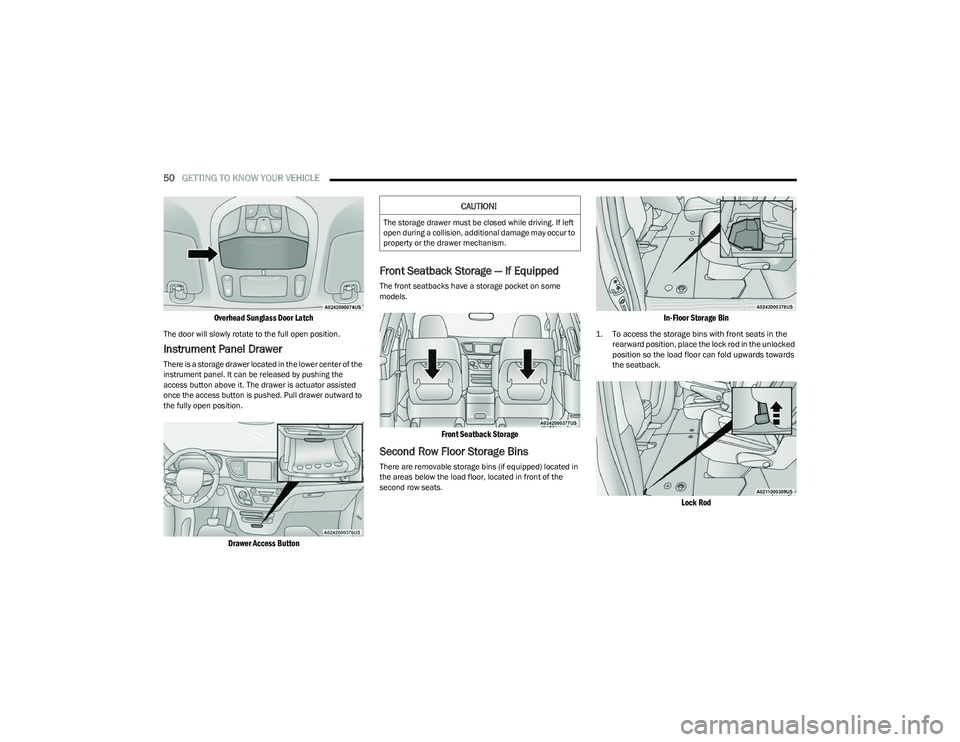
Overhead Sunglass Door Latch
The door will slowly rotate to the full open position.
Instrument Panel Drawer
There is a storage drawer located in the lower center of the
instrument panel. It can be released by pushing the
access button above it. The drawer is actuator assisted
once the access button is pushed. Pull drawer outward to
the fully open position.
Drawer Access Button
Front Seatback Storage — If Equipped
The front seatbacks have a storage pocket on some
models.
Front Seatback Storage
Second Row Floor Storage Bins
There are removable storage bins (if equipped) located in
the areas below the load floor, located in front of the
second row seats.
In-Floor Storage Bin
1. To access the storage bins with front seats in the
rearward position, place the lock rod in the unlocked
position so the load floor can fold upwards towards
the seatback.
Lock Rod
CAUTION!
The storage drawer must be closed while driving. If left
open during a collision, additional damage may occur to
property or the drawer mechanism.
23_RUV_OM_EN_US_t.book Page 50
Page 53 of 256
GETTING TO KNOW YOUR VEHICLE51
NOTE:
Push the lock rod inward for the locked position.
Pull outward on the lock rod for the unlocked position.
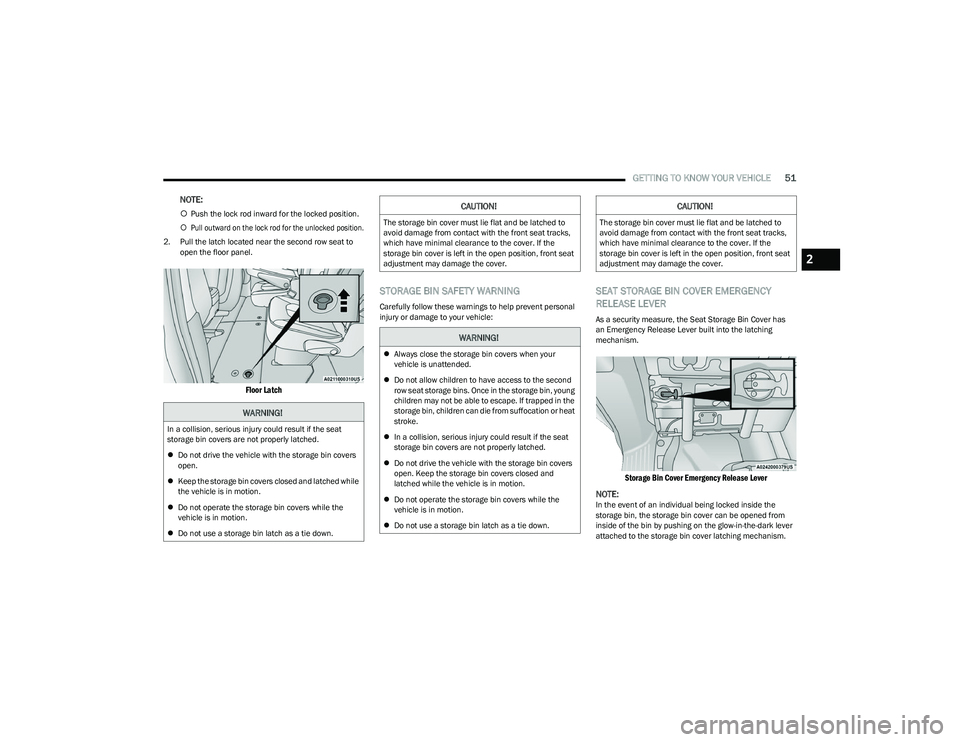
2. Pull the latch located near the second row seat to open the floor panel.
Floor Latch
STORAGE BIN SAFETY WARNING
Carefully follow these warnings to help prevent personal
injury or damage to your vehicle:
SEAT STORAGE BIN COVER EMERGENCY
RELEASE LEVER
As a security measure, the Seat Storage Bin Cover has
an Emergency Release Lever built into the latching
mechanism.
Storage Bin Cover Emergency Release Lever
NOTE:
In the event of an individual being locked inside the
storage bin, the storage bin cover can be opened from
inside of the bin by pushing on the glow-in-the-dark lever
attached to the storage bin cover latching mechanism.
WARNING!
In a collision, serious injury could result if the seat
storage bin covers are not properly latched.
Do not drive the vehicle with the storage bin covers
open.
Keep the storage bin covers closed and latched while
the vehicle is in motion.
Do not operate the storage bin covers while the
vehicle is in motion.
Do not use a storage bin latch as a tie down.
CAUTION!
The storage bin cover must lie flat and be latched to
avoid damage from contact with the front seat tracks,
which have minimal clearance to the cover. If the
storage bin cover is left in the open position, front seat
adjustment may damage the cover.
WARNING!
Always close the storage bin covers when your
vehicle is unattended.
Do not allow children to have access to the second
row seat storage bins. Once in the storage bin, young
children may not be able to escape. If trapped in the
storage bin, children can die from suffocation or heat
stroke.
In a collision, serious injury could result if the seat
storage bin covers are not properly latched.
Do not drive the vehicle with the storage bin covers
open. Keep the storage bin covers closed and
latched while the vehicle is in motion.
Do not operate the storage bin covers while the
vehicle is in motion.
Do not use a storage bin latch as a tie down.
CAUTION!
The storage bin cover must lie flat and be latched to
avoid damage from contact with the front seat tracks,
which have minimal clearance to the cover. If the
storage bin cover is left in the open position, front seat
adjustment may damage the cover.
2
23_RUV_OM_EN_US_t.book Page 51
Page 56 of 256
54GETTING TO KNOW YOUR VEHICLE
WINDOWS
POWER WINDOWS
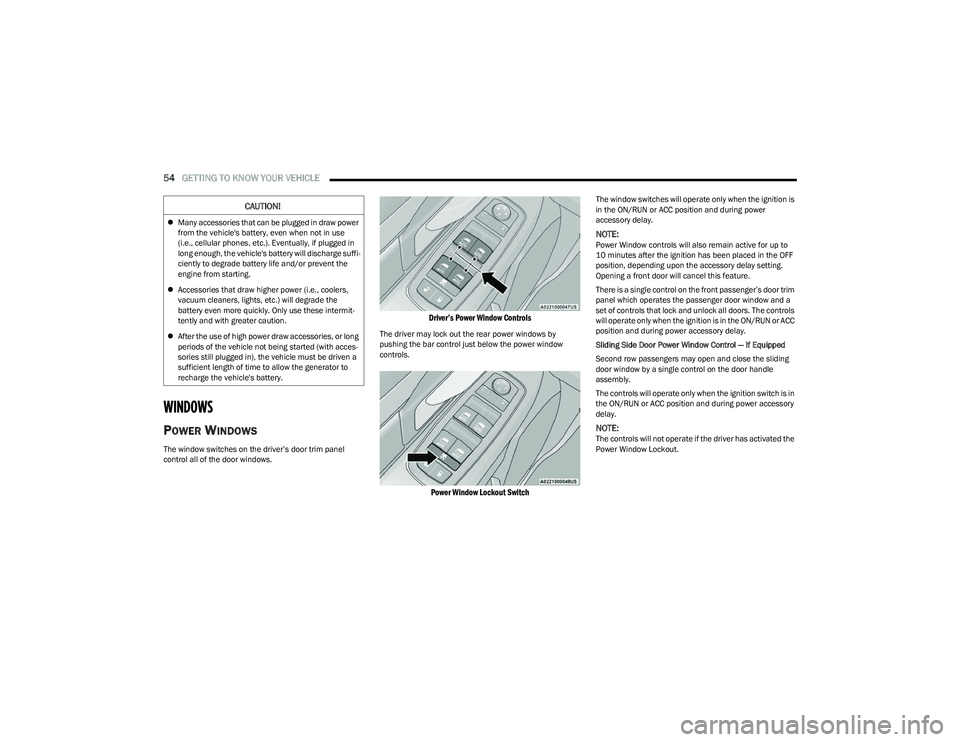
The window switches on the driver’s door trim panel
control all of the door windows.
Driver’s Power Window Controls
The driver may lock out the rear power windows by
pushing the bar control just below the power window
controls.
Power Window Lockout Switch
The window switches will operate only when the ignition is
in the ON/RUN or ACC position and during power
accessory delay.
NOTE:Power Window controls will also remain active for up to
10 minutes after the ignition has been placed in the OFF
position, depending upon the accessory delay setting.
Opening a front door will cancel this feature.
There is a single control on the front passenger’s door trim
panel which operates the passenger door window and a
set of controls that lock and unlock all doors. The controls
will operate only when the ignition is in the ON/RUN or ACC
position and during power accessory delay.
Sliding Side Door Power Window Control — If Equipped
Second row passengers may open and close the sliding
door window by a single control on the door handle
assembly.
The controls will operate only when the ignition switch is in
the ON/RUN or ACC position and during power accessory
delay.
NOTE:The controls will not operate if the driver has activated the
Power Window Lockout.
CAUTION!
Many accessories that can be plugged in draw power
from the vehicle's battery, even when not in use
(i.e., cellular phones, etc.). Eventually, if plugged in
long enough, the vehicle's battery will discharge suffi -
ciently to degrade battery life and/or prevent the
engine from starting.
Accessories that draw higher power (i.e., coolers,
vacuum cleaners, lights, etc.) will degrade the
battery even more quickly. Only use these intermit -
tently and with greater caution.
After the use of high power draw accessories, or long
periods of the vehicle not being started (with acces -
sories still plugged in), the vehicle must be driven a
sufficient length of time to allow the generator to
recharge the vehicle's battery.
23_RUV_OM_EN_US_t.book Page 54