display CHRYSLER VOYAGER 2023 Workshop Manual
[x] Cancel search | Manufacturer: CHRYSLER, Model Year: 2023, Model line: VOYAGER, Model: CHRYSLER VOYAGER 2023Pages: 256, PDF Size: 13.97 MB
Page 131 of 256

SAFETY129
Blind Spot Alert Lights/Chime
When operating in Blind Spot Alert Lights/Chime mode, the
BSM system will provide a visual alert in the appropriate side
view mirror based on a detected object. If the turn signal is then
activated, and it corresponds to an alert present on that side of
the vehicle, an audible chime will also be sounded. Whenever a
turn signal and detected object are present on the same side at
the same time, both the visual and audible alerts will be issued.
In addition to the audible alert the radio (if on) will also be
muted.
NOTE:Whenever an audible alert is requested by the BSM
system, the radio is also muted.
When the system is in RCP, the system shall respond with
both visual and audible alerts when a detected object is
present. Whenever an audible alert is requested, the radio
is also muted. Turn/hazard signal status is ignored; the
RCP state always requests the chime.
Blind Spot Alert Off
When the BSM system is turned off there will be no visual
or audible alerts from either the BSM or RCP systems.
NOTE:
The BSM system will store the current operating mode
when the vehicle is shut off. Each time the vehicle is
started the previously stored mode will be recalled and
used.
The BSM system can work in conjunction with the
KeySense function of the vehicle (if equipped)
Úpage 64.
FORWARD COLLISION WARNING (FCW)
W
ITH MITIGATION — IF EQUIPPED
FCW with Mitigation provides the driver with audible
warnings, visual warnings (within the instrument cluster
display), and may apply a brake jerk to warn the driver
when it detects a potential frontal collision. The warnings
and limited braking are intended to provide the driver with
enough time to react, avoid or mitigate the potential
collision.
NOTE:FCW monitors the information from the forward looking
sensors as well as the Electronic Brake Controller (EBC), to
calculate the probability of a forward collision. When the
system determines that a forward collision is probable, the
driver will be provided with audible and visual warnings
and may provide a brake jerk warning.
If the driver does not take action based upon these progressive
warnings, then the system will provide a limited level of active
braking to help slow the vehicle and mitigate the potential
forward collision. If the driver reacts to the warnings by braking
and the system determines that the driver intends to avoid the
collision by braking but has not applied sufficient brake force,
the system will compensate and provide additional brake force
as required.
If an FCW with Mitigation event begins at a speed below
37 mph (60 km/h), the system may provide the maximum
braking possible to mitigate the potential forward collision. If
the Forward Collision Warning with Mitigation event stops the
vehicle completely, the system will hold the vehicle at standstill
for two seconds and then release the brakes. If a pedestrian is
encountered in the path at the same speed threshold, the
system will also attempt to bring the vehicle to a stop.
FCW Message
When the system determines a collision with the vehicle in
front of you is no longer probable, the warning message
will be deactivated
Úpage 244.
NOTE:
The minimum speed for FCW activation is 1 mph
(2 km/h).
The FCW alerts may be triggered on objects other than
vehicles such as guardrails or sign posts based on the
course prediction. This is expected and is a part of
normal FCW activation and functionality.
It is unsafe to test the FCW system. To prevent such
misuse of the system, after four Active Braking events
within a key cycle, the Active Braking portion of FCW will
be deactivated until the next key cycle.
The FCW system is intended for on-road use only. If the
vehicle is taken off-road, the FCW system should be
deactivated to prevent unnecessary warnings to the
surroundings.6
23_RUV_OM_EN_US_t.book Page 129
Page 132 of 256
130SAFETY
Turning FCW On Or Off
The Forward Collision menu setting is located in the
Uconnect Settings.
NOTE:The default status of FCW is “On”, this allows the system
to warn you of a possible collision with the vehicle in front
of you.
Changing the FCW status to “Off” deactivates the system,
so no warning or active braking will be available in case of
a possible collision.
NOTE:
The FCW system state is kept in memory from one key
cycle to the next. If the system is turned off, it will
remain off when the vehicle is restarted.
FCW can work in conjunction with the KeySense func -
tion of the vehicle (if equipped)
Úpage 64.
FCW Braking Status And Sensitivity
The FCW Sensitivity and Active Braking status are
programmable through the Uconnect system
Úpage 105.
The default sensitivity of FCW is the “Medium” setting and
the system status is “Warning & Braking”. This allows the
system to warn the driver of a possible collision with the
vehicle in front using audible/visual warnings and it
applies autonomous braking.
Changing the FCW status to the “Far” setting allows the
system to warn the driver of a possible collision with the
vehicle in front using audible/visual warning when the
latter is at a farther distance than the “Medium” setting.
This provides the most reaction time to avoid a possible
collision.
NOTE:The “Far” setting may result in a greater number of FCW
possible collision warnings experienced.
Changing the FCW status to the “Near” setting allows the
system to warn the driver of a possible collision with the
vehicle in front when the distance between the vehicle in
the front is much closer. This setting provides less reaction
time than the “Far” and “Medium” settings, which allows
for a more dynamic driving experience.
NOTE:The “Near” setting may result in a lesser number of FCW
possible collision warnings experienced.
NOTE:
Changing the FCW status to “Only Warning” prevents
the system from providing limited active braking, or
additional brake support if the driver is not braking
adequately in the event of a potential frontal collision,
but maintains the audible and visual warnings.
Changing the FCW status to “Off” prevents the system
from providing autonomous braking, or additional
brake support if the driver is not braking adequately in
the event of a potential frontal collision.
The system will retain the last setting selected by the
driver after ignition shut down.
FCW may not react to irrelevant objects such as over -
head objects, ground reflections, objects not in the
path of the vehicle, stationary objects that are far away,
oncoming traffic, or leading vehicles with the same or
higher rates of speed.
FCW will be disabled with the unavailable screens.
FCW Limited Warning
If the instrument cluster displays “FCW Limited
Functionality” or “FCW Limited Functionality Clean Front
Windshield” momentarily, there may be a condition that
limits FCW functionality. Although the vehicle is still
drivable under normal conditions, the active braking may
not be fully available. Once the condition that limited the
system performance is no longer present, the system will
return to its full performance state. If the problem persists,
see an authorized dealer.
WARNING!
Forward Collision Warning (FCW) is not intended
to avoid a collision on its own, nor can FCW detect
every type of potential collision. The driver has the
responsibility to avoid a collision by controlling the
vehicle via braking and steering. Failure to follow this
warning could lead to serious injury or death.
23_RUV_OM_EN_US_t.book Page 130
Page 133 of 256
SAFETY131
Service FCW Warning
If the system turns off, and the instrument cluster
displays:
FCW Unavailable Service Required
Cruise/FCW Unavailable Service Required
This indicates there is an internal system fault. Although
the vehicle is still drivable under normal conditions, have
the system checked by an authorized dealer.
Pedestrian Emergency Braking (PEB) —
If Equipped
The Pedestrian Emergency Braking (PEB) is a subsystem
of the FCW system that provides the driver with audible
and visual warnings in the instrument cluster display, and
may apply automatic braking when it detects a potential
frontal collision with a pedestrian/cyclist.
If a PEB event begins at a speed below 37 mph (60 km/h),
the system may provide braking to mitigate the potential
collision with a pedestrian/cyclist. If the PEB event stops
the vehicle completely, the system will hold the vehicle at
a standstill for two seconds and then release the brakes.
When the system determines a collision with the
pedestrian in front of you is no longer probable, the
warning message will be deactivated.
The minimum speed for PEB activation is 3 mph (5 km/h). Turning PEB On Or Off
NOTE:
The default status of PEB is “On.” This allows the system to
warn you of a possible frontal collision with the pedestrian.
The PEB button is located in the Uconnect display in the
Controls settings
Úpage 105.
To turn the PEB system off, push the Pedestrian
Emergency Braking OFF button.
To turn the PEB system back on, push the Warning Active
Braking button.
Changing the PEB status to “Off” deactivates the system,
so no warning or active braking will be available in case of
a possible frontal collision with the pedestrian.
NOTE:The PEB system will NOT retain the last setting selected by
the driver after ignition shut down. The system will reset to
the default setting when the vehicle is restarted.
TIRE PRESSURE MONITORING
S
YSTEM (TPMS)
The Tire Pressure Monitoring System (TPMS) will warn
the driver of a low tire pressure based on the vehicle
recommended cold placard pressure.
NOTE:
The TPMS Warning Light will illuminate in the instrument
cluster and a chime will sound when tire pressure is low in one
or more of the four active road tires. In addition, the instrument
cluster will display a graphic showing the pressure values of
each tire with the low tire pressure values in a different color,
or the Uconnect radio will display a TPMS message. When this
occurs you must increase the tire pressure to the recom -
mended cold placard pressure in order for the TPMS Warning
Light to turn off.
The tire pressure will vary with temperature by
approximately 1 psi (7 kPa) for every 12°F (6.5°C). This
means that when the outside temperature decreases, the
tire pressure will decrease. Tire pressure should always be
set based on cold inflation tire pressure. This is defined as
the tire pressure after the vehicle has not been driven for
at least three hours, or driven less than 1 mile (1.6 km)
after a three hour period. The cold tire inflation pressure
must not exceed the maximum inflation pressure molded
into the tire sidewall. The tire pressure will also increase
as the vehicle is driven. This is normal and there should be
no adjustment for this increased pressure.
See
Úpage 224 for information on how to properly inflate
the vehicle’s tires.
WARNING!
Pedestrian Emergency Braking (PEB) is not intended to
avoid a collision on its own, nor can PEB detect every
type of potential collision with a pedestrian. The driver
has the responsibility to avoid a collision by controlling
the vehicle via braking and steering. Failure to follow
this warning could lead to serious injury or death.
6
23_RUV_OM_EN_US_t.book Page 131
Page 135 of 256
SAFETY133
The TPMS consists of the following components:
Receiver module
Four Tire Pressure Monitoring System sensors
Various Tire Pressure Monitoring System messages,
which display in the instrument cluster
Tire Pressure Monitoring System Warning Light
SERVICE TPMS WARNING
When a system fault is detected, the Tire Pressure
Monitoring System (TPMS) Warning Light will flash on and
off for 75 seconds and then remain on solid. The system
fault will also sound a chime. In addition, the instrument
cluster will display a "SERVICE TPM SYSTEM" message for
a minimum of five seconds and then display dashes (--) in
place of the pressure value to indicate which sensor is not
being received.
If the ignition is cycled, this sequence will repeat, providing
the system fault still exists. If the system fault no longer
exists, the TPMS Warning Light will no longer flash, and
the “SERVICE TPM SYSTEM” message will no longer
display, and a pressure value will display in place of the
dashes. A system fault can occur due to any of the
following:
Jamming due to electronic devices or driving next to
facilities emitting the same radio frequencies as the
TPMS sensors
Installing some form of aftermarket window tinting that
affects radio wave signals
Lots of snow or ice around the wheels or wheel housings
Using tire chains on the vehicle
Using wheels/tires not equipped with TPMS sensors Vehicles With Compact Spare — If Equipped
1. The compact spare tire does not have a Tire Pressure
Monitoring System sensor. Therefore, the TPMS will not
monitor the pressure in the compact spare tire.
2. If you install the compact spare tire in place of a road tire that has a pressure below the low-pressure warning limit,
the “Inflate to XX” message will continue to be displayed.
Upon the next ignition cycle, the TPMS Warning Light will
remain on and a chime will sound. In addition, the graphic
in the instrument cluster will still display a different color
pressure value.
3. After driving the vehicle for up to 20 minutes above 15 mph (24 km/h), the TPMS Warning Light will flash on
and off for 75 seconds and then remain on solid. In
addition, the instrument cluster will display a “SERVICE
TPM SYSTEM” message for five seconds and then display
dashes (--) in place of the pressure value.
4. For each subsequent ignition cycle, a chime will sound, the TPMS Warning Light will flash on and off
for 75 seconds and then remain on solid, and the
instrument cluster will display a “SERVICE TPM
SYSTEM” message for five seconds and then display
dashes (- -) in place of the pressure value.
5. Once you repair or replace the original road tire and reinstall it on the vehicle in place of the compact spare,
the TPMS will update automatically. In addition, the
TPMS Warning Light will turn off and the graphic in the
instrument cluster will display a new pressure value
instead of dashes (--), as long as no tire pressure is below
the low-pressure warning limit in any of the four active
road tires. The vehicle may need to be driven for up to
20 minutes above 15 mph (24 km/h) in order for the
TPMS to receive this information.
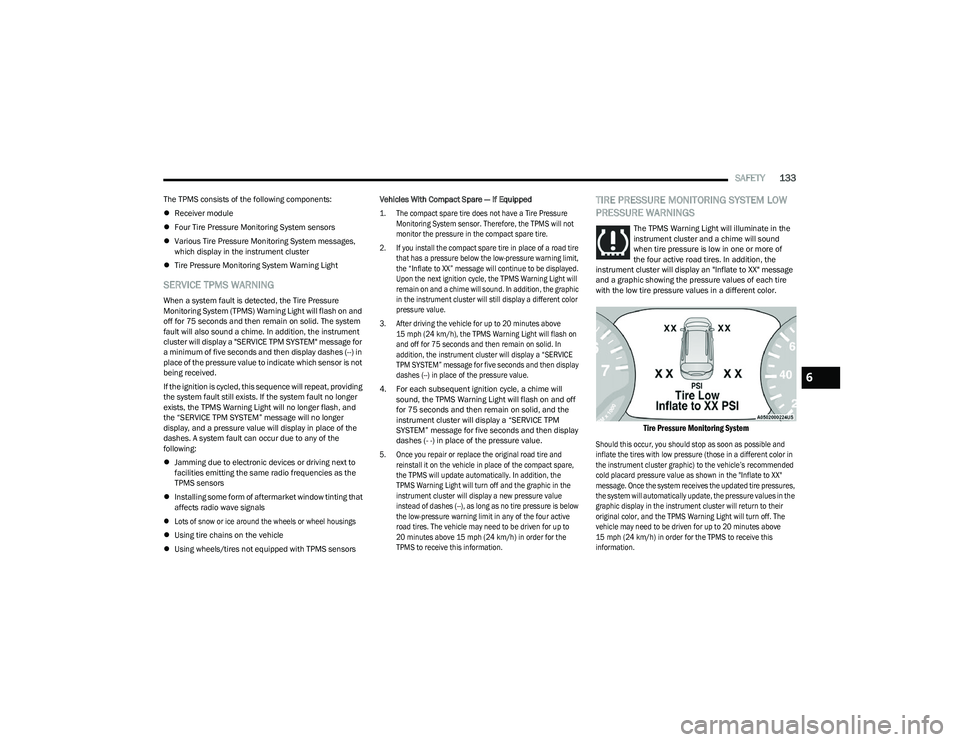
TIRE PRESSURE MONITORING SYSTEM LOW
PRESSURE WARNINGS
The TPMS Warning Light will illuminate in the
instrument cluster and a chime will sound
when tire pressure is low in one or more of
the four active road tires. In addition, the
instrument cluster will display an "Inflate to XX" message
and a graphic showing the pressure values of each tire
with the low tire pressure values in a different color.
Tire Pressure Monitoring System
Should this occur, you should stop as soon as possible and
inflate the tires with low pressure (those in a different color in
the instrument cluster graphic) to the vehicle’s recommended
cold placard pressure value as shown in the "Inflate to XX"
message. Once the system receives the updated tire pressures,
the system will automatically update, the pressure values in the
graphic display in the instrument cluster will return to their
original color, and the TPMS Warning Light will turn off. The
vehicle may need to be driven for up to 20 minutes above
15 mph (24 km/h) in order for the TPMS to receive this
information.
6
23_RUV_OM_EN_US_t.book Page 133
Page 136 of 256
134SAFETY
TPMS DEACTIVATION — IF EQUIPPED
The Tire Pressure Monitoring System (TPMS) can be
deactivated if replacing all four wheel and tire assemblies
(road tires) with wheel and tire assemblies that do not
have TPMS sensors, such as when installing winter wheel
and tire assemblies on your vehicle.
To deactivate the TPMS, first, replace all four wheel and tire
assemblies (road tires) with tires not equipped with Tire
Pressure Monitoring System sensors. Then, drive the
vehicle for 20 minutes above 15 mph (24 km/h). The TPMS
will chime, the TPMS Warning Light will flash on and off for
75 seconds and then remain on. The instrument cluster will
display the “SERVICE TPM SYSTEM” message and then
display dashes (--) in place of the pressure values.
Beginning with the next ignition cycle, the TPMS will no
longer chime or display the “SERVICE TPM SYSTEM”
message in the instrument cluster but dashes (--) will
remain in place of the pressure values.
To reactivate the TPMS, replace all four wheel and tire
assemblies (road tires) with tires equipped with TPMS
sensors. Then, drive the vehicle for up to 20 minutes
above 15 mph (24 km/h). The TPMS will chime, the TPMS
Warning Light will flash on and off for 75 seconds and then
turn off. The instrument cluster will display the “SERVICE
TPM SYSTEM” message and then display pressure values
in place of the dashes. On the next ignition cycle the
"SERVICE TPM SYSTEM" message will no longer be
displayed as long as no system fault exists.OCCUPANT RESTRAINT SYSTEMS
Some of the most important safety features in your vehicle
are the restraint systems:
OCCUPANT RESTRAINT SYSTEMS
F
EATURES
Seat Belt Systems
Supplemental Restraint Systems (SRS) Air Bags
Child Restraints
Some of the safety features described in this section may
be standard equipment on some models, or may be
optional equipment on others. If you are not sure, ask an
authorized dealer.
IMPORTANT SAFETY PRECAUTIONS
Please pay close attention to the information in this
section. It tells you how to use your restraint system
properly, to keep you and your passengers as safe as
possible.
Here are some simple steps you can take to minimize the
risk of harm from a deploying air bag:
1. Children 12 years old and under should always ride buckled up in the rear seat of a vehicle with a rear
seat.
2. A child who is not big enough to wear the vehicle seat belt properly must be secured in the appropriate child
restraint or belt-positioning booster seat in a rear
seating position
Úpage 153. 3. If a child from 2 to 12 years old (not in a rear-facing
child restraint) must ride in the front passenger seat,
move the seat as far back as possible and use the
proper child restraint
Úpage 153.
4. Never allow children to slide the shoulder belt behind them or under their arm.
5. You should read the instructions provided with your child restraint to make sure that you are using it properly.
6. All occupants should always wear their lap and shoulder belts properly.
7. The driver and front passenger seats should be moved back as far as practical to allow the front air
bags room to inflate.
8. Do not lean against the door or window. If your vehicle has side air bags, and deployment occurs, the side air bags
will inflate forcefully into the space between occupants
and the door and occupants could be injured.
9. If the air bag system in this vehicle needs to be modified to accommodate a disabled person, see
Ú
page 240 for
customer service contact information.
WARNING!
Never place a rear-facing child restraint in front of an air
bag. A deploying passenger front air bag can cause death
or serious injury to a child 12 years or younger, including
a child in a rear-facing child restraint.
Never install a rear-facing child restraint in the
front seat of a vehicle. Only use a rear-facing child
restraint in the rear seat. If the vehicle does not have
a rear seat, do not transport a rear-facing child
restraint in that vehicle.
23_RUV_OM_EN_US_t.book Page 134
Page 174 of 256
172IN CASE OF EMERGENCY
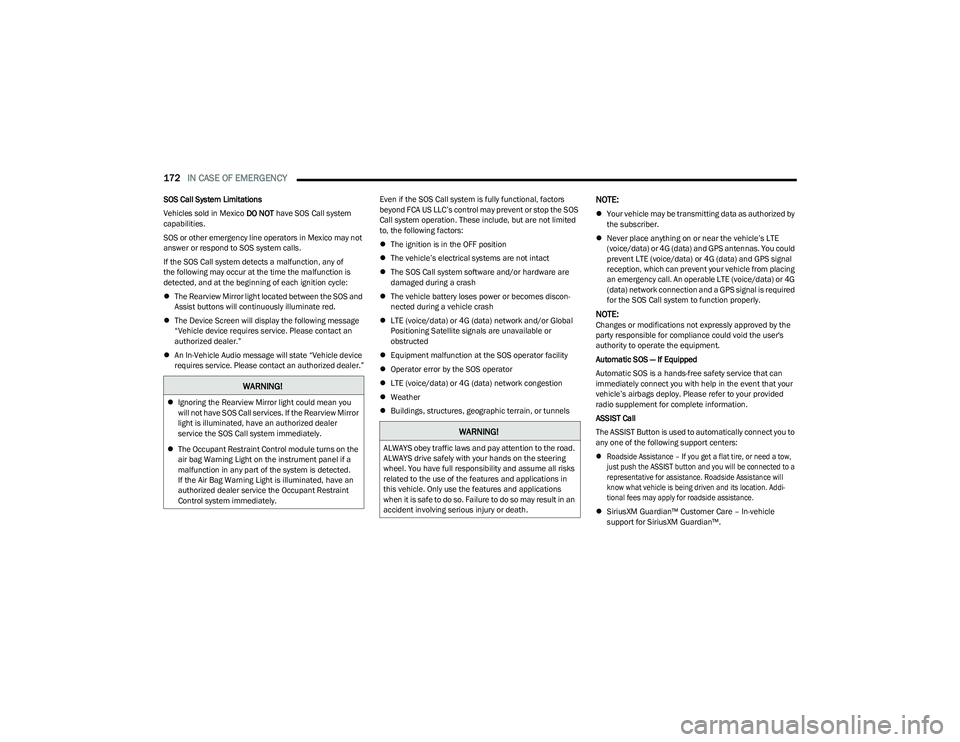
SOS Call System Limitations
Vehicles sold in Mexico DO NOT have SOS Call system
capabilities.
SOS or other emergency line operators in Mexico may not
answer or respond to SOS system calls.
If the SOS Call system detects a malfunction, any of
the following may occur at the time the malfunction is
detected, and at the beginning of each ignition cycle:
The Rearview Mirror light located between the SOS and
Assist buttons will continuously illuminate red.
The Device Screen will display the following message
“Vehicle device requires service. Please contact an
authorized dealer.”
An In-Vehicle Audio message will state “Vehicle device
requires service. Please contact an authorized dealer.” Even if the SOS Call system is fully functional, factors
beyond FCA US LLC’s control may prevent or stop the SOS
Call system operation. These include, but are not limited
to, the following factors:
The ignition is in the OFF position
The vehicle’s electrical systems are not intact
The SOS Call system software and/or hardware are
damaged during a crash
The vehicle battery loses power or becomes discon -
nected during a vehicle crash
LTE (voice/data) or 4G (data) network and/or Global
Positioning Satellite signals are unavailable or
obstructed
Equipment malfunction at the SOS operator facility
Operator error by the SOS operator
LTE (voice/data) or 4G (data) network congestion
Weather
Buildings, structures, geographic terrain, or tunnelsNOTE:
Your vehicle may be transmitting data as authorized by
the subscriber.
Never place anything on or near the vehicle’s LTE
(voice/data) or 4G (data) and GPS antennas. You could
prevent LTE (voice/data) or 4G (data) and GPS signal
reception, which can prevent your vehicle from placing
an emergency call. An operable LTE (voice/data) or 4G
(data) network connection and a GPS signal is required
for the SOS Call system to function properly.
NOTE:Changes or modifications not expressly approved by the
party responsible for compliance could void the user's
authority to operate the equipment.
Automatic SOS — If Equipped
Automatic SOS is a hands-free safety service that can
immediately connect you with help in the event that your
vehicle’s airbags deploy. Please refer to your provided
radio supplement for complete information.
ASSIST Call
The ASSIST Button is used to automatically connect you to
any one of the following support centers:
Roadside Assistance – If you get a flat tire, or need a tow,
just push the ASSIST button and you will be connected to a
representative for assistance. Roadside Assistance will
know what vehicle is being driven and its location. Addi -
tional fees may apply for roadside assistance.
SiriusXM Guardian™ Customer Care – In-vehicle
support for SiriusXM Guardian™.
WARNING!
Ignoring the Rearview Mirror light could mean you
will not have SOS Call services. If the Rearview Mirror
light is illuminated, have an authorized dealer
service the SOS Call system immediately.
The Occupant Restraint Control module turns on the
air bag Warning Light on the instrument panel if a
malfunction in any part of the system is detected.
If the Air Bag Warning Light is illuminated, have an
authorized dealer service the Occupant Restraint
Control system immediately.
WARNING!
ALWAYS obey traffic laws and pay attention to the road.
ALWAYS drive safely with your hands on the steering
wheel. You have full responsibility and assume all risks
related to the use of the features and applications in
this vehicle. Only use the features and applications
when it is safe to do so. Failure to do so may result in an
accident involving serious injury or death.
23_RUV_OM_EN_US_t.book Page 172
Page 194 of 256
192
SERVICING AND MAINTENANCE
SCHEDULED SERVICING
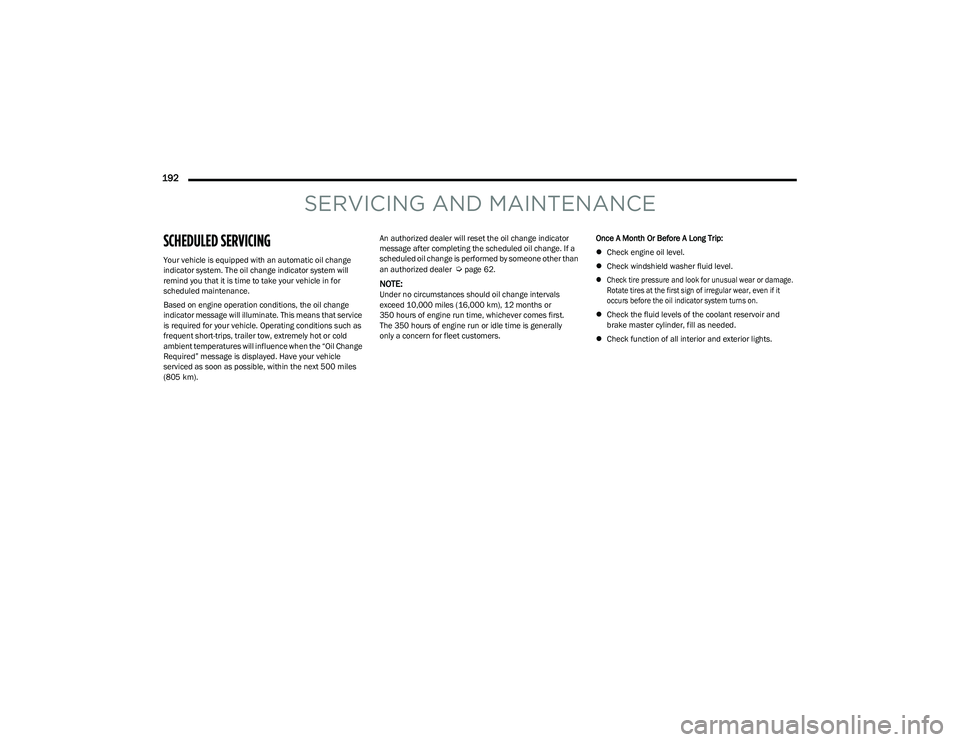
Your vehicle is equipped with an automatic oil change
indicator system. The oil change indicator system will
remind you that it is time to take your vehicle in for
scheduled maintenance.
Based on engine operation conditions, the oil change
indicator message will illuminate. This means that service
is required for your vehicle. Operating conditions such as
frequent short-trips, trailer tow, extremely hot or cold
ambient temperatures will influence when the “Oil Change
Required” message is displayed. Have your vehicle
serviced as soon as possible, within the next 500 miles
(805 km).An authorized dealer will reset the oil change indicator
message after completing the scheduled oil change. If a
scheduled oil change is performed by someone other than
an authorized dealer Úpage 62.
NOTE:Under no circumstances should oil change intervals
exceed 10,000 miles (16,000 km), 12 months or
350 hours of engine run time, whichever comes first.
The 350 hours of engine run or idle time is generally
only a concern for fleet customers.
Once A Month Or Before A Long Trip:
Check engine oil level.
Check windshield washer fluid level.
Check tire pressure and look for unusual wear or damage.
Rotate tires at the first sign of irregular wear, even if it
occurs before the oil indicator system turns on.
Check the fluid levels of the coolant reservoir and
brake master cylinder, fill as needed.
Check function of all interior and exterior lights.
23_RUV_OM_EN_US_t.book Page 192
Page 215 of 256
SERVICING AND MAINTENANCE213
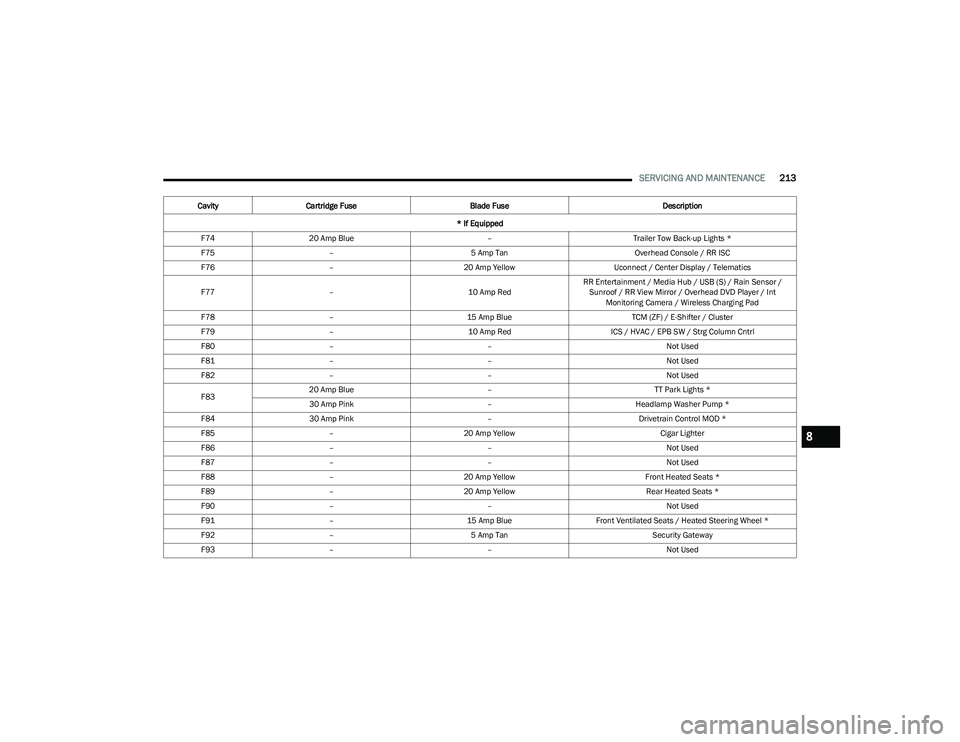
F7420 Amp Blue –Trailer Tow Back-up Lights *
F75 – 5 Amp Tan Overhead Console / RR ISC
F76 – 20 Amp Yellow Uconnect / Center Display / Telematics
F77 – 10 Amp RedRR Entertainment / Media Hub / USB (S) / Rain Sensor /
Sunroof / RR View Mirror / Overhead DVD Player / Int Monitoring Camera / Wireless Charging Pad
F78 – 15 Amp Blue TCM (ZF) / E-Shifter / Cluster
F79 – 10 Amp Red ICS / HVAC / EPB SW / Strg Column Cntrl
F80 – – Not Used
F81 – – Not Used
F82 – – Not Used
F83 20 Amp Blue
–TT Park Lights *
30 Amp Pink –Headlamp Washer Pump *
F84 30 Amp Pink –Drivetrain Control MOD *
F85 – 20 Amp Yellow Cigar Lighter
F86 – – Not Used
F87 – – Not Used
F88 – 20 Amp Yellow Front Heated Seats *
F89 – 20 Amp Yellow Rear Heated Seats *
F90 – – Not Used
F91 – 15 Amp BlueFront Ventilated Seats / Heated Steering Wheel *
F92 – 5 Amp Tan Security Gateway
F93 – – Not Used
Cavity
Cartridge Fuse Blade Fuse Description
* If Equipped
8
23_RUV_OM_EN_US_t.book Page 213
Page 250 of 256

248 I
Ignition .............................................................................12 Switch .........................................................................12
Inside Rearview Mirror.......................................... 38
, 170
Instrument Cluster ...................................................60, 62
Descriptions ............................................................... 72
Display ........................................................................62
Display Controls .........................................................62
KeySense Message ...................................................64
Menu Items ................................................................64
Instrument Panel Lens Cleaning ................................. 234
Interior And Instrument Lights .......................................41
Interior Appearance Care ............................................ 233
Interior Lights ..................................................................41
JJack Location................................................................ 174
Jack Operation ............................................................. 173
Jacking And Tire Changing — If Equipped
b
........... 173
Jump Starting ............................................................... 185
KKey Fob ............................................................................10 Arm The System .........................................................16
Disarm The Alarm ...................................................... 16
Programming Additional Key Fobs ...........................12
Key Fob Battery Service (Remote Keyless Entry) .........11
Key Fob Programming (Remote Keyless Entry) ............ 12
Keyless Enter 'n Go™ ...................................................... 18 Passive Entry .............................................................. 18
Keys .................................................................................10
LLane Change And Turn Signals...................................... 39 Lane Change Assist ................................................. 39, 41
Lap/Shoulder Belts ...................................................... 135
Latches .......................................................................... 168 Hood ........................................................................... 56
Lead Free Gasoline....................................................... 236
Leaks, Fluid ...................................................................168
Life Of Tires ...................................................................226
Liftgate ............................................................................ 56 Power ......................................................................... 57
Light Bulbs .......................................................... 168
, 216
Lights .............................................................................168 Air Bag ..................................................... 67
, 143, 167
Battery Saver ............................................................. 41
Brake Assist Warning .............................................. 124 Brake Warning ........................................................... 68
Bulb Replacement......................................... 215
, 216
Cruise ......................................................................... 72
Daytime Running ....................................................... 39
Dimmer Switch, Headlight ........................................ 39
Engine Temperature Warning................................... 69
Exterior ........................................................... 168
, 216
Headlights ........................................................... 39, 40
High Beam/Low Beam Select .................................. 39
Instrument Cluster .................................................... 39
Intensity Control ........................................................ 42
Interior........................................................................ 41
Lights On Reminder............................................ 39
, 41
Malfunction Indicator (Check Engine)...................... 70
Park ............................................................................ 72 Passing ............................................................... 39
, 40
Reading...................................................................... 41
Seat Belt Reminder ................................................... 69
Security Alarm ........................................................... 70
Service ..................................................................... 215 Side Marker ............................................................. 216
Traction Control ....................................................... 124Turn Signals...................................... 39
, 72, 168, 216
Warning Instrument Cluster Descriptions ........ 69, 72
Load Floor, Cargo ........................................................... 58
Load Shed Battery Saver Mode..................................... 66
Load Shed Battery Saver On ......................................... 66 Load Shed Electrical Load Reduction ........................... 66Load Shed Intelligent Battery Sensor ........................... 66Loading Vehicle ....................................................... 58
, 93
Tires ......................................................................... 221
Locks Child Protection ......................................................... 16
Manual ....................................................................... 16
Power Door ................................................................ 16
Low Tire Pressure System............................................ 131
Lubrication, Body.......................................................... 200
Lug Nuts ........................................................................ 235
MMaintenance Free Battery ........................................... 196
Maintenance Schedule ................................................ 192
Malfunction Indicator Light (Check Engine) .......... 70
, 74
Manual Park Release ........................................................... 188
Service ..................................................................... 243
23_RUV_OM_EN_US_t.book Page 248
Page 253 of 256
251
T
Telescoping Steering Column ........................................22
Tilt Steering Column ....................................................... 22
Time Delay Headlight ....................................................................39
Tire And Loading Information Placard ........................ 221
Tire Markings................................................................ 217
Tire Safety Information ................................................ 217
Tire Service Kit ............................................................. 180
Tire Service Kit — If Equipped
b
.............................. 180
Tire Stowage ................................................................. 180
Tires .................................................. 168
, 224, 228, 231
Aging (Life Of Tires)................................................. 226 Air Pressure ............................................................. 224
Chains...................................................................... 230Changing ................................................................. 173
Compact Spare ....................................................... 228
General Information ...................................... 224
, 228
High Speed .............................................................. 225
Inflation Pressure ................................................... 224
Jacking............................................................ 173
, 175
Life Of Tires ............................................................. 226
Load Capacity................................................. 221
, 222
Pressure Monitoring System (TPMS) ....... 64, 71, 131
Quality Grading ....................................................... 231
Radial ...................................................................... 225 Replacement ........................................................... 226
Rotation ................................................................... 230
Safety.............................................................. 217
, 224
Sizes ........................................................................ 218
Snow Tires ............................................................... 227 Spare Tires ............................................174
, 228, 229 Spinning ...................................................................225
Trailer Towing .......................................................... 100
Tread Wear Indicators ............................................. 226Wheel Nut Torque....................................................235
To Open Hood ................................................................. 56
Tongue Weight/Trailer Weight ....................................... 99 Towing ............................................................................. 94 Disabled Vehicle ...................................................... 190
Guide .......................................................................... 97
Recreational ............................................................101Weight ........................................................................ 97
Towing Behind A Motorhome ....................................... 101
Traction ............................................................... 102
, 103
Traction Control ............................................................125
Trailer Sway Control (TSC) ............................................125
Trailer Towing .................................................................. 94 Hitches ....................................................................... 96
Minimum Requirements ........................................... 99
Tips ...........................................................................101 Trailer And Tongue Weight........................................ 99
Wiring ....................................................................... 100
Trailer Towing Guide ....................................................... 97
Trailer Weight .................................................................. 97
Transaxle Automatic ................................................................... 81
Operation ................................................................... 81
Transmission................................................................... 82 Automatic ..........................................................82
, 207
Maintenance............................................................207
Transporting Pets ......................................................... 167
Tread Wear Indicators ..................................................226
Turn Signals .................................................... 39
, 72, 216
UUconnect Uconnect Settings ..................................................... 15
Uconnect 4C/4C Nav With 8.4-Inch Display............... 105
Uconnect Settings Customer Programmable Features .................. 15
, 18
Passive Entry Programming ..................................... 18
Uniform Tire Quality Grades ........................................ 231
Unleaded Gasoline ....................................................... 236
Untwisting Procedure, Seat Belt.................................. 137
USB.................................................................................. 52
VVanity Mirrors ................................................................. 38
Vehicle Identification Number (VIN) ............................ 235
Vehicle Loading ..................................................... 93
, 222
Vehicle Maintenance ................................................... 197
Vehicle Modifications/Alterations ....................................7
Voice Command ............................................................. 37
Voice Recognition System (VR) ..................................... 37
11
23_RUV_OM_EN_US_t.book Page 251