vehicle settings CITROEN BERLINGO VAN 2019 Handbook (in English)
[x] Cancel search | Manufacturer: CITROEN, Model Year: 2019, Model line: BERLINGO VAN, Model: CITROEN BERLINGO VAN 2019Pages: 320, PDF Size: 8.91 MB
Page 12 of 320
10
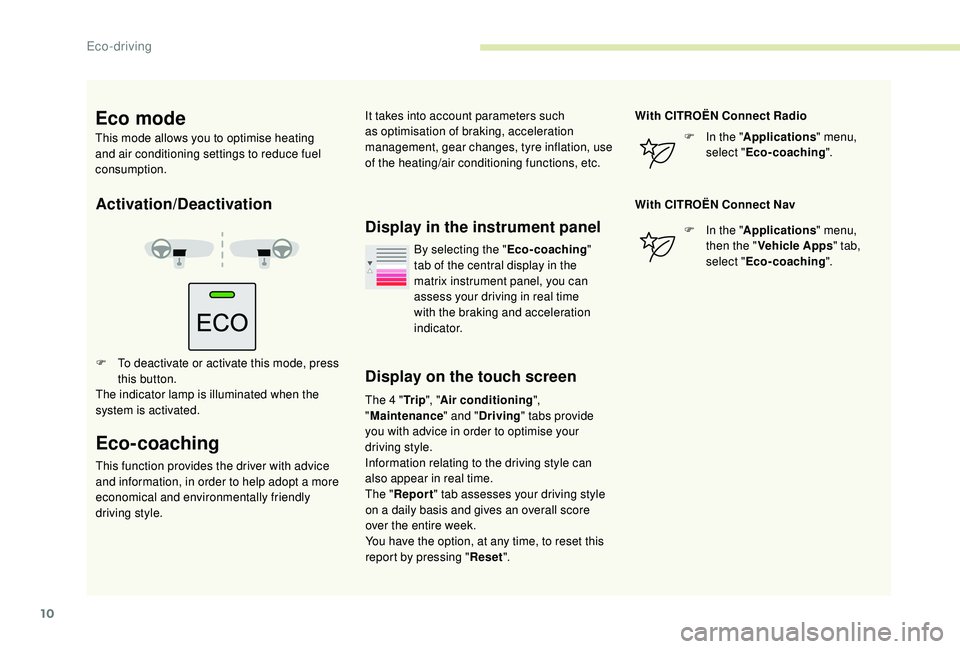
Activation/Deactivation
F To deactivate or activate this mode, press this button.
The indicator lamp is illuminated when the
system is activated.
Eco-coaching
This function provides the driver with advice
and information, in order to help adopt a more
economical and environmentally friendly
driving style.
Display in the instrument panel
Display on the touch screen
The 4 " Tr i p", "Air conditioning ",
" Maintenance " and "Driving " tabs provide
you with advice in order to optimise your
driving style.
Information relating to the driving style can
also appear in real time.
The " Report " tab assesses your driving style
on a daily basis and gives an overall score
over the entire week.
You have the option, at any time, to reset this
report by pressing " Reset". With CITROËN Connect Radio
F
I
n the "
Applications " menu,
select " Eco-coaching ".
With CITROËN Connect Nav F
I
n the "
Applications " menu,
then the " Vehicle Apps " tab,
select " Eco-coaching ".
By selecting the "
Eco-coaching"
tab of the central display in the
matrix instrument panel, you can
assess your driving in real time
with the braking and acceleration
i n d i c a t o r.
Eco mode
This mode allows you to optimise heating
and air conditioning settings to reduce fuel
consumption. It takes into account parameters such
as optimisation of braking, acceleration
management, gear changes, tyre inflation, use
of the heating/air conditioning functions, etc.
Eco-driving
Page 13 of 320
11
Instrument panel
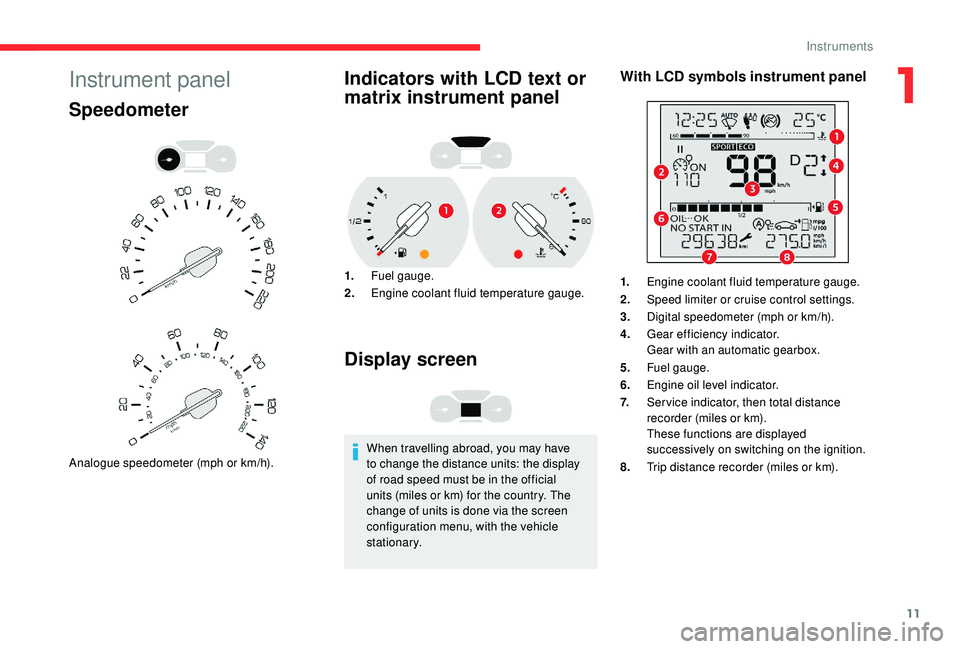
Speedometer
Analogue speedometer (mph or km/h).
Indicators with LCD text or
matrix instrument panel
1.Fuel gauge.
2. Engine coolant fluid temperature gauge.
Display screen
When travelling abroad, you may have
to change the distance units: the display
of road speed must be in the official
units (miles or km) for the country. The
change of units is done via the screen
configuration menu, with the vehicle
stationary.
With LCD symbols instrument panel
1.Engine coolant fluid temperature gauge.
2. Speed limiter or cruise control settings.
3. Digital speedometer (mph or km/h).
4. Gear efficiency indicator.
Gear with an automatic gearbox.
5. Fuel gauge.
6. Engine oil level indicator.
7. Ser vice indicator, then total distance
recorder (miles or km).
These functions are displayed
successively on switching on the ignition.
8. Trip distance recorder (miles or km).
1
Instruments
Page 31 of 320
29
F Press this button.
The ser vice information is displayed for a few
seconds, then disappears.
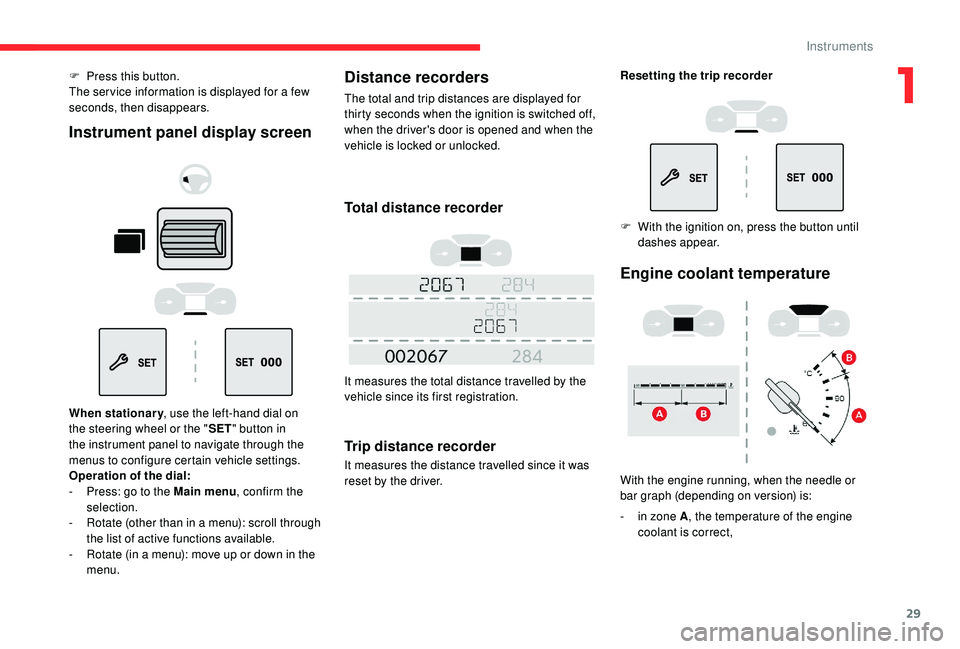
Instrument panel display screen
When stationary, use the left-hand dial on
the steering wheel or the " SET" button in
the instrument panel to navigate through the
menus to configure certain vehicle settings.
Operation of the dial:
-
P
ress: go to the Main menu , confirm the
selection.
-
R
otate (other than in a menu): scroll through
the list of active functions available.
-
R
otate (in a menu): move up or down in the
menu.
Distance recorders
The total and trip distances are displayed for
thirty seconds when the ignition is switched off,
when the driver's door is opened and when the
vehicle is locked or unlocked.
Total distance recorder
It measures the total distance travelled by the
vehicle since its first registration.
Trip distance recorder
It measures the distance travelled since it was
reset by the driver. Resetting the trip recorder
F
W
ith the ignition on, press the button until
dashes appear.
Engine coolant temperature
With the engine running, when the needle or
bar graph (depending on version) is:
-
i
n zone A , the temperature of the engine
coolant is correct,
1
Instruments
Page 79 of 320
77
12:13
1 12:00 AM12:00 AM
2
23 °C
OFF
OK
OK
00 00
00 00
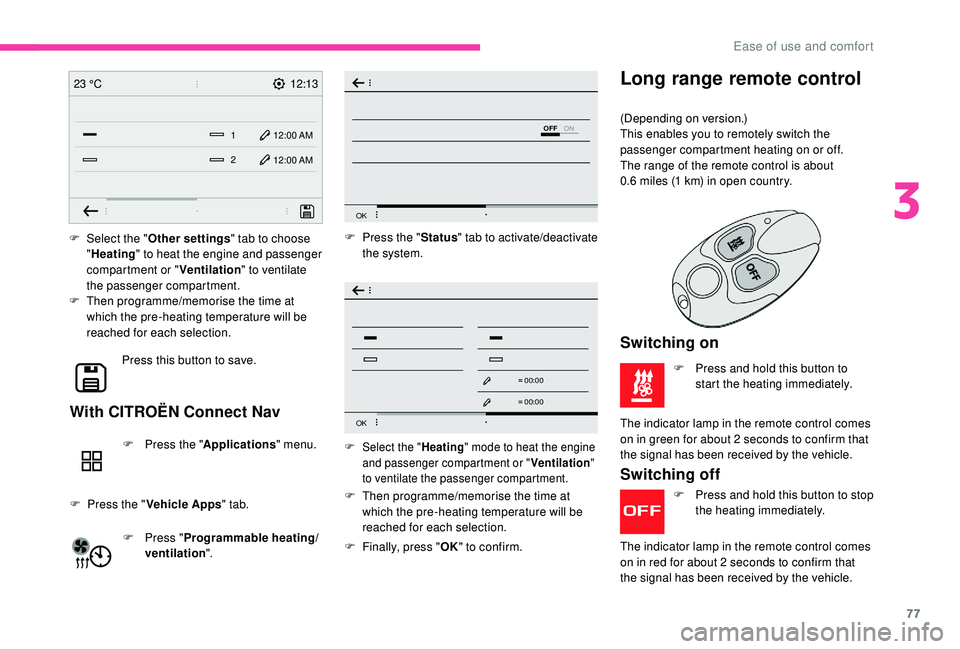
F Select the "
Other settings " tab to choose
" Heating " to heat the engine and passenger
compartment or " Ventilation" to ventilate
the passenger compartment.
F
T
hen programme/memorise the time at
which the pre-heating temperature will be
reached for each selection.
Press this button to save.
With CITROËN Connect Nav
F Press the " Applications" menu.
F
P
ress the " Vehicle Apps " tab.
F
P
ress " Programmable heating/
ventilation ". F
P
ress the "
Status" tab to activate/deactivate
the system.
F
T
hen programme/memorise the time at
which the pre-heating temperature will be
reached for each selection.
F
F
inally, press "OK" to confirm.F Select the " Heating" mode to heat the engine
and passenger compartment or " Ventilation"
to ventilate the passenger compartment.
Switching off
F Press and hold this button to stop the heating immediately.
The indicator lamp in the remote control comes
on in red for about 2
seconds to confirm that
the signal has been received by the vehicle.
Long range remote control
(Depending on version.)
This enables you to remotely switch the
passenger compartment heating on or off.
The range of the remote control is about
0.6
miles (1 km) in open country.
Switching on
F Press and hold this button to start the heating immediately.
The indicator lamp in the remote control comes
on in green for about 2
seconds to confirm that
the signal has been received by the vehicle.
3
Ease of use and comfort
Page 146 of 320
144
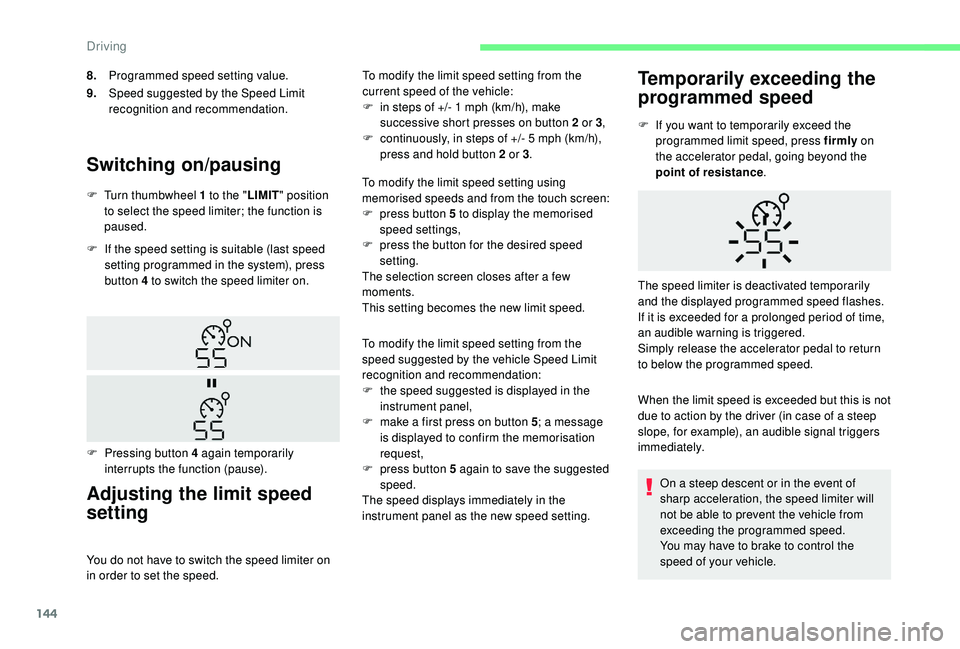
Switching on/pausing
F If the speed setting is suitable (last speed setting programmed in the system), press
button 4 to switch the speed limiter on.
Adjusting the limit speed
setting
You do not have to switch the speed limiter on
in order to set the speed. To modify the limit speed setting from the
current speed of the vehicle:
F
i
n steps of +/- 1 mph (km/h), make
successive short presses on button 2 or 3 ,
F
c
ontinuously, in steps of +/- 5 mph (km/h),
press and hold button 2 or 3 .
F
T
urn thumbwheel 1 to the "
LIMIT" position
to select the speed limiter; the function is
paused.
F
P
ressing button 4 again temporarily
interrupts the function (pause).
8.
Programmed speed setting value.
9. Speed suggested by the Speed Limit
recognition and recommendation.
To modify the limit speed setting using
memorised speeds and from the touch screen:
F
p
ress button 5 to display the memorised
speed settings,
F
p
ress the button for the desired speed
setting.
The selection screen closes after a few
moments.
This setting becomes the new limit speed.
To modify the limit speed setting from the
speed suggested by the vehicle Speed Limit
recognition and recommendation:
F
t
he speed suggested is displayed in the
instrument panel,
F
m
ake a first press on button 5
; a message
is displayed to confirm the memorisation
request,
F
p
ress button 5 again to save the suggested
speed.
The speed displays immediately in the
instrument panel as the new speed setting.
Temporarily exceeding the
programmed speed
F If you want to temporarily exceed the programmed limit speed, press firmly on
the accelerator pedal, going beyond the
point of resistance .
When the limit speed is exceeded but this is not
due to action by the driver (in case of a steep
slope, for example), an audible signal triggers
immediately. On a steep descent or in the event of
sharp acceleration, the speed limiter will
not be able to prevent the vehicle from
exceeding the programmed speed.
You may have to brake to control the
speed of your vehicle.
The speed limiter is deactivated temporarily
and the displayed programmed speed flashes.
If it is exceeded for a prolonged period of time,
an audible warning is triggered.
Simply release the accelerator pedal to return
to below the programmed speed.
Driving
Page 149 of 320
147
Modifying the cruise speed
setting
The cruise control must be active.
To modify the cruise speed setting from the
current speed of the vehicle:
F
i
n steps of +/- 1 mph (km/h), make
successive short presses on button 2 or 3 ,
F
c
ontinuously, in steps of +/- 5 mph (km/h),
press and hold button 2 or 3 .
Take care: pressing and holding button 2
or 3
results in a rapid change in the speed
of your vehicle.
As a precaution, it is recommended
that the cruise speed chosen be close
to the current speed of your vehicle, so
as to avoid any sudden acceleration or
deceleration of the vehicle.
To modify the cruise speed setting using
memorised speed settings and from the touch
screen:
F
p
ress button 5 to display the memorised
speed settings,
F
p
ress the button for the desired speed
setting.
The selection screen closes after a few
moments.
This setting becomes the new cruise speed. To modify the cruise speed setting using
the speed suggested by the Speed Limit
recognition and recommendation system:
F
t he speed suggested is displayed in the
instrument panel,
F
m
ake a first press on button 5; a message
is displayed to confirm the memorisation
request,
F
p
ress button 5 again to save the suggested
speed.
The speed displays immediately in the
instrument panel as the new speed setting.
Temporarily exceeding the
programmed speed
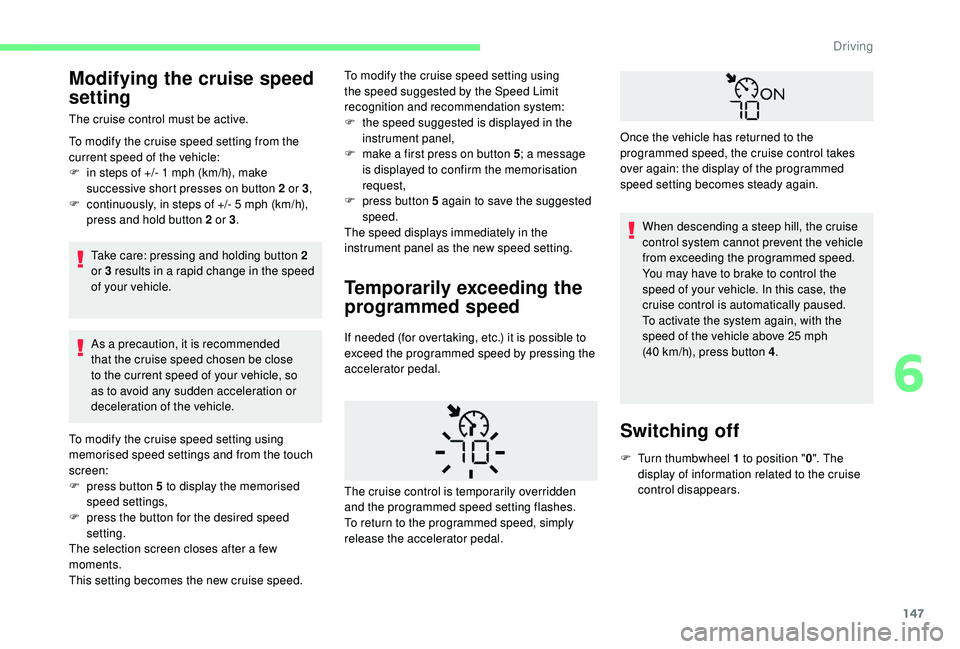
If needed (for overtaking, etc.) it is possible to
exceed the programmed speed by pressing the
accelerator pedal. When descending a steep hill, the cruise
control system cannot prevent the vehicle
from exceeding the programmed speed.
You may have to brake to control the
speed of your vehicle. In this case, the
cruise control is automatically paused.
To activate the system again, with the
speed of the vehicle above 25
mph
(40 km/h), press button 4.
Switching off
F Turn thumbwheel 1 to position " 0". The
display of information related to the cruise
control disappears.
The cruise control is temporarily overridden
and the programmed speed setting flashes.
To return to the programmed speed, simply
release the accelerator pedal. Once the vehicle has returned to the
programmed speed, the cruise control takes
over again: the display of the programmed
speed setting becomes steady again.
6
Driving
Page 152 of 320
150
With an automatic gearboxMode D or M must be selected.
With the speed of the vehicle between 19 and
112 mph (30 km/h and 180 km/h):
F Accelerate slightly and press one of the buttons
2 or 3: the system starts (green display).
The cruise speed setting then becomes equal to:
-
t he current speed of your vehicle, if it is over
19
mph (30 km/h),
-
1
9 mph (30 km/h), if it is below 19 mph (30 km/h).
Remembering the settings
Switching off the ignition cancels any speed
setting value chosen by the driver.
By default, the inter-vehicle distance is set
at "Normal " (2 dashes). Other wise, the last
setting made will be used when switching on
the system.
Pause
The cruise control can be paused manually:
- e ither by action by the driver:
•
O
n the button 4 (Pause).
•
O
n the brake pedal.
•
O
n the electric parking brake control.
•
O
n the clutch pedal, by pressing for
approximately 10
seconds or more.
•
W
hen changing from mode D to N with an
automatic gearbox. When the cruise control is paused, it can
only be reactivated when all of the safety
conditions are met again. The message
"Activation not possible, conditions
unsuitable" is displayed while reactivation
is not possible.
Reactivating the function
With manual gearbox
To reactivate the function, the driver must
accelerate to reach at least 19
mph (30 km/h),
then press one of the buttons 2 , 3 or 4.
-
o
r automatically:
•
I
f the ESC system is activated, for safety
reasons.
•
W
hen the speed of the vehicle goes
below 19 mph (30 km/h) with a manual
gearbox.
With automatic gearbox
Following braking of the vehicle bringing it to
a complete stop, the system holds the vehicle
stationary; the cruise control is paused.
The driver should press the accelerator pedal
to move off, then reactivate the system above
19 mph (30 km/h) by pressing one of the
buttons 2 , 3 or 4.
If the driver takes no action following this
immobilisation, the electric parking brake
is applied automatically after a while
(approximately 5
minutes). As a safety measure, wait until the current
speed approaches the speed setting to
reactivate the function by pressing button
4
.
Modification of the speed
setting
With the engine running and cruise control on
(green), you can modify the speed setting.
From the current speed
F By successive short presses on button 2 or
3, to lower or raise the setting in steps of +
or -1
mph (km/h).
F
B
y a maintained press on button 2 or 3 , to
lower or raise the setting in steps of + or
-5
mph (km/h).
Take care: pressing and holding button 2
or 3
results in a rapid change in the speed
of your vehicle.
Driving
Page 153 of 320
151
From the Speed Limit recommendation
and recognition system
F The suggested speed is displayed in the instrument panel.
F
M
ake an initial press on button 5 ; a
message is displayed to confirm the
memorisation request.
F
P
ress button 5 again to save the suggested
speed.
The speed displays immediately in the
instrument panel as the new speed setting.
For more information on the Speed Limit
recognition and recommendation , refer to
the corresponding section.
As a precaution, it is recommended
that you select a cruise speed close to
the current speed of your vehicle, so
as to avoid any sudden acceleration or
deceleration of the vehicle.
The selection also applies to the stopping
distance (versions with EAT8 automatic
gearbox).
Exceeding the programmed
setting
It is possible to exceed the speed setting
temporarily by depressing the accelerator
pedal.
The cruise control no longer manages the
braking system during this period.
Simply release the accelerator pedal to return
to the programmed speed.
If the programmed speed setting is exceeded,
the display of the speed setting disappears
and a message "Cruise control suspended"
is displayed until the accelerator pedal is
released.
Driving situations and
associated alerts
The table below describes the alerts and
messages displayed depending on the driving
situation.
The display of these alerts is not sequential.
With the engine running and with the
thumbwheel at the "
CRUISE" position:
F
P
ress button 6 to display the selection
screen for inter-vehicle distance.
F
B
y pressing button 6 repeatedly, cycle
through the predefined settings.
The selection screen closes after a few
seconds.
The change then takes effect.
This setting remains in memory, whatever the state
of the system and when the ignition is switched off.
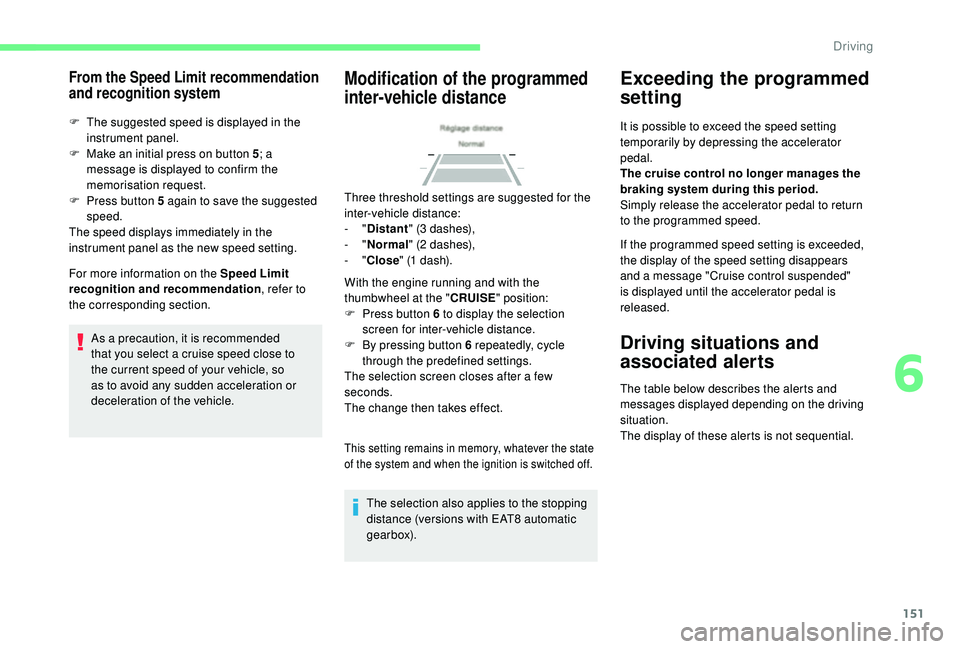
Modification of the programmed
inter-vehicle distance
Three threshold settings are suggested for the
inter-vehicle distance:
-
"Distant " (3 dashes),
-
"Normal " (2 dashes),
-
"Close " (1 dash).
6
Driving
Page 157 of 320
155
The system is not intended for the
following situations:
-
i
f the front end of the vehicle has
been modified (addition of long-range
headlamps, painting of the front
bumper),
-
d
riving on a racing circuit,
-
r
unning on a rolling road,
-
u
se of snow chains, non-slip covers or
studded tyres.
The use of mats not approved by
CITROËN may inter fere with the operation
of the cruise control.
To avoid any risk of jamming the pedals:
-
e
nsure that the mat is secured
c o r r e c t l y,
-
n
ever place one mat on top of another.
The following situations may interfere with
the operation of the system or prevent it
from working:
-
d
riving on a winding road,
-
p
oor visibility (inadequate street
lighting, falling snow, heavy rain, dense
f o g , e t c .),
-
d
azzle (headlamps of an oncoming
vehicle, low sun, reflections on a damp
road, leaving a tunnel, alternating
shade and light, etc.),
-
c
amera obstructed (mud, frost, snow,
condensation, etc.).
In these situations, detection performance
may be reduced.Malfunction
If the cruise control
malfunctions, dashes are
displayed instead of the
cruise control speed setting.
If this warning lamp comes
on, accompanied by an alert
message and an audible
signal, this confirms a
malfunction.
The adaptive cruise control deactivates
automatically if the use of a "space-saver"
type spare wheel is detected or if there is
a malfunction on the lateral brake lamps or
trailer brake lamps (for approved trailers).
The cruise control operates by day and
night, in fog or moderate rainfall.
However, it is strongly recommended that
you always adapt the speed and the safety
distance in relation to the vehicles ahead,
according to the driving conditions, the
weather and the road surface.
Use the cruise control only where the
driving conditions allow running at a
constant speed and keeping an adequate
safety distance.
Do not activate the cruise control in urban
areas where pedestrians are likely to
cross the road, in heavy traffic (except for
versions with EAT8 gearbox), on winding
or steep roads, on slippery or flooded
roads, when there is snowfall, if the
windscreen is damaged or when the brake
lamps have failed.
In certain circumstances, it may not
be possible for the speed setting to be
maintained or even attained: loaded
vehicle, ascending a steep hill, etc.
Have the system checked by a CITROËN
dealer or a qualified workshop.
Memorising speeds
Linked to the speed limiter and programmable
cruise control only, this function allows speed
limits to be registered which will then be
suggested as settings for these two systems.
6
Driving
Page 158 of 320
156
As a safety measure, the driver must
only modify the speed settings when
stationary.
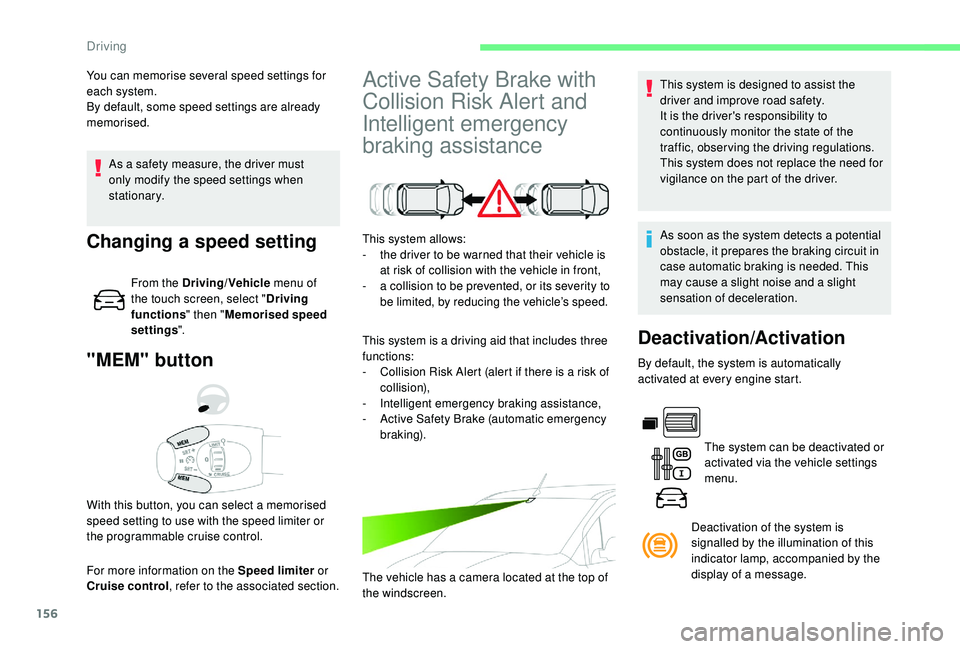
"MEM" button
For more information on the Speed limiter or
Cruise control , refer to the associated section.
With this button, you can select a memorised
speed setting to use with the speed limiter or
the programmable cruise control.
Changing a speed setting
From the Driving/Vehicle
menu of
the touch screen, select " Driving
functions " then "Memorised speed
settings ".
Active Safety Brake with
Collision Risk Alert and
Intelligent emergency
braking assistanceThis system is designed to assist the
driver and improve road safety.
It is the driver's responsibility to
continuously monitor the state of the
traffic, observing the driving regulations.
This system does not replace the need for
vigilance on the part of the driver.
This system allows:
-
t
he driver to be warned that their vehicle is
at risk of collision with the vehicle in front,
-
a c
ollision to be prevented, or its severity to
be limited, by reducing the vehicle’s speed.
This system is a driving aid that includes three
functions:
-
C
ollision Risk Alert (alert if there is a risk of
collision),
-
I
ntelligent emergency braking assistance,
-
A
ctive Safety Brake (automatic emergency
b r ak ing).
The vehicle has a camera located at the top of
the windscreen. As soon as the system detects a potential
obstacle, it prepares the braking circuit in
case automatic braking is needed. This
may cause a slight noise and a slight
sensation of deceleration.
You can memorise several speed settings for
each system.
By default, some speed settings are already
memorised.
Deactivation/Activation
By default, the system is automatically
activated at every engine start.
The system can be deactivated or
activated via the vehicle settings
menu.
Deactivation of the system is
signalled by the illumination of this
indicator lamp, accompanied by the
display of a message.
Driving