battery Citroen C ZERO 2014.5 1.G Owner's Guide
[x] Cancel search | Manufacturer: CITROEN, Model Year: 2014.5, Model line: C ZERO, Model: Citroen C ZERO 2014.5 1.GPages: 176, PDF Size: 5.22 MB
Page 136 of 176
134
EMERGENCY OR ASSIST ANCE CALL
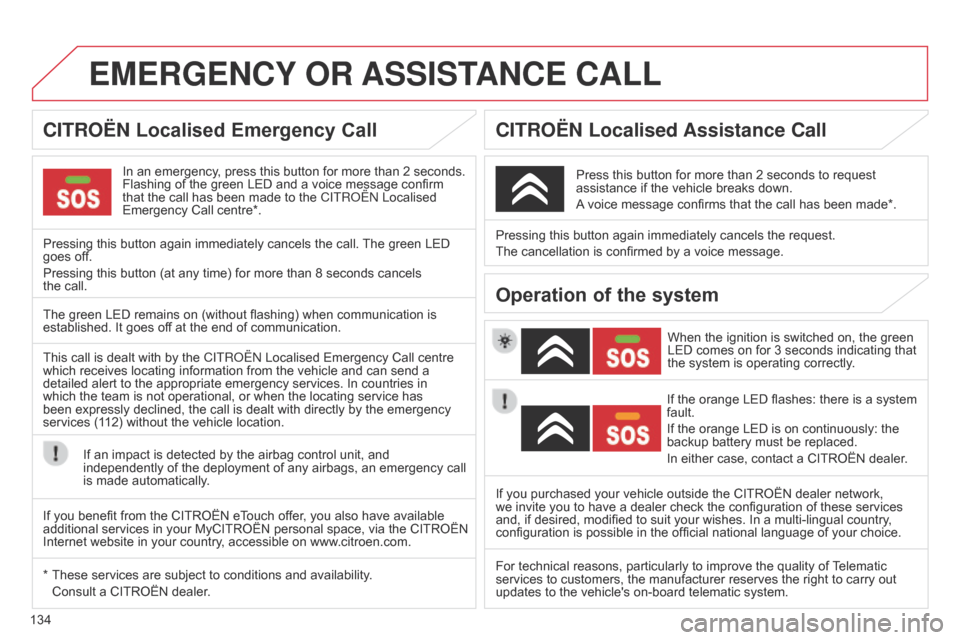
In an emergency, press this button for more than 2 seconds.
Flashing of the green LED and a voice message confirm
that the call has been made to the C
ITR o Ë n Localised
Emergency Call centre*.
Pressing this button again immediately cancels the call. The green LED
goes off.
Pressing this button (at any time) for more than 8 seconds cancels
the
call. When the ignition is switched on, the green
LED comes on for 3 seconds indicating that
the system is operating correctly.
Pressing this button again immediately cancels the request.
The cancellation is confirmed by a voice message.
Press this button for more than 2 seconds to request
assistance if the vehicle breaks down.
A voice message confirms that the call has been made*.
The green LED remains on (without flashing) when communication is
established. It goes off at the end of communication.
This call is dealt with by the C
ITR o Ë n Localised Emergency Call centre
which receives locating information from the vehicle and can send a
detailed alert to the appropriate emergency services. In countries in
which the team is not operational, or when the locating service has
been expressly declined, the call is dealt with directly by the emergency
services (112) without the vehicle location.
If an impact is detected by the airbag control unit, and
independently of the deployment of any airbags, an emergency call
is made automatically. If the orange LED flashes: there is a system
fault.
If the orange LED is on continuously: the
backup battery must be replaced.
In either case, contact a CITROËN dealer.
If you purchased your vehicle outside the CITROËN dealer network,
we invite you to have a dealer check the configuration of these services
and, if desired, modified to suit your wishes. In a multi-lingual country ,
configuration is possible in the official national language of your choice.
For technical reasons, particularly to improve the quality of Telematic
services to customers, the manufacturer reserves the right to carry out
updates to the vehicle's on-board telematic system.
If you benefit from the CITROËN eTouch offer, you also have available
additional services in your MyCITROËN personal space, via the CITROËN
Internet website in your country, accessible on www.citroen.com.
*
These services are subject to cond
itions and availability.
Consult a CITROËN dealer
.
CITROËN Localised Emergency Call C ITROËN Localised Assistance Call
Operation of the system
Page 137 of 176
135
Audio system / Bluetooth®
01 First steps
For safety reasons, the driver must only carry out
operations which require prolonged attention while the
vehicle is stationary.
When the engine is switched off and to prevent
discharging of the battery, the system switches off after
activation of the energy economy mode.
CONTENTS
02 Radio
03
Audio
04
Using
the telephone
05
Audio
settings
06
Configuration
07
Screen
menu maps
Frequently asked questions p.
p.
p.
p.
p.
p.
p.
p.
136
137
140
146
152
153
154
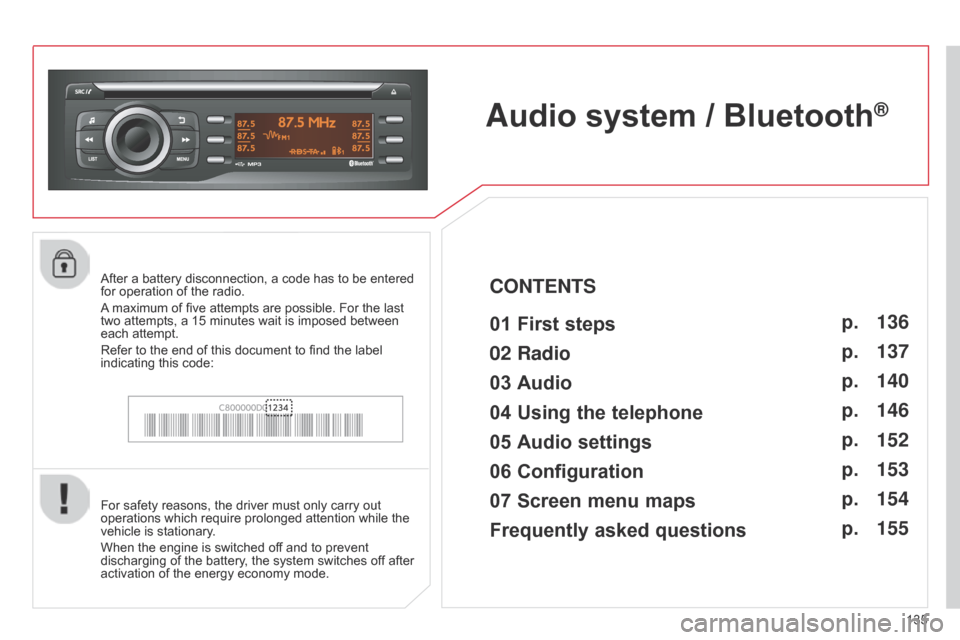
155After a battery disconnection, a code has to be entered
for operation of the radio.
A maximum of five attempts are possible. For the last
two
attempts, a 15 minutes wait is imposed between
each attempt.
Refer to the end of this document to find the label
indicating this code:
Page 159 of 176
157
FREqUENTLY ASKED q UESTIONS
qUESTION ANSWER SOLUTION
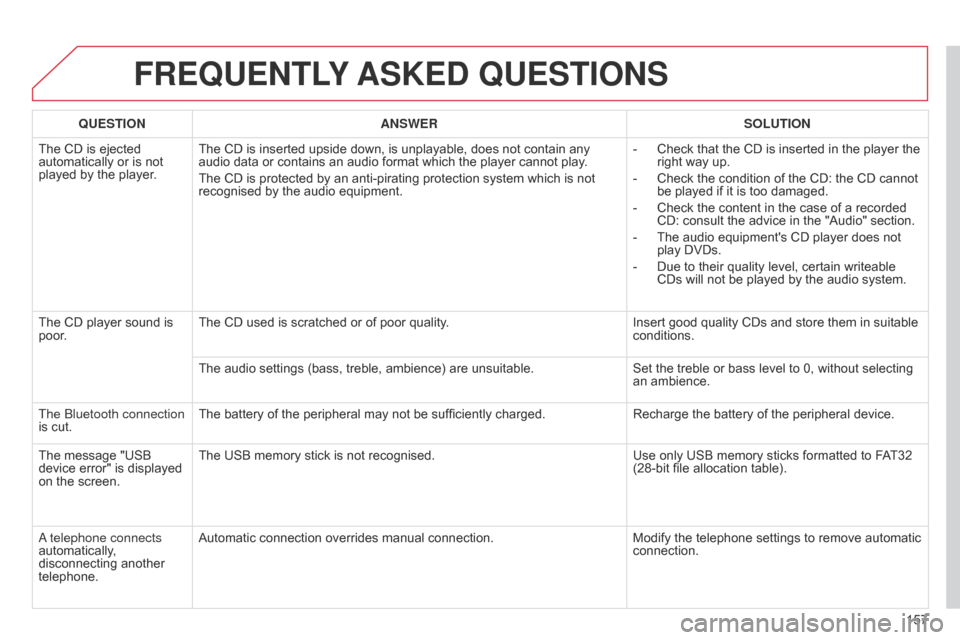
The CD is ejected
automatically or is not
played by the player
.The CD is inserted upside down, is unplayable, does not contain any
audio data or contains an audio format which the player cannot play
.
The CD is protected by an anti-pirating protection system which is not
recognised by the audio equipment. -
Check that the CD is inserted in the player the
right way up.
-
Check the condition of the CD: the CD cannot
be played if it is too damaged.
-
Check the content in the case of a recorded
CD: consult the advice in the "Audio" section.
-
The audio equipment's CD player does not
play DVDs.
-
Due to their quality level, certain writeable
CDs will not be played by the audio system.
The CD player sound is
poor
. The CD used is scratched or of poor quality.
Insert good quality CDs and store them in suitable
conditions.
The audio settings (bass, treble, ambience) are unsuitable. Set the treble or bass level to 0, without selecting
an ambience.
The
b
luetooth connection
is cut. The battery of the peripheral may not be sufficiently charged.
Recharge the battery of the peripheral device.
The message "USB
device error" is displayed
on the screen. The USB memory stick is not recognised.
Use only USB memory sticks formatted to FAT32
(28-bit file allocation table).
a telephone connects
automatically
,
disconnecting another
telephone. Automatic connection overrides manual connection.
Modify the telephone settings to remove automatic
connection.
Page 160 of 176
158
FREqUENTLY ASKED q UESTIONS
qUESTION ANSWER SOLUTION
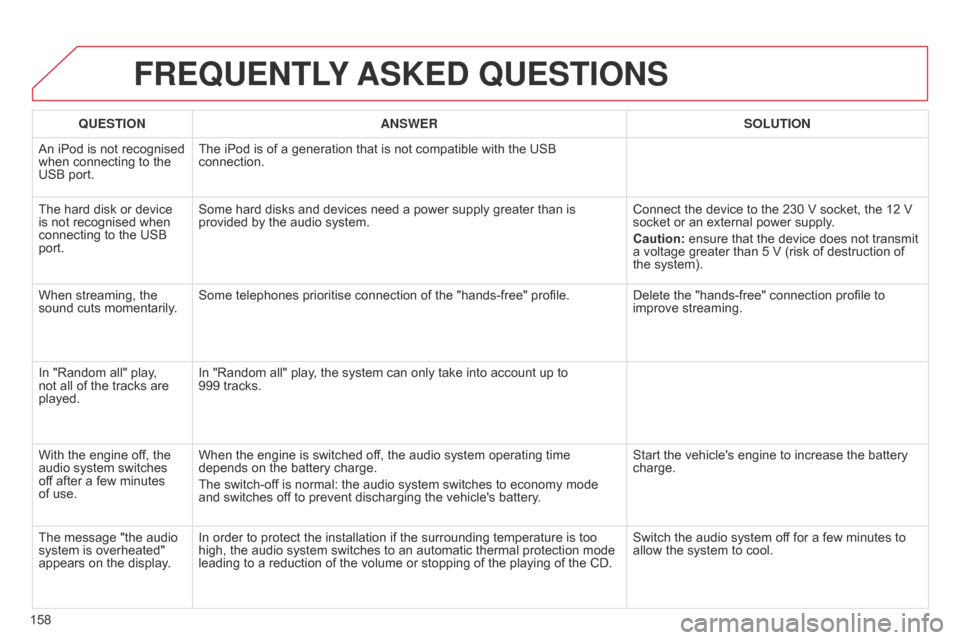
An iPod is not recognised
when connecting to the
USB port. The iPod is of a generation that is not compatible with the USB
connection.
The hard disk or device
is not recognised when
connecting to the USB
port. Some hard disks and devices need a power supply greater than is
provided by the audio system.
Connect the device to the 230 V socket, the 12 V
socket or an external power supply
.
Caution: ensure that the device does not transmit
a voltage greater than 5 V (risk of destruction of
the system).
When streaming, the
sound cuts momentarily. Some telephones prioritise connection of the "hands-free" profile.
Delete the "hands-free" connection profile to
improve streaming.
In "Random all" play,
not all of the tracks are
played. In "Random all" play, the system can only take into account up to
999
tracks.
With the engine off, the
audio system switches
off after a few minutes
of use. When the engine is switched off, the audio system operating time
depends on the battery charge.
The switch-off is normal: the audio system switches to economy mode
and switches off to prevent discharging the vehicle's battery. Start the vehicle's engine to increase the battery
charge.
The message "the audio
system is overheated"
appears on the display. In order to protect the installation if the surrounding temperature is too
high, the audio system switches to an automatic thermal protection mode
leading to a reduction of the volume or stopping of the playing of the CD. Switch the audio system off for a few minutes to
allow the system to cool.
Page 161 of 176
159
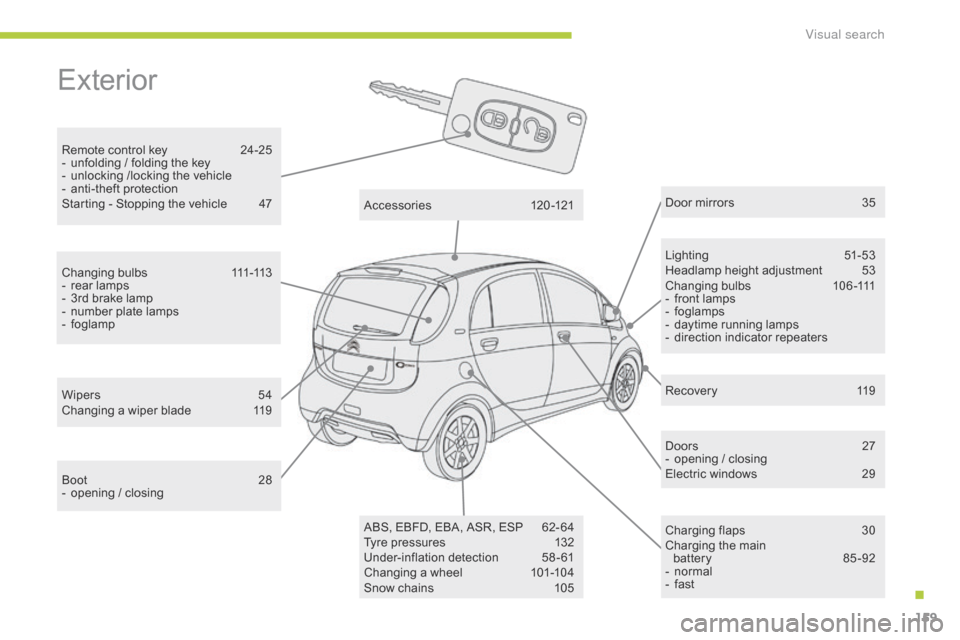
Exterior
Remote control key 24-25
- u nfolding / folding the key
-
u
nlocking /locking the vehicle
-
a
nti-theft protection
Starting - Stopping the vehicle
4
7 Lighting
5
1-53
Headlamp height adjustment
5
3
Changing bulbs
1
06-111
-
f
ront lamps
-
fo
glamps
-
d
aytime running lamps
-
d
irection indicator repeaters
Wipers
5
4
Changing a wiper blade
1
19 Door mirrors
3
5
Doors
2
7
-
o
pening / closing
Electric windows
2
9
Charging flaps
3
0
Charging the main battery
8
5 -92
-
n
ormal
-
f
ast
Accessories
1
20-121
ABS, EBFD, EBA, ASR, ESP
6
2- 64
Tyre pressures
1
32
Under-inflation detection
5
8-61
Changing a wheel
1
01-104
Snow chains
1
05
Boot
2
8
-
o
pening / closing
Changing bulbs
1
11-113
-
r
ear lamps
-
3
rd brake lamp
-
n
umber plate lamps
-
fo
glamp Recovery
1
19
.
Visual search
Page 164 of 176
162
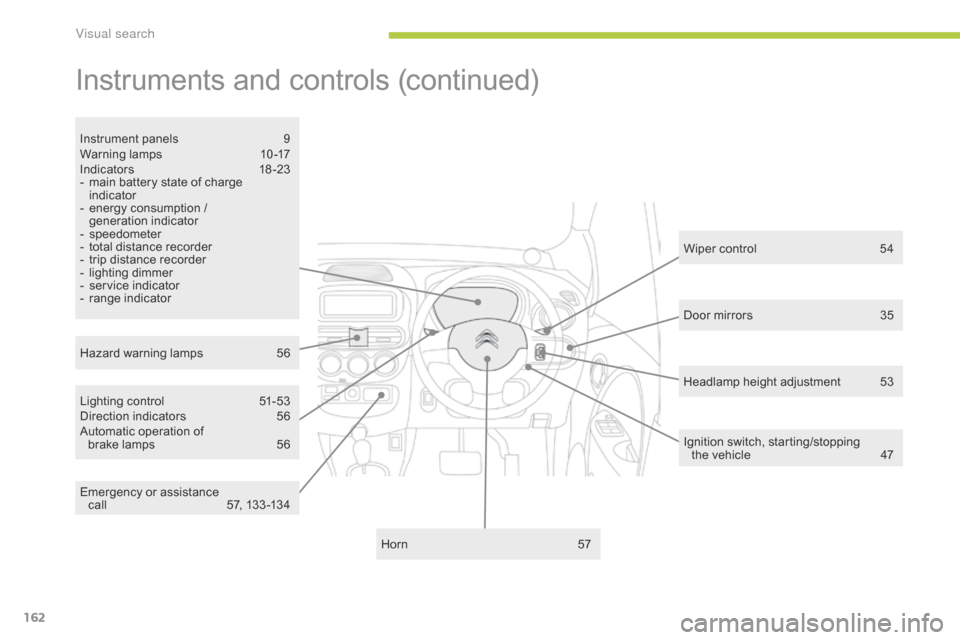
Instruments and controls (continued)
Lighting control 51-53
Direction indicators 5 6
Automatic operation of brake lamps
5
6
Instrument panels
9
W
arning lamps
1
0-17
Indic ators
18
-23
-
m
ain battery state of charge
indicator
-
e
nergy consumption /
generation indicator
-
s
peedometer
-
t
otal distance recorder
-
t
rip distance recorder
-
l
ighting dimmer
-
s
ervice indicator
-
r
ange indicator
Horn
5
7
Hazard warning lamps
5
6 Wiper control
5
4
Ignition switch, starting/stopping the
vehicle
4
7
Door mirrors
3
5
Headlamp height adjustment
5
3
Emergency or assistance call
5
7, 133 -134
Visual search
Page 165 of 176
163
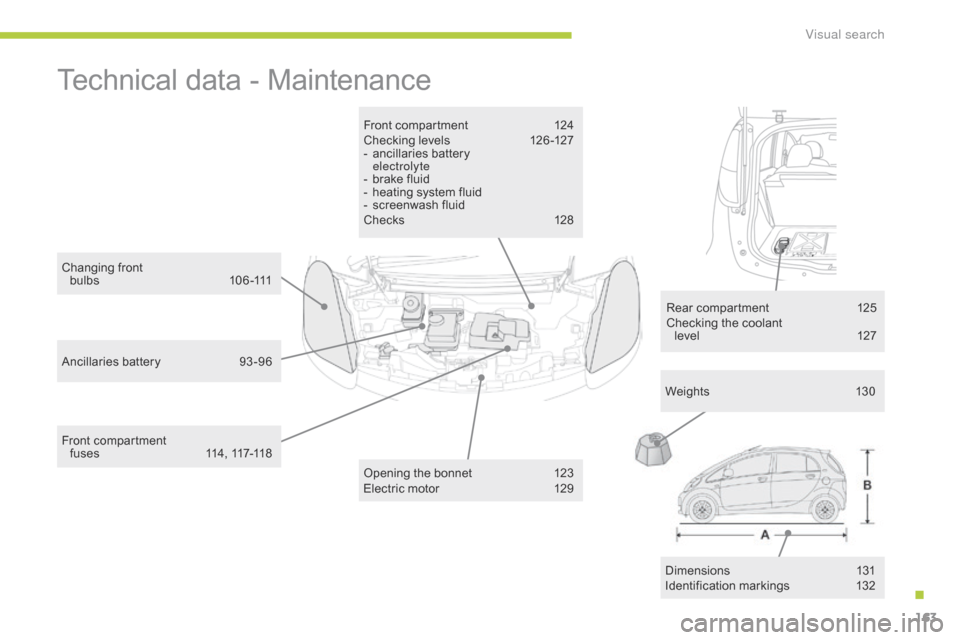
Technical data - Maintenance
Front compartment 124
Checking levels 1 26 -127
-
a
ncillaries battery
electrolyte
-
b
rake fluid
-
h
eating system fluid
-
s
creenwash fluid
Chec ks
12
8
Changing front
b u l b s
1
0 6 -111
Ancillaries battery
9
3 -96 Opening the bonnet
1
23
Electric motor
1
29Weights
13
0
Rear compartment
1
25
Checking the coolant level
12
7
Front compartment f u s e s
11
4 , 117-118 Dimensions
1
31
Identification markings
1
32
.
Visual search
Page 166 of 176
164
ABS and EBFD systems ...............................62ac
cessories .............................. ..................120
Accessory socket, 12V
........................... 3
7, 38
a
ccess to bulbs
.................................... 1
0 7, 111
Adjusting headlamps
.................................... 53
A
djusting head restraints
..............................31
A
dvice on driving
..............................
............46
Airbags
...............
........................................... 68
Airbags, curtain
....................................... 7
0, 71
Airbags, front........................................... 68, 71
Airbags, lateral
........................................ 7
0, 71
Air conditioning
...............................
.. 41, 43, 44
ai
r vents
..............................
..........................40
Anti-lock braking system (ABS)
....................62as
sistance call
.............................. 5
7, 133, 134
Audible warning
............................................ 57
A
udio streaming (Bluetooth)
.......................14
5
Audio system
...............................
................13 5
Automatic illumination of headlamps
............53
A
utomatic operation of brake lamps
.............56
A
utomatic switching off of lighting
................53C
D MP3
................
................................140 -143
Changing a bulb
................................... 1
0 6 -113
Changing a fuse
................................... 11
4 -118
Changing a wheel
...............................
.101-104
Changing a wiper blade
..............................11
9
Charge main battery
.....................................85
C
harging time
...............................
...............129
Checking levels
...................................12
6, 127
Checking tyre pressures (using the kit)
..............................
................98
Checks
...............
..................................124 -128
Child lock
...............................
........................84
Children
...............................
.........67, 69, 72- 84
Child seats
..............................
...............72- 83
Child seats, conventional
..............................78
C
hild seats ISOFIX
.......................................8
2
C
ITR
oËn L
ocalised Assistance Call
.........13
4
C
ITR
oËn L
ocalised Emergency Call.........13 4
Closing the boot
...............................
.............28
Control unit
.................................................... 87
C
oolant level
..............................
.................127
Cup holder
...............................
......................37EBA (Emergency braking assistance)
....6
2, 63
Electric motor
..............................................12
9
Electronic brake force distribution (EBFD)
...............................
.........................62
Electronic engine immobiliser ................. 25, 26
Emergency braking system
..........................63
E
mergency call
............................. 5
7, 133, 134
Emergency warning lamps
........................... 56
E
nergy consumption /
generation indicator
.................................... 19
E
nvironment
................... 8 , 4
1, 45, 58, 96, 127
ESP/ASR
...............................
........................64
ba
ttery, ancillaries
..............................
.. 93, 126
Battery, main
......................................... 8
5, 129
Bluetooth (hands-free)
................................14
6
bo
nnet, front
............................................... 12
3
bo
nnet stay
................................................. 12
3
Brake discs/drums
..................................... 12
8
Brake lamps
...............................
........... 56, 112
A
C
D
Brake pads ..................................................128
Braking assistance system ...........................62
B
ulbs (changing, type)
.........................1
0 6 -113
E
B
Daytime running lamps ......................... 5 3, 110
Deactivating the passenger airbag ............... 69
D
eactivation of the passenger
and rear window control switches
..............29
D
emisting/Defrosting, front
........................... 45
D
emisting/Defrosting, rear ............................45
Dimensions
..............................
...................131
Dipped beam
...............................
.......... 51, 110
Direction indicators
....................... 5
6, 109, 112
di
splay screen
..............................
.......... 20, 21
do
ors
............................................................. 2
7
Door pockets
................................................. 37dr
ive selector
...............................
.................49
alphabetical index
Page 174 of 176
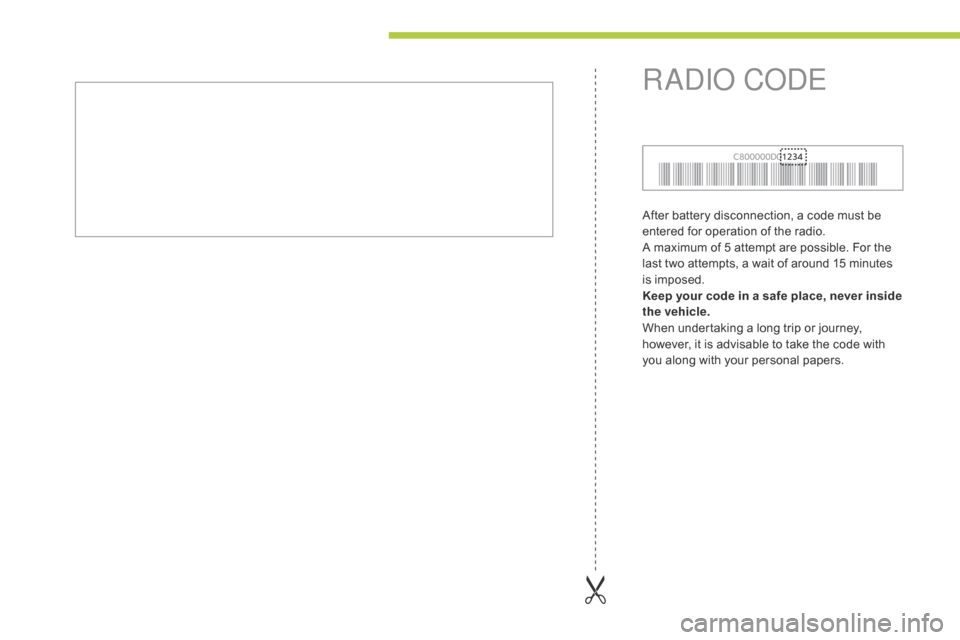
After battery disconnection, a code must be
entered for operation of the radio.
A maximum of 5 attempt are possible. For the
last two attempts, a wait of around 15 minutes
is imposed.
Keep your code in a safe place, never inside
the vehicle.
When undertaking a long trip or journey,
however, it is advisable to take the code with
you along with your personal papers.
RadIo CodE